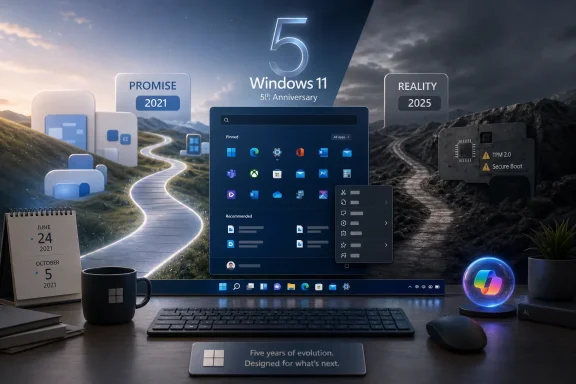
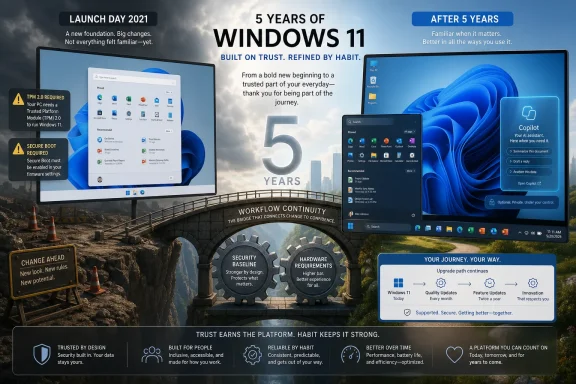
Microsoft revealed Windows 11 on June 24, 2021, as a free upgrade for compatible Windows 10 PCs, and five years later the operating system has finally moved from reluctant migration project to the dominant Windows platform. That is not the same thing as saying Windows 11 has been vindicated. Its rise was slow, coerced by hardware refresh cycles, and accelerated by Windows 10’s support deadline more than by user affection. But the fifth anniversary lands at an awkwardly interesting moment: Microsoft may finally be fixing the parts of Windows 11 that made so many people resent the upgrade in the first place.
The TechRadar argument that Windows 11 is “finally onto a winner” is persuasive mostly because it does not pretend the first four years were graceful. Windows 11 arrived with a polished surface and a long list of regressions, then spent years asking users to accept that familiar desktop conveniences were apparently negotiable. What has changed in 2026 is not merely that Windows 11 has more users. It is that Microsoft appears to have rediscovered a basic truth it forgot during the launch: Windows is not a showcase app; it is the place where everybody else’s work happens.
The adoption story matters because it explains why the fifth birthday feels less like a celebration than a verdict. Windows 11 did not explode out of the gate the way a free upgrade might have if Microsoft had offered a frictionless path from Windows 10. Its hardware requirements, including TPM 2.0 and supported CPU lists, created a line between “modern enough” and “left behind” that many otherwise usable PCs fell on the wrong side of.
That decision was defensible from a security architecture standpoint, but it was brutal from a user-trust standpoint. Microsoft asked people to believe that Windows 11 was the future while simultaneously telling a large installed base that the future required new hardware. For consumers, that felt arbitrary. For IT departments, it turned migration into an asset-management problem.
The result was predictable: Windows 10 lingered. It was familiar, stable enough, and already deployed at scale. The operating system that Microsoft had once implied would be the “last version of Windows” became the default refuge for users who did not want the redesigned Start menu, the centered taskbar, or the sense that Windows 11 had traded power-user flexibility for aesthetic neatness.
Windows 11’s eventual majority share therefore says two things at once. It says the platform has finally become the center of gravity for Microsoft’s desktop ecosystem. It also says that the company needed the ticking clock of Windows 10 end-of-support to finish the job.
This was especially irritating because Windows has never been beloved for minimalism. Windows is beloved, when it is beloved at all, because it bends. It lets accountants, gamers, developers, field technicians, students, and sysadmins build messy little kingdoms of workflow around it. When Microsoft reduces that flexibility, it is not merely changing a design preference; it is taxing muscle memory.
That is why the reported “fix-athon” matters. If Microsoft is restoring taskbar repositioning, expanding Start menu customization, cleaning spammy search surfaces, and giving users more control over updates, those are not minor concessions. They are an admission that the Windows 11 launch philosophy was too confident in what users would tolerate.
The broader lesson is that a desktop operating system cannot be judged only by how it looks on a press-event screen. It has to survive the accumulated irritation of thousands of daily repetitions. The fifth year of Windows 11 is promising because Microsoft seems, belatedly, to be designing for those repetitions again.
Windows 11 version 24H2 became the cautionary tale. It was not a catastrophe for everyone, but it was noisy enough to reinforce the perception that big Windows feature updates carry unpredictable risk. For administrators, that perception matters almost as much as the bug count itself. If every annual release feels like a new round of pilot testing, organizations slow down, defer, and wait for other people to discover the sharp edges.
The reported move toward smaller enablement packages is therefore sensible. If the underlying platform does not need a major overhaul, there is little value in pretending that it does. Features can arrive through cumulative updates, controlled rollouts, and staged deployments, while the version-number bump becomes less of an event and more of a servicing marker.
That is boring in the best possible way. The ideal Windows update for most users is one they do not have to think about. The ideal Windows feature rollout for IT is one that can be measured, paused, documented, and reversed if necessary. Microsoft’s challenge is to make “new Windows version” sound less like “brace yourself.”
That is why the split between Arm-focused and x86-focused development paths is more than release-calendar trivia. It suggests Microsoft understands that Windows cannot treat every device class as if it were merely another SKU. Arm PCs need a different cadence when silicon, firmware, neural processing units, and emulation layers are all evolving quickly.
The risk is fragmentation. Windows has spent decades benefiting from the assumption that Windows is Windows, regardless of vendor logo. If Arm devices receive different update timing, feature availability, or compatibility caveats, Microsoft has to explain that without making the platform feel divided into first-class and second-class citizens.
Still, a more deliberate approach is preferable to the alternative. The worst version of Windows on Arm would be one where Microsoft rushes platform changes into the mainstream Windows channel and asks everyone else to absorb the turbulence. A cleaner separation of development paths may be less elegant rhetorically, but it is probably healthier operationally.
That does not mean the speculation is fair. A weird Recycle Bin dialog bug or a malformed interface string can come from ordinary human error, legacy code paths, localization mistakes, rushed testing, or the sprawling complexity of Windows itself. Windows was producing bizarre bugs long before generative AI became the industry’s favorite hammer.
But optics matter. If Microsoft wants users to trust AI-assisted software development, it must be more transparent about quality assurance, not less. The company cannot simultaneously promote AI as an accelerant and then act surprised when users blame AI for defects that look careless.
This is the missing plank in the Windows 11 redemption story. Feature restoration is good. Smaller updates are good. Community panels and feedback loops are good. But none of them substitute for visible, measurable quality improvements in the builds ordinary people receive.
A research panel could become a meaningful corrective if it brings real users into the design process early enough. That means not just asking whether people like a new Start menu after the broad concept has already been approved, but testing whether the concept solves the right problem in the first place. Windows users are unusually good at detecting workflow friction because they live inside the operating system all day.
The danger is that “listening” becomes theater. Microsoft has a long history of asking for feedback while continuing to pursue engagement surfaces, recommendations, account nudges, and cloud-service tie-ins that users plainly dislike. If the company cleans up Windows Search today but finds new ways to promote Microsoft services tomorrow, the trust dividend disappears quickly.
Windows users do not expect Microsoft to stop being Microsoft. They do expect the operating system to respect the boundary between helpful integration and advertising. The more Windows 11 becomes the only realistic destination for mainstream Windows users, the more important that boundary becomes.
Windows 11 Home users, in particular, have lived with limited control over update timing. Microsoft’s fear was understandable. A giant installed base of unmanaged consumer PCs can become a botnet’s dream if updates are treated as optional forever. But the other side of that bargain is trust: users need to believe that installing updates promptly will not break printers, games, VPNs, file shares, or basic interface behavior.
If Microsoft is expanding pause and deferral options, it is implicitly acknowledging that control is part of reliability. People are more willing to accept updates when they do not feel ambushed by them. Administrators have known this forever. Consumers are learning it the hard way.
The balancing act will be difficult. Infinite deferral is bad security policy if it becomes the default behavior of frustrated users. But rigid enforcement is bad product policy if users are avoiding updates because Microsoft has not earned confidence in its own servicing pipeline. Better update control should come with better update quality, not serve as a pressure valve for defects.
That matters for how Windows 11’s majority status should be interpreted. Some users upgraded because Windows 11 improved. Some upgraded because they bought new PCs. Some upgraded because their organizations finished migration projects. Others upgraded because the support calendar finally made resistance impractical.
This mixture should keep Microsoft humble. A platform can gain share because it is loved, because it is bundled, because it is required, or because the alternative expired. Windows 11’s current strength includes all four, but the expiration of Windows 10 is doing a lot of work.
For IT departments, the Windows 10 hangover is not over. Extended Security Updates, incompatible hardware, application validation, and budget cycles will keep the old OS alive in pockets longer than Microsoft would like. Windows 11’s fifth anniversary is therefore less a clean break than a transition checkpoint.
The problem is that Microsoft paired a hard security line with a softer product case. Windows 11 launched with visual polish and security justification, but not enough day-one functional upside for many users. If the message is “your old PC is not good enough,” the new experience must feel unquestionably better. Windows 11 often felt merely different.
That gap created resentment. Users who accepted the security argument still had to live with missing taskbar options and reduced customization. Admins who accepted the lifecycle argument still had to explain UI changes and hardware exceptions. The result was an upgrade that could be rationally justified but emotionally disliked.
The current course correction is powerful because it closes that gap. If Windows 11 can combine the security baseline Microsoft wanted with the everyday flexibility users missed, the operating system becomes easier to defend. It stops being the upgrade people endure because Windows 10 is aging out, and starts becoming the platform they can recommend without a paragraph of caveats.
The Start menu is the recurring battlefield because it represents Microsoft’s temptation to mediate the user’s relationship with the PC. Users want it to launch apps, find files, expose settings, and get out of the way. Microsoft often wants it to recommend, promote, personalize, and route attention toward its ecosystem.
That tension will not disappear. Copilot, Microsoft 365, OneDrive, Xbox, Edge, Bing, and the Microsoft Store all have strategic reasons to appear inside Windows. The question is whether Windows 11 can integrate those services without making the operating system feel like a billboard wrapped around a kernel.
A winner version of Windows 11 would not be one where Microsoft abandons its ecosystem ambitions. It would be one where those ambitions become subordinate to user agency. The user should feel that Windows is helping them operate their PC, not that the PC is helping Microsoft operate a funnel.
Now the story is becoming simpler. Windows 11 is the supported mainstream Windows platform; Windows 10 is in its exit corridor; Arm PCs are forcing architectural discipline; enablement packages are lowering update drama; and Microsoft is restoring features that should arguably never have been removed. That does not make Windows 11 a triumph. It makes it newly credible.
Credibility is underrated in operating systems. Users do not need Windows to surprise them every month. They need it to behave predictably, support their hardware, respect their choices, and improve without demanding constant attention. If Microsoft can deliver that, Windows 11’s reputation can still be rewritten.
The irony is that the path to making Windows 11 feel modern may involve making it feel a little more like old Windows: configurable, tolerant, boring where it should be boring, and powerful without being needy. That is not nostalgia. It is an operating-system design principle Microsoft should have trusted from the start.
The TechRadar argument that Windows 11 is “finally onto a winner” is persuasive mostly because it does not pretend the first four years were graceful. Windows 11 arrived with a polished surface and a long list of regressions, then spent years asking users to accept that familiar desktop conveniences were apparently negotiable. What has changed in 2026 is not merely that Windows 11 has more users. It is that Microsoft appears to have rediscovered a basic truth it forgot during the launch: Windows is not a showcase app; it is the place where everybody else’s work happens.
 Windows 11 Won by Outlasting Resistance, Not by Inspiring a Stampede
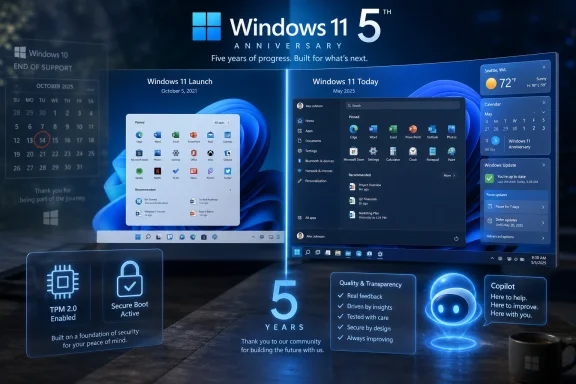
The adoption story matters because it explains why the fifth birthday feels less like a celebration than a verdict. Windows 11 did not explode out of the gate the way a free upgrade might have if Microsoft had offered a frictionless path from Windows 10. Its hardware requirements, including TPM 2.0 and supported CPU lists, created a line between “modern enough” and “left behind” that many otherwise usable PCs fell on the wrong side of.That decision was defensible from a security architecture standpoint, but it was brutal from a user-trust standpoint. Microsoft asked people to believe that Windows 11 was the future while simultaneously telling a large installed base that the future required new hardware. For consumers, that felt arbitrary. For IT departments, it turned migration into an asset-management problem.
The result was predictable: Windows 10 lingered. It was familiar, stable enough, and already deployed at scale. The operating system that Microsoft had once implied would be the “last version of Windows” became the default refuge for users who did not want the redesigned Start menu, the centered taskbar, or the sense that Windows 11 had traded power-user flexibility for aesthetic neatness.
Windows 11’s eventual majority share therefore says two things at once. It says the platform has finally become the center of gravity for Microsoft’s desktop ecosystem. It also says that the company needed the ticking clock of Windows 10 end-of-support to finish the job.
The Original Sin Was Removing Muscle Memory
The most damaging Windows 11 decisions were not the flashy ones. They were the small removals that broke years of user habit. The inability to move the taskbar, the simplified context menus, the less flexible Start menu, and the sense that Settings and Control Panel were still engaged in a slow-motion custody battle all fed the same complaint: Windows 11 looked cleaner because Microsoft had hidden or removed things people actually used.This was especially irritating because Windows has never been beloved for minimalism. Windows is beloved, when it is beloved at all, because it bends. It lets accountants, gamers, developers, field technicians, students, and sysadmins build messy little kingdoms of workflow around it. When Microsoft reduces that flexibility, it is not merely changing a design preference; it is taxing muscle memory.
That is why the reported “fix-athon” matters. If Microsoft is restoring taskbar repositioning, expanding Start menu customization, cleaning spammy search surfaces, and giving users more control over updates, those are not minor concessions. They are an admission that the Windows 11 launch philosophy was too confident in what users would tolerate.
The broader lesson is that a desktop operating system cannot be judged only by how it looks on a press-event screen. It has to survive the accumulated irritation of thousands of daily repetitions. The fifth year of Windows 11 is promising because Microsoft seems, belatedly, to be designing for those repetitions again.
The Update Model Is Becoming Less Dramatic, and That Is the Point
The second reason for cautious optimism is Microsoft’s apparent shift away from making the annual Windows update feel like a major event. The Windows-as-a-service era was supposed to make upgrades smoother, but in practice it often created a strange rhythm: months of incremental changes, followed by a branded release that could still arrive with disruptive bugs, compatibility holds, and confused messaging.Windows 11 version 24H2 became the cautionary tale. It was not a catastrophe for everyone, but it was noisy enough to reinforce the perception that big Windows feature updates carry unpredictable risk. For administrators, that perception matters almost as much as the bug count itself. If every annual release feels like a new round of pilot testing, organizations slow down, defer, and wait for other people to discover the sharp edges.
The reported move toward smaller enablement packages is therefore sensible. If the underlying platform does not need a major overhaul, there is little value in pretending that it does. Features can arrive through cumulative updates, controlled rollouts, and staged deployments, while the version-number bump becomes less of an event and more of a servicing marker.
That is boring in the best possible way. The ideal Windows update for most users is one they do not have to think about. The ideal Windows feature rollout for IT is one that can be measured, paused, documented, and reversed if necessary. Microsoft’s challenge is to make “new Windows version” sound less like “brace yourself.”
Arm Forced Microsoft to Think Like a Platform Company Again
Windows on Arm has always been both promise and pressure. Qualcomm’s Snapdragon X push and the Copilot+ PC launch gave Microsoft a new reason to make Windows feel modern on battery-efficient hardware, but it also complicated the platform beneath the surface. Supporting Arm and x86 well is not a marketing exercise. It demands discipline in drivers, app compatibility, emulation, update timing, and OEM coordination.That is why the split between Arm-focused and x86-focused development paths is more than release-calendar trivia. It suggests Microsoft understands that Windows cannot treat every device class as if it were merely another SKU. Arm PCs need a different cadence when silicon, firmware, neural processing units, and emulation layers are all evolving quickly.
The risk is fragmentation. Windows has spent decades benefiting from the assumption that Windows is Windows, regardless of vendor logo. If Arm devices receive different update timing, feature availability, or compatibility caveats, Microsoft has to explain that without making the platform feel divided into first-class and second-class citizens.
Still, a more deliberate approach is preferable to the alternative. The worst version of Windows on Arm would be one where Microsoft rushes platform changes into the mainstream Windows channel and asks everyone else to absorb the turbulence. A cleaner separation of development paths may be less elegant rhetorically, but it is probably healthier operationally.
Copilot Changed the Optics of Every Windows Bug
There is a reason strange Windows bugs now attract immediate speculation about AI-written code, even when there is no proof AI caused them. Microsoft has spent the past several years telling everyone that AI is becoming central to its development culture, productivity tools, and operating-system experience. Once a company makes that argument loudly enough, users will start interpreting quality failures through the AI lens.That does not mean the speculation is fair. A weird Recycle Bin dialog bug or a malformed interface string can come from ordinary human error, legacy code paths, localization mistakes, rushed testing, or the sprawling complexity of Windows itself. Windows was producing bizarre bugs long before generative AI became the industry’s favorite hammer.
But optics matter. If Microsoft wants users to trust AI-assisted software development, it must be more transparent about quality assurance, not less. The company cannot simultaneously promote AI as an accelerant and then act surprised when users blame AI for defects that look careless.
This is the missing plank in the Windows 11 redemption story. Feature restoration is good. Smaller updates are good. Community panels and feedback loops are good. But none of them substitute for visible, measurable quality improvements in the builds ordinary people receive.
The Community Panel Is Useful Only If It Can Say No
Microsoft listening more closely to Windows users is welcome, but listening has always been the easy part. The harder part is allowing user feedback to defeat internal priorities. Windows Insiders have been filing feedback for years; the question is whether Microsoft is now prepared to let that feedback change product direction before unpopular decisions reach general availability.A research panel could become a meaningful corrective if it brings real users into the design process early enough. That means not just asking whether people like a new Start menu after the broad concept has already been approved, but testing whether the concept solves the right problem in the first place. Windows users are unusually good at detecting workflow friction because they live inside the operating system all day.
The danger is that “listening” becomes theater. Microsoft has a long history of asking for feedback while continuing to pursue engagement surfaces, recommendations, account nudges, and cloud-service tie-ins that users plainly dislike. If the company cleans up Windows Search today but finds new ways to promote Microsoft services tomorrow, the trust dividend disappears quickly.
Windows users do not expect Microsoft to stop being Microsoft. They do expect the operating system to respect the boundary between helpful integration and advertising. The more Windows 11 becomes the only realistic destination for mainstream Windows users, the more important that boundary becomes.
Update Control Is a Consumer Feature and an Enterprise Signal
More control over Windows Update sounds like a home-user quality-of-life improvement, but it has broader symbolic value. For years, Microsoft’s update posture has been shaped by a reasonable security argument: unpatched machines are dangerous, and users are bad at patching. The problem is that the company often translated that argument into paternalism.Windows 11 Home users, in particular, have lived with limited control over update timing. Microsoft’s fear was understandable. A giant installed base of unmanaged consumer PCs can become a botnet’s dream if updates are treated as optional forever. But the other side of that bargain is trust: users need to believe that installing updates promptly will not break printers, games, VPNs, file shares, or basic interface behavior.
If Microsoft is expanding pause and deferral options, it is implicitly acknowledging that control is part of reliability. People are more willing to accept updates when they do not feel ambushed by them. Administrators have known this forever. Consumers are learning it the hard way.
The balancing act will be difficult. Infinite deferral is bad security policy if it becomes the default behavior of frustrated users. But rigid enforcement is bad product policy if users are avoiding updates because Microsoft has not earned confidence in its own servicing pipeline. Better update control should come with better update quality, not serve as a pressure valve for defects.
Windows 10’s Shadow Still Shapes Every Windows 11 Judgment
Windows 10’s end of support changed the Windows 11 conversation because it removed the easiest alternative. Before October 2025, a skeptical user could simply stay put. Afterward, remaining on Windows 10 became a security and lifecycle decision, not merely a preference.That matters for how Windows 11’s majority status should be interpreted. Some users upgraded because Windows 11 improved. Some upgraded because they bought new PCs. Some upgraded because their organizations finished migration projects. Others upgraded because the support calendar finally made resistance impractical.
This mixture should keep Microsoft humble. A platform can gain share because it is loved, because it is bundled, because it is required, or because the alternative expired. Windows 11’s current strength includes all four, but the expiration of Windows 10 is doing a lot of work.
For IT departments, the Windows 10 hangover is not over. Extended Security Updates, incompatible hardware, application validation, and budget cycles will keep the old OS alive in pockets longer than Microsoft would like. Windows 11’s fifth anniversary is therefore less a clean break than a transition checkpoint.
The Security Argument Was Right, but the User Experience Was Underbuilt
Microsoft’s stricter hardware baseline was never just a cynical PC-sales scheme, even if it helped OEM refresh cycles. TPM-backed security, virtualization-based protections, Secure Boot, and newer CPU support all fit a world where endpoint compromise is a business model. The company was right that the Windows ecosystem needed a firmer security floor.The problem is that Microsoft paired a hard security line with a softer product case. Windows 11 launched with visual polish and security justification, but not enough day-one functional upside for many users. If the message is “your old PC is not good enough,” the new experience must feel unquestionably better. Windows 11 often felt merely different.
That gap created resentment. Users who accepted the security argument still had to live with missing taskbar options and reduced customization. Admins who accepted the lifecycle argument still had to explain UI changes and hardware exceptions. The result was an upgrade that could be rationally justified but emotionally disliked.
The current course correction is powerful because it closes that gap. If Windows 11 can combine the security baseline Microsoft wanted with the everyday flexibility users missed, the operating system becomes easier to defend. It stops being the upgrade people endure because Windows 10 is aging out, and starts becoming the platform they can recommend without a paragraph of caveats.
Microsoft’s Real Test Is Whether It Can Stop Relitigating the Desktop
The Windows team has spent too much of the past decade learning and relearning the same lesson: the desktop is not a phone home screen, not a web portal, not an ad inventory surface, and not merely a launcher for cloud services. It is a professional habitat. When Microsoft treats it that way, Windows improves. When it forgets, backlash follows.The Start menu is the recurring battlefield because it represents Microsoft’s temptation to mediate the user’s relationship with the PC. Users want it to launch apps, find files, expose settings, and get out of the way. Microsoft often wants it to recommend, promote, personalize, and route attention toward its ecosystem.
That tension will not disappear. Copilot, Microsoft 365, OneDrive, Xbox, Edge, Bing, and the Microsoft Store all have strategic reasons to appear inside Windows. The question is whether Windows 11 can integrate those services without making the operating system feel like a billboard wrapped around a kernel.
A winner version of Windows 11 would not be one where Microsoft abandons its ecosystem ambitions. It would be one where those ambitions become subordinate to user agency. The user should feel that Windows is helping them operate their PC, not that the PC is helping Microsoft operate a funnel.
The Fifth Birthday Finally Gives Windows 11 a Coherent Story
For most of its life, Windows 11 has lacked a clean narrative. It was more secure, but also more restrictive. It was more modern, but sometimes less capable. It was the future, but millions of users preferred the past. It was prettier, but not always better.Now the story is becoming simpler. Windows 11 is the supported mainstream Windows platform; Windows 10 is in its exit corridor; Arm PCs are forcing architectural discipline; enablement packages are lowering update drama; and Microsoft is restoring features that should arguably never have been removed. That does not make Windows 11 a triumph. It makes it newly credible.
Credibility is underrated in operating systems. Users do not need Windows to surprise them every month. They need it to behave predictably, support their hardware, respect their choices, and improve without demanding constant attention. If Microsoft can deliver that, Windows 11’s reputation can still be rewritten.
The irony is that the path to making Windows 11 feel modern may involve making it feel a little more like old Windows: configurable, tolerant, boring where it should be boring, and powerful without being needy. That is not nostalgia. It is an operating-system design principle Microsoft should have trusted from the start.
The Anniversary Math Is Finally Working in Microsoft’s Favor
Windows 11 at five years old is no longer a young OS asking for patience. It is the default Windows reality, and that changes what users should expect from Microsoft. The grace period for missing basics is over, but the opportunity to turn dominance into goodwill is real.- Windows 11’s slow adoption was shaped by hardware requirements, Windows 10’s durability, and user resistance to removed desktop conveniences.
- Windows 10’s October 2025 end-of-support deadline turned many upgrade decisions from optional preferences into lifecycle necessities.
- Microsoft’s reported restoration of taskbar, Start menu, search, and update-control features suggests a meaningful retreat from some of Windows 11’s most unpopular launch-era assumptions.
- Smaller enablement-style annual updates could reduce the drama that surrounded larger releases such as Windows 11 24H2.
- Windows on Arm gives Microsoft a chance to modernize the platform, but only if it avoids confusing users and administrators with fragmented release expectations.
- The biggest unresolved issue is quality assurance, because no amount of feature restoration will matter if users continue to see strange bugs in production builds.
References
- Primary source: TechRadar
Published: Wed, 24 Jun 2026 06:00:00 GMT
Windows 11 is now 5 years old — and for the first time this decade, I think Microsoft's finally onto a winner with the OS | TechRadar
It's half a decade since Windows 11 was announced — and I'm happy with the direction it's now heading inwww.techradar.com - Official source: learn.microsoft.com
Windows 10 - release information | Microsoft Learn
Learn release information for Windows 10 releaseslearn.microsoft.com - Official source: microsoft.com
End of support for Windows 10, Windows 8.1, and Windows 7 | Microsoft Windows
Make a smooth transition to Windows 11 from your unsupported operating system with help from Microsoft. Enjoy the benefits of upgrading to a Windows 11 PC.www.microsoft.com - Related coverage: windowslatest.com
Microsoft confirms Windows 11 is a free upgrade for Windows 10
Microsoft is making Windows 11 available as a free upgrade to all Windows 10 users. In theory, Windows 7, Windows 8, and Windows 8.1 users will also get the update for free if they upgrade to Windows 10. It’s not yet clear if there will be a direct update path to Windows 11 from Windows... www.windowslatest.com
- Related coverage: tomshardware.com
Microsoft confirms Windows 11 26H1 will be for Arm devices only at launch — Snapdragon X2-powered devices officially shipping with 26H1 | Tom's Hardware
It's 24H2 all over again, but with the caveat that 26H1 will only support specific hardware for its entire lifecycle. Devices running 26H1 will not be able to upgrade to 26H2.www.tomshardware.com - Related coverage: windowscentral.com
Windows 10 reaches end of support: Discover how to keep your device secure beyond October 2025 | Windows Central
Windows 10 support ended on Tuesday, October 14. That means Windows 10 PCs will no longer receive security updates automatically, and you must take action to ensure these devices remain secure when connected to the internet.www.windowscentral.com
- Related coverage: nvidia.custhelp.com
- Related coverage: pcworld.com
Windows 11 finally overtakes Windows 10 in users | PCWorld
Microsoft has secured a crucial win in its crusade to get users off Windows 10, but the venerable operating system isn't going away any time soon.www.pcworld.com - Related coverage: administrator.de
Support-Enddaten für die wichtigsten Windows-Versionen - Administrator
Hier sind die Support-Enddaten für die wichtigsten Windows-Versionen, inklusive ESU für Windows 10 und den einzelnen Versionen von Windows 11: ... administrator.de
- Related coverage: windowsforum.com
Windows 11 Nears Half of Desktop PCs Ahead of October 14, 2025 End of Windows 10 Support | Windows Forum
StatCounter’s latest tracking shows Windows 11 has climbed to roughly the halfway mark of Windows desktop installs — a milestone that reflects accelerating...windowsforum.com - Related coverage: as.com
Cómo seguir usando Windows 10 después del fin del soporte en octubre de 2025: así funciona el programa ESU de Microsoft - Meristation
Microsoft continuará ofreciendo una alternativa para los usuarios de Windows 10 tras el cese del soporte oficial. Así funciona el programa ESU de W10.as.com - Related coverage: cincodias.elpais.com
Cómo conseguir el soporte extendido para tu ordenador con Windows 10 | Lifestyle | SmartLife | Cinco Días
Es muy fácilcincodias.elpais.com - Related coverage: atomicdata.com
- Official source: download.microsoft.com
- Related coverage: transparity.com