

Microsoft’s Controlled Feature Rollout system is under fresh scrutiny after a Neowin report amplified Windows 11 users’ claims that new features can remain missing for months, with one Redditor alleging Microsoft support admitted it could not explain why the features would not enable. The allegation is unverified, but the frustration is not. Microsoft has already conceded that gradual rollouts made the Insider experience unpredictable, and that admission matters more than any single support-chat anecdote.
The modern Windows update story is no longer about whether Microsoft can ship code to a billion-plus PCs. It can. The harder problem is deciding which machines should receive which pieces of that code, in what order, and how quickly Microsoft should retreat if telemetry starts blinking red.
Controlled Feature Rollout, or CFR, is Microsoft’s answer to that problem. Instead of lighting up every new Windows 11 feature for every compatible device on the same day, Microsoft enables features in waves. Some users see the new Start menu tweak, File Explorer improvement, Settings change, or Copilot+ experience immediately. Others install the same build and see nothing.
From Microsoft’s point of view, this is disciplined engineering. Windows runs across a brutal hardware and software landscape: consumer laptops, enterprise desktops, gaming rigs, accessibility setups, regional configurations, old drivers, new silicon, VPN clients, endpoint security agents, and machines that have survived years of in-place upgrades. A staggered rollout gives the company a blast shield.
From the user’s point of view, the experience can feel absurd. Windows Update says the PC is current. The Insider blog says a feature exists. The build number matches. The toggle for early updates may even be enabled. Yet the promised feature simply does not appear, leaving users to wonder whether their system is blocked, unlucky, unsupported, or just waiting for a server-side coin flip.
That ambiguity is the real flaw, whether or not the alleged Microsoft support quote is genuine. CFR may be technically sensible, but Microsoft has wrapped it in a user experience that often cannot answer the simplest question: Why don’t I have the thing you just announced?
That gap between announcement and access is what turns normal release management into a trust problem. Enthusiasts understand risk. They join Insider channels precisely because they want to see unfinished work, test edge cases, and complain loudly before a bad idea hits production. When those same users are told that even pre-release builds are subject to opaque availability waves, the social contract changes.
The complaint is not that Microsoft tests too much. It is that Microsoft markets features as if they are broadly experiential while engineering them as targeted experiments. That distinction may make sense inside Redmond, where rollout rings, telemetry gates, and enablement packages are part of the daily vocabulary. Outside Microsoft, it feels like Windows has become a slot machine with release notes.
The alleged support exchange adds a sharper edge to the story. According to the Redditor quoted by Neowin, Microsoft technical staff spent days investigating missing gradual-rollout features and eventually suggested that the rollout functionality had a serious background-process flaw, before reportedly saying they did not know why the features were not enabling. That claim should be treated cautiously. It is a user report on Reddit, filtered through a news article, without public case logs.
But the reason it spread is obvious: it matches the lived experience of users who already suspect that Microsoft’s rollout machinery is intelligible only to the systems that run it. A single anecdote does not prove a systemic bug. It does, however, reveal how little confidence Microsoft has left itself when the official answer to missing features is essentially “wait.”
The problem is that CFR does not behave like a normal user preference. It is still mediated by compatibility signals, rollout gates, Microsoft’s internal experimentation logic, and sometimes separate feature IDs that exist inside Windows but remain disabled. Users can opt in to be considered sooner, but they cannot always tell whether they were considered, skipped, blocked, delayed, or simply not in the current cohort.
That is why tools like ViveTool became so popular among Windows enthusiasts. ViveTool is not just a hacky toy for screenshot hunters. It is a protest against opacity. When users discover that features exist in the build and can be manually enabled through hidden feature IDs, Microsoft’s careful rollout language starts to look less like safety engineering and more like withheld functionality.
There are legitimate reasons not to expose every feature flag to every user. Some features depend on services, drivers, account states, regional availability, or staged backend changes. Some are incomplete. Some need A/B testing to determine whether a design is actually better or merely new. But once the build contains the code, the psychological line has been crossed. Users stop thinking of the feature as unreleased and start thinking of it as locked.
Microsoft’s newer Insider changes are a partial acknowledgment of that reality. The company has said it is moving toward clearer Insider channels, ending gradual feature rollouts in Beta, and adding feature flags in Experimental so testers can enable announced features more directly. That is not a minor procedural update. It is Microsoft admitting that the old model had become too unpredictable for the people most willing to tolerate unpredictability.
CFR changed the emotional math. Now the build is only part of the story. The same build can mean different things on different PCs, not because the ISO differs, but because Microsoft has decided that a given feature should reach only some machines at first. That is rational in production. It is stranger in a program whose participants volunteered to be early testers.
Microsoft’s defense is that gradual rollouts help measure quality before broad exposure. That is true. The company has been burned often enough by Windows regressions that nobody should seriously argue for reckless all-at-once deployment. A broken Start menu, File Explorer crash, BitLocker recovery surprise, printer regression, or performance bug can become a support nightmare at Windows scale.
But Insider users are not ordinary production users. If the Beta channel is supposed to preview what ships in the coming weeks, then a Beta announcement that does not reach a Beta tester undermines the channel’s purpose. If Experimental is where early features live, then hiding those features from the very users who opted into instability makes the program feel theatrical.
That is why Microsoft’s plan to give Experimental users feature flags is so important. It creates a clearer division of labor. Beta becomes the “if we announce it, you get it” channel. Experimental becomes the “you may turn on rougher work knowingly” channel. In theory, that is a healthier bargain than a single toggle that sounds empowering but still leaves the user waiting on invisible rollout logic.
If a feature is blocked because of a driver, Windows should say so. If it is withheld because the rollout wave has not reached the device, Windows should say that. If it requires a Microsoft account, a region, a Copilot+ PC, a neural processing unit, a certain language pack, a Store app version, or a cloud-side enablement switch, Windows should not require forum archaeology to reveal it.
This matters beyond enthusiasts. Administrators need to know when features are likely to appear because users ask about them, documentation changes, security settings move, and help desks must distinguish bugs from deliberate rollout sequencing. Developers need to know whether a behavior exists broadly enough to support. Security-minded users need to know whether a new mitigation or privacy control is actually present.
The current model collapses too many states into the same visible outcome: the feature is absent. That absence can mean “not yet,” “not for you,” “blocked,” “paused,” “removed,” “in A/B testing,” “requires another app update,” or “Microsoft has not finished the service-side deployment.” To the user, those are all indistinguishable.
A better Windows Update experience would include a feature availability ledger. Not a verbose enterprise console, not a hidden diagnostics blob, but a readable list of announced features relevant to the installed build, with each marked as enabled, pending rollout, blocked by requirement, paused by Microsoft, or unavailable for that device. Microsoft already has enough telemetry and policy infrastructure to make these decisions. The missing piece is honest presentation.
Microsoft has enterprise controls designed to hold back certain new features temporarily, and managed environments have more policy leverage than home users. But the broader Windows 11 servicing story still asks administrators to track a moving target. Version numbers no longer tell the whole story. Monthly optional updates, enablement packages, Store-delivered app changes, cloud-connected components, and controlled feature enablement all blur the old boundaries.
That may be the unavoidable shape of a modern operating system. Windows is not a shrink-wrapped release that sits still for three years. It is a service platform, an app platform, an AI client, a security boundary, and a commerce surface. Microsoft wants the ability to improve it continuously because competitors do the same and because security realities demand it.
Still, “continuous innovation” becomes a euphemism if customers cannot predict outcomes. A help-desk technician should not have to explain that two fully patched Windows 11 systems are both current, both supported, and yet intentionally different. A compliance team should not have to wonder whether a documented setting exists on all devices or only those blessed by an enablement wave.
For businesses, Microsoft’s challenge is not merely to slow down or speed up rollouts. It is to make rollout state auditable. The same machinery that protects consumers from bad deployments should give administrators a crisp answer about what changed, when it changed, and why it changed on one fleet segment but not another.
That history makes even sensible engineering decisions harder to sell. If users already believe Windows is being changed around them rather than for them, an opaque rollout system becomes another exhibit in the case against Microsoft’s stewardship. The issue is not just whether a feature is delayed. It is whether the user believes Microsoft is being straight with them.
The company’s recent emphasis on performance, reliability, native app work, and Windows quality suggests it understands the mood. Promising more native Windows 11 apps and smoother first-party experiences is the right direction. So is simplifying the Insider Program and giving testers more explicit control over feature flags. These are not cosmetic changes; they address a real credibility gap.
But credibility is rebuilt through boring consistency. If Microsoft announces that Beta users will get announced features when they install a Beta update, it must deliver that with very few exceptions. If Experimental users receive feature flags, those flags need to be understandable, documented enough to be useful, and not limited to a tiny subset of headline features. If production users turn on the early-update toggle, Windows should explain what that does and does not buy them.
The worst outcome would be a new layer of controls that preserves the old opacity. A Feature flags page that says little, exposes little, or silently fails would only move the frustration into a prettier Settings screen. Microsoft does not need to give every user every switch. It does need to stop pretending that a vague toggle and a blog post are enough.
The documented facts are already sufficient. Microsoft has used controlled feature rollouts across Insider and production channels. Users routinely see release notes for features they do not receive. Microsoft has acknowledged that this experience frustrates Insiders and makes the program feel unpredictable. The company is now changing the Insider model partly to address that exact complaint.
That sequence is more important than the allegation. It shows that the rollout model, even when functioning as designed, produced enough user dissatisfaction that Microsoft had to adjust course. A bug would be easier to fix. A design that works technically while failing socially is harder.
This is the paradox of modern Windows servicing. Microsoft can be right that phased rollouts reduce risk and still wrong about how much opacity users will tolerate. It can be right that A/B testing improves product decisions and still wrong to blur the line between public announcement and actual availability. It can be right that not every feature should ship broadly on day one and still wrong to leave users guessing for months.
The alleged support confusion, if true, would be embarrassing. But the bigger embarrassment is that it sounds believable.
The answer is a clearer contract. Windows Update should separate build installation from feature enablement in plain language. Insider channels should state whether announced features are guaranteed, optional, experimental, or merely entering a limited cohort. Production devices should expose enough rollout state to distinguish “not available yet” from “blocked on this PC.”
The “Get the latest updates” toggle also needs sharper wording. If it only prioritizes a device within Microsoft’s rollout logic, say that. If compatibility holds can override it, say that. If some features are still subject to A/B tests even with the toggle enabled, say that too. Users can tolerate limits better than they tolerate magical thinking.
Microsoft also needs to treat enthusiasts as partners rather than passive telemetry endpoints. The people complaining on Reddit, Neowin, WindowsForum, and elsewhere may be loud, but they are also the users most likely to notice regressions early, test edge cases, and explain changes to everyone else. Leaving them in the dark wastes a valuable feedback loop.
The irony is that Microsoft’s recent Insider reforms point in the right direction. Ending gradual rollouts in Beta, adding feature flags in Experimental, and simplifying channel names all suggest a company trying to restore legibility. The risk is that Microsoft treats those changes as an Insider-only fix while production Windows continues to feel like a sealed box.
The most concrete lessons are less dramatic than the headline about Microsoft having “no idea,” but they are more useful.
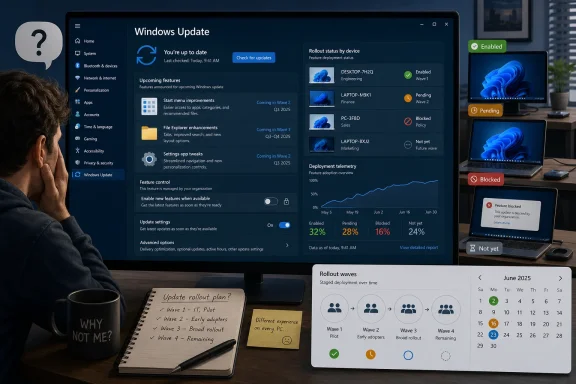 Microsoft Built a Safer Windows Update Machine, Then Hid the Steering Wheel
The modern Windows update story is no longer about whether Microsoft can ship code to a billion-plus PCs. It can. The harder problem is deciding which machines should receive which pieces of that code, in what order, and how quickly Microsoft should retreat if telemetry starts blinking red.Controlled Feature Rollout, or CFR, is Microsoft’s answer to that problem. Instead of lighting up every new Windows 11 feature for every compatible device on the same day, Microsoft enables features in waves. Some users see the new Start menu tweak, File Explorer improvement, Settings change, or Copilot+ experience immediately. Others install the same build and see nothing.
From Microsoft’s point of view, this is disciplined engineering. Windows runs across a brutal hardware and software landscape: consumer laptops, enterprise desktops, gaming rigs, accessibility setups, regional configurations, old drivers, new silicon, VPN clients, endpoint security agents, and machines that have survived years of in-place upgrades. A staggered rollout gives the company a blast shield.
From the user’s point of view, the experience can feel absurd. Windows Update says the PC is current. The Insider blog says a feature exists. The build number matches. The toggle for early updates may even be enabled. Yet the promised feature simply does not appear, leaving users to wonder whether their system is blocked, unlucky, unsupported, or just waiting for a server-side coin flip.
That ambiguity is the real flaw, whether or not the alleged Microsoft support quote is genuine. CFR may be technically sensible, but Microsoft has wrapped it in a user experience that often cannot answer the simplest question: Why don’t I have the thing you just announced?
The Reddit Rant Landed Because It Described a Real Windows Habit
The Neowin piece centers on a Windows 11 subreddit post complaining that Microsoft now advertises improvements faster than many users can actually receive them. The complaint is familiar to anyone who follows Insider builds: Microsoft announces a feature, tech sites cover it, social feeds circulate screenshots, and then a large chunk of the audience discovers that installing the build is not enough.That gap between announcement and access is what turns normal release management into a trust problem. Enthusiasts understand risk. They join Insider channels precisely because they want to see unfinished work, test edge cases, and complain loudly before a bad idea hits production. When those same users are told that even pre-release builds are subject to opaque availability waves, the social contract changes.
The complaint is not that Microsoft tests too much. It is that Microsoft markets features as if they are broadly experiential while engineering them as targeted experiments. That distinction may make sense inside Redmond, where rollout rings, telemetry gates, and enablement packages are part of the daily vocabulary. Outside Microsoft, it feels like Windows has become a slot machine with release notes.
The alleged support exchange adds a sharper edge to the story. According to the Redditor quoted by Neowin, Microsoft technical staff spent days investigating missing gradual-rollout features and eventually suggested that the rollout functionality had a serious background-process flaw, before reportedly saying they did not know why the features were not enabling. That claim should be treated cautiously. It is a user report on Reddit, filtered through a news article, without public case logs.
But the reason it spread is obvious: it matches the lived experience of users who already suspect that Microsoft’s rollout machinery is intelligible only to the systems that run it. A single anecdote does not prove a systemic bug. It does, however, reveal how little confidence Microsoft has left itself when the official answer to missing features is essentially “wait.”
The Toggle Was Supposed to Be a Promise, Not a Lottery Ticket
Microsoft’s “Get the latest updates as soon as they’re available” toggle was meant to give users more agency. The wording implies a simple bargain: if you opt in, your PC moves closer to the front of the line. It does not promise every feature instantly, but the ordinary reading is clear enough. Turn this on, and Windows Update should be more eager.The problem is that CFR does not behave like a normal user preference. It is still mediated by compatibility signals, rollout gates, Microsoft’s internal experimentation logic, and sometimes separate feature IDs that exist inside Windows but remain disabled. Users can opt in to be considered sooner, but they cannot always tell whether they were considered, skipped, blocked, delayed, or simply not in the current cohort.
That is why tools like ViveTool became so popular among Windows enthusiasts. ViveTool is not just a hacky toy for screenshot hunters. It is a protest against opacity. When users discover that features exist in the build and can be manually enabled through hidden feature IDs, Microsoft’s careful rollout language starts to look less like safety engineering and more like withheld functionality.
There are legitimate reasons not to expose every feature flag to every user. Some features depend on services, drivers, account states, regional availability, or staged backend changes. Some are incomplete. Some need A/B testing to determine whether a design is actually better or merely new. But once the build contains the code, the psychological line has been crossed. Users stop thinking of the feature as unreleased and start thinking of it as locked.
Microsoft’s newer Insider changes are a partial acknowledgment of that reality. The company has said it is moving toward clearer Insider channels, ending gradual feature rollouts in Beta, and adding feature flags in Experimental so testers can enable announced features more directly. That is not a minor procedural update. It is Microsoft admitting that the old model had become too unpredictable for the people most willing to tolerate unpredictability.
The Insider Program Became a Marketing Channel Before It Finished Being a Lab
The Windows Insider Program has always had competing identities. It is a testing pipeline, a community program, a feedback mechanism, a public-relations surface, and a pressure valve for unfinished Windows work. That tension was manageable when builds were the unit of excitement. You installed a new build, you saw the new stuff, and you filed feedback when it broke.CFR changed the emotional math. Now the build is only part of the story. The same build can mean different things on different PCs, not because the ISO differs, but because Microsoft has decided that a given feature should reach only some machines at first. That is rational in production. It is stranger in a program whose participants volunteered to be early testers.
Microsoft’s defense is that gradual rollouts help measure quality before broad exposure. That is true. The company has been burned often enough by Windows regressions that nobody should seriously argue for reckless all-at-once deployment. A broken Start menu, File Explorer crash, BitLocker recovery surprise, printer regression, or performance bug can become a support nightmare at Windows scale.
But Insider users are not ordinary production users. If the Beta channel is supposed to preview what ships in the coming weeks, then a Beta announcement that does not reach a Beta tester undermines the channel’s purpose. If Experimental is where early features live, then hiding those features from the very users who opted into instability makes the program feel theatrical.
That is why Microsoft’s plan to give Experimental users feature flags is so important. It creates a clearer division of labor. Beta becomes the “if we announce it, you get it” channel. Experimental becomes the “you may turn on rougher work knowingly” channel. In theory, that is a healthier bargain than a single toggle that sounds empowering but still leaves the user waiting on invisible rollout logic.
The Support Story Hurts Because Windows Has No Good Explanation Screen
The most damaging part of the Neowin-amplified anecdote is not the phrase “no idea,” though that is the headline-grabber. The damaging part is the plausibility that a support path could fail to produce a useful explanation. Windows has become sophisticated at deciding what a device should receive, but poor at explaining those decisions to the person sitting in front of the device.If a feature is blocked because of a driver, Windows should say so. If it is withheld because the rollout wave has not reached the device, Windows should say that. If it requires a Microsoft account, a region, a Copilot+ PC, a neural processing unit, a certain language pack, a Store app version, or a cloud-side enablement switch, Windows should not require forum archaeology to reveal it.
This matters beyond enthusiasts. Administrators need to know when features are likely to appear because users ask about them, documentation changes, security settings move, and help desks must distinguish bugs from deliberate rollout sequencing. Developers need to know whether a behavior exists broadly enough to support. Security-minded users need to know whether a new mitigation or privacy control is actually present.
The current model collapses too many states into the same visible outcome: the feature is absent. That absence can mean “not yet,” “not for you,” “blocked,” “paused,” “removed,” “in A/B testing,” “requires another app update,” or “Microsoft has not finished the service-side deployment.” To the user, those are all indistinguishable.
A better Windows Update experience would include a feature availability ledger. Not a verbose enterprise console, not a hidden diagnostics blob, but a readable list of announced features relevant to the installed build, with each marked as enabled, pending rollout, blocked by requirement, paused by Microsoft, or unavailable for that device. Microsoft already has enough telemetry and policy infrastructure to make these decisions. The missing piece is honest presentation.
Enterprise IT Has a Different Problem: Predictability Beats Novelty
For enterprise administrators, the annoyance cuts in the opposite direction. Enthusiasts want features sooner. IT departments often want them later, or at least on a schedule they can explain. CFR can be helpful here because it reduces the chance that every managed device receives a new behavior at once, but it can also complicate validation if machines on the same update level do not behave identically.Microsoft has enterprise controls designed to hold back certain new features temporarily, and managed environments have more policy leverage than home users. But the broader Windows 11 servicing story still asks administrators to track a moving target. Version numbers no longer tell the whole story. Monthly optional updates, enablement packages, Store-delivered app changes, cloud-connected components, and controlled feature enablement all blur the old boundaries.
That may be the unavoidable shape of a modern operating system. Windows is not a shrink-wrapped release that sits still for three years. It is a service platform, an app platform, an AI client, a security boundary, and a commerce surface. Microsoft wants the ability to improve it continuously because competitors do the same and because security realities demand it.
Still, “continuous innovation” becomes a euphemism if customers cannot predict outcomes. A help-desk technician should not have to explain that two fully patched Windows 11 systems are both current, both supported, and yet intentionally different. A compliance team should not have to wonder whether a documented setting exists on all devices or only those blessed by an enablement wave.
For businesses, Microsoft’s challenge is not merely to slow down or speed up rollouts. It is to make rollout state auditable. The same machinery that protects consumers from bad deployments should give administrators a crisp answer about what changed, when it changed, and why it changed on one fleet segment but not another.
Windows 11’s Feature Problem Is Really a Trust Problem
The CFR debate arrives at an awkward time for Windows 11. Microsoft has spent years trying to convince users that Windows 11 is a more modern, secure, polished platform than Windows 10. At the same time, the company has pushed controversial defaults, ads or recommendations in system surfaces, Microsoft account pressure, Copilot integration, hardware requirements, and design changes that sometimes feel unfinished.That history makes even sensible engineering decisions harder to sell. If users already believe Windows is being changed around them rather than for them, an opaque rollout system becomes another exhibit in the case against Microsoft’s stewardship. The issue is not just whether a feature is delayed. It is whether the user believes Microsoft is being straight with them.
The company’s recent emphasis on performance, reliability, native app work, and Windows quality suggests it understands the mood. Promising more native Windows 11 apps and smoother first-party experiences is the right direction. So is simplifying the Insider Program and giving testers more explicit control over feature flags. These are not cosmetic changes; they address a real credibility gap.
But credibility is rebuilt through boring consistency. If Microsoft announces that Beta users will get announced features when they install a Beta update, it must deliver that with very few exceptions. If Experimental users receive feature flags, those flags need to be understandable, documented enough to be useful, and not limited to a tiny subset of headline features. If production users turn on the early-update toggle, Windows should explain what that does and does not buy them.
The worst outcome would be a new layer of controls that preserves the old opacity. A Feature flags page that says little, exposes little, or silently fails would only move the frustration into a prettier Settings screen. Microsoft does not need to give every user every switch. It does need to stop pretending that a vague toggle and a blog post are enough.
The Alleged “Serious Flaw” May Be Less Important Than the Documented Design Flaw
It is tempting to center the story on whether Microsoft support really said CFR has a serious flaw. That is the spicy version. It gives the controversy a villain, a quote, and a hint of internal confusion. But the broader Windows 11 rollout problem does not depend on proving that one support case happened exactly as described.The documented facts are already sufficient. Microsoft has used controlled feature rollouts across Insider and production channels. Users routinely see release notes for features they do not receive. Microsoft has acknowledged that this experience frustrates Insiders and makes the program feel unpredictable. The company is now changing the Insider model partly to address that exact complaint.
That sequence is more important than the allegation. It shows that the rollout model, even when functioning as designed, produced enough user dissatisfaction that Microsoft had to adjust course. A bug would be easier to fix. A design that works technically while failing socially is harder.
This is the paradox of modern Windows servicing. Microsoft can be right that phased rollouts reduce risk and still wrong about how much opacity users will tolerate. It can be right that A/B testing improves product decisions and still wrong to blur the line between public announcement and actual availability. It can be right that not every feature should ship broadly on day one and still wrong to leave users guessing for months.
The alleged support confusion, if true, would be embarrassing. But the bigger embarrassment is that it sounds believable.
The Windows Update Bargain Needs New Fine Print
Microsoft does not have to abandon staged rollouts. It probably should not. The Windows ecosystem is too large, too varied, and too fragile for every new feature to hit every machine simultaneously. The answer is not nostalgia for monolithic service packs or a reckless “ship it to everyone” button.The answer is a clearer contract. Windows Update should separate build installation from feature enablement in plain language. Insider channels should state whether announced features are guaranteed, optional, experimental, or merely entering a limited cohort. Production devices should expose enough rollout state to distinguish “not available yet” from “blocked on this PC.”
The “Get the latest updates” toggle also needs sharper wording. If it only prioritizes a device within Microsoft’s rollout logic, say that. If compatibility holds can override it, say that. If some features are still subject to A/B tests even with the toggle enabled, say that too. Users can tolerate limits better than they tolerate magical thinking.
Microsoft also needs to treat enthusiasts as partners rather than passive telemetry endpoints. The people complaining on Reddit, Neowin, WindowsForum, and elsewhere may be loud, but they are also the users most likely to notice regressions early, test edge cases, and explain changes to everyone else. Leaving them in the dark wastes a valuable feedback loop.
The irony is that Microsoft’s recent Insider reforms point in the right direction. Ending gradual rollouts in Beta, adding feature flags in Experimental, and simplifying channel names all suggest a company trying to restore legibility. The risk is that Microsoft treats those changes as an Insider-only fix while production Windows continues to feel like a sealed box.
The Practical Reading for Windows Users Is Patience, Skepticism, and Screenshots
For now, Windows users should assume that a Microsoft announcement is not the same thing as availability on their PC. That is an unsatisfying sentence, but it reflects how Windows 11 works in practice. The build number, the monthly update, and the blog post are only part of the feature story.The most concrete lessons are less dramatic than the headline about Microsoft having “no idea,” but they are more useful.
- A Windows 11 feature appearing in release notes does not guarantee that every device on that build receives it immediately.
- The “Get the latest updates as soon as they’re available” toggle can improve the odds of earlier access, but it is not an override for every controlled rollout gate.
- Insider users should watch Microsoft’s Beta and Experimental channel changes closely, because those reforms are designed to reduce the mismatch between announcements and actual feature access.
- Administrators should avoid treating Windows 11 build numbers as complete descriptions of user experience, especially during optional update and preview periods.
- Enthusiasts using tools to force hidden features should remember that Microsoft may have withheld them for compatibility, stability, service-side, or unfinished-design reasons.
- Microsoft’s biggest opportunity is not faster rollout; it is clearer disclosure of why a given PC has or does not have a feature.
References
- Primary source: Neowin
Published: 2026-06-02T12:20:23.642908
Microsoft allegedly has "no idea" about "serious flaw" that blocks new Windows 11 features | Neowin
A user alleges Microsoft may have "no idea" about a "serious flaw" that could be stopping the timely release of Windows 11 features. www.neowin.net
- Related coverage: windowslatest.com
Microsoft promises more control over Windows 11 feature rollouts as some changes take months to show up
Microsoft now says it will give users greater control over new features they can try on their PCs after Windows 11 updates. www.windowslatest.com
- Official source: learn.microsoft.com
Configure Rollout Options for Feature Update Policies - Microsoft Intune | Microsoft Learn
Configure rollout options in feature update policies to control when Windows feature updates become available to devices and deploy updates gradually.learn.microsoft.com - Related coverage: windowscentral.com
Windows 11 version 25H2 is out, but when will you get it? | Windows Central
Let's explain the Microsoft approach to rolling out Windows 11 version 25H2 to compatible hardware starting in October 2025.www.windowscentral.com - Related coverage: tomshardware.com
Microsoft to force updates to Windows 11 25H2 for PCs with older Windows 11 OS versions — 'intelligent' update system uses machine learning to determine when a device is ready | Tom's Hardware
Microsoft forces 25H2 rollout ahead of 24H2 end-of-supportwww.tomshardware.com - Related coverage: techradar.com
Windows 11 25H2 update is now available for all PCs – here's how to get it | TechRadar
You can get version 25H2 now if you're keenwww.techradar.com
- Related coverage: pcworld.com
Windows 11's 'Feature Flags' let Insiders skip the update lottery | PCWorld
Microsoft is adding Feature Flags to Windows 11, letting Insiders choose experimental features without needing ViVeTool.www.pcworld.com - Related coverage: pureinfotech.com
Controlled Feature Rollout (CFR) is to blame for missing features on Windows 11 - Pureinfotech
On Windows 11, Control Feature Rollout (CFR) technology is the process of gradually rolling out features to compatible devices. pureinfotech.com
- Official source: microsoft.com
How to Get Windows 11 for Your Compatible PC | Microsoft
Find out how to get Windows 11 from Microsoft. Check your PC’s compatibility against the system requirements to see if you can upgrade to Windows 11.www.microsoft.com - Official source: blogs.windows.com
Announcing Windows 11 Insider Preview Build 22635.2419 (Beta Channel)
Hello Windows Insiders, today we are releasing Windows 11 Insider Preview Build 22635.2419 (KB5031463) to the Beta Channel. This update will be rolled out viablogs.windows.com - Related coverage: winbuzzer.com
Microsoft Slashes Windows Insider Program to Two Channels
Microsoft has overhauled its Windows Insider Program, cutting channels from four to two and ending Controlled Feature Rollout for all testers. winbuzzer.com
- Official source: download.microsoft.com
