

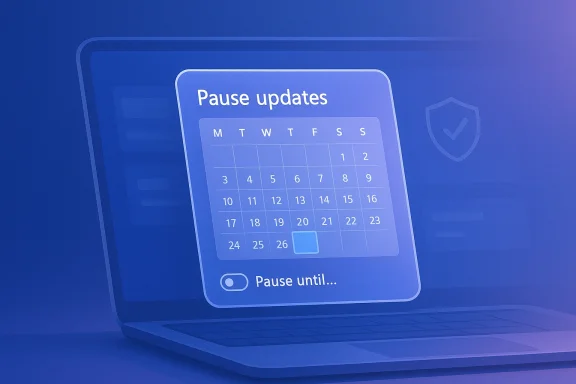
Microsoft looks set to give Windows 11 users something many have wanted for years: far more control over when updates are installed. A hidden calendar-based pause option has now been spotted in a recent Dev Channel preview build, and while it is clearly unfinished, it strongly suggests Microsoft is actively building toward the promised “pause updates for as long as you need” experience. That matters because it could finally shift Windows Update from a rigid system into one that better reflects how people actually use their PCs. For millions of users, that would be a meaningful quality-of-life change with real security and stability implications.
Windows Update has always occupied a difficult place in the Windows experience. On one hand, Microsoft needs to push security fixes quickly to keep the ecosystem protected; on the other, users have long complained that monthly updates can introduce bugs, regressions, and restart prompts at precisely the wrong moment. The tension is not new, but it has become more visible in the Windows 11 era, where Microsoft has leaned harder into automation, servicing, and cloud-connected policy controls.
That is why this seemingly small change is important. A visible calendar picker for pausing updates suggests Microsoft is moving beyond the current blunt “pause for a few weeks” model and toward a more deliberate, user-controlled workflow. Even if the feature remains hidden and unfinished, it signals a philosophical shift: users may soon be trusted to decide how long is too long.
Microsoft has already acknowledged, at least in broad terms, that update control needs improvement. The company has publicly discussed giving users more direct control over updates, including the ability to pause them for longer periods and to avoid being forced into a reboot at inconvenient times. In other words, this is not a random interface experiment; it appears to be part of a broader effort to rebuild confidence in Windows quality and servicing.
The stakes are high because updates are one of the main places where Windows can win or lose trust. If Microsoft gets this right, it can reduce frustration without compromising security. If it gets it wrong, the company risks creating a pause mechanism that sounds empowering but still feels arbitrary, limited, or overly complex.
That early state matters. Microsoft often tests ideas internally or in hidden form long before they appear in release notes, and these intermediate steps can reveal the direction of travel more than the exact implementation. In this case, the appearance of a calendar is especially revealing because it implies the pause duration is being treated as a user-selected date range rather than a fixed preset.
It also hints at flexibility. If Microsoft really intends to support longer pauses, a calendar interface is the natural way to do it. Rather than forcing users to click “pause for another week” repeatedly, the system could let them select a future date and revisit the decision when the pause expires.
The more important point is that the feature exists at all. Microsoft does not typically build entirely new update controls unless it intends to ship them in some form. Hidden features in Dev builds are often rough, but they frequently provide the clearest clue about what is next.
That reality has become impossible to ignore. Even when updates contain critical security fixes, they may also ship with compatibility problems, driver issues, or regressions affecting particular hardware setups. A stronger pause option lets people absorb that risk with more confidence and more autonomy.
Microsoft understandably wants users to stay current. But current is not the same as safe, especially in the immediate aftermath of a problematic patch. For many users, the best decision is not to block updates indefinitely, but to wait until a bug is confirmed and fixed.
A longer, easier pause option would be especially meaningful for those users. They are the people most likely to be surprised by a bad patch and least likely to have the time or expertise to recover from it quickly. Giving them a proper control surface is a practical trust move, not just a UI tweak.
That distinction is central to why this feature matters. The same calendar picker might look mundane in a corporate environment, but for a family PC or a solo creator’s machine, it could be the difference between a calm workweek and a troubleshooting session.
That messaging is telling. Microsoft seems to recognize that Windows quality is not only about how often updates arrive, but about how confidently users can accept them. In that sense, update control is part of a larger trust campaign.
The result is a long-running perception problem. Users want the security benefits of updates, but they also want the option to step aside when a patch seems risky. Microsoft’s challenge is to reduce that anxiety without making the platform less secure overall.
Microsoft has already been experimenting with other refinements across the Windows servicing experience, including changes aimed at restart timing, quality improvements, and better communication. This pause feature would add a visible user-facing layer to that work.
It also helps Microsoft answer a common complaint: that Windows has become too rigid for a modern PC platform. If the company can prove it is listening, the update experience becomes less of a burden and more of a negotiated process.
That said, hidden does not mean imminent. Some features appear in test builds and never make it to general release. Others take months to polish before they become usable. So while the new calendar interface is encouraging, it is still evidence of development, not a guarantee of shipping.
Even so, the appearance of the feature in Dev builds is meaningful. Microsoft rarely invests in user-facing work without some intention of eventually exposing it more broadly. At minimum, it shows the company is experimenting with the idea in a live Windows environment.
It also suggests Microsoft may eventually allow more nuanced behavior for updates. For example, the company could permit different pause durations for security updates versus feature updates, or tie the interface into larger update-management logic.
If the company follows through, the feature could become one of the most practical quality-of-life improvements in Windows 11. Sometimes the most meaningful updates are not flashy at all; they are the ones that remove a long-standing irritation.
That is why update pause control resonates so strongly with enthusiasts and regular users alike. It gives them a way to wait for real-world feedback before taking the plunge. In a system as widely varied as Windows, that matters more than Microsoft sometimes seems willing to admit.
This is not anti-update behavior; it is risk management. Good software platforms recognize that not every user should be compelled to update on the same schedule, especially when the consequences of a bad rollout can be severe.
That resentment is costly. Microsoft benefits when users see Windows Update as a helpful service rather than a hostile system event. A better pause feature could be a small but important step in repairing that relationship.
That is why the news matters so much. A simple, accessible pause control for Home users would close a long-standing usability gap without changing the core update architecture underneath.
Consumers, however, live in a different world. They are more exposed to surprise issues and less able to absorb downtime, which makes even a modest improvement in update control disproportionately valuable. That is where the feature could have the most visible effect.
At the same time, there is a case for better self-service within managed devices. If an employee knows a patch is causing trouble, a temporary pause could reduce tickets and prevent avoidable incidents. The key is ensuring that policy boundaries remain intact.
It may also reduce the instinct to block updates in unsanctioned ways. When legitimate controls are missing or too short, people improvise. Microsoft is better off offering a sanctioned option than leaving users to find rougher alternatives.
That may sound minor, but it reflects a deeper shift. Operating systems are increasingly judged not only by performance and features, but by how respectfully they handle maintenance.
That is why this announcement, if it turns into a shipping feature, would be more than a checkbox addition. It would be a sign that Microsoft is listening to a recurring source of user frustration and trying to fix it at the product level rather than merely through support documentation.
That perception matters especially in the current era, when some users already feel overloaded by constant changes. If Microsoft wants Windows 11 to feel mature, it has to make servicing feel mature too.
That is a useful lesson for Windows as a platform. Users do not all have the same tolerance for risk, the same hardware, or the same schedules. A modern operating system should reflect that diversity.
More broadly, this is another sign that Microsoft is rethinking how Windows should behave after years of user criticism around reliability and forced servicing. The company is unlikely to abandon automatic updates, nor should it. But it can still make the system feel far more respectful by giving people a better way to say not yet.
The deeper story here is not just that Windows 11 may soon let you pause updates longer. It is that Microsoft appears to be acknowledging a simple truth about modern PCs: users do not just want updates; they want control. And if Microsoft can deliver that without weakening security, it may earn back a little more trust every patch cycle.
Source: TechRadar https://www.techradar.com/computing...g-as-you-want-your-wish-could-soon-come-true/
 Overview
Windows Update has always occupied a difficult place in the Windows experience. On one hand, Microsoft needs to push security fixes quickly to keep the ecosystem protected; on the other, users have long complained that monthly updates can introduce bugs, regressions, and restart prompts at precisely the wrong moment. The tension is not new, but it has become more visible in the Windows 11 era, where Microsoft has leaned harder into automation, servicing, and cloud-connected policy controls.That is why this seemingly small change is important. A visible calendar picker for pausing updates suggests Microsoft is moving beyond the current blunt “pause for a few weeks” model and toward a more deliberate, user-controlled workflow. Even if the feature remains hidden and unfinished, it signals a philosophical shift: users may soon be trusted to decide how long is too long.
Microsoft has already acknowledged, at least in broad terms, that update control needs improvement. The company has publicly discussed giving users more direct control over updates, including the ability to pause them for longer periods and to avoid being forced into a reboot at inconvenient times. In other words, this is not a random interface experiment; it appears to be part of a broader effort to rebuild confidence in Windows quality and servicing.
The stakes are high because updates are one of the main places where Windows can win or lose trust. If Microsoft gets this right, it can reduce frustration without compromising security. If it gets it wrong, the company risks creating a pause mechanism that sounds empowering but still feels arbitrary, limited, or overly complex.
What Has Been Found
The latest discovery is not an official feature announcement but a hidden UI change spotted in a preview build. A calendar-based control appears to let users choose a date through which updates will remain paused, replacing the more rigid, short-window approach many Windows 11 users are accustomed to. The feature is not broadly enabled yet, and it is still buried behind configuration tweaks, which means it is very early in development.That early state matters. Microsoft often tests ideas internally or in hidden form long before they appear in release notes, and these intermediate steps can reveal the direction of travel more than the exact implementation. In this case, the appearance of a calendar is especially revealing because it implies the pause duration is being treated as a user-selected date range rather than a fixed preset.
Why the calendar UI matters
A calendar-based pause system is more than a cosmetic change. It suggests Microsoft wants to make update deferral understandable at a glance, which is important for mainstream users who do not think in terms of policy values, registry edits, or Group Policy settings. A date picker is simple, legible, and consumer-friendly.It also hints at flexibility. If Microsoft really intends to support longer pauses, a calendar interface is the natural way to do it. Rather than forcing users to click “pause for another week” repeatedly, the system could let them select a future date and revisit the decision when the pause expires.
- It reduces friction for non-technical users.
- It makes the pause duration easy to understand.
- It may support more granular policy choices later.
- It aligns the UI with Microsoft’s promise of greater control.
What remains unfinished
There are still obvious signs that this work is not ready for release. The range of selectable dates appears limited, which strongly suggests the implementation is placeholder code rather than the final experience. That is not a bad sign; it is simply what early preview work usually looks like.The more important point is that the feature exists at all. Microsoft does not typically build entirely new update controls unless it intends to ship them in some form. Hidden features in Dev builds are often rough, but they frequently provide the clearest clue about what is next.
Why Update Control Matters So Much
For power users, the value of a longer pause window is obvious. They often know exactly when an update is safe to install and when it is wiser to wait. For everyone else, the reason is even simpler: Windows updates sometimes break things, and not all users want to be first in line when that happens.That reality has become impossible to ignore. Even when updates contain critical security fixes, they may also ship with compatibility problems, driver issues, or regressions affecting particular hardware setups. A stronger pause option lets people absorb that risk with more confidence and more autonomy.
Security versus stability
The core trade-off is straightforward. Faster updates mean faster protection, but they also mean a higher chance of being exposed to a bad release on day one. Slower updates reduce that risk, but they can leave systems unpatched for longer than is ideal.Microsoft understandably wants users to stay current. But current is not the same as safe, especially in the immediate aftermath of a problematic patch. For many users, the best decision is not to block updates indefinitely, but to wait until a bug is confirmed and fixed.
- Security patches should still be prioritized.
- Users should not be forced into broken updates.
- Different hardware may need different timing.
- A pause button is most valuable during uncertain weeks.
The consumer reality
On Windows 11 Home, update control has traditionally been quite limited. Users can pause updates, but only briefly, and the system expects them to resume once the pause window expires. That may be fine for managed IT environments, but it is often frustrating for households with just one PC and no corporate support team behind them.A longer, easier pause option would be especially meaningful for those users. They are the people most likely to be surprised by a bad patch and least likely to have the time or expertise to recover from it quickly. Giving them a proper control surface is a practical trust move, not just a UI tweak.
Enterprise and consumer aren’t the same problem
It is also important to separate consumer needs from enterprise requirements. Businesses already have a deep toolbox for update deferral, rings, policy enforcement, and staged deployment. Home users do not. So while enterprises care about consistency and centralized control, consumers mainly care about avoiding surprise breakage.That distinction is central to why this feature matters. The same calendar picker might look mundane in a corporate environment, but for a family PC or a solo creator’s machine, it could be the difference between a calm workweek and a troubleshooting session.
Microsoft’s Broader Servicing Shift
This feature does not exist in isolation. It fits neatly into Microsoft’s wider efforts to rework the Windows Update experience and make servicing feel less adversarial. In recent years, the company has talked more openly about reliability, predictability, and clearer controls around restarts and update timing.That messaging is telling. Microsoft seems to recognize that Windows quality is not only about how often updates arrive, but about how confidently users can accept them. In that sense, update control is part of a larger trust campaign.
A history of user frustration
Windows has spent years being criticized for updates that arrive at inconvenient times or cause unexpected issues. Some of that criticism is overstated, but not all of it. Anyone who has dealt with a bad driver push, a reboot loop, or a stubborn cumulative update knows why update fatigue is real.The result is a long-running perception problem. Users want the security benefits of updates, but they also want the option to step aside when a patch seems risky. Microsoft’s challenge is to reduce that anxiety without making the platform less secure overall.
The promise of more transparent servicing
A longer pause option is best understood as one piece of a transparency puzzle. If Windows clearly tells users what an update does, what it may affect, and when it can be safely delayed, the whole experience becomes more rational. That is a better model than simply saying “install now” and hoping for the best.Microsoft has already been experimenting with other refinements across the Windows servicing experience, including changes aimed at restart timing, quality improvements, and better communication. This pause feature would add a visible user-facing layer to that work.
- Better control over timing.
- Clearer expectations around installation.
- More confidence before accepting an update.
- Less pressure to blindly trust every patch.
Why this step is strategically smart
From Microsoft’s point of view, giving users more control may sound risky, but it can actually strengthen confidence in Windows Update. People are more likely to accept a system they feel they can manage than one they feel is managing them. That is an important psychological shift.It also helps Microsoft answer a common complaint: that Windows has become too rigid for a modern PC platform. If the company can prove it is listening, the update experience becomes less of a burden and more of a negotiated process.
The Hidden Build Clue
The leaked feature was discovered in a preview build, which gives us a useful clue about timing. Microsoft usually pushes visible features into Insider channels before they become part of release builds, and Dev Channel work often serves as the earliest real signal of a planned rollout.That said, hidden does not mean imminent. Some features appear in test builds and never make it to general release. Others take months to polish before they become usable. So while the new calendar interface is encouraging, it is still evidence of development, not a guarantee of shipping.
Dev Channel versus Beta Channel
There is always a difference between what is being prototyped and what is being stabilized. Dev Channel builds often contain work that is still under active engineering, while Beta Channel features are usually closer to productization. The fact that this pause control is hidden suggests it is not yet ready for mainstream testing.Even so, the appearance of the feature in Dev builds is meaningful. Microsoft rarely invests in user-facing work without some intention of eventually exposing it more broadly. At minimum, it shows the company is experimenting with the idea in a live Windows environment.
What the hidden UI tells us
A calendar UI is a very specific choice. It implies Microsoft expects users to think in terms of “until this date,” not “for 7 days” or “for 35 days.” That difference sounds small, but it changes the mental model from limitation to planning.It also suggests Microsoft may eventually allow more nuanced behavior for updates. For example, the company could permit different pause durations for security updates versus feature updates, or tie the interface into larger update-management logic.
- A date picker is more intuitive than a fixed preset.
- The UI suggests date-based deferral, not weekly repetition.
- The structure could support more complex policy behavior later.
- The feature may eventually be exposed in Settings.
Early-stage, but directionally important
This is the sort of leak that matters because it reflects intent. The code may not be polished, and the limits may be artificial, but the direction is clear. Microsoft is building toward a more flexible pause system, and that alone is a significant change in Windows philosophy.If the company follows through, the feature could become one of the most practical quality-of-life improvements in Windows 11. Sometimes the most meaningful updates are not flashy at all; they are the ones that remove a long-standing irritation.
Why Users Want This
People do not ask for longer pause windows because they hate security. They ask because they have learned, often the hard way, that not every Windows update is benign. A bad update can break printers, affect GPU behavior, interfere with boot processes, or create subtle performance regressions that take days to diagnose.That is why update pause control resonates so strongly with enthusiasts and regular users alike. It gives them a way to wait for real-world feedback before taking the plunge. In a system as widely varied as Windows, that matters more than Microsoft sometimes seems willing to admit.
The practical scenarios
There are many everyday situations where a pause would be sensible. A creator may be in the middle of a deadline and cannot risk a reboot. A gamer may be waiting to see whether an update affects a specific graphics driver. A remote worker may simply need a few more days before touching a machine that is mission-critical.This is not anti-update behavior; it is risk management. Good software platforms recognize that not every user should be compelled to update on the same schedule, especially when the consequences of a bad rollout can be severe.
The psychology of trust
Trust is the hidden currency here. When users feel they can decline an update temporarily, they are often more willing to accept it later. When they feel forced, they look for workarounds, disable services, or resent the platform more deeply.That resentment is costly. Microsoft benefits when users see Windows Update as a helpful service rather than a hostile system event. A better pause feature could be a small but important step in repairing that relationship.
- It reduces fear around known-bad patches.
- It gives users time to observe early reports.
- It allows work to continue uninterrupted.
- It helps Windows feel less coercive.
The Home user gap
Windows 11 Home is where this change may have the biggest emotional impact. Advanced users can already reach into policy settings or use management tools, but home users usually cannot or will not. Microsoft should not make the most common edition of Windows the least flexible when it comes to update timing.That is why the news matters so much. A simple, accessible pause control for Home users would close a long-standing usability gap without changing the core update architecture underneath.
Enterprise and Consumer Impact
The business impact of this feature may be less dramatic than the consumer impact, but it is still relevant. Enterprises already operate with policy-driven update controls, and they have long had ways to stage, defer, and approve updates in controlled sequences. For them, the new calendar picker is unlikely to be revolutionary.Consumers, however, live in a different world. They are more exposed to surprise issues and less able to absorb downtime, which makes even a modest improvement in update control disproportionately valuable. That is where the feature could have the most visible effect.
For businesses
In managed environments, IT teams usually want predictable behavior rather than open-ended user choice. A consumer-facing pause UI therefore needs to coexist with organizational policy, not undermine it. Microsoft will need to make sure admin settings still override user preferences where appropriate.At the same time, there is a case for better self-service within managed devices. If an employee knows a patch is causing trouble, a temporary pause could reduce tickets and prevent avoidable incidents. The key is ensuring that policy boundaries remain intact.
For home users
For consumers, the feature is much easier to praise. It reduces the sense that Windows is an operating system that acts on users instead of for them. A calendar-based pause can make the experience more humane and less reactive.It may also reduce the instinct to block updates in unsanctioned ways. When legitimate controls are missing or too short, people improvise. Microsoft is better off offering a sanctioned option than leaving users to find rougher alternatives.
The broader ecosystem effect
There is also a market-wide implication. If Microsoft makes Windows Update more controllable, rivals and adjacent platforms may feel more pressure to explain their own servicing choices. Better control is becoming part of the user experience conversation, not just an IT administration concern.That may sound minor, but it reflects a deeper shift. Operating systems are increasingly judged not only by performance and features, but by how respectfully they handle maintenance.
Why This Could Change the Windows Conversation
Windows 11 has often been discussed in terms of interface changes, AI features, and hardware requirements. Those are important, but update policy touches something even more fundamental: whether people feel the OS is stable enough to rely on every day. A single troublesome patch can do more damage to trust than a dozen cosmetic improvements can repair.That is why this announcement, if it turns into a shipping feature, would be more than a checkbox addition. It would be a sign that Microsoft is listening to a recurring source of user frustration and trying to fix it at the product level rather than merely through support documentation.
Trust is the real product
A reliable update experience may not generate flashy headlines, but it is what makes users keep machines in service. People remember when Windows Update helps them, and they remember when it disrupts them. The more control Microsoft offers, the more likely users are to perceive updates as a partnership rather than a directive.That perception matters especially in the current era, when some users already feel overloaded by constant changes. If Microsoft wants Windows 11 to feel mature, it has to make servicing feel mature too.
A sign of product humility
There is also a subtle signal here: Microsoft may be acknowledging that forced simplicity is not the same as good design. Removing user options can make a system cleaner on paper, but it can also make it feel less trustworthy. A longer pause window is a way of admitting that one-size-fits-all update timing is not realistic.That is a useful lesson for Windows as a platform. Users do not all have the same tolerance for risk, the same hardware, or the same schedules. A modern operating system should reflect that diversity.
A practical lesson from past mistakes
Windows history is full of examples where update flexibility would have helped. Whether the issue was driver conflicts, feature regressions, or simply inconvenient restart timing, the pattern has been consistent: when users cannot control the pace, frustration rises quickly. A better pause control could help reduce that pressure.- It acknowledges real-world instability.
- It gives users breathing room after bad patches.
- It aligns better with varied usage patterns.
- It helps Microsoft recover goodwill.
Strengths and Opportunities
This early feature work has a lot going for it, even before it is fully polished. The strongest part of the idea is that it addresses a real pain point without requiring users to understand technical policy tools. It is also a good example of Microsoft improving the experience layer instead of just adding more capabilities under the hood.- A calendar-based pause is easier to understand than policy jargon.
- It could make Windows 11 Home feel more flexible.
- It may reduce complaints around bad cumulative updates.
- It supports a more trust-based servicing model.
- It gives users a legitimate alternative to risky workarounds.
- It fits Microsoft’s broader reliability and quality messaging.
- It could improve the relationship between updates and uptime.
Risks and Concerns
The biggest risk is that the feature looks more generous than it actually is. If Microsoft caps the pause period too aggressively, buries the setting too deeply, or makes resumption behavior confusing, users may still feel constrained. In that case, the UI will look better without meaningfully improving control.- The pause limit may remain more restrictive than users expect.
- Security exposure increases if users delay patches too long.
- Microsoft may reserve meaningful flexibility for only some editions.
- Hidden preview work can change or disappear before release.
- Confusing wording could make users misjudge the risk.
- Enterprises may need policy exceptions to avoid conflict.
- Poor implementation could create false confidence.
Looking Ahead
The most likely near-term outcome is that Microsoft exposes the feature to Windows Insiders, first in a rough form and later with clearer limits and wording. If that happens, testers will learn quickly whether the calendar picker is just a visual redesign or the beginning of a genuinely more permissive pause model. The answer will matter a great deal for how Windows 11 update control evolves.More broadly, this is another sign that Microsoft is rethinking how Windows should behave after years of user criticism around reliability and forced servicing. The company is unlikely to abandon automatic updates, nor should it. But it can still make the system feel far more respectful by giving people a better way to say not yet.
- Watch for Insider testing in Dev and Beta Channels.
- Watch whether the pause duration is date-based or policy-based.
- Watch whether Home and Pro receive the same controls.
- Watch for clearer messaging around security trade-offs.
- Watch for whether Microsoft pairs this with better restart handling.
The deeper story here is not just that Windows 11 may soon let you pause updates longer. It is that Microsoft appears to be acknowledging a simple truth about modern PCs: users do not just want updates; they want control. And if Microsoft can deliver that without weakening security, it may earn back a little more trust every patch cycle.
Source: TechRadar https://www.techradar.com/computing...g-as-you-want-your-wish-could-soon-come-true/
Last edited:
