

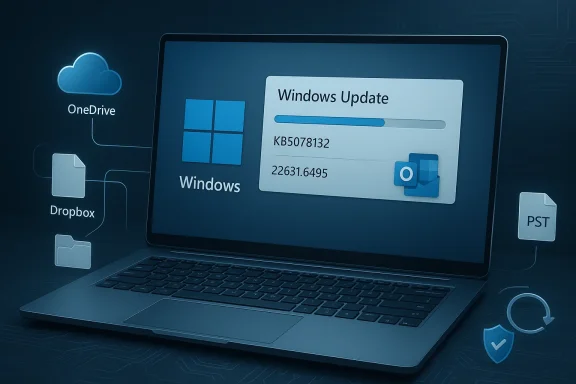
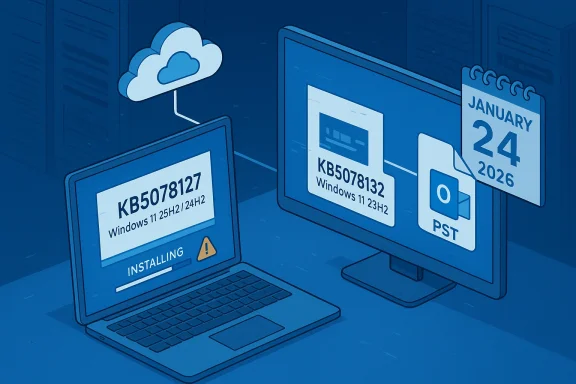
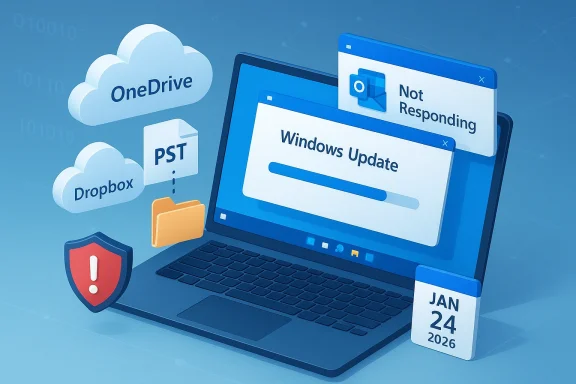
Microsoft released an out‑of‑band cumulative update for Windows 11, version 23H2—KB5078132 (OS Build 22631.6495)—on January 24, 2026 to address a set of post‑Patch‑Tuesday regressions and to roll together prior January fixes into a single package for affected systems. The package is explicitly offered to devices that already installed the January 13 security rollup (KB5073455) or the earlier out‑of‑band correction (KB5077797), and it targets a specific class of file‑I/O and Outlook issues tied to cloud‑synced storage along with other quality improvements.
Microsoft shipped its January 2026 Patch Tuesday updates on January 13, 2026. The Windows 11, version 23H2 cumulative update was delivered as KB5073455 and included dozens of security fixes and quality improvements. In the days after that rollup, multiple regressions were reported by enterprises and community testers—most notably remote‑authentication failures for Cloud PC/AVD scenarios, a Secure Launch–dependent shutdown/hibernate regression on some 23H2 systems, and application hangs or file errors when accessing cloud‑synced storage such as OneDrive and Dropbox. Microsoft responded rapidly with targeted out‑of‑band (OOB) packages on January 17, 2026 and then followed with the January 24, 2026 OOB cumulative update KB5078132 to consolidate fixes and address newly observed issues.
This article summarizes what KB5078132 changes, explains why the fixes matter, lays out practical deployment guidance for home users and IT administrators, evaluates the update’s strengths, and flags residual risks administrators should consider before broad rollout.
KB5078132’s correction for file‑I/O errors and Outlook PST hangs is consequential because:
These issues highlight a recurring reality in modern OS servicing: security patches inevitably touch deep kernel and platform subsystems, and configuration‑dependent security features (like Secure Launch and virtualization‑based security) increase the chance that a change triggers unintended interactions.
In practice, the episode reinforces a basic but essential principle of modern Windows operations: maintain disciplined update rings, keep comprehensive inventory of security hardening features like Secure Launch, and treat emergency out‑of‑band releases as high‑priority events that require swift but controlled validation and deployment.
Source: Microsoft Support January 24, 2026—KB5078132 (OS Build 22631.6495) Out-of-band - Microsoft Support
 Background
Microsoft shipped its January 2026 Patch Tuesday updates on January 13, 2026. The Windows 11, version 23H2 cumulative update was delivered as KB5073455 and included dozens of security fixes and quality improvements. In the days after that rollup, multiple regressions were reported by enterprises and community testers—most notably remote‑authentication failures for Cloud PC/AVD scenarios, a Secure Launch–dependent shutdown/hibernate regression on some 23H2 systems, and application hangs or file errors when accessing cloud‑synced storage such as OneDrive and Dropbox. Microsoft responded rapidly with targeted out‑of‑band (OOB) packages on January 17, 2026 and then followed with the January 24, 2026 OOB cumulative update KB5078132 to consolidate fixes and address newly observed issues.This article summarizes what KB5078132 changes, explains why the fixes matter, lays out practical deployment guidance for home users and IT administrators, evaluates the update’s strengths, and flags residual risks administrators should consider before broad rollout.
What KB5078132 fixes and includes
Summary of the package
- KB5078132 is an out‑of‑band cumulative update for Windows 11, version 23H2 that advances the OS build to 22631.6495 and includes earlier security fixes from the January 13 cumulative (KB5073455) and the January 17 out‑of‑band package (KB5077797).
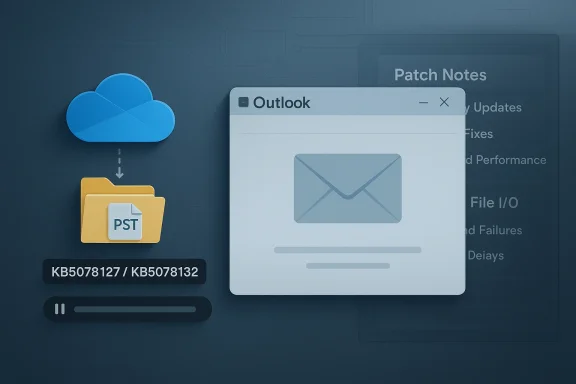
- The update’s headline correction resolves file‑I/O and application responsiveness problems that appeared after the January 13 security rollup—specifically, applications becoming unresponsive or throwing errors when opening or saving files stored in cloud‑synced locations (OneDrive, Dropbox). In Outlook configurations where user PST files are stored on OneDrive, users could see Outlook hang, fail to reopen without a process termination or reboot, lose Sent Items, or encounter previously‑downloaded emails being re‑downloaded; KB5078132 addresses these behaviors.
- The update is distributed via Windows Update to devices that have KB5077797 or KB5073455 installed; it is also available for manual download via the Microsoft Update Catalog for environments that prefer staged, offline, or managed distribution. Microsoft recommended enabling the “Get the latest updates as soon as they’re available” option to receive this OOB automatically.
Secondary inclusions and servicing stack improvements
- KB5078132 is cumulative. That means it also bundles previous security fixes and quality changes from the January servicing wave and earlier OOB patches, reducing the need to install multiple separate packages and lowering sequencing errors for administrators.
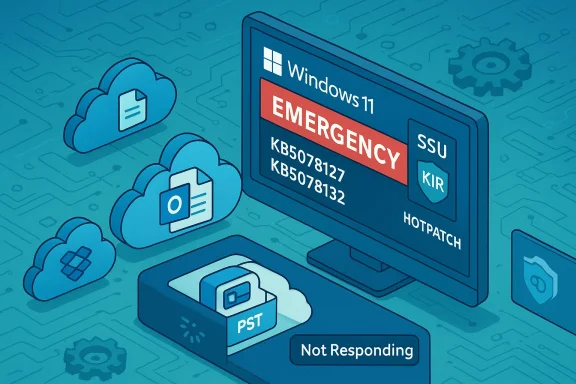
- Microsoft emphasized the servicing stack update (SSU) KB5071963 in the same servicing wave; SSUs harden and stabilize the component that installs Windows updates and are often a prerequisite for reliable LCU installation. Administrators should ensure SSUs are present on devices to avoid servicing errors and to make the OOB install path robust.
Why these fixes matter: technical and operational impact
Cloud‑synced file I/O and Outlook PSTs — not just “annoying” failures
Modern Windows endpoints increasingly rely on cloud‑synced folders and on‑device cache synchronization: OneDrive and third‑party overlay sync clients are ubiquitous in workplaces and at home. When a security or quality update alters the interaction between file APIs, file system filters, or network‑backed storage paths, the result is often silent corruption, application hangs, or duplicated data transfers.KB5078132’s correction for file‑I/O errors and Outlook PST hangs is consequential because:
- Outlook users storing PSTs on OneDrive are at risk of application hangs that require a process kill or reboot, disrupting workflows and potentially risking mailbox corruption if users don’t follow careful recovery steps.
- Missing Sent Items and re‑downloaded messages indicate mail‑store synchronization discrepancies that can hamper forensic follow‑up and create user confusion.
- For managed fleets, repeated failures increase helpdesk workload, produce false positives in monitoring systems, and can negatively affect productivity across office and remote workers.
Context: the Secure Launch regression and Remote Desktop authentication
Earlier OOB packages (notably KB5077797 on January 17) targeted a separate but serious regression where devices configured with System Guard Secure Launch would restart instead of shutting down or hibernating after installing KB5073455. The authentication problems affecting Remote Desktop and Cloud PC sign‑in were also addressed by the January 17 OOB updates. KB5078132 bundles these prior fixes and focuses on the cloud storage/Outlook scenario that remained unresolved for some customers.These issues highlight a recurring reality in modern OS servicing: security patches inevitably touch deep kernel and platform subsystems, and configuration‑dependent security features (like Secure Launch and virtualization‑based security) increase the chance that a change triggers unintended interactions.
Who should prioritize this update
- Enterprises and sysadmins managing domain‑joined fleets, MDM‑controlled devices, or locked enterprise images where PSTs are redirected to OneDrive or shared via cloud‑synced folders should treat KB5078132 as high priority. Validation in a pilot ring that includes devices matching the production diversity (OEM firmware variants, Secure Launch enabled devices, Edge/OneDrive versions) is recommended.
- IT teams using Microsoft Intune or Windows Autopatch should follow Microsoft’s expedited deployment guidance (for Intune and Windows Autopatch) to reduce exposure window for affected endpoints and ensure updates are delivered with correct rollout rings and monitoring. The KB notes call out Intune/Windows Autopatch guidance for expedited updates.
- Home users and small businesses that do not explicitly enable Secure Launch and who do not store PSTs on OneDrive are at lower risk for the Secure Launch reboot regression, but they still face the cloud file‑I/O problem if they keep data in OneDrive or Dropbox folders—so installing the OOB through Windows Update is recommended.
Deployment and verification guidance
Pre‑deployment checklist (recommended)
- Inventory: Confirm which devices are running Windows 11, version 23H2 (winver or management console). Gather telemetry on whether devices have Secure Launch enabled (msinfo32 System Guard / Secure Launch flags) and whether Outlook profiles use PSTs stored in OneDrive.
- Confirm prerequisites: Ensure the servicing stack update (SSU) KB5071963 or the most recent SSU for your servicing branch is installed where required; confirm existing LCUs like KB5073455 or KB5077797 are present on systems targeted for the OOB.
- Pilot: Deploy KB5078132 to a pilot ring that includes devices with cloud‑synced storage, devices with Secure Launch enabled, and a representative cross‑section of OEM firmware and driver versions.
- Validation: After pilot installs, verify shutdown/hibernate behavior, Remote Desktop/Cloud PC authentication flows, Outlook open/close stability, Sent Items visibility, and whether previously downloaded emails are duplicated. Collect Event Viewer logs (System, Application, Setup) and CBS/WUA logs for post‑mortem if anomalies persist.
Installation paths
- Automatic: Devices that have “Get the latest updates as soon as they’re available” enabled will receive KB5078132 via Windows Update automatically.
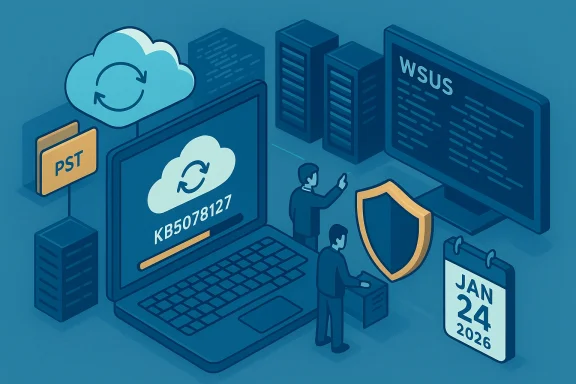
- Managed: Use Windows Update for Business, Intune, WSUS, or ConfigMgr to control rollout rings and scheduling; administrators can expedite deployments via Intune and Windows Autopatch per Microsoft guidance.
- Manual: Download and stage the package from the Microsoft Update Catalog when offline distribution or manual staging is preferred.
Post‑installation checks
- Confirm OS build increments to 22631.6495 on applicable systems.
- Reproduce previous failure scenarios (open/save files in OneDrive/Dropbox, reopen Outlook with PST on OneDrive, Shutdown/Hibernate behavior on Secure Launch devices) to ensure the OOB resolved symptoms.
- Monitor helpdesk tickets and Windows Update telemetry for unexpected new failures.
Troubleshooting: if problems persist after installing KB5078132
- Reboot policy: Some devices may still require a restart to finish servicing. Verify that the SSU is applied and that no pending upgrades are blocked by device configuration or third‑party drivers.
- Outlook with PSTs on OneDrive: If Outlook still hangs, collect Outlook logs, try starting Outlook in safe mode, detach the PST from OneDrive and move to a locally‑mounted NTFS folder for testing, and escalate to Microsoft support if mailbox data inconsistency persists. Back up PSTs before any manual manipulation.
- Re‑downloaded emails: Verify whether clients use Exchange/IMAP/POP protocols or have client‑side rules that could cause duplicate downloads; examine Outlook sync logs and the mail server’s message‑ID behavior.
- If shutdown/hibernate issues continue on systems with Secure Launch enabled, follow the earlier Microsoft emergency workaround—use an elevated command prompt and run shutdown /s /t 0 to force power off as a temporary measure—then collect diagnostic logs and product telemetry for escalation. Avoid disabling Secure Launch globally as a permanent workaround because it increases attack surface.
Critical analysis — strengths and the residual risks
Strengths
- Rapid vendor response: Microsoft moved from detection to targeted OOB fixes within days (Patch Tuesday → OOB on January 17 → consolidated OOB on January 24), demonstrating strong incident response and an ability to deliver surgical fixes for configuration‑dependent regressions. This speed reduced the window of operational impact for many organizations.
- Cumulative consolidation: KB5078132 bundles prior fixes and the LCU, simplifying sequencing and reducing the chance of partial remediation states across diverse fleets. This reduces operational complexity for administrators who must reconcile multiple interim updates.
- Clear operational guidance: The advisory and associated community guidance provide a practical checklist for detection (msinfo32 checks for Secure Launch, update history lookups) and remediation, which helps administrators triage and prioritize rollout.
Residual risks and limitations
- Configuration‑dependent regressions are hard to predict: Secure Launch, VBS, and other hardening features alter low‑level behavior; a single servicing change can have side effects that only surface in narrow, enterprise‑grade configurations. Even thorough pilot rings can miss combinations of OEM firmware, driver versions, and management policies that exist at scale. The episode is a reminder that no update is risk‑free in large, heterogeneous fleets.
- Telemetry and scope opacity: Microsoft’s KB and public advisories typically do not disclose precise counts of affected devices. Administrators must therefore rely on their own telemetry to quantify risk; public‑facing estimates in media or community posts are speculative unless Microsoft provides explicit telemetry disclosures. Treat any numeric claims about incident scope as provisional.
- Potential for follow‑on regressions: While KB5078132 addresses the reported cloud I/O and Outlook PST issues, previous waves showed that fixes for one regression can reveal or trigger others in deeply entangled subsystems (power management, virtualization, authentication stacks). Maintain staged rollouts and monitoring to detect any emergent side effects early.
Practical recommendations — a conservative rollout playbook
- Prioritize: Mark devices with cloud‑synced PSTs, Secure Launch, or critical remote‑access dependencies as top‑priority targets for pilot validation.
- Pilot breadth: Include at least three device classes in pilot rings—consumer OEM laptops, corporate‑imaged Secured‑Core/Enterprise devices with Secure Launch enabled, and virtual desktop images used for Cloud PC/AVD testing. Validate power transitions, Outlook I/O behavior, and remote authentication flows.
- Backup and recovery: Require PST backups before mass installs where PSTs are present in OneDrive. Provide users clear instructions for backing up and restoring local PST files if remediation requires manual intervention.
- Observability: Instrument your monitoring systems to watch for increased error counts in Event Viewer (Application/System), Outlook sync errors, and Windows Update reoffer patterns. Collect CBS/WUA logs for any devices showing anomalous update behavior.
- Communication: Prepare helpdesk scripts and user notifications describing symptoms (e.g., Outlook hang, missing Sent Items) and immediate steps (save work, run recommended shutdown command if necessary), so helpdesk can triage quickly and reduce churn.
- Contingency: Know how to acquire and stage the OOB package from the Update Catalog for offline or segmented networks, and have rollback/restore procedures if an unforeseen regression causes unacceptable disruption.
What remains unverifiable and what to watch next
- Microsoft has not (as of this package) published a full engineering post‑mortem that discloses the exact low‑level root cause for the interactions between the January cumulative changes and Secure Launch, or the precise mechanism that produced the cloud I/O and Outlook PST symptoms in all environments. Until Microsoft provides an engineering breakdown, technical explanations remain reasoned inference based on observed symptoms, community telemetry, and standard servicing mechanics. Treat such attributions as provisional.
- The exact number of devices affected by these regressions is not publicly disclosed; enterprise administrators must rely on internal telemetry to determine exposure. Public reports that attempt to quantify the problem are useful for trend context but are not authoritative.
- Continued monitoring of Microsoft’s Release Health dashboard, the Update History page, and any follow‑up KBs or SSU advisories is recommended because servicing waves can produce follow‑on advisories such as Known Issue Rollbacks (KIR) or additional OOB packages.
Conclusion
KB5078132 (OS Build 22631.6495) is Microsoft’s January 24, 2026 out‑of‑band cumulative update for Windows 11, version 23H2 that consolidates the January security rollup and earlier OOB corrections while specifically addressing cloud‑synced file I/O failures and Outlook PST issues tied to OneDrive and similar storage. The package reflects a rapid vendor response to real operational pain—application hangs, mailbox anomalies, and power‑state regressions—that can have outsized impact in enterprise and managed environments. Administrators should prioritize pilot testing on representative devices, ensure servicing stack prerequisites are in place, and deploy KB5078132 promptly where risk exposure is confirmed. At the same time, teams must remain vigilant: configuration‑dependent regressions and limited public telemetry mean conservative rollout strategies, robust backups, and near‑term monitoring are the correct defensive posture.In practice, the episode reinforces a basic but essential principle of modern Windows operations: maintain disciplined update rings, keep comprehensive inventory of security hardening features like Secure Launch, and treat emergency out‑of‑band releases as high‑priority events that require swift but controlled validation and deployment.
Source: Microsoft Support January 24, 2026—KB5078132 (OS Build 22631.6495) Out-of-band - Microsoft Support

 Windows 11 Emergency Update Fixes Outlook Email Bug