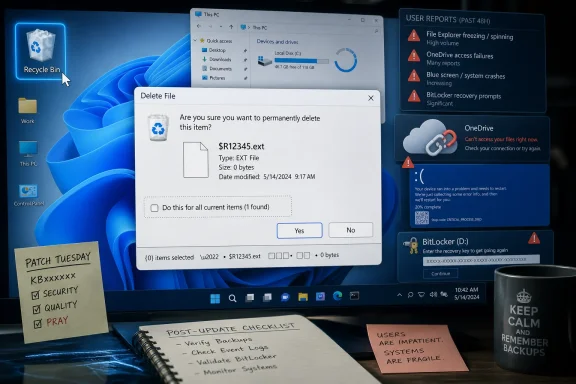
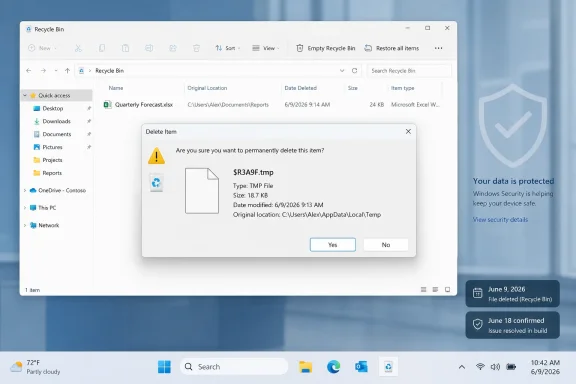
Microsoft acknowledged on June 18, 2026, that Windows updates released on June 9 can make the Recycle Bin confirmation dialog show internal
The confirmed defect is almost comically specific. After installing the June 9 Windows updates, a user who permanently deletes a single file from the Recycle Bin may see the item identified by its internal Recycle Bin name rather than by the friendly filename Windows normally displays. The file may still appear correctly inside the Recycle Bin window, and restoring it should bring it back with the original name intact.
That distinction matters technically, because this is not a data-loss bug as described by Microsoft. Windows is not apparently renaming users’ files in the visible file system, nor is it failing to delete or restore them. It is surfacing implementation detail in a place where users expect reassurance.
But implementation detail is precisely the problem. The Recycle Bin is one of the oldest trust rituals in Windows: delete, hesitate, confirm, undo if necessary. When Windows asks whether you really want to permanently delete
That is why the bug has traveled farther than its severity rating would suggest. It does not need to brick machines to damage confidence. It only needs to make the operating system look like it is no longer sure what the user is deleting.
That cadence is the heart of the modern Windows bargain. Microsoft ships cumulative updates so the platform can be patched predictably, enterprises can reason about baselines, and consumers do not have to curate dozens of individual fixes. The model is cleaner than the old patch buffet, but it also concentrates risk.
When a cumulative update misbehaves, administrators cannot always separate the vulnerability fix they need from the regression they cannot tolerate. The bundle is the product. A single package can contain security remediation, feature changes, compatibility shifts, kernel-adjacent plumbing, and shell behavior changes, all arriving through the same delivery rail.
This is the contradiction Windows now lives with. The operating system must move faster because attackers move fast, but it must also serve as the stable substrate for payroll systems, school laptops, game rigs, dental offices, engineering workstations, and home PCs whose owners do not know what BitLocker is until it asks for a recovery key.
The same support page also acknowledges a separate issue in which Microsoft Office applications may fail to open from certain third-party applications after updates released on or after June 9. That problem involves applications using OLE automation to launch Office programs or open documents, and Microsoft’s listed workaround is to open the Office application or file directly instead of launching it from the affected third-party program.
That is already enough to complicate business desktops. OLE automation is not a fashionable developer talking point, but it is exactly the sort of legacy integration glue that keeps real offices moving. Accounting, document-management, dental, legal, research, and line-of-business applications frequently live in the seam between “modern Windows” and software workflows built over many years.
Beyond that, the wider reports remain less settled. Users and administrators have described OneDrive and Dropbox access problems in File Explorer, sluggish shell performance across fleets, HP blue screens, Lenovo freezes, and BitLocker recovery prompts. Those reports should be treated as reports, not as proven universal defects, but the pattern is familiar enough to make IT departments cautious.
The danger in this stage of an update story is overclaiming. Not every post-install crash is caused by the update, not every support-forum pile-on reflects a single root cause, and hardware-specific driver or firmware interactions can masquerade as Windows regressions. But it is equally wrong to dismiss the noise, because early user and admin reports are often how Windows regressions become visible before they become officially documented.
This is where Microsoft’s integration strategy becomes a support liability. The more Windows leans on cloud identity, cloud storage, and shell-integrated services, the more a regression in one layer can look like a failure of the whole desktop. The average user does not distinguish between the OneDrive client, Explorer namespace extensions, Microsoft account token state, and file-system placeholders.
For administrators, that ambiguity is operationally expensive. A help desk call that begins as “my files are gone” may become an investigation into update history, sync state, policy settings, shell extensions, endpoint security, tenant configuration, and whether uninstalling a cumulative update is an acceptable temporary action. The technical root cause may be narrow, but the workflow blast radius is broad.
The Dropbox mentions matter for a similar reason. If third-party cloud storage integrations are also affected on some systems, the issue may sit closer to Explorer integration or shell extensibility than to Microsoft’s own sync stack. That is not proof, but it is the sort of clue enterprise desktop teams watch closely when they are trying to decide whether they have isolated user anecdotes or a reproducible fleet problem.
That perception matters because Windows 11 has spent years trying to look more modern while carrying a vast compatibility inheritance beneath the surface. Users may tolerate visual redesigns, Start menu debates, and settings migrations, but they are far less forgiving when opening a folder becomes slow or unreliable after an update. File management is not a niche workload.
For IT departments, Explorer regressions can become a fleet-wide drag. A few extra seconds per folder open, multiplied across hundreds of users and repeated all day, turns into an invisible tax on work. Worse, Explorer slowdowns are notoriously difficult to triage because the culprit can be the shell, a network path, a cloud sync provider, antivirus inspection, thumbnails, context-menu handlers, or a storage driver.
That is why reports of sluggish Explorer performance deserve attention even before Microsoft confirms a known issue. They sit at the intersection of user productivity and diagnostic ambiguity. A broken Recycle Bin dialog is easy to describe; a slow Explorer is the sort of regression that can consume days of admin time.
Microsoft has spent the last several Windows generations nudging device encryption closer to the default experience on modern hardware. That is defensible security policy. Lost laptops, stolen drives, and opportunistic data theft are real risks, and encryption at rest is one of the clearest ways to reduce them.
The problem is that recovery-key UX remains brutally unforgiving when it appears unexpectedly. Many consumers do not know whether their key is stored in a Microsoft account, an organization’s directory, a printed copy, or nowhere they can find. Some local-account configurations make the panic worse, because the natural “go check your Microsoft account” script may not match how the machine was set up.
This is where a support chatbot reportedly advising a wipe-and-reinstall becomes more than a bad anecdote. It illustrates the gap between Microsoft’s security architecture and the support reality of users facing a locked boot path. If an update genuinely triggers recovery on a subset of machines, the incident is not just a patch-quality issue; it is a test of whether Microsoft can guide non-experts through the consequences of encryption-by-default.
This is a classic Windows tradeoff.
To security teams, this is the cost of reducing attack surface. To users, it can look like Windows broke their folder icons. To software vendors that relied on legacy behavior, it can become another compatibility scramble.
The larger point is that not every post-update surprise is an accidental bug. Some are intentional hardening moves whose side effects only become obvious at scale. Microsoft’s challenge is that users experience both categories the same way: yesterday the PC behaved one way, today it behaves another, and the only visible cause is Windows Update.
Still, the optics are poor. The bug affects ordinary users too, but the immediate mitigation path is reserved for commercial support channels. Consumers get reassurance that the issue is cosmetic and a promise that a resolution is coming in a future update.
There is a practical argument for this split. Enterprises have fleets, support contracts, deployment rings, and administrators who can apply targeted mitigations. Consumers have a wildly varied device base and less tolerance for instructions that could create new problems.
But the result reinforces an old Windows hierarchy. Business customers get a path to action; everyone else gets patience as a product feature. For a cosmetic bug, that may be acceptable. For update regressions that involve file access, boot reliability, or recovery keys, it becomes much harder to justify.
The sharper critique is that Windows update failures increasingly hit confidence-sensitive surfaces. File deletion prompts, cloud file access, Office automation, Explorer performance, boot behavior, and encryption recovery are not edge flourishes. They are the places where users decide whether the platform is dependable.
Microsoft has also raised expectations by talking more aggressively about Windows quality and user experience. The company wants Windows 11 to feel polished, modern, AI-ready, secure, and enterprise-manageable. That pitch leaves less room for regressions that make the shell look confused or force administrators into emergency triage after Patch Tuesday.
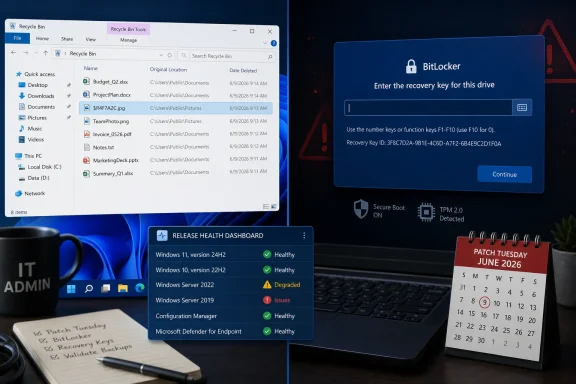
The company’s public documentation is better than it used to be, and the Windows release health dashboard gives administrators a central place to track known issues. But documentation is not the same as prevention. When the monthly ritual becomes “install, wait for reports, scan known issues, decide whether to pause,” the update model begins to feel less like maintenance and more like weather.
A small pilot group cannot catch every hardware-specific or workload-specific problem, but it can surface the obvious failures before they reach finance, executives, clinical staff, developers, or field machines. The challenge is choosing pilot users who actually represent the messy edges of the organization, not just IT staff with clean devices and high tolerance for pain.
Rollback planning matters too. If uninstalling a cumulative update restores OneDrive or Explorer behavior on test machines, admins need to know whether that rollback is acceptable under their security policy and how quickly they can redeploy once Microsoft ships a fix. Update management is no longer just about installation success; it is about reversible decision-making.
This is especially true for organizations with BitLocker, Secure Boot, custom images, and local-account edge cases. Recovery-key escrow, firmware currency, EFI partition health, and installation media maintenance sound like background hygiene until an update turns them into front-line support issues. June is another reminder that the boring inventory work is what saves weekends.
$Rxxxxx.ext filenames instead of original filenames when users permanently delete a single item. That is the official bug; the larger story is that this month’s Windows 11 Patch Tuesday is again testing the trust users place in Microsoft’s servicing model. A cosmetic Recycle Bin glitch would normally be a footnote, but it landed amid reports of OneDrive breakage, File Explorer slowdowns, Office automation failures, BitLocker recovery prompts, freezes, and blue screens. The result is another familiar Windows update cycle: the security fixes are mandatory, the regressions are uneven, and the confidence cost is paid by everyone else.
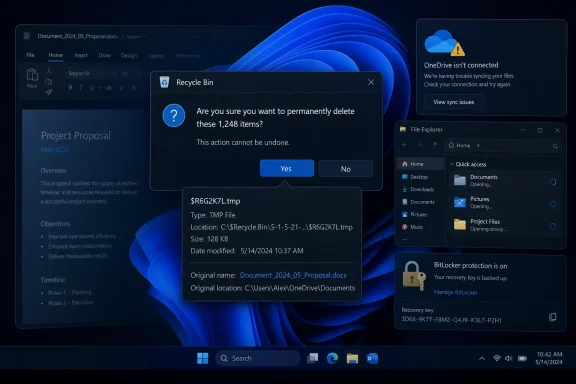 A Small Recycle Bin Bug Became the Perfect Windows Metaphor
The confirmed defect is almost comically specific. After installing the June 9 Windows updates, a user who permanently deletes a single file from the Recycle Bin may see the item identified by its internal Recycle Bin name rather than by the friendly filename Windows normally displays. The file may still appear correctly inside the Recycle Bin window, and restoring it should bring it back with the original name intact.That distinction matters technically, because this is not a data-loss bug as described by Microsoft. Windows is not apparently renaming users’ files in the visible file system, nor is it failing to delete or restore them. It is surfacing implementation detail in a place where users expect reassurance.
But implementation detail is precisely the problem. The Recycle Bin is one of the oldest trust rituals in Windows: delete, hesitate, confirm, undo if necessary. When Windows asks whether you really want to permanently delete
$R4ZKQ9.tmp instead of the document you intended to remove, it has taken a plain-language safety step and turned it into a forensic clue.That is why the bug has traveled farther than its severity rating would suggest. It does not need to brick machines to damage confidence. It only needs to make the operating system look like it is no longer sure what the user is deleting.
Patch Tuesday Is Doing Two Jobs, and One of Them Keeps Breaking the Other
The June 2026 updates were not optional decoration. They carried security fixes, servicing-stack changes, and hardening work that Microsoft wants deployed broadly and quickly. For Windows 11 version 26H1, KB5095051 moved systems to OS build 28000.2269; for Windows 11 24H2 and 25H2, KB5094126 moved systems to builds 26100.8655 and 26200.8655.That cadence is the heart of the modern Windows bargain. Microsoft ships cumulative updates so the platform can be patched predictably, enterprises can reason about baselines, and consumers do not have to curate dozens of individual fixes. The model is cleaner than the old patch buffet, but it also concentrates risk.
When a cumulative update misbehaves, administrators cannot always separate the vulnerability fix they need from the regression they cannot tolerate. The bundle is the product. A single package can contain security remediation, feature changes, compatibility shifts, kernel-adjacent plumbing, and shell behavior changes, all arriving through the same delivery rail.
This is the contradiction Windows now lives with. The operating system must move faster because attackers move fast, but it must also serve as the stable substrate for payroll systems, school laptops, game rigs, dental offices, engineering workstations, and home PCs whose owners do not know what BitLocker is until it asks for a recovery key.
Microsoft Confirmed the Annoying Bug, Not the Whole Mess
Microsoft’s confirmed known issue is narrow. The Recycle Bin dialog may display an internal filename after June 9 updates, and Microsoft says a workaround exists for organizations that contact Support for Business. Everyone else is waiting for a future update.The same support page also acknowledges a separate issue in which Microsoft Office applications may fail to open from certain third-party applications after updates released on or after June 9. That problem involves applications using OLE automation to launch Office programs or open documents, and Microsoft’s listed workaround is to open the Office application or file directly instead of launching it from the affected third-party program.
That is already enough to complicate business desktops. OLE automation is not a fashionable developer talking point, but it is exactly the sort of legacy integration glue that keeps real offices moving. Accounting, document-management, dental, legal, research, and line-of-business applications frequently live in the seam between “modern Windows” and software workflows built over many years.
Beyond that, the wider reports remain less settled. Users and administrators have described OneDrive and Dropbox access problems in File Explorer, sluggish shell performance across fleets, HP blue screens, Lenovo freezes, and BitLocker recovery prompts. Those reports should be treated as reports, not as proven universal defects, but the pattern is familiar enough to make IT departments cautious.
The danger in this stage of an update story is overclaiming. Not every post-install crash is caused by the update, not every support-forum pile-on reflects a single root cause, and hardware-specific driver or firmware interactions can masquerade as Windows regressions. But it is equally wrong to dismiss the noise, because early user and admin reports are often how Windows regressions become visible before they become officially documented.
OneDrive Breakage Hits Where Windows 11 Wants to Live
Reports of OneDrive disruption are especially awkward because OneDrive is no longer a removable sidecar in the Windows experience. It is tied into File Explorer, backup prompts, Microsoft account onboarding, Office workflows, and the broader pitch that Windows follows the user across devices. When OneDrive access breaks through Explorer, the failure is not perceived as a cloud outage or a sync-client quirk; it feels like Windows itself has lost track of the user’s files.This is where Microsoft’s integration strategy becomes a support liability. The more Windows leans on cloud identity, cloud storage, and shell-integrated services, the more a regression in one layer can look like a failure of the whole desktop. The average user does not distinguish between the OneDrive client, Explorer namespace extensions, Microsoft account token state, and file-system placeholders.
For administrators, that ambiguity is operationally expensive. A help desk call that begins as “my files are gone” may become an investigation into update history, sync state, policy settings, shell extensions, endpoint security, tenant configuration, and whether uninstalling a cumulative update is an acceptable temporary action. The technical root cause may be narrow, but the workflow blast radius is broad.
The Dropbox mentions matter for a similar reason. If third-party cloud storage integrations are also affected on some systems, the issue may sit closer to Explorer integration or shell extensibility than to Microsoft’s own sync stack. That is not proof, but it is the sort of clue enterprise desktop teams watch closely when they are trying to decide whether they have isolated user anecdotes or a reproducible fleet problem.
File Explorer Is Still the Windows Reliability Barometer
File Explorer performance complaints are not glamorous, but they are often more damaging than flashier bugs. Explorer is the front door to the Windows file system, the shell, network shares, sync providers, libraries, context menus, removable storage, and decades of extension points. When Explorer gets sluggish, the whole PC feels sick.That perception matters because Windows 11 has spent years trying to look more modern while carrying a vast compatibility inheritance beneath the surface. Users may tolerate visual redesigns, Start menu debates, and settings migrations, but they are far less forgiving when opening a folder becomes slow or unreliable after an update. File management is not a niche workload.
For IT departments, Explorer regressions can become a fleet-wide drag. A few extra seconds per folder open, multiplied across hundreds of users and repeated all day, turns into an invisible tax on work. Worse, Explorer slowdowns are notoriously difficult to triage because the culprit can be the shell, a network path, a cloud sync provider, antivirus inspection, thumbnails, context-menu handlers, or a storage driver.
That is why reports of sluggish Explorer performance deserve attention even before Microsoft confirms a known issue. They sit at the intersection of user productivity and diagnostic ambiguity. A broken Recycle Bin dialog is easy to describe; a slow Explorer is the sort of regression that can consume days of admin time.
BitLocker Recovery Is the Update Failure Users Fear Most
Among the reported problems, BitLocker recovery prompts are the most anxiety-inducing. A blue screen is frightening but familiar. A BitLocker recovery screen asking for a 48-digit key can look to ordinary users like the computer has locked them out of their own lives.Microsoft has spent the last several Windows generations nudging device encryption closer to the default experience on modern hardware. That is defensible security policy. Lost laptops, stolen drives, and opportunistic data theft are real risks, and encryption at rest is one of the clearest ways to reduce them.
The problem is that recovery-key UX remains brutally unforgiving when it appears unexpectedly. Many consumers do not know whether their key is stored in a Microsoft account, an organization’s directory, a printed copy, or nowhere they can find. Some local-account configurations make the panic worse, because the natural “go check your Microsoft account” script may not match how the machine was set up.
This is where a support chatbot reportedly advising a wipe-and-reinstall becomes more than a bad anecdote. It illustrates the gap between Microsoft’s security architecture and the support reality of users facing a locked boot path. If an update genuinely triggers recovery on a subset of machines, the incident is not just a patch-quality issue; it is a test of whether Microsoft can guide non-experts through the consequences of encryption-by-default.
Security Hardening Keeps Colliding With Old Windows Assumptions
The June updates also include a deliberate security hardening change to how Windows processesdesktop.ini files. That change can cause some custom folder icons or localized folder names to stop appearing for content from downloaded or remote locations, though Microsoft says folder access is not affected.This is a classic Windows tradeoff.
desktop.ini has long been part of the shell’s customization machinery, but the same mechanisms that make folders look friendly can become security-relevant when content arrives from untrusted or remote sources. Tightening that behavior may be prudent, but it also means long-standing visual assumptions suddenly change.To security teams, this is the cost of reducing attack surface. To users, it can look like Windows broke their folder icons. To software vendors that relied on legacy behavior, it can become another compatibility scramble.
The larger point is that not every post-update surprise is an accidental bug. Some are intentional hardening moves whose side effects only become obvious at scale. Microsoft’s challenge is that users experience both categories the same way: yesterday the PC behaved one way, today it behaves another, and the only visible cause is Windows Update.
The Commercial Workaround Gap Is Becoming Harder to Defend
Microsoft’s workaround language for the Recycle Bin issue is telling. A workaround is available for affected devices, but organizations are directed to contact Microsoft Support for Business. That may be reasonable if the mitigation involves enterprise deployment tooling, policy changes, or a Known Issue Rollback-style mechanism that Microsoft wants to manage carefully.Still, the optics are poor. The bug affects ordinary users too, but the immediate mitigation path is reserved for commercial support channels. Consumers get reassurance that the issue is cosmetic and a promise that a resolution is coming in a future update.
There is a practical argument for this split. Enterprises have fleets, support contracts, deployment rings, and administrators who can apply targeted mitigations. Consumers have a wildly varied device base and less tolerance for instructions that could create new problems.
But the result reinforces an old Windows hierarchy. Business customers get a path to action; everyone else gets patience as a product feature. For a cosmetic bug, that may be acceptable. For update regressions that involve file access, boot reliability, or recovery keys, it becomes much harder to justify.
The Stability Problem Is Not That Bugs Exist
No operating system vendor can ship monthly security updates to a hardware ecosystem as broad as Windows without regressions. Windows supports old software, new silicon, consumer devices, enterprise images, gaming rigs, obscure peripherals, and management stacks that sometimes outlive the people who deployed them. Bugs are not evidence that Microsoft is uniquely incompetent.The sharper critique is that Windows update failures increasingly hit confidence-sensitive surfaces. File deletion prompts, cloud file access, Office automation, Explorer performance, boot behavior, and encryption recovery are not edge flourishes. They are the places where users decide whether the platform is dependable.
Microsoft has also raised expectations by talking more aggressively about Windows quality and user experience. The company wants Windows 11 to feel polished, modern, AI-ready, secure, and enterprise-manageable. That pitch leaves less room for regressions that make the shell look confused or force administrators into emergency triage after Patch Tuesday.
The company’s public documentation is better than it used to be, and the Windows release health dashboard gives administrators a central place to track known issues. But documentation is not the same as prevention. When the monthly ritual becomes “install, wait for reports, scan known issues, decide whether to pause,” the update model begins to feel less like maintenance and more like weather.
Admins Will Treat June as Another Argument for Rings
For managed environments, the June 2026 lesson is not “never patch.” That would be reckless, especially when Patch Tuesday bundles security fixes that may already be attracting attacker attention. The lesson is that deployment rings remain the only sane way to consume Windows updates at scale.A small pilot group cannot catch every hardware-specific or workload-specific problem, but it can surface the obvious failures before they reach finance, executives, clinical staff, developers, or field machines. The challenge is choosing pilot users who actually represent the messy edges of the organization, not just IT staff with clean devices and high tolerance for pain.
Rollback planning matters too. If uninstalling a cumulative update restores OneDrive or Explorer behavior on test machines, admins need to know whether that rollback is acceptable under their security policy and how quickly they can redeploy once Microsoft ships a fix. Update management is no longer just about installation success; it is about reversible decision-making.
This is especially true for organizations with BitLocker, Secure Boot, custom images, and local-account edge cases. Recovery-key escrow, firmware currency, EFI partition health, and installation media maintenance sound like background hygiene until an update turns them into front-line support issues. June is another reminder that the boring inventory work is what saves weekends.
The June Patch Leaves a Very Windows Set of Lessons
The practical read on this update cycle is neither panic nor complacency. Microsoft has confirmed some issues, users are reporting others, and the safest interpretation is that the June updates are broadly necessary but uneven in their side effects. That is exactly the kind of situation where Windows veterans earn their reputation for caution.- The Recycle Bin filename bug is officially acknowledged and appears limited to the confirmation dialog rather than the underlying file operation.
- The Office automation issue is also acknowledged and can affect third-party applications that launch Office apps or documents through older integration methods.
- Reports of OneDrive, Dropbox, File Explorer, blue screen, freezing, and BitLocker problems should be investigated carefully but not treated as universal defects without local confirmation.
- Managed environments should validate KB5095051, KB5094126, and related June updates through deployment rings before broad rollout where policy allows.
- Users who see BitLocker recovery should locate their recovery key before attempting drastic repair steps, because reinstalling Windows is the last resort, not the first troubleshooting move.
- Microsoft’s business-only workaround path may help enterprises, but consumer trust depends on how quickly the promised future fixes arrive.
References
- Primary source: TechSpot
Published: Fri, 19 Jun 2026 16:34:00 GMT
This month's Windows 11 update broke the Recycle Bin, OneDrive, and possibly your PC's stability | TechSpot
According to Microsoft, users who have installed the KB5095051 update might encounter a strange Recycle Bin bug that replaces the names of deleted files with internal Recycle...www.techspot.com - Related coverage: windowslatest.com
Microsoft confirms Windows 11 no longer triggers BitLocker recovery screen after monthly updates
Microsoft confirmed that it was investigating Windows 11 BitLocker alert, and it's now patched with May 2026 Update. www.windowslatest.com
- Related coverage: pcworld.com
Windows 11 update is breaking some PCs with boot and BitLocker issues | PCWorld
A Windows 11 update is causing major problems on some PCs: devices are failing to start up, entering BitLocker recovery mode or displaying blue screens. OneDrive and File Explorer functions are also affected in some cases.www.pcworld.com - Official source: learn.microsoft.com
File names change to "dollar sign then jargon" in recycle bin. - Microsoft Q&A
This is weird, and should never have happened. Normally, when a file goes to the recycle bin, their file name remains the same. However, most recently, though this is still the case when looking in the recycle bin folder, when clicking empty recycle bin,…learn.microsoft.com - Related coverage: windowsforum.com
CVE-2026-42829: Windows 11 Admin Protection Bypass—KB5094126 & KB5095051 | Windows Forum
Microsoft disclosed CVE-2026-42829 on June 9, 2026, as an Important Windows Administrator Protection security feature bypass affecting Windows 11 versions...windowsforum.com - Related coverage: techtimes.com
Windows 11 June 2026 Update Kills Folder Icons: 23-Year-Old Shell Bug Finally Closed
Windows 11 desktop.ini update June 2026 breaks custom folder icons on network drives — but it is intentional. KB5094126 closes an unchecked-buffer code execution risk in Windows Shell folder parsingwww.techtimes.com
- Related coverage: techyorker.com
How to Fix Recycle Bin Not Working in Windows 11 - TechYorker
×AIDiscover the way to a Faster PC - Chipps AI AssistantNew Update: Boost Your Device Performance Today with Chipps.Fix My... techyorker.com
- Official source: support.microsoft.com
June 9, 2026—KB5095051 (OS Build 28000.2269) - Microsoft Support
 support.microsoft.com
- Related coverage: igorslab.de
Windows 11 KB5094126: Microsoft's desktop.ini hardening causes some f…
Windows occasionally manages to make even a security measure look like a small defect.www.igorslab.de - Related coverage: techrounder.com
windows 11 24h2 kb5058411 build 26100 4061 everything you need to know
PDF documentwww.techrounder.com