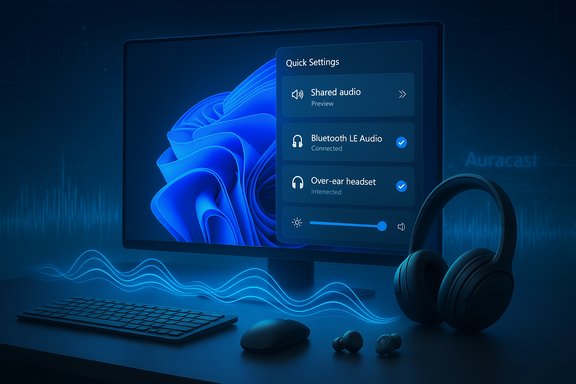
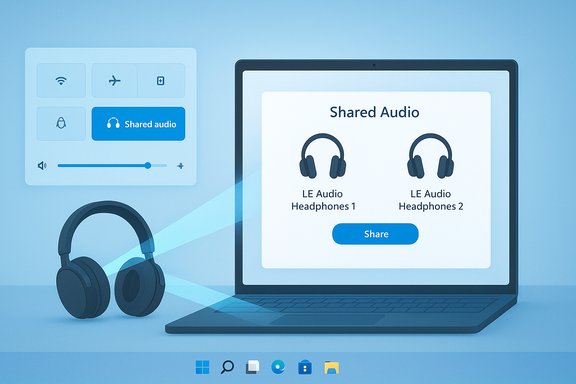
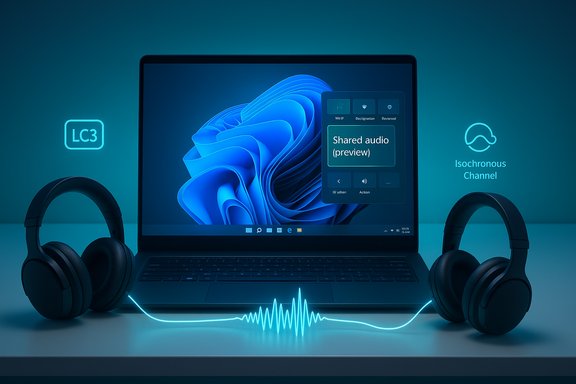
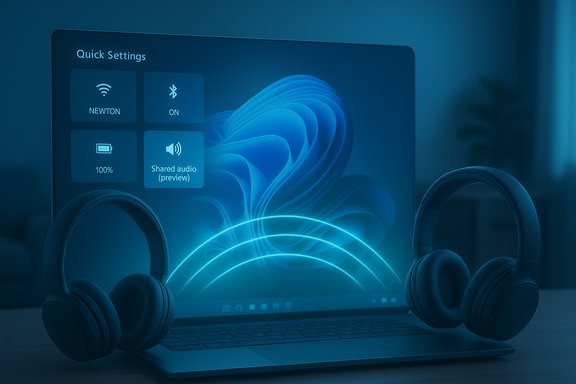
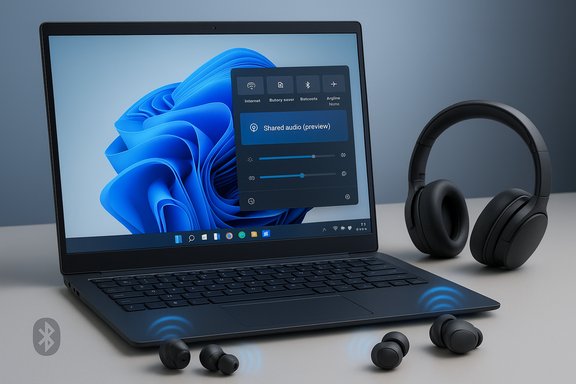
Windows 11’s latest Insider preview quietly starts a small but meaningful change to how PCs share sound: a new Shared audio (preview) experience built on Bluetooth LE Audio that lets a Copilot+ PC stream the same audio to two separate headsets, earbuds, speakers, or hearing aids at once. The feature arrives as part of Windows 11 Insider Preview Build 26220.7051 in the Dev and Beta channels, and Microsoft is rolling it out gradually to supported Copilot+ systems after users install OS and driver updates. Early adopters in the Insider program can enable the feature from Quick Settings, pair two LE Audio accessories, and begin a shared session — but the deeper story is about what LE Audio brings (LC3, Auracast-style broadcast) and the practical limits Windows has chosen for its first public test.
Bluetooth LE Audio is the next-generation Bluetooth audio architecture. It replaces—or rather augments—Classic Bluetooth audio with a new codec (LC3), support for multi-stream topologies, and broadcast/broadcast-assistant capabilities commonly grouped under the Auracast name. Those building blocks enable several things that consumers and device makers have wanted for years:
On the accessory side Microsoft lists a representative set of LE Audio-capable devices that work in the preview: Samsung Galaxy Buds2 Pro, Buds3, Buds3 Pro, Sony WH-1000XM6, and recent LE Audio hearing aids from vendors such as ReSound and Beltone. Those device names are illustrative rather than exhaustive; the feature is compatible with a broader set of LE Audio accessories so long as firmware and profiles are updated to support LE Audio/LC3.
At the same time, the real-world experience will depend heavily on vendor firmware quality, driver updates, and app-level audio policies. Expect bumps: codec fallbacks, intermittent stutter, and device-specific quirks are a normal part of platform evolution. For users, the recommendation is straightforward: test the preview if you can, keep expectations modest, and report problems via Feedback Hub to accelerate fixes.
Shared audio isn’t a sweeping revolution yet, but it’s an important practical rollout of LE Audio in the PC space — one that brings social listening and accessibility benefits closer to everyday Windows users while exposing the interoperability gaps vendors and OEMs still need to close.
Source: Microsoft - Windows Insiders Blog Extending Bluetooth® LE Audio on Windows 11 with shared audio (preview)
 Background: why LE Audio matters (and where shared audio fits)
Bluetooth LE Audio is the next-generation Bluetooth audio architecture. It replaces—or rather augments—Classic Bluetooth audio with a new codec (LC3), support for multi-stream topologies, and broadcast/broadcast-assistant capabilities commonly grouped under the Auracast name. Those building blocks enable several things that consumers and device makers have wanted for years:- Better efficiency: the LC3 codec delivers higher perceived audio quality at lower bitrates than the old SBC codec, which reduces radio time and power consumption.
- Multi-stream audio: independent, synchronized left/right or multi-channel streams for true wireless earbuds and other use cases.
- Broadcast audio (Auracast): the ability to advertise an audio stream and let multiple receivers subscribe without classic one-to-one pairing.
What Microsoft released (what’s in Build 26220.7051)
The Insider preview that began rolling out contains the first public-facing Shared audio (preview) experience tied to the Windows 11 Quick Settings area. Essential details of the rollout:- The feature appears as a “Shared audio (preview)” tile in Quick Settings once the PC has the required OS and driver updates.
- Users choose two compatible, paired, and connected LE Audio accessories and click Share to start transmitting a single audio stream to both devices.
- A Stop sharing button ends an active session.
- The initial rollout targets select Copilot+ PCs with compatible Bluetooth and audio driver updates; Microsoft has published a list of models that are supported now and a list that will be added soon.
- Microsoft explicitly recommends updating accessory firmware via the manufacturer’s app; if an accessory fails to show in the tile after update, the advised fix is to remove and re-pair.
Which PCs and accessories are supported right now
Microsoft’s preview restricts Shared audio to a set of Copilot+ PCs — Windows systems shipped or certified with the Copilot+ branding and supporting the required Bluetooth stack and audio drivers. The initial, available today list includes recent Surface models equipped with Qualcomm Snapdragon X silicon (the 13.8-inch and 15-inch Surface Laptop and their business variants, plus the 13-inch Surface Pro and business variant). A coming soon list names Samsung Galaxy Book5 / Book5 Pro SKUs (Intel Core Ultra Series 200) and additional Surface SKUs and Galaxy Book4 Edge configurations.On the accessory side Microsoft lists a representative set of LE Audio-capable devices that work in the preview: Samsung Galaxy Buds2 Pro, Buds3, Buds3 Pro, Sony WH-1000XM6, and recent LE Audio hearing aids from vendors such as ReSound and Beltone. Those device names are illustrative rather than exhaustive; the feature is compatible with a broader set of LE Audio accessories so long as firmware and profiles are updated to support LE Audio/LC3.
How to try the preview (step‑by‑step)
- Enroll a compatible Copilot+ PC in the Windows Insider Program (Dev or Beta channel).
- Install Windows Update until your system shows the latest build and the complementary Bluetooth/audio driver updates.
- Update the firmware of your Bluetooth accessories via the manufacturers’ app (this is strongly recommended).
- Pair and connect two LE Audio-capable accessories to the PC.
- Open Quick Settings and tap the Shared audio (preview) tile; select the two connected accessories and click Share.
- Use the Stop sharing control to end the session.
The technical underpinnings: LC3, broadcast tech, and synchronization
Shared audio is built on LE Audio technology — specifically the same architecture that enables Auracast broadcast and LC3 streaming. That matters because:- LC3 reduces bitrate while delivering equivalent or better perceived quality compared to older codecs. That efficiency translates into lower power draw for earcups and slimmer bandwidth requirements for the host radio.
- Broadcast/broadcast-like delivery provides a mechanism for the source to push a synchronized stream to multiple sinks. In theory, Auracast supports many simultaneous listeners; Microsoft’s preview caps the Windows implementation to two receivers, likely to balance complexity and to ensure a controlled test surface for sync and quality.
- Synchronization is central to the experience: two people watching the same video expect lip-sync parity between their ears. LE Audio’s multi-stream and isochronous transport mechanisms are designed for microsecond‑level sync, but real-world synchronization still depends on firmware, host stack behavior, and driver scheduling on the PC.
The good: practical benefits and accessible outcomes
- True social listening without cables: the preview offers a fast, straightforward way to share audio between two people without splitting cables, hardware dongles, or third‑party "party mode" hacks.
- Better battery efficiency than classic Bluetooth party modes: LC3’s efficiency should keep battery impact lower than equivalent Classic‑audio multi‑output solutions.
- Accessibility gains: hearing aid users gain direct access to streamed PC audio without intermediary hardware when their devices support LE Audio. That’s a meaningful usability win for a long-neglected use case.
- Single control point: the Quick Settings integration centralizes the experience and lowers friction compared with manual pairing tricks or third-party transmitter dongles.
The caveats and practical limitations: what to expect during preview
This is a preview with a narrow scope, and several real-world caveats matter for people who test it now:- Two-device cap: Although Auracast can support many listeners, Microsoft’s preview limits Windows to two sinks. That’s a sensible early step, but it means the feature won’t yet replace venue-level Auracast deployments or "one-to-many" listening needs.
- Interoperability is still messy: LE Audio is new enough that vendors ship differing levels of support, vendor-specific codecs, or companion app behaviors that can interfere. Some devices may advertise LE Audio readiness but require firmware toggles or companion apps to enable the LC3 path.
- Codec and feature fragmentation: not all LE Audio implementations support every codec configuration or streaming mode. Incomplete or partial support can cause devices to fall back to Classic Bluetooth profiles, or to behave inconsistently across phones, tablets, and PCs.
- Latency and sync can vary in practice: while the standard supports tight synchronization, end-to-end latency depends on host stacks, buffering decisions, and accessory firmware. Two different earbuds might show small but noticeable offsets unless both do a good job with timestamp alignment and buffering.
- Driver and firmware dependency: the Shared audio tile appears only after OEM driver and vendor firmware updates arrive. Expect staggered rollouts across OEMs and device SKUs.
- Streaming DRM and app behaviors: some streaming services and media players apply DRM or audio path restrictions that can prevent audio from being retransmitted to secondary sinks. Early test results may vary between native media apps, browsers, and UWP apps.
- Performance / battery considerations: pushing two LE streams concurrently requires the host Bluetooth controller and driver to manage extra workloads. On laptops with aggressive power profiles, users may see increased battery draw during prolonged shared sessions.
Known trouble patterns to watch for
- Accessories connected to the PC but not appearing in the Shared audio chooser — typically solved by updating firmware and re-pairing.
- Intermittent stutter or choppiness — can originate from firmware bugs, competing radios (Wi‑Fi interference), or immature driver implementations.
- Codec fallbacks where a device connects but uses a non‑LE profile (e.g., AAC or SBC) due to missing LC3 support on either side.
- App‑specific behavior where a browser or streaming app routes audio differently; testing across multiple players is prudent.
Security and privacy considerations
Broadcast-style audio introduces a different threat model than classical one-to-one pairing:- Public vs. private broadcasts: Auracast supports both public (unencrypted) and private (encrypted) streams; Windows’ preview uses paired devices for the two-person sharing scenario, reducing the risk of accidental public broadcast. Still, users should be mindful when enabling any broadcast-capable functionality in crowded places.
- Unauthorized listeners: in public Auracast deployments, any compatible receiver can join a public stream. For the Windows preview’s two-sink model this is less of a concern, but it’s important to ensure the UI and default behavior do not accidentally advertise an open stream.
- DRM implications: streaming services may block relaying of DRM-protected content; users testing video streaming should expect mixed behavior across apps and services.
Accessibility: a major win for hearing tech
One of the clearest, immediate benefits is improved accessibility. Hearing aid vendors have treated LE Audio and Auracast as a priority: GN’s ReSound family and Beltone’s newer models explicitly support LE Audio and Auracast, and those vendors have been collaborating with platform owners to ensure compatibility. For people who rely on hearing aids, native Windows support for direct LE Audio streaming removes the need for niche transmitter hardware or proprietary bridges and creates a smoother experience for media consumption, meetings, and public venue access.Why Microsoft limited the initial release to Copilot+ PCs
Microsoft’s decision to limit Shared audio to Copilot+ PCs for preview is rooted in practical considerations:- Hardware and driver maturity: Copilot+ PCs typically ship with modern Bluetooth radios (LE-capable) and have tighter vendor cooperation for driver updates, which simplifies the certification path for a preview feature that depends on both OS and driver behavior.
- Controlled test population: starting with a subset of hardware reduces fragmentation and makes telemetry and feedback easier to interpret.
- Performance expectations: Copilot+ PCs include modern silicon and often higher-end radios that are more likely to deliver a reliable experience under test conditions.
What industry fragmentation looks like right now
LE Audio adoption is progressing, but slowly and unevenly. Vendors add LC3 and Auracast support at different cadences, and some device features appear behind companion-app toggles or require specific OS or vendor firmware versions. Practical consequences:- A headset labeled “LE Audio capable” may still require a firmware update or vendor app enablement to expose LC3/Auracast functionality to a Windows host.
- Different vendor ecosystems can produce subtle UX differences: Samsung may implement features differently than Sony, which in turn can produce divergent behaviors on Windows.
- Reports from early adopters show occasional stuttering, codec negotiation issues, or feature gaps while implementations settle.
Troubleshooting checklist for Insiders
- Ensure Windows Update shows Build 26220.7051 (or later) and that optional Bluetooth/audio driver updates are installed.
- Update accessory firmware with the manufacturer’s app before pairing.
- Remove and re-pair accessories if they don’t show in the Shared audio tile.
- Keep companion apps (e.g., Samsung Wearable, Sony Headphones Connect) installed for firmware toggles and diagnostics.
- Try the same two accessories with another LE Audio-capable device (phone/tablet) to check whether a problem is accessory-specific.
- File reproducible feedback via Feedback Hub (Bluetooth – Audio quality, glitches, choppiness and stuttering) with logs attached when appropriate.
Developer and OEM implications
For OEMs, driver teams, and accessory makers, Windows’ Shared audio preview highlights several places to focus:- Firmware quality: make sure LC3 and isochronous streaming paths are robust and that timestamping/buffering alignments are sharp.
- Driver collaboration: coordinate with Microsoft early so driver updates can be staged through Windows Update as required.
- Companion UX: provide clear firmware-update flows and in-app indicators when LE Audio/LC3 is active. Users expect frictionless toggles.
- Testing and QA: test mixed-device scenarios (earbuds + headphones; hearing aid + earbud) to verify synchronization and codec negotiation.
Where this goes next: roadmap expectations
- Broader device support: Microsoft will likely expand supported Copilot+ PC SKUs and, over time, non-Copilot Windows machines as drivers and OEM engagement catch up.
- More sinks and Auracast parity: eventually the Windows Auracast implementation could support larger broadcast audiences and public streams; during preview the two-sink cap provides a conservative, testable surface.
- Improved UX and automation: expect the Shared audio flow to gain enhancements such as invitation links, automatic rejoin behavior, and richer controls (independent volume per sink, network-aware optimizations).
- Third‑party app integrations: media apps, conferencing platforms, and DRM frameworks will need to refine their audio routing policies to work predictably with broadcast-style outputs.
Practical recommendations for readers and testing checklist
- If you’re an Insider with a compatible Copilot+ PC and two LE Audio accessories, try the feature — but treat it as experimental.
- Prioritize firmware updates for accessories and confirm LC3/Auracast support in the vendor app.
- Use the Feedback Hub to report any glitches with logs attached; early telemetry will shape the public rollout and driver prioritization.
- For mission‑critical listening or long transits, keep a fallback plan (wired splitter, USB audio dongle, or a single trusted headset) until the ecosystem matures.
Final assessment: meaningful progress, cautious optimism
Shared audio (preview) is a pragmatic, useful first step for LE Audio on Windows. It demonstrates Microsoft’s willingness to adopt Auracast-style broadcast primitives while deliberately constraining scope to deliver a reliable, user-friendly test experience. The accessibility upside — direct streaming to LE Audio hearing aids — is especially noteworthy and reflects months of industry work to standardize hearing-access pathways.At the same time, the real-world experience will depend heavily on vendor firmware quality, driver updates, and app-level audio policies. Expect bumps: codec fallbacks, intermittent stutter, and device-specific quirks are a normal part of platform evolution. For users, the recommendation is straightforward: test the preview if you can, keep expectations modest, and report problems via Feedback Hub to accelerate fixes.
Shared audio isn’t a sweeping revolution yet, but it’s an important practical rollout of LE Audio in the PC space — one that brings social listening and accessibility benefits closer to everyday Windows users while exposing the interoperability gaps vendors and OEMs still need to close.
Source: Microsoft - Windows Insiders Blog Extending Bluetooth® LE Audio on Windows 11 with shared audio (preview)