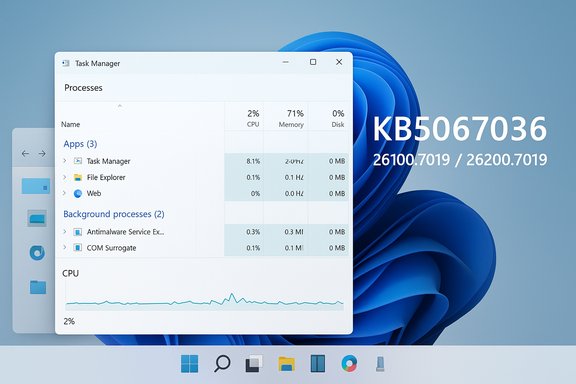
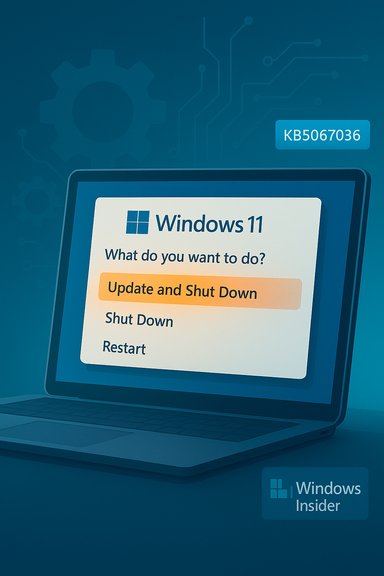
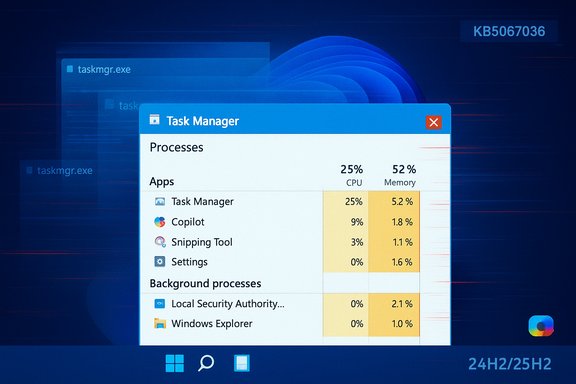
Microsoft’s October 28, 2025 preview cumulative—KB5067036 (OS Builds 26200.7019 for 25H2 and 26100.7019 for 24H2)—has started landing for Windows 11 devices and brings a dense mix of visible shell changes, on‑device and cloud‑assisted AI actions, accessibility improvements, and a broad set of quality fixes; the package is being distributed as an optional Release Preview update and will be exposed gradually to devices via server‑side gating and hardware/license checks.
Microsoft packaged KB5067036 as a non‑security preview cumulative intended for validation and pilot testing, not as a forced Patch Tuesday security rollup. That delivery model means the updated binaries for both Windows 11 24H2 and 25H2 are broadly distributed, but visibility of many features is controlled by staged, server‑side flags and device entitlements (for example, Copilot+ hardware and Microsoft 365 Copilot licensing). The update increments the servicing builds to 26100.7019 (24H2) and 26200.7019 (25H2) and is available from Windows Update under Optional/Preview updates or as standalone MSU files via the Microsoft Update Catalog for manual deployment. Administrators and enthusiasts can therefore install the package, but should expect that some features may not appear immediately on every device due to phased rollout. KB5067036 is notable for three overlapping priorities:
Why this matters: the steady migration of legacy Control Panel settings into Settings continues Microsoft’s modernization work, simplifying configuration for end users but also changing where some enterprise scripts and automation expect settings to live.
This expands passkey interoperability but also introduces another credential provider surface that enterprise security teams should validate.
Source: WinCentral Windows 11 25H2, 24H2 update KB5067036, Download Link
 Background / Overview
Microsoft packaged KB5067036 as a non‑security preview cumulative intended for validation and pilot testing, not as a forced Patch Tuesday security rollup. That delivery model means the updated binaries for both Windows 11 24H2 and 25H2 are broadly distributed, but visibility of many features is controlled by staged, server‑side flags and device entitlements (for example, Copilot+ hardware and Microsoft 365 Copilot licensing). The update increments the servicing builds to 26100.7019 (24H2) and 26200.7019 (25H2) and is available from Windows Update under Optional/Preview updates or as standalone MSU files via the Microsoft Update Catalog for manual deployment. Administrators and enthusiasts can therefore install the package, but should expect that some features may not appear immediately on every device due to phased rollout. KB5067036 is notable for three overlapping priorities:- Shell modernization and usability: a redesigned Start menu and new controls for onscreen hardware indicators and sharing.
- AI integration across the shell: Click to Do, File Explorer AI actions, and Copilot interactions that blend on‑device and cloud models.
- Accessibility and security enhancements: improvements to Narrator (including a Braille Viewer), a plugin passkey manager integration, and a collection of reliability fixes for virtualization, updates, and media playback.
What’s new (feature breakdown)
Below are the most consequential changes in KB5067036, grouped for clarity. Each subsection includes verification of the claim and notes about availability or gating.Redesigned Start menu: single, scrollable All and new views
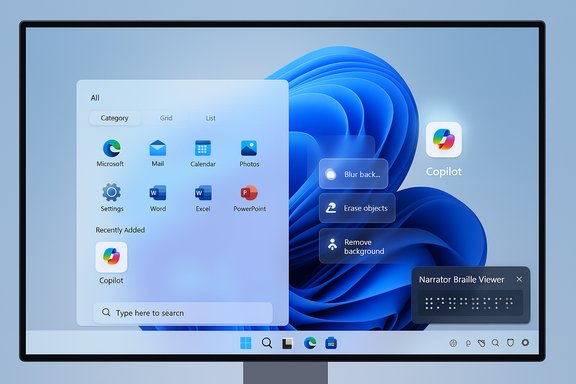
Microsoft promotes a refreshed Start that emphasizes a single, vertically scrollable “All” surface with three view modes—Category, Grid, and List—and improved behavior for large displays and pinned apps. The redesign also integrates a Phone Link quick‑access element when a paired phone is present, and adds settings to hide or tune the Recommended area. This is one of the most visible UX changes in the release. Why it matters: the new Start reduces clicks for users with many apps, improves discoverability, and gives immediate toggles for Recommended content. Availability note: the redesign is being rolled out gradually; installing the preview does not guarantee instant activation—Microsoft flips features progressively to subsets of devices.File Explorer: AI actions, Recommended files, and performance tweaks
File Explorer gains several AI‑centric and UI changes:- AI actions in the context menu for images (.jpg/.jpeg/.png): Visual Search, Blur Background, Erase Objects, Remove Background. Users can right‑click or press Shift+F10 and select AI actions. Some edits are handled locally on capable hardware; others use cloud models and, for document summarization, may require a Microsoft 365 subscription and a Copilot license.
- Summarize for files in OneDrive/SharePoint via Copilot — generates summaries without opening each file, but requires Microsoft 365/Copilot entitlement.
- A Recommended Files feed in File Explorer Home for local and Microsoft accounts, hover quick‑actions (e.g., “Open file location,” “Ask Copilot”), and underlying performance optimizations for cloud file launching and context menus.
Click to Do and Copilot expansions
Click to Do receives notable improvements:- New and popular action tags to surface common AI‑powered actions.
- A more concise Summarize output for text entities.
- A typeable prompt box in some Click to Do contexts and live persona cards when integrated with Microsoft 365 in enterprise scenarios.
Advanced Settings and migration of Control Panel options
A redesigned Advanced page (Settings → System → Advanced) consolidates developer and system-level controls previously scattered in the legacy For Developers area and Control Panel. It adds options like File Explorer + version control, which surfaces Git metadata (branch, diff counts, last commit) for repository folders. Additionally, more time, language, and keyboard controls have been migrated from Control Panel into Settings (date/time formats, clocks, regional number/currency formats, and Unicode UTF‑8 support).Why this matters: the steady migration of legacy Control Panel settings into Settings continues Microsoft’s modernization work, simplifying configuration for end users but also changing where some enterprise scripts and automation expect settings to live.
Input, keyboard, and Narrator accessibility changes
Input:- New keyboard shortcuts for dashes: Win + - inserts an en dash (–); Win + Shift + - inserts an em dash (—). Note: if Magnifier is active, Win + - still controls Magnifier zoom.
- Braille Viewer: Narrator can now display an on‑screen Braille view that mirrors refreshable Braille displays; it requires installing the Braille support package and enabling Narrator’s Braille settings. Narrator’s general reading and navigation in Word was also improved (better list/table announcements, footnote navigation).
- Natural language commanding and a smoother Fluid Dictation experience (on‑device small language models on Copilot+ hardware) are highlighted in preview notes. Availability is hardware‑dependent.
Passkeys and authentication: plugin credential manager
Windows 11 now supports a plugin passkey manager integration. After installing a credential manager application that supports the integration, users can enable the plugin under Settings → Accounts → Passkeys → Advanced options and complete verification with Windows Hello. This allows existing passkeys saved to the plugin manager to be used or new passkeys to be saved there.This expands passkey interoperability but also introduces another credential provider surface that enterprise security teams should validate.
Taskbar, hardware indicators, and Notification Center
UI refinements include:- The ability to reposition hardware indicators (brightness, volume, airplane mode, virtual desktops) via Settings → System → Notifications and selecting onscreen pop‑up position.
- A redesigned battery icon with percentage option and refined overlays.
- Notification Center availability on secondary monitors and a larger clock with seconds option when combined with prior August non‑security updates.
Gaming, media, Hyper‑V, and other fixes
KB5067036 bundles several targeted fixes:- Game Bar and overlay performance improvements, especially on multi‑monitor setups with different refresh rates.
- Fixes for DRM playback issues introduced by earlier updates affecting Enhanced Video Renderer (EVR) with HDCP enforcement—a previously high‑impact regression.
- Hyper‑V fixes for TPM on ARM64 devices and GPU paravirtualization session freezes.
Important reliability item: Task Manager duplication bug
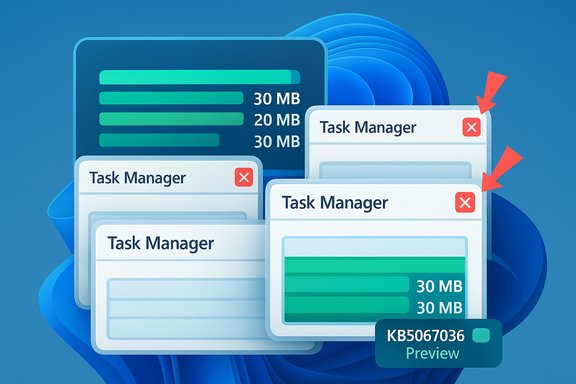
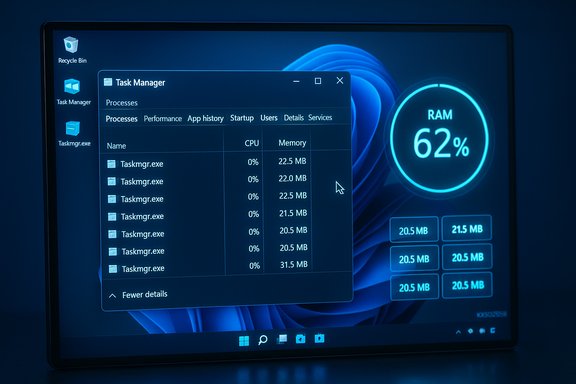
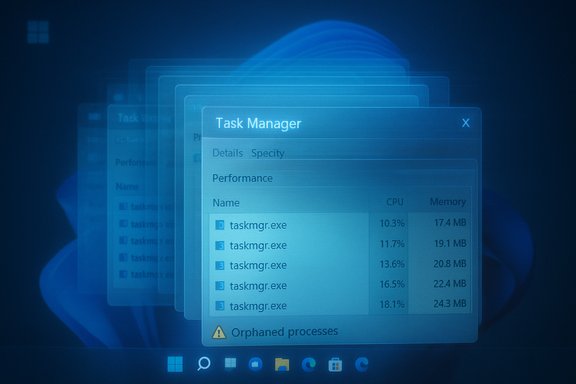
Shortly after the optional preview began circulating, users reported a bug where Task Manager would duplicate or refuse to fully close—leaving background taskmgr.exe instances that can consume memory and degrade performance. Multiple outlets documented the issue and Microsoft acknowledged that lingering instances can “potentially degrade device performance.” Workarounds include using Task Manager’s own End Task, running taskkill /im taskmgr.exe /f, or uninstalling the preview until a patch is released. This regression is a high‑visibility problem because Task Manager is a core tool for troubleshooting, and lingering instances can accumulate resource usage if the user repeatedly opens and closes the utility. Microsoft has indicated it is investigating and preparing corrective updates.Critical analysis — strengths, risks, and real‑world impact
Strengths: practical UX wins and meaningful accessibility work
- Start menu redesign is a real usability improvement. The single, scrollable All view reduces clicks for power users and adapts better to large displays. Early hands‑on coverage consistently praises the increased discoverability and the ability to hide Recommended content.
- AI actions are thoughtfully embedded where they help. Bringing image edits and document summarization to the right‑click menu removes friction for common tasks (e.g., erasing an unwanted object in a photo or summarizing a long report). Local on‑device processing on Copilot+ hardware reduces latency and offers a privacy advantage when configured correctly.
- Accessibility improvements are substantive. Narrator’s Braille Viewer and Voice Access enhancements represent a meaningful investment in assistive technologies and can directly improve productivity for users who rely on these tools.
- Quality fixes address real regressions. The update explicitly targets stubborn media playback regressions and update‑installation errors that affected some users after prior updates, which is important for reliability.
Risks and friction points
- Staged rollout and feature gating create fragmentation. Binary‑first delivery with server‑side feature flags means identical build numbers may behave differently across devices. For enterprises, that complicates documentation, support, and pilot verification.
- Privacy and governance surface expansion. Copilot and Click to Do integrations increase touchpoints where user content might be analyzed by local or cloud models. Organizations must reassess DLP, consent flows, and monitoring to ensure sensitive data isn’t inadvertently uploaded or summarized.
- Hardware and licensing gating adds complexity. Many features are gated to Copilot+ hardware (NPUs and OEM drivers) or Microsoft 365/Copilot licenses. While that preserves performance expectations, it risks inconsistent user experiences inside mixed fleets. The commonly quoted NPU thresholds in community reporting (for example, approximations around TOPS) are not universally documented by Microsoft and should be treated as provisional until OEM certification guidance is published. Flagged as unverifiable in precise numeric terms.
- Regression risk in optional previews. As demonstrated by the Task Manager duplication bug and other reports (e.g., Storage Spaces visibility issues on some systems), optional previews can surface regressions that harm productivity—particularly for machines used for troubleshooting or media playback. Conservative users and production fleets should treat this as a pilot release.
Practical guidance: who should install, how to deploy, and recovery
Who should install KB5067036 now
- Enthusiasts and power users who want early access to the Start redesign and Copilot-related features and are comfortable troubleshooting.
- IT teams running controlled pilot rings that can validate policies, DLP, and EDR interactions in representative hardware configurations.
- Accessibility testers who need the Narrator Braille Viewer or improved Voice Access flows.
How to install (supported manual steps)
- Confirm Windows version and build: Run winver or open Settings → System → About to ensure you’re on Windows 11 24H2 or 25H2.
- Option A (Windows Update — Release Preview): Settings → Windows Update → Windows Insider Program → Get started → Select Release Preview. Enable “Get the latest updates as soon as they’re available,” then Check for updates and pick the Optional/Preview KB5067036 package.
- Option B (manual MSU): Download the MSU that matches your build/architecture from the Microsoft Update Catalog and install. For multi‑MSU distributions, put all files in a folder and use DISM to discover prerequisites automatically.
- Reboot when prompted. Some features may appear only after sign‑out or after Microsoft’s server‑side enablement.
How to uninstall or block the preview
- Uninstall: Settings → Windows Update → Update history → Uninstall updates → find KB5067036 and remove it, then reboot.
- Block/Delay: In managed environments, use WSUS/Configuration Manager to withhold the optional preview from broad deployment. For individual users, decline optional updates and keep the “Get the latest updates as soon as they’re available” toggle off.
Recovery/workarounds for Task Manager duplication bug
- Use Task Manager’s own End Task to terminate visible instances.
- Run Command Prompt or PowerShell as admin and execute: taskkill /im taskmgr.exe /f to forcibly terminate lingering taskmgr.exe processes.
- If instability persists, uninstall KB5067036 until Microsoft issues a corrective cumulative. Multiple outlets and community reports detail this workaround and Microsoft acknowledged the performance risk.
Deployment checklist for admins (recommended)
- Inventory: Identify Copilot+/NPU hardware and map which devices are likely to receive on‑device AI features.
- Pilot ring: Deploy KB5067036 to a small, representative set of devices across hardware, software, and user types.
- Policy review: Validate DLP, SIEM/EDR ingestion, and consent flows for any Copilot/Click to Do actions that may upload content.
- Application compatibility: Test media playback, virtualization (Hyper‑V TPM scenarios), and Quick Settings/Quick Cast flows in the pilot.
- Accessibility test: Validate Narrator Braille Viewer and Voice Access flows on assistive hardware you support.
- Rollback plan: Prepare rollback/uninstall steps and create user guidance for common regressions (Task Manager workarounds, Storage Spaces visibility issues).
Verification notes and unverifiable claims
- Confirmed facts: KB number (KB5067036), release date (October 28, 2025 preview), and target OS builds (26100.7019 and 26200.7019) are published in Microsoft’s release notes and corroborated by multiple independent outlets.
- Corroborated features: Start redesign, File Explorer AI actions, Click to Do improvements, Braille Viewer in Narrator, plugin passkey manager integration, and the taskbar/hardware indicator controls are documented in Microsoft’s notes and reported by major outlets.
- Unverifiable or provisional claims: precise hardware thresholds for Copilot+ certification (for example, single numeric TOPS thresholds frequently quoted in community posts) are not formally published by Microsoft in the release notes and should be treated as unverified approximations until Microsoft/OEM certification guidance is available. This caveat applies to any single‑number performance thresholds or exact NPU requirements.
Conclusion
KB5067036 is a consequential October 2025 preview that stitches together visible Windows 11 refinements (the Start redesign, share and taskbar polish), on‑device and cloud‑assisted AI actions in File Explorer and Click to Do, and meaningful accessibility updates such as Narrator’s Braille Viewer. The update also consolidates more legacy Control Panel options into Settings and addresses important reliability issues, including earlier DRM playback regressions. However, this preview also demonstrates the tradeoffs of Microsoft’s binary‑first / server‑flag rollout model: feature fragmentation, gating by hardware and licensing, and the practical risk of regressions—most notably the Task Manager duplication bug that has already affected a subset of users and required Microsoft investigation. For enthusiasts and accessibility testers the update is an exciting step forward; for enterprises and conservative users the correct approach is measured piloting, an immediate reassessment of governance controls for Copilot flows, and readiness to roll back if regressions affect critical workflows. Keep backups, validate policies, and follow Microsoft’s production cumulative updates if you prioritize stability over early feature exposure.Source: WinCentral Windows 11 25H2, 24H2 update KB5067036, Download Link