

Goldnickle
New Member
Member details
- Joined
- Apr 14, 2017
- Messages
- 1
After updating to the new Content creators update all my apps have a weird color border and I can't seem to change it I had watched some videos about the new update and all of their program borders were fine there is also a invisible border where hidden icons are along with the wifi, volume apps. Is there any way to fix this or do I need to reinstall windows or if there is a way to fix it/ make it look similar to the old version that would be great
Attachments
-
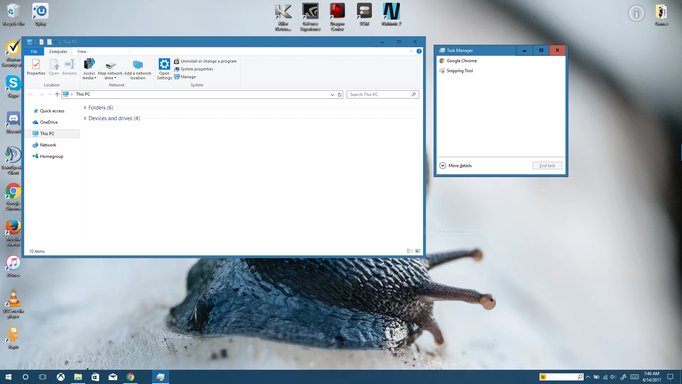 Microsoft Defender: No threats detected Scan detailsBorder 1.webp123.1 KB · Views: 407
 -
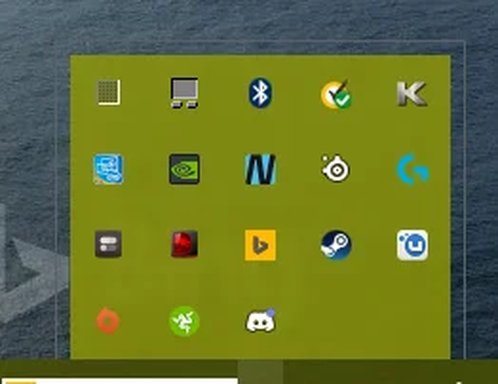 Microsoft Defender: No threats detected Scan detailsInvisible border.webp7.7 KB · Views: 355

