📎 AI Summary:
The thread discusses converting an MBR disk to GPT without data loss, primarily using third-party tools like AOMEI Partition Assistant and EaseUS Partition Master Pro. The original poster has experienced difficulties with the process and seeks guidance from others, particularly on the correct steps to ensure successful conversion. Contributors suggest that the process can be straightforward with the right approach but emphasize backing up data and following precise steps, with some users offering detailed instructions and reassurance.

NettleWarbler

Banned
Joined
Mar 25, 2016
Messages
636
Thread Author #1
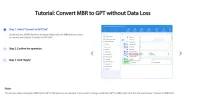
Convert MBR to GPT without Data Loss ,using AOMEI Partition Assistant . Is it that easy ? . Has anyone used AOMEI Partition Assistant , is it instant do you have to restart .
 

Attachments

  • Convert MBR to GPT without Data Loss.webp
    Convert MBR to GPT without Data Loss.webp
    44.1 KB · Views: 86

NettleWarbler

Banned
Joined
Mar 25, 2016
Messages
636
Thread Author #123
I tried another usb drive it took a full 5 mins to load with the other drive connected , i was checking my email and got the shutting down sign which went on quite a while . I unplugged the other drive and it shut down as normal .
 

NettleWarbler

Banned
Joined
Mar 25, 2016
Messages
636
Thread Author #124
I tried to phone box returns friday morning , in my opinion the drive is faulty and wants replacing .
 

bochane

Essential Member
Joined
Oct 18, 2012
Messages
1,403
As long as you don't check that drive on another system we are not sure whether it is the drive or your system.
Suppose you get a new drive and stil get the same result....
 

NettleWarbler

Banned
Joined
Mar 25, 2016
Messages
636
Thread Author #128
I see 'Passed' as result, so disk is OK?
Yes its ok , but it still took 5mins to load with the other drive connected . I will have to phone the number he gave me for support and let them sort it , I would rather get in touch using emails then you know the details are correct .
 

bochane

Essential Member
Joined
Oct 18, 2012
Messages
1,403
If the drive is ok, a new drive won't help. I think I would concentrate on a computer problem, drivers, hardware..
Again, please check it, with any additions you used, or have it checked.
 

Last edited:

NettleWarbler

Banned
Joined
Mar 25, 2016
Messages
636
Thread Author #131
How do i check it when its taking so long to load with the other drive connected , what else can it be but faulty .
 

bochane

Essential Member
Joined
Oct 18, 2012
Messages
1,403
This discussion is getting long, I lost track of your configuration, as I admitted earlier. What is the other disk, how are they connected to what kind of computer. Again, please, help and give us the specifications and any thing that else that could help.
 

Last edited:

NettleWarbler

Banned
Joined
Mar 25, 2016
Messages
636
Thread Author #134
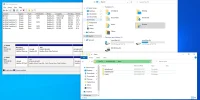
I realise it could be the other hard drive , i put another in that showed it took 1 or 2 mins to load . How do i reach my files this has been trying for an hour now .
 

Attachments

  • How to get at files.webp
    How to get at files.webp
    96.9 KB · Views: 44

bochane

Essential Member
Joined
Oct 18, 2012
Messages
1,403
Without an spcification of your systen, we are unable to help.
Please, for once, answer that question. :pray:
 

NettleWarbler

Banned
Joined
Mar 25, 2016
Messages
636
Thread Author #136
When i tried to shut it down the shutting down sign was on forever and a day , as soon as i unplugged the other hard drive it shut down as normal . The same hard drive which took 2mins to load when connected to this drive was on for more than 10mins as soon as i unplugged it it loaded as normal . I don't think both hard drives are faulty just the new one .
 

NettleWarbler

Banned
Joined
Mar 25, 2016
Messages
636
Thread Author #139
Without an specification of your system, we are unable to help.
Please, for once, answer that question. For your information , i posted my specs about 4 years ago everything is just the same . The only thing i waste money on are shitty hard drives that are faulty .
 

MikeHawthorne

Essential Member
Microsoft Community Contributor
Joined
May 25, 2009
Messages
6,684
Since you are familiar with EaseUS, I'd recommend that if it's not too late you make a System Image and store it on another drive plus let it make a boot disk before you go any farther.
At least, if things go bad, you can recover your current installation.

I use EaseUS Todo backup and recover. It's free, and it's always worked for me.