

📎 AI Summary:
The forum thread discusses an issue where a popup related to Microsoft Visual Studio 2005 appears during Windows startup, even though the user does not have Visual Studio installed. The original poster tries to disable the startup entries via MSCONFIG, but the popups reappear, and later mentions the message no longer appears after some time. A moderator suggests using the Snipping Tool to capture the error message for further analysis, and another user recommends using the Autoruns utility to manage startup items, helping to troubleshoot the persistent popup.
The forum thread discusses an issue where a popup related to Microsoft Visual Studio 2005 appears during Windows startup, even though the user does not have Visual Studio installed. The original poster tries to disable the startup entries via MSCONFIG, but the popups reappear, and later mentions the message no longer appears after some time. A moderator suggests using the Snipping Tool to capture the error message for further analysis, and another user recommends using the Autoruns utility to manage startup items, helping to troubleshoot the persistent popup.
Solution

Autoruns, a free utility from MS is a much more powerful utility for managing startups and you may find it helpful. Free download from here: (it needs to be run as administrator).
http://technet.microsoft.com/en-us/sysinternals/bb963902.aspx
http://technet.microsoft.com/en-us/sysinternals/bb963902.aspx

Member details
- Joined
- Jul 22, 2005
- Messages
- 9,271
In Windows 7, search for "Snipping Tool". This will allow you to generate an image of the message when this error appears. Please save this image, upon using it, and upload it to the forums using "Upload a File". We need an exact error message to see what is going on here. Thank you.
As i installed Windows 7 in a new hard disk with a large capacity, the popup was appearing at first time but now does not. This message is installed with some program i installed after. I will send the message if starts appearing again.

Member details
- Joined
- May 16, 2010
- Messages
- 5,688
Autoruns, a free utility from MS is a much more powerful utility for managing startups and you may find it helpful. Free download from here: (it needs to be run as administrator).
http://technet.microsoft.com/en-us/sysinternals/bb963902.aspx
http://technet.microsoft.com/en-us/sysinternals/bb963902.aspx
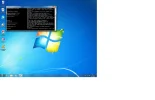
I attached the image of the message. Enlarge it in the post.In Windows 7, search for "Snipping Tool". This will allow you to generate an image of the message when this error appears. Please save this image, upon using it, and upload it to the forums using "Upload a File". We need an exact error message to see what is going on here. Thank you.
Attachments
-
 Microsoft Defender: No threats detected Scan detailsmessage.webp91.3 KB · Views: 261
