
📎 AI Summary:
The thread discusses a Windows PC infected with a virus causing all folders, including system drive C, to be hidden despite still existing (visible via command prompt). The original poster seeks help for unhiding the files, with a suggested solution involving using PowerShell to remove the Hidden and System attributes. The overall sentiment indicates frustration and desperation, with users offering technical advice to resolve the issue.

mchlmuia

New Member
Member details
Joined
Sep 2, 2018
Messages
1
Thread Author #1
Hi everyone, my pc recently got infected with what I think is a virus and all folders in my drives including drive C(windows installed) have been HIDDEN. When I click on any of my drives the folder is empty. The only way I can access my files/folders is keying in the folder directory in the directory bar.
A) When I click on drive Q


B) When I key in the circled directory manually
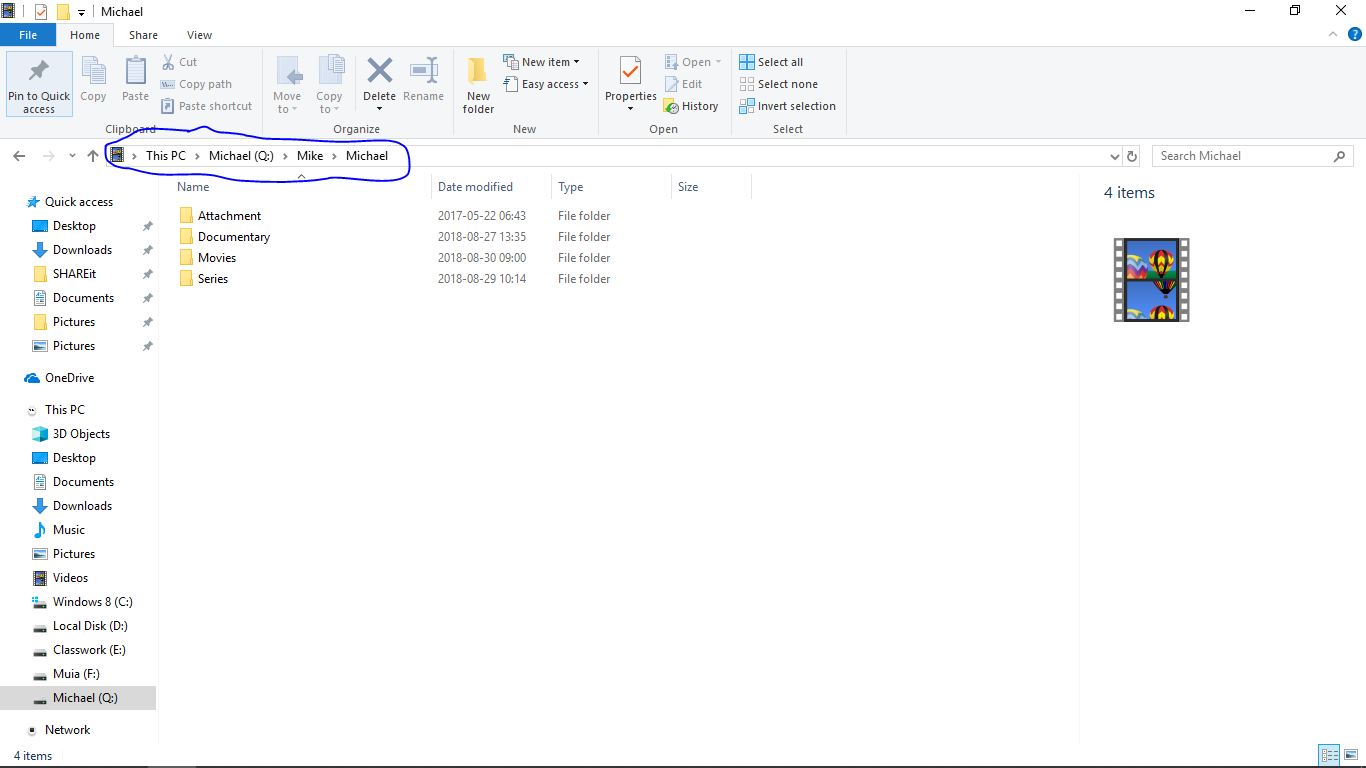
Note : the files aren't deleted
when you view the contents in cmd it shows that the folders are there

PLEASE help I have tried everything that i have thought of but haven't worked and am becoming desperate and thinking of formatting the whole pc. PLS help.
 

Solution
Open a powershell prompt and type the following

$files = Get-ChildItem Q:\ -Attributes Hidden,System

Foreach($file in $files) { ATTRIB -S -H $file.FullName }

They should all be unhidden

Neemobeer

Windows Forum Team
Staff member
Member details
Joined
Jul 4, 2015
Messages
8,995
Open a powershell prompt and type the following

$files = Get-ChildItem Q:\ -Attributes Hidden,System

Foreach($file in $files) { ATTRIB -S -H $file.FullName }

They should all be unhidden
 

Solution

WinFreak

Member
Member details
Joined
Jan 26, 2018
Messages
31
Hi everyone, my pc recently got infected with what I think is a virus and all folders in my drives including drive C(windows installed) have been HIDDEN. When I click on any of my drives the folder is empty. The only way I can access my files/folders is keying in the folder directory in the directory bar.
A) When I click on drive Q


B) When I key in the circled directory manually

Note : the files aren't deleted
when you view the contents in cmd it shows that the folders are there

PLEASE help I have tried everything that i have thought of but haven't worked and am becoming desperate and thinking of formatting the whole pc. PLS help.

What did possibly cause the files being hidden?