📎 AI Summary:
The thread discusses a user's problem with Windows Update freezing at 92% after upgrading from Windows 8.1 to Windows 10 on a Lenovo PC. The user seeks assistance in generating and locating the Windows Update log file (WU.txt) to diagnose the issue, encountering confusion over the PowerShell command syntax. Contributors suggest correctly executing the command without spaces in the "-LogPath" parameter, but the user struggles with this and questions its purpose, sharing screenshots without a resolution, indicating ongoing frustration with troubleshooting the update problem.

Terje Meringdal

New Member
Joined
Dec 1, 2016
Messages
23
Thread Author #1
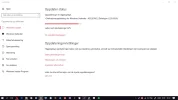
I have problem with Windows Update on my Lenovov PC after I upgraded from Windows 8.1 to Windows 10. The annex shows the fact that Windows Update when the update is executed, locks up when it is 92% to date. Thus, the update is not completed. Why it locks I do not know, but it was such a whole night. Someone who can explain this ?
 

Attachments

  • w update.webp
    w update.webp
    41.7 KB · Views: 393

Neemobeer

Windows Forum Team
Staff member
Joined
Jul 4, 2015
Messages
8,995
Upload your Windows Update log. To create the log open a powershell prompt and type
Get-WindowsUpdateLog -LogPath $env:Userprofile\Desktop\WU.txt

Upload the WU.txt file created on your desktop.
 

Terje Meringdal

New Member
Joined
Dec 1, 2016
Messages
23
Thread Author #3
Upload your Windows Update log. To create the log open a powershell prompt and type
Get-WindowsUpdateLog -LogPath $env:Userprofile\Desktop\WU.txt

Upload the WU.txt file created on your desktop.

Trying to find WU.txt file by searching the file explorer system, but find nothing there. I do not know how to find WU.txt file on your desk?
 

Terje Meringdal

New Member
Joined
Dec 1, 2016
Messages
23
Thread Author #5
I found online and downloaded PowerShell, but there were multiple types, and I'm not sure which one to use. But tried two different Windows PowerShell, and copied into: Get-WindowsUpdateLog -LogPath $ env: user profile \ Desktop \ WU.txt but then came the following message, which you can see below, that "positional parameter can not be found". I do not know if I have misunderstood, but do not come anymore. Do you have tips. Copy :

PS C:\Users\merte_000> Get-WindowsUpdateLog -LogPath $ env: userprofile \ Desktop \ WU.txt
Get-WindowsUpdateLog : A positional parameter cannot be found that accepts argument '\'.
At line:1 char:1
+ Get-WindowsUpdateLog -LogPath $ env: userprofile \ Desktop \ WU.txt
+ ~~~~~~~~~~~~~~~~~~~~~~~~~~~~~~~~~~~~~~~~~~~~~~~~~~~~~~~~~~~~~~~~~~~
+ CategoryInfo : InvalidArgument: (:) [Get-WindowsUpdateLog], ParameterBindingException
+ FullyQualifiedErrorId : PositionalParameterNotFound,Get-WindowsUpdateLog
 

Neemobeer

Windows Forum Team
Staff member
Joined
Jul 4, 2015
Messages
8,995
There shouldn't be any spaces in the -LogPath. Just copy and paste the command in bold from reply 2
 

Solution

Terje Meringdal

New Member
Joined
Dec 1, 2016
Messages
23
Thread Author #7
I do not know what you mean by: There should not be any spaces in the -LogPath. Just copy and paste the command in bold from reply 2. I open PowerShell and copying in: Get-WindowsUpdateLog -LogPath $ env: user profile \ Desktop \ WU.txt without any spaces, but the same message comes up. Nor, I realize why I should do this?
 

Terje Meringdal

New Member
Joined
Dec 1, 2016
Messages
23
Thread Author #8
I've been on another forum here in Norway, but they have not concretely answer to the problem. I then made me different things and attach 2 screenshot of what I have come forward. But if I can do something with it or not, I do not know ?
 

Attachments

  • WU.txt
    WU.txt
    3.7 MB · Views: 252
  • Screenshot_1åokjåo.webp
    Screenshot_1åokjåo.webp
    44.1 KB · Views: 344