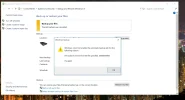
So I just bought a brand new Lenovo ideapad Y700 (it's less than a week old) and I have no idea why I'm getting this error as I've barely done anything to the computer. Anyway, any help fixing this would be much appreciated! I'm running Windows 10 and if there's anything else you need to know, I can provide that info too.
📎 AI Summary:
The thread discusses a recurring Windows 10 error related to backup failure, specifically "The semaphore timeout period has expired," experienced initially by a user with a new Lenovo Ideapad Y700. Several users share their experiences and solutions, including disabling antivirus software, performing disk cleanup and defragmentation, and booting into Safe Mode to resolve the issue. The overall sentiment indicates that the problem can often be addressed through these troubleshooting steps, with some users successfully resolving the error using this advice.
Solution
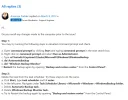
There are multiple ways to bypass this error and complete the backup and restore process. Here are the detailed steps.
- First of all, disable any Third-party Antivirus software and firewall before starting the backup process. Check if the problem is solved after Disabling the Anti-virus software.
- If the First solution is not working for you, then do the manual Disk Cleanup. Don't forget to delete the unnecessary files during the Disk Cleanup Process. Now, check again if the Problem is solved after the Disk Cleanup. Procedure to perform Disk Cleanup ( How to Run Disk Cleanup on a Windows 7 Computer ) If not, then proceed to the next solution.
- Now, Use the Disk Defragmentation feature. The Disk...
Verki
Active Member
Member details
- Joined
- Apr 18, 2015
- Messages
- 17
I have met the problem too, and finally I used another backup software to do a schedule automatic backup in Windows 10 successfully.
Swaraj Nandedkar
Extraordinary Member
Member details
- Joined
- Sep 25, 2016
- Messages
- 3
There are multiple ways to bypass this error and complete the backup and restore process. Here are the detailed steps.
Thanks to Manjit Kaur from Microsoft Communities to Share the Solution with us. There are more steps available on the Microsoft Community forum. Please check them.
Reference - Microsoft Forum:- "The semaphore timeout period has expired." while creating a backup on a secondary local drive.
- First of all, disable any Third-party Antivirus software and firewall before starting the backup process. Check if the problem is solved after Disabling the Anti-virus software.
- If the First solution is not working for you, then do the manual Disk Cleanup. Don't forget to delete the unnecessary files during the Disk Cleanup Process. Now, check again if the Problem is solved after the Disk Cleanup. Procedure to perform Disk Cleanup ( How to Run Disk Cleanup on a Windows 7 Computer ) If not, then proceed to the next solution.
- Now, Use the Disk Defragmentation feature. The Disk Defragmentation tool worked for me on my Acer Laptop. Please perform a Disk Defragmentation on System Partition (Usually, C:/ Drive). Here is the procedure to Perform a Disk Defragmentation. ( What is Defrag: How to Defragment a Hard Drive in Windows 10 Link Removed)
- Boot your Computer into Safe Mode and then try to Backup or Restore. In most of the cases, the Safe Mode of Windows solves the problem. Procedure to Boot into Safe Mode in Windows ( Link Removed )
Thanks to Manjit Kaur from Microsoft Communities to Share the Solution with us. There are more steps available on the Microsoft Community forum. Please check them.
Reference - Microsoft Forum:- "The semaphore timeout period has expired." while creating a backup on a secondary local drive.
BiggTimes is connected to Technology, Education, Marketing, News, Finance, Sports, Travel, World and Life Style. You can find information about everything you can need to know here.
STORIESDOWN REVIEW 2022
Phoodle July 28, 2022 Answer
200+ Unblocked Games
Friday Night Funkin Unblocked Game
WE LIMIT HOW OFTEN YOU CAN DO CERTAIN THINGS ON INSTAGRAM IN 2022
Everything You Need To Learn About Imginn
Terry Lee Flenory
Athena perample
Nell verlaque
STORIESDOWN REVIEW 2022
Phoodle July 28, 2022 Answer
200+ Unblocked Games
Friday Night Funkin Unblocked Game
WE LIMIT HOW OFTEN YOU CAN DO CERTAIN THINGS ON INSTAGRAM IN 2022
Everything You Need To Learn About Imginn
Terry Lee Flenory
Athena perample
Nell verlaque