
📎 AI Summary:
In this thread, the original poster explains how to customize the Windows Start icon right-click menu by accessing a specific system folder, offering the possibility to add or remove items to create a personalized start menu. They mention a small program to facilitate this customization and share an example of their setup. A second user thanks the original poster for the helpful information, expressing interest in trying out the suggested customization. Overall, the discussion is positive and focused on practical Windows personalization tips.
Thread Author
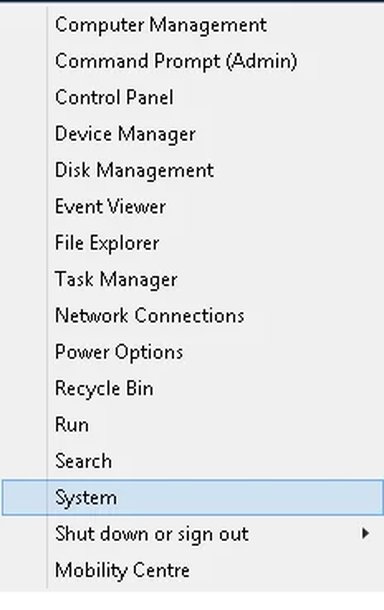
Users may not be aware of it, but you can customise the Start icon right click menu.

This is not a tutorial, as such, but, for information of users who like to play with these thongs. ths Power menu is situated at:

C:\Users\David\AppData\Local\Microsoft\Windows\WinX

You can add or delete things from here, as you would in other folders. I wouldn't personally, care to go there, but you could probably build up a start menu not too different from the legacy ones, if you wished to.

I have attached a small program to make the process easier.

There is a picture attached, also, Of what I have settled for.


Attachments
  • Power.zip
    Power.zip
    460.8 KB · Views: 364
  • Untitled.webp
    Untitled.webp
    8.6 KB · Views: 530
Last edited:

Trouble

Noob Whisperer
Joined
Nov 30, 2009
Messages
13,723
Thanks Dave.
Very handy and much appreciated. Now I just have to think of something I would like to add.