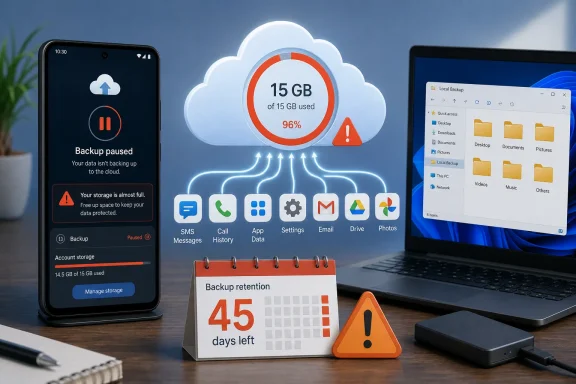
Google is changing how Android device backups consume cloud storage, but the new accounting rules will not hit every user immediately. Beginning with new backup users in July 2026 and expanding to existing users after a 45-day notice period, data such as SMS messages, call history, device settings, and supported app data will count against the storage shared by Gmail, Google Drive, and Google Photos. The practical impact should be modest for most accounts, yet the policy marks an important shift: Android’s core recovery layer is becoming another metered component of Google’s storage business.
Android has offered cloud-assisted device recovery in various forms for more than a decade. The feature evolved from a limited collection of application settings and Wi-Fi credentials into a broader backup system capable of restoring call history, messages, device preferences, application lists, and selected application data when a user replaces or resets a phone.
The service has never been equivalent to a complete disk image. Android backup does not necessarily preserve every file, application state, login session, or manufacturer-specific setting, and developers can control whether certain application data participates. Even so, it has become an essential safety net because it reduces the work involved in moving between devices.
Until now, much of the small, structured data inside an Android device backup did not count against that account quota. Photos and videos uploaded to Google Photos already consumed space under the current storage policy, as did multimedia content associated with some message backups, but several other backup categories were effectively exempt.
That distinction is disappearing. Google’s new approach is conceptually simpler: if Android stores data in the account as part of a device backup, that data generally counts toward the account’s storage allowance.
Existing backup users have a different transition path. Google has begun sending email notices that provide a 45-day warning before the revised storage treatment applies to the recipient’s account. That means July’s reporting does not describe a single worldwide switch being thrown on one day.
Instead, previously exempt portions of an existing Android backup will begin contributing to the account’s total storage usage.
A restored Android phone may reinstall applications and recover supported data, but users can still encounter missing downloads, local media, authentication tokens, application databases, secure folders, or vendor-specific features. The new storage policy does not transform the service into a comprehensive archive merely because more of its data now counts toward a quota.
That distinction matters when evaluating value. Customers are being asked to allocate storage to the backup, but the backup still has architectural limits.
Both descriptions can be accurate because they refer to different account groups.
Existing users are receiving advance notice. For those accounts, the effective date should be calculated from the notice Google sends, rather than assumed to be July 7 or July 20.
An email received on July 20, 2026, would point to a transition around early September 2026. However, users should rely on the date or countdown presented in their own notice because email distribution may occur in waves.
The staged approach likely serves several operational purposes:
Against a 15GB free allowance, 40MB represents only about 0.27 percent of the total. For a lightly used phone with limited message history and few participating applications, the increase could be practically invisible.
Structured data compresses efficiently. A call log containing thousands of records can remain small, and many device preferences require only a few bytes or kilobytes each. Text messages without large media attachments also consume much less space than modern photographs.
Application data presents more variation, but Android imposes rules and technical limits on cloud backup participation. Some applications maintain their own cloud synchronization systems, while others exclude data that would be too large, too sensitive, or unsuitable for restoration.
A modest increase can also matter when an account is already nearly full. An additional 30MB is inconsequential in an account with 8GB available, but it can stop a backup in an account with only a few megabytes remaining.
Users should therefore focus on two numbers:
This does not normally mean that the phone immediately stops working. It means the cloud recovery copy can become outdated, increasing the amount of recent information that might be lost if the handset fails, is stolen, or requires a factory reset.
That gap can remain unnoticed until a crisis. A user replacing a broken phone may discover that recent messages, call records, settings, or application state never reached Google’s servers.
Android should provide notifications when backup operations cannot complete, but notifications are easy to dismiss. Storage warnings also compete with promotional prompts and routine system messages, so the significance of a failed backup may not be obvious.
This shared model creates interdependence:
That is an important improvement. Charging data against a quota is more defensible when users receive meaningful control over what consumes that quota.
A user might keep device settings and SMS history while excluding data from low-priority applications. Another might prioritize application settings but disable call-history backup.
These decisions involve more than saving space. They also let privacy-conscious users reduce the amount of personal information stored in the cloud, even when that information would be encrypted in transit and protected within Google’s infrastructure.
Granular controls allow people to exclude applications that already synchronize through their own accounts. If an app restores all important data after login, duplicating a small configuration package through Android Backup may provide little benefit.
However, indiscriminate disabling is risky. Some applications store preferences, drafts, game progress, or local databases that are not synchronized elsewhere. Users should not assume that every app with an online account can reconstruct everything.
Menu names vary, but the process remains broadly similar.
Google Drive for desktop and browser-based Google services can also help users inspect cloud files from Windows. The crucial principle is separation: a recovery plan is stronger when important data exists outside both the phone and the same Google storage pool.
The Android backup change exposes how easily cloud services can overlap without forming a coherent backup strategy.
Conversely, automatically uploading the same photos to both platforms can improve redundancy but consume two subscriptions. The right choice depends on the value of the data, available bandwidth, privacy preferences, and tolerance for manual management.
WindowsForum readers should distinguish synchronization from backup. Sync services are excellent for availability, but deletions, account problems, ransomware, and unwanted changes may propagate. Version history and recycle-bin retention can help, yet they do not guarantee indefinite recovery.
In most cases, Phone Link should not be treated as a complete archival system. Viewing a recent photograph or text message through Windows does not necessarily produce a durable, independently managed backup of the phone.
The same caution applies to manufacturer utilities. Samsung Smart Switch and other migration tools may offer valuable local transfers, but users need to understand whether they are creating a reusable backup, performing a one-time migration, or merely synchronizing selected content.
The more significant impact is behavioral. Android backup will no longer feel like an invisible operating-system benefit detached from the commercial storage meter.
The pressure will be greater for long-standing accounts. Years of Gmail attachments and Google Photos uploads may have already consumed almost all available capacity, leaving little room for even a small Android backup adjustment.
Families also need to consider whose account protects each device. A child’s phone, an older relative’s handset, or a spare device may use an account that no one actively monitors.
Larger plans do not eliminate the need to verify backup status. A subscription can prevent quota problems, but it cannot ensure that an app participates correctly, that the latest backup succeeded, or that local files are included.
Someone planning to return to Android months later should verify the current retention information displayed for the backup. Important messages, local application data, and files should be exported independently before the Android device is retired.
Administrators should nevertheless expect questions because employees rarely distinguish between personal Android backup, work-profile data, manufacturer migration tools, and corporate backup systems.
Likewise, an organization should not depend on personal Google Accounts for business continuity. Enterprise applications need their own server-side persistence, identity controls, retention policies, and tested recovery procedures.
Both assumptions can fail. Organizations should explain:
The immediate revenue opportunity may be limited because most newly counted Android backups are small. The strategic value lies in making the storage meter more comprehensive.
No single addition needs to be large. The commercial effect emerges from accumulation and from the inconvenience of cleaning several interconnected services.
Google’s 15GB free allowance remains larger than some competing entry-level offerings, but it is shared more broadly. Customers do not experience that capacity as an abstract number; they experience it through warnings, paused uploads, and decisions about deleting personal history.
The company also benefits from a cleaner explanation. A rule under which some backup categories count while nearly identical categories do not is difficult to communicate and maintain.
Still, simplification favors Google financially. Turning an exempt service into metered storage, however small, transfers a resource cost from the platform provider to the customer’s quota.
Those tools solve a different problem. A direct transfer works well when both phones are operational and present, but cloud backup remains valuable after theft, catastrophic damage, or an unexpected reset.
Manufacturers that can clearly combine local transfer, cloud recovery, and Windows integration may gain a usability advantage. Fragmented menus and overlapping backup claims, by contrast, will make an already confusing policy harder for customers to understand.
That does not make every user’s privacy decision identical. Some people prioritize seamless restoration, while others prefer to minimize cloud retention.
The interface must still explain what each switch means. A label such as “app data” can cover anything from harmless preferences to personal records, depending on developer behavior.
Google and Android manufacturers should display storage size, last backup time, protection level, and restoration scope wherever possible. Without that information, users are technically in control but cannot make a well-informed decision.
Users should enable strong multifactor authentication, maintain current recovery information, and protect their phone’s screen lock. Passkeys or hardware-backed authentication can reduce exposure to phishing, while backup codes should be stored somewhere other than the phone being protected.
Recovery planning also needs to account for lockout. A perfectly current cloud backup is of little use if the owner cannot authenticate to the account while setting up a replacement device.
Several details will determine whether this becomes a minor housekeeping change or a recurring source of frustration.
Backup sizes may naturally grow after the transition, so the company should distinguish the one-time policy increase from later data growth. A storage history graph would help users identify when and why consumption changes.
Restoration is the real test. Google should make it easier to see not only what has been uploaded, but what can actually be restored to a replacement phone.
Google should avoid reducing the warning to a generic storage upsell. Users need operational information first and purchasing options second.
Better cross-platform tools would benefit users who do not want all personal data tied to one provider. A Windows-based encrypted Android backup application with broad manufacturer support would be particularly valuable, though Android’s security model makes universal full-device imaging difficult.
That would not automatically be bad. A larger backup that reliably restores more information may offer greater value than a tiny but incomplete recovery package. The question is whether capability, transparency, and user control grow alongside storage consumption.
Google’s Android backup policy change is unlikely to overwhelm most accounts, but it deserves more attention than its estimated 40MB average suggests. It redefines a core operating-system safety feature as part of the shared cloud-storage budget, gives Google One another role in everyday device management, and reminds users that a convenient restore service is not the same as a complete backup. The best response is neither panic nor indifference: Android users should verify the effective date in their own notice, inspect what is being protected, keep enough storage available, and preserve irreplaceable files independently on Windows or another trusted destination.
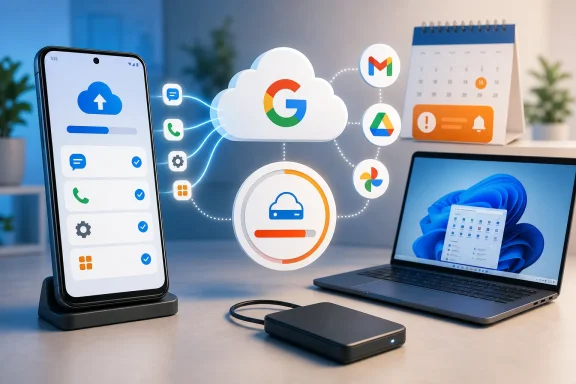 Background
Android has offered cloud-assisted device recovery in various forms for more than a decade. The feature evolved from a limited collection of application settings and Wi-Fi credentials into a broader backup system capable of restoring call history, messages, device preferences, application lists, and selected application data when a user replaces or resets a phone.The service has never been equivalent to a complete disk image. Android backup does not necessarily preserve every file, application state, login session, or manufacturer-specific setting, and developers can control whether certain application data participates. Even so, it has become an essential safety net because it reduces the work involved in moving between devices.
The shared Google storage model
Every standard Google Account includes a pool of cloud storage, normally shared across Gmail, Google Drive, and Google Photos. Google One subscriptions increase that allowance, but they do not fundamentally change the shared-pool design.Until now, much of the small, structured data inside an Android device backup did not count against that account quota. Photos and videos uploaded to Google Photos already consumed space under the current storage policy, as did multimedia content associated with some message backups, but several other backup categories were effectively exempt.
That distinction is disappearing. Google’s new approach is conceptually simpler: if Android stores data in the account as part of a device backup, that data generally counts toward the account’s storage allowance.
A change that began before the emails
Reports of the revised accounting appeared in early July 2026, when updated Android backup interfaces and policy language began surfacing. The policy reportedly started applying to people setting up Android backups for the first time from July 7.Existing backup users have a different transition path. Google has begun sending email notices that provide a 45-day warning before the revised storage treatment applies to the recipient’s account. That means July’s reporting does not describe a single worldwide switch being thrown on one day.
What Google Is Actually Changing
The central change concerns billing and quota accounting rather than the underlying purpose of Android Backup. Google is not suddenly uploading an entire phone, nor is it necessarily adding a large new category of personal files to every account.Instead, previously exempt portions of an existing Android backup will begin contributing to the account’s total storage usage.
More backup categories will count
Depending on the phone, Android version, applications, and enabled settings, the newly counted data can include:- SMS and supported message data will consume account storage, rather than receiving a blanket exemption for their non-media components.
- Call history will contribute to the storage total, although ordinary call logs are generally small.
- Device settings will count, including supported preferences that Android can restore during setup.
- Application settings and participating application data will count, subject to Android’s backup architecture and each developer’s implementation.
- Other device information shown in Android’s backup controls may count, allowing the displayed backup total to align more closely with quota consumption.
This is not a full-phone image
The word backup can create unrealistic expectations, especially among Windows users familiar with disk imaging tools. Android’s cloud backup is closer to a coordinated restore package than a sector-by-sector copy of internal storage.A restored Android phone may reinstall applications and recover supported data, but users can still encounter missing downloads, local media, authentication tokens, application databases, secure folders, or vendor-specific features. The new storage policy does not transform the service into a comprehensive archive merely because more of its data now counts toward a quota.
That distinction matters when evaluating value. Customers are being asked to allocate storage to the backup, but the backup still has architectural limits.
The 45-Day Transition Explained
The most confusing element is the timing. Some headlines suggest that all Android backup data already counts, while Google’s emails tell existing users that the change will take effect after 45 days.Both descriptions can be accurate because they refer to different account groups.
New users versus existing users
People who started using Android Backup after the new policy’s initial rollout may already be subject to the updated accounting. They are entering the system under the new terms, so Google does not need to preserve the previous exemption temporarily.Existing users are receiving advance notice. For those accounts, the effective date should be calculated from the notice Google sends, rather than assumed to be July 7 or July 20.
An email received on July 20, 2026, would point to a transition around early September 2026. However, users should rely on the date or countdown presented in their own notice because email distribution may occur in waves.
Why Google is delaying enforcement
A notice period gives customers an opportunity to inspect their storage and modify backup selections before quota consequences appear. It also reduces the risk that automatic backups will unexpectedly pause the moment the policy is announced.The staged approach likely serves several operational purposes:
- Google can roll out the new controls before enforcing the new accounting for every established account.
- Users can see an estimate of the additional storage their current backup will require.
- Accounts close to their limits can delete unnecessary content or purchase storage.
- Google can identify interface, calculation, and support problems during the transition.
- The company can distinguish between newly activated backups and long-standing backups without applying retroactive changes silently.
How Much Storage Android Backups May Use
For many people, the immediate increase will be surprisingly small. Google has reportedly estimated an average addition of approximately 40MB, while at least one notice showed an estimated increase of roughly 30MB.Against a 15GB free allowance, 40MB represents only about 0.27 percent of the total. For a lightly used phone with limited message history and few participating applications, the increase could be practically invisible.
Why the average can be small
Most of the largest files on a smartphone are photographs, videos, music, downloads, and application installation packages. Android’s system backup is not designed to duplicate all of that material.Structured data compresses efficiently. A call log containing thousands of records can remain small, and many device preferences require only a few bytes or kilobytes each. Text messages without large media attachments also consume much less space than modern photographs.
Application data presents more variation, but Android imposes rules and technical limits on cloud backup participation. Some applications maintain their own cloud synchronization systems, while others exclude data that would be too large, too sensitive, or unsuitable for restoration.
Why averages can mislead
An average is not a guarantee. Users with long message histories, multiple Android devices, extensive application backups, or unusual application behavior may see larger totals.A modest increase can also matter when an account is already nearly full. An additional 30MB is inconsequential in an account with 8GB available, but it can stop a backup in an account with only a few megabytes remaining.
Users should therefore focus on two numbers:
- The estimated increase shown in Google’s notice indicates the immediate effect of the policy change.
- The account’s remaining free capacity indicates whether that increase is operationally important.
What Happens When Storage Runs Out
Google’s warning is straightforward: if an account exceeds its storage allowance, automatic Android backups can pause. Backups should resume only after the user frees enough space or upgrades to a larger storage plan.This does not normally mean that the phone immediately stops working. It means the cloud recovery copy can become outdated, increasing the amount of recent information that might be lost if the handset fails, is stolen, or requires a factory reset.
A silent recovery gap
A paused backup creates a dangerous mismatch between perception and reality. The Android settings page may still show that backup is configured, while the newest successful backup grows older because the account lacks capacity.That gap can remain unnoticed until a crisis. A user replacing a broken phone may discover that recent messages, call records, settings, or application state never reached Google’s servers.
Android should provide notifications when backup operations cannot complete, but notifications are easy to dismiss. Storage warnings also compete with promotional prompts and routine system messages, so the significance of a failed backup may not be obvious.
Shared storage creates cascading effects
The same storage pool supports several major Google services. A large collection of email attachments, Drive documents, Photos uploads, and Android backups can collectively push an account past its limit.This shared model creates interdependence:
- Deleting a large video from Google Photos may restore room for Android Backup.
- Cleaning Gmail attachments may allow both Drive synchronization and phone backup to resume.
- Adding another Android device may increase the amount reserved for device recovery.
- Upgrading Google One can relieve pressure across all participating services at once.
New Granular Backup Controls
The storage change arrives alongside more detailed Android backup controls. On supported devices running Android 9 or later, users can choose which categories and applications participate rather than accepting one undifferentiated device backup.That is an important improvement. Charging data against a quota is more defensible when users receive meaningful control over what consumes that quota.
Category-level decisions
Android’s backup interface can expose switches for broad data types. The precise layout may differ between Pixel phones, Samsung Galaxy devices, other manufacturer interfaces, and Android releases, but the objective is to make backup composition visible.A user might keep device settings and SMS history while excluding data from low-priority applications. Another might prioritize application settings but disable call-history backup.
These decisions involve more than saving space. They also let privacy-conscious users reduce the amount of personal information stored in the cloud, even when that information would be encrypted in transit and protected within Google’s infrastructure.
Per-application controls
Per-app switches are potentially more valuable because application backup behavior has historically been opaque. Users often did not know which apps contributed data, what that data contained, or whether it would be useful after restoration.Granular controls allow people to exclude applications that already synchronize through their own accounts. If an app restores all important data after login, duplicating a small configuration package through Android Backup may provide little benefit.
However, indiscriminate disabling is risky. Some applications store preferences, drafts, game progress, or local databases that are not synchronized elsewhere. Users should not assume that every app with an online account can reconstruct everything.
How to Review an Android Backup
Anyone receiving Google’s notice should perform a brief storage and recovery audit. The goal is not simply to avoid a Google One subscription; it is to verify that the account is preserving the information the user would actually need after a device failure.Menu names vary, but the process remains broadly similar.
A practical review sequence
- Open Android’s Settings application and locate the Google backup area. On many devices, this appears under Google, System, Accounts and backup, or Backup and restore.
- Confirm the Google Account receiving the backup. Users with personal, work, school, and secondary accounts can easily inspect the wrong storage pool.
- Check the time of the most recent successful backup. A recent timestamp provides more assurance than an enabled switch alone.
- Review each available data category. Verify that messages, call history, settings, and other desired components are included.
- Inspect application-level backup controls. Disable only applications whose data is unnecessary or reliably synchronized elsewhere.
- Open Google One’s storage manager. Compare total usage across Gmail, Drive, Photos, and device backups.
- Read the estimated storage increase in Google’s email. Use that figure to determine whether immediate cleanup is necessary.
- Trigger a manual backup if the device offers the option. Recheck the status afterward to confirm that the operation completed.
- Create a separate copy of irreplaceable local files. Android Backup should complement, not replace, a broader data-protection plan.
Where Windows fits into the review
A Windows PC remains useful as a second destination for documents, photographs, recordings, downloads, and exported application data. Connecting the phone by USB can provide a straightforward route for copying accessible folders, although it will not expose every protected application database.Google Drive for desktop and browser-based Google services can also help users inspect cloud files from Windows. The crucial principle is separation: a recovery plan is stronger when important data exists outside both the phone and the same Google storage pool.
Implications for Windows and Multi-Device Users
Windows users increasingly operate inside mixed ecosystems. A typical household may use a Windows 11 PC, Android phones, Google Photos, Microsoft 365, OneDrive, and perhaps an iPad or Mac alongside them.The Android backup change exposes how easily cloud services can overlap without forming a coherent backup strategy.
Google One and Microsoft 365 overlap
A user may pay Microsoft for OneDrive capacity and Google for Google One while still lacking a true secondary backup. If photographs synchronize only to Google Photos and documents synchronize only to OneDrive, each service protects a different set of material.Conversely, automatically uploading the same photos to both platforms can improve redundancy but consume two subscriptions. The right choice depends on the value of the data, available bandwidth, privacy preferences, and tolerance for manual management.
WindowsForum readers should distinguish synchronization from backup. Sync services are excellent for availability, but deletions, account problems, ransomware, and unwanted changes may propagate. Version history and recycle-bin retention can help, yet they do not guarantee indefinite recovery.
Phone Link does not replace backup
Microsoft’s Phone Link integrates Android notifications, messages, photographs, calls, and selected application experiences into Windows. This convenience can create the impression that phone data has been copied to the PC.In most cases, Phone Link should not be treated as a complete archival system. Viewing a recent photograph or text message through Windows does not necessarily produce a durable, independently managed backup of the phone.
The same caution applies to manufacturer utilities. Samsung Smart Switch and other migration tools may offer valuable local transfers, but users need to understand whether they are creating a reusable backup, performing a one-time migration, or merely synchronizing selected content.
A sensible hybrid arrangement
For many Windows and Android users, a balanced strategy includes:- Android Backup for device settings, compatible applications, messages, and rapid setup.
- Google Photos or another photo service for automatic media uploads.
- OneDrive, Google Drive, or local file copies for documents and exported data.
- A Windows PC or network-attached storage device for an independent local copy.
- An external drive that is periodically disconnected to limit exposure to malware and accidental deletion.
Consumer Impact
Most consumers will not lose meaningful portions of their free storage overnight. Google’s estimated average increase is small, and the 45-day notice gives established users time to react.The more significant impact is behavioral. Android backup will no longer feel like an invisible operating-system benefit detached from the commercial storage meter.
Free-account users
People who remain comfortably below 15GB may notice only a slightly larger storage total. They gain more transparent controls without facing an immediate payment decision.The pressure will be greater for long-standing accounts. Years of Gmail attachments and Google Photos uploads may have already consumed almost all available capacity, leaving little room for even a small Android backup adjustment.
Families also need to consider whose account protects each device. A child’s phone, an older relative’s handset, or a spare device may use an account that no one actively monitors.
Google One subscribers
Subscribers with hundreds of gigabytes or several terabytes available are unlikely to care about tens of megabytes. For them, the accounting change is primarily a matter of principle and clarity.Larger plans do not eliminate the need to verify backup status. A subscription can prevent quota problems, but it cannot ensure that an app participates correctly, that the latest backup succeeded, or that local files are included.
People moving temporarily to iPhone
Android’s historical backup-retention behavior deserves special attention from users who switch platforms temporarily. Device backups can be subject to inactivity-based retention rules, meaning they should not be assumed to remain available indefinitely merely because the Google Account itself remains active or has paid storage.Someone planning to return to Android months later should verify the current retention information displayed for the backup. Important messages, local application data, and files should be exported independently before the Android device is retired.
Enterprise and Managed-Device Impact
The change primarily concerns consumer Google Account backup behavior. Managed Android deployments operate under different rules, particularly when organizations use work profiles, fully managed devices, enterprise mobility management, or company-owned hardware.Administrators should nevertheless expect questions because employees rarely distinguish between personal Android backup, work-profile data, manufacturer migration tools, and corporate backup systems.
Personal and work data are not equivalent
Android’s work-profile architecture separates organizational applications and data from the personal side of a device. A user’s consumer Google backup should not be assumed to preserve corporate content held inside a managed profile.Likewise, an organization should not depend on personal Google Accounts for business continuity. Enterprise applications need their own server-side persistence, identity controls, retention policies, and tested recovery procedures.
Bring-your-own-device complications
BYOD environments create communication challenges. Employees may believe that enabling Android Backup protects everything on the phone, including business messages and documents, while administrators may assume that corporate applications synchronize all important data to managed services.Both assumptions can fail. Organizations should explain:
- Which work data remains on corporate servers.
- Which personal data Google Backup may store.
- What happens when a work profile is removed.
- Whether local application content survives device replacement.
- Which account is responsible for cloud storage costs.
- How employees should preserve personal files before enrollment changes or device retirement.
Competitive and Business Implications
Google’s move brings Android’s storage model closer to the general economics of modern cloud platforms. Apple, Microsoft, and other providers already use storage allowances as a lever that connects device convenience to recurring subscriptions.The immediate revenue opportunity may be limited because most newly counted Android backups are small. The strategic value lies in making the storage meter more comprehensive.
Google One gains another pressure point
Every service that contributes to the shared quota increases the likelihood that a customer eventually needs more capacity. Gmail, Drive, Photos, WhatsApp backups, and Android device data can collectively turn a nominally generous free tier into a constrained resource.No single addition needs to be large. The commercial effect emerges from accumulation and from the inconvenience of cleaning several interconnected services.
Google’s 15GB free allowance remains larger than some competing entry-level offerings, but it is shared more broadly. Customers do not experience that capacity as an abstract number; they experience it through warnings, paused uploads, and decisions about deleting personal history.
Transparency can reduce backlash
Google appears to be mitigating criticism by estimating each user’s increase, sending advance notice, and introducing granular controls. Those steps matter because a policy change feels less coercive when people can see its actual cost and adjust it.The company also benefits from a cleaner explanation. A rule under which some backup categories count while nearly identical categories do not is difficult to communicate and maintain.
Still, simplification favors Google financially. Turning an exempt service into metered storage, however small, transfers a resource cost from the platform provider to the customer’s quota.
Pressure on Android manufacturers
Samsung, Xiaomi, Motorola, OnePlus, and other manufacturers often supplement Google’s backup system with proprietary migration or cloud features. Google’s change may encourage vendors to emphasize local device-to-device transfer tools as a free alternative.Those tools solve a different problem. A direct transfer works well when both phones are operational and present, but cloud backup remains valuable after theft, catastrophic damage, or an unexpected reset.
Manufacturers that can clearly combine local transfer, cloud recovery, and Windows integration may gain a usability advantage. Fragmented menus and overlapping backup claims, by contrast, will make an already confusing policy harder for customers to understand.
Privacy, Security, and Data Ownership
Cloud backup always involves a trade-off between recoverability and data exposure. Google states that Android backup data is encrypted during transmission and storage, with some categories receiving additional protection tied to the device’s screen lock.That does not make every user’s privacy decision identical. Some people prioritize seamless restoration, while others prefer to minimize cloud retention.
Granular controls improve consent
Per-category and per-app switches give users a more meaningful choice than a single all-or-nothing control. A person can preserve essential device settings while excluding an application containing sensitive or unnecessary local data.The interface must still explain what each switch means. A label such as “app data” can cover anything from harmless preferences to personal records, depending on developer behavior.
Google and Android manufacturers should display storage size, last backup time, protection level, and restoration scope wherever possible. Without that information, users are technically in control but cannot make a well-informed decision.
Account security becomes backup security
The Google Account is the gateway to the backup. A compromised account can threaten email, documents, photographs, and device recovery data simultaneously.Users should enable strong multifactor authentication, maintain current recovery information, and protect their phone’s screen lock. Passkeys or hardware-backed authentication can reduce exposure to phishing, while backup codes should be stored somewhere other than the phone being protected.
Recovery planning also needs to account for lockout. A perfectly current cloud backup is of little use if the owner cannot authenticate to the account while setting up a replacement device.
Strengths and Opportunities
The policy is easy to criticize as another step toward subscription dependence, but the accompanying changes create several legitimate improvements.- The accounting model becomes easier to understand. Data stored as part of an Android backup generally consumes storage instead of relying on obscure category exemptions.
- Existing users receive advance warning. The 45-day transition lowers the chance of an immediate, unexplained backup failure.
- Personalized estimates reveal the likely impact. Users can respond to their own projected increase rather than relying on broad averages.
- Granular controls improve storage management. Individual applications and data categories can be excluded when their recovery value is low.
- The policy may encourage better backup hygiene. Storage notices can prompt users to check whether backups are current and complete.
- Windows users have an opportunity to build redundancy. Important media and files can be copied to a PC, OneDrive, network storage, or external drives instead of remaining within one cloud account.
- Developers may face pressure to clarify backup behavior. Better visibility could expose applications that preserve too little, too much, or unexplained data.
- Manufacturers can differentiate through recovery tools. Reliable local transfers and clearer backup dashboards could become meaningful selling points.
Risks and Concerns
The average storage increase may be small, but the policy introduces operational, commercial, and usability concerns that should not be dismissed.- Automatic backups may pause when an account crosses its quota. Users could unknowingly accumulate a recovery gap before losing or replacing a phone.
- Shared storage can obscure the cause of failure. A large Gmail attachment or Photos upload may indirectly prevent an Android backup from completing.
- The policy nudges more customers toward recurring payments. Small additions across multiple Google services can make cleanup increasingly inconvenient.
- Android’s backup remains incomplete. Paying with quota does not guarantee a comprehensive image of the device or every application’s data.
- Manufacturer interfaces may present inconsistent controls. Pixel, Galaxy, and other Android devices can expose the same Google service through different menus and terminology.
- Multiple-device households may consume more than expected. Old, spare, and family devices can create backups that users forget to review.
- Inactivity rules remain a separate hazard. Available storage does not necessarily guarantee that an unused device backup will be retained indefinitely.
- Granular switches may encourage harmful optimization. Users trying to save a few megabytes could disable data they later discover was not synchronized elsewhere.
- The email rollout may create phishing opportunities. Attackers can imitate storage-policy warnings to direct users toward fraudulent login or payment pages.
- Cloud concentration raises the stakes of account loss. One Google Account increasingly controls communications, files, photos, purchases, and device recovery.
What to Watch Next
The rollout will continue through the 45-day notice periods assigned to existing accounts. Early September 2026 is likely to be an important point for users notified around July 20, but Google may apply different effective dates as emails reach additional account groups.Several details will determine whether this becomes a minor housekeeping change or a recurring source of frustration.
Accuracy of Google’s estimates
Google’s personalized estimates need to match actual post-transition usage. If an account is told to expect 30MB and subsequently loses hundreds of megabytes or several gigabytes, users will question both the calculation and the transparency of application-level backup data.Backup sizes may naturally grow after the transition, so the company should distinguish the one-time policy increase from later data growth. A storage history graph would help users identify when and why consumption changes.
Reliability of the new controls
Per-app toggles must work consistently across Android versions and manufacturer software. Controls that appear only on some devices, reset after updates, or fail to explain dependencies could produce false confidence.Restoration is the real test. Google should make it easier to see not only what has been uploaded, but what can actually be restored to a replacement phone.
Notifications for paused backups
A quota-induced pause should generate prominent, persistent, and understandable warnings. The notification should include the date of the last successful backup and explain that recent data is no longer protected.Google should avoid reducing the warning to a generic storage upsell. Users need operational information first and purchasing options second.
The response from manufacturers and Microsoft
Android manufacturers may update their support materials, migration applications, and device setup screens as the policy reaches more users. Microsoft also has an opportunity to clarify how Phone Link, OneDrive camera upload, and Windows file transfers fit into a reliable Android recovery plan.Better cross-platform tools would benefit users who do not want all personal data tied to one provider. A Windows-based encrypted Android backup application with broad manufacturer support would be particularly valuable, though Android’s security model makes universal full-device imaging difficult.
Future expansion of metered backup
The current average increase is modest, but policies can evolve. Google could expand the amount or type of application data preserved, and richer backups would consume more space.That would not automatically be bad. A larger backup that reliably restores more information may offer greater value than a tiny but incomplete recovery package. The question is whether capability, transparency, and user control grow alongside storage consumption.
Google’s Android backup policy change is unlikely to overwhelm most accounts, but it deserves more attention than its estimated 40MB average suggests. It redefines a core operating-system safety feature as part of the shared cloud-storage budget, gives Google One another role in everyday device management, and reminds users that a convenient restore service is not the same as a complete backup. The best response is neither panic nor indifference: Android users should verify the effective date in their own notice, inspect what is being protected, keep enough storage available, and preserve irreplaceable files independently on Windows or another trusted destination.
References
- Primary source: Android Headlines
Published: 2026-07-20T19:30:46+00:00
Google's Android device backup policy isn't changing right away
Earlier this month, Google announced that all data included in an Android device backup would be counted toward the storage limit of each user's Google www.androidheadlines.com
- Independent coverage: Android Authority
Published: 2026-07-20T06:39:26+00:00
Google starts informing Android users about a major backup storage change
Google has started emailing Android users about its upcoming backup storage policy change that takes effect in 45 days.www.androidauthority.com - Official source: support.google.com
- Official source: 9to5google.com
All Android backup data counts towards Google Account storage
Google is making a policy change to Android backups that adjusts what counts towards your Google Account storage.9to5google.com - Related coverage: engadget.com
Google Will Now Count All Android Backup Data Toward Your Storage Cap
Fortunately, it shouldn’t take too much extra space.www.engadget.com - Official source: cloud.google.com