

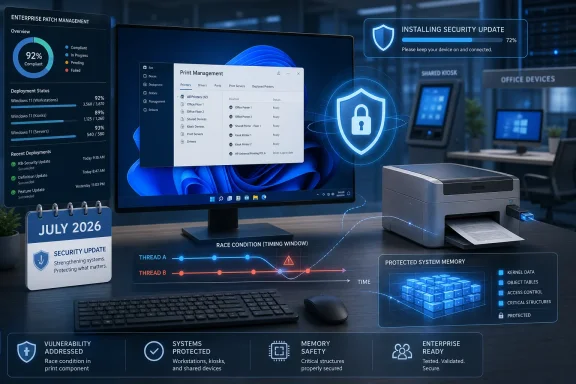
Microsoft’s Security Update Guide labels the issue “Universal Print Management Service Elevation of Privilege Vulnerability.” But the vulnerability record published through the National Vulnerability Database describes the affected component as the Windows USB Print Driver. That discrepancy matters less to patching than to investigation: administrators should treat this as a local print-subsystem security fix, rather than assuming it is limited to Microsoft’s cloud-based Universal Print service.
The flaw was published on July 14 and is rated 6.3, or Medium, under CVSS 3.1. Its score reflects a scenario that requires physical access to a target device, low existing privileges, and high attack complexity. It does not appear to be a remotely exploitable network-printing bug, nor does the published record indicate any required user interaction.
The Fix Is in the July Cumulative Updates
According to Microsoft’s affected-product data as mirrored by NIST, the vulnerable build ranges and corrected baselines are narrowly defined:
| Product | Affected builds | Corrected build |
|---|---|---|
| Windows 11, version 24H2 | Earlier than 26100.8875 | 26100.8875 |
| Windows 11, version 25H2 | Earlier July baseline | 26200.8875 |
| Windows 11, version 26H1 | Earlier than 28000.2525 | 28000.2525 |
| Windows Server 2025 | Earlier than 26100.33158 | 26100.33158 |
For Windows 11 24H2 and 25H2, the relevant release is KB5101650, published July 14. Microsoft’s support documentation identifies the resulting builds as 26100.8875 for 24H2 and 26200.8875 for 25H2. Windows 11 26H1 receives the fix through KB5101649, which advances the OS to build 28000.2525. Windows Server 2025 receives its protection through KB5099536, build 26100.33158.
That relationship is important for enterprises using Windows Update for Business, WSUS, Microsoft Configuration Manager, or third-party patch tools: this is not a separate driver package that must be hunted down and staged independently. It is included in the standard July cumulative servicing path for the listed platforms.
The record does not list Windows 10, Windows 11 23H2, or older supported Windows Server releases as affected. That is useful scoping information, but it should not be read as a reason to defer the broader July security rollout on those systems.
A Race Condition With Full Local Impact
NIST’s record attributes CVE-2026-58543 to two well-known memory-safety and concurrency weakness classes: CWE-362, an improper synchronization or race condition, and CWE-416, a use-after-free condition.
In plain terms, the bug involves Windows code handling a shared resource unsafely when operations happen in a particular timing sequence. A use-after-free issue can arise when software continues to use memory after it has been released and potentially reassigned. Exploiting that reliably usually takes specialized conditions, which helps explain the “High” attack-complexity rating.
Yet a successful exploit is still serious. Microsoft’s CVSS vector assigns High impact to confidentiality, integrity, and availability. A local attacker who has already obtained low-level access could potentially use the flaw to escape the intended permission boundary, read or alter protected information, or destabilize the system.
The distinction between “physical” and “local” is especially relevant here. Physical attack vector does not mean an attacker merely needs to be in the building; it denotes an exploit path that depends on physical interaction with the affected system or hardware interface. In a managed workplace, that can include shared workstations, reception devices, factory-floor systems, kiosks, lab machines, desktops left unlocked, or assets exposed during repair and staging.
This is therefore not the vulnerability that should displace emergency attention from an actively exploited remote-code-execution flaw. It is, however, a meaningful cleanup target in environments where attackers may already have an initial foothold or where hands-on access to Windows PCs is realistic.
The Naming Conflict Is Worth Watching
The advisory’s product title and its technical description do not line up cleanly. Microsoft calls CVE-2026-58543 a Universal Print Management Service issue, while the CVE description submitted by Microsoft and displayed by NIST names the Windows USB Print Driver.
Those components sit in the same broad printing ecosystem, but they imply different operational questions. Universal Print is Microsoft’s cloud print-management offering, while USB print-driver code is associated with locally connected printing hardware. An administrator assessing exposure may reasonably ask whether a device without Universal Print configuration is relevant; the affected Windows build list says yes, because the patch applies at the operating-system level, not as a Universal Print tenant update.
The lack of public technical detail makes it unwise to draw more specific architectural conclusions. Microsoft has disclosed the weakness categories and attack conditions, but it has not published a proof of concept, a vulnerable function, a named driver binary, or a configuration-based mitigation. Until that changes, the safest reading is that supported devices on the listed Windows releases should be patched whether or not they use cloud printing.
That ambiguity also means defenders should avoid overfitting endpoint-detection rules or auditing only Universal Print deployments. Inventory of USB-connected printers and printer-related drivers can support broader hardening work, but it is not a substitute for installing the cumulative update.
Patch First, Then Check Physical-Access Controls
For home and small-business users, Windows Update remains the practical route. On Windows 11 24H2 or 25H2, opening Settings, selecting Windows Update, and installing KB5101650 should bring the system to the protected build. Windows 11 26H1 devices should receive KB5101649; Server 2025 administrators should validate KB5099536 through their normal servicing process.
For managed fleets, the immediate work is validation rather than workaround engineering:
- Confirm that Windows 11 24H2 devices report build 26100.8875 or later and that Windows 11 25H2 devices report 26200.8875 or later.
- Confirm that Windows 11 26H1 devices report build 28000.2525 or later, and Windows Server 2025 reports build 26100.33158 or later.
- Prioritize shared, public-facing, kiosk, lab, and temporarily unattended devices if deployment must be phased.
- Review exceptions where cumulative updates are intentionally delayed, especially for endpoints with locally attached USB printing equipment.
Microsoft’s July releases carry unrelated changes and known-issue guidance, so normal pilot-ring testing remains sensible. But CVE-2026-58543 does not come with a published workaround that offers comparable protection. Delaying the cumulative update leaves the affected code path in place.
The immediate consequence is limited but concrete: organizations that have completed their July 14 Windows servicing are protected against this specific flaw on the affected platforms. Those that have not should use the corrected build numbers—not the advisory’s potentially confusing Universal Print label—as the final deployment check.