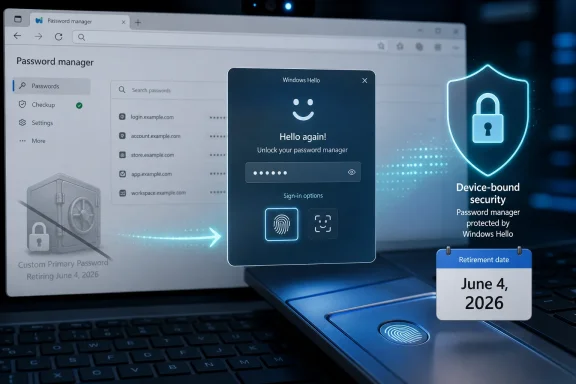
Microsoft Edge removed its Custom Primary Password option for opted-in users on June 4, 2026, shifting saved-password protection to device-based authentication such as Windows Hello, system passwords, macOS Touch ID, and other operating-system sign-in checks. The move is not just a browser setting disappearing from a menu. It is Microsoft’s latest attempt to collapse the messy middle ground between old passwords and a passkey-first future. The bet is that the device you already trust should become the gatekeeper for the secrets your browser stores.
That is a defensible security argument, but it is also a very Microsoft argument. Edge is becoming more tightly coupled to Windows’ identity stack at exactly the moment Microsoft is trying to persuade users that SMS codes, reusable passwords, and standalone browser secrets are yesterday’s risk surface. The result is a cleaner story for mainstream users, and a more complicated one for people who liked having one more independent lock between their operating system and their saved credentials.
The feature being retired was known in Edge as Custom Primary Password, often described more casually as a master password. Its purpose was simple: before Edge filled or revealed saved passwords, the browser could ask for a separate password chosen by the user. That gave Edge’s built-in password manager its own authentication barrier, distinct from the Windows sign-in flow.
Microsoft’s replacement is device authentication. On Windows, that means Windows Hello where available: a PIN, fingerprint, or facial recognition, backed by the local device security model. On macOS, the equivalent is Touch ID or the platform sign-in mechanism. On systems without biometric hardware, the fallback is generally the device password or operating-system-level authentication.
That distinction matters. A master password is portable in the sense that it exists as knowledge in the user’s head and can be typed anywhere the browser accepts it. Windows Hello is deliberately less portable. A Hello PIN is tied to a device, and biometric authentication depends on local hardware and the OS security boundary rather than a shared secret that can be replayed on a phishing site.
Microsoft has been telegraphing this change for months. Edge release notes warned that users with an existing custom primary password would be migrated to device authentication on June 4, 2026, and that the policy hooks around the old feature would stop functioning after Edge version 145. In later Edge builds, users could no longer create a new custom primary password, turning the feature from an option into a sunset path.
The timing also fits a wider Microsoft identity push. The company has already been steering personal Microsoft accounts away from SMS-based verification, calling text-message codes a fraud magnet and pushing users toward passkeys, authenticator apps, and verified email addresses. Edge’s password-manager change is the same philosophy applied locally: stop relying on secrets that can be copied, guessed, phished, or socially engineered.
That mental model has value. Security controls people can understand tend to be controls people actually use. A custom browser password also provided a form of compartmentalization: compromise the Windows session and you still had to pass another challenge before the browser would disclose everything.
But Microsoft’s objection is not that friction is useless. Its objection is that this particular friction is made out of the same material as the problem it is trying to solve. A master password can be weak, reused, shoulder-surfed, logged by malware, entered into a spoofed prompt, or shared in a moment of confusion. It is another password in an ecosystem already drowning in passwords.
That does not make the feature worthless. A strong, unique custom primary password can slow down opportunistic access, especially on a shared machine or in a household where the Windows account itself is not treated as sacred. It can also satisfy a user’s desire for a separate vault key, something password managers like Bitwarden, 1Password, and KeePass have long made central to their architecture.
The problem for Edge is that Microsoft is not trying to build a traditional standalone password vault. It is building a browser integrated into a cloud account, a Windows sign-in experience, and an enterprise management stack. In that world, a separate browser-only password looks less like elegant compartmentalization and more like legacy identity plumbing.
That makes Hello a better fit for the post-password story than a browser master password. A phisher can trick a user into typing a password. It is much harder to trick a user into exporting a local biometric assertion from a trusted device, because the system is not designed to hand that assertion to a website in the first place. The same logic underpins passkeys, where the device proves possession of a private key without asking the user to transmit a reusable password.
The PIN deserves a special mention because it is often misunderstood. Many users see “PIN” and think “short password.” In Microsoft’s model, the PIN is not meant to be a weaker cloud password; it is a local unlock factor tied to that device. If someone learns your Microsoft account password, they can try it elsewhere. If someone learns a Windows Hello PIN without possessing the device and its hardware-backed keys, the value of that PIN is sharply limited.
This is the architecture Microsoft wants Edge to inherit. Instead of asking the browser to maintain its own password gate, Edge can ask the operating system to verify that the person at the keyboard is the person who unlocked the device. That gives Microsoft one identity surface to harden, one authentication prompt users see consistently, and one policy model administrators can reason about.
There is a trade-off hiding inside that simplification. A separate master password protects against some scenarios where the OS session is available but the user still wants the browser vault locked. Device authentication assumes the OS account is the trust boundary. For many consumers, that is probably true enough. For power users and admins, “true enough” is where arguments begin.
Device authentication also lets Microsoft use hardware-backed protections that a browser-only password cannot easily replicate. TPM-backed keys, biometric sensors, local PIN throttling, and OS sign-in policies give the authentication step a more robust foundation than a text box inside a browser settings page. That is especially compelling for mainstream users who have no interest in becoming their own credential-security architect.
Yet the criticism is not merely nostalgia. The custom primary password gave users a distinct layer that was not identical to their Windows sign-in. If a coworker, family member, technician, or attacker gained access to an unlocked session, the Edge vault still had a separate barrier. Device authentication may still prompt, but the prompt is now anchored to the same identity environment that unlocked the machine in the first place.
That distinction becomes sharper on machines where Windows Hello is weakly configured or where the device password is known by more than one person. Edge’s new model inherits the good and bad of the local account hygiene. If a household shares a Windows profile, Edge’s saved passwords are now protected by a model that assumes the profile itself represents a single trusted user. In many real homes, that assumption is fiction.
Microsoft would reasonably respond that shared profiles are already a bad idea. It would be right. But consumer computing is full of bad ideas that became normal because software tolerated them. Removing a separate browser-level password does not create those habits, but it does make Edge less forgiving of them.
For enterprises, the calculus is different. Most managed environments already want authentication policy centralized in the OS and identity provider, not scattered through app-specific secrets. A browser master password can be hard to audit and awkward to support. Device authentication lines up better with Windows management, conditional access, and the gradual passkey migration many organizations are already planning.
That roadmap is clear. Passwords are not disappearing overnight, but Microsoft wants them demoted. SMS codes are being pushed aside because phone numbers are vulnerable to SIM swapping, interception, social engineering, and account-recovery fraud. Reusable passwords are being surrounded by device checks, passkeys, authenticators, and risk-based prompts. The browser, once the place where users typed passwords into websites, is becoming the place where passwordless sign-in is brokered.
Edge is a natural pressure point because browsers sit at the boundary between old and new authentication. They store legacy passwords while also handling WebAuthn, passkeys, federated login, and account recovery. If Microsoft wants users to stop thinking of passwords as the center of identity, the browser’s own password manager cannot keep presenting a traditional master password as the vault’s crown jewel.
This is also why the change will irritate some users beyond the narrow feature removal. Microsoft has spent years making Edge feel less optional inside Windows, from default-browser nudges to account sign-in prompts and system integrations. Even a good security decision can feel coercive when delivered through a browser that many users already believe is too entangled with the OS.
The company’s challenge is therefore not just technical. It has to convince users that device authentication is a security upgrade rather than another step in making Edge and Windows inseparable. The former may be true. The latter may also feel true. Product trust lives in the gap between those two perceptions.
From a security standpoint, Microsoft may have had defensible reasons. Requiring more sensor input can make spoofing harder and improve assurance that the system is looking at a live person. But from a user standpoint, a feature that previously worked in a dark room suddenly required more light. The change turned an invisible security adjustment into a daily inconvenience.
That is the practical risk of moving more authentication into Windows Hello. When Hello works, it feels effortless. When it breaks, changes behavior, or clashes with privacy habits like covering a webcam, it becomes a bottleneck. If Edge’s saved-password access depends on that same stack, browser credential access inherits the reliability and policy choices of the operating system.
This does not mean Microsoft should avoid Windows Hello. It does mean the company must treat Hello as critical infrastructure, not a convenience flourish. A browser password prompt that fails is annoying. A device authentication system that gates passwords, passkeys, account recovery, enterprise resources, and local sign-in is a much bigger dependency.
Users who prefer fingerprint readers may be less exposed to the camera-specific problem. Users who rely on facial recognition, especially on laptops with privacy shutters, low-light work habits, or mixed sensor quality, may feel the change more acutely. The more Microsoft asks Hello to do, the more every edge case becomes part of the identity story.
Some users want a browser vault password precisely because they do not want the browser to rely entirely on the operating system. They may use Edge across multiple platforms. They may distrust biometrics. They may operate in a shared-device environment. They may simply believe that a password manager should have a vault password because that is how password managers have traditionally worked.
Microsoft’s move says, effectively, that Edge’s built-in manager is not that kind of product. If you want a standalone vault with an independent master password, use a dedicated password manager. That is a fair market segmentation, but it should be stated plainly. Edge is optimizing for integration and convenience, not maximum user-configurable separation.
The irony is that Microsoft is removing a password in the name of security while some users will experience the change as a reduction in control. Both reactions can be rational. A weaker but user-controlled layer can feel safer than a stronger but vendor-controlled one, especially in an era when platform companies routinely change defaults, retire settings, and reframe user preferences as legacy risk.
For most people, device authentication will probably be better. That is the uncomfortable truth for power users who liked the old option. The average Edge user is more likely to benefit from Windows Hello than from carefully maintaining a unique custom browser password. But good defaults and removed choices are not the same thing.
The practical work starts with inventory. Organizations that allow Edge’s built-in password manager should know whether users have been relying on Custom Primary Password, whether device authentication is consistently available, and whether Windows Hello for Business is configured in a way that aligns with company policy. A browser feature retirement can expose uneven endpoint configuration fast.
There is also a training angle. Users need to understand that Windows Hello is not merely a convenience shortcut. The PIN is device-bound, biometrics remain local, and the sign-in prompt is now part of the protection around saved passwords. Without that explanation, some users will interpret the change as “Microsoft removed my password and replaced it with a four-digit code,” which is exactly the wrong lesson.
Help desks should also prepare for hardware-specific friction. Fingerprint reader failures, camera privacy shutters, external monitors, docking stations, biometric enrollment problems, and low-light facial recognition quirks can now become password-manager access problems. The browser team may have removed a setting, but endpoint support inherits the consequences.
Enterprises that do not trust browser password managers should revisit policy anyway. If saved passwords are disabled in Edge, the retirement of Custom Primary Password may not matter much. If Edge is permitted as a managed credential store, then device authentication needs to be treated as part of the credential-protection baseline.
That distinction is important because the industry is in a long hybrid phase. Passkeys are growing, but passwords remain everywhere. Banks, forums, utilities, retailers, legacy enterprise apps, and small websites will continue to rely on passwords for years. Browsers will therefore remain custodians of old secrets even as they promote new sign-in methods.
Microsoft’s decision is part of a broader migration pattern: use modern device-backed authentication to protect legacy credentials while nudging users toward passkeys and app-based verification. In that sense, Windows Hello becomes a bridge technology. It is not the destination so much as the local trust mechanism that makes the next step tolerable.
The danger is that vendors oversell the destination. Passwordless systems can still fail through account recovery, compromised devices, social engineering, malicious extensions, session-token theft, and poorly implemented fallback paths. Removing SMS codes and master passwords reduces some risks, but it does not repeal the messy economics of account takeover.
That is why users should read this change as a reason to improve their whole credential setup, not as a magic upgrade delivered by Edge. Device authentication is stronger when the Windows account is strong, the device is patched, biometrics are enrolled carefully, recovery options are current, and high-value accounts use passkeys or authenticator-based multi-factor authentication.
That is a defensible security argument, but it is also a very Microsoft argument. Edge is becoming more tightly coupled to Windows’ identity stack at exactly the moment Microsoft is trying to persuade users that SMS codes, reusable passwords, and standalone browser secrets are yesterday’s risk surface. The result is a cleaner story for mainstream users, and a more complicated one for people who liked having one more independent lock between their operating system and their saved credentials.
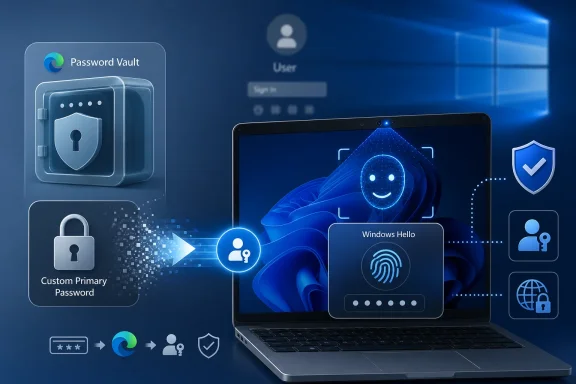 Microsoft Is Moving the Lock From the Browser to the Device
The feature being retired was known in Edge as Custom Primary Password, often described more casually as a master password. Its purpose was simple: before Edge filled or revealed saved passwords, the browser could ask for a separate password chosen by the user. That gave Edge’s built-in password manager its own authentication barrier, distinct from the Windows sign-in flow.Microsoft’s replacement is device authentication. On Windows, that means Windows Hello where available: a PIN, fingerprint, or facial recognition, backed by the local device security model. On macOS, the equivalent is Touch ID or the platform sign-in mechanism. On systems without biometric hardware, the fallback is generally the device password or operating-system-level authentication.
That distinction matters. A master password is portable in the sense that it exists as knowledge in the user’s head and can be typed anywhere the browser accepts it. Windows Hello is deliberately less portable. A Hello PIN is tied to a device, and biometric authentication depends on local hardware and the OS security boundary rather than a shared secret that can be replayed on a phishing site.
Microsoft has been telegraphing this change for months. Edge release notes warned that users with an existing custom primary password would be migrated to device authentication on June 4, 2026, and that the policy hooks around the old feature would stop functioning after Edge version 145. In later Edge builds, users could no longer create a new custom primary password, turning the feature from an option into a sunset path.
The timing also fits a wider Microsoft identity push. The company has already been steering personal Microsoft accounts away from SMS-based verification, calling text-message codes a fraud magnet and pushing users toward passkeys, authenticator apps, and verified email addresses. Edge’s password-manager change is the same philosophy applied locally: stop relying on secrets that can be copied, guessed, phished, or socially engineered.
The Master Password Was Comforting, but It Was Still a Password
For a certain kind of user, the master password felt like the right kind of friction. It was explicit, visible, and understandable. You knew there was a separate phrase standing between someone sitting at your unlocked PC and the password list inside Edge.That mental model has value. Security controls people can understand tend to be controls people actually use. A custom browser password also provided a form of compartmentalization: compromise the Windows session and you still had to pass another challenge before the browser would disclose everything.
But Microsoft’s objection is not that friction is useless. Its objection is that this particular friction is made out of the same material as the problem it is trying to solve. A master password can be weak, reused, shoulder-surfed, logged by malware, entered into a spoofed prompt, or shared in a moment of confusion. It is another password in an ecosystem already drowning in passwords.
That does not make the feature worthless. A strong, unique custom primary password can slow down opportunistic access, especially on a shared machine or in a household where the Windows account itself is not treated as sacred. It can also satisfy a user’s desire for a separate vault key, something password managers like Bitwarden, 1Password, and KeePass have long made central to their architecture.
The problem for Edge is that Microsoft is not trying to build a traditional standalone password vault. It is building a browser integrated into a cloud account, a Windows sign-in experience, and an enterprise management stack. In that world, a separate browser-only password looks less like elegant compartmentalization and more like legacy identity plumbing.
Windows Hello Is More Than a Friendly Face Prompt
Windows Hello’s consumer branding makes it easy to underestimate what Microsoft is trying to do. The cheerful face unlock animation and the convenience pitch can obscure the more important point: Hello is designed to replace a reusable secret with a local authentication ceremony. Your face or fingerprint is not supposed to be sent to Microsoft’s servers, and your PIN is not supposed to be useful away from the enrolled device.That makes Hello a better fit for the post-password story than a browser master password. A phisher can trick a user into typing a password. It is much harder to trick a user into exporting a local biometric assertion from a trusted device, because the system is not designed to hand that assertion to a website in the first place. The same logic underpins passkeys, where the device proves possession of a private key without asking the user to transmit a reusable password.
The PIN deserves a special mention because it is often misunderstood. Many users see “PIN” and think “short password.” In Microsoft’s model, the PIN is not meant to be a weaker cloud password; it is a local unlock factor tied to that device. If someone learns your Microsoft account password, they can try it elsewhere. If someone learns a Windows Hello PIN without possessing the device and its hardware-backed keys, the value of that PIN is sharply limited.
This is the architecture Microsoft wants Edge to inherit. Instead of asking the browser to maintain its own password gate, Edge can ask the operating system to verify that the person at the keyboard is the person who unlocked the device. That gives Microsoft one identity surface to harden, one authentication prompt users see consistently, and one policy model administrators can reason about.
There is a trade-off hiding inside that simplification. A separate master password protects against some scenarios where the OS session is available but the user still wants the browser vault locked. Device authentication assumes the OS account is the trust boundary. For many consumers, that is probably true enough. For power users and admins, “true enough” is where arguments begin.
The Security Win Is Real, but So Is the Loss of Separation
The strongest case for Microsoft’s change is that it reduces the number of secrets users must invent and remember. Security systems that depend on users creating one more strong, unique password often fail at the point of human behavior. People reuse passwords, choose memorable phrases, store them badly, or disable the prompt because it becomes annoying.Device authentication also lets Microsoft use hardware-backed protections that a browser-only password cannot easily replicate. TPM-backed keys, biometric sensors, local PIN throttling, and OS sign-in policies give the authentication step a more robust foundation than a text box inside a browser settings page. That is especially compelling for mainstream users who have no interest in becoming their own credential-security architect.
Yet the criticism is not merely nostalgia. The custom primary password gave users a distinct layer that was not identical to their Windows sign-in. If a coworker, family member, technician, or attacker gained access to an unlocked session, the Edge vault still had a separate barrier. Device authentication may still prompt, but the prompt is now anchored to the same identity environment that unlocked the machine in the first place.
That distinction becomes sharper on machines where Windows Hello is weakly configured or where the device password is known by more than one person. Edge’s new model inherits the good and bad of the local account hygiene. If a household shares a Windows profile, Edge’s saved passwords are now protected by a model that assumes the profile itself represents a single trusted user. In many real homes, that assumption is fiction.
Microsoft would reasonably respond that shared profiles are already a bad idea. It would be right. But consumer computing is full of bad ideas that became normal because software tolerated them. Removing a separate browser-level password does not create those habits, but it does make Edge less forgiving of them.
For enterprises, the calculus is different. Most managed environments already want authentication policy centralized in the OS and identity provider, not scattered through app-specific secrets. A browser master password can be hard to audit and awkward to support. Device authentication lines up better with Windows management, conditional access, and the gradual passkey migration many organizations are already planning.
Edge Is Becoming a Front Door for Microsoft’s Identity Strategy
This change is easier to understand if Edge is viewed less as a browser and more as one client in Microsoft’s identity system. Edge handles saved passwords, passkeys, synced profiles, work accounts, personal accounts, autofill, wallet features, and increasingly aggressive integration with Windows. Its password manager is no longer just a convenience feature; it is a user-facing piece of Microsoft’s authentication roadmap.That roadmap is clear. Passwords are not disappearing overnight, but Microsoft wants them demoted. SMS codes are being pushed aside because phone numbers are vulnerable to SIM swapping, interception, social engineering, and account-recovery fraud. Reusable passwords are being surrounded by device checks, passkeys, authenticators, and risk-based prompts. The browser, once the place where users typed passwords into websites, is becoming the place where passwordless sign-in is brokered.
Edge is a natural pressure point because browsers sit at the boundary between old and new authentication. They store legacy passwords while also handling WebAuthn, passkeys, federated login, and account recovery. If Microsoft wants users to stop thinking of passwords as the center of identity, the browser’s own password manager cannot keep presenting a traditional master password as the vault’s crown jewel.
This is also why the change will irritate some users beyond the narrow feature removal. Microsoft has spent years making Edge feel less optional inside Windows, from default-browser nudges to account sign-in prompts and system integrations. Even a good security decision can feel coercive when delivered through a browser that many users already believe is too entangled with the OS.
The company’s challenge is therefore not just technical. It has to convince users that device authentication is a security upgrade rather than another step in making Edge and Windows inseparable. The former may be true. The latter may also feel true. Product trust lives in the gap between those two perceptions.
The Windows Hello Dark-Room Episode Shows the Cost of Centralization
The awkward footnote to this passwordless push is Windows Hello’s own recent controversy. In 2025, users reported that Windows Hello facial recognition no longer worked reliably in the dark on some systems. Microsoft indicated the behavior was intentional rather than a bug, with Windows requiring both infrared sensing and a visible-light camera view of the user’s face in certain configurations.From a security standpoint, Microsoft may have had defensible reasons. Requiring more sensor input can make spoofing harder and improve assurance that the system is looking at a live person. But from a user standpoint, a feature that previously worked in a dark room suddenly required more light. The change turned an invisible security adjustment into a daily inconvenience.
That is the practical risk of moving more authentication into Windows Hello. When Hello works, it feels effortless. When it breaks, changes behavior, or clashes with privacy habits like covering a webcam, it becomes a bottleneck. If Edge’s saved-password access depends on that same stack, browser credential access inherits the reliability and policy choices of the operating system.
This does not mean Microsoft should avoid Windows Hello. It does mean the company must treat Hello as critical infrastructure, not a convenience flourish. A browser password prompt that fails is annoying. A device authentication system that gates passwords, passkeys, account recovery, enterprise resources, and local sign-in is a much bigger dependency.
Users who prefer fingerprint readers may be less exposed to the camera-specific problem. Users who rely on facial recognition, especially on laptops with privacy shutters, low-light work habits, or mixed sensor quality, may feel the change more acutely. The more Microsoft asks Hello to do, the more every edge case becomes part of the identity story.
The Best Argument Against the Change Is About Choice
There is a version of this debate that reduces everything to security purism: master passwords are old, device authentication is modern, therefore the removal is good. That is too neat. Security is not only about cryptographic elegance; it is also about threat models, usability, trust, and control.Some users want a browser vault password precisely because they do not want the browser to rely entirely on the operating system. They may use Edge across multiple platforms. They may distrust biometrics. They may operate in a shared-device environment. They may simply believe that a password manager should have a vault password because that is how password managers have traditionally worked.
Microsoft’s move says, effectively, that Edge’s built-in manager is not that kind of product. If you want a standalone vault with an independent master password, use a dedicated password manager. That is a fair market segmentation, but it should be stated plainly. Edge is optimizing for integration and convenience, not maximum user-configurable separation.
The irony is that Microsoft is removing a password in the name of security while some users will experience the change as a reduction in control. Both reactions can be rational. A weaker but user-controlled layer can feel safer than a stronger but vendor-controlled one, especially in an era when platform companies routinely change defaults, retire settings, and reframe user preferences as legacy risk.
For most people, device authentication will probably be better. That is the uncomfortable truth for power users who liked the old option. The average Edge user is more likely to benefit from Windows Hello than from carefully maintaining a unique custom browser password. But good defaults and removed choices are not the same thing.
Administrators Should Treat This as an Identity Dependency, Not a Browser Tweak
For IT teams, the Edge change belongs in the same bucket as any other authentication surface migration. It affects how users unlock saved credentials, how support desks answer password-manager questions, and how device compliance policies shape day-to-day access. It should not be discovered through confused tickets after a user’s familiar prompt disappears.The practical work starts with inventory. Organizations that allow Edge’s built-in password manager should know whether users have been relying on Custom Primary Password, whether device authentication is consistently available, and whether Windows Hello for Business is configured in a way that aligns with company policy. A browser feature retirement can expose uneven endpoint configuration fast.
There is also a training angle. Users need to understand that Windows Hello is not merely a convenience shortcut. The PIN is device-bound, biometrics remain local, and the sign-in prompt is now part of the protection around saved passwords. Without that explanation, some users will interpret the change as “Microsoft removed my password and replaced it with a four-digit code,” which is exactly the wrong lesson.
Help desks should also prepare for hardware-specific friction. Fingerprint reader failures, camera privacy shutters, external monitors, docking stations, biometric enrollment problems, and low-light facial recognition quirks can now become password-manager access problems. The browser team may have removed a setting, but endpoint support inherits the consequences.
Enterprises that do not trust browser password managers should revisit policy anyway. If saved passwords are disabled in Edge, the retirement of Custom Primary Password may not matter much. If Edge is permitted as a managed credential store, then device authentication needs to be treated as part of the credential-protection baseline.
Passwordless Does Not Mean Password-Free Yet
The phrase “passwordless future” is doing a lot of work in this story. Edge is not making the web password-free on June 4, 2026. The browser will still store passwords for sites that require them, autofill them when allowed, and sync them according to user and policy settings. What is changing is the authentication method used to protect access to those stored secrets.That distinction is important because the industry is in a long hybrid phase. Passkeys are growing, but passwords remain everywhere. Banks, forums, utilities, retailers, legacy enterprise apps, and small websites will continue to rely on passwords for years. Browsers will therefore remain custodians of old secrets even as they promote new sign-in methods.
Microsoft’s decision is part of a broader migration pattern: use modern device-backed authentication to protect legacy credentials while nudging users toward passkeys and app-based verification. In that sense, Windows Hello becomes a bridge technology. It is not the destination so much as the local trust mechanism that makes the next step tolerable.
The danger is that vendors oversell the destination. Passwordless systems can still fail through account recovery, compromised devices, social engineering, malicious extensions, session-token theft, and poorly implemented fallback paths. Removing SMS codes and master passwords reduces some risks, but it does not repeal the messy economics of account takeover.
That is why users should read this change as a reason to improve their whole credential setup, not as a magic upgrade delivered by Edge. Device authentication is stronger when the Windows account is strong, the device is patched, biometrics are enrolled carefully, recovery options are current, and high-value accounts use passkeys or authenticator-based multi-factor authentication.
The June 4 Cutover Leaves Users With a Clearer but Narrower Edge
The immediate lesson from Edge’s password-manager change is not complicated, but the implications are bigger than a retired setting. Microsoft is choosing the operating system as the trust anchor for browser secrets. That will make sense to millions of users and irritate a smaller group that valued the old separation.- Edge users who relied on Custom Primary Password should expect device authentication to protect saved passwords going forward.
- Windows Hello is generally a stronger model than a reusable browser-only password because it is tied to local device security rather than a portable shared secret.
- Users who share a Windows profile should stop doing so, because Edge’s new model assumes the device account represents the person who should access the password vault.
- Anyone who dislikes OS-bound browser credential storage should consider a dedicated password manager with an independent vault password and clear cross-platform controls.
- IT departments should treat the change as part of endpoint identity management, not as a cosmetic Edge update.
- The change strengthens Microsoft’s passwordless strategy, but it also makes Edge more dependent on the reliability and user trust of Windows Hello.
References
- Primary source: Windows Central
Published: 2026-06-05T13:18:11.625250
Microsoft Edge goes passwordless with Windows Hello — marking a major shift toward biometric and device-based security | Windows Central
Microsoft Edge transitions to passkeys and biometrics, eliminating traditional password logins for better security.www.windowscentral.com - Related coverage: techradar.com
Microsoft is ditching password-based authentication tomorrow – Edge browser will switch to Windows Hello access | TechRadar
Edge's password manager is getting an upgradewww.techradar.com - Official source: support.microsoft.com
Keep your saved passwords private in Microsoft Edge | Microsoft Support
Keep your saved passwords private in Microsoft Edgesupport.microsoft.com - Official source: learn.microsoft.com
Microsoft Edge release notes for Stable Channel | Microsoft Learn
Microsoft Edge release note for the Stable Channellearn.microsoft.com - Related coverage: pcworld.com
Microsoft Edge starts phasing out key password manager feature | PCWorld
You will no longer be able to create a master password for Edge's password manager. Existing master passwords will eventually be deprecated, too.www.pcworld.com - Related coverage: tomshardware.com
Microsoft has broken Windows Hello facial recognition — it no longer works in the dark | Tom's Hardware
Windows Hello Face is slightly worse off, though savvy users have found a workaroundwww.tomshardware.com
- Related coverage: europapress.es
Microsoft Edge sustituye la contraseña maestra de su gestor por la autenticación basada en el dispositivo
   Microsoft ha eliminado este jueves la contraseña principal personalizada de su navegador...www.europapress.es
- Related coverage: codebeacon.info
- Related coverage: passkey.bms.com
https://sites.bms.com/teams/it-ux/Communications/Windows Hello/2025 Rollout/Windows Hello + Passkey FAQ
PDF documentpasskey.bms.com
- Related coverage: addsecure.com