Microsoft's Research team has quietly pushed a milestone in on-device AI: Fara-7B, a 7‑billion‑parameter agentic small language model (SLM) built to see webpages and operate a PC by predicting mouse and keyboard actions, and it’s now available as an open-weight research artifact for hands‑on experimentation.
Background / Overview
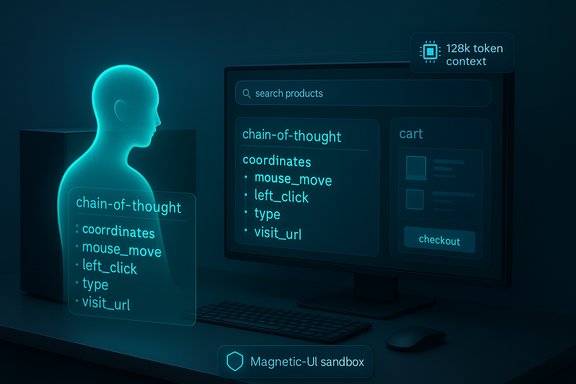
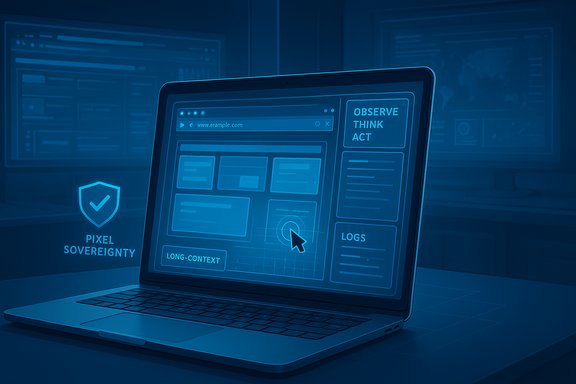
Microsoft describes Fara‑7B as its first purpose‑built Computer Use Agent (CUA) — a class of models that goes beyond text generation to act inside a desktop environment by consuming screenshots plus text context and outputting sequences of “observe → think → act” steps. The model is a multimodal, decoder‑only agent that uses Qwen2.5‑VL‑7B as its backbone, supports very long contexts (up to 128k tokens), and is explicitly trained and tuned to plan and execute multi‑step web tasks such as shopping, booking, searching and summarizing. Microsoft published a technical blog and a model card on November 24, 2025 announcing Fara‑7B and providing demos through Magentic‑UI (their experimental human‑centered UI sandbox). The announcement stresses that Fara‑7B runs on‑device (or in locally provisioned sandboxes) and includes safeguards such as Critical Points — places in a task workflow where the model must pause and seek user confirmation (for example at checkouts, logins, or purchases).
What Fara‑7B actually does: the practical view
- It ingests screenshots of the browser/desktop plus a textual goal, then predicts a sequence of actions (mouse coordinates, clicks, typing, scrolling, or tool calls like web_search to achieve that goal.
- It natively predicts pixel coordinates for clicks and typing targets rather than depending on accessibility trees or DOM parsing, which allows it to operate even on sites with obfuscated structure.
- It is distributed as open‑weight artifacts on Microsoft Foundry and Hugging Face and is integrated with Magentic‑UI to let researchers run, observe, and evaluate agentic behavior in sandboxed Docker environments.
These capabilities let Fara‑7B simulate a human browsing a page: search, click, enter text, and stop at user‑sensitive junctures. The Microsoft demos published with the release showed the model adding items to a cart, summarizing search results, and using mapping services to compute distances — each step visible in the Magentic‑UI workspace.
Technical deep dive
Model architecture and training
Fara‑7B is framed as an agentic SLM built on Qwen2.5‑VL‑7B. The model was trained with a novel synthetic multi‑agent data generation pipeline (Magentic‑One), where orchestrator and web‑surfer agents generated, verified and filtered large numbers of multi‑step interaction trajectories. Microsoft then supervised the single Fara model to distill that multi‑agent capability into one compact model using supervised fine‑tuning (no RLHF reported for the primary results). The result: a compact 7B‑parameter model that can handle screenshot grounding and long sequence planning. Key technical numbers Microsoft publishes:
- Parameter count: 7 billion.
- Context window: up to 128k tokens (long context support).
- Base: Qwen2.5‑VL‑7B.
- Training method: synthetic multi‑agent trajectories + supervised finetuning.
- Safety: post‑training red‑teaming and critical‑point recognition baked into behavior.
Inputs, outputs and toolset
Fara‑7B accepts:
- A textual user goal (system prompt),
- One or more screenshots,
- History of the agent’s previous thoughts and actions.
It outputs:
- A chain‑of‑thought block describing internal reasoning,
- A tool‑call block with structured actions (e.g., left_click(coordinate), type(text), visit_url(url), web_search(query). The Hugging Face model card and Microsoft blog include these function signatures and explain how Magentic‑UI exposes Playwright‑style mouse/keyboard interfaces to the agent.
On‑device and silicon optimizations
Microsoft has released quantized and silicon‑optimized variants intended for Copilot+ PCs (machines with NPUs and local inferencing capability). The goal is low latency and local privacy: by keeping screenshots and reasoning on the device, Microsoft calls this “pixel sovereignty.” Running the agent locally reduces round‑trip delay and avoids sending sensitive UI images to cloud services. The Copilot+ ecosystem and related Agent Workspace architecture are being promoted as the OS primitives that let Windows host these agents safely.
Benchmarks and claims: what Microsoft and others report
Microsoft’s published benchmarks show Fara‑7B outperforming other 7B CUAs and even some larger, multi‑model agent setups when measured on bespoke web agent benchmarks (WebVoyager, Online‑M2W, DeepShop, and a new WebTailBench). For example, Microsoft reports a 73.5% success rate on WebVoyager for Fara‑7B versus 65.1% for a GPT‑4o‑based “Set‑of‑Marks” (SoM) agent when the latter is prompted to act like a web agent. Microsoft also highlights that Fara‑7B completes tasks in far fewer steps (≈16 steps average vs ≈41 for some comparators), improving efficiency and cost. These data points come from Microsoft’s technical write‑up and are echoed in contemporary reporting. Caveat: these are vendor‑supplied benchmarks run against the datasets and evaluation harness Microsoft created. Independent verification, real‑world A/B testing and cross‑vendor benchmarking are needed before treating these claims as settled. External press coverage (for example, reporting in tech media) corroborates Microsoft’s claims at a high level but notes that metric selection and prompt engineering materially affect comparative outcomes.
Why Fara‑7B matters for Windows users and developers
- On‑device agentic automation: Fara‑7B showcases a new class of local agents that can act on the desktop — not just suggest text. That opens real productivity wins: multi‑app workflows, automated form completion, and delegated web searches that produce verified results.
- Privacy and latency tradeoffs: Because Fara‑7B can run without sending screenshots or action traces to the cloud, it promises lower latency for interactive flows and better privacy characteristics for regulated environments (e.g., health or finance) — when implemented correctly. Venture reporting highlights Microsoft’s “pixel sovereignty” framing for regulated sectors.
- New security and governance surface: Agents that automate clicking and typing dramatically expand endpoint attack surfaces. Windows’ Agent Workspace and Copilot governance concepts aim to provide a sandboxed, auditable runtime with agent identities and logs, but IT pros need policies, MDM controls, and DLP changes to manage these capabilities safely. Community previews and forum posts show Microsoft is previewing agent gating, opt‑in toggles, and per‑session permissions in Insider builds.
Safety, limitations and responsible use
Microsoft is explicit that Fara‑7B is experimental. The team documented limitations that are typical of contemporary LLMs:
- Hallucinations and mistakes on complex tasks,
- Failures to follow instructions perfectly,
- Potential for harmful or deceptive automation if misused.
To mitigate these dangers, the model training and deployment include:
- Critical Points that halt agent flow before any irreversible step (logins, purchases, sending communications),
- Refusal policies for malicious or high‑risk tasks,
- Recommendations to run experiments in sandboxed environments and avoid sensitive domains or personal data during testing.
Independent coverage also flags the governance gap: open‑weight release helps researchers and defenders inspect behavior, but it also makes it easier for bad actors to study the model and attempt jailbreaks. Microsoft’s red‑teaming and the MIT license choice lower friction for experimentation — a double‑edged sword that increases transparency and risk simultaneously.
How to try Fara‑7B safely (practical checklist)
- Use the provided Magentic‑UI Docker sandbox or a fully isolated VM to run the model offline; do not run experiments on production machines.
- Start with read‑only tasks (search and summarize) that do not reach critical points (no logins, purchases, or messages).
- Monitor every step in the Magentic‑UI Agent Workspace or your sandbox logs; require explicit confirmations for any sensitive step.
- Use Azure AI Content Safety and similar checking services where possible to filter outputs programmatically.
- Keep model artifacts and logs on air‑gapped or tightly controlled infrastructure when testing in regulated contexts.
- Engage a security red team to attempt to bypass critical points or provoke misbehavior before any broader rollout.
Enterprise and OEM implications
- IT and security teams will need to treat agentic features like new privileged principals: agent accounts in Agent Workspace must have auditable ACLs, revocation mechanisms and strict resource scopes. Early Windows Insider previews suggest Microsoft is delivering per‑agent accounts and logs to enable admin control.
- OEMs and hardware vendors must standardize NPU capabilities and disclose meaningful benchmarks. Marketing TOPS claims (trillions of ops) mean little without consistent test protocols; verify with independent tests on real-world tasks. Forum discussions indicate Microsoft expects Copilot+ hardware with robust NPU support to be the mainstream platform for on‑device models.
- For enterprises, the business case for local inference includes reduced egress costs, lower latency, and potential compliance advantages, but the governance and audit burden rises accordingly.
File size, packaging and distribution — what to expect
Microsoft says Fara‑7B is being released as open‑weight artifacts on Foundry and Hugging Face with silicon‑optimized variants for Copilot+ PCs. The official model pages show the model card, function signatures, and distribution channels but do not hard‑code a single “download size” claim for every variant because quantization, format (safetensors vs pt), and packaging for NPUs differ. The model card documents hardware and software dependencies (torch, transformers, vLLM) and provides a Magentic‑UI Docker sandbox for local testing. A number of community reports and benchmarking posts indicate that quantized 7B Qwen‑style weights commonly land in the ~15–17 GB range when stored in practical 4‑bit quantized formats with accompanying tokenizers and config files. Those numbers vary by quantization backend, format and compression; they are useful as a rule‑of‑thumb for planning disk and VRAM requirements but should be verified by checking the exact files on Hugging Face or Microsoft Foundry for the precise build you intend to download. Treat any single “X GB” claim as implementation‑specific and conditionally accurate. (Important note: some popular tech press pieces used slightly different spellings for Microsoft’s UI sandbox — Microsoft’s public materials refer to it as Magentic‑UI, not “Magnetic‑UI.” This matters when searching for docs and downloads.
Strengths and strategic rationale
- Compact agentic capability: Fara‑7B shows how a modestly sized model can absorb complex multi‑step behaviors when trained on well‑constructed synthetic trajectories, improving efficiency and enabling on‑device deployment.
- On‑device privacy and latency: For many consumer and enterprise flows, keeping screenshots and action traces local reduces exposure and speeds up interactions. This is a pragmatic tradeoff Microsoft is leaning into for Copilot+ hardware.
- Open‑weight distribution: Making the model available under permissive terms accelerates research, external audits, and third‑party tooling integration. This fosters rapid iteration and a broader ecosystem of safe usage patterns.
Key risks and unresolved questions
- Real‑world robustness: Benchmarks are promising but vendor‑run; agents acting on the wildly heterogeneous web face brittleness from UI changes, dynamic content, CAPTCHAs and anti‑bot mechanisms. Expect fragility outside the lab.
- New attack surface: A model that can control input hardware adds automation risks previously unseen on endpoints. Threat actors could attempt social‑engineering workflows where the agent assists in fraud or data extraction unless policies and runtime controls tightly restrict actions.
- Governance complexity: Enterprise adoption depends on policy controls, logging, attestation, and third‑party audits. Microsoft’s Agent Workspace primitives look promising, but real IT rollouts take time and standards.
- Model misuse & dual‑use concerns: Open‑weight release helps defenders but also enables adversaries to study behavior and create evasion techniques; continued red‑teaming and external audits will be critical.
- Claims vs independent verification: Microsoft reports outperforming GPT‑4o in its agent benchmarks, but those are context‑sensitive claims; independent benchmarking across multiple datasets and prompt setups is essential before generalizing.
Recommendations for Windows admins and power users
- Insist on isolated testing: run Fara experiments in sandboxed VMs and avoid production accounts for trial runs.
- Validate vendor performance claims with third‑party benchmarks that match your real‑world tasks.
- Define strict DLP and agent permissions: use policy to restrict which agents may run, which folders they can access, and whether they can reach the network.
- Monitor audit logs and require attestation for any agent pushed beyond dev/test phases.
Conclusion
Fara‑7B marks a meaningful technical and product step: it demonstrates that a 7‑billion‑parameter agent, trained with large synthetic interaction datasets, can see a screen and act on a desktop with promising efficiency. The architecture, long‑context support, and the integration path Microsoft proposes (Magentic‑UI, Copilot+ PCs, Agent Workspace) show a concrete vision of on‑device agentic automation that could be transformational for productivity and privacy — if the serious safety, robustness and governance questions are addressed.
The responsible path forward is clear: treat Fara‑7B as a research‑grade capability to be tested in sandboxes, audited by independent teams, and rolled into production only after robust governance, monitoring and security controls are in place. For Windows enthusiasts and developers, the open‑weight release is an invitation to explore agentic automation — with a reminder that local power brings both capability and responsibility.