

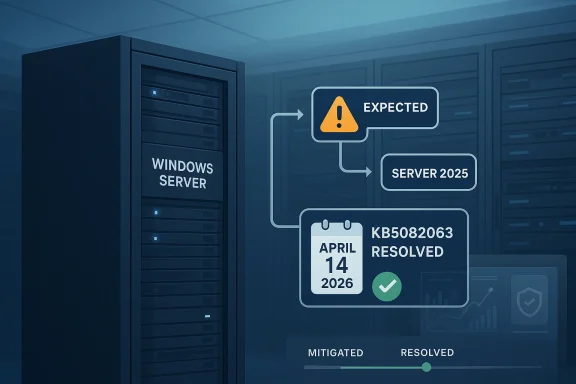
Microsoft’s latest Windows Server mishap is a reminder that the most painful update problems are often the ones that look routine at first. What began as a release-health curiosity has now turned into a case study in how quickly trust can erode when a patch changes behavior in the wrong place, at the wrong time. In the middle of April 2026, Microsoft said the issue that could push some systems toward Windows Server 2025 when administrators expected only a normal update path has now been marked resolved, with that status tied to KB5082063 on April 14, 2026. That sounds tidy, but the broader story is messier: the incident exposed how fragile server servicing can become when release channels, upgrade logic, and admin expectations stop lining up.
This incident matters because it sits at the intersection of servicing reliability, version control, and administrator trust. The immediate symptom was not a dramatic crash or a security breach; it was something more subtle and, in some ways, more dangerous: a server behaving as if the wrong future were the correct one. When a patch nudges an environment toward a different product branch or feature-update path, the operational consequences can be hard to see until they have already spread through deployment workflows.
Microsoft has spent much of 2025 and early 2026 trying to show that Windows servicing can be faster and more surgical without becoming chaotic. That means more out-of-band fixes, more release-health notices, and more targeted remediation when a problem is discovered after rollout. The April Server issue is part of that same pattern, but it also highlights the tradeoff: the more dynamic servicing becomes, the more administrators need confidence that the platform will not improvise on their behalf.
At first glance, this might look like a niche domain-controller headache. In reality, it touches a much wider set of concerns: image management, update rings, compliance tooling, and the assumptions organizations make about server stability. If a platform update can alter the perceived upgrade target, then even a “mitigated” problem still leaves behind planning risk, because operators now have to verify not only whether the patch installed, but what path the system thinks it should take next.
The timing also matters. This issue lands in the same era as a string of Microsoft update corrections that have forced IT teams to think less like they are applying monthly maintenance and more like they are operating a continuously shifting control plane. That is not inherently bad, but it raises the bar for documentation, rollback discipline, and release-health transparency. The patch itself may be fixed; the confidence deficit is harder to repair.
The specific problem Microsoft has now closed out was unusual because it was tied to a feature-update confusion path rather than a classic security flaw. According to the release-health update referenced in the forum record, Microsoft had already treated the issue as mitigated for some time, but April 14’s KB5082063 is what allowed the company to mark it formally resolved. In other words, the administrative paperwork of “resolved” came later than the practical mitigation. That distinction is easy to miss, but it matters in enterprise operations, where support teams care about status labels almost as much as code fixes.
This is also part of a broader servicing pattern that has become increasingly familiar. Microsoft has leaned hard on release-health pages when cumulative updates create side effects, and it has not hesitated to ship out-of-band or follow-up packages when normal monthly timing would leave customers exposed for too long. That reflects a more responsive vendor posture, but it also tells us something less flattering: Windows servicing has become more reactive because the blast radius of failures is now often too large to leave unresolved until the next cycle.
For Windows Server administrators, the lesson is not simply “patch carefully.” It is “patch with a mental model of what the system might think after the patch.” That is a subtle but crucial difference. If a server update can alter upgrade targeting, then validation must extend beyond install success and into the behavior of update metadata, release-health status, and the next available servicing path. A clean install log is not always the same thing as a clean servicing state.
That said, resolved does not mean invisible. It means the vendor considers the problem closed on its side. Customers still need to verify whether the remedy landed cleanly in their own environments, especially where imaging, deferred updates, or custom deployment logic can create uneven results. That is where the real operational burden lives.
A second reason the label matters is that it helps separate this episode from the far more common class of “known issue under investigation.” Microsoft has already had to navigate several recent update-adjacent incidents across Windows 11 and server platforms, so formal resolution on a server issue is a signal that the company wants to prevent the perception of drift. But confidence is cumulative, and one resolved issue rarely erases the memory of the last three.
A large organization may never notice the bug directly if its controls are tight enough. But the mere possibility of an unintended upgrade path can create friction in maintenance windows, because every patch now has to be judged against both its intended effect and its side effects. That is where even a “small” issue becomes a process tax.
That is why release-health pages matter so much. They are not just patch notes; they are trust instruments. They tell administrators whether Microsoft sees a problem as active, contained, mitigated, or closed, and they help teams decide whether to proceed, pause, or escalate. In a world where update cadence is accelerating, trust infrastructure has become just as important as the servicing code itself.
The episode also reinforces a subtle truth about server operating systems: problems that seem administrative can become technical, and problems that seem technical can become operational. A version-mapping bug may sound mundane, but if it influences upgrade prompts or configuration baselines, it can disrupt procurement plans, support documentation, and maintenance scheduling. That is a lot of fallout for a defect that never needed to crash a machine to hurt it.
For consumers, the implications are less direct because Windows Server 2025 is not their daily concern. But consumer users still feel the spillover from enterprise-grade instability, because Microsoft’s servicing reputation is shared across product lines. When server credibility dips, it influences the broader perception that Windows updates are becoming more complex and less predictable. That perception matters more than most vendors like to admit.
This also suggests Microsoft is comfortable allowing a distinction between “we’ve reduced the risk” and “we’ve declared it done.” That is a sensible operational stance, but it can be frustrating for customers who want a single, unambiguous answer. The result is an update ecosystem where status has layers, and where those layers can matter as much as the binary fixed/broken distinction.
The broader servicing lesson is simple: patch IDs are no longer just identifiers. They are timestamps in a chain of trust. Once an issue like this appears, admins start using KB numbers as shorthand for what can be deployed, what should be held back, and what still needs verification. That makes KB5082063 more than a fix; it becomes a marker of restored confidence.
The third step is less obvious but just as important: use the event as a trigger to revisit update validation assumptions. If one issue managed to blur product paths, there may be other edges where testing should be sharper. That does not mean endless lab work; it means more disciplined scenario coverage for feature-update behavior, especially on domain controllers and other highly sensitive server roles.
There is an upside to that. Faster intervention means Microsoft can limit the blast radius of some issues before they become prolonged outages. But there is a downside too: the more often customers see follow-up fixes, the more they begin to assume that first-pass quality is provisional. Speed is welcome; repeated surprises are not.
That tension is now a defining feature of the Windows servicing story. Microsoft wants to be both more agile and more reliable, and those goals are not always compatible on the first attempt. The April Server incident shows that even when the company eventually lands the fix, the path to confidence may still run through confusion, customer scrutiny, and a small mountain of verification work.
That does not mean customers are about to abandon Windows Server over one incident. Enterprise inertia is real, and so are application dependencies. But the reputational math is cumulative. Each unexpected patch behavior makes the platform look slightly harder to operate, and each follow-up fix slightly more necessary. Over time, that softens the confidence advantage Microsoft usually enjoys in managed infrastructure.
It also helps to separate lab environments from production baselines more aggressively. A patch that behaves harmlessly in a sandbox may still trigger different metadata handling in a live domain controller, because policy, orchestration, and scheduled tasks all interact differently under load. That is why server patch testing should include not only code execution checks but also state and reporting checks.
The final lesson is about documentation discipline. When Microsoft’s status changes from mitigated to resolved, internal teams should update their own records immediately. That sounds boring, but boring is exactly what good Windows administration is supposed to be. In a servicing environment that changes this quickly, stale documentation is a hidden outage waiting to happen.
For Windows Server administrators, the practical lesson is to assume that patching is now a multi-stage verification process, not a one-click event. The patch lands, the status changes, and then the real work begins: confirming that the environment still behaves exactly as intended. In the current Windows era, that may be the closest thing to normal.
Microsoft has closed this specific chapter, but the larger story remains open. Windows Server is still the backbone of enterprise computing, and that makes every servicing misstep disproportionately important. If KB5082063 restores confidence, it will do so not because the fix was dramatic, but because it reminds administrators that the platform can still be corrected, documented, and stabilized before uncertainty hardens into habit.
Source: Computing UK Microsoft issues emergency fixes after Windows Server failures
 Overview
This incident matters because it sits at the intersection of servicing reliability, version control, and administrator trust. The immediate symptom was not a dramatic crash or a security breach; it was something more subtle and, in some ways, more dangerous: a server behaving as if the wrong future were the correct one. When a patch nudges an environment toward a different product branch or feature-update path, the operational consequences can be hard to see until they have already spread through deployment workflows.Microsoft has spent much of 2025 and early 2026 trying to show that Windows servicing can be faster and more surgical without becoming chaotic. That means more out-of-band fixes, more release-health notices, and more targeted remediation when a problem is discovered after rollout. The April Server issue is part of that same pattern, but it also highlights the tradeoff: the more dynamic servicing becomes, the more administrators need confidence that the platform will not improvise on their behalf.
At first glance, this might look like a niche domain-controller headache. In reality, it touches a much wider set of concerns: image management, update rings, compliance tooling, and the assumptions organizations make about server stability. If a platform update can alter the perceived upgrade target, then even a “mitigated” problem still leaves behind planning risk, because operators now have to verify not only whether the patch installed, but what path the system thinks it should take next.
The timing also matters. This issue lands in the same era as a string of Microsoft update corrections that have forced IT teams to think less like they are applying monthly maintenance and more like they are operating a continuously shifting control plane. That is not inherently bad, but it raises the bar for documentation, rollback discipline, and release-health transparency. The patch itself may be fixed; the confidence deficit is harder to repair.
Background
Windows Server updates have always carried more weight than consumer desktop updates because servers do not merely run software; they anchor identity, storage, authentication, and management for entire organizations. A harmless-looking regression on a workstation is inconvenient. The same kind of regression on a server can affect hundreds or thousands of users, backup windows, or automated jobs. That is why even a partial misrouting of update behavior deserves attention well beyond the immediate systems involved.The specific problem Microsoft has now closed out was unusual because it was tied to a feature-update confusion path rather than a classic security flaw. According to the release-health update referenced in the forum record, Microsoft had already treated the issue as mitigated for some time, but April 14’s KB5082063 is what allowed the company to mark it formally resolved. In other words, the administrative paperwork of “resolved” came later than the practical mitigation. That distinction is easy to miss, but it matters in enterprise operations, where support teams care about status labels almost as much as code fixes.
This is also part of a broader servicing pattern that has become increasingly familiar. Microsoft has leaned hard on release-health pages when cumulative updates create side effects, and it has not hesitated to ship out-of-band or follow-up packages when normal monthly timing would leave customers exposed for too long. That reflects a more responsive vendor posture, but it also tells us something less flattering: Windows servicing has become more reactive because the blast radius of failures is now often too large to leave unresolved until the next cycle.
For Windows Server administrators, the lesson is not simply “patch carefully.” It is “patch with a mental model of what the system might think after the patch.” That is a subtle but crucial difference. If a server update can alter upgrade targeting, then validation must extend beyond install success and into the behavior of update metadata, release-health status, and the next available servicing path. A clean install log is not always the same thing as a clean servicing state.
What Microsoft Fixed
The core correction centers on a Windows Server update path that had the potential to surface Windows Server 2025 where administrators did not expect it. The forum record indicates Microsoft now says the issue is resolved and ties that status to KB5082063, released on April 14, 2026. That is important because it narrows the story from a vague “something went wrong” to a documented closure point that administrators can anchor to their change-management records.Why the “resolved” label matters
In enterprise environments, “resolved” is not just a comfort word. It determines whether patch rings move forward, whether help-desk scripts are updated, and whether administrators can stop treating a behavior as an open hazard. Microsoft’s choice to elevate the issue from mitigated to resolved suggests the company believes the update path is now stable enough to be trusted again.That said, resolved does not mean invisible. It means the vendor considers the problem closed on its side. Customers still need to verify whether the remedy landed cleanly in their own environments, especially where imaging, deferred updates, or custom deployment logic can create uneven results. That is where the real operational burden lives.
A second reason the label matters is that it helps separate this episode from the far more common class of “known issue under investigation.” Microsoft has already had to navigate several recent update-adjacent incidents across Windows 11 and server platforms, so formal resolution on a server issue is a signal that the company wants to prevent the perception of drift. But confidence is cumulative, and one resolved issue rarely erases the memory of the last three.
The practical effect on administrators
Administrators are likely to care less about the label and more about the consequence: did the update alter any server’s relationship to the Windows Server 2025 branch, either in telemetry, prompts, or upgrade paths? That is a different question from whether the issue is officially fixed. It is also the question that determines whether compliance teams need to re-check baseline reports or re-run inventory scans.A large organization may never notice the bug directly if its controls are tight enough. But the mere possibility of an unintended upgrade path can create friction in maintenance windows, because every patch now has to be judged against both its intended effect and its side effects. That is where even a “small” issue becomes a process tax.
- Formal closure came with KB5082063 on April 14, 2026.
- The problem involved an unexpected path toward Windows Server 2025.
- Microsoft had already called the issue mitigated before the final resolved status.
- The event is as much about servicing confidence as it is about code correctness.
Why This Matters for Windows Server
Windows Server is not judged by the same standards as consumer Windows. Stability is not a feature; it is the product’s contract. When server servicing behaves unexpectedly, it forces IT teams to assume that every update might have hidden consequences, even if the patch notes seem calm and ordinary. That mindset slows deployments, extends validation, and increases the time between release and adoption.Trust is the real casualty
The most damaging part of this incident is not the upgrade confusion itself but the possibility that it changes how admins think about future updates. If a routine server patch can steer systems toward the wrong version logic, then the natural response is caution, and caution in enterprise IT often translates to delay. Delay, in turn, means more exposure to known bugs, older baselines, and a wider gap between what Microsoft ships and what customers actually run.That is why release-health pages matter so much. They are not just patch notes; they are trust instruments. They tell administrators whether Microsoft sees a problem as active, contained, mitigated, or closed, and they help teams decide whether to proceed, pause, or escalate. In a world where update cadence is accelerating, trust infrastructure has become just as important as the servicing code itself.
The episode also reinforces a subtle truth about server operating systems: problems that seem administrative can become technical, and problems that seem technical can become operational. A version-mapping bug may sound mundane, but if it influences upgrade prompts or configuration baselines, it can disrupt procurement plans, support documentation, and maintenance scheduling. That is a lot of fallout for a defect that never needed to crash a machine to hurt it.
Enterprise impact versus consumer impact
For enterprises, the issue is primarily about control. Server teams need predictable branch behavior, especially when they manage staged rollouts, maintenance windows, or clustered environments. Even a short-lived confusion around product versioning can force administrators to freeze rollout jobs while they confirm nothing else has been silently redirected.For consumers, the implications are less direct because Windows Server 2025 is not their daily concern. But consumer users still feel the spillover from enterprise-grade instability, because Microsoft’s servicing reputation is shared across product lines. When server credibility dips, it influences the broader perception that Windows updates are becoming more complex and less predictable. That perception matters more than most vendors like to admit.
- Server admins need predictable servicing behavior.
- A version-path confusion can trigger change freezes.
- Compliance tools may need revalidation after the fix.
- Consumer trust is indirectly affected by enterprise reliability issues.
KB5082063 in Context
The mention of KB5082063 is important because it places the fix inside Microsoft’s April 2026 servicing cadence rather than presenting it as a one-off patch. That matters to enterprises because cumulative servicing tells operators whether a remedy is likely to be incorporated into their normal patch rhythm or whether they need to treat it as a special case. In this instance, the answer appears to be that Microsoft used an April update to close the loop.Why the date matters
Dates are not decorative in Windows servicing; they define which baselines are safe to standardize on. A resolution arriving on April 14, 2026 means that organizations should anchor their documentation and any internal advisories to that point, not to the earlier mitigation status. If a help desk or change board is still operating on stale assumptions, confusion can persist long after the code is corrected.This also suggests Microsoft is comfortable allowing a distinction between “we’ve reduced the risk” and “we’ve declared it done.” That is a sensible operational stance, but it can be frustrating for customers who want a single, unambiguous answer. The result is an update ecosystem where status has layers, and where those layers can matter as much as the binary fixed/broken distinction.
The broader servicing lesson is simple: patch IDs are no longer just identifiers. They are timestamps in a chain of trust. Once an issue like this appears, admins start using KB numbers as shorthand for what can be deployed, what should be held back, and what still needs verification. That makes KB5082063 more than a fix; it becomes a marker of restored confidence.
What admins should do with that information
The first step is to align internal documentation with Microsoft’s resolved status. Teams should ensure that any local advisories, incident tickets, or rollout notes reference the April 14 fix rather than the earlier mitigated state. The second step is to confirm that asset inventories and update dashboards no longer show the affected behavior.The third step is less obvious but just as important: use the event as a trigger to revisit update validation assumptions. If one issue managed to blur product paths, there may be other edges where testing should be sharper. That does not mean endless lab work; it means more disciplined scenario coverage for feature-update behavior, especially on domain controllers and other highly sensitive server roles.
- Update internal KB references to the April 14 resolution.
- Recheck patch rings and deployment baselines.
- Verify that release-health dashboards show no lingering confusion.
- Expand test coverage around feature-update path behavior.
The Bigger Pattern in Microsoft Servicing
This episode is not happening in isolation. Across Windows 11 and Windows Server, Microsoft has increasingly had to respond to reliability complaints with targeted follow-ups, emergency fixes, and explicit release-health notices. That is a sign of responsiveness, but it is also evidence that the platform’s complexity is outpacing the old monthly rhythm.A more reactive Windows era
The old model of “Patch Tuesday, then wait” no longer fits the reality of modern Windows. Microsoft now ships corrections in more varied forms because modern systems are too interconnected to tolerate slow remediation in every case. That is especially true for server software, where identity, networking, and management can all be touched by a single flaw.There is an upside to that. Faster intervention means Microsoft can limit the blast radius of some issues before they become prolonged outages. But there is a downside too: the more often customers see follow-up fixes, the more they begin to assume that first-pass quality is provisional. Speed is welcome; repeated surprises are not.
That tension is now a defining feature of the Windows servicing story. Microsoft wants to be both more agile and more reliable, and those goals are not always compatible on the first attempt. The April Server incident shows that even when the company eventually lands the fix, the path to confidence may still run through confusion, customer scrutiny, and a small mountain of verification work.
Competitive implications
From a competitive standpoint, this matters because Windows Server still occupies the center of many enterprise environments, even as Linux, cloud-native managed services, and virtualized alternatives continue to grow. Every servicing stumble gives rivals an argument: the value proposition of Windows must include not only compatibility and manageability, but predictability. If Microsoft cannot guarantee that routinely, the appeal of alternative platforms becomes easier to sell.That does not mean customers are about to abandon Windows Server over one incident. Enterprise inertia is real, and so are application dependencies. But the reputational math is cumulative. Each unexpected patch behavior makes the platform look slightly harder to operate, and each follow-up fix slightly more necessary. Over time, that softens the confidence advantage Microsoft usually enjoys in managed infrastructure.
- Microsoft is judged against its own promise of stability.
- Competitors benefit when Windows feels harder to predict.
- Enterprise switching costs delay any immediate churn.
- Reputational damage accumulates across repeated servicing incidents.
Operational Lessons for IT Teams
The most useful takeaway here is not that Microsoft fixed the issue, but that organizations should treat version-path anomalies as a class of risk worth explicit testing. Servers are now expected to handle not just uptime, but update intelligence. That means validation needs to cover what the system believes about itself after servicing, not just whether the servicing completed.Building better validation
A good validation process for this type of issue starts before deployment and continues after reboot. Teams should monitor the visible update path, any version-reporting changes, and the state of management consoles or inventory tools. If the system claims a different target branch than expected, that is a red flag even if the machine appears otherwise healthy.It also helps to separate lab environments from production baselines more aggressively. A patch that behaves harmlessly in a sandbox may still trigger different metadata handling in a live domain controller, because policy, orchestration, and scheduled tasks all interact differently under load. That is why server patch testing should include not only code execution checks but also state and reporting checks.
The final lesson is about documentation discipline. When Microsoft’s status changes from mitigated to resolved, internal teams should update their own records immediately. That sounds boring, but boring is exactly what good Windows administration is supposed to be. In a servicing environment that changes this quickly, stale documentation is a hidden outage waiting to happen.
A practical checklist
- Confirm the system has applied KB5082063 or later.
- Reconcile any update dashboards against Microsoft’s resolved status.
- Check whether affected servers still report inconsistent version behavior.
- Review maintenance-window notes for earlier mitigation language.
- Validate that rollout tools are not flagging the old upgrade path.
- Verify patch levels after every rollout.
- Treat status changes as operational events, not paperwork.
- Test branch/reporting behavior in addition to install success.
- Refresh internal guidance as soon as Microsoft revises release-health notes.
- Watch for similar confusion in future server servicing cycles.
Strengths and Opportunities
Microsoft deserves credit for eventually getting the issue to a formal resolved state, because release-health clarity is one of the few mechanisms that can reduce uncertainty quickly in a large Windows estate. The April 14 fix gives administrators a concrete anchor, and the update helps restore a sense that the company can still close the loop when servicing gets messy. The opportunity now is for Microsoft to turn that resolution into a broader confidence reset through better patch transparency and more predictable upgrade-path behavior.- Clear resolution point with KB5082063.
- Better internal alignment around patch baselines.
- Opportunity to strengthen release-health communication.
- Chance to improve trust in server servicing paths.
- Incentive to sharpen enterprise validation workflows.
- A reminder that fast remediation can still preserve confidence.
- Potential to use this as a model for future fix confirmation.
Risks and Concerns
The biggest concern is that even a resolved issue can leave behind uncertainty, and uncertainty is expensive in enterprise IT. If administrators are not fully confident that the wrong upgrade path has been eliminated everywhere, they may continue holding back updates or adding extra checks, which slows the entire servicing pipeline. The deeper risk is reputational: every incident like this nudges customers toward the belief that Windows Server behavior must be verified, not assumed.- Residual uncertainty after the fix.
- Slower patch adoption in cautious organizations.
- Extra validation work for operations teams.
- Increased dependence on release-health monitoring.
- Risk of stale internal documentation.
- Potential erosion of trust in update targeting.
- Broader perception that servicing has become too complex.
What to Watch Next
The most important thing to watch now is whether Microsoft’s April resolution truly quiets the issue across varied server environments, including those with custom update rings, long deferral periods, or aggressive compliance tooling. It will also be worth watching whether Microsoft adds any follow-up documentation explaining what specifically caused the wrong-path behavior and whether similar code paths exist elsewhere. The company has resolved the headline problem, but the durability of that resolution will be judged in the field, not on the release-health page.Signals that matter
- Whether update dashboards stop showing any residual branch confusion.
- Whether Microsoft publishes deeper technical clarification.
- Whether enterprise admins report clean behavior after April patching.
- Whether similar issues appear in adjacent server update paths.
- Whether Microsoft uses the incident to refine future servicing guidance.
For Windows Server administrators, the practical lesson is to assume that patching is now a multi-stage verification process, not a one-click event. The patch lands, the status changes, and then the real work begins: confirming that the environment still behaves exactly as intended. In the current Windows era, that may be the closest thing to normal.
Microsoft has closed this specific chapter, but the larger story remains open. Windows Server is still the backbone of enterprise computing, and that makes every servicing misstep disproportionately important. If KB5082063 restores confidence, it will do so not because the fix was dramatic, but because it reminds administrators that the platform can still be corrected, documented, and stabilized before uncertainty hardens into habit.
Source: Computing UK Microsoft issues emergency fixes after Windows Server failures
