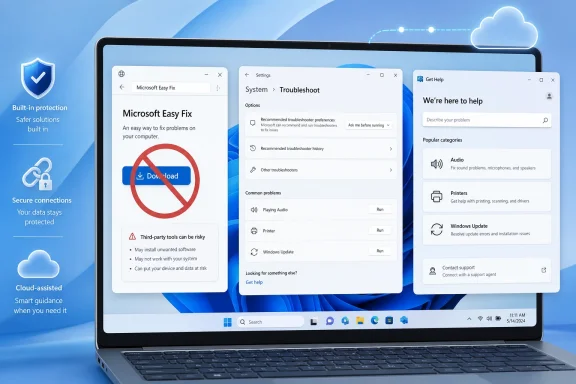
Microsoft has discontinued Microsoft Easy Fix solutions, the downloadable repair tools once known as Microsoft Fix it, and now directs Windows users to built-in troubleshooters, Settings-based diagnostics, and the Get Help app in Windows 11 for common PC repair workflows. The change is not merely a support-page cleanup. It marks the end of an era in which Microsoft treated many Windows problems as something solved by a little executable from a Knowledge Base article. The replacement model is more integrated, more cloud-connected, and more aligned with modern Windows security—but also less comfortable for the users and administrators who liked repair tools they could save, script, archive, and run on their own terms.
For a certain generation of Windows users, “Microsoft Fix it” meant reassurance. A printer queue was jammed, Windows Update was sulking, an Office setting had been mangled, or a registry permission was off by one obscure value, and somewhere in a Microsoft Support article there might be a blue button that promised to handle the ugly part. You clicked, ran the package, watched a wizard, and hoped the machine emerged a little less broken.
That model belonged to a different Windows. It made sense when Windows troubleshooting lived in scattered Knowledge Base pages, when consumer support and enterprise support shared more of the same vocabulary, and when a signed Microsoft repair executable felt safer than a forum post telling you to paste commands into an elevated prompt. Easy Fix was never glamorous, but it was legible: here is the specific problem, here is the specific patch-up tool, here is the undo path if Microsoft provided one.
The discontinuation notice confirms what many users had already discovered the hard way. The old Easy Fix downloads are no longer the path forward. Microsoft’s current answer is to use troubleshooters already in Windows, and in Windows 11 especially, to use Settings and the Get Help app as the front door.
That shift is easy to describe and harder to love. Microsoft is trading the old downloadable “repair this one thing” model for a service-like support surface that can evolve without shipping a new tiny fixer for every problem. The company gets a cleaner platform. Users get fewer dead downloads, but also fewer portable tools.
But Easy Fix solved a documentation problem Microsoft has never fully escaped. Windows repair advice is often a recipe of small, dangerous actions: edit this registry key, reset this service, rename this folder, re-register this component, delete this cache, rebuild this index. A one-click repair package let Microsoft turn a fragile article into an executable procedure.
That mattered because the average user is bad at following instructions that were written for administrators, and administrators are tired of translating vendor prose into operational runbooks. Even when a fix was simple, the Easy Fix package reduced ambiguity. It said: Microsoft knows the state transition it wants, and this tool will attempt it.
The loss of that pattern creates a vacuum. A Settings troubleshooter may be friendlier, but it is not always as inspectable. A Get Help workflow may be more current, but it may also feel more like a support conversation than a deterministic repair operation. For enthusiasts and IT pros, that distinction matters.
The old packages also had an archival quality. A sysadmin could keep a known-good utility with a ticket, a wiki page, or a deployment share. A volunteer on a forum could say, “Run this Microsoft tool,” and know the advice pointed to a specific artifact. In the new model, the answer is more often, “Open the current app and follow the current flow,” which is fine until the flow changes.
That has obvious advantages. Windows changes too quickly for every support pathway to remain frozen inside the OS image for years. Drivers, update mechanisms, Microsoft Store plumbing, account authentication, OneDrive sync, Teams integration, and Microsoft 365 activation all depend on moving parts outside a single Windows build. A cloud-connected support layer can reflect new breakages faster than a dormant executable linked from an old article.
It also lets Microsoft retire some of the cruft that accumulated over decades. The Windows troubleshooting stack has included Control Panel-era dialogs, Settings entries, command-line tools, legacy diagnostic packages, downloadable “Fix it” tools, Microsoft Support Diagnostic Tool workflows, and standalone assistants for products such as Office. The company is now trying to collapse that mess into fewer entry points.
The risk is that Get Help becomes a black box with a smile. When a repair path is mediated through an app, users may not know which commands ran, which logs were collected, which settings changed, or whether a failure happened locally or somewhere in Microsoft’s service layer. For consumer support, that opacity may be acceptable. For enterprise support, it is friction.
Microsoft’s challenge is not simply to replace old tools. It is to prove that the new experience can be trusted by people who diagnose Windows for a living.
Troubleshooting frameworks often have elevated access, broad system visibility, and permission to collect data or alter configuration. Those are exactly the properties that make them useful when a PC is broken. They are also exactly the properties attackers look for when they want a legitimate Microsoft-signed pathway into deeper parts of the system.
Seen from Redmond, old local troubleshooters are technical debt with an attack surface. Even if Easy Fix itself is not the same thing as MSDT, the entire family of legacy repair tooling belongs to an older trust model. The old assumption was that a Microsoft diagnostic executable was a safe little helper. The modern assumption is that every helper must justify its existence, its update mechanism, its protocol handlers, and its data flows.
That is the best argument for Microsoft’s direction. A cloud-updated, centrally maintained troubleshooting platform can be patched, redirected, or retired more coherently than a sprawl of historical packages. It reduces the number of stale tools floating around the web. It gives Microsoft fewer legacy paths to harden.
But security rationale does not erase usability loss. A locked-down repair ecosystem can still be worse for an admin trying to recover a remote PC with a broken Store, a disabled consumer app stack, or no reliable internet access. Microsoft often frames modernization as a straight line from old and risky to new and better. In practice, support tools live in the messy middle, where the broken machine is precisely the one least able to use the modern support channel.
The old repair packages were imperfect, but they were often self-contained. That quality mattered in real-world support. A technician could bring the tool to the machine rather than requiring the machine to successfully participate in a cloud-guided workflow.
Windows 11’s Settings integration makes troubleshooting look native, but the path can still depend on Get Help components and service connectivity. If those components are missing, blocked, damaged, or intentionally removed from a managed image, the experience can degrade from “modern support” to “nothing happens” very quickly. Enthusiasts notice this because they strip systems down. Enterprises notice it because they standardize systems up.
Microsoft can argue that a supported Windows installation should include the supported troubleshooting components. That is reasonable in a narrow sense. It is less satisfying in the field, where support cases are full of devices that are half-managed, half-upgraded, partially debloated, imaged years ago, or inherited from someone who treated PowerShell like a weed whacker.
The question is not whether Get Help works on Microsoft’s ideal Windows 11 device. The question is how gracefully it fails on the sort of device that actually needs help.
That matters because old Fix it and Easy Fix links often survive in forum answers, archived support pages, and third-party tutorials long after the official tool disappears. A user with an old problem may find an old article, follow an old download link, and discover that the “easy” part has evaporated. Microsoft’s advice is then to upgrade or use built-in troubleshooters where available.
For Windows 10 users, the calendar makes this sharper. Mainstream consumer support for Windows 10 has already been winding down, and Microsoft’s strategic energy is firmly behind Windows 11. Even when a Windows 10 troubleshooter remains available, the direction of travel is clear: the living support experience is increasingly built around Windows 11’s Settings and Get Help model.
That does not mean every user should confuse a discontinued Easy Fix tool with an urgent technical crisis. Most old fixers addressed narrow scenarios, and many of their underlying steps can still be performed manually by someone who knows what changed. But it does mean the convenience layer is gone.
For WindowsForum readers, the practical advice is simple: treat any ancient article promising a Microsoft Fix it download as historical evidence, not current repair guidance. The article may still describe the right subsystem. The button is no longer the plan.
Easy Fix was not a full enterprise management technology, and no serious administrator mistook it for Configuration Manager, Intune, PowerShell Desired State Configuration, or a proper remediation script. Still, it occupied a useful middle ground. It was Microsoft-authored, problem-specific, and easy to hand to a lower-tier support technician.
The Get Help model is harder to fit into that workflow. It is interactive by design, often user-facing by tone, and more dependent on the current state of Windows app infrastructure. Microsoft has been moving toward command-line and enterprise-oriented support replacements in some areas, but the overall message remains fragmented: consumers should use Get Help, administrators should use modern management tools, and everyone else must infer the dividing line.
That dividing line is where Windows support gets expensive. A home user can click through a guided troubleshooter. A large organization wants a remediation it can test, stage, deploy, and roll back. The more Microsoft hides repair logic inside app experiences, the more enterprises will recreate those repairs themselves in PowerShell, remediation scripts, proactive remediations, or vendor-specific tooling.
There is an irony here. Microsoft is retiring legacy fixers partly to reduce old complexity, but the absence of portable, documented repair actions can push administrators toward their own local complexity. If the official button is gone and the official app is not automatable enough, the unofficial script wins.
That is both healthy and dangerous. Enthusiast communities preserve knowledge that vendors abandon. They connect symptoms across hardware, drivers, Windows builds, and update histories in ways official support pages rarely do. They also produce cargo-cult fixes that get copied without context until nobody remembers what problem they were meant to solve.
Easy Fix once provided a useful trust anchor in that chaos. If a forum answer pointed to a Microsoft repair tool, even a skeptical reader had some reason to believe the action was bounded. Without that option, more support advice becomes a choice between Microsoft’s generalized troubleshooting app and a stranger’s command sequence.
This raises the bar for communities like WindowsForum. The best replacement for a dead Fix it link is not a reckless “run these commands as admin” paste. It is a clear explanation of what the old tool probably changed, how to verify whether the machine is in that failure state, and what supported Windows mechanism now addresses it.
The retirement of Easy Fix should push community troubleshooting toward better hygiene. Explain the symptom. Identify the affected Windows versions. Prefer reversible steps. Separate diagnosis from repair. Warn when a command resets broad state. Preserve the difference between “this worked for me” and “this is the documented fix.”
That is not enough. Troubleshooters fail. They also change. A good support page should tell users what the tool is checking, what it can fix automatically, what it cannot fix, and where to go next if it returns no result. The old downloadable model at least implied a discrete operation. The new model needs to disclose its logic more clearly.
This is especially important for Windows 11 because Settings has become the control plane for so much of the operating system. If Settings points to Get Help, and Get Help points to generic guidance, and the guidance points back to Settings, the user is trapped in a polished loop. The UI may be modern, but the support experience is not.
Microsoft has the pieces to do better. Windows can collect logs, detect known failure states, correlate update errors, and present targeted remediation. It can also expose enough of that process to satisfy advanced users without overwhelming everyone else. The company does not need to bring back Easy Fix exactly as it was. It needs to preserve the best part of it: a specific, trusted repair for a specific, known problem.
From a product strategy standpoint, this is coherent. Microsoft can learn which problems users report, update recommended flows, retire unsafe actions, and keep users inside a supported path. It can also nudge users toward newer Windows versions, Microsoft accounts, Microsoft Store components, and cloud-connected services. Troubleshooting becomes part of the operating system’s engagement model.
From a user standpoint, coherence is not the same as control. A person with a broken machine does not care whether the repair journey advances Microsoft’s platform architecture. They care whether the printer prints, the update installs, the network connects, or Office activates before the meeting starts.
This is the old Windows bargain in a new costume. Microsoft centralizes complexity to make the common case easier. Power users lose some knobs. Administrators lose some artifacts. Security teams gain a smaller legacy surface. Everyone hopes the new abstraction works when needed.
The discontinuation of Easy Fix is therefore not a small housekeeping note. It is a signal about where Windows support is going: away from downloadable, one-off repair packages and toward continuously updated diagnostic experiences that Microsoft can govern from the center.
The more important lesson is operational. Windows repair advice ages. A command that made sense for Windows 7 may be destructive or irrelevant on Windows 11. A tool written for one servicing model may not map cleanly to another. A forum answer that once linked to Microsoft’s own fixer may now be a breadcrumb to nowhere.
For IT pros, this is a good moment to audit internal documentation. Search for “Fix it,” “Easy Fix,” and old Microsoft repair package names in help desk scripts, knowledge bases, and onboarding documents. Replace them with supported troubleshooters where appropriate, but do not stop there. Document the manual checks and enterprise remediation paths you actually trust.
For enthusiasts, it is a reminder to be precise. “Run the troubleshooter” is not a diagnosis. “Reset Windows Update components” is not a harmless ritual. The retirement of Easy Fix removes one layer of official abstraction, and that makes careful explanation more valuable, not less.
Still, its disappearance captures something important about modern Windows. The operating system is becoming less a collection of local components and more a managed endpoint in a Microsoft service environment. Support follows that same path. Repair is increasingly mediated through apps, cloud logic, telemetry, and version-aware guidance rather than standalone utilities.
That future can be better. A current, intelligent troubleshooter should outperform a stale executable from an archived support article. A secure diagnostic platform should be preferable to a legacy tool with risky protocol handlers. A Windows support experience that understands the actual build, policy state, and device health should beat a generic Fix it package every time.
But “should” is doing a lot of work. Microsoft has to earn the trust it is asking users to place in Get Help and Settings-based repair. That means making troubleshooters more transparent, more reliable, more automatable, and more resilient when the machine is offline, misconfigured, or partially broken.
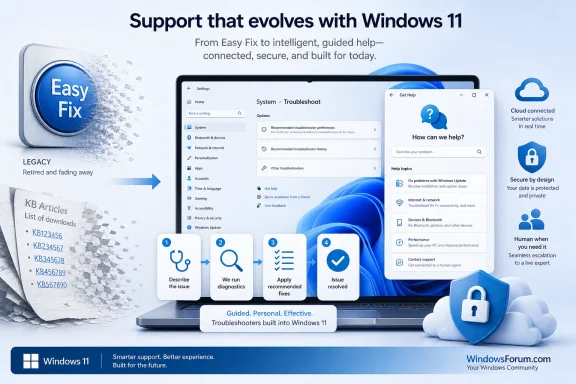 Microsoft Finally Retires the Downloadable Fix-It Culture
For a certain generation of Windows users, “Microsoft Fix it” meant reassurance. A printer queue was jammed, Windows Update was sulking, an Office setting had been mangled, or a registry permission was off by one obscure value, and somewhere in a Microsoft Support article there might be a blue button that promised to handle the ugly part. You clicked, ran the package, watched a wizard, and hoped the machine emerged a little less broken.That model belonged to a different Windows. It made sense when Windows troubleshooting lived in scattered Knowledge Base pages, when consumer support and enterprise support shared more of the same vocabulary, and when a signed Microsoft repair executable felt safer than a forum post telling you to paste commands into an elevated prompt. Easy Fix was never glamorous, but it was legible: here is the specific problem, here is the specific patch-up tool, here is the undo path if Microsoft provided one.
The discontinuation notice confirms what many users had already discovered the hard way. The old Easy Fix downloads are no longer the path forward. Microsoft’s current answer is to use troubleshooters already in Windows, and in Windows 11 especially, to use Settings and the Get Help app as the front door.
That shift is easy to describe and harder to love. Microsoft is trading the old downloadable “repair this one thing” model for a service-like support surface that can evolve without shipping a new tiny fixer for every problem. The company gets a cleaner platform. Users get fewer dead downloads, but also fewer portable tools.
The Old Button Solved a Real Documentation Problem
The strongest argument for Easy Fix was not that it always worked. It plainly did not. Windows troubleshooters and fixers have long been the target of jokes because they so often concluded with some variation of “no problem detected” while the problem continued to sit there, smirking, in Device Manager or Windows Update.But Easy Fix solved a documentation problem Microsoft has never fully escaped. Windows repair advice is often a recipe of small, dangerous actions: edit this registry key, reset this service, rename this folder, re-register this component, delete this cache, rebuild this index. A one-click repair package let Microsoft turn a fragile article into an executable procedure.
That mattered because the average user is bad at following instructions that were written for administrators, and administrators are tired of translating vendor prose into operational runbooks. Even when a fix was simple, the Easy Fix package reduced ambiguity. It said: Microsoft knows the state transition it wants, and this tool will attempt it.
The loss of that pattern creates a vacuum. A Settings troubleshooter may be friendlier, but it is not always as inspectable. A Get Help workflow may be more current, but it may also feel more like a support conversation than a deterministic repair operation. For enthusiasts and IT pros, that distinction matters.
The old packages also had an archival quality. A sysadmin could keep a known-good utility with a ticket, a wiki page, or a deployment share. A volunteer on a forum could say, “Run this Microsoft tool,” and know the advice pointed to a specific artifact. In the new model, the answer is more often, “Open the current app and follow the current flow,” which is fine until the flow changes.
Get Help Is Microsoft’s New Support Boundary
The Get Help app is not just a prettier troubleshooter launcher. It represents a different support boundary between the local PC and Microsoft’s service infrastructure. Instead of shipping every diagnostic path as a static local wizard, Microsoft can update guidance, route users through newer checks, and connect consumer repair attempts to the same support logic that underpins its broader Windows and Microsoft 365 help ecosystem.That has obvious advantages. Windows changes too quickly for every support pathway to remain frozen inside the OS image for years. Drivers, update mechanisms, Microsoft Store plumbing, account authentication, OneDrive sync, Teams integration, and Microsoft 365 activation all depend on moving parts outside a single Windows build. A cloud-connected support layer can reflect new breakages faster than a dormant executable linked from an old article.
It also lets Microsoft retire some of the cruft that accumulated over decades. The Windows troubleshooting stack has included Control Panel-era dialogs, Settings entries, command-line tools, legacy diagnostic packages, downloadable “Fix it” tools, Microsoft Support Diagnostic Tool workflows, and standalone assistants for products such as Office. The company is now trying to collapse that mess into fewer entry points.
The risk is that Get Help becomes a black box with a smile. When a repair path is mediated through an app, users may not know which commands ran, which logs were collected, which settings changed, or whether a failure happened locally or somewhere in Microsoft’s service layer. For consumer support, that opacity may be acceptable. For enterprise support, it is friction.
Microsoft’s challenge is not simply to replace old tools. It is to prove that the new experience can be trusted by people who diagnose Windows for a living.
Security Helped Kill the Romance of Local Diagnostics
The timing of Microsoft’s broader troubleshooting cleanup cannot be separated from security. The Microsoft Support Diagnostic Tool, or MSDT, became infamous after the 2022 “Follina” vulnerability, a remote code execution issue involving MSDT being invoked through a URL protocol handler from applications such as Word. That episode was a reminder that diagnostic tools are not harmless just because their purpose is repair.Troubleshooting frameworks often have elevated access, broad system visibility, and permission to collect data or alter configuration. Those are exactly the properties that make them useful when a PC is broken. They are also exactly the properties attackers look for when they want a legitimate Microsoft-signed pathway into deeper parts of the system.
Seen from Redmond, old local troubleshooters are technical debt with an attack surface. Even if Easy Fix itself is not the same thing as MSDT, the entire family of legacy repair tooling belongs to an older trust model. The old assumption was that a Microsoft diagnostic executable was a safe little helper. The modern assumption is that every helper must justify its existence, its update mechanism, its protocol handlers, and its data flows.
That is the best argument for Microsoft’s direction. A cloud-updated, centrally maintained troubleshooting platform can be patched, redirected, or retired more coherently than a sprawl of historical packages. It reduces the number of stale tools floating around the web. It gives Microsoft fewer legacy paths to harden.
But security rationale does not erase usability loss. A locked-down repair ecosystem can still be worse for an admin trying to recover a remote PC with a broken Store, a disabled consumer app stack, or no reliable internet access. Microsoft often frames modernization as a straight line from old and risky to new and better. In practice, support tools live in the messy middle, where the broken machine is precisely the one least able to use the modern support channel.
The Cloud Fix Is Awkward When the Cloud Is the Problem
There is a philosophical tension in modern Windows troubleshooting: more of the repair experience assumes the PC can reach Microsoft services at the very moment the user is trying to diagnose why something is not working. For audio, Bluetooth, activation, Store apps, or account issues, that may be acceptable. For network problems, proxy misconfiguration, DNS failures, captive portals, VPN breakage, enterprise firewall policy, or Microsoft Store removal, it can become circular.The old repair packages were imperfect, but they were often self-contained. That quality mattered in real-world support. A technician could bring the tool to the machine rather than requiring the machine to successfully participate in a cloud-guided workflow.
Windows 11’s Settings integration makes troubleshooting look native, but the path can still depend on Get Help components and service connectivity. If those components are missing, blocked, damaged, or intentionally removed from a managed image, the experience can degrade from “modern support” to “nothing happens” very quickly. Enthusiasts notice this because they strip systems down. Enterprises notice it because they standardize systems up.
Microsoft can argue that a supported Windows installation should include the supported troubleshooting components. That is reasonable in a narrow sense. It is less satisfying in the field, where support cases are full of devices that are half-managed, half-upgraded, partially debloated, imaged years ago, or inherited from someone who treated PowerShell like a weed whacker.
The question is not whether Get Help works on Microsoft’s ideal Windows 11 device. The question is how gracefully it fails on the sort of device that actually needs help.
For Windows 10 Holdouts, the Message Is Really About Time
The Easy Fix discontinuation lands differently depending on which Windows generation you are living in. On Windows 11, Microsoft can plausibly say the new troubleshooting model is the supported model. On Windows 10, the story is more transitional. On Windows 7 and Windows 8.1, it is another reminder that the support web has moved on.That matters because old Fix it and Easy Fix links often survive in forum answers, archived support pages, and third-party tutorials long after the official tool disappears. A user with an old problem may find an old article, follow an old download link, and discover that the “easy” part has evaporated. Microsoft’s advice is then to upgrade or use built-in troubleshooters where available.
For Windows 10 users, the calendar makes this sharper. Mainstream consumer support for Windows 10 has already been winding down, and Microsoft’s strategic energy is firmly behind Windows 11. Even when a Windows 10 troubleshooter remains available, the direction of travel is clear: the living support experience is increasingly built around Windows 11’s Settings and Get Help model.
That does not mean every user should confuse a discontinued Easy Fix tool with an urgent technical crisis. Most old fixers addressed narrow scenarios, and many of their underlying steps can still be performed manually by someone who knows what changed. But it does mean the convenience layer is gone.
For WindowsForum readers, the practical advice is simple: treat any ancient article promising a Microsoft Fix it download as historical evidence, not current repair guidance. The article may still describe the right subsystem. The button is no longer the plan.
Enterprise IT Loses a Small but Useful Kind of Determinism
In enterprise environments, repair tooling is judged less by friendliness than by repeatability. Can the help desk run it under standard credentials? Can it be invoked remotely? Can it write logs somewhere predictable? Can it be approved by security? Can it be packaged, blocked, audited, or explained after the fact?Easy Fix was not a full enterprise management technology, and no serious administrator mistook it for Configuration Manager, Intune, PowerShell Desired State Configuration, or a proper remediation script. Still, it occupied a useful middle ground. It was Microsoft-authored, problem-specific, and easy to hand to a lower-tier support technician.
The Get Help model is harder to fit into that workflow. It is interactive by design, often user-facing by tone, and more dependent on the current state of Windows app infrastructure. Microsoft has been moving toward command-line and enterprise-oriented support replacements in some areas, but the overall message remains fragmented: consumers should use Get Help, administrators should use modern management tools, and everyone else must infer the dividing line.
That dividing line is where Windows support gets expensive. A home user can click through a guided troubleshooter. A large organization wants a remediation it can test, stage, deploy, and roll back. The more Microsoft hides repair logic inside app experiences, the more enterprises will recreate those repairs themselves in PowerShell, remediation scripts, proactive remediations, or vendor-specific tooling.
There is an irony here. Microsoft is retiring legacy fixers partly to reduce old complexity, but the absence of portable, documented repair actions can push administrators toward their own local complexity. If the official button is gone and the official app is not automatable enough, the unofficial script wins.
The Community Will Fill the Gap, for Better and Worse
Windows communities have always thrived in the space between Microsoft’s official answer and the user’s actual problem. When a Microsoft troubleshooter fails, the next stop is often a forum thread, a Reddit post, a YouTube walkthrough, a GitHub script, or a ten-year-old blog post with a suspiciously confident registry file. The death of Easy Fix will send more users into that ecosystem.That is both healthy and dangerous. Enthusiast communities preserve knowledge that vendors abandon. They connect symptoms across hardware, drivers, Windows builds, and update histories in ways official support pages rarely do. They also produce cargo-cult fixes that get copied without context until nobody remembers what problem they were meant to solve.
Easy Fix once provided a useful trust anchor in that chaos. If a forum answer pointed to a Microsoft repair tool, even a skeptical reader had some reason to believe the action was bounded. Without that option, more support advice becomes a choice between Microsoft’s generalized troubleshooting app and a stranger’s command sequence.
This raises the bar for communities like WindowsForum. The best replacement for a dead Fix it link is not a reckless “run these commands as admin” paste. It is a clear explanation of what the old tool probably changed, how to verify whether the machine is in that failure state, and what supported Windows mechanism now addresses it.
The retirement of Easy Fix should push community troubleshooting toward better hygiene. Explain the symptom. Identify the affected Windows versions. Prefer reversible steps. Separate diagnosis from repair. Warn when a command resets broad state. Preserve the difference between “this worked for me” and “this is the documented fix.”
Microsoft’s Documentation Now Has to Work Harder
When Microsoft removes a repair executable, the support article around it has to become better, not shorter. A dead Easy Fix button should be replaced by current instructions, version-specific paths, and enough detail for a human to understand the repair. Too often, the modern support style compresses everything into “run the troubleshooter,” as if the existence of a troubleshooter ends the need for documentation.That is not enough. Troubleshooters fail. They also change. A good support page should tell users what the tool is checking, what it can fix automatically, what it cannot fix, and where to go next if it returns no result. The old downloadable model at least implied a discrete operation. The new model needs to disclose its logic more clearly.
This is especially important for Windows 11 because Settings has become the control plane for so much of the operating system. If Settings points to Get Help, and Get Help points to generic guidance, and the guidance points back to Settings, the user is trapped in a polished loop. The UI may be modern, but the support experience is not.
Microsoft has the pieces to do better. Windows can collect logs, detect known failure states, correlate update errors, and present targeted remediation. It can also expose enough of that process to satisfy advanced users without overwhelming everyone else. The company does not need to bring back Easy Fix exactly as it was. It needs to preserve the best part of it: a specific, trusted repair for a specific, known problem.
The Repair Button Became a Product Strategy
The deeper story is that Microsoft no longer wants Windows repair to be a bag of utilities. It wants troubleshooting to be a product surface. That means Settings, Get Help, cloud services, telemetry, support routing, and eventually more AI-assisted diagnosis all operating as a single experience.From a product strategy standpoint, this is coherent. Microsoft can learn which problems users report, update recommended flows, retire unsafe actions, and keep users inside a supported path. It can also nudge users toward newer Windows versions, Microsoft accounts, Microsoft Store components, and cloud-connected services. Troubleshooting becomes part of the operating system’s engagement model.
From a user standpoint, coherence is not the same as control. A person with a broken machine does not care whether the repair journey advances Microsoft’s platform architecture. They care whether the printer prints, the update installs, the network connects, or Office activates before the meeting starts.
This is the old Windows bargain in a new costume. Microsoft centralizes complexity to make the common case easier. Power users lose some knobs. Administrators lose some artifacts. Security teams gain a smaller legacy surface. Everyone hopes the new abstraction works when needed.
The discontinuation of Easy Fix is therefore not a small housekeeping note. It is a signal about where Windows support is going: away from downloadable, one-off repair packages and toward continuously updated diagnostic experiences that Microsoft can govern from the center.
The Dead Fix-It Link Is a Warning Label
The immediate practical impact is modest for many users. If you are on Windows 11 and have a common issue, Microsoft wants you to start in Settings, run the relevant troubleshooter, and let Get Help guide the rest. If you are on Windows 10, many built-in troubleshooters still exist, but the long-term direction is not in doubt. If you are chasing an old Fix it package from a legacy article, stop treating the missing download as the problem and start looking for the underlying repair.The more important lesson is operational. Windows repair advice ages. A command that made sense for Windows 7 may be destructive or irrelevant on Windows 11. A tool written for one servicing model may not map cleanly to another. A forum answer that once linked to Microsoft’s own fixer may now be a breadcrumb to nowhere.
For IT pros, this is a good moment to audit internal documentation. Search for “Fix it,” “Easy Fix,” and old Microsoft repair package names in help desk scripts, knowledge bases, and onboarding documents. Replace them with supported troubleshooters where appropriate, but do not stop there. Document the manual checks and enterprise remediation paths you actually trust.
For enthusiasts, it is a reminder to be precise. “Run the troubleshooter” is not a diagnosis. “Reset Windows Update components” is not a harmless ritual. The retirement of Easy Fix removes one layer of official abstraction, and that makes careful explanation more valuable, not less.
The Old Wizard Is Gone, but the Real Test Is Still the Broken PC
The story of Easy Fix ends with a whimper because the tool had already faded from daily Windows life. Many users will not miss it because they never knew it existed. Others will remember it mostly as one more Microsoft wizard that might or might not find anything.Still, its disappearance captures something important about modern Windows. The operating system is becoming less a collection of local components and more a managed endpoint in a Microsoft service environment. Support follows that same path. Repair is increasingly mediated through apps, cloud logic, telemetry, and version-aware guidance rather than standalone utilities.
That future can be better. A current, intelligent troubleshooter should outperform a stale executable from an archived support article. A secure diagnostic platform should be preferable to a legacy tool with risky protocol handlers. A Windows support experience that understands the actual build, policy state, and device health should beat a generic Fix it package every time.
But “should” is doing a lot of work. Microsoft has to earn the trust it is asking users to place in Get Help and Settings-based repair. That means making troubleshooters more transparent, more reliable, more automatable, and more resilient when the machine is offline, misconfigured, or partially broken.
What Windows Users Should Do Now That the Blue Button Is Gone
The practical path forward is not nostalgia. It is to adjust expectations and update repair habits around the supported Windows model. The Easy Fix era rewarded finding the right Microsoft download; the current era rewards knowing where Windows keeps its active troubleshooting surfaces and when to move beyond them.- Users on Windows 11 should start with Settings and the Get Help app for common problems, because that is where Microsoft is putting its supported troubleshooting logic.
- Users following old Knowledge Base articles should treat missing Easy Fix downloads as a sign to look for newer instructions, not as a prompt to download mirrored copies from random sites.
- Administrators should remove Easy Fix dependencies from internal documentation and replace them with tested scripts, supported troubleshooters, or management-platform remediations.
- Security-minded users should be wary of archived repair executables, even when they carry familiar Microsoft branding or appear in old forum posts.
- Community helpers should explain what a repair action changes instead of merely substituting a command-line incantation for a discontinued Microsoft button.
References
- Primary source: Microsoft Support
Published: Tue, 26 May 2026 06:30:07 Z
Windows help and learning
Find help and how-to articles for Windows operating systems. Get support for Windows and learn about installation, updates, privacy, security and more.support.microsoft.com - Official source: learn.microsoft.com
microsoft fix it center download - Microsoft Q&A
where can I download fix it center or mr. fix itlearn.microsoft.com - Related coverage: windowscentral.com
How to fix Windows 11 problems without the Recovery Assistant | Windows Central
If you previously used SaRA for automated troubleshooting, we show you how to start using Microsoft's "Get Help" command-line toolwww.windowscentral.com - Official source: microsoft.com
End of support for Windows 10, Windows 8.1, and Windows 7 | Microsoft Windows
Make a smooth transition to Windows 11 from your unsupported operating system with help from Microsoft. Enjoy the benefits of upgrading to a Windows 11 PC.www.microsoft.com - Official source: download.microsoft.com
Microsoft - Technology Support for our Older Adults Community
Global Playbookdownload.microsoft.com
- Related coverage: ghacks.net
Microsoft Support Diagnostic Tool and Troubleshooters deprecation - gHacks Tech News
Microsoft informed customers about the upcoming deprecation of the Microsoft Support Diagnostic Tool (MSDT) and Troubleshooters.www.ghacks.net
- Related coverage: tweakers.net
Microsoft stopt met diagnosetool die automatisch problemen kan oplossen
Microsoft vervangt de legacy-troubleshooter Support Diagnostic Tool, het programma waarmee Windows automatisch problemen in het besturingssysteem kon oplossen. Dat gebeurt in 2025, maar sommige troubleshooters worden eerder vervangen.tweakers.net
- Related coverage: bigtechwire.com
Goodbye MSDT, Hello Get Help: Navigating the Retirement of Microsoft Support Diagnostic Tool and Troubleshooters in Windows 11
Microsoft has announced its plans to retire the Microsoft Support Diagnostic Tool (MSDT) and the legacy inbox Troubleshooters in Windows 11. This move has been deemed necessary as the company is redir www.bigtechwire.com
- Related coverage: flagtokebvi.weebly.com
- Related coverage: rapid7.com
CVE-2022-30190: "Follina" Microsoft Support Diagnostic Tool Vulnerability | Rapid7 Blog
On May 30, 2022, Microsoft published an advisory on CVE-2022-30190, an unpatched vulnerability in the Microsoft Support Diagnostic Tool.www.rapid7.com - Security advisory: cisa.gov
- Related coverage: bitdefender.com
Technical Advisory: CVE-2022-30190 Zero-day Vulnerability “Follina” in Microsoft Support Diagnostic Tool
Quick Overview On Monday, May 30, 2022, Microsoft issued CVE-2022-30190, a zero-day remote code execution (RCE) vulnerability in the Microsoft Support Diagnostic Tool (MSDT).www.bitdefender.com - Related coverage: finra.org
Cybersecurity Alert - FINRA Notifies Member Firms of Microsoft Alert (CVE-2022-30190)
FINRA’s National Cause and Financial Crimes Detection (NCFC) Cyber and Analytics Unit (CAU) has noted a recent alert issued by Microsoft on May 30, 2022. The Microsoft alert describes a remote code execution vulnerability, named “Follina” by security analysts, related to the Microsoft Support...www.finra.org
- Related coverage: filestore.fortinet.com