

Microsoft’s plan to split Teams’ calling stack into a separate child process is finally rolling out as an operational change that could blunt the worst of the desktop client’s sluggish call start times and meeting-time resource spikes — but it’s a pragmatic containment strategy, not a cure for the underlying WebView2/Chromium memory profile that has long dogged the app.
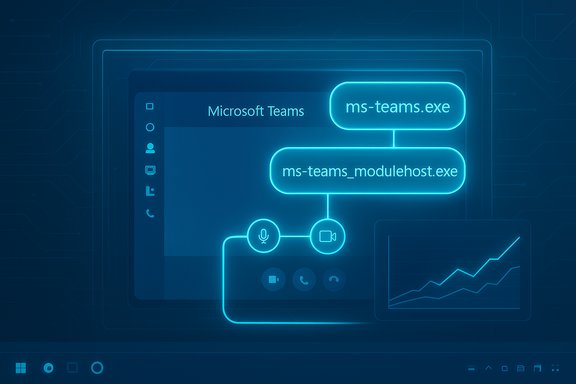
Microsoft has notified administrators via the Microsoft 365 Message Center that the Teams Desktop Client for Windows will introduce a new child process named ms-teams_modulehost.exe to handle the calling stack separately from the main application process (ms-teams.exe). The update is scheduled to begin rolling out in early January 2026 and Microsoft expects completion by late January 2026, while warning that the timetable could slip. The change is explicitly presented as an optimization to improve startup time and resource isolation for calling features. From the end-user perspective there are no workflow or UI changes promised — the new process will simply appear as a child of ms-teams.exe in Task Manager and handle call-specific duties behind the scenes. Administrators are asked to prepare by allowlisting the new executable in endpoint and security tooling and by updating helpdesk runbooks.
Key risks:
But it is not a substitute for deeper runtime tuning and memory-management improvements in the WebView2/Chromium stack. Long-term reductions in Teams’ baseline memory footprint would require either substantive WebView2 memory tuning from Microsoft or a far more ambitious move away from Chromium for the desktop client — both are heavy lifts with trade-offs in cross-platform parity and release velocity. Until those options are on the table, incremental optimisations like process-splitting are the pragmatic path forward.
Conclusion: this is an engineeringly sound, low-friction mitigation that is worth adopting and preparing for — but it should be read as part of an ongoing optimization path rather than the final solution to Teams’ performance reputation.
Source: XDA Microsoft may finally make Microsoft Teams less of a laggy mess
 Background
Microsoft has notified administrators via the Microsoft 365 Message Center that the Teams Desktop Client for Windows will introduce a new child process named ms-teams_modulehost.exe to handle the calling stack separately from the main application process (ms-teams.exe). The update is scheduled to begin rolling out in early January 2026 and Microsoft expects completion by late January 2026, while warning that the timetable could slip. The change is explicitly presented as an optimization to improve startup time and resource isolation for calling features. From the end-user perspective there are no workflow or UI changes promised — the new process will simply appear as a child of ms-teams.exe in Task Manager and handle call-specific duties behind the scenes. Administrators are asked to prepare by allowlisting the new executable in endpoint and security tooling and by updating helpdesk runbooks. Why this matters now
Teams has been a frequent target of performance complaints for years. Broadly reported measurements and community tests show that the desktop client commonly holds several hundred megabytes of RAM in normal use and can exceed 1 GB during meetings or heavy app usage. That behaviour is largely a consequence of the WebView2/Chromium runtime model Teams uses: Chromium intentionally caches data and keeps renderer processes resident to prioritise rendering performance, which increases a process’ resident set size on systems with available memory. This explains why users often describe Teams as “heavy” even when no call is active. Splitting the calling stack into its own process is a common engineering strategy for large multi-surface applications: it isolates failure domains, makes resource accounting clearer, and enables targeted QoS and scheduling for latency-sensitive components like audio and video. In theory, separating the call handler should mean that chat and UI flows are less likely to stall when the media pipeline spikes CPU or memory, and cold-start latency for calls can be better controlled.What Microsoft announced (the facts)
- A new child process named ms-teams_modulehost.exe will be created by the Teams Desktop Client on Windows and will appear under ms-teams.exe in Task Manager.
- The process is dedicated to calling features — audio, video, and other media/RTC stacks — and is intended to improve startup time for calling and isolate call-related failure modes.
- Rollout window: early January 2026 start, complete by late January 2026 for worldwide, GCC, GCC High and DoD tenants (subject to delays).
- Admin actions recommended: allowlist the new executable, update helpdesk documentation and monitoring, and ensure QoS policies that apply to ms-teams.exe also cover ms-teams_modulehost.exe.
Technical analysis — what splitting the process buys
Fault isolation and resilience
Putting the calling stack in a separate process bounds the blast radius when media subsystems misbehave. If codec initialisation, native bindings, or device drivers cause an exception or heavy memory pressure, the main ms-teams.exe process (UI, chat, files) can remain responsive while the media child process crashes or is restarted. This reduces full-client outages in meetings and allows more surgical recovery strategies.Targeted scheduling and QoS
A dedicated process enables Teams developers and administrators to apply distinct CPU priority and QoS policies to media-handling code paths. That’s particularly useful for meeting quality: the OS scheduler and network-shaping devices can prioritise the process that actually handles audio/video, improving latency under load and helping calls remain stable when other apps are busy. Microsoft explicitly calls this out as part of the admin guidance.Faster cold starts for calling features
Cold-start for call stacks includes codec loading, device enumeration, and initialization of media pipelines. If those components live in a child process, the main client can remain lighter for non-call tasks and spin up the media process only when required — reducing perceived startup time for users who primarily use Teams for chat or file collaboration. This trade-off can reduce the “I just opened Teams and everything is slow” experience for non-call scenarios.What this change does not do — important limits
It doesn't remove Chromium/WebView2 overhead
Teams’ UI and many features run inside a WebView2-hosted Chromium engine. The multi-process model and caching behaviour of Chromium remain intact and still drive baseline memory usage. Splitting the calling stack reduces interference between subsystems but doesn’t materially change how the WebView2 renderer(s) manage cache or the memory Teams will reserve for web content. Expect the UI process memory footprint to remain substantial in many scenarios.It’s not a rewrite to native code
There’s an ongoing debate about whether Teams should be rebuilt as a native Windows application. That would be a much larger effort with trade-offs in release cadence, cross-platform parity, and development cost. Microsoft’s pragmatic choice here is process-splitting — a surgical improvement that buys reliability and triage benefits but is not a systemic rearchitecture.No guaranteed universal speedup
Performance gains will be workload-dependent. On well-provisioned machines with plenty of RAM, the perceptible improvement may be small because Chromium already caches aggressively to accelerate rendering. On low-RAM or heavily contended systems, isolating the call path may reduce stalls and improve quality, but absolute memory consumption during meetings will still reflect the resource needs of processing audio and video. This rollout should be seen as a practical mitigation, not a universal performance panacea.Operational risks and admin checklist
Adding another executable brings modest but real operational work for IT and security teams. Microsoft’s notice specifically warns about allowlisting and runbook updates; the guidance is straightforward but important.Key risks:
- Endpoint security or EDR tools may flag or block the new executable, breaking calling features.
- Troubleshooting and log collection will need to account for a second process, increasing triage complexity.
- Administrators must ensure network QoS and packet marking practices extend to the new process to preserve meeting quality.
- Inventory and update allowlists and application control policies to include ms-teams_modulehost.exe alongside ms-teams.exe.
- Extend existing QoS and network shaping rules to the new process (DSCP, traffic classifiers).
- Update helpdesk runbooks and internal KB articles to reflect the new process name and explain which process handles calling vs UI.
- Pilot the rollout in a small, representative ring (users with low-RAM, conferencing-heavy teams) and monitor memory/CPU and crash rates separately for ms-teams.exe and ms-teams_modulehost.exe.
- Configure endpoint telemetry to capture process-specific telemetry: memory, CPU, crash dumps, and network metrics for the new process so you can detect regressions quickly.
Real-world expectations: what users are likely to notice
- Faster call initiation in many cases: users who launch Teams to immediately join a meeting may see shorter time-to-audio/video when the media stack initializes in a separate process.
- Better resilience: when a particular camera driver or native codec misbehaves, the main UI is less likely to lock up or crash the whole client.
- No immediate dramatic drop in idle RAM: the WebView2 renderer and other background services will still hold cached memory; expect improvements primarily during call startup and meeting-quality stabilization rather than shaving large amounts off idle memory totals.
- Machines with limited CPU headroom where media initialisation frequently spikes CPU and stalls the UI.
- Environments where call reliability is critical and call-related crashes currently take the whole client down.
- IT-managed fleets where allowlisting and QoS can be applied in a controlled manner.
Measuring success — what to track after rollout
If you pilot the change, track these metrics to judge the impact:- Time-to-join-call (cold start for calling features) before and after the update.
- Trial-level meeting quality metrics: packet loss, jitter, and MOS if available from Teams telemetry.
- Process-specific memory and CPU patterns for ms-teams.exe vs ms-teams_modulehost.exe.
- Frequency of call-related crashes and whether crashes are isolated to the module host or propagate to the main client.
- End-user reports of perceived responsiveness and number of helpdesk tickets tied to meeting startup or in-meeting freezes.
Practical user-side tips while admins prepare
Until the rollout completes and your organisation finishes allowlisting, users can use these tactics to reduce friction:- Use the web client (teams.microsoft.com) for light collaboration or when desktop calling reliability is problematic; the web client uses a consolidated browser runtime and can reduce some local binary issues.
- Turn on Teams’ app suspension features or close unused embedded tabs and apps inside Teams to reduce renderer workload.
- Disable GPU hardware acceleration in Teams if you see frequent rendering-related CPU spikes (this is situational and may help some configurations).
Broader perspective — is Microsoft doing enough?
The ms-teams_modulehost.exe change is a practical engineering step: low risk, operationally friendly, and likely to improve meeting reliability in many environments. It follows the classic software engineering pattern of isolating high-risk, high-resource subsystems to reduce systemic fragility. For teams and organisations that have been asking for immediate improvements to meeting startup and call stability, it’s welcome news.But it is not a substitute for deeper runtime tuning and memory-management improvements in the WebView2/Chromium stack. Long-term reductions in Teams’ baseline memory footprint would require either substantive WebView2 memory tuning from Microsoft or a far more ambitious move away from Chromium for the desktop client — both are heavy lifts with trade-offs in cross-platform parity and release velocity. Until those options are on the table, incremental optimisations like process-splitting are the pragmatic path forward.
What to watch for during the January 2026 rollout
- Early pilot telemetry: did call cold-start latency measurably decrease in pilot devices?
- Allowlisting friction: are major EDR/AV vendors already classifying the new process correctly or are enterprises seeing blocked calls?
- Crash patterns: where do crashes land — in the new ms-teams_modulehost.exe only, or do they still cascade to ms-teams.exe?
- Post-rollout telemetry from Microsoft: look for any high-level telemetry or follow-up Message Center posts that summarise outcomes or required adjustments. Microsoft has precedent for publishing follow-ups when a staged change introduces widespread issues; keep an eye on the Message Center ID MC1189656 for updates.
Final assessment
The planned addition of ms-teams_modulehost.exe is a sensible, engineering-driven response to a specific pain point: slow call startup and meeting-time instability. It’s likely to produce real improvements for the subset of users who suffer most from call-related slowdowns and to reduce the blast radius of media-stack failures. Administrators should prepare allowlists, QoS rules, and updated runbooks now so the rollout is smooth in January 2026. However, it’s important to set expectations: the change is a targeted containment, not a systemic rearchitecture. Baseline memory usage driven by the WebView2/Chromium renderer and Teams’ broad web-first surface will remain the dominant part of the performance story. Organisations that need smaller footprints on older or low-RAM devices will still benefit from complementary approaches — the Teams web client, app-suspension tuning, and device upgrades remain practical levers while Microsoft iterates on incremental server- and client-side optimizations. For IT teams readying for the January 2026 window: update allowlists, pilot early, monitor process-specific telemetry, and set realistic KPIs (call-start latency, crash isolation, QoS adherence). If Microsoft’s staged rollout goes smoothly and admins act proactively, this is a pragmatic win that should make many meetings feel snappier — even if it doesn’t fully quiet the long-running debate about Teams’ memory footprint.Conclusion: this is an engineeringly sound, low-friction mitigation that is worth adopting and preparing for — but it should be read as part of an ongoing optimization path rather than the final solution to Teams’ performance reputation.
Source: XDA Microsoft may finally make Microsoft Teams less of a laggy mess
