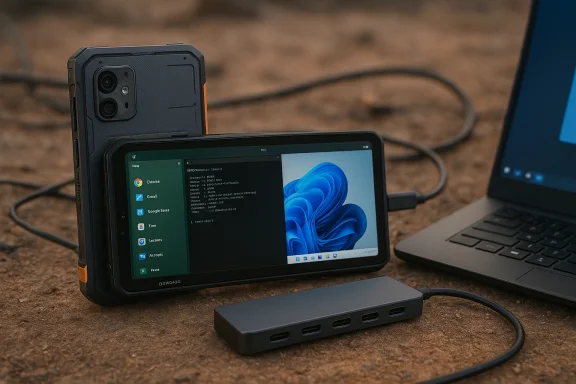
• Thread Author
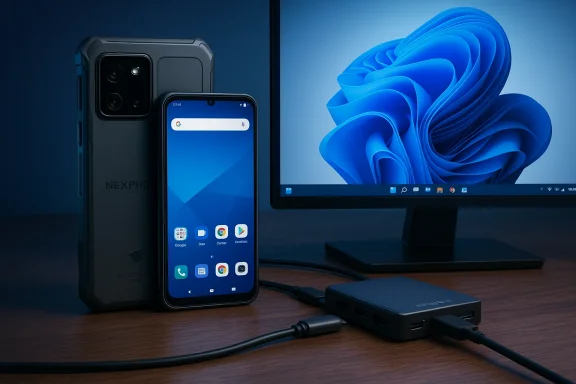
Nex Computer’s NexPhone promises to be the kind of gadget that makes tech enthusiasts grin: a midrange smartphone that’s explicitly engineered to become a full PC — running Android and Linux with desktop modes and, most unusually, able to boot into Windows 11 so it can act as a proper Windows PC when hooked to a monitor.

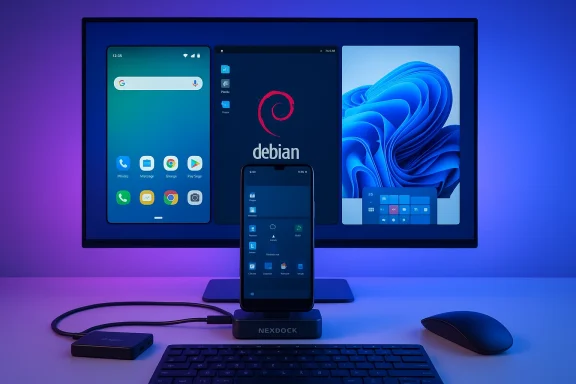
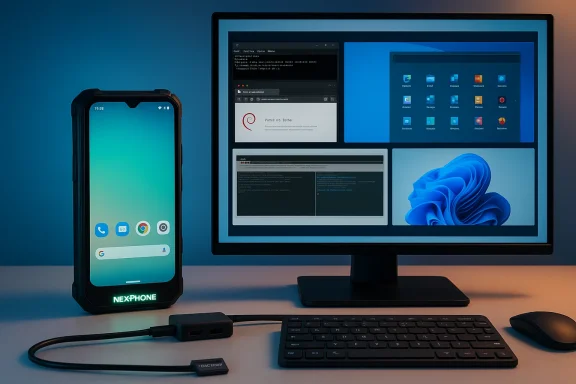
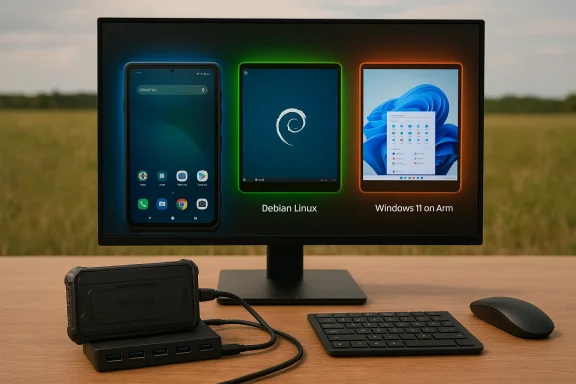
Modern desk setup with a large monitor, wireless phone dock, keyboard, and mouse.Background / Overview​

Nex Computer built its reputation on the NexDock — a laptop shell that turns compatible phones into temporary laptops — and the NexPhone is a logical, if ambitious, next step in that line of thinking. The company says the NexPhone ships with Android and an optional Linux desktop, and can dual-boot into Windows 11, delivering three distinct workflows from a single pocket device. That claim sets up a provocative idea: one device that plays the roles of phone, Linux workstation, and Windows desktop, depending on where and how you plug it in. This is not a small engineering ask. Turning a phone into a useful desktop or laptop replacement requires CPU/platform compatibility, display-out and driver stacks that can address larger monitors and standard peripherals, robust thermals and battery life, and an OS story that makes desktop-grade apps usable. Nex Computer’s choice of platform, Qualcomm’s Dragonwing-family QCM6490, is a deliberate one: that SoC appears on Microsoft’s list of Qualcomm processors qualified for Windows 11 IoT/enterprise usage — an important signal that Windows can at least be targeted for this silicon family.

What the NexPhone claims to be​

Core pitch: a phone that becomes a PC​

  • Three OS experiences: Android (with a desktop mode for monitors), Linux (runs either as an app or a desktop environment), and a separate Windows 11 boot option for a full Windows experience.
  • Dock-first design lineage: Built by the maker of the NexDock, the NexPhone’s primary use case is to be the compute engine for external displays, keyboards, mice and docking shells.
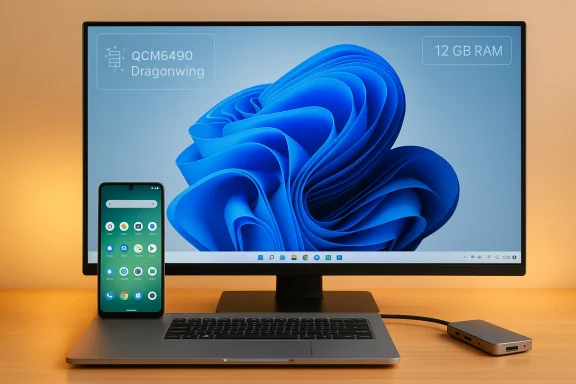
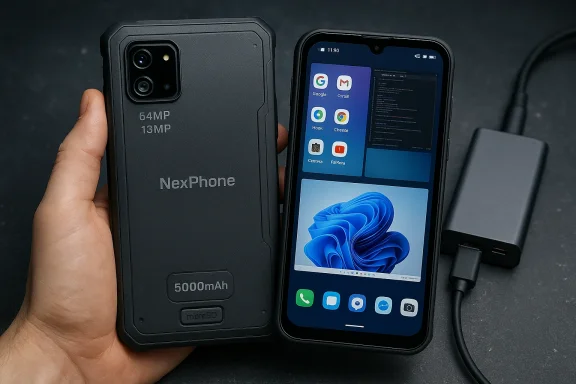
  • Hardware targets: Nex Computer told reporters it selected the Qualcomm QCM6490 because of its multi‑OS support profile and IoT/enterprise lineage; the phone is claimed to be rugged (MIL‑STD‑810H) with IP68/IP69 ingress resistance, a 5,000 mAh battery, a 64 MP rear camera and wireless charging.

Key selling points Nex Computer is pushing​

  • Windows 11 dual‑boot: When booted into Windows mode the device purportedly drops you into a standard Windows 11 desktop and can be used as a work PC.
  • Desktop modes for Android and Linux: Desktop UI when connected to a monitor (Android 16’s larger-screen features are an important enabling factor for Android desktop experiences).
  • Ruggedization and long battery life: The stated MIL‑STD and IP ratings and the 5,000 mAh battery are meant to position the phone as a durable daily driver for heavy on-the-go use.

The hardware reality: QCM6490 and the platform choice​

Nex Computer’s platform choice is central to the device’s argument. The QCM6490 (part of Qualcomm’s Dragonwing family) is listed in Microsoft’s Windows 11 supported‑processors list specifically under IoT applicability, which gives OEMs a path to produce Windows images targeting this silicon. That listing is the single most important technical verification that Windows on this class of Qualcomm silicon is feasible from a vendor‑support perspective. Why that matters:
  • Windows 11 on ARM requires platform support (firmware, boot chain, and drivers) and vendor engagement; Microsoft’s published processor compatibility lists are the practical starting point for anyone trying to ship Windows on a non‑x86 SoC.
  • The Dragonwing/QCM family is openly targeted by vendors building rugged and IoT devices that need Windows IoT Enterprise options, so it’s not a speculative silicon choice — it’s used in other Windows‑targeted devices.
Caveats:
  • Microsoft’s processor list shows IoT Enterprise applicability for QCM6490. Shipping a consumer Windows 11 desktop image in a phone form factor still requires signed drivers, validated images, firmware-level work, and — crucially — a practical solution for features Windows expects (TPM, secure boot, UEFI behavior, etc.). Those are solvable but nontrivial engineering tasks.

Software: three operating environments and what they actually mean​

Android: desktop mode and practical limits​

Android 16 has explicit work underway to improve desktop-style behavior on larger screens, which broadens the base of phones that can offer desktop-like experiences similar to Samsung DeX. Running Android in a desktop mode is a reasonably mature idea — Android has long supported external displays and windowed apps, and vendor customizations make desktop UIs polished. For the NexPhone, Android desktop is an expected starting point for phone→monitor workflows. Practical realities:
  • Android desktop is still a mobile app‑centric environment; heavy desktop apps aren’t available without a proper Windows or Linux stack, and some app workflows will remain awkward without native desktop equivalents or responsive UI adjustments.
  • Performance is limited by the phone’s thermal envelope; Android desktop works best for web, Office‑style apps, and lighter productivity tasks.

Linux: “runs as an app” and a novelty with real uses​

Nex Computer says Linux will be available as an option and can run directly on the phone (the Verge report notes it can even run as an app-sized desktop on the phone’s screen). That’s an appealing option for power users who want a traditional Linux environment without carrying a separate laptop. It’s also technically feasible because Android kernel variants and containerized Linux instances are mature patterns on mobile hardware.
Practical realities:
  • Running a full Linux desktop on a small phone screen is novel but not ergonomically ideal; the real value is in docking scenarios where you get a full desktop on an external display.
  • Driver coverage for GPU acceleration, audio, and peripherals depends on vendor support and may require Nex Computer to ship tuned images.

Windows 11: dual‑booting into a full desktop — hype vs. implementation​

The headline claim is that the NexPhone can dual‑boot into Windows 11 and run like a full Windows PC when attached to a display. There are several moving parts here:
  • Platform support: Microsoft explicitly lists QCM6490 as a supported Qualcomm processor for Windows 11 IoT/enterprise, which gives the project technical permission to target Windows on that SoC.
  • Boot and drivers: Windows needs a proper bootloader/UEFI stack, drivers for the phone’s peripherals (display controller, USB controllers, modem if present), and a way to present external displays via USB‑C or DisplayLink.
  • App compatibility: Windows on ARM uses emulation (Prism) and native Arm64 binaries to run traditional Windows apps. Emulation has improved dramatically but remains a caveat for heavy x64 apps or drivers that expect kernel‑level access. Expect pragmatic limits for specialist or driver‑dependent Windows software.
Security and platform expectations:
  • Desktop Windows expects TPM, secure boot, and other platform features in a normal PC image. Phone firmware and vendor boot chains can emulate or provide these functions, but buyers should confirm whether Nex Computer plans to ship Windows with full TPM/secure‑boot support and what edition of Windows will be used (IoT Enterprise vs. consumer Windows 11 SKUs). Microsoft’s device listings show the processor is supported; they do not guarantee that a consumer-grade Windows 11 image will simply “drop in” without vendor work.

I/O and display: DisplayLink, USB‑C and practical docking​

Nex Computer demonstrated the NexPhone connected to a monitor using DisplayLink during press demos, and said it plans to support plain USB‑C display once a driver is completed. DisplayLink is a practical and already‑deployed way to drive external displays over USB with software drivers on host devices, and DisplayLink provides an Android support guide for phone dock scenarios. What this implies for users:
  • DisplayLink is a workable stopgap for many docks and monitors, and it’s widely used by docking vendors; Android support is not universal across all phones, so driver and kernel compatibility matter.
  • Performance and limitations: DisplayLink-based output often adds CPU overhead and may limit color/decode capabilities (HDCP/protected-stream playback has known compatibility issues on some DisplayLink chains). For high‑frame‑rate gaming or HDR/DRM streams, native USB‑C DisplayPort alternate mode is preferable.

Practical UX, performance and battery questions​

Turning a phone into a desktop involves tradeoffs that are easy to understate:
  • Thermals and sustained performance: Phone SoCs are optimized for bursts, not sustained desktop-grade loads. Even if Windows boots and runs, long sessions of heavy CPU/GPU work will trigger thermal throttling — the experience won’t match a laptop with a bigger thermal envelope.
  • Battery life: A 5,000 mAh battery is large for a phone but small relative to a laptop. Expect good phone‑mode endurance, but running Windows and powering external displays will draw major energy and may require active power while docked.
  • Peripherals and drivers: Anything that needs kernel‑level drivers (specialized audio hardware, legacy printers, some anti‑cheat drivers for games) may not work under Windows on ARM unless the vendor supplies Arm64 drivers — a persistent ecosystem friction point.
  • App compatibility: Although Microsoft’s Prism emulation has significantly improved x86/x64 app coverage on Arm devices, emulation still carries performance overhead and occasional incompatibilities for driver‑heavy or very old software. Expect smooth web and Office work, and variable results for heavy creative apps and games.

Where the engineering risks are highest​

  • Drivers and validated Windows image: Microsoft’s supported processor list is a green light, not a turnkey solution. Shipping Windows reliably requires signed drivers and a validated image; missing or buggy drivers can create severe user‑experience problems.
  • Thermal and battery tradeoffs: A phone’s chassis limits sustained performance and long desktop sessions; buyers should calibrate expectations for continuous heavy tasks.
  • Ecosystem compatibility: Many peripherals and niche Windows software rely on kernel drivers that must be ported to Arm64; until those drivers exist, some workflows will break.
  • DRM and content playback over DisplayLink: DisplayLink solutions are convenient but have known DRM and performance limitations for streaming services; users who rely on HDCP‑protected content might encounter issues.
  • Regulatory and certification claims: MIL‑STD and IP claims should be validated with vendor documentation and certification tests; press‑reported spec claims are useful signals, but buyers should ask for the actual test certificates or lab results.

The Windows Phone nostalgia angle — design vs. reality​

Nex Computer reportedly built a lightweight mobile UI for Windows mode using progressive web apps to evoke the look and feel of Windows Phone when the device is used as a handset. This is explicitly a superficial UX decision rather than a full platform revival: Nex Computer had to rely on progressive web apps because Microsoft deprecated its Windows Subsystem for Android (WSA) in early 2025, removing one cross‑platform integration vector. The WSA deprecation is an important ecosystem fact: Microsoft ended official support for WSA (and the Amazon Appstore on Windows) on March 5, 2025, which changes how Android apps can be integrated into Windows and explains why Nex Computer took this web‑app approach.

Pricing, availability and financial footnotes​

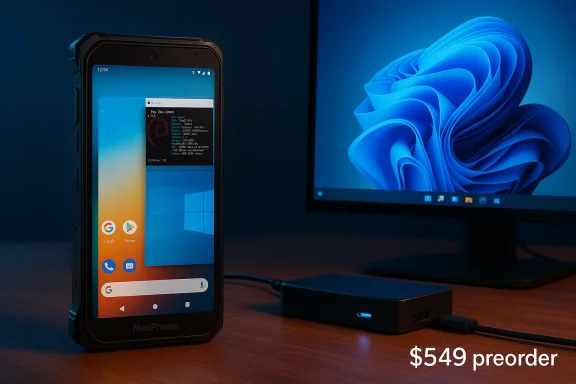
Nex Computer told reporters it expects to ship the NexPhone in Q3 2026 and priced it at $549 with refundable reservation deposits of $199 being accepted in preorders. These are vendor claims and, as with any prelaunch hardware program, carry the usual caveats around schedule slippage, final spec changes, and shipping region limitations. Preorders with refundable deposits are common for small OEMs trying to fund production but buyers should treat them like a reservation rather than a final sale.

Who should care and who should wait​

  • Tinkerers, mobile power users, and developers will find the idea irresistible: a single pocket device you can test Linux or Windows images on, or use as a portable dev machine. The NexPhone’s flexibility is precisely its appeal for people who enjoy tinkering with OSes and workflows.
  • Enterprise/IT buyers should wait for validated images, signed drivers, and formal lifecycle/support commitments before considering NexPhone for production rollout — especially where Windows‑only apps or certified peripherals are required.
  • Mainstream users are likely better served by a conventional laptop or a vendor with a longer track record of shipping Windows‑on‑Arm devices, at least until NexPhone ships and independent reviews confirm how well the multipurpose claims hold up in real life.

Strengths: why this matters​

  • Cross‑OS versatility: If Nex Computer pulls this off, the NexPhone would be a unique consumer device that actually executes three real desktop workflows, offering a compelling single‑device story for people who switch contexts constantly.
  • Platform engineering signal: Choosing QCM6490 and demonstrating DisplayLink connectivity shows the makers understand the platform and ecosystem constraints, and are targeting silicon that Microsoft explicitly allows vendors to use for Windows images.
  • Niche but meaningful market fit: For users who already rely on DeX‑style workflows or portable docking shells, a phone that ships with first‑class desktop options on multiple OSes is an elegant consolidation.

Risks and unanswered questions​

  • Driver, firmware and Windows image maturity remain the largest technical unknowns; Microsoft’s supported‑processor list is necessary but not sufficient to guarantee a smooth Windows desktop experience.
  • Long‑term support and updates: Who will maintain Windows and Linux images, provide security updates, and release drivers as the phone ages? Small OEMs sometimes struggle with long‑term driver/firmware maintenance.
  • Real‑world performance: Bench tests of running Windows 11 desktop apps on a phone‑sized Dragonwing device don’t yet exist publicly; sustained workloads, emulation costs, and thermal limits will define the practical ceiling.
  • Certification and claims verification: The device’s MIL‑STD and IP certifications, battery endurance in real use, and camera performance should be validated in independent reviews before buyers commit.

Bottom line​

Nex Computer’s NexPhone is an intentionally bold experiment: it takes a realistic path to achieving multi‑OS versatility by picking a Qualcomm Dragonwing part that Microsoft documents as suitable for Windows targeting, leaning on established technologies like DisplayLink for external displays, and offering Linux as an adventurous alternative to the typical phone software stack. That engineering direction is sound in principle and technically plausible. However, feasibility is not the same as polish. The big hurdles are the usual ones for any attempt to collapse laptop and phone form factors into one product: driver and firmware maturity, thermal and battery engineering, and the day‑to‑day reliability of the Windows experience on an Arm phone chassis. Buyers and IT pros should treat early preorder claims with cautious optimism and wait for independent hands‑on reviews and validated Windows/Linux images before treating the NexPhone as a drop‑in laptop replacement. If the NexPhone ships as promised and the vendor delivers a supported Windows image, signed drivers and a decent dock story, it could be one of the most interesting experiments in mobile computing in years — a genuine first step toward the “phone as your whole dang computer” ideal. Until then, it’s a compelling proof of concept that will live or die on the details.
Source: The Verge This midrange Android phone also runs Windows and Linux
 

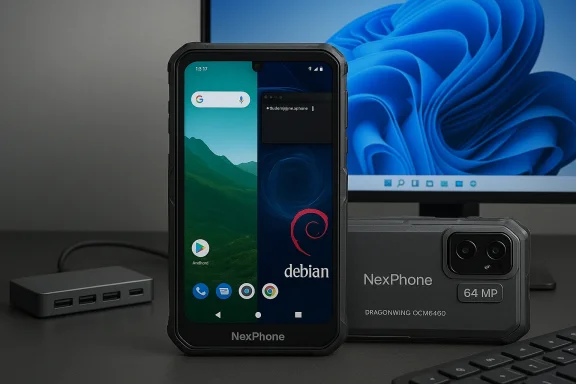
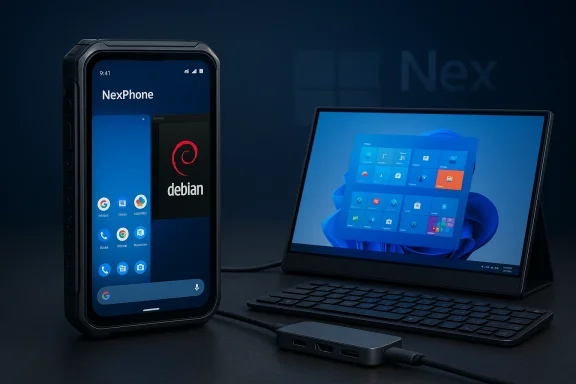
Nex Computer’s NexPhone promises to collapse the gap between pocket and desktop by letting one handset run Android, a full Debian Linux desktop, and even boot Windows 11 — a bold bid to turn a mid‑range smartphone into a genuine “desktop replacement.”

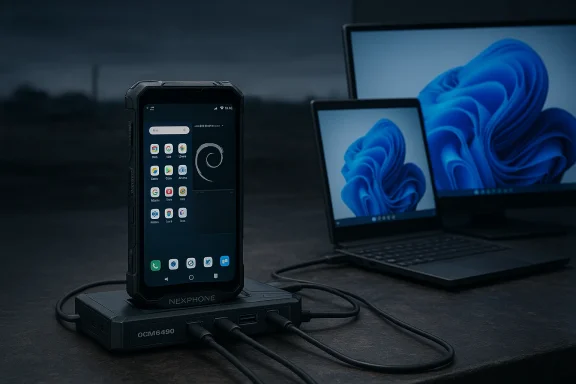
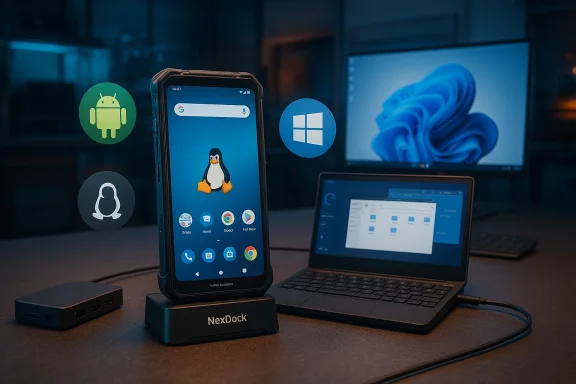
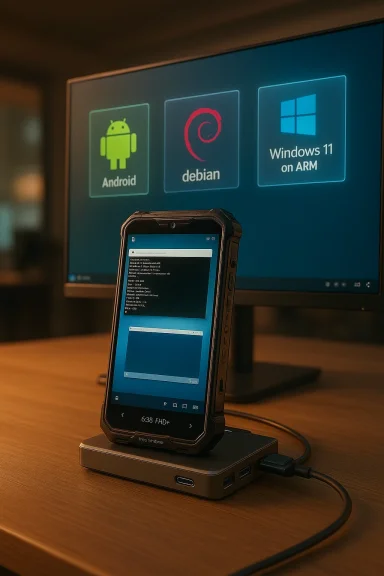
Phone on a NexDock dock in front of a monitor displaying Android, Debian, and Windows.Background: why the phone-as-PC idea keeps resurfacing​

For more than a decade, vendors and tinkerers have chased the same ambition: use a single mobile device as both a phone and a fully capable workstation. Samsung DeX, Motorola Ready For, and Microsoft’s various Phone‑to‑PC projects showed the potential for continuity between small and large screens, but each solution has had trade‑offs in performance, app compatibility, or ecosystem lock‑in.
Nex Computer is taking a different tack: instead of one “desktop mode” layered on top of Android, the NexPhone is being positioned as a multi‑OS device. Nex’s pitch is simple and blunt — run Android for mobile life, launch Debian Linux as a desktop app, or reboot into Windows 11 when a full Windows environment is required. That sort of multi‑OS flexibility, if delivered reliably, would be genuinely disruptive to how many people think about the devices they carry.

Overview: what NexPhone claims to deliver​

The company describes three core modes:
  • Android 15 (mobile) — the day‑to‑day phone experience with access to Android apps and Android Desktop Mode when connected to external displays.
  • Debian Linux (desktop app) — a full Linux desktop that runs as an app inside Android for quick context switches and desktop productivity without rebooting.
  • Windows 11 (full boot) — an installable Windows 11 partition that requires rebooting the phone into “Windows mode,” including a custom tile‑based mobile UI for handheld use and a traditional desktop UI for large‑screen use.
Nex Computer also positions the NexPhone as a docking‑friendly device: plug into a USB‑C monitor or NexDock and you can use the phone with keyboard and mouse, choosing the OS that best fits the task. The company says shipments will start in Q3 2026 and that a refundable reservation deposit of $199 secures a $549 final price.

Hardware snapshot (claims versus contradictions)​

Nex’s public specs and press coverage present a familiar mid‑range sheet, but there are inconsistencies between sources that buyers should note.
Key hardware claims on Nex’s official tech page include:
  • 6.58‑inch LCD at 1080 × 2403, 60–120 Hz.
  • 12 GB RAM, 256 GB internal storage, and a microSD slot for expansion.
  • Qualcomm QCM6490 SoC (the industrial/IoT variant).
  • 4,200 mAh battery (official page) with fast and wireless charging.
  • Cameras: 64 MP main, 13 MP ultrawide, 10 MP front.
  • USB‑C ports and a five‑port USB‑C hub included in the box.
Independent coverage adds or modifies some details: early press reports describe a 5,000 mAh battery and note ruggedization standards in demo units, but those claims differ from the official spec sheet. That means some published numbers are still in flux between press demos and the vendor’s live specs. Readers should treat battery capacity and a small number of other figures as provisional until final retail units ship.

The weird (and crucial) silicon choice: Qualcomm QCM6490​

The NexPhone uses the Qualcomm QCM6490, a “long‑life” chip originally marketed for industrial IoT and rugged handhelds rather than flagship phones. The QCM6490 is not a new architecture — it’s closely related to mid‑range Snapdragon designs and has been used in the Fairphone 5. Industry coverage of the Fairphone 5 makes the QCM6490’s characteristics clear: it’s a competent mid‑range 6 nm part with a mix of Cortex‑A78 and A55 cores, and it trades top‑end burst speed for extended vendor support cycles. That extended support is precisely why smaller OEMs adopt it for long‑life projects. Practical effect: the QCM6490 is capable for everyday Android tasks and moderate desktop workloads, but it is not a Snapdragon flagship silicon. Expect sustained‑workload, heavy compile, or high‑frame‑rate gaming scenarios to run slower than on modern flagship SoCs. This matters more because Nex wants the phone to act as a Windows 11 or Linux desktop — workloads that are much more demanding than typical smartphone tasks.

Software architecture: how Nex claims the three‑OS model works​

Nex’s approach appears to be a hybrid of containerization for Linux and true partitioned dual‑boot for Windows:
  • Debian Linux as an app: Debian runs on top of Android (or within a containerized environment) so users can “pivot” to a full Linux desktop without rebooting. This mirrors other mobile‑to‑desktop efforts that host desktop environments inside Android. It promises rapid context switching and shared access to Android files when appropriate.
  • Windows 11 on a separate partition: Windows is said to live on a separate partition, requiring a reboot to enter. That separation preserves Android data integrity but introduces boot time and compatibility trade‑offs. Nex has reportedly built a custom tile‑based UI for small‑screen Windows use (intended to echo the feel of older Windows mobile experiences) and leverages DisplayLink/USB‑C for large displays.
  • Desktop connectivity: Android Desktop Mode and Linux claim to share files natively, while Windows will operate on its own partition and filesystem. When connected to a monitor, users can pick Android Desktop Mode, Debian desktop, or Windows 11 desktop. Peripheral support is promised via USB‑C/DisplayLink.
Important caveat: running Windows 11 on phone‑class hardware requires robust drivers, boot firmware (UEFI), and, crucially, support for Windows on ARM. Many of the earlier community experiments to run Windows on phones involved extensive manual driver injection and custom UEFI builds. Nex’s claim to supply a “turnkey” Windows 11 partition depends on reliable driver stacks and long‑term firmware maintenance — the real engineering heavy lifting behind the marketing.

What the NexPhone does well on paper​

  • Choice and flexibility. Offering three mainstream OS environments — Android, Debian Linux, and Windows 11 — is unprecedented for a mainstream phone. For power users who truly want a single device for both mobile and desktop work, the NexPhone promises unmatched flexibility.
  • Update longevity (claimed). Nex’s positioning — and Qualcomm’s QCM6490 heritage — implies extended driver support relative to typical consumer silicon, which could make long‑term software maintenance easier. That’s why other niche vendors used the same SoC to promise multi‑year support windows.
  • Practical price point. A $549 final price (with a refundable $199 reservation) is competitive for a mid‑range phone that also claims desktop functionality. If the software side works, that price undercuts many purpose‑built mobile workstations and convertible devices.
  • Accessibility to Linux. Making a full Debian desktop available as an app (rather than requiring a full dual‑boot) lowers the barrier for developers and sysadmins who need terminal and native Linux tools on the go.

The risks and where skepticism is warranted​

  • Performance ceiling of the QCM6490. The QCM6490 is an industrial/mid‑range chip that favors longevity over peak performance. While it’s competent for Android and light Linux desktop work, it is not a flagship silicon — sustained desktop workloads, virtualization, and heavier Windows applications will be constrained. Historically, devices built around the QCM6490 deliver middling benchmarks and slower app load times compared with modern flagship SoCs. Buyers hoping to run heavy Windows workloads will likely be disappointed.
  • Windows on ARM and driver support. Windows on ARM is improving, but compatibility and driver availability remain fragile for non‑standard hardware. The success of a preinstalled Windows 11 partition depends on quality drivers for the SoC, GPU, modem, display, and power management — drivers that must be actively maintained. If Nex cannot deliver timely firmware and driver updates, Windows mode will be buggy or unusable. That’s not just hypothetical — prior community efforts to run Windows on phones required custom driver injection and produced inconsistent results.
  • Conflicting and shifting specifications. Published claims vary between Nex’s official page and press coverage. For example, Nex’s official tech sheet lists a 4,200 mAh battery and Android 15, while some press demos report a 5,000 mAh battery and Android 16. These inconsistencies suggest the product page, press materials, and demos may reflect different hardware revisions or pre‑production units. Any outstanding differences should be clarified before purchase. Treat early specs as provisional.
  • Thermals and battery life under desktop workloads. Running a full desktop OS, particularly Windows 11, will change thermal and power dynamics. Phones are thermally constrained; sustained Windows use could lead to throttling, elevated surface temperatures, and reduced battery life — issues that are hard to predict until independent testing of a retail unit. Community reports of Windows‑on‑phone prototypes show high temperatures under load; expect similar behavior unless Nex adopts an unusually aggressive thermal design.
  • Security model and partition isolation. Splitting storage between Android and Windows partitions can be safe, but it complicates backups, encryption, and update chains. Users must understand how device encryption, boot authentication, and update signing work across the three OSes. If Windows updates or Debian package upgrades require firmware changes, update coordination could be a long‑term logistical headache.
  • App compatibility expectations. Even when Windows runs, x86/x64 legacy applications may rely on emulation layers or be unsupported on ARM. While Microsoft has improved emulation on Windows on ARM, performance and compatibility are not perfect. Users planning to run specific legacy Windows software should confirm compatibility on ARM before committing to NexPhone as a primary workstation.
  • Supportability and warranty cadence. Nex is a small vendor compared with Apple, Samsung, or Google. Multi‑OS devices require ongoing firmware and driver maintenance. Buyers should scrutinize warranty terms, software update commitments, and developer / community support plans. Smaller teams can ship innovative products, but long‑term support is the hardest part of this vision.

Real‑world use cases where NexPhone could shine​

  • Field engineers and sysadmins who need a Linux shell and local Windows tools in one compact package. The ability to carry Debian productivity tools and Windows‑only admin utilities in a single pocket is compelling.
  • Traveling professionals who want to check luggage at the gate and use one device for phone, presentations, and in‑hotel desktop work. The $549 price point makes a single‑device workflow attractive.
  • Developers and makers who like to test on multiple OSes without juggling multiple machines. Booting into Debian for local builds and Windows for app testing could streamline workflows.
  • Budget‑conscious power users who want near‑desktop functionality without buying a separate laptop — provided they accept the performance trade‑offs.

What to verify before reserving or buying​

  • Confirm the final retail specifications on Nex’s official product page and in independent hands‑on reviews (battery capacity, Android version, RAM, and exact I/O). The vendor page and press coverage currently differ on several counts.
  • Ask for a clear Windows support statement: what drivers will be maintained, how Windows updates will be delivered, and whether Windows on ARM features like app emulation and virtualization are supported.
  • Request details on warranty and software update commitments, including the expected frequency of firmware and driver updates.
  • If you have mission‑critical Windows apps, verify ARM compatibility with the vendors of those apps or test them on an ARM Windows machine before assuming full parity.
  • Seek early third‑party reviews (performance tests, thermal behavior, sustained battery runs) once reviewer units ship in Q3 2026. Early hands‑ons and community testing will reveal whether the multi‑OS promise holds in practice.

How NexPhone compares with alternatives​

  • Samsung DeX and Motorola Ready For deliver polished Android‑to‑desktop experiences that are well‑integrated with current flagship hardware and drivers. They do not, however, offer a full Windows boot option. NexPhone’s unique selling point is the addition of a true Windows 11 partition and a first‑class Debian desktop — if the engineering is solid.
  • Laptop replacements (lightweight Windows laptops, ARM laptops) offer a more predictable Windows experience with established thermal envelopes and larger batteries. NexPhone’s portability is its advantage; raw performance and compatibility still favor laptops.
  • Community Windows‑on‑phone projects have shown what’s possible but also highlighted the fragility of ad‑hoc driver work. Nex’s commercial approach could solve those issues — again, the key test is whether Nex can commit to drivers and maintenance at scale.

Verdict: promising idea, high execution bar​

The NexPhone is one of the most ambitious “phone as PC” proposals in recent memory: a relatively affordable mid‑range handset that claims to run Android, Debian Linux, and Windows 11, switching between modes to suit vastly different workflows. If the software engineering and driver support are solid, the device could be a game‑changer for a specific class of users — developers, mobile professionals, and anyone who wants one device that can truly replace multiple computers. But there are significant unanswered questions. The choice of the Qualcomm QCM6490 SoC trades peak performance for extended support — sensible for long‑life projects, but limiting for heavyweight desktop and Windows workloads. The history of Windows‑on‑phone experimentation shows that drivers, thermals, and update chains are the most common failure points. Nex’s current materials show conflicting specs (battery capacity and Android version among them), which indicates the product is still in flux. Buyers should treat reservations as speculative until thorough independent reviews confirm retail performance and software maturity.

Practical buying checklist (quick)​

  • Confirm final specs on the retailer page.
  • Ask about exact Windows‑on‑ARM support and driver maintenance.
  • Wait for independent reviews showing sustained thermal and battery behavior.
  • If you rely on legacy Windows apps, validate compatibility before committing.

The NexPhone is a clear statement of intent: mobile computing should be more than email and social apps — it should be capable of real desktop work. That vision will win converts only if the engineering and support follow through. The next six months — from preorders to shipping in Q3 2026 — will determine whether Nex has built a practical bridge between phone and PC, or an interesting prototype hamstrung by the realities of drivers, thermals, and OS complexity.
Source: Android Authority This smartphone runs Android, Linux, and even Windows 11
 

Almost a decade after Microsoft quietly exited the smartphone market, a small Hong Kong company has put a provocative idea back on the table: what if a single pocket device could genuinely be a phone, a Linux workstation, and a full Windows 11 PC? Nex Computer’s NexPhone promises exactly that — a midrange handset that ships with Android and a Debian-style Linux desktop, and can reboot into Windows 11 on ARM to become a full Windows machine when you plug it into a monitor. The pitch is simple, daring, and inherently risky: one device, three operating systems, one price that undercuts many ultraportable laptops. The details matter, though, and a close read of company materials and independent reporting shows a mix of careful engineering choices, sensible trade-offs, and unanswered questions that buyyers should weigh before they hand over a deposit.

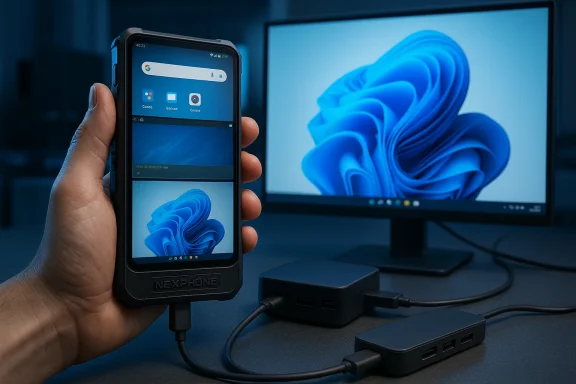
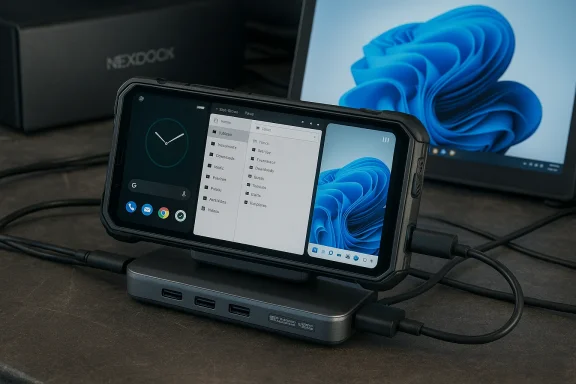
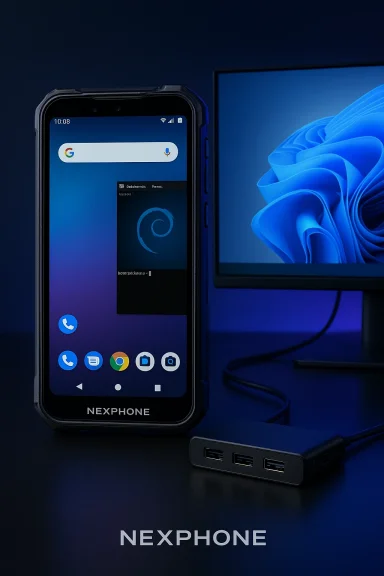
Rugged phone in a case connected to a USB-C hub, with a blue swirl wallpaper on a nearby monitor.Background / Overview​

Nex Computer started life making laptop shells — the NexDock family — that convert phones into laptop-like devices by providing a display, keyboard and touchpad while the phone supplies the computing. The NexPhone is Nex’s leap to being the compute engine itself: a phone designed from the ground up to be docked, to run multiple OSes, and to be useful as a desktop replacement for many everyday tasks. The company frames the NexPhone as a pragmatic answer to the long-standing "phone-as-PC" idea: run Android for daily mobile life, fire up a full Linux desktop (Debian) for development or web-first workflows, or reboot into Windows 11 when you need native Windows apps and a traditional desktop. That promise is backed by explicit hardware and software choices. NexPhone uses Qualcomm’s QCM6490 (a Dragonwing-derivative) silicon — a chip family Nex says enjoys extended platform support from Qualcomm and is positioned to be compatible with Windows 11 on ARM — and the company pairs it with 12 GB of RAM and 256 GB of internal storage. Nex is promoting robust connectivity and docking features, and it bundles a five-port USB-C hub to help customers run the phone as a PC out of the box. Independent outlets that reviewed Nex’s announcement confirm those core claims.

Hardware: verified specs, and the things that don’t quite line up​

Core hardware confirmed​

Nex Computer’s marketing and the early reporting consistently describe the NexPhone as a midrange phone with the following headline hardware:
  • SoC: Qualcomm QCM6490 (Dragonwing-class chipset), chosen for multi‑OS compatibility.
  • Memory & Storage: 12 GB RAM, 256 GB internal storage, microSD expansion (company says up to 512–768 GB in different copy blocks).
  • Display: 6.58‑inch 1080p-class LCD with up to 120 Hz refresh support.
  • Main camera: 64 MP wide sensor using Sony’s IMX787, plus a 13 MP ultrawide and a 10 MP front camera.
  • Wireless & charging: 5G, wireless charging, and 18W fast wired charging listed in company materials.
  • Durability: Ruggedized design with MIL‑STD‑810H claims and IP68/IP69K dust/water protection.
Multiple news outlets repeated those specifics shortly after Nex published its pages, providing independent confirmation that these are the claims Nex is making.

Conflicting details worth flagging​

When you look deeper, a few important technical points are inconsistent across official pages and third‑party reporting — and those discrepancies matter to buyers.
  • Battery capacity: some Nex marketing pages and initial reporting list a 5,000 mAh battery, while a separate technical-spec page lists 4,200 mAh. That’s a material difference for anyone relying on long docked sessions or prolonged Windows usage. At present the company materials and the technical page are both public; the contradiction is unresolved in Nex’s documentation. Treat any battery figure as provisional until Nex publishes final retail specs.
  • Display technology: most outlets and Nex’s headline pages call the panel a smooth 120 Hz display, but a tech-spec page identifies the panel as an LCD (1080×2403). Buyers should not assume OLED — Nex’s choices prioritize cost and battery longevity but are different from many high-end flagships. Confirm final panel type on the retail listing before buying.
  • Storage expansion limits: different Nex pages vary on microSD capacity and how the expansion interacts with multi‑OS partitions. This matters if you plan to install large Windows apps or store many virtual machines. Confirm the final microSD ceiling on the product page that ships with the retail SKU.
These kinds of internal inconsistencies are common with prelaunch devices, but they’re precisely the details that make a difference if you plan to use this phone as a true desktop replacement.

The multi‑OS experience: how NexPhone proposes to juggle Android, Linux, and Windows​

Android and Linux: running side‑by‑side​

NexPhone ships with Android (advertised as native Android 16) and offers a fully integrated Linux desktop that can run inside Android without rebooting. Nex’s pitch is that Linux acts as a desktop application (Debian flavor) with hardware-accelerated graphics, file sharing between Android and Linux, and full desktop browsers and productivity apps — useful for developers, sysadmins, and people who prefer traditional desktop tooling without giving up Android mobile life. That live-switching between Android and Linux is one of the more practical parts of the Nex story: it avoids costly reboots and gives a real desktop when you need one.

Windows 11: reboot to switch​

Accessing Windows 11 on the NexPhone is not an instantaneous mode switch — it requires a reboot into a separate Windows partition. When booted into Windows mode, NexPhone presents a Windows 11 desktop suitable for monitors and lapdocks; Nex has also built a Mobile UI layer designed to emulate the old Windows Phone grid for casual handheld use, but that is implemented using progressive web apps rather than a native Windows mobile shell. The upshot: you can run native Windows apps when you need them, but you should expect a reboot and the thermals, drivers, and battery characteristics of a phone running a desktop OS to shape real‑world performance.

Why Nex chose the QCM6490 — and what that means in practice​

Nex’s choice of the Qualcomm QCM6490 is deliberate. This chipset sits in Qualcomm’s “enterprise / extended support” lineup and is being pitched as a platform that Qualcomm will support with long‑life updates and drivers (Nex claims Qualcomm support through 2036 for the platform). Qualcomm’s extended-life silicon is also the class Microsoft has shown willingness to accommodate for Windows on ARM projects, which helps explain Nex’s decision. Independent reporting picked up the same logic: long‑life chipset + practical performance on midrange nodes = fewer surprises for a multi‑OS product. That said, QCM6490 is not a flagship Snapdragon‑level performance part. The trade-off is longevity and driver stability rather than peak single‑thread performance. For people who expect desktop‑class computational throughput (heavy compiling, virtualization, large Excel models, modern gaming) from a pocket device, this chipset will limit expectations. For web-first productivity, terminal work, and many office tasks, it can be perfectly adequate — provided the thermal and driver stack are well-built.

Practical questions: docking, peripherals, and daily workflows​

  • Docking and external displays: Nex demonstrated the NexPhone driving monitors via DisplayLink during early demos and claims native USB‑C display support is coming once drivers are completed. Practically, expect a two‑tiered experience: Android desktop mode and Linux desktop likely to be fairly smooth; Windows mode will be aimed at external displays and full-size keyboards/mice.
  • Peripherals & bundle: the company bundles a 5‑port USB‑C hub to simplify connecting keyboards, mice, storage, and an HDMI/DisplayPort output. That’s a pragmatic move to reduce friction for buyers who want a “laptop in a pouch.”
  • Battery & thermals in real use: even if the final battery is 5,000 mAh, running Windows 11 workloads will draw substantially more power than casual Android usage — and early community experiments running full Windows variants on phones have shown rapid battery drain and heating issues. Those historical experiments are informative: enthusiasts have successfully booted Windows 11 on phones, but runtime and thermal stability varied widely and often fell short of daily-driver expectations. Use cases that require prolonged Windows CPU/GPU load (video editing, sustained compiling) are the riskiest.

Software compatibility: where Windows on ARM stands today​

Windows on ARM has improved, with translation layers and drivers making more applications feasible on Arm64 devices. Yet the landscape still has constraints:
  • App compatibility: Many legacy x86/x64 apps run through translation layers (Prism/emulation) or Arm-native builds; performance and compatibility vary by application. Users who rely on niche device drivers, kernel‑mode software, or anti‑cheat systems for mainstream titles should test compatibility before committing to a mobile Windows solution.
  • Windows Subsystems and runtime support: Some runtime bridges (for example, Windows Subsystem for Android/WSA) have undergone changes and even deprecation in recent years, highlighting the fragility of complex compatibility stacks. Nex addresses this by focusing on a native Windows 11 image and a web‑app–based mobile UI, but that approach trades off deep app integration for a lighter-weight, web-first mobile experience. Buyers should verify which Windows features (WSL, WSA, virtualization) are supported on the final retail image.

Pricing, reservation terms, and the startup risk calculus​

Nex lists a retail price of $549 and offers a $199 refundable reservation to lock that price. That positioning is aggressive: $549 undercuts many ultraportables and laptop-first thin-and-light systems, making the NexPhone an attractive proposition for budget-conscious pro users. But there are standard caveats with crowdfunded / pre‑order style launches:
  • Delivery risk and timeline slippage: Nex states a target shipping window (often Q3 2026 in press reporting), but start-ups frequently revise timelines. The deposit model locks a price but doesn’t eliminate delays.
  • Spec finalization and firmware maturity: Prelaunch pages can contain mixed or evolving specs (as seen with battery numbers). Reserve deposits typically get you priority units, but final retail firmware and driver stacks may differ from announcement demos.
  • Support & returns: the value of a device that promises three OSes heavily depends on long‑term driver and firmware support. Nex points to Qualcomm’s long‑life support window as reassurance, but buyers should demand explicit commitments around Windows driver updates and the company’s roadmap for Linux and Android security patches.
The NexDock / Nex Computer store also uses incrementally revealed shipping windows and deposit terms on other products; that history is useful to interpret the NexPhone reservation model, but it’s not a warranty of timetable or software completeness.

Strengths: where NexPhone could deliver genuine value​

  • Practical multi‑OS flexibility: a seamless Android + Linux desktop switch without reboot is genuinely useful for power users who want a pocket development environment alongside a normal phone. That’s a realistic, day‑one productivity win.
  • Dock‑first design DNA: Nex Dock’s history building laptop shells gives Nex Computer design and user‑experience experience that many startups lack. Packaging a hub and focusing the product around docking reduces friction for buyers.
  • Aggressive price / hardware trade‑offs: by choosing a midrange chipset and an LCD panel, Nex keeps price down while promising a workable Windows experience on external displays. For a large segment of productivity users, this is a pragmatic compromise.
  • Ruggedized build and long‑life platform claims: military testing and the QCM6490’s extended support pitch could appeal to field technicians, enterprise deployments, and industrial uses where longevity and physical resilience matter.

Risks and limitations: the things that could make this device niche​

  • Driver and firmware complexity: multi‑OS support multiplies the driver surface area. GPU, modem, camera, and display drivers must be stable across Android, Linux and Windows partitions — a heavy engineering burden. Historical community experiments and even manufacturer-led projects have shown this to be a primary failure point.
  • Thermals & battery under Windows workloads: sustained desktop workloads consume more power and produce more heat than mobile OS tasks. Early community ports of Windows to phones showed rapid battery drain and heating. Expect constrained sustained performance compared to laptops with bigger thermal envelopes.
  • App compatibility and subtle limitations: the Windows ecosystem is broad; not every legacy app will behave well on Arm64 or within a mobile hardware profile. Anti‑cheat, kernel‑mode utilities, and niche device drivers remain potential showstoppers for specific workloads.
  • Prelaunch spec uncertainty: the battery capacity discrepancy and multiple microSD and storage claims signal that some product details may still be fluid. Buyers who need specific guarantees (e.g., minimum battery life or verified virtualization support) should wait for review units and independent testing.

How to judge whether the NexPhone is for you​

  • If you want a single device for light-to-medium Windows desktop work and mobile life: the NexPhone could be transformative, especially if you primarily work with web apps, Office documents, terminal sessions, and remote desktop tools. The dock-centric design and bundled hub are practical enablers.
  • If your workflow demands heavy native Windows apps, consistent thermal headroom, or certified anti‑cheat compatibility for gaming: a conventional laptop or desktop is still the safer, higher‑performance choice today. The NexPhone’s chipset and phone form factor will be limiting for sustained heavy workloads.
  • If you’re an enthusiast who likes to tinker and is comfortable with early firmware updates: reserving a unit at deposit price could be reasonable, but expect that early software might require iterative fixes. For strict business-critical deployments, wait until independent reviews verify the update cadence and driver stability.

The bigger picture: does this revive Windows Phone or simply reframe Continuum?​

NexPhone is unlikely to resurrect the classic Windows Phone ecosystem — that era depended on platform‑level developer commitment, app store economics, and carrier/OEM relationships that are not part of Nex Computer’s plan. Instead, Nex frames the device as a continuum-first productivity tool that happens to be capable of running full Windows when required. The “Windows Phone nostalgia” angle (Nex’s Mobile UI mimics the old grid-style Start) is mostly aesthetic and delivered via web apps; the substantive value is being able to carry a Windows 11‑capable device in your pocket that becomes a desktop when you need it. That’s distinct from a full platform revival and is, arguably, a more realistic commercial proposition.

Final verdict — cautious optimism, but verify before you buy​

NexPhone is one of the most interesting "phone-as-PC" experiments to enter the market in years. Its hardware choices and dock-centric DNA are thoughtful, and the price point of $549 makes the proposition accessible. The inclusion of Linux as a no-reboot desktop and a pathway to a full Windows 11 installation are practical differentiators.
However, the product is still in its pre‑retail phase. There are unresolved spec inconsistencies (notably battery capacity and some display/tech details), and the real test will be firmware maturity, driver support across three operating systems, and how the device behaves under sustained Windows workloads. The history of running desktop OS images on phones is littered with overheating, missing drivers, and limited battery life — issues that Nex must solve at scale to deliver on its promise. Independent reviews and detailed technical analyses will be essential before treating this device as a true laptop replacement. For buyers who value portability, are comfortable with early hardware, and prioritize web-first productivity or light‑to‑medium desktop tasks, NexPhone is worth watching and possibly preordering if you accept the usual prelaunch risks. For those who need guaranteed performance, certified compatibility, or heavy Windows application horsepower, waiting for in‑hand reviews and final retail firmware is the prudent path.

NexPhone is not a magic reversal of the mobile-market forces that killed Windows Phone — it is instead a clever, pragmatic attempt to blur the line between pocket and desktop by combining three operating systems into one engineered package. Whether Nex Computer can deliver the software polish and driver stability required to make that promise practical for thousands (rather than a few dozen enthusiasts) will be the defining judgment over the next product cycle.
Source: PCMag UK The Return of Windows Phone? This New Device Runs Android, Linux, Windows 11
 

Nex Computer’s NexPhone is the latest attempt to turn a single handset into a genuine pocket‑sized workstation, promising three distinct operating environments—Android for daily mobile use, a full Debian Linux desktop available as an app, and a separately bootable Windows 11 partition—at a mid‑range $549 with refundable preorder deposits and shipments slated for Q3 2026.

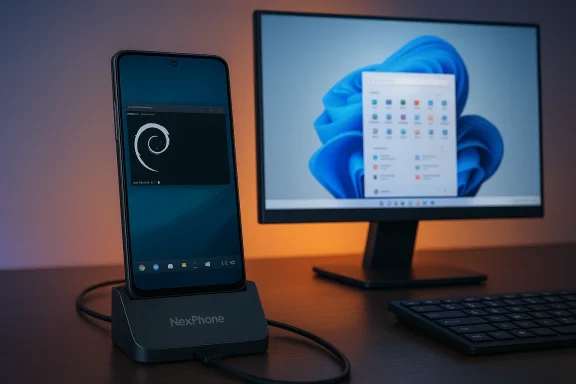
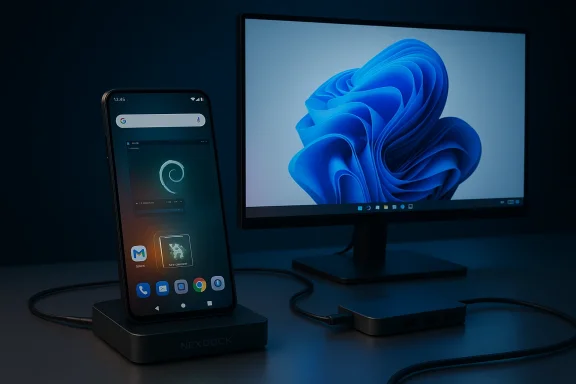
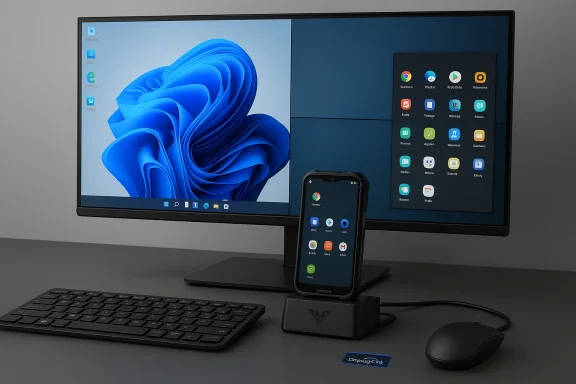
A NexPhone on a charging dock sits beside a Windows desktop monitor.Background​

The idea of a phone that becomes a desktop is not new, but NexPhone is notable for trying to deliver three usable computing environments from one device. Vendors have repeatedly explored phone→desktop convergence—Samsung DeX, Motorola Ready For, and Microsoft’s earlier Windows–Android integrations provided partial solutions—but NexComputer’s claim is more ambitious: it wants a single handset to be a credible smartphone, a Unix‑style workstation, and a Windows depending on the task and where you plug it in.
This ambition plays to several converging realities in 2026: Android’s evolving desktop‑mode features, better ARM‑native application support and emulation on Windows, and a growing ecosystem of USB‑C docks and wireless input peripherals that make a dock‑and‑work workflow feasible for many users. The core question is whether software integration, driver maturity, and thermal constraints can be resolved well enough to make the promise practical rather than aspirational.

Overview: what NexPhone claims and what it actually ships with​

Nex’s public materials and early press coverage describe three modes:
  • Android 16 (daily smartphone, with desktop mode when docked).
  • Debian Linux (a full desktop environment available as an app/containerized instance inside Android).
  • Windows 11 (installed to a separate partition; requires a reboot to enter Windows mode, with a custom, tile‑forward mobile desktop UI when docked).
The company lists a starting retail price of $549 and is taking refundable reservations of $199 now, with expected shipments in Q3 2026. Those numbers and timing are vendor claims at present and should be regarded as roadmap targets ip. Why this matters: putting Debian and Windows on the same pocket computer addresses the most common friction for users who need native Unix tools and Windows‑only software without lugging two machines. But delivering three working OSes is a serious engineering undertaking: firmware, signed drivers, a robust update cadence, and careful power/thermal management are all required.

Hardware snapshot and the strategic silicon choice​

NexPhone’s claimed hardware (subject to revision) includes:
  • 6.58‑inch 120 Hz LCD (1,080 × 2,403)
  • 12 GB RAM, 256 GB internal storage, microSD expansion
  • Cameras: 64 MP main, 13 MP ultrawide, 10 MP selfie
  • 5,000 mAh battery (some press materials and the official spec sheet have shown different figures; see “spec variance” bugging and ruggedization claims (MIL‑STD / IP ratings reported in demos)
The most consequential hardware decision is the SoC: Qualcomm’s QCM6490 (Dragonwing‑family). This chip is not aimed at flagship performance but at extended availability and enterprise/IoT lifecycle support—exactly why Nex believes it’s a sensible base for a tri‑OS device. Microsoft explicitly lists the QCM6490 in its Windows 11 supported‑processors table under IoT Enterprise applicability, which provides a practical route to target Windows 11 on that silicon. Why QCM6490 is a pragmatic pick
  • Longevity and driver availability: Dragonwing‑family chips are sold for industrial and rugged devices where multi‑year availability and firmware stability matter.
  • Feasibility for Windows on ARM: Microsoft’s processor list gives OEMs a supported platform to target Windows 11 images on Arm silicon.
  • Realistic thermal profile: QCM6490 behaves like an upper‑midrange Snapdragon in single‑thread bursts but lacks flagship sustained throughput—good for phone‑first scenarios but limiting for heavy desktop or creative workloads. Independent reviews of other QCM6490 devices (notably the Fairphone 5) highlight *adequate everyday speed but visible lag under heavy real trade‑off here.
Spec variance and caution
Public materials already show contradictory values for battery capacity (4,200 mAh vs. 5,000 mAh) and Android build numbers. That suggests either multiple hardware revisions or inconsistent press demos and product pages. These differences should be treated as provisional until Nex publishes a final retail spec sheet and independent hands‑on reviews confirm measured performance and endurance.

Software architecture: how the three OSes are intended design separates environments for practical reasons:​

  • Android is the default daily OS, for calls, apps, and mobile workflows. Android desktop mode handles light desktop tasks when connected to a display.
  • Debian Linux is delivered as a containerized desktop app inside Android (not a full reboot). That lUnix environment quickly and keeps file sharing between Android and Debian straightforward. Running Debian as an app reduces friction but also depends on kernel features and vendor‑supplied userspace integration to enable hardware acceleration and peripheral support.
  • Windows 11 lives on a separate partition and requires a reboot to enter. That separation preserves Android integrity but introduces reboot latency and a distinct update/driver chain for Windows. Nex reportedly plans a small, tile‑style mobile UI for handset use and a conventional Windows desktop when docked.
This hybrid approach—containerized Linux plus partitioned Windows—mirrors how multi‑boot PCs have long been managed and is the most practical balance between convenience and system isolation. Still, it amplifies the need for a disciplined update strategy: firmware, bootloader, secure boot/TPM emulation, and coordinated driver releases across three OSes.

Windows on Arm: feasibility, emulation, and the real constraints​

Two separate facts underpin NexPhone’s Windows claim:
  • Microsoft maintains a supported‑processor list that includes QCM6490 for Windows 11 IoT/enterprise, which is a necessary platform signal for targeting Windows on that chip.
  • Microsoft’s Prism emulator and Windows on Arm have improved significantly in recent releases, extending the set of x86/x64 applications that can run via emulation. Those improvements reduce compatibility gaps for many desktop apps.
What those facts do not guarantee
  • Signed, vendor‑validated drivers for modem, display controller, power management, and other peripherals—these are produced by OEMs and SoC vendors and must be shipped and maintained by Nex to make Windows usable. The Microsoft processor list is a permission to target Windows; it does not create drivers automatically.
  • Performance parity with x86 laptops. Prism emulation reduces compatibility headaches but does not remove the performance and thermal gap between a phone and a laptop built with a larger thermal envelope. Expect smooth web browsing, Office tasks, and light productivity in Windows mode; expect throttling and slower native performance for heavy compilation, rendering, or GPU‑bound creative work.
Emulation improvements are real and consequential. Microsoft’s updates to Prism add support for many x86 instruction set extensions (AVX, AVX2 and related features), enabling previously blocked apps and some games to run on Arm devices. Those changes widen the practical reach of Windows on Arm, but they do not remove the need for hardware driver parity and ongoing firmware support from Nex.

Display output, docking, and the tricky reality of DisplayLink​

Nex demonstrated external display connectivity using DisplayLink in press demos and plans USB‑C DisplayPort alternate mode support as drivers mature. DisplayLink spread path to run video over USB, but it has concrete limits and device compatibility quirks:
  • DisplayLink on Android is supported via an app, but many phones disable USB host mode when the phone is being charged by a dock; that breaks certain DisplayLink workflows without workarounds. DisplayLink’s own support pages document these limitations and provide troubleshooting.
  • DisplayLink can introduce CPU overhead and has known limitations for DRM‑protected content playback and high‑frame‑r USB‑C DisplayPort alternate mode is generally preferable for gaming or HDCP‑protected streaming.
Practical implication: NexPhone’s docking UX for productivity tasks, terminal windows, presentations, and light office work using DisplayLink in many setups—but expect edge cases where specific docks or monitors do not behave consistently. Nex will need to publish an explicit list of supported docks and a tested compatibility matrix to reduce customer support friction.

Real‑world performance expectations and thermal realities​

Phones are engineered for burst performance and battery efficiency, not sustained desktop loads. That has several practical consequences for NexPhone users:
  • Thermal throttling: long compile jobs, virtual machines, or video rendering sessions will quickly push the SoC into thermal limits and reduce cloce device.
  • Battery life: connecting to external displays or running Windows will drastically change power draw patterns; Nex expects users to dock and supply external power for longer desktop sessions.
  • GPU and driver limits: even if Windows boots, a phone GPU and its drivezed for heavy creative workloads or high‑end gaming. Emulation adds CPU overhead for x86/x64 apps, and some apps that rely on kernel‑mode drivers may simply not work until vendors provide Arm64 drivers.
Comparative5, which uses the same class of QCM6490 silicon, received mixed performance reviews—adequate for daily use but laggy under sustained heavier tasks—so prospective NexPhone buyers should calibrate expectations accordingly.

Security, updates, and enterprise readiness​

A phone that can boot Windows raises important questions for enterprise IT:
  • TPM and secure boot: Desktop Windows expects platform features such as TPM and secure boot. Buyers should verify how Nex implements these security primitives across Android, Debian, and Windows modes and whether Windows is shipped with an authenticated OEM image and signed drivers.
  • Device management: enterprises will want MDM (Mobile Device Management) support, controlled update cadences, and enterprise servicing options. Nex must clarify whether it plans support for Intune, Group Policy management (for Windows), and an update roadmap for all three OSes.
  • Update coordination: installing packages on Debian or firmware updates on Android might require coordination with Windows updates; multi‑OS update management is nontrivial and a weak spo
Until Nex publishes a formal enterprise support and update SLA, IT teams should treat the NexPhone as a promising but experimental platform and avoid rolling it into critical production fleets.

Pricing, preorder mechanics, and the buyer’s checklist​

Nex’s public pricing: $549 final price with a $199 refundable reservation deposit to secure a unit; ship target Q3 2026. These are vendor claims and typical of early hardware programs where refundable deposits finance production runs. Buyers should treat preorders as reservations, not full purchases, until shipments and independent reviews validate the product. Before reserving or buying, confirm:
  • Final retail hardware specifications and which revision the retail unit represents.
  • The Windows edition being shipped (consumer Windows 11 vs. Windows IoT Enterprise) and the driver/support plan for Windows on Arm.
  • The exact update cadence and length of promised support for Android security patches and Windows/driver maintenance.
  • A compa list and whether DisplayPort alternate mode is supported or if DisplayLink is the primary method.
  • Warranty terms and refund rules for the preorder deposit.

Who should consider the Ned wait​

Who stands to gain immediately:
  • Developers and sysadmins who want an on‑the‑go Debian environment combined with occasional native Windows tools may find the device uniquely convenient.
  • Frequent travelers and field workers who prefer a single pocket device for phone, presentations, and light desktop work.
  • Tinkerers and power users who enjoy experimentitups and who accept the risks of early hardware programs.
Who should probably wait:
  • Creators and GPU‑heavy users who rely on sustained performance, video editing, or high‑frame‑rate gaming—the phone’s thermal and GPU limits make it a poor choice for those use cases.
  • strict vendor SLAs and long certification windows—until Nex publishes clear driver support and update commitments, mass deployment in regulated environments is premature.
  • Users who need guaranteed compatibility with legacy Windows apps that rely on kernel drivers—these often require vendor‑supplied Arm64 drivers and cannot be solved by emulation alone.

Strengths, risks, and the execution bar​

Strengths
  • Unmatched flexibility on paper: three OS experiences in one pocket device provide real value for users who straddle ecosystems.
  • Strategic silicon choice: QCM6490’s industrial lineage improves ield a Windows image that runs, because Microsoft lists the chip as supported for Windows IoT/enterprise.
  • Competitive price point: $549 undercuts many purpose‑built mobile workstation alternatives—if the software experat’s compelling value.
Risks
  • Driver and firmware maturity: the single largest execution risk is providing and maintaining signed drivers for Windows, Linux acceleration, and Android device features. The Microsoft processor list is permissive; it is not a replacement for vendor driver stacks.
  • Thermal and power limits: phone chassis physics constrain sustained desktop performance; real‑world testing will reveal whether Nex’s thermal design mitigates those limits.
  • Display and dock compatibility: DisplayLink is useful but imperfect, and many docks will require specific modes or workarounds—Nex must publish a compatibility matrix and test results.
  • Spec drift before retail: current discrepancies in battery capacity and Android version between vendor materials and press demos indicate the product is still in flux. Treat early specs as provisional.

What to watch between now and Q3 2026​

  • Release of Nex’s final retail spec sheet and the first review units (thermal tests, sustained workload benchmarks, and Windows compatibility tests will be decisive).
  • Nex’s published driver and update policy for Windows on Arm—especially whether the company commits to a multi‑year driver/firmware update cadence.
  • Independent testing of DisplayLink versus native USB‑C alternate‑mode docking on common docks and monitors. DisplayLink’s own docs reveal interoperability pitfalls that buyers need to be aware of.
  • Continued improvements in Windows on Arm emulation (Prism) and an indication whether developers of key Windows apps will publish Arm64 builds—both of which materially affect the NexPhone’s Windows usability. Microsoft’s Prism updates in 2024–2025 make Windows on Arm more capable, but compatibility and performance will still vary by app.

Verdict: promising concept, high execution bar​

The NexPhone is one of the most audacious “phone as PC” products yet: it combines a phone, a full Debian desktop, and a rebootable Windows 11 partition into a single device accessible price. On paper, the strategy is technically sensible—choose a long‑life Qualcomm Dragonwing part that Microsoft acknowledges for Windows targeting, offer containerized Linux for instant access to Unix tools, and rely on established docking technologies for external displays.
The catch is that feasibility is not the same as polish. The truth about the NexPhone will be revealed in driver quality, firmware maintenance plans, thermal behavior under sustained workloads, and the real docking UX across a range of monitors and hubs. Early indicators from devices using similar silicon (Fairphone 5) warn of middling sustained performance; DisplayLink documentation warns of docking gotchas; and Windows on Arm—despite sizable emulation improvements—remains sensitive to driver availability and platform features. For developers, sysadmins, travelers, and tinkerers who value consolidation and are comfortable with an experimental posture, the NexPhone could be a breakthrough. For creators, gamers, and enterprise fleets requiring rigorous certification and long‑term SLAs, the device is interesting but not yet ready for prime time. The next six months, from preorder to first retail units in Q3 2026, will be decisive: if Nex delivers stable tri‑boot software, robust signed drivers, and a clear update policy, the NexPhone could make the long‑running phone‑first computing dream practically useful. If not, it will remain a well‑intentioned experiment that highlights how hard the engineering task really is.

Conclusion
NexPhone arrives as both a feasible engineering plan and a high‑stakes wager: it bets that consolidation—Android for mobile life, Debian for Unix utilities, and Windows 11 for legacy apps—answers a real user need and that buyers will accept tradeoffs in peak performance for unmatched versatility. The hardware choices and the Microsoft processor listing provide a credible technical foundation, and Microsoft’s improvements to Prism make Windows on Arm more usable than it was. But the success of NexPhone will hinge on the mundane, difficult work of drivers, firmware updates, dock compatibility, and honest communication about what the device can and cannot do today. Buyers should watch for final retail specs and independent hands‑on reviews before committing, and treat early reservations as a bet on Nex’s roadmap rather than an immediate, guaranteed replacement for a laptop.

Source: FindArticles NexPhone Runs Android, Linux, and Windows 11
 

NexPhone arrives promising a single-device future — Android at hand, Linux for desk work, and even Windows 11 in your pocket — but the engineering compromises behind that ambition make it a curiosity more than a practical laptop replacement for most users today.

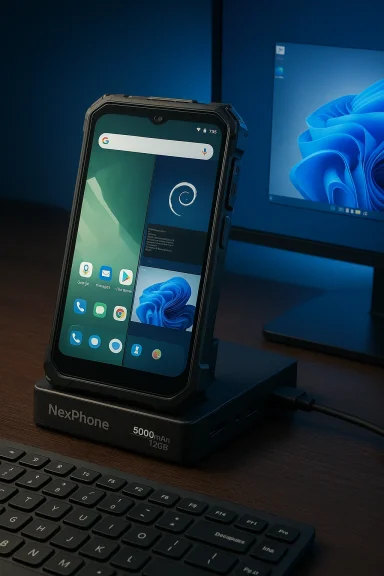
Rugged NexPhone on its charging dock beside a computer monitor.Background​

The team behind NexDock — the lapdock shell that turned smartphones into laptop-like workstations — is now selling a smartphone designed specifically to act as a portable PC: NexPhone. The device is pitched as a “PC in your pocket,” with a multi-boot setup that includes Android 16, an out-of-the-box Debian Linux option, and the ability to boot into Windows 11 on Arm. It ships with a 6.58‑inch FHD+ 120Hz display, a 5,000mAh battery, 12GB of RAM, and Qualcomm’s QCM6490 system-on-chip. Pre-orders are available with a refundable $199 deposit to lock a $549 early price, with a planned shipping window in Q3 2026. That combination of software flexibility and laptop-like workflow is exactly the pitch many have wanted since the era of Continuum and Samsung DeX. But turning a smartphone into a legitimate daily-driver Windows PC is fundamentally constrained by silicon, thermals, and software integration — all of which the NexPhone deliberately trades off to achieve its price and versatility.

Overview: What NexPhone promises​

  • Multi-boot capability: Android 16 as the daily OS, a built-in Debian Linux distribution for desktop workflows, and the option to boot Windows 11 on Arm. The device can be plugged into an external monitor and used like a desktop.
  • Hardware specs (headline): QCM6490 SoC, 12GB RAM, 256GB storage (expandable), 6.58" 120Hz FHD+ display, 64MP Sony IMX787 main sensor, 5,000mAh battery, ruggedized body with MIL‑STD durability claims. Reserve price: $199 refundable deposit toward $549. Target ship date: Q3 2026.
  • Positioning: An affordable “phone that can be a PC” that privileges software flexibility over peak CPU or GPU performance.
These are compelling bullets on paper. The problem is that the most important line item — the SoC — tells the real story when you try to use this like a Windows PC.

The hardware reality: QCM6490 explained​

What is the QCM6490?​

The NexPhone uses Qualcomm’s QCM6490, a silicon part originally marketed as an enterprise/IoT offering rather than a mainstream smartphone flairgship. The chip’s architecture and performance profile put it in the same family as mid-range mobile silicon from the last few years, roughly comparable to late‑2021/2022 mid‑range Snapdragon variants in CPU/GPU capability. The QCM6490 was notably used in the Fairphone 5, which positioned it for long‑term updates and rugged device use cases rather than maximum raw performance. Qualcomm lists the QCM6490 in its supported processors for Arm Windows on Microsoft’s hardware support list — specifically noted in Microsoft’s catalog of supported Qualcomm processors — which is an important detail for NexPhone’s Windows claim. However, the QCM family is designed for “industrial” lifecycles and connectivity use cases rather than sustained desktop performance.

What this means for performance​

  • The QCM6490 is competent for Android and Linux desktop sessions that prioritize web, document editing, and light multitasking.
  • Windows 11 runs on Arm through Microsoft’s Arm-compatible path, but expectations must be calibrated: emulation of x86/x64 applications, limited GPU horsepower, and thermal throttling on small-phone thermals make demanding workloads slow.
  • Benchmarks and real-world reviews of the QCM6490 (as used in devices like the Fairphone 5) show solid stability and efficiency but not the headroom required for heavy multitasking, high-frame gaming, or sustained compilation and media rendering tasks.
In short: the QCM6490 enables the multi‑OS trick, but it’s not what modern Windows users will picture when they think “desktop PC substitute.”

Multi-boot workflow: Android, Linux, and Windows — how it works​

Android 16: the daily driver​

NexPhone ships with Android 16, which provides the standard mobile UI and app ecosystem. Android remains the most practical environment for phone-first life: apps are native, battery optimization works, and mobile notifications keep the device useful on the go. The NexPhone’s display and 12GB RAM make Android multitasking smooth for mobile tasks.

Debian Linux: desktop continuity without reboot​

Plugging NexPhone into a monitor launches a Linux option (Debian-based) that gives a traditional desktop environment without rebooting. This is the most plausible use-case for users who want a “phone plus desktop” workflow: leave Android as your mobile OS and use Linux for terminal, browser-based productivity, and many developer tools. Linux on Arm is mature enough for productivity apps, though hardware driver support varies and some closed-source drivers will be specific to OEM builds.

Windows 11: the wild card​

Windows 11 is available as an optional boot target, but it requires a reboot to switch into — meaning you lose the instantaneous dock‑and‑use continuity that Linux provides. NexPhone also includes a custom UI to make Windows feel more phone-like, but that’s cosmetic compared to underlying driver and performance limitations.
Crucially, Microsoft’s Windows on Arm platform has improved emulation and app availability, but those gains are most pronounced on higher‑end Arm silicon such as Qualcomm’s Snapdragon X series. A phone‑sized QCM6490 will run Windows, but real-world performance for desktop-grade apps will be limited. Microsoft’s own compatibility list includes QCM6490, which helps the claim that Windows 11 can be installed and will be supported, but supported does not equal fast.

Practical performance: expectations vs. reality​

When evaluating whether a phone can replace a laptop, three constraints dominate: CPU/GPU power, thermals, and software maturity.
  • CPU/GPU power: The QCM6490’s mid-range profile means it’s efficient for mobile workloads but under‑powered for sustained desktop-level tasks. Even with 12GB of RAM, CPU-bound tasks like media encoding, heavy spreadsheets, or running multiple virtualized apps will feel sluggish compared with modern Arm laptops built around Snapdragon X series chips.
  • Thermals and sustained load: Small enclosures have limited cooling. Phones can burst to high performance briefly, but they throttle under continuous load. This is especially visible in Windows, where desktop applications expect sustained performance that typical smartphone thermal envelopes can’t provide.
  • Software maturity and drivers: Linux and Android driver stacks are mature, but Windows on Arm still depends on OEM collaboration for drivers (GPU, modem, cameras). Microsoft’s compatibility listing is an encouraging sign, but the experience hinges on quality drivers and firmware integration that manufacturers must deliver.
Net result: NexPhone will deliver a useful Linux desktop and a functional Windows 11 install for light tasks, but it will not match the responsiveness of a true laptop-sized Arm PC when it comes to heavier workloads.

Battery life, portability, and ergonomics​

The NexPhone’s 5,000mAh battery is thoughtfully large for a smartphone and the company claims up to ~22 hours of video playback or “up to 2 days typical use.” Those figures are plausible for Android light use but will not hold when running Linux desktop sessions or booted into Windows with an external display — both scenarios increase CPU/GPU draw significantly and often prevent the aggressive sleep states phones rely on to hit those long runtimes. Physically, the phone is substantial: a 256g weight and a 13.1mm thick chassis make it heavier and thicker than most mainstream phones today. That rubbers up the idea that this is a hybrid device explicitly trading slimness for battery and ruggedness. The result is a device that fits in a pocket but is never going to be mistaken for sleek flagship hardware.
  • Pros: Long battery, rugged build, big display for phone usage.
  • Cons: Heavier and thicker than most phones, and running a desktop workload will drain battery quickly.

Security, updates, and the “2036” claim​

NexPhone’s product page advertises Qualcomm support through 2036 for the QCM6490, framing this as a long-term update advantage. That claim is notable because extended SoC support is exactly why industrial chips are chosen for long-life devices like Fairphone did with the QCM6490. However, Qualcomm’s known official support windows for this chip family, and public announcements, do not currently corroborate a blanket “through 2036” guarantee from Qualcomm itself. Independent reporting around the Fairphone 5 showed Qualcomm committing to a longer industrial lifecycle but cited specific support dates in the 2028 range for OEMs — with device makers extending support further via their own commitments. The NexPhone claim appears to be the vendor’s interpretation or marketing positioning rather than a directly traceable Qualcomm promise. This should be considered a marketing claim until Qualcomm itself confirms a 2036 support pledge for QCM6490. From a user perspective, long-term support involves multiple parties:
  • Qualcomm supplying driver sources and BSPs for new Android releases.
  • Microsoft providing Windows updates and compatibility layers for Arm.
  • NexPhone (or partners) producing firmware, OS images, and security updates.
If any of those links breaks, long-term software support for a multi-boot device becomes complex. Buyers should treat vendor promises as one part of the picture and ask pointed questions about firmware, bootloader unlockability, driver availability, and update cadence before committing to a device intended to be long-lived.

The use cases where NexPhone makes sense​

Despite the caveats, there are specific buyer profiles for whom NexPhone is compelling:
  • Field workers and rugged use: Organizations that need a durable device that can run Android apps in the field and boot into Linux for localized workstation tasks might value a single-device workflow. The industrial QCM6490 heritage supports this use case.
  • Tinkerers and enthusiasts: Users who enjoy multi-boot setups, experimentation with Linux on Arm, or the novelty of carrying a Windows-capable phone will appreciate the freedom NexPhone provides. For hands-on hobbyists, the ability to install and test multiple OSes is itself valuable.
  • Budget-minded mobile desktop: For someone who primarily needs email, web browsing, light office apps, and terminal access, the combination of Android + Linux on a single device can be a compact solution.
What NexPhone is not: a replacement for a laptop used for heavy development, video editing, gaming, or other CPU/GPU‑intensive workflows.

Pricing and market fit​

At a $549 early price (with a refundable $199 reservation), NexPhone undercuts many Arm laptops and they’re selling a unique value proposition rather than raw performance. Comparatively, small Arm laptops and Copilot+ models built on Snapdragon X silicon command higher prices but deliver far stronger Windows experiences.
NexPhone could be seen as a “gateway” device: low entry cost for people curious about a single-device workflow and plenty of flexibility for vendors to upsell accessories like the NexDock. But buyers must be realistic: the device’s appeal depends heavily on valuing portability and versatility over speed.

Risks and long-term support considerations​

  • Software support fragility: Multi-boot hardware that relies on niche SoCs can run into driver and firmware issues over time. If Qualcomm’s formal support window is shorter than NexPhone’s marketing suggests, extended OS upgrades may stall. Flagging the “2036” support claim as unverified is prudent until Qualcomm clarifies.
  • Windows app compatibility: While Windows on Arm and Microsoft’s emulation have improved markedly, many legacy Windows applications still run best on x86/x64. Emulation may be acceptable for occasional use but won’t match native performance.
  • Thermal limits: Sustained Windows tasks will confront thermal throttling, reducing the practicality of NexPhone as a daily Windows desktop replacement.
  • Battery drain in desktop mode: Using an external monitor, especially when running Windows or Linux with heavy apps, will significantly increase power draw and reduce runtime far below quoted mobile playback numbers.
  • Niche appeal and support ecosystem: If NexPhone fails to achieve a broad user base, developer and community support for niche bugs, drivers, and custom firmware may lag, leaving power users with fewer resources over time.

What NexPhone gets right​

  • Honest trade-offs: NexPhone’s design is explicit about trading slimness and top-end silicon for ruggedness, battery, and multi-OS flexibility. That transparency helps buyers with the right expectations.
  • Practical Linux option: The Debian desktop option that runs without rebooting is the most pragmatic feature here for productivity users who want a desktop session without abandoning their phone.
  • Affordability: A $549 early price point makes experimentation accessible compared to higher‑end Arm laptops, and the refundable reservation lowers the entry barrier further.

Recommendations for prospective buyers​

  • Define your primary workloads: If your work involves heavy content creation, complex builds, or high-end gaming, NexPhone is not a practical replacement. For web apps, email, and terminal work, it’s viable.
  • Ask vendor questions: Before buying, request clarity on update cadence, bootloader policies, driver source availability, and the vendor’s plan if Qualcomm support timelines change.
  • Plan for accessories: If you intend to use NexPhone as a desktop replacement, budget for a proper dock, external power, keyboard, and monitor — and test whether the device powers those setups reliably.
  • Treat Windows as optional: Use Linux for daily desktop tasks and treat Windows 11 as an occasional, experimental fallback rather than the primary environment.
  • Watch for community feedback: Early buyer reports will reveal how NexPhone handles driver stability, Windows boot fidelity, and thermals under real-world loads.

Conclusion​

NexPhone is a clever and deliberately niche product that advances a long-running dream: a single, pocketable device that can be everything from a phone to a desktop PC. Its multi-boot architecture and explicit support for Linux make it particularly interesting for enthusiasts and certain enterprise or field use cases. However, the decision to build that flexibility on a QCM6490 — an industrial‑class, mid‑range SoC — means the device is a compromise rather than a replacement for true laptop-class hardware.
For anyone imagining a phone that will comfortably replace a modern Windows laptop in daily professional use, NexPhone is an intriguing experiment but not the final answer. For tinkerers, early adopters, and use cases where ruggedness and multi‑OS flexibility matter more than raw performance, it’s a device worth trying — provided buyers accept the trade-offs, verify the update commitments they care about, and manage expectations around Windows performance and battery life.
Source: 9to5Google This Android phone could double as your next Windows PC, but you won't want it to
 

Fourteen years after the original concept first surfaced, a small hardware outfit has released a phone that tries to do something most mainstream vendors have avoided: ship a pocketable Android smartphone that can also boot a full WindWindows 11 desktop and run a real Linux desktop — all from the same piece of hardware.

A rugged Android phone sits beside a USB-C hub and a Windows monitor on a wooden desk.Background / Overview​

Nex Computer’s NexPhone is positioned as a “PC in your pocket”: a single device that claims to function as an Android phone, a Linux desktop (Debian) that runs as an app, and a separately bootable Windows 11 installation intended for external‑monitor desktop use. The company sells the idea on the strength of a pragmatic silicon choice — the Qualcomm Microsoft lists among the Qualcomm processors supported for Windows 11 on Arm. That listing gives the project an immediate technical anchor for Windows on Arm ambitions. Nex has opened reservations with a refundable $199 deposit, quoting a retail price of $549 and a target shipping window in Q3 2026. Early press coverage and the vendor page provide largely consistent headline specs (12 GB RAM, 256 GB storage, a 6.58a 64 MP main camera), but some details — notably battery capacity and a handful of component claims — vary between early reports and the company’s product pages. Those inconsistencies are worth flagging for buyers who expect final, retail‑grade verification before purchase.

What NexPhone ClaimThree OS experiences on one device: Android as the day‑to‑day mobile environment, Debian Linux available as an app (with hardware acceleration), and Windows 11 as an optional, separately bootable image.​

  • Silicon and Windows readiness: The phone uses the Qualcomm QCM6490 (Dragonwing family), a platform Microsoft includes in its Windows 11 supported processors list — giving Nex a practical path to ship Windows 11 on Arm.
  • 12 GB RAM, 256 GB built‑in storage (expandable via microSD), a 6.58‑inch 120 Hz display, a 64 MP Sony main camera and 13 MP ultrawide, plus a bundled five‑port USB‑C hub to simplify docking.
  • Ruggedization and battery claims: Vendor verbiage says MIL‑STD‑810H and IP68/IP69K ratings and lists a large battery figure (vendor pages and early reports differ between ~4,200 mAh and 5,000 mAh). Treat the battery number as provisional until retail units are measured.
  • Pricing and availability: $549 MSRP, reserve with $199 refundable deposit, shipments targeted for Q3 2026.
These claims are repeated across independent tech outlets and Nex’s own communications, which establishes that the messaging is consistent — but hands-on validation.

Why the QCM6490 Matters — Architecture and Practical Tradeoffs​

Choosing the QCM6490 is the most consequential single hardware decision behind NexPhone. The chip sits in Qualcomm’s “Dragonwing” family and is intended for long‑lifecycle, enterprise, and IoT devices rather than pee. Microsoft’s processor list explicitly names QCM6490 (and its sibling QCS6490) under Windows 11 supported Qualcomm processors, which is why Nex uses that fact as the technical justification for offering Windows 11 on Arm. Why that matters in practice:
  • The QCM6490 is roughly equivalent to an upper‑midrange Snapdragon in raw per‑core bursts but isn’t engineered for sustained multi‑core, thermally heavy desktop workloads. Expect solid day‑to‑day Android responsiveness and decent web/office performance in Windows, but don’t expect flagship laptop levels of throughput for long, sustained tasks.
  • The QCM/QCS families are attractive to NX‑style projects because they are sold into device classes where long availability and vendor support are common. That long‑life availability is pivotal for a device whose selling point is acting as a long‑term PC replacement. Nex explicitly markets Qualcomm support “through 2036” for the platform — a useful marketing claim, but one that lacks an independent Qualcomm press confirmation in public documentation at time of writing, so treat it as a vendor claim until Qualcomm issues a formal lifecycle statement.

The Software Story: Android Desktop Mode, Debian in a Container, and Dual‑Boot Windows​

Nex’s software architecture is pragmatic and deliberately compartmentalized:
  • Android is the default mobile environment, running Android 16 with a lightweight NexOS layer and desktop‑style features when connected to a monitor. Android desktop modes have matured (e.g., Android 16 increases desktop mode support), making this a credible experience for many tasks.
  • Debian Linux runs as an app inside Android. That’s a smart compromise: you get a full Linux desktop and native Unix tools without rebooting or partition juggling. NeU acceleration and filesystem sharing between Android and Debian, which matters for usability. However, app‑level Linux inside Android depends heavily on kernel support and vendor driver quality for good 3D and video acceleration.
  • Windows 11 runs as a separate bootable partition. Enter to reboot into “Windows mode”; when docked the device should present a conventional Windows desktop. Nex also provides a custom mobile UI for Windows — a Mobile UI that deliberately echoes the tiled look of the old Windows Phone, implemented largely with Progressive Web Apps — because the standard Windows 11 interface is not handheld‑friendly. (nexphone.com
This layered approach reduces friction for instantly switching between mobile and Unix needs while keeping Windows as a true desktop environment for heavier workflows. The tradeoff is complexity: three OS stacks multiply the driver and firmware surface area that Nex must support reliably.

Realistic Performance Expectations (and Where the Nail‑Biting Begins)​

For buyers wondering whether NexPhone can actually replace a laptop or desktop, the short answer is: sometimes, for specific users.
Expectations to plan around:
  • Daily productivity: Web browsing, email, Office apps, terminal sessions, remote desktop, and light photo editing are plausible and likely to work well in Windows or Linux on the QCM6490. These are the primary “PC‑replacement” scenarios where the small form factor and docking convenience shine.
  • Sustained heavy workloads: Video encoding, large codebase builds, virtualization, and GPU‑heavy creative work will expose thermal and power lacks the thermal headroom and sustained power delivery of even thin laptops, so long runs will throttle performance and burn battery rapidly. Early community efforts to run Windows on phones have shown this pattern consistently.
  • Gaming and niche Windows apps: Modern PC gaming and some legacy Windows applications depend on drivers and kernel‑level integrations that may not exist or be well‑optimized on Arm. Microsoft’s emulation (Prism and improved emulators) has narrowed the gap, but performance and compatibility are still app‑dependent. For gamers or users of niche dri conventional PC will remain safer.

Drivers, Updates, and the Long‑Term Support Question​

The single biggest practical risk for a device like NexPhone is driver and firmware maintenance. Shipping Windows 11 on a platform is not simply about the processor being “supported” on a list; it requires:
  • Signed, tested drivers for display, GPU acceleration, modem, camera, audio, and sensors in the Windows image.
  • A stable update cadence and a policy that commits to driver maintenance as Windows evolves and as security patches are required.
  • Certified bootloaders and a Windows image that Microsoft’s hardware compatibility programs consider modern and secure.
Nex leans on the QCM6490’s enterprise positioning and Microsoft’s processor list to justify the Windows offering, but the practical test will be whether Nex delivers a ows image and ongoing driver updates for Windows 11, plus clear statements on how updates are delivered. Until shipping units are in independent hands and Nex publishes a formal driver/update SLA, this remains the highest execution risk.

Docking: DisplayLink vs Native USB‑C Alternate Mode​

Nex demonstrated docking using a DisplayLink hub in early demos, but company messaging indicates they intend to support native USB‑C alternate‑mode video output once driver work is complete. DisplayLink is practical for compatibility with many monitors and hubs, but it has known limitations for DRM and high‑frame‑rate scenarios; native alternate mode is preferable when available. Buyers should watch Nex’s compatibility matrix closely and test their common docks and monitors once review units arrive.

Pril, and Delivery Risk​

Nex’s pricing is bold: $549 retail with a refundable $199 deposit to reserve. That undercuts many ultrapkes the idea of a combined phone/PC attractive on paper. However, there are standard caveats with the deposit‑plus‑shipping model:
  • Small hardware companies frequently revise shipping windows and specs during tooling and mass manufacturing stages.
  • A refundable deposit buys priority access and price lock, not a fullduct.
  • Warranty, returns, and post‑sale support for multi‑OS devices are materially more complex than for a single‑OS smartphone.
Fon mission‑critical Windows software, waiting for independent reviews and a clear Nex update/driver policy is the conservative choice. Enthusiasts and tinkerers comfortable accepting early firmware refresh cycles are the likeliest early adopters.

Where NexPhone Could Be Truly Useful​

The device will matter most for specific user profiles:
  • Road warriors and frequent travelers who mainly use web desktop, and need the convenience of leaving a second laptop at home. The NexPhone’s dock‑first DNA and bundled hub lower friction.
  • Developers and sysadmins who want a pocketable Linux enesktop access — the Debian container model is compelling here, offering fast access to native Unix tools without rebooting.
  • Field and enterprise use cases where ruggedization (MIL‑STD and IP claims) and a long‑life silicon roadmap are more valuable than peak performance. Physical durability are real advantages for fleet deployments — if Nex and Qualcomm’s support claims hold up.

What to Verify Before You Reserve or Buy​

If you are considering a reservation, confirm these details publicly before committing:
  • Final retail battery capacity and independent battery‑life test results.
  • A published driver and update policy for Windows 11 — specifically, how Nex will deliver signed drivers and for how long.
  • A compatibility list for docks, monitors, and external peripherals (DisplayLink vs native alternate mode).
  • Which Windows features are supported in the retail image (WSL, virtualization, Windows Subsystem changes) and whether WSA/Android integration is part of the image or handled by web apps.
  • Warranty terms and return policy for international shipping scenarios (taxes, duties, and region‑specifie).

Strengths, Weaknesses, and the Execution Bar​

Strengths
  • Compelling concept: One device that genuinely attempts to replace a phone, a Linux workstation, and a Windows PC is an attention‑grabbing and pragmatic idea.
  • Smart silicon choice: The QCM6490 gives Nex a realistic line of sight for Windows on Arm because Microsoft lists it among supported Qualcomm processors.
  • Docking ecosystem readiness: The bundled hub and NexDock lineage reduce friction for buyers trying a phone‑as‑PC workflow for the first time.
Weaknesses / Risks
  • Driver and update complexity: Multi‑OS devices multiply maintenance burdens — signed drivers and a clear update cadence are essential but currently not fully det battery limits**: A phone chassis imposes unavoidable limits on long, heavy desktop sessions; sustained Windows workloads will likely throttle and drain battery fast.
  • Spec drift and prelaunch uncertainty: Conflicting battery figures and other minor spec variances suggest some product aspects are still in flux. Buyers should treat prelaunch claims with caution.

The Verdict — Who Should Care, and Who Should Wait​

NexPhone is one of the boldest attempts in years to make the phone a legitimate‑looking PC replacement. For mobile‑first power users, frequent travelers, and tinkerers who value flexibility over peak performance, it’s an enticing proposition. For enterprises and users who need guaranteed compatibility, signed driver SLAs, and predictable thermals for heavy workloads, the prudent path is to wait for independent reviews of retail hardware and Nex’s published driver/update commitments.
The device’s success will be decided not by the press release or product page, but by the mundane, exacting work of shipping a validated Windows image, maintaining driver support, and proving thermal and battery endurance under real workloads. If Nex can deliver those things, the NexPhone will be a practical step forward for phone‑as‑PC workflows; if not, it will remain an intriguing experiment that highlights just how hard that bridge is to build.

Final Thoughts​

The NexPhone brings clear ambition and a sensible engineering map: choose a long‑life Qualcomm part that Microsoft recognizes for Windows on Arm, bundle docking convenience, and give users both instant Linux and a true Windows partition when they need it. The idea is timely — Android’s desktop features have matured, Windows on Arm has improved emulation and native app coverage, and the peripheral ecosystem for USB‑C docking is larger than ever. Yet ambition must meet discipline: driver sign‑offs, firmware updates, and thermal tuning are what will make the NexPhone either a genuinely useful “PC in your pocket” or a well‑intentioned prototype.
Treat preorder deposits like what they are — a reservation of a developer‑grade device in many respects — and look for the first independent hands‑ons, battery and thermal tests, and Nex’s published Windows driver/update policy before deciding whether to move from interest to purchase.
Source: Notebookcheck NexPhone puts Android smartphone, Windows Phone and Windows 11 PC in one device
 

Nex Computer’s new NexPhone promises a single pocketable device that can act as an Android smartphone, a Debian Linux workstation and — most unusually — reboot into a full Windows 11 desktop when docked to an external monitor, a bold pitch backed by specific hardware and a clear shipping timetable. by taking refundable reservations ($199 to hold a $549 early price), claims a midrange hardware stack with a 12 GB / 256 GB configuration and a Qualcomm QCM6490 “Dragonwing” processor selected expressly for its cross‑platform compatibility, and is targeting shipments in Q3 2026. This feature unpacks what NexPhone actually proposes, verifies the most important technical claims against public documentation, and offers a pragmatic assessment for Windows users, Linux enthusiasts, and anyone tempted to replace a laptop with a single pocket device.

Desktop setup with a large monitor, laptop, smartphone, and an external drive on a wooden desk.Background / Overview​

Smartphones that double as desktop PCs are not a new idea — Microsoft’s Continuum and Samsung DeX have tried to make mobile → desktop transitions practical — but those efforts stopped short of offering a full desktop OS as a boot target on a phone. NexPhone’s unique selling point is three distinct, native environments: Android for handheld use, a Debian Linux desktop that runs inside Android for near‑instant desktop sessions, and an optional Windows 11 partition that requires a reboot to switch into a full Windows experience. The vendor frames this as a one‑device solution for people who want native Linux tooling and Windows app compatibility without carrying separate machines. Nex Computer is the company behind NexDock laptop-style docks that turn phones into pseudo‑laptops; the NexPhone is a logical extension of that dock-first lineage, designed to be a compute engine for external displays and desks. The device has been shown in prototype form at CES and demonstrated in private hands‑on sessions, so there’s demonstrable progress beyond a concept video.

Technical snapshot: what NexPhone claims​

  • Processor: Qualcomm QCM6490 (Dragonwing family).
  • Memory / Storage: 12 GB RAM, 256 GB internal storage, microSD expansion.
  • Display: 6.58" FHD+ (1080 × 2403), 60–120 Hz.
  • Battery: Company materials cite both 4,200 mAh and 5,000 mAh figures in different places; Nex’s marketing pages highlight “up to 22 hours video playback.”
  • Cameras: 64 MP (Sony IMX787) main + 13 MP ultrawide + 10 MP front.
  • Connectivity: Dual‑SIM 5G, Wi‑Fi 6E, BT 5.2, NFC, GPS, USB‑C 3.1 with video out.
  • Durability: MIL‑STD‑810H and IP68/IP69K ratings claimed in marketing materials.
  • Price & availability: $549 retail; refundable $199 reservation; targeting Q3 2026 shipping.
These headline specs place the NexPhone firmly in the upper midrange class of recent phones, not among flagship silicon or thermally generous arm laptop platforms. The QCM6490 is a critical part of the story: it’s the technical justification for offering Windows 11 on a phone because Microsoft lists QCM6490 among the Qualcomm processors supported for Windows 11 (IoT/enterprise applicability), which gives Nex a practical path to a Windows image on that silicon.

How the multi‑OS architecture actually works​

Android: the daily driver and desktop mode​

Android is the native mobile environment on the NexPhone. It’s the always‑on, notification‑forward experience users will carry in their pockets. Nex claims Android 16 (or Android 15 on some spec pages) with a NexOS layer that enables desktop‑style behavior when the phone is connected to an external display. That model follows the same playbook as Samsung DeX and Motorola Ready For: phone UI for handheld work; windowed apps and keyboard/mouse support when docked. Android desktop mode is, practically speaking, the most mature and reliable part of the package: the app ecosystem is native, battery and power management are optimized, and the transition to an external monitor avoids the heavy engineering lifts associated with shipping a different kernel/bootchain.

Debian Linux: a desktop without rebooting​

Nex’s Linux offering is delivered as a Debian‑based desktop that runs as an app/container inside Android. That makes it possible to open a genuine Linux desktop, use native Linux browsers and terminal tools, and maintain file sharing between Android and Linux — all without a reboot. For many developers and sysadmins this is the most pragmatic feature: full Unix tooling with quick context switching, available whenever a monitor and keyboard are at hand. There are technical caveats: hardware‑accelerated graphics and driver coverage for GPU/audio/peripherals depend on vendor drivers and the BSP (Board Support Package) that Nex builds. The Linux experience will be as good as the driver support Nex can ship and maintain.

Windows 11 on ARM: a reboot and a promise​

Windows 11 is not a hot‑switch mode on NexPhone: it requires a reboot into a separate Windows partition. When running, Nex says Windows 11 should present a familiar desktop on external monitors and includes a custom “Mobile UI” built from progressive web apps for handheld use. The practical mechanics for this depend on a full UEFI/TPM/boot implementation, modern Windows drivers for the phone’s hardware, and an OEM‑validated Windows image. ﹘ Microsoft’s documentation explicitly lists QCM6490 as one of the Qualcomm chips in the supported list for Windows 11, giving Nex a technical route to build a compatible Windows image — but it doesn’t absolve Nex from doing the firmware and driver integration work.

The QCM6490 question: why that silicon matters​

Nex’s use of the Qualcomm QCM6490 is the single most consequential engineering choice. It’s marketed as an “extended‑life” industrial/IoT variant of Qualcomm’s midrange families — used in devices like the Fairphone 5 — and Qualcomm’s and Microsoft’s published materials position it as acceptable for Windows 11 IoT/enterprise targets. That is the technical opening Nex needs to run Windows on a phone form factor. However, a few practical realities follow:
  • The QCM6490 was designed for longevity and enterprise lifecycles, not for sustained laptop‑level thermal envelopes. It’s broadly comparable in CPU/GPU to older midrange Snapdragon chips rather than the Snapdragon X series used in Arm laptops. Expect good day‑to‑day responsiveness for web, office, and terminal work — but limited headroom for heavy builds, large media encodes, or sustained multi‑thread workloads.
  • Windows on ARM has improved application emulation and compatibility, but emulated workloads are CPU‑heavy and can expose thermal limits on a small phone chassis. A Windows session will run, but the experience won’t match a purpose‑built laptop built around Snapdragon X silicon.
  • The presence of QCM6490 on Microsoft’s supported‑processor list is a necessary but not sufficient condition for a stitched‑together consumer‑grade Windows experience: reliable GPU drivers, modem behavior, camera drivers, and Windows Update support all require Nex and its partners to deliver signed, modern drivers and firmware.

Battery, thermals and real‑world desktop use​

Phones are designed for bursts: short high‑power activity followed by low‑power sleep. Desktops and laptops expect sustained performance. Those divergent design goals mean NexPhone must trade somewhere:
  • The battery numbers across Nex’s materials are inconsistent — the company lists both 4,200 mAh and 5,000 mAh in various pages and press assets, and marketing copy touts “up to 22 hours” of video playback while disclaimers anchor actual runtime to specific usage patterns. Buyers should treat precise battery claims as provisional until retail units are tested.
  • Sustained Windows workloads (video rendering, compilation, prolonged Office multitasking) will heat the SoC and trigger thermal throttling. That will reduce effective throughput and shorten battery life when docked under load.
  • Using the device as a desktop will likely require an external power source for long sessions; even if battery is generous for phone tasks, desktop use is a heavier drain.
In short: for light desktop tasks — browsing, email, streaming, terminal work — the NexPhone’s battery and thermals should be adequate. For heavier, continuous loads, performance and runtime will fall short of typical laptops.

Docking, display output and peripherals​

Nex includes a five‑port USB‑C hub in the box and emphasizes compatibility with its NexDock laptop shell. In demos, Nex used DisplayLink to drive external monitors and says native USB‑C DisplayPort Alternate Mode support is planned once a driver is completed. DisplayLink is a practical fallback used by many docks, but it carries CPU overhead and DRM/HDCP limitations for protected content. Native USB‑C video is preferable but requires driver and kernel support from the BSP. Peripherals like keyboards, mice, storage, and simple USB audio are straightforward. The trickier elements are modem behavior (cellular calls/sms when booted into Windows), camera drivers and power/charging negotiation across docked sessions. Buyers should ask Nex for explicit details on how telephony and notifications are handled while in Windows mode.

Pricing, preorder terms and shipping timeline​

Nex is taking refundable reservations: $199 to reserve a unit at a $549 early price, with the remaining $350 (plus taxes/shipping) due before shipment. The target window is Q3 2026, which Nex says is when tooling and mass manufacturing will be underway. Those are vendor commitments that depend on supply chain, firmware readiness, and successful driver work for multiple operating systems. Preorders for complex, nascent hardware always carry risk. Nex has shown prototypes at CES and demoed working builds to press, but final retail units can differ in battery capacity, materials, final OS build quality and driver completeness. The refundable deposit reduces financial risk somewhat, but potential buyers should view a preorder as an investment in a roadmap rather than a guaranteed immediate laptop replacement.

Support, update guarantees and the “through 2036” claim — buyer beware​

Nex emphasizes long‑life support for the QCM6490 platform and even cites Qualcomm support “through 2036” in marketing copy. That’s a notable marketing point, but it requires scrutiny:
  • Microsoft’s Windows 11 documentation explicitly lists QCM6490 as supported for Windows 11 (IoT/enterprise context), which is the practical basis for a Windows image. That listing is authoritative for Windows compatibility.
  • Qualcomm’s public lifecycle and support announcements for QCM‑class chips have historically varied by customer and device. Vendors like Fairphone used the QCM6490 because Qualcomm offered a longer enterprise lifecycle for the platform, but public Qualcomm commitments to an exact year like “2036” are not currently corroborated by public Qualcomm statements. Independent reporting on QCM6490 (e.g., Fairphone coverage) shows vendor‑level negotiations and OEM extension plans are how multi‑year support is often achieved in practice. Treat Nex’s “2036” claim as a vendor marketing position until Qualcomm or an independent party confirms it.
  • Long‑term software support for a tri‑OS device is inherently complex: Qualcomm must provide driver sources and BSPs; Nex or partners must produce and test Android and Linux images; Nex must assemble and maintain a Windows image and ensure update channels work. If any link in that chain fails, the update story for any OS will suffer. Buyers should request a clear software update policy and an explanation of which parties are responsible for each OS’s updates.

How NexPhone compares to alternatives​

  • Samsung DeX / Motorola Ready For: Mature Android desktop modes with polished vendor integrations, but they do not provide a native Windows partition. They tend to run on more powerful flagship silicon and have broader driver support from major OEMs.
  • Windows on ARM laptops (Snapdragon X series): Deliver stronger and more consistent Windows on ARM experiences thanks to silicon designed for sustained thermal loads and better GPU/CPU throughput for desktop workloads. They are more expensive but better matched to heavy Windows use.
  • Community Windows‑on‑phone ports: Enthusiast projects have shown what’s possible but also highlighted fragility around drivers and updates; Nex’s commercial approach could solve those problems if it commits to sustained driver support and firmware updates.
NexPhone’s place in the market is clear: a pragmatic, lower‑cost entry into pocketable Windows+Linux+Android convergence that trades peak throughput for versatility and affordability.

Practical buying checklist — a short, actionable sequence​

  • Confirm final retail specs on Nex’s official tech page once the product page is updated for shipping.
  • Ask Nex for a formal Windows support statement: which Windows SKU will ship (IoT Enterprise vs consumer), how TPM/secure boot are handled, and how Windows Update will be delivered.
  • Request clarity on telecom behavior when booted into Windows: will calls/SMS continue to function, or does the phone become a pure compute device in Windows mode?
  • Wait for independent hands‑on reviews showing sustained thermal and battery behavior under Android, Linux and Windows workloads.
  • If you rely on specific Windows apps, test them on a Windows on ARM machine first, or confirm vendors provide Arm64 builds or compatible emulation performance.

Strengths and practical risks — the bottom line​

Strengths
  • Unique multi‑OS flexibility: Android + Debian desktop without reboot, and an optional Windows 11 partition for native Windows apps.
  • Pragmatic silicon choice: QCM6490 gives Nex a plausible engineering path to Windows on a phone because Microsoft explicitly supports the processor family for Windows 11 IoT/enterprise.
  • Affordable entry point: $549 undercuts many niche Arm laptops that attempt similar converged workflows.
  • Dock ecosystem lineage: NexDock experience and an included USB‑C hub lower friction for getting a desktop setup working out of the box.
Risks and caveats
  • Performance ceiling: QCM6490 is midrange by design; sustained, heavy Windows workloads will be limited by thermals and CPU/GPU headroom.
  • Driver and update complexity: Shipping three working OSes and keeping them updated requires coordinated commitments from Qualcomm, Microsoft, and Nex; the long‑term update story depends on all three.
  • Marketing inconsistencies: Conflicting battery figures and OS version references in marketing and tech pages indicate specs may still be in flux; buyers should verify retail documentation.
  • Telephony UX in Windows: The nature of phone calls and messaging in Windows mode is not fully detailed and could materially affect whether users can treat this as a true single‑device replacement.

What to watch between now and Q3 2026​

  • Independent review units and stress tests showing sustained Windows session performance, driver stability, and real battery runtime.
  • Clear Windows support documentation from Nex: edition, update cadence, driver signing policy, and how Windows Update is supported on an Arm phone.
  • Qualcomm confirmation or independent verification of long‑life support claims (the “through 2036” wording in Nex’s marketing should be treated as a vendor claim until Qualcomm or a credible third party confirms the timeline).
  • Community and developer engagement: whether third‑party apps and hardware vendors validate drivers and accessories for the NexPhone platform.

Conclusion​

NexPhone is one of the most ambitious attempts in years to make a phone that can truly behave like a desktop PC — not just via a desktop layer on Android, but by offering three native environments: Android, a Debian desktop that runs without rebooting, and a separately bootable Windows 11 partition. The company’s choice of Qualcomm’s QCM6490 gives it a credible technical foothold because Microsoft lists that silicon among processors supported for Windows 11 IoT/enterprise, and Nex’s dock heritage gives the product practical accessory support out of the box. That said, the engineering bar is very high. Delivering a reliable Windows desktop on phone silicon requires signed drivers, a validated boot chain, thoughtful thermal and power management, and a predictable update path across three OS ecosystems. Buyers should treat a preorder as an opportunity to support a compelling vision rather than as a guaranteed, immediate replacement for a full‑blown laptop. The NexPhone could be a useful, niche pocket workstation for web-first productivity, terminal work and occasional Windows needs — if and only if Nex can follow through on drivers, firmware and updates.
Watch for hardware reviews and vendor confirmations over the months ahead, ask pointed questions about Windows support and telephony behavior, and keep expectations grounded: NexPhone’s promise is exciting; its success will depend on the arduous, unspectacular work of integration and long‑term support.
Source: Liliputing NexPhone is a phone you can use as a desktop PC with Android, Linux, and Windows 11 support - Liliputing
 

The smartphone that wants to be your laptop is real — and it comes with Android 16, a full Debian Linux desktop and an optional bootable Windows 11 partition, all packaged into a $549 midrange handset that pledges to revive the spirit (if not the entire ecosystem) of Windows Phone.

Rugged NexPhone smartphone and a 64 MP camera sit on a desk, with a monitoror in the background.Background / Overview​

Nex Computer — the company behind the long-running NexDock laptop shells — has announced the NexPhone, a ruggedized device built around a single engineering thesis: one pocketable device should be able to act as a phone, a Linux workstation and a Windows 11 PC depending on what you connect it to. The official product pages describe a multi‑boot architecture (Android + Linux available live; Windows 11 available via reboot) and an included USB‑C hub to make docking painless. That pitch deliberately reframes the old Windows Phone nostalgia into a practical proposition: it doesn’t promise a full Windows mobile ecosystem of apps and carriers, but rather the ability to boot an actual Windows 11 environment when you need a traditional desktop. Nex also supplies a “Mobile UI” for small‑screen Windows use that intentionally echoes the tile/grid look many remember from Windows Phone — implemented largely through progressive web apps rather than resurrecting a deprecated Microsoft mobile platform.

What NexPhone claims it will deliver​

Three operating environments in one device​

  • Android 16 as the daily smartphone operating system, with Android desktop features for basic docked work.
  • A containerized Debian Linux desktop that runs inside Android so you can switch to a full Unix-style desktop without rebooting.
  • An optional, separately bootable Windows 11 installation intended for use with external monitors and keyboards; switching into Windows requires a reboot.
Independent coverage confirms that Nex’s plan is to keep Android and Linux operational side‑by‑side while treating Windows as a distinct, isolated partition that requires a reboot — a pragmatic split that prioritizes system integrity but introduces real-world friction for workflows that need fast OS switching.

Headline hardware and accessory bundle​

NexPhone’s headline specs (as listed by the company and repeated in early press coverage) include:
  • Qualcomm QCM6490 (Dragonwing-family) SoC — an enterprise/IoT-focused Qualcomm part chosen for long-term platform support rather than flagship performance.
  • 12 GB RAM and 256 GB internal storage, with microSD expansion.
  • 6.58‑inch 120 Hz LCD (FHD+ class).
  • 64 MP main camera (Sony IMX787), 13 MP ultrawide, 10 MP front camera.
  • 5,000 mAh battery (note: some prelaunch materials have shown divergent numbers — see “Spec variance” below).
  • Ruggedized body with MIL‑STD‑810H claims and IP68 / IP69K protection.
  • A complimentary 5‑port USB‑C hub included in the box to simplify docking.
Nex is taking refundable reservations of $199 to lock an advertised $549 early price, with a planned shipping window in Q3 2026. That reservation model is consistent with Nex’s prior launch approach for NexDock hardware.

Why the silicon choice matters (and what QCM6490 really is)​

The QCM6490 is the most consequential technical choice behind NexPhone’s multi‑OS claim. Qualcomm’s QCM/QCS family (sometimes branded Dragonwing‑class in vendor materials) is marketed for long‑life industrial and enterprise devices — the same SOC appeared in devices such as the Fairphone 5 — and is supported by Qualcomm with an extended update window. That extended lifecycle makes it attractive for a device meant to host multiple operating systems over several years. But the trade‑off is clear: the QCM6490 targets reliability and longevity rather than raw flagship performance. Benchmarks and hands‑on impressions from other QCM‑powered devices show fine everyday responsiveness for Android and lightweight desktop tasks, but not the sustained throughput or GPU headroom that heavy desktop workloads demand. In plain terms: NexPhone’s chipset makes the Windows‑in‑your‑pocket concept technically feasible, but it should not be mistaken for a modern high‑end ARM laptop in sustained performance.

How the multi‑OS workflow actually works​

Android + Linux: quick switching without rebooting​

Nex’s approach is pragmatic: Android is the daily OS and ships as the device’s default, while Debian Linux is offered as a containerized desktop environment that you can launch from Android. This design aims to provide a genuine desktop browser and productivity stack, hardware‑accelerated graphics and shared file access without taking the time penalty of a reboot. For many developers and sysadmins this “instant desktop” model is the most useful part of the package. Because Linux runs inside an Android environment, integration points (file sharing, notifications, peripheral access) are easier to manage — but limitations remain: any features that need low‑level kernel drivers or specialized GPU drivers may be constrained by how Nex packages Linux and the degree of hardware acceleration exposed. That’s a practical caveat for people who expect full parity with desktop Linux on x86 machines.

Windows 11 on Arm: reboot, boot, and many caveats​

Windows 11 is deliberate in Nex’s architecture: it lives on a separate partition and you must reboot into “Windows mode” to run it. Once booted, you get a 64‑bit Windows 11 environment capable of running native Arm64 apps and Microsoft’s emulation of x86/x64 apps, but with the familiar constraints of Windows on Arm: emulation overhead, constrained GPU resources, and a smaller set of vendor drivers. Nex has built a tile‑style Mobile UI to make Windows more usable on the phone’s screen, but the core Windows experience is designed for external monitors and keyboard/mouse input. This reboot‑to‑Windows model trades convenience for safety: keeping Android and Windows separated prevents accidental corruption and simplifies support for each OS, but it means you cannot instantly switch between mobile and desktop Windows workflows. If your workflow relies on near‑instant context switching between Android apps and native Windows apps, the reboot cost will be a real UX friction.

Spec variance, unanswered questions and verifiable details​

Prelaunch product pages and early press articles are consistent on the core idea and most headline specs, but some details still vary across published materials. Notable items to verify before buying:
  • Battery capacity: some Nex materials and third‑party articles list a 5,000 mAh battery while other technical pages reported a 4,200 mAh figure in earlier drafts. That is a material difference for anyone using Windows remotely or for long docked sessions. Treat battery numbers as provisional until retail unit tear‑downs and independent battery tests arrive.
  • MicroSD expansion and multi‑OS partitioning: different pages vary on how and whether microSD expansion is usable by Windows or reserved for Android. If you plan to install large Windows apps or VMs, confirm the final microSD behavior and partitioning rules.
  • Windows edition and driver commitments: Nex’s site says Windows 11 is “hardware‑ready” on the listed Qualcomm platform, but buyers should ask which Windows SKU will ship (consumer Windows 11 vs Windows IoT/Enterprise) and whether Nex will provide signed drivers and a sustained Windows update plan. Microsoft’s supported‑processor listing gives vendors a path, but it does not guarantee an out‑of‑the‑box retail Windows experience without vendor work.
Any buyer considering the NexPhone as a primary work device should wait for final retail specifications and early independent reviews that measure thermals, battery life, driver coverage and Windows app compatibility.

Practical risks and engineering realities​

Thermals and battery life​

Phones are optimized for short bursts of performance and aggressive power saving. Running a full desktop OS connected to an external monitor is a fundamentally different duty cycle. Expect faster thermal throttling and higher energy draw in Windows mode than you would on a similarly spec’d laptop; battery life under sustained Windows workloads will be constrained even with a 4,200–5,000 mAh battery. Independent reviews of earlier community Windows‑on‑phone experiments bear this out.

Drivers, updates, and peripheral compatibility​

Shipping three operating systems multiplies the driver surface area. GPU drivers, modem firmware, camera drivers and peripheral stacks must be validated for Android, Linux and Windows. Historically, the hardest real‑world failures for phone‑to‑desktop efforts are missing or buggy drivers and mismatched firmware versions. Buyers should insist on a clear Nex driver/update policy and on the presence of signed, vendor‑maintained Windows drivers.

App compatibility on Windows on Arm​

Microsoft’s emulation strategy has improved dramatically, but not every legacy Windows app will run seamlessly under Arm emulation. Kernel‑mode modules, anti‑cheat systems and niche enterprise utilities often break or perform poorly unless vendors ship Arm64 drivers or native builds. NexPhone will be well‑suited to web‑first productivity, Office365, remote desktop clients and many development tools, but heavy creative workflows, large video rendering jobs, or specialist Windows tooling may remain out of reach.

Who the NexPhone is actually for​

  • Enthusiasts and tinkerers who love multi‑OS toys and want to experiment with Linux and Windows on a handheld device.
  • Road warriors who primarily use web apps, Office, terminal sessions, and remote desktop tools and want to carry one device instead of a second laptop.
  • Developers who favor a Debian environment for local tooling and occasional native Windows testing.
  • Buyers who value long‑term platform support and ruggedization over peak single‑thread CPU or GPU benchmarks.
Who should probably wait: enterprise customers needing certified Windows app compatibility, gamers who demand native high‑frame gaming performance, and anyone who depends on sustained heavy compute or precise certified peripherals today.

Pricing, preorder model and practical purchase checklist​

Nex’s commercial approach mirrors many small OEM launches: refundable reservations to underwrite tooling, an early‑bird price and a later ship window.
  • Reserve with $199 refundable deposit to lock in a $549 early price; remaining balance due at shipping (Nex’s founder note clarifies the $199 reservation is refundable).
  • Target ship window stated: Q3 2026 — this is a vendor target and not a guaranteed ship date; manufacturing delays are common.
  • Confirm final retail specs on the product page and in independent hands‑on reviews before paying the remaining balance.
Before reserving, request written answers to the following from the vendor:
  • Final, published battery capacity (and vendor battery endurance testing methodology).
  • Exact Windows SKU, driver support plan and update cadence for Windows on Arm.
  • MicroSD partition policy and whether expandable storage is fully available to Windows.
  • Warranty and refund process if shipping slips more than the advertised window.
  • Independent third‑party certification details for MIL‑STD/IP claims.

Strengths: where NexPhone gets the idea right​

  • Ambitious, pragmatic architecture: separating Windows into a rebootable partition while offering Linux as a container strikes a pragmatic balance between convenience and safety.
  • Long‑term platform support: choosing QCM6490 with Qualcomm’s extended support program gives Nex a credible path for multi‑year firmware and security updates — a rare priority in small OEM launches.
  • Affordable price for the concept: at $549, the NexPhone undercuts many ultraportable ARM laptops while offering real Windows capability — appealing to budget‑conscious power users.
  • Docking convenience: the included 5‑port USB‑C hub and Nex’s NexDock lineage mean the ecosystem for using phones as laptops is mature enough that docking workflows are credible today.

Weaknesses and open risks​

  • Performance ceiling: the QCM6490 enables the tri‑OS idea, but it will limit sustained Windows performance compared with larger‑thermal ARM or x86 laptops.
  • Driver and software maintenance burden: three operating systems means three update and driver trains — the vendor must prove it can sustain all of them.
  • Spec uncertainty in prelaunch materials: contradictory battery numbers and differing microSD claims are red flags that require final retail confirmation.
  • Practical UX friction: requiring a reboot to switch to Windows makes certain workflows (e.g., using an Android app and a native Windows app side‑by‑side) clumsy compared to instantaneous desktop modes that remain confined to a single OS.

The bigger picture: does NexPhone revive Windows Phone?​

Not really — and that’s important to say. NexPhone’s tile-like mobile UI and Windows 11 partition may evoke Windows Phone memories, but Nex is not trying to resurrect the Windows Phone app ecosystem or carrier partnerships that defined Microsoft’s previous mobile era. Instead, the device reframes the Continuum idea — a phone that can become a fully-fledged PC — and attempts to make it practical with modern ARM Windowsux. That is a different ambition: pragmatic device convergence rather than platform revival.

Final verdict — measured optimism, verify before you buy​

NexPhone is one of the boldest and most practical attempts in recent years to make the “phone‑as‑PC” dream tangible. The combination of Android 16, a containerized Debian desktop and a separate Windows 11 partition is technically feasible today because of improved Windows‑on‑Arm tooling, better emulation, and vendor willingness to ship multi‑OS images. The QCM6490’s long‑life support and the device’s $549 price make the idea accessible to enthusiasts and mobile workers who accept trade‑offs in peak performance. Yet success hangs on the mundane, difficult tasks: signed drivers for Windows, coordinated firmware updates across three OSes, real‑world thermal management, and honest, consistent retail specifications. Those are the same obstacles that have tripped up prior attempts at phone‑to‑desktop continuity. Until independent review units are tested, buyers should treat reservations as speculative and expect iterative software updates after shipping. For people who want a single, rugged device that can be a phone and a capable web‑first desktop — and who enjoy tinkering and early adoption — NexPhone is worth watching and, for some, preordering at the refundable deposit level. For anyone who needs a certified Windows experience, predictable heavy workload performance, or mission‑critical app compatibility today, the safer route is to wait for retail reviews, driver disclosures and measurable battery/thermal data.
NexPhone’s arrival is a meaningful signal: the long arc of work to make Windows flexible enough to exist on Arm devices, combined with Android’s improving desktop features and containerized Linux, opens new, realistic use cases for single‑device portability. Whether Nex has executed the engineering and support commitments needed to convert a fascinating prototype into a practical daily driver will be decided by the quiet, crucial metrics reviewers publish next: thermal throttling curves, sustained battery life in Windows, driver completeness and the vendor’s update cadence. Until then, the NexPhone is an intriguing, well‑priced experiment — a believable evolution of Continuum, not a resurrection of Windows Phone.
Source: PCMag The Return of Windows Phone? This New Device Runs Android, Linux, Windows 11
 

Nex Computer’s NexPhone has reintroduced a provocative idea to the mainstream: a single mid‑range handset that claims to be a true “phone‑as‑PC,” shipping with Android, a containerized Debian Linux desktop, and an optional, rebootable Windows 11 on Arm image — complete with a purpose‑built, tile‑forward Windows Mobile UI that deliberately evokes the old Windows Phone look.

Rugged NexPhone beside a Windows tablet with keyboard, dock, and USB hub.Background / Overview​

The NexPhone is the next chapter in a long-running experiment to collapse the gap between handheld phones and desktop PCs. Nex Computer, best known for NexDock lapdocks, has built the NexPhone around a pragmatic multi‑boot architecture it calls NexOS: Android (daily mobile use), Debian Linux (desktop environment available on demand inside Android), and an optional Windows 11 partition that you must reboot into for a full Windows desktop experience. Nex is selling the concept as “a smartphone that ex phone.
Key commercial facts announced by the company:
  • Retail price: $549 (early‑bird).
  • Reservation model: $199 refundable deposit to lock the early price; remaining balance due at shipping.
  • Target ship window: Q3 2026 (vendor target, not a hard guarantee).
Multiple outlets — from Nex’s own product pages to independent coverage in The Verge and niche outlets — confirm the same headline pitch and the same price/reservation model, establishing a consistent public message even though some smaller specification details vary between early demos and the retail tech sheet.

Hardware snapshot — verified specs and where details diverge​

Nex’s published technical sheet lists the following headline hardware, which is consistent across company materials and press writeups:
  • SoC: Qualcomm QCM6490 (long‑life/enterprise class).
  • Memory / Storage: 12 GB RAM, 256 GB internal storage, microSD expansion up to 512 GB.
  • Display: 6.403, 60–120 Hz.
  • Battery: Nex lists 5,000 mAh and “up to ~22 hours video playback.” Note: some pre‑launch coverage and early hands‑ons reported lower battery figures in certain demos; treat prelaunch battery claims as provisional until retail units are measured.
  • Cameras: 64 MP wide (Sony IMX787) + 13 MP ultrawide; 10 MP front.
  • Connectivity & durability: Dual 5G SIM, Wi‑Fi 6E, NFC, USB‑C with video out; MIL‑STD‑810H, IP68/IP69K claimed.
Two independent verifications are especially important for the NexPhone story:
  • The Qualcomm QCM6490 is explicitly listed by Microsoft in its Windows 11 supported Qualcomm processors list, giving Nex a practical path to ship Windows 11 on Arm for this silicon family. That Microsoft document is authoritative for hardware compatibility.
  • Nex’s official product pages and blog confirm the multi‑boot architecture, price, refundable deposit, and Q3 2026 ship target. Independent outlets (The Verge, Liliputing, Liliputing, Technobezz and others) reported hands‑ons or press materials that match Nex’s claims, which gives addit the device shown at trade events is working hardware rather than vaporware.
That said, there are some pre‑launch inconsistencies to flag: several early reports and vendor pages listed conflicting battery numbers (4,200 mAh vs 5,000 mAh) and different Android version mentions (Android 15 vs Android 16), which is common in early product rollouts and should be verified when retail units ship. The company’s tech‑specs page now shows 5,000 mAh, but buyers should treat earlier divergent figures as evidence the spec sheet was still in flux during press demos.

The unusual silicon choice: QCM6490 explained​

Choosing the Qualcomm QCM6490 is a deliberate and strategic move. The QCM family is marketed for long‑life, industrial and IoT use cases rather than flagship mobile performance; vendors such as Fairphone used the QCM6490 specifically because Qualcomm offers longer driver/firmware lifecycles for that class of chips, enabling extended OS update guarantees. The QCM6490 combines a cluster of Cortex cores and an Adreno GPU that is adequate for web productivity and light desktop tasks, but it isagon powerhouse. Why this matters for Windows 11 on Arm:
  • Microsoft’s official processor listing includes QCM6490, which is the primary technical justification that a Windows 11 image can be targeted to this SoC. That’s a concrete, verifiable foundation for Nex’s Windows claim.
  • However, QCM6490’s performance envelope and the thermal constraints of a phone chassis mean sustained Windows desktop workloads will be constrained compared with laptops with larger thermal heads and more powerful silicon. Expect efficient web and Office usage to be the sweet spot; heavy builds, rendering or prolonged CPU‑bound workloads will be limited.
Nex also markets the QCM6490 as supported by Qualcomm “through 2036.” That specific year is presented on Nex’s site as a vendor claim about Qualcomm’s long‑term support program for QCM‑class chips. Independent public documentation from Qualcomm does show extended support programs for industrial platforms, and OEMs like Fairphone have used that to promise longer update windows — but a unilateral, unquestioned reading of “support through 2036” should be approached cautiously until Qualcomm explicitly confirms the vendor‑level commitment Nex cites. Treat the 2036 date as a vendor claim that requires direct Qualcomm confirmation.

The software story: How the three OSes are intended to work​

Nex’s value proposition is entirely software‑driven. The multi‑OS model is implemented like this:
  • Android (default): the NexPhone runs Android (Nex cites Android 16 in some pages) and provides the everyday phone experience plus an Android desktop mode when docked to a monitor, similar in spirit to Samsung DeX or Motorola Ready For. This is the “always‑on” mode for messaging, calls, and mobile apps.
  • Debian Linux (on demand): a full Debian desktop runs as a containerized instance or an app inside Android. That means switching into Linux doesn’t require a reboot — it’s intended for developers and power users who need native Unix tooling quickly. Hardware acceleration and shared folder access are part of the pitch.
  • Windows 11 on Arm (Windows is installed as a separate partition and requires a reboot to enter — once in Windows mode and docked, the NexPhone claims to offer a standard Windows 11 desktop with mouse/keyboard support. To improve handheld usability, Nex has built a Windows Mobile UI**: a tile/grid style, touch‑friendly shell designed for small displays that deliberately evokes the old Windows Phone aesthetic; it uses progressive web apps (PWAs) to bridge the mobile app gap.
Two important ecosystem realities shape this model:
  • Microsoft discontinued the Windows Subsystem for Android (WSA) and the Amazon Appstore on Windows in 2025, so Nex’s Windows Mobile UI intentionally relies on PWAs rather than a native Android‑app layer inside Windows. That’s why Nex emphasizes PWAs for mobile‑style apps in Windows mode.
  • Windows‑on‑Arm compatibility has improved (Prism emulation, Arm64 native builds), but emulation still carries performance and compatibility. Some kernel‑mode drivers, anti‑cheat systems, and niche enterprise utilities will require native Arm64 drivers to function properly, and those may not exist for all apps. Expect variability.

What the “Windows Phone comeback” claim actually is​

Press coverage — and many headlines — have framed NexPhone’s Windows Mobile UI as a resurrection of Windows Phone. That framing is emotionally effective but technically inaccurate in a platform sense. The UI is a Nex‑built shell that visually recalls the live tile era; it is not a revival of Microsoft’s old mobile platform or ecosystem. Functionally:
  • The interface is a custom shell on top of Windows 11, not a return of Microsoft’s discontinued Windows Phone OS or app store ecosystem. Nex intentionally uses progressive web apps to give mobile‑app‑like experiences inside Windows because Microsoft’s WSA is gone.
  • The commercial and developer ecosystem required to rebuild a true Windows Phone platform (apps, carrier support, platform QA) does not exist in Nex’s roadmap. Nex’s strategy is pragmatic: deliver a familiar mobile shell for small‑screen Windows while keeping Windows as the full desktop OS when needed. That’s continuum‑style, not a platform revival.

Strengths — what NexPhone does right​

  • Ambitious, pragmatic architecture: separating Windows into a rebootable partition and offering Linux as a container is a sensible compromise that reduces cross‑OS interference and improves system integrity while giving users three genuine desktop environments.
  • **Price/performance value for the c a $199 refundable reservation, Nex positions the device as an affordable entry into multi‑OS pocket computing — significantly cheaper than many Arm laptops and far cheaper than carrying two separate devices. Independent outlets confirm the price and reservation model.
  • Dock‑first product DNA: Nex’s experience with NexDock hardware and the included USB‑C hub reduces friction for buyers who already accept a docked workflow. A bundled hub and focus on docking make the phone practical as a portable workstation rather than just a demo device. n strategy:** choosing an industrial/extended‑support SoC like QCM6490 is strategically sensible for a product that promises multi‑year OS support — this is the same reasoning Fairphone used when it promised extended update windows. That could pay off for buyers who prize long‑term maintenance over peak benchmark performance.

Risks and practical limits — what could go wrong​

  • Driver and firmware complexity: shipping three distinct operating systems means three overlapping driver stacks. GPU, modem, camera, ands must work across Android, Linux and Windows; missing or buggy drivers can be fatal to the experience. Small OEMs often struggle to sustain that workload.
  • Thermals and sustained performance: the compact phone chassis limits sustained CPU/GPU throughput and increases thermal throttling risk under heavy Windows workloads. Expect short bursts of responsiveness followed by throttling under sustained tasks. Laptops with larger thermal solutions will remain superior for heavy desktop work.
  • App and peripheral compatibility in Windows mode: legacy Windows apps that need kernel‑mode drivers or anti‑cheat hooks might not run properly on Arm64 unless vendors ship native drivers. This is a structural ecosystem issue, not Nex’s fault — but it affects real‑world usefulness for many users.
  • Unverified marketing claims: the Nex site’s “Qualcomm support through 2036” statement is a vendor claim that is not independently confirmed by Qualcoals at the time of writing; treat it as a marketing position until Qualcomm clarifies. Buyers should request written confirmation orreement if long‑term support is critical.
  • Spec variance and pre‑order risk: battery capacity and a few between early press demos and the later tech sheet. That inconsistency is a warning sign that buyers should wait for final retail units and independent tests if they need guaranteed battery life or certain hardware behaviors.

Who the NexPhone is actually for​

  • Enthusiasts and tinkerers who love multi‑OS hardware and are comfortable living on the bleeding edge.
  • Developers and sysadmins who value a pocketable Debian environment with on‑device tooling and occasional native Windows testing.
  • Travelers and “road warriors” who prefer a single device for light‑to‑medium prodmote desktop, Office suites) and docked laptop‑style workflows.
Who should probably wait:
  • Enterprise deployments requiring certified Windows app compatibility and signed drivers.
  • Gamers who demand native, high‑frame performance with anti‑cheat compatibility.
  • Creators who need long, sustained rendering or heavy local compute workloads.

Practical checklist before you reserve or buy​

  • Confirm final retail specs on Nex’s official product page when review units ship (battery capacity, Android version, and final I/O list).
  • Ask Nex for a written Windows‑on‑Arm driver and update policy: who will maintain kernel drivers and deliver security updates for Windows images?
  • Verify microSD behavior and whether the card is accessible to all OSes or partitioned in a way that may affect Windows usage.
  • Wait for independent thermal and sustained‑workload tests from reputable review outlets. If you need laptop‑class sustained performance, choose a laptop instead.

The bigger picture: why this matters to Windows users and the industry​

The NexPhone is not a resurrection of a mass Windows Phone ecosystem; it’s a creative re‑interpretation of a phone→PC idea that has recurred for a decade. What Nex is offering is practical rather than nostalgic: a phone that becomes a Windows‑capable desktop when the user decides to reboot into it, and a Linux desktop for rapid access to Unix tools. That reframing shifts the conversation from “bring back Windows Phone apps” to “how can Windows coexist with mobile and Linux workflows on a single device?”
The device also sends a signal to larger vendors: consumers still want experimentation in form factor and workflow. As phones become more dockable and Arm Windows becomes more capable, we will see more creative devices that blur the lines between phone, tablet, and PC. Nex’s bet is that price and software flexibility will attract an audience large enough to sustain ongoing development and driver support. If that bet pays off, the industry will notice; if it fails, the product will still be a useful real‑world data point for the phone‑as‑PC idea.

Final verdict — measured optimism, with caveats​

NexPhone is one of the boldest and most tangible attempts yet to make a true pocket‑sized PC that runs Android, Linux and a real Windows 11 desktop. The company has done the right technical and commercial things to make the concept plausible: pick a long‑life Qualcomm class SoC that Microsoft lists as Windows‑compatible, bundle docking hardware, and deliver a pragmatic multi‑boot strategy that limits cross‑OS interference. Those choices are verifiable in Nex’s product pages and Microsoft’s processor support lists. At the same time, execution risk is real: driver maintenance, firmware updates, thermal behavior, and Windows‑on‑Arm app compatibility will determine whether NexPhone becomes a practical tool for everyday productivity or remains a niche gadget for tinkerers. The “Windows Phone” headlines are useful for attention, but Nex’s mobile Windows shell is a lookalike UI atop Windows 11, not a platform revival — and Android app integration inside Windows is no longer an on‑ramps solution because Microsoft discontinued WSA in 2025. If you value consolidation, docking convenience, and the novelty of running three genuine OS experiences from one pocket device, NexPhone is worth watching — and worth reserving if you accept the pre‑order risk and want to support the experiment. If you require guaranteed, certified Windows performance today, you should wait for retail review units and independent benchmarks before switching from a conventional laptop to a single pocket device.

Conclusion: NexPhone is an audacious, technically plausible experiment that reconnects the phone‑as‑PC dream to the real constraints of silicon, drivers and thermal physics. It does not resurrect Windows Phone as a platform, but it does deliver a tile‑forward Windows mobile shell, a workable Linux container, and a dockable Android desktop — all in one pocketable chassis. Whether that combination will be broadly useful or merely fascinating depends on Nex’s ability to deliver polished drivers, reliable updates, and retail‑grade thermal and battery performance when the first units ship in Q3 2026.

Source: Pocket-lint Windows Phone is somehow making a comeback in 2026
 

Almost a decade after Microsoft exited the smartphone market, a small hardware company has reignited the long-running “phone-as-PC” dream with a commercial product that claims to run Android, Linux and a native Windows 11 desktop from the same pocket device.

Rugged handheld device with a multiport USB hub connected to a laptop outdoors.Background / Overview​

Nex Computer — the maker of the NexDock laptop shells that turn phones into temporary laptops — has announced the NexPhone, a ruggedized smartphone designed around a single thesis: when you need a phone, use Android; when you need a Unix workstation, run Debian in a container; and when you need a full Windows desktop, reboot into Windows 11 on ARM. The company bills this as a practical reimagining of Microsoft’s old Continuum idea, but delivered with modern silicon, broader OS support and a commercial shipping plan rather than a developer proof-of-concept.
NexPhone is positioned as a dock-first, productivity-focused handset. Headline claims include a Qualcomm Dragonwing QCM6490 SoC, 12 GB RAM, 256 GB storage with microSD expansion, a 6.58-inch 120 Hz touchscreen, a 5,000 mAh battery (with some prelaunch copy showing other figures), IP68/IP69K ingress protection, MIL‑STD‑810H durability, and a bundled five‑port USB‑C hub to encourage desktop use out of the box. The vendor is taking refundable reservations ($199 refundable deposit) at an early price of $549, with shipping targeted for Q3 2026. Those claims are consistent across Nex’s marketing and early press reporting, though several important details remain provisional in prelaunch materials.
This article summarizes the NexPhone announcement, verifies key technical claims against available vendor and press material, and provides a critical analysis of what works, what’s likely to break in practice, and who should consider buying at preorder.

What NexPhone is (and what it is not)​

  • NexPhone is a fully functional Android smartphone that can run a containerized Debian Linux desktop and can reboot into a native Windows 11 on ARM partition. The Windows environment is not an emulation layer inside Android or a cloud-streamed desktop; Nex claims Windows 11 runs natively on the device’s QCM6490 SoC.
  • NexPhone is not a resurrection of Microsoft’s Windows Phone platform or ecosystem. The device ships a custom, touch‑friendly Windows shell that visually echoes the old tile-centric Start screen, but that shell is a Nex-built UI layer on top of Windows 11, not Microsoft’s defunct mobile OS. The vendor intentionally uses progressive web apps (PWAs) to provide mobile-style app experiences inside Windows, because Microsoft’s Windows Subsystem for Android (WSA) and the Amazon Appstore support for Windows were discontinued in 2025.
  • NexPhone is not a guaranteed laptop replacement for heavy native desktop workloads. The QCM6490 and the phone chassis impose thermal and sustained-performance limits that will be visible in long-running CPU/GPU tasks. The product’s sweet spot appears to be web-first productivity, Office documents, terminal sessions, remote desktop clients and light native Windows apps — not prolonged video rendering, complex local builds, or heavyweight native gaming.

Verified specifications (what Nex claims)​

Key hardware and software claims repeated across vendor pages and independent coverage:
  • SoC: Qualcomm Dragonwing QCM6490 (Windows‑compatible processor family).
  • Operating systems: Android (default), Debian Linux (containerized), Windows 11 (separate boot partition).
  • Display: 6.58‑inch touchscreen, up to 120 Hz refresh.
  • Memory: 12 GB RAM.
  • Storage: 256 GB internal, expandable via microSD (vendor claims vary on maximum supported card sizes).
  • Cameras: 64 MP main (Sony IMX787), 13 MP ultrawide (Samsung S5K3L6), 10 MP front (Samsung ISOCELL 3J1).
  • Battery: vendor pages list a 5,000 mAh capacity in some places; other prelaunch materials show different figures. Treat battery numbers as provisional until retail units are measured.
  • Charging: 18W wired and wireless charging listed.
  • Connectivity: 5G, NFC, USB‑C.
  • Ruggedization: IP68 and IP69K ingress protection and MIL‑STD‑810H durability claims. Independent certification details were not published at announcement; buyers should request third‑party test reports.
  • Accessories: a 5‑port USB‑C hub is included to make docking convenient.
  • Price & availability: $549 (early price) with a refundable $199 reservation; target shipping Q3 2026 (vendor target, not a guaranteed ship date).
These headlines are consistent across Nex’s materials and multiple independent outlets, establishing that the company has a coherent commercial offering rather than a vaporware announcement. However, the prelaunch papers include contradictory figures on certain details (battery, microSD behavior), so independent hands‑on reviews will be necessary before treating any numeric claim as firm.

How Windows 11 runs on NexPhone: the technical model​

NexPhone implements a tri‑OS architecture with deliberate compartmentalization:
  • Android is the default, everyday mobile OS and provides a docked Android desktop mode for basic productivity when an external display is attached. This mode is fast and consistent with modern Android desktop features.
  • Debian Linux runs as a containerized desktop inside Android. The Linux environment is intended for developers and power users who need on-device Unix tooling without rebooting. Because it runs inside Android, switching to Linux is immediate. Hardware acceleration and shared storage are part of the pitch.
  • Windows 11 is installed to a separate partition and requires a reboot to enter. Once the phone is booted into Windows, it behaves like a conventional Windows PC: desktop apps, multitasking, and support for external peripherals. Nex has created a touch-optimized Windows launcher (a custom shell) to make navigation practical on the phone’s 6.58‑inch display, but Nex is candid that the full value of the Windows partition appears when the device is docked to a lapdock or external monitor.
This reboot-to-Windows approach is a pragmatic trade: it isolates drivers and file systems between OSes (reducing cross‑OS breakage) while accepting the UX friction of a full reboot when switching to Windows. That contrasts with single‑OS desktop‑mode implementations like Samsung DeX that try to give immediate desktop appearance but remain Android‑only.

Why the QCM6490 matters (and what it implies)​

The choice of the Qualcomm QCM6490 SoC is the most consequential hardware decision behind NexPhone. Two facts make it strategic:
  • The QCM6490 (Dragonwing family) is part of Qualcomm’s long‑life, enterprise-targeted platform family and appears on Microsoft’s processor compatibility lists for Windows 11 on ARM. That listing provides a technical justification for a native Windows image targeted to that silicon.
  • Dragonwing/QCM silicon is engineered for long-term availability and extended support, which aligns with Nex’s messaging about multi‑year software updates and industrial use cases. However, the QCM6490’s raw sustained performance is closer to upper‑midrange phone silicon rather than high-end laptop SoCs, which has real-world implications for thermals and throughput under long desktop workloads.
Expectations in practice:
  • Short bursts and general productivity (browsing, Office, remote desktop, terminal work) should be acceptable.
  • Sustained CPU/GPU‑heavy tasks (large compiles, long media renders, local virtual machine hosts) will hit thermal throttling and battery draw limits typical of phone chassis. Plan for reduced sustained throughput vs. laptop silicon.
Nex’s marketing includes an unverified claim that Qualcomm will support the QCM6490 through 2036. That date is a vendor statement and should be treated as a marketing claim until Qualcomm provides a formal lifecycle confirmation; buyers who prioritize multi‑year support should ask for written commitments or documentation.

Software, drivers and the maintenance burden​

Shipping three operating systems on one device multiplies the firmware and driver workload. Key practical points:
  • Windows on ARM depends on OEM-supplied drivers for GPU, modem, camera, and many peripherals. If Nex cannot deliver signed, well-integrated drivers for Windows, the native Windows experience will degrade — missing camera features, broken GPU acceleration, or unreliable modem behavior are realistic failure modes.
  • The decision to isolate Windows into a separate partition reduces cross‑OS interference but means Nex must sustain two distinct system update trains (Android and Windows) plus container maintenance for Debian. Coordinating security patches, firmware updates and driver rollouts across all three is nontrivial for any small OEM.
  • With Microsoft’s 2025 discontinuation of WSA and the Amazon Appstore on Windows, Nex cannot rely on a straightforward Android app layer inside Windows. Instead, Nex leans on PWAs and a curated set of compatible Windows apps as part of the "mobile" experience inside Windows mode. That changes the app‑compatibility conversation: native Android apps will not simply appear inside Windows without extra work.
These are not theoretical warnings: community and manufacturer experiments with Windows on phones and other convergent devices have repeatedly shown that driver incompleteness and update misalignment are the primary limits on real-world usability. Nex’s roadmap is plausible but execution risk is material.

Performance, thermals and battery: realistic expectations​

Phones are optimized for bursty responsiveness and aggressive power savings; desktops expect sustained throughput. That basic mismatch drives three predictable device behaviors:
  • Thermal throttling under sustained desktop workloads. Expect initial snappy performance followed by reduced frequency as the phone manages heat in its small enclosure. This will be most visible in long compiles, multi‑hour video exports, and heavy parallel workloads.
  • Battery life will be substantially shorter in Windows or active Linux desktop sessions than in everyday Android use. The vendor’s quoted battery figures (e.g., 5,000 mAh) are plausible for light Android usage but will not directly translate to full‑time Windows desktop runtime with an attached monitor and keyboard. Expect significantly reduced real‑world runtime under desktop loads.
  • GPU and gaming expectations should be tempered. Native Windows gaming depends on Arm64 builds or effective emulation; many anti‑cheat systems and kernel‑mode utilities still require vendor cooperation and signed drivers. The NexPhone approach favors productivity use cases rather than high‑frame‑rate gaming.
In short: the NexPhone may be a practical pocket PC for light‑to‑medium desktop tasks, but it will not displace conventional laptops for heavy, sustained workloads.

Security, enterprise and certification questions​

NexPhone’s ruggedization (MIL‑STD‑810H, IP68/IP69K) and long‑life silicon pitch make it attractive for field and industrial use cases. However, enterprises should require concrete proof before considering fleet purchases:
  • Request independent third‑party test reports for MIL‑STD and IP claims. Marketing statements are not the same as certified lab results.
  • Obtain a written Windows‑on‑ARM driver support plan and an update cadence: who will sign kernel drivers, how will security patches be distributed for Windows, and what is the timetable for critical patches? Small OEMs often struggle to support Windows drivers at the level enterprises demand.
  • Confirm warranty and refund terms, particularly given the vendor reservation model and a target Q3 2026 ship window that — like many small OEM launches — could slip. The refundable deposit protects buyers to some extent, but the practical implications for enterprise procurement cycles remain significant.

Who NexPhone is for — realistic use cases​

NexPhone will appeal most to specific user types:
  • Enthusiasts and tinkerers who enjoy multi‑OS hardware experiments and accept early‑software caveats.
  • Developers and sysadmins who need a pocketable Debian environment and occasional native Windows access for light testing.
  • Road warriors and field technicians who value ruggedness and consolidation: one device that can be a phone, a Linux terminal and a docked PC for email, Office and remote desktop.
Who should probably wait:
  • Enterprises that require certified Windows app compatibility, long SLAs and strict anti‑cheat/game certification for users.
  • Gamers and creative professionals who need uncompromised sustained performance and high‑end rendering throughput.

Preorder checklist — what to verify before putting down money​

  • Confirm final, published retail specifications on the product page (battery capacity, Android version, final camera sensors and exact microSD policy).
  • Ask for the exact Windows SKU and a written Windows‑on‑ARM driver plan: who will deliver kernel drivers, and how will Windows updates be handled?
  • Request third‑party MIL‑STD and IP certification documents if ruggedness is a purchase driver.
  • Verify the reservation terms (is the $199 deposit fully refundable and under what timing? and the practical shipping window. Treat Q3 2026 as a target, not a guarantee.
  • Wait for independent thermal and sustained‑workload reviews from reputable outlets before relying on the phone as a daily Windows laptop replacement.

How NexPhone compares to existing alternatives​

  • Samsung DeX and Motorola Ready For offer immediate docked desktop experiences while staying within the Android ecosystem. They provide polished, well-supported desktop modes on flagship hardware, but they do not offer a native Windows partition. NexPhone’s unique selling point is native Windows 11 on ARM plus a Linux desktop and Android in one device — a broader promise but with higher execution risk.
  • Lightweight ARM laptops deliver a more predictable Windows experience with larger thermal envelopes and better sustained performance. NexPhone’s advantage is portability and price: at $549 the concept undercuts many ultraportable ARM laptops, but buyers trade sustained performance and certified peripheral compatibility for that convenience.

Strengths and notable positives​

  • Ambitious but pragmatic tri‑OS design that isolates Windows to reduce cross‑OS interference. This design choice increases the likelihood of a stable Android/Linux experience while giving Windows a chance to behave like a genuine desktop when docked.
  • Sensible silicon selection. Choosing the QCM6490 provides a credible path to Windows 11 on ARM, and the SoC’s extended‑support positioning aligns with device longevity use cases.
  • Dock-first product DNA and a bundled USB‑C hub make the device immediately usable as a desktop without forcing buyers to purchase additional accessories. That lowers the barrier to testing the phone-as-PC idea in practice.
  • Attractive early price and refundable reservation model make the experiment accessible to enthusiasts and early adopters who can tolerate iterative software fixes.

Risks and the crucial unknowns​

  • Driver and firmware complexity is the biggest execution risk. Three OSes mean three overlapping driver stacks; missing or buggy Windows drivers would break the most attention‑grabbing capability of the phone.
  • Thermal management and sustained performance limits in a phone chassis will constrain certain Windows use cases. Buyers should expect differences between benchmark bursts and real‑use sustained workloads.
  • Spec discrepancies in prelaunch materials (battery capacity, microSD behavior) and vendor marketing claims (e.g., Qualcomm support to 2036) should be validated by independent review or vendor documentation. Treat such claims as provisional until third‑party testing or vendor confirmations appear.
  • The reboot requirement to switch to Windows introduces friction for workflows that need simultaneous mobile apps and native Windows apps; that UX compromise may blunt adoption among users who expect instant continuity.

Final verdict — measured optimism, with caveats​

NexPhone is one of the boldest, most tangible attempts in recent years to make the phone‑as‑PC dream commercially available. The company has chosen infrastructure that makes the idea technically plausible: a Windows‑compatible Qualcomm QCM6490, a clear tri‑OS partitioning model, and a dock‑centred hardware bundle to support real productivity workflows. For enthusiasts, developers and road warriors who accept trade‑offs in peak sustained performance, the NexPhone could be transformative and is certainly worth preordering at the refundable deposit level if one wants to support the experiment.
However, meaningful risks remain and the purchase decision should hinge on independent retail reviews and concrete vendor commitments:
  • Verify Windows driver coverage and update cadence before committing if Windows compatibility is mission‑critical.
  • Wait for thermal and sustained‑workload benchmarks if planning to run heavy local workloads.
  • Treat marketing claims about extended SoC support as vendor statements until third‑party confirmation is available.
The NexPhone reframes the Continuum idea into a pragmatic, dock‑first product rather than attempting to resurrect the Windows Phone platform. That shift in ambition makes more commercial sense: users today want device convergence and flexibility, not necessarily a new mobile OS ecosystem. Whether Nex can execute the hard engineering and long‑term maintenance work required to turn an intriguing concept into a practical daily driver will be decided by the quiet metrics reviewers publish next: thermal throttling curves, sustained battery life in Windows, driver completeness and the vendor’s long‑term update cadence. Until those independent reviews arrive, buyers should approach the preorder with cautious optimism and a clear checklist of verification items.

Conclusion
NexPhone signals that the idea of a pocketable PC is not dead; it is evolving. By combining Android, containerized Linux and a rebootable Windows 11 partition in one ruggedized chassis, Nex has created a credible engineering thesis that addresses real user pain points. Execution risk is real and measurable — driver support, thermals and software maintenance will determine whether the NexPhone becomes a practical, long‑lived tool or an ambitious niche gadget. For those who prize portability and versatility and can tolerate early‑stage software work, NexPhone is an experiment worth watching and, for some, worth reserving. For anyone who needs certified Windows performance and predictable, sustained throughput today, the safer choice remains the conventional laptop or a dedicated Windows ARM device with a larger thermal envelope.

Source: PhoneWorld NexPhone: Windows Phones are Back, Just Not From Microsoft - PhoneWorld
 

NexDock’s new NexPhone arrives as a bold, borderline-provocative attempt to make the long-promised “phone that becomes a PC” a practical, ship‑ready product — a rugged midrange handset that ships with Android, offers a containerized Debian Linux desktop, and can reboot into a native Windows 11 on Arm installation when you need a full Windows desktop experience.

Rugged smartphone on a multi-port charging dock beside two laptops in low light.Background / Overview​

Nex Computer — the maker of the NexDock lapdock accessories that have long let phones act like laptops — has taken the next logical step: build the compute core itself. The NexPhone is positioned explicitly as a dock‑first, productivity‑focused smartphone that tries to solve a problem enthusiasts and some professionals keep returning to: carry one pocketable device but have access to three distinct computing environments depend on the pitch is simple and compelling: use Android for normal mobile life and native phone apps; open a Debian Linux desktop as a fast, containerized development/work environment without rebooting; and, when a full Windows workflow is required, reboot the handset into Windows 11 on Arm. That third option is the headline-grabber — and the one that creates the most engineering overhead. Nex’s public pages and early press coverage make the same core claims: QCM6490 SoC, 12 GB RAM, 256 GB storage, a 6.58‑inch 120 Hz display, MIL‑STD and IP rugged ratings, and a $549 early price with a refundable $199 reservation deposit that locks in priority access and the bundle (including a 5‑port USB‑C hub). ([nexphone.com](NexPhone |--

What NexPhone Claims — The Headline Specs​

Below are the consistent, load‑bearing claims Nex and early coverage have repeated. These are the facts readers will care about first:
  • SoC: Qualcomm QCM6490 (Dragonwing‑family “long‑life” chipset). ([)
  • **Memory / 16 GB internal storage, microSD expansion (marketing copy varies on max).
  • Display: 6.58‑inch FHD+ touchscreen, up to 120 Hz refresh.
  • Cameras: 64 MP main (Sony IMX787) + 13 MP ultrawide (Samsung S5K3L6) + 10 MP front (Samsung ISOCELL 3J1).
  • Battery: Vendor materials list 5,000 mAh in sources and spec documents showed lower numbers (4,200 mAh). Treat the battery figure as provisional until independent testing.
  • Durability: IP68 / IP69K and MIL‑STD‑810H claimed for ingress and ruggedization.
  • Connectivity: 5G, Wi‑Fi 6E, NFC, USB‑C bundled 5‑port USB‑C hub to encourage docking.
  • Price & Preorder: $549 early price; refundable reservation deposit $199; target shipping window Q3 2026.
These specifications place the NexPhone firmly in the upper midrange category by raw hardware numbers — but its unique value proposition is the software story: a tri‑OS architecture that aims to be genuinely useful rather than a marketing stunt. Several independent outlets have valid claims in early briefings and hands‑ons, which reduces the vaporware risk but does not remove technical unknowns around drivers, firmware, and long‑term support.

Why the QCM6490 Matters — The Silicon that Enables Windows​

Nex’s decision to use the Qualcomm QCM6490 is the single most consequential engineering choice. Microsoft’s published Windows‑on‑Arm processor lists explicitly include the QCM6490 under the Qualcomm models that can support Windows 11 (listed with IoT/Enterprise applicability), which provides the OEM a practical path to build a Windows 11 image for that silicon family. This is the concrete technical foundation that turns a marketing claim into an engineering possibility. However, the QCM6490 is not a flagship mobile chip optimized for sustained desktop loads. It is an industrial/enterprise “long‑life” platform — the same class of silicon Fairphone and other long‑update vendors have used. Expect excellent efficiency, extended vendor suppomal envelope suitable for phones — but not the sustained multi‑threaded throughput of modern laptop ARM chips. That trade‑off is what makes Windows on a phone feasible today, but also what limits the NexPhone’s capacity to replace a conventional laptop for heavy workloads.

Multi‑OS Architecture: How Android, Linux, and Windows Fit Together​

Nex’s approach is pragmatic and deliberately compartmentalized. The three OS experiences work differently and have different switching mechanics:

Android — The Always‑On Mobile Layer​

  • Android (the device ships with Android 16 per vendor materials) is the default daily driver for notifications, and native mobile apps.
  • Android provides a desktop‑style mode for quick docked sessions much like Samsung DeX or Motorola Ready For, with windowed apps and keyboard/mouse support. This is the most mature and reliable layer in practice.

Debian Linux — Instant Desktop Without Reboot​

  • Nex ships a containerized Debian Linux desktop that runs inside Android. Launching it is fast because no reboot is required; it gives developers andix tools, terminals, and Linux browsers.
  • The quality of this experience depends heavily on BSPs and GPU/audio driver integration from Nex; hardware acceleration is possible, but the actual experience will vary by driver maturity.

Windows 11 on Arm — A Separate Partition, Reboot Required​

  • Windows 11 is installed to a separate partition and requires a reboot to enter. Once booted into Windows, the device behaves like a conventional Windows PC: desktop apps, multitasking, and standard peripheral support.
  • Nex has designed a touch‑friendly Windows mobile UI that evokes the Live Tile era, implemented via a custom web apps (PWAs) to compensate for the absence of the previous Windows Subsystem for Android ecosystem. This is explicitly a UX layer on top of Windows 11 — not a resurrection of the old Windows Phone platform.
This split—instant Linux in a container and full Windows behind a reboot—reflects realism. It minimizes cross‑OS file system corruption risks and keeps Android fast, while still giving users the option of a true Windows environment when they can tolerate the reboot penalty.

Docking, Lapdocks, and the “PC in Your Pocket” Experience​

Nex’s history building lapdock hardware is the backbone of the NexPhone’s use case. The company bundles a 5‑port USB‑C hub to make docking immediate and ships guidance to pair the phone with NexDock units or any USB‑C monitor with display‑out. The real promise is that when the phone is docked and running Windows 11, users can access a conventional desktop app ecosystem and standard input devices. Practical implications:
  • Desktop productivity tasks (web browsing, document editing, email, remote desktop) should feel acceptable in Windows and excellent in Android/Linux for web‑first workflows.
  • Heavy GPU or CPU tasks — large media exports, complex compilations, high‑end gaming — will be constrained by thermal throttling and the QCM6490’s midrange peripheral compatibility on Windows depends on driver availability for modem, GPU, audio, and camera HW — Nexus must supply and maintain Windows drivers for the platform to function as promised.

Performance Expectations — What to Expect Day‑to‑Day​

  • Android mode: Smooth and smartphone‑like. 12 GB RAM and a 120 Hz display make mobile multitasking snappy. Battery life claims are optimistic pending testing; treat “up to 22 hours video playback” as vendor marketing until independent measurement.
  • Linux container: Development, terminal work, and web apps. The container approach means fast context switching without reboots. Expect limits on GPU acceleration and potential quirks in peripherals until Nex ships mature BSPs.
  • Windows 11 on Arm: Functionally realistic for office work, web apps, and productivity, but limited for heavy compute and any x86/x64 workloads that depend on emulation. Many Windows apps now ship Arm64 native builds or run acceptably under emulation, but performance and compatibility will be variable. The QCM6490 enables the Windows image but does not transform the phone into a full laptop‑class machine.

Durability, Battery and Real‑World Caveats​

Nex markets the NexPhone as rugged — MIL‑STD‑810H and IP68/IP69K certified — which positions it for fieldwork, enterprise, and on‑the‑go professionals. Those certifications matter for durability but buyers should confirm third‑party test reports for verification once retail units ship. The battery figure is unsettled across promo materials (4,200 mAh vs 5,000 mAh), so treat endurance claims with prudence until there are measured reviews.
Two vendor claims warrant explicit caution:
  • Nex’s marketing references extended Qualcomm support windows (“Qualcomm support through 2036” appears on some pages). That is an OEM marketing claim and lacks independent confirmation from Qualcomm public lifecycle documentation at the time of writing; treat extended support claims as vendor promises to be audited later.
  • Certification claims such as MIL‑STD require documentation to be definitive. Marketing assertions of ruggedization ardor for the certification reports or lab test summaries before making procurement decisions.

Pricing, Pre‑Order Model and Availability​

Nex lists an early price of $549 and is taking refundable reservation deposits of $199. The remainder ($350 plus shipping/taxes) is due at shipping; Nex is targeting Q3 2026 for shipments and claims to include a USB‑C hub in the box. The reservation model mirrors Nex’s approach on previous NexDock launches and functions as an early‑access mechanism rather than a full retail checkout. Buyers should note that preorders for novel multi‑OS hardware carry more risk than standard handset launches because driver and OS integration work can introduce delays. Practical pre‑order checklist:
  • Confirm refundability and cancellation terms for the reservation deposit.
  • Verify country shipping coverage and potential import duties.
  • Ask for final retail spec shlimits) and third‑party test or certification reports.
  • Request Nex’s Windows driver/update policy and expected cadence for security patches.

Strengths — Where NexPhone Looks Strong​

  • *Ambitious, pragmatic architecture:nto a rebootable partition and offering Linux as a container is a sensible compromise balancing speed and system stability.
  • Dock‑first product DNA: Nex’s NexDock lineage and bundled hub reduce friction for buyers who already accept a docked workflow.
  • Price point vs flexibility: At $549, NexPhone is far cheaper than many arm‑based ultraportables and undercuts the cost of carrying both a phone and a laptop — a genuine value proposition for the right buyer.

Risks & What to and firmware complexity: The tri‑OS model requires three overlapping driver stacks. A missing Windows driver for modem, GPU, or camera could seriously degrade the Windows experience. Smaller OEMs often struggle to sustain this level of platform suppod sustained workloads: Small phone chassis equal thermal limits. Heavy continuous loads (media exports, large compiles) will likely throttle strongly. The QCM6490 is adequate for light desktop tasks, not sustained workstation work.​

  • Appows: While Arm native builds and emulation are improving, some niche enterprise tools, anti‑cheat systems, or legacy drivers may not run properly. Verify mission‑critical apps on Arm/Windows before committing.
  • **Spec varianceonflicting battery numbers and Android version mentions across marketing and press materials indicate the product was still in flux at announcement; buyers should verify final retail specs.

How to Evaluate NexPhone If You’re Considering One​

  • Identify your primary workflows: If they’re web‑based, office productivity, remote desktop, or lightweight development, NexPhone is compelling.
  • List required Windows apps and check Arm compatibility or acceptable emulation performance for each.
  • Verify driver/support commitments from Nex, including Windows updates and security patch cadenab reports showing MIL‑STD and IP certification, and seek early third‑party reviews focusing on battery endurance, thermal throttling, and Windows driver completeness.

Conclusion — A Promising, Risk‑Aware Innovation​

NexPhone is one of the most interesting attempts in recent years to make the “phone that becomes a PC” legitimately useful rather than merely demo‑worthy. Its tri‑OS approach — Android for mobile life, Debian Linux as a fast containerized desktop, and rebootable Windows 11 on Arm — maps neatly to real user needs. The QCM6490 processor choice gives Nex an actual technical route to ship Windows 11 on Arm for a phone, and the price/reservation model is aggressive for a device with this ambition. At the same time, the project’s success will hinge on sustained driver engineering, transparent certification proof, anns about performance. Buyers should treat the NexPhone as a promising early commercial platform for convergence workflows — but one that needs independent, hands‑on reviews and driver‑maturity evidence before it can be confidently recommended as a full laptop replacement.
For Windows‑centric power users and Linux developers who value portability and can accept some performance tradeoffs, NexPhone should be watched closely. For enterprise procurement or users who depend on heavy native Windows workloads today, the device is intriguing but not yet a finished substitute for a dedicated ARM laptop or x86 notebook.

NexPhone’s lane a pivotal moment for pocket computing; the next months of hands‑on reviews and driver disclosures will determine whether this is the practical convergence device many have waited for — or the most coherent proof‑of‑concept yet shipped to consumers.
Source: filmogaz.com NexDock Unveils NexPhone: A Windows 11 Mobile Arriving in 2026
 

The smartphone you carry may soon try to replace the laptop you pack for business trips: Nex Computer’s newly announced NexPhone promises a triple‑OS approach—Android by default, a full Debian Linux environment on demand, and optional dual‑boot support for Windows 11—delivered in a rugged midrange package that the company plans to sell for $549 with refundable reservations opening now.

A rugged NexPhone with 64MP/13MP cameras and a 5000mAh battery.Background​

The idea that a phone can act as a portable personal computer is not new, but NexPhone attempts a rare combination: ship a consumer handset that runs a modern Android build while also offering a desktop‑class Linux runtime and the ability to reboot into Windows 11 on Arm when a full desktop experience is required. That ambition is anchored in the use of Qualcomm’s QCM6490 / QCS6490 Dragonwing platform and in Nex Computer’s prior work on lapdock accessories (NexDock), which target the same “phone becomes laptop” use case. This is a product aimed squarely at the productivity-minded enthusiast and certain professional users who prefer a single device for mobile and desktop workloads rather than carrying both a phone and a separate Windows laptop. Nex Computer positions the NexPhone as a pocketable mini PC that can be docked to external displays and peripherals for extended work sessions.

Overview: What NexPhone claims to deliver​

  • Three operating environments: Android 16 as the daily driver, a Debian Linux desktop (launched as an app with hardware acceleration), and an optional dual‑boot Windows 11 on Arm image for full desktop compatibility.
  • Core platform: Qualcomm QCM6490 (Dragonwing family), a chipset already appearing in module and embedded device ecosystems and flagged by Nex Computer as suitable for Windows on Arm.
  • Durable midrange hardware: 6.58‑inch 120Hz LCD, 12GB RAM, 256GB storage (microSD expansion), 64MP main + 13MP ultra‑wide rear cameras, 10MP front camera, 5,000mAh battery, IP68/IP69K and MIL‑STD‑810H ratings, and a polycarbonate rubberized shell.
  • Pricing and reservations: $549 retail price; a $199 refundable reservation deposit secures priority access with the remaining $350 due at shipping, targeted for Q3 2026.
The product will bundle a USB‑C hub to enable monitor, keyboard, and mouse connections, and Nex Computer demonstrated an early Windows mode over DisplayLink in press previews while promising a native USB‑C display driver before shipping.

Technical specifications (company published)​

Key publicly announced specs paint a pragmatic midrange device rather than a flagship powerhouse:
  • Display: 6.58‑inch LCD, 1080×2403 resolution, variable 60–120Hz refresh rate, Gorilla Glass 3 cover.
  • SoC: Qualcomm QCM6490 / QCS6490 (octa‑core Kryo configuration; Adreno 643 GPU).
  • Memory & storage: 12GB RAM, 256GB UFS internal storage, microSD up to 512GB.
  • Cameras: 64MP main (Sony IMX787), 13MP ultrawide, 10MP front; 4K video support.
  • Battery & charging: 5000mAh, 18W wired charging, and the manufacturer lists wireless charging as supported.
  • Durability: IP68/IP69K, MIL‑STD‑810H rated, rubberized polycarbonate chassis.
These are the official figures published by Nex Computer and repeated in early coverage; they place the NexPhone firmly as a robust, battery‑centric device with pragmatic performance targets rather than flagship thermal or camera excellence.

Why the QCM6490 matters (and what it brings)​

Choosing the QCM6490 (Dragonwing family) is a deliberate engineering tradeoff. The chip is not a current‑generation flagship mobile SoC; rather, it is a module/IoT/embedded‑class variant designed to support long‑lifecycle deployments and broad OS compatibility. That makes it attractive for a product that pledges to run three operating systems with differing driver and firmware needs. Independent datasheets and platform briefs show the QCM/QCS 6490 supports modern connectivity and multimedia features while being used by module vendors and industrial integrators. Microsoft’s device enablement work (MDEP) has added support for the QCS6490 family in its recent releases, which is an important ecosystem signal: Microsoft’s platform enablement materials list QCS6490/QCM6490 in chipset enablement workstreams, a necessary step for any supplier aiming to run Windows 11 on Arm at the device level. That said, platform availability does not equal out‑of‑the‑box consumer readiness; board and driver integration are still required.

Practical use cases: who benefits from a triple‑OS phone?​

  • Road warriors and consultants who need to travel light and use a single device for email, Android apps, Linux development tools, and occasional Windows‑only business apps. The Debian desktop makes SSH, local builds, and CLI tooling accessible without carrying a laptop.
  • Developers and sysadmins who use Linux tooling day‑to‑day and want an on‑the‑go environment with GPU‑accelerated browsing and editing. NexPhone’s Debian runtime aims to share folders between Android and Linux for seamless workflows.
  • Niche enterprise deployments where a rugged, long‑life device acting as a Windows 11 mini‑PC at the desk could reduce fleet complexity—but only after thorough validation for carriers, VPNs, security, and manageability.

How the multi‑OS flow will work (as described)​

  • Boot into Android 16 for regular phone use and Android‑centric desktop mode when connected to a display.
  • Launch Debian (Linux) as an app inside Android for a desktop browser and native Linux apps with hardware acceleration and shared storage.
  • Reboot into Windows 11 on Arm when a full Windows environment is required; Nex Computer has developed a “Mobile UI” layer for touch use on the phone.
A free USB‑C hub is included in preorders to bridge the phone to monitors and peripherals; Nex Computer also demonstrated an early Windows session via DisplayLink during previews.

Strengths: what NexPhone gets right​

  • Novelty and honest positioning: Rather than promising flagship performance, the NexPhone embraces a clear midrange identity and targets functionality—phone + Linux + Windows—rather than chasing camera benchmarks. This is a credible way to deliver a reliable multi‑OS experience without the thermal and cost penalties of flagship silicon.
  • Platform choice for longevity: Using the Dragonwing family (QCM/QCS 6490) aligns with long‑lifecycle device strategies; module and MDEP enablement shows the ecosystem is moving to support these chips for Windows‑and‑Linux use cases.
  • Practical durability and battery life: IP68/IP69K and MIL‑STD‑810H ratings plus a 5,000mAh battery suit the target customer who values uptime and ruggedness over hairline metal and glass aesthetics.
  • Reasonable price‑to‑capability: At $549, the NexPhone’s combination of multi‑OS capability, 12GB RAM, 256GB storage, and a large battery positions it competitively against single‑OS midrange devices—if the multi‑boot functionality is robust at launch.

Risks and caveats: what to watch closely​

  • Windows 11 on Arm is not a turnkey phone experience. The platform enablement notes and MDEP work show vendor‑level support is improving, but device‑level readiness—drivers for cellular modems, GPU, power management, and modem firmware—remains the hard part. Running Windows 11 on a phone needs a polished UEFI/bootloader, signed firmware, and real driver stacks; ecosystems can take months after a silicon enablement to yield consumer‑quality Windows images. Buyers should expect iterative updates and limitations on some Windows features until the software matures.
  • App compatibility and Windows+'Android' ecosystem changes. Microsoft’s earlier Windows Subsystem for Android (WSA) was deprecated (support ending March 5, 2025), removing a straightforward path for running Android apps inside Windows 11. NexPhone’s approach avoids relying on WSA—by making Android the primary OS and offering Linux and native Windows boots—but that ecosystem shift underlines the fragility of cross‑OS compatibility promises from platform vendors. Expect some friction for users who anticipated seamless Android‑in‑Windows workflows.
  • Performance and thermal limits. The QCM6490 is a midrange/embedded‑oriented platform. Under sustained workloads—native Windows apps, heavy virtualization, or long compile jobs—thermal throttling or limited single‑thread performance compared with flagship SoCs or ultrabooks is a realistic expectation. The form factor and passive cooling of a smartphone constrain sustained desktop performance.
  • Driver, modem, and carrier certification complexity. Cellular stacks, carrier approvals, eSIM/physical SIM support, and modem firmware differ by region. Windows on Arm on a phone also raises questions about carrier voice and certification; enterprise users must confirm specific carrier compatibility before relying on the device as a primary phone.
  • Long‑term updates and warranty. Nex Computer claims extended Qualcomm support for the platform and a multi‑year update path, but independent confirmation of “Qualcomm support through 2036” is not available beyond company statements; this should be treated as a vendor claim pending verification from Qualcomm or platform partners. Buyers should ask for concrete update SLAs, security patch cadence, and repair/warranty terms before committing.
  • Complexity for mainstream consumers. Multi‑OS workflows and rebooting into Windows add cognitive and operational complexity. This product is likely best suited for power users who accept these tradeoffs; mainstream buyers seeking simple “it just works” mobile experiences may find the learning curve steep.

Practical questions answered​

  • Will the phone replace a Windows laptop full‑time? Not for most users. NexPhone can function as a Windows mini‑PC for light to moderate desktop tasks and as an on‑the‑go Linux development environment. For heavy desktop workloads, sustained builds, 3D rendering, or professional creative suites, a dedicated laptop or desktop will still offer better performance and thermals.
  • Can the NexPhone run Android apps inside Windows? Microsoft’s previous WSA path is deprecated; NexPhone’s architecture instead treats Android as the primary OS and offers Windows as a separate boot. The phone therefore avoids relying on WSA but also does not provide Android‑in‑Windows integration in the way WSA once did. Expect Android apps to be available on the phone’s native Android runtime, and Windows apps to run only within the Windows booted session.
  • How will updates and security be handled? Nex Computer promises software maintenance and claims Qualcomm platform support, but concrete timelines (monthly security patches, feature OS upgrades for Android, Linux kernel updates, Windows image maintenance) and responsibility boundaries (what is Nex’s obligation versus Qualcomm, Microsoft, or carriers) require clarification prior to shipping. Treat vendor promises as preliminary until formal SLAs are published.

Reservation mechanics and shipping​

  • Reservation: $199 refundable deposit to secure priority access; remaining balance ($350) and shipping/taxes due when the device ships.
  • Ship window: Targeted Q3 2026, with tooling and mass manufacturing preparation announced. Early reservation secures priority but not guaranteed early shipment; hardware startups commonly experience schedule shifts during tooling.
If considering a reservation, prioritize reading the refund terms, the cancellation policy, and any explicit commitments around firmware updates, warranty, and regional carrier support before placing funds.

Developer and enterprise implications​

Developers will find value in a pocketable Debian environment with hardware acceleration if the Linux runtime is well integrated and supports mainstream desktop browsers, editors, and toolchains. For enterprise IT, NexPhone could be attractive as a rugged mobile endpoint that doubles as a Windows mini‑PC for specific knowledge‑worker roles—provided the vendor can demonstrate device‑level security, MDM support (Mobile Device Management), and stable Windows images with driver signing and validation. Early adopters in regulated environments should demand validation artifact and test reports before any rollout.

Final analysis: promising idea, heavy execution risk​

The NexPhone stands out because it sets explicit scope: a rugged midrange handset built around a platform intended for longevity and cross‑OS compatibility. Its strengths—battery, durability, multi‑OS ambition, and price—make it a compelling proposition for a specific set of users. The product’s success ultimately hinges on execution across three difficult axes at once: driver and firmware integration, polished multi‑OS UX, and long‑term software maintenance.
Key pragmatic takeaways:
  • For enthusiasts and certain professionals, NexPhone is a rare and exciting experiment: a phone that can be a Linux development box and a Windows mini‑PC without carrying a separate laptop. The $549 price point undercuts many Windows ultralights while offering more versatility.
  • For mainstream buyers, the device’s complexity, performance tradeoffs, and the need for mature driver/firmware stacks make it a niche play rather than a broad laptop killer—at least initially.
  • For IT decision makers, NexPhone’s ruggedness and potential for consolidation are attractive, but risk mitigation requires device‑level validation, clear update SLAs, and carrier testing before fleet adoption.
Finally, several claims—most notably the vendor’s specific phrasing around Qualcomm support “through 2036”—are currently vendor statements and have not been independently verified by Qualcomm’s public materials; such longevity claims should be treated with cautious optimism until corroborated by the silicon vendor or formal platform agreements.
The NexPhone is a bold, pragmatic experiment in making a phone into a true pocketable computer. If the promised multi‑boot experience ships with robust drivers, responsible maintenance, and sensible carrier and warranty support, the device could define a new niche: the pocketable, rugged, long‑life work phone that doubles as a desktop. If not, it will still be an interesting engineering milestone that highlights both the promise and the practical limits of the “phone as PC” dream.
Source: Phandroid The Upcoming NexPhone can Run Both Android and Windows, and Costs Less than Flagship Phones - Phandroid
 

The idea of carrying a single pocket device that can behave like a smartphone, a Linux workstation and a full Windows 11 PC just moved from thought experiment to preorder page: Nex Computer’s NexPhone claims to ship as an Android handset that runs a containerized Debian Linux desktop and can optionally reboot into a native Windows 11 on Arm installation — all inside a rugged, midrange chassis for an early price of $549 with refundable reservations open now.

Rugged NexPhone beside a USB-C hub on a desk, with a Windows monitor in the background; $549 preorder.Background / Overview​

Nex Computer built its reputation making lapdock hardware (NexDock) that turns phones into laptop-like shells. The NexPhone is the company’s next logical step: build the compute engine itself and deliver a device marketed as a true “phone-as-PC.” The public pitch is blunt and practical: use Android for daily mobile life, launch a Debian Linux desktop as a container when you need developer tooling, and reboot the phone into Windows 11 on Arm when you require a traditional Windows desktop experience. This article unpacks the claims, verifies the most important technical facts where independent documentation exists, and evaluates the feasibility, trade-offs and risks for anyone considering NexPhone as a laptop replacement or a single-device workstation.

What Nex Computer is promising — the headline claims​

  • A single device that can run Android, a full Debian Linux desktop (as a container), and a separately bootable Windows 11 on Arm image.
  • Hardware built around Qualcomm’s QCM6490 (Dragonwing-family), chosen for cross‑OS compatibility and long‑life support.
  • Core hardware: 12 GB RAM, 256 GB UFS storage (microSD expansion), 6.58" 120 Hz display, a 64 MP Sony IMX787 main camera, and a 5,000 mAh battery; ruggedized to IP68/IP69K and MIL‑STD‑810H.
  • Pricing and availability: $549 early price with a $199 refundable reservation; target shipping window quoted as Q3 2026.
These are the load‑bearing claims that determine whether the NexPhone is just an interesting demo or a viable tool for everyday productivity.

Why the QCM6490 matters — Windows on Arm and platform selection​

Choosing the Qualcomm QCM6490 is the core engineering decision that makes the multi‑OS pitch plausible. Microsoft’s public processor lists include QCM6490 among processors supported for Windows 11 (listed under qualified Qualcomm models for Windows on Arm / IoT enterprise applicability), which gives vendors a path to produce a Windows 11 image that can boot natively on that silicon. That independent Microsoft listing is essential because Windows on Arm requires supported processors and appropriate drivers. Nex’s marketing additionally highlights long‑life vendor support claims for the chip, noting Qualcomm support “through 2036.” That timeline appears as a vendor claim on Nex’s product pages; it is useful if accurate because it promises a longer firmware/driver horizon for an unusual multi‑OS product, but it should be treated cautiously until corroborated directly by Qualcomm or Microsoft. The presence of QCM6490 on Microsoft’s Windows‑compatible list is a stronger, independently verifiable signal than a marketing longevity statement.

Hardware snapshot — what you actually get​

Nex Computer’s specification sheet and multiple independent outlets show consistent headlines that place the NexPhone in the upper midrange category rather than among flagship thermally generous arm laptops:
  • SoC: Qualcomm QCM6490 / QCS6490 (Dragonwing family).
  • Memory & storage: 12 GB RAM, 256 GB UFS internal storage, microSD expandable up to advertised values (company copy varies).
  • Display: 6.58‑inch 1080p+ (FHD+) at up to 120 Hz, Gorilla Glass 3 protection.
  • Cameras: 64 MP Sony IMX787 main, 13 MP ultrawide, 10 MP front.
  • Battery & charging: 5,000 mAh, 18 W wired charging and wireless charging listed, though some prelaunch materials inconsistently showed different battery figures (see “Spec variance” below).
  • Durability: IP68 / IP69K dust/water plus MIL‑STD‑810H rating for shock/drops.
  • Connectivity: Dual‑SIM 5G, Wi‑Fi 6E, Bluetooth 5.2, NFC, GPS, USB‑C with display out; a 5‑port USB‑C hub is included in the retail bundle to simplify docking.
These figures support the core promises: good battery life, broad connectivity for docking, and robust ingress protection to appeal to mobile professionals who want a durable device.

Software architecture — how the three OSes work in practice​

Android — the day-to-day driver​

Android is the always‑on, default operating system. Nex ships the device with Android (public pages reference Android 16) and a NexOS overlay that exposes desktop‑style behaviors when the phone is docked. This is the least technically risky component of the story: Android already provides mature power management, telephony stacks and app ecosystems that handle mobile workflows reliably. When docked, Android desktop features (like Samsung DeX-style windowing) provide immediate productivity benefits without rebooting.

Debian Linux — the instant desktop inside Android​

Nex offers a containerized Debian desktop that runs inside Android as an app. That design provides a near instant desktop environment — native Linux tooling, full desktop browsers and terminal utilities — without requiring a reboot. For developers and sysadmins this is an extremely pragmatic feature: you get the Unix environment and local tooling with fast context switching and shared file access between Android and Linux. Because it runs inside Android, most of the difficult aspects such as telephony and modem control remain managed by the Android layer.

Windows 11 on Arm — reboot into a separate partition​

The most provocative piece is the claim that the NexPhone can reboot into Windows 11 on Arm and present a standard Windows desktop when connected to an external monitor. Nex markets Windows as an optional image installed to a separate partition; switching into Windows requires a reboot, and when running Windows the device presents a custom small‑screen mobile UI and a standard desktop experience when docked to a monitor. Demonstrations shown to press used DisplayLink to output Windows over external USB adapters in early previews while Nex develops native drivers for direct USB‑C video. This reboot‑to‑Windows approach is pragmatic — it isolates Windows from Android’s runtime and reduces cross‑OS contamination — but it introduces practical friction. Users who expect instant switching between Android apps and Windows apps will find the reboot requirement a real usability cost.

Independent verification — what third‑party reporting and documentation confirm​

  • Nex’s official site lists the QCM6490, 12 GB / 256 GB specs, the 5,000 mAh battery claim, IP/MIL ratings and the $549 / $199 preorder model. Those vendor claims are the baseline for the company’s product promise.
  • Microsoft’s hardware support pages explicitly include QCM6490 in the list of Qualcomm processors supported for Windows 11 (24H2 processor list), which is the single most important independent confirmation that Windows 11 can, in principle, run on the same family of chips Nex selected. That page, maintained by Microsoft, is the technical anchor for the Windows‑on‑phone claim.
  • Major tech outlets (The Verge, Windows Central, Gadgets360 and others) have reported on NexPhone’s multi‑OS claims, the QCM6490 selection and the early demos, repeating Nex’s key specs and the $549 pricing with $199 reservation. Independent coverage confirms the basic narrative and quotes Nex demos showing Windows mode connected to external displays.
Cross‑referencing the vendor page with Microsoft’s processor list and the independent media coverage provides a credible triangle: Nex claims the capability, Microsoft’s processor list permits that capability on the chosen silicon, and press demos show a working prototype that outputs Windows over DisplayLink. That is a meaningful confirmation chain — but not proof of long‑term reliability or shipping‑unit performance.

Unanswered questions and spec variance — what to watch closely​

  • Battery number inconsistencies: some Nex marketing assets and early press reports cite 5,000 mAh, while other prelaunch documents showed lower numbers (e.g., 4,200 mAh) in some copies. Buyers should treat battery capacity as provisional until independent reviews verify retail units.
  • “Qualcomm support through 2036” is a vendor statement on Nex’s product pages. That kind of extended warranty/firmware‑support claim is attractive, but it’s effectively a vendor promise — verify with Qualcomm or look for contractual details in warranty and support documentation before treating it as guaranteed.
  • Driver signing and Windows Update: shipping a stable Windows 11 experience requires signed, DCH‑compatible drivers for display, audio, camera, modem and more. Microsoft requires OEM/driver compliance for Windows hardware; while QCM6490’s presence on Microsoft’s list is a major facilitator, the actual Windows UX depends on vendor-supplied drivers and a validated Windows Hardware Compatibility Program (WHCP) path. Press demos used DisplayLink in early previews — good for demos, but not a substitute for native USB‑C video drivers that provide low latency, power management and Windows Update paths.
  • Telephony and modem integration in Windows mode: the smartphone’s telephony stack is managed by Android; how phone calls, SMS and SIM behavior are exposed (or not) inside Windows mode is not fully documented. Buyers wanting a single device for both mobile voice service and full Windows desktop workflows should demand explicit documentation on call handling, roaming behavior and message sync.
  • Thermal limits and sustained performance: the QCM6490 is a long‑life, industrially oriented SoC chosen for stability and cross‑OS support rather than outright flagship sustained throughput. Expect good responsiveness for general productivity but materially reduced sustained performance compared to fan‑cooled Arm laptops under heavy parallel CPU/GPU loads. Independent hands‑on and benchmark testing of retail units will be crucial to understanding real-world Windows session performance.

Practical implications for users and IT buyers​

  • The NexPhone is plausibly an excellent solution for web‑first productivity, terminal work, light native Windows apps, remote desktop access and travel scenarios where a pocketable device is highly desirable. The Debian container plus Android desktop cover a wide swath of developer and knowledge‑worker needs without a reboot.
  • It is not yet a drop-in replacement for power users who rely on long-running local builds, video rendering, heavy virtualization or sustained native Windows gaming. The phone’s thermal envelope and SoC class are limiting factors. Expect performance trade‑offs compared to x86 or high‑end Arm laptops.
  • For enterprise pilots or IT teams considering NexPhone as a field device, a careful staged program is essential: validate driver stability, Windows Update behavior, VPN and MDM support, telephony in Windows mode, and peripheral compatibility (external monitors, USB hubs, docking workflows). Ask Nex for a clear driver/update lifecycle and for commitments around security patches for each OS layer.

Security, update and lifecycle considerations​

  • Multi‑OS devices multiply update vectors. Nex must coordinate firmware and driver updates across Android, Linux containers and Windows images. The security surface increases when different kernels, boot paths and update mechanisms coexist on one device. Users should demand transparent update policies and visible test/canary programs before trusting mission‑critical deployments.
  • Windows on Arm devices must meet Microsoft’s driver and WHCP requirements for long‑term Windows Update compatibility. That’s a non‑trivial engineering and certification effort; presence of QCM6490 on Microsoft’s list makes it feasible, but it does not automatically guarantee a fully validated Windows Update experience on a phone chassis. Confirm how Nex intends to deliver Windows cumulative updates and driver patches.
  • Data separation and encryption: the multi‑boot model implies separate storage partitions or containerized environments. Verify encryption policy (FDE/BitLocker equivalents on Windows, Android file encryption, Linux container protection) and the device’s secure boot/verified boot chain behavior before entrusting sensitive data. Vendor security documentation should be requested if you plan to use the device for corporate workloads.

Docking and peripherals — the real-world desktop feel​

Nex includes a 5‑port USB‑C hub with the retail bundle to make docking easy. The company demonstrates use with external monitors, keyboard/mouse and NexDock lapdocks. Early demos used DisplayLink for Windows output; Nex says native USB‑C display drivers are in development. Native drivers will deliver a more integrated experience with better power management, lower latency and simpler Windows Update compatibility. Until native drivers are proven on shipping hardware, display behavior in Windows mode is a caution item. Practical docking expectations:
  • Use Android desktop mode for instant docking and quick productivity.
  • Use the Debian container for native Linux tools without reboot.
  • Reboot into Windows for heavy desktop app compatibility; expect the device to behave like a small Arm Windows PC attached to an external monitor.
This three‑step workflow is powerful, but it is less seamless than a single‑session OS with instant app switching.

Competition and market context​

Phone→PC convergence is not new: Samsung DeX, Motorola Ready For and Microsoft’s earlier Continuum experiments chased similar goals but stopped short of offering a full, native desktop OS as a boot target. NexPhone’s novelty is the dual‑boot option to run a full Windows 11 image natively on Arm silicon. Whether that differentiates it enough depends on execution: driver quality, Windows Update support, telephony behavior and battery/thermal trade‑offs will decide if the device is a niche enthusiast product or the start of a broader category.

Who should consider reserving one (and who should wait)​

  • Reserve if: you are an enthusiast or developer who values portability and the ability to run native Linux and occasional Windows desktop workloads from a single device; you enjoy being an early adopter and participating in vendor feedback loops; or you already use laptop docking workflows and want a single compute engine you can carry in a pocket.
  • Wait if: you need guaranteed long‑term Windows Update and driver support for enterprise workloads; you rely on heavy sustained CPU/GPU tasks daily; or you cannot tolerate reboot friction between mobile and desktop contexts. In those cases, wait for independent retail reviews and stability reports from third‑party testers.

Final assessment — exciting promise, high execution bar​

NexPhone is one of the most technically audacious consumer handset attempts in years: it promises a tri‑OS pocket workstation that combines the convenience of Android, the developer‑friendliness of a native Linux desktop and the broad app compatibility of Windows 11 on Arm. The essential prerequisites for that to work in real life — the right SoC, signed drivers, a validated boot chain, good thermal management and a reliable update story — are all acknowledged by Nex and visible in the choice of QCM6490 plus vendor demos. Microsoft’s public processor list confirms QCM6490 as an eligible platform for Windows 11, giving the idea credible technical grounding. At the same time, the promise is fragile: shipping three cohesive operating environments and keeping them secure and updated is a much larger operational challenge than building a single‑OS product. Spec inconsistencies in prelaunch materials (notably battery capacity) and reliance on interim demo technologies like DisplayLink for Windows output illustrate the difference between prototype demonstrations and stable shipping hardware. Prospective buyers should treat a preorder as backing an ambitious engineering project, not a finished, fully validated laptop replacement. If Nex delivers on drivers, Windows certification and a clear update lifecycle, the NexPhone could be a practical, niche pocket workstation for many users. If not, it will remain an intriguing experiment that taught us how close we've come — and how far we still need to go — to truly replacing laptops with phones.

Conclusion: NexPhone’s combination of Android + containerized Linux + native Windows 11 on Arm is technically credible on paper and supported by vendor documentation plus Microsoft’s processor list, yet the product’s real value will be decided by driver maturity, update commitments, telephony integration in Windows mode and the performance characteristics of retail hardware. The preorder window opens with a refundable deposit and a clear invitation to early adopters: this is a high‑potential device that still needs the routine, unspectacular work of firmware, driver and software engineering before it can claim to be the single pocket computer for everyone.
Source: TechEBlog - NexPhone Might Be First Smartphone Capable of Booting Into Android, Linux, and Windows 11
 

NexDeck’s new NexPhone is a deliberate reboot of the long-running “phone-as-PC” idea: a rugged midrange handset that ships as an Android 16 device, can run a full Debian Linux desktop inside Android, and—most unusually—can optionally reboot into a native Windows 11 on Arm image to act as a full Windows PC when docked to a monitor. The company is taking refundable reservations now at a $199 deposit against a $549 retail price, with a target ship window of Q3 2026; the headline hardware includes a Qualcomm QCM6490 (Dragonwing-family) chipset, 12 GB of RAM, 256 GB storage, a 64 MP Sony main camera, and a large battery intended for long docked sessions. NexPhone is the natural next step for NexDeck (often known for its NexDock lapdock accessories): rather than building the shell that turns a phone into a laptop, the company has built the phone meant to be the compute engine. That lineage matters because NexDeck’s core value proposition has always been to enable phone-driven desktop workflows; NexPhone takes that idea further by shipping multiple, native operating environments on one device. Early press coverage and Nex’s official materials present a consistent picture of the concept and the intended retail strategy. a crowded history of phone→desktop attempts—Microsoft’s Continuum, Samsung DeX, and Motorola Ready For among them—but it stands out because it explicitly supports three native OS environments instead of one mobile-leaning desktop layer. Whether that promise makes the NexPhone a practical laptop replacement depends on software integration, driver maturity, and thermal and power trade-offs. Early coverage and Nex’s product pages make the pitch clear; the rest of this feature dissects what is verifiable today and what remains provisional.

A rugged NexPhone stands beside a multi-window desktop monitor on a blue-lit desk with keyboard and mouse.Overview: Ws and what’s verified​

  • Core claim: a multi‑boot phone with Android 16 as the default mobile OS, a Debian-based Linux desktop (containerized, available without rebooting), and an optional native Windows 11 on Arm installation that requires a reboot to enter Windows mode.
  • Pricing and availability: pre-reservations open with a refund toward a $549 MSRP; Nex is targeting Q3 2026 for availability.
  • Headline hardware: Qualcomm QCM6490 SoC, internal storage (microSD expansion), 6.58‑inch 120 Hz FHD+ LCD, 64 MP Sony IMX787 primary camera + 13 MP ultrawide, 10 MP front camera, and a 5,000 mAh battery per the main spec page.
  • Docking and access with—or promotes—a bundled USB‑C hub to connect HDMI monitors, mice, keyboards and charge the phone simultaneously; early demos also used DisplayLink for external displays.
These are the vendor‑facing claims replicated across independent outlets; readers should treat the ship date, battery and some component claims as vendor-rather than fully validated retail specs until review units and shipping firmware are available.

Hardware deep dive​

System-on-chip: Qualcomm QCM6490 (Dragonwing family)​

The NexPhone is built around Qualcomm’s QCM6490, a mid/upper‑midrange “Dragonwing” part that vendors are using in industrial and long‑life designs. The QCM6490’s CPU cluster uses Kryo/Cortex‑A78 cores and an Adreno 643 GPU; performance is roughly comparable to Snapdragon upper‑midrange silicon but with a vendor focus on longevity and platform support rather than peak sustained throughput. Qualcomm and OEMs have positioned QCM/QCS family chips for extended lifecycle and IoT/enterprise use, which is the strategic reason Nex chose it—Microsoft’s processor compatibility lists include QCM-class Qualcomm parts as viable targets for Windows on Arm images. That makes a Windows-on-phone proposition technically feasible at the silicon level, but not guaranteed: firmware, ed Windows image remain Nex’s work to complete. Practical implications:
  • Good for web-first productivity, Office documents, and terminal work.
  • Not a substitute for thermaled multi-core performance on larger ARM laptops.
  • Choosing a QCM part increases the chance of long-term driver availability versus a one-off flagship chipset.

Memory, storage, and expansion​

NexPhone ships in a single advertised configuration: 12 GB RAM + 256 GB onboard storage, with microSD expansion supported (Nex’s marketing pages vary on the supported microSD ceiling). The combination is aligned with the device’s multi‑OS ambitions—Windows image sizes and Linux environments both benefit from the practical limits for partitioning across Android, Linux and Windows will be an important detail Nex must clarify.

Display and glass​

The phone uses a 6.58‑inch 1080 × 2403 LCD with adaptive refresh from 60–120 Hz and Corning Gorilla Glass 3. Important to note: this is an LCD, not OLED—Nex’s choice favors cost, battery life and long‑term durability but differs from many flagship phones where OLED remains standard. Buyers seeking deepest blacks and highest HDR contrast should factor that in.

Cameras​

Optics are straightforward for the price class:
  • 64 MP Sony IMX787 primary sensor (proven in several high‑quality phones).
  • 13 MP Samsung S5K3L6XX ultrawide.
  • 10 MP Samsung S5K3J1SX front-facing selfie sensor.
    Video capture is advertised up to 4K at 30 fps. Sony’s IMX787 is a capable sensor in mid‑to‑upper‑tier pver solid stills under good lighting, but camera experience always depends heavily on ISP tuning and post‑processing—the software stack Nex ships for imaging will determine final photo quality.

Battery, charging, and ruggedization​

Nex’s headline spec sheet lists a 5,000 mAh battery, with 18 W wired fast charging and wireless charging support. However, prelaunch documentation showed inconsistent battery figures in places (earlier copy sometimes referenced a smaller battery), so tribal claim but subject to final retail confirmation. The phone is also claimed to meet MIL‑STD‑810H and IP68 + IP69K ratings, aligning with a rugged design language suitable for field work and extended travel.

Connectivity and accessory support​

Connectivity is modern: Wi‑Fi 6E, Bluetooth 5.2, NFC, multiple GNSS systems, and USB‑C 3.1 with video‑out support. Nex promotes direct connection to USB‑C monitors and bundles—or sells alongside—a five‑port USB‑C hub for HDMI, USB‑A peripherals, mice, keyboards and pass‑through PD charging. Early demonstrations used DisplayLink to show Windows output to exg completion of a native USB‑C display driver. That pragmatic approach buys time for driver development but highlights the complexity of shipping a truly plug‑and‑play Windows 11 docking solution.

Software story: NexOS, Android 16, Debian Linux, and Windows 11 on Arm​

NexOS and Android 16​

The NexPhone ships with a vendor layer branded NexOS on top of Android 16, with the company positioning Android as the daily driver and offering desktop-style behaviors when the phone is docked. Android 16 includes improvements for larger-screen and desktop interactions, and Nex’s experience is intended to be familiar to users of Samsung DeX or Motorola Ready For. The immediate advantage here is maturity: Android desktop modes are already reasonably polished and supported by the app ecosystem.

Debian Linux (Dembian) in a container​

Nex advertises a preconfigured Debian desktop—often referred to in early reports as “Dembian”—that runs as a containerized desktop environment inside Android. This approach delivers a near‑instant desktop with national environments and desktop browsers without requiring a reboot. Hardware-accelerated graphics inside the container is a crucial capability Nex claims to provide; it depends on how the GPU drivers and BSP are exposed to the containerized Linux runtime. If Nex can deliver meaningful GPU acceleration for Linux sessions, this will be a major practical win for developers and sysadmins.

Windows 11 on Arm: reboot and caveats​

The most headline‑grabbing feature is the phone’s optional support for native Windows 11 on Arm, implemented as a separate bootable patch is pragmatic: Windows is not a live-switch mode—switching into Windows requires a full reboot—and Nex supplies a custom, tile/grid-style “Mobile UI” for smaller-screen Windows use built with progressive web apps. Early demonstrationsexternal monitors using DisplayLink; Nex says it intends to provide a native USB‑C driver before shipping.
Why Windows on Arm here is plausible:
  • Microsoft’s Windows 11 compatibility lists include Qualcomm Dragonwing-class chips (QCM6490/QCS6490) for IoT/enterprise scenarios, offering a practical compatibility pathway.
  • The QCM6490 was chosen precisely because it sits in that supported family and because OEMs can build UEFI/TPM and firmware stacks targeted at Windows on Arm.
Why it remains uncertain:
  • Shipping Windows 11 on Arm as a consumer desktop requires validated, signed drivers for graphics, audio, modem, and other core subsystems.
  • The update story (Windows Update, driver patchesll require coordinated commitments from Nex, Qualcomm and Microsoft.
  • Telephony integration and system-level features (SMS, cellular calls, modem management) while running Windows are not fully explained in Nex’s materials, and buyers should ask whether telephony remains seamless when in Windows mode.

Independent verification: what’s corroborated, and where gaps remain​

Multiple independent outlets and Nex’s product pages reproduce a consistent set of headline claims—multi‑boot architecture, QCM6490 SoC, 12 GB / 256 GB memory and storage, 64 MP maiearly price with a $199 reservation deposit and a Q3 2026 ship window. That level of agreement across the vendor page and independent reporting establishes the announcement as credible marketing and early hands‑on demos rather than vaporware. That said, several important details ms or still unresolved:
  • Battery capacity inconsistencies appeared across early pages (some pages listed 4,200 mAh in earlier copies while the tech page and main marketing now cite 5,000 mAh). This qualifies as a provisional spec until d.
  • Nex’s marketing language that Qualcomm will support the QCM family “through 2036” is a vendor framing of Qualcomm’s extended lifecycle programs and should be treated as a claim until independently verified by Qualcomm or a public Qualcomm lifecycle statement. Flagged as vendor claim.
  • The Windows-on‑Arm experience depends heavily on driver readiness (graphics, auand a clear Windows Update / signing policy; these are implementation details Nex must prove with a shipping image and review units.

Strengths and who this phone is for​

  • Enthusiasts and power users who want a single pocket device for web-first productivity, SSH/terminal sessioive Windows tasks will find the NexPhone’s concept compelling. The device embraces a “one device to do many jobs” philosophy and bundles docking accessories to make the desktop workflow real.
  • Developers and sysadmins willbian desktop inside Android for running native tools, local testing, and terminal work without a separate laptop. If the containerized Linux exposes hardware acceleration and filesystem integration cleanly, it will be genuinely useful.
  • Field and rugged use cases: MIL‑STD and IP68/IP69K ratings combined with a polycarbonate rugged shell make the NexPhone better suited to industrial, fieldwork, or travel-heavy users who want a durable pocket workstation.

Risks and trade-offs​

  • Performance vs. expectations
  • The QCM6490 enables Windows on Arm compatibility, but it is not flagshipt good day-to-day responsiveness for Android and light Windows workloads, not sustained multi‑core rendering or heavy desktop gaming.
  • Driver and firmware complexity
    es requires maintained firmware, signed drivers and a coordinated update plan across multiple stacks. Any lapse in driver updates or firmware could break functionality in Windows or Linux modes. This is the central long‑term risk.
  • Telephony and single‑device continuity
  • The company’s messtions about telephony while in Windows mode (whether calls and SMS route through Windows, how notifications are handled, etc.. Buyers seeking a literal one‑device replacement should demand clarity on this point.
  • Battery and thermal constraints
  • Phone chassis impose thermal and power constraints. Long Windows sessions with heavier workloads will increase heat and battery draw, potentially throttling performance. Battery spec inconsistencies in prelaunch materials further underscore this concern.
  • Preorder and delivery risk
  • The $199 refundable deposit loct preorders always carry schedule and fulfillment risk—especially for small companies moving into complex OS integration. Treat the reservation as supporting an ambitious vision te guaranteed laptop replacement.

Practical checklist for prospective buyers​

  • Confirm final, retail-printed specs before completing payment: battery capacity, micisplay type (LCD vs. OLED), and whether wireless charging is included.
  • Ask Nex for technical documentation on the Windows image: what drivers are signed, how Windows Update will be handled, and whether telephony is integrated into Windows mode.
  • Request details on Linux GPU acceleration and file-sharing between Android and Debian so you can judge how useful the Linux environment will be for real development work.
  • If you need long Windows sessions, ask for sustained-performance metrics, thermal tests, and independent review benchmarks once preproduction units are available.
  • Treat the $199 reservation as refundable financial support for a startup-grade product vision; evaluate your tolerance for schedule slips and spec changes.

Comparison with previous phone→desktop efforts​

  • Samsung DeX and Motorola Ready For provided polished desktop layers inside Android but did not offer native Windows boot targets. The NexPhone reintroduces of running a native desktop OS from the phone itself. That is a meaningful escalation in complexity and potential utility—if Nex pulls it off.
  • Microsoft’s Continuum and Windows Phone era focused on a unified mobile experience; NexPhone emphasizes native multi‑OS capability instead of a single mobile UI. The inclusion of Windows 11 on Arm as a bootable partition is the key differentiator.

Final analysis​

The NexPhone is one of the most ambitious smartphone projects of recent years because it is not merely selling a novel shell or a single desktop layer—it is selling the idea of three working operating environments in one pocketable device. That am credible choices: the QCM6490 SoC that sits in Qualcomm’s enterprise/IoT family and the company’s NexDock experience that makes docking workflows practical are both defensible foundations. Independent reporting and the company’s public pages corroborate the headline specs and the business model of refundable reservations toward a $549 early price. At the same time, the NexPhone’s promise hinges on hard engineering work: shipping a robust Windows 11 on Arm image with signed drivers and reliable updates, delivering GPU-ae Android, and achieving useful battery life and thermal performance inside a phone chassis. Those are nontrivial problems that historically separate a prototype demo from a reliable, daily‑driver product. The device should excite enthusiasts, developers and certain professional users, but buyers should temper expectations and wait for independent reviews and shipping firmware before assuming the NexPhone will replace a mainstream laptop for sustained work.
For those who value portability and software flexibility, and who understand the product risks and trade-offs, NexPhone presents a compelling, forward‑looking option: a rugged pocritizes long‑term platform support, multi‑OS openness and docking convenience over raw flagship performance. If Nex follows through on drivers, firmware and Windows support, this device could mark a significant practical step toward a single-device desktop‑in‑your‑pocket future. Until then, the NexPhone is a bold experiment worth watching—and, for cautious buyers, best evaluated once review units land and long‑term tests are published.


Source: Gadgets 360 https://www.gadgets360.com/mobiles/...pecifications-windows-11-android-16-10827852/
 

NexPhone arrives as a provocative answer to an old promise: a single pocketable device that can act as an Android phone, a full Linux workstation, and — on demand — a Windows 11 desktop. Nex Computer, the maker of the NexDock laptop shells, is selling the idea as practical engineering rather than nostalgia, shipping a rugged midrange handset built around Qualcomm’s QCM6490 that the company says is ready to run Android 16, a Debian-based Linux desktop, and a native Windows 11 on Arm image that requires a reboot to enter Windows mode.

Rugged smartphone on a NexDock dock with Android, Linux, and Windows icons.Background / Overview​

Smartphones that behave like PCs have a long lineage: Microsoft’s Continuum experiments, Samsung DeX, Motorola Ready For, and countless DIY projects aimed at collapsing pocket and desk workflows. NexPhone’s difference is explicit: it’s not only an Android device with a desktop layer, but a tri‑OS approach — Android for everyday mobile use, Debian Linux accessible without rebooting, and Windows 11 available via a separate boot partition. Nex Computer frames the product as a “PC in your pocket” for developers, IT professionals, and productivity-oriented users who want fewer duplicating.
Nex Computer’s public materials and early press coverage list a consistent set of hardware and software claims. The company is taking refundable $199 reservations to lock a $549 retail price, with shipments targeted for Q3 2026. The vendor also promises to include a USB‑C hub in the box to simplify docking. Independent outlets have echoed the pitch while flagging real-world questions about drivers, licensing, and workflows.

What NexPhone claims to deliver — the essentials​

  • Three OS modes: Android 16 as the daily driver, a containerized Debian Linux desktop that runs inside Android, and an optional reboot-to-Windows 11 partition for a full Windows desktop.
  • Hardware: Qualcomm QCM6490 SoC, 12 GB RAM, 256 GB storage (microSD support), 6.58‑inch 1080×2403 LCD (60–120 Hz), 64 MP main camera, 5,000 mAh battery, USB‑C 3.1 with display output.
  • Durability: MIL‑STD‑810H rated chassis, IP68 and IP69K ingress protection.
  • Dock-first accessories: bundled USB‑C hub, compatibility with NexDock and other display accessories; keyboard and mouse support.
  • Pricing and timing: $549 retail, refundable $199 reservation deposit, target ship window Q3 2026.
These are the load‑bearing public claims that determine whether the NexPhone is an interesting prototype or a device that can meaningfully replace a laptop in many workflows.

Technical verification and cross‑checks​

The most consequential claim — that the device can run Windows 11 natively — is anchored by the platform choice. Microsoft’s own processor compatibility lists include QCM6490 among Qualcomm chipset models that meet Windows 11 IoT/enterprise support criteria, which gives Nex a documented, vendor-level path for Windows on Arm. That listing appears in Microsoft’s Windows hardware documentation and was last updated as part of Windows 11’s supported processor lists. Nex Computer’s product pages and tech spec sheet corroborate the headline hardware: a 6.58‑inch FHD+ 60–120 Hz LCD, Qualcomm QCM6490 (Dragonwing family), 12 GB RAM / 256 GB storage, 5,000 mAh battery, and durability claims (IP68 / IP69K, MIL‑STD‑810H). The vendor also explicitly notes a bundled USB‑C hub and a multi‑boot architecture (Android + Linux live; Windows via reboot). Independent reporting from major outlets repeats and inspects these claims. The Verge’s early hands‑on and Liliputing’s coverage confirm the tri‑OS messaging and the reservation price/timeline while raising practical questions about UX and integration. Android Authority and other outlets have likewise echoed the spec sheet and emphasized the tradeoffs inherent in a midrange, rugged phone attempting to carry three native OS experiences. Important caveat — vendor longevity claims: Nex’s marketing references Qualcomm support “through 2036” for the QCM6490 platform. That is a vendor assertion and should be treated carefully until confirmed by Qualcomm’s formal long‑term support announcements or independently verified program details. The mere presence of QCM6490 on Microsoft’s supported list is a stronger, independently verifiable signal for Windows‑on‑Arm compatibility than a marketing longevity guarantee.

Hardware deep dive — what the spec sheet actually promises​

Core platform and performance​

  • SoC: Qualcomm QCM6490 (Dragonwing family) — an extended‑life, module/IoT‑focused chipset chosen for cross‑OS compatibility and long lifecycle support rather than absolute flagship performance. The QCM6490 is listed by Microsoft as supported for Windows 11 on Arm, which is the technical basis for Nex’s Windows story.
  • Memory & storage: 12 GB RAM and 256 GB UFS internal storage, expandable via microSD. That RAM figure is healthy for multitasking across Android and Linux desktop sessions; Windows 11 will also run on 12 GB but high‑memory workflows will push limits.
  • Display and I/O: 6.58‑inch LCD (1080 × 2403), 60–120 Hz, Gorilla Glass 3. USB‑C 3.1 with display output and a bundled USB‑C hub provide the physical connectivity required for docking to monitors and peripherals.
  • Battery: 5,000 mAh with 18 W wired charging and wireless charging support claimed. Battery life will be a major factor when using the device as a docked workstation — the vendor provides video-playback and “typical use” estimates, but real-world docked workloads (Windows desktop, Linux builds, long remote‑desktop sessions) will vary.

Cameras and sensors​

  • Rear cameras: 64 MP main (Sony IMX787) and 13 MP ultrawide; selfie: 10 MP. These are mid‑to‑upper midrange camera components and consistent with Nex’s positioning as a rugged practical device rather than a camera flagship.

Durability and build​

  • Ratings: MIL‑STD‑810H and IP68 / IP69K are explicitly listed on Nex’s site. This positions the NexPhone as more rugged and protection‑focused than most mainstream smartphones, appealing to field technicians, on‑site IT staff, and users who prefer sealed, durable hardware. Those certifications imply a thicker, heavier chassis (the phone weighs ~256 g and measures 13.1 mm thick).

How the tri‑OS workflow is designed to work​

Nex’s design separates the three environments deliberately:
  • Android 16 — the default mobile OS and day‑to‑day interface. Android also supplies a desktop mode when connected to a monitor for basic desktop‑style workflows.
  • Debian Linux — available as a containerized or app‑launched desktop. The Debian environment runs inside Android with hardware acceleration, shared filesystems, and quick context switching without requiring a reboot. This is the most practical immediate desktop option for developers and sysadmins.
  • Windows 11 — installed to a separate partition and entered via reboot. Nex’s pitch is that Windows runs natively on the QCM6490. To make Windows usable on a phone screen, Nex has developed a custom “Mobile UI” and leans on progressive web apps (PWAs) to mimic a compact app‑centric experience when mobile. For full desktop workflows, users connect a monitor and peripherals.
This architecture is pragmatic: it avoids trying to cram Windows into an emulation layer inside Android and keeps the Linux environment fast and instantly available. The tradeoff is friction — a reboot is required to switch into Windows, and during that time the device’s phone functions may be limited depending on how telephony is managed in Windows mode. Several outlets have raised questions about call handling, SMS, and connectivity when running Windows full‑time.

Strengths — where NexPhone’s approach makes sense​

  • Genuinely flexible workflows: For people who split time between Linux terminal work, Android mobile needs, and occasional Windows‑only apps, having those environments on one physical device dramatically reduces context switching and hardware to carry. The Debian runtime is especially valuable for developers and sysadmins who want native tools without a separate laptop.
  • Platform choice enables Windows: Selecting a chipset that Microsoft lists as Windows‑compatible removes a major architectural blocker. That reduces the risk that Windows would be an unsupported curiosity and instead makes it a plausible deliverable — at least from a silicon-compatibility standpoint.
  • Built‑in docking and accessories: Shipping a USB‑C hub and offering NexDock integration is smart product design; it lowers the barrier to trying the desktop use cases and improves the out‑of‑box experience.
  • Ruggedized, practical hardware: MIL‑STD and IP ratings, long battery capacity, and a durable chassis address real needs for field workers and enterprise users who need resilient hardware more than ultra‑thin aesthetics.

Risks, unknowns, and practical limitations​

  • Driver and firmware maturity: Running three different operating systems reliably depends on signed drivers, firmware compatibility, and a robust update process. Windows on Arm requires modern, DCH‑style drivers and Microsoft compatibility validation. Nex’s use of a QCM6490 helps, but the long‑tail work of driver QA across Android, Linux, and Windows is the core engineering risk. Until retail units are reviewed, driver maturity remains a principal uncertainty.
  • Windows licensing, activation, and support questions: Microsoft’s processor list confirms platform support possibilities, but it does not automatically resolve licensing, Windows Update support, or how activation and OEM support will be handled on a phone device. Some independent outlets have noted uncertainty about whether Nex will ship Windows preinstalled or provide instructions for users to install Windows themselves. That difference affects user experience and enterprise adoption.
  • Telephony vs. desktop tradeoffs: If users reboot into Windows to run desktop apps, how the device handles incoming calls, carrier certification, and cellular services becomes a real usability question. Nex’s architecture suggests Android remains the always‑on phone environment, but switching into Windows could suspend telephony unless handled by virtualization or companion systems. Independent coverage flags this as a real-world concern for anyone planning to use the NexPhone as a primary handset.
  • Thermals and sustained performance: The QCM6490 is an extended‑life, midrange/embedded-class chipset. It is a pragmatic choice for longevity and OS compatibility, but it’s not a flagship thermal platform. Expect constrained sustained CPU and GPU throughput compared with laptops or dedicated handhelds, especially under continuous Windows or heavy Linux workloads.
  • Application compatibility and ecosystem friction: Running Windows on Arm continues to benefit from improved emulation and native ARM64 ports, but many x86 legacy apps still rely on translation layers or publisher support. For users who depend on niche Windows software, the practical compatibility matrix must be tested. Likewise, the NexPhone’s Windows Mobile UI relies on progressive web apps for a compact handheld experience — a reasonable compromise, but not a seamless substitute for native mobile app ecosystems.
  • Preorder / startup risk: The $199 refundable reservation model and $549 target price are reasonable for early access, but buyers should weigh the classic startup risks: shipping delays, spec changes, and the difficulty small vendors face in sustaining a multi‑OS product and long support cadence. Nex has shipping targets (Q3 2026); customers should treat that as a vendor timeline rather than a guaranteed release date.

Who should consider buying or watching NexPhone?​

  • Developers and sysadmins who want portable native Linux tooling with the option to run Windows when needed. The Debian container is the most pragmatic daily benefit.
  • Field technicians and enterprise workers who value rugged hardware and the ability to carry one device for both site work and desk work. The MIL‑STD and IP ratings make NexPhone appropriate for rougher environments.
  • Enthusiasts and early adopters interested in the convergence story and comfortable accepting early‑ship caveats: driver maturity, Windows licensing, and potential feature adjustments.
  • Not ideal for heavy content creators, sustained compute workloads, or users requiring flawless telephony while running full Windows sessions. For many power users, a dedicated laptop remains the safer high‑performance choice.

Practical tests to run before committing (for buyers and IT teams)​

  • Validate Windows compatibility: confirm whether Nex ships Windows preinstalled or requires user installation; ask for details on activation, Windows Update handling, and driver signing.
  • Test telephony behavior in Windows mode: determine if calls, SMS, and carrier services remain functional when rebooted to Windows.
  • Confirm update and security policy: get a vendor commitment for OS updates, security patches, and driver maintenance across Android, Linux, and Windows.
  • Measure sustained thermal performance: run representative workloads (builds, Office multitasking, browser with many tabs) on Windows and Linux to verify throttling and battery drain.
  • Check enterprise integration: for IT shops, pilot NexPhone with your VPN, MDM, and zero‑trust tooling to confirm network policies and remote management behave as expected.

Developer and enterprise implications​

For developers, the NexPhone’s approach could reduce friction for remote debugging, CLI access, and local test environments. A fast Debian runtime with GPU acceleration and shared storage is immediately useful for everyday tasks like code editing, SSH, and small container work. For enterprises, NexPhone presents both opportunity and complexity: fewer devices per employee could reduce asset counts, but the multi‑OS support model increases the surface for device management, patching, and helpdesk workflows.
Key enterprise questions include:
  • How will MDM providers manage a device that can reboot into a separate Windows partition?
  • Can IT teams rely on consistent update schedules across Android, Linux, and Windows?
  • Will security posture (disk encryption, secure boot, attestation) be maintained across all OS states?
These are nontrivial operational concerns that need vendor commitments and pilot testing before widescale deployment.

Final assessment — realistic potential, measurable caveats​

NexPhone is one of the boldest and most coherent attempts in recent years to revive the “phone-as-PC” idea with a serious engineering approach. The choice of QCM6490 and the explicit inclusion of Debian and Windows 11 position the product as more than a marketing demo: the technical foundation is plausible and documented. Microsoft’s inclusion of QCM6490 in supported processor lists removes a large structural hurdle for Windows on Arm, and Nex’s bundled docking hardware makes the desktop scenario usable out of the box. That said, the success of this device depends on the unspectacular but essential work of integration: driver maturity, signed firmware, update pipelines, Windows licensing/activation details, and realistic thermal management. Until retail review units are available and Nex discloses Windows distribution and support details, potential buyers should treat reservations as support for an ambitious vision rather than an immediate, guaranteed replacement for a laptop. The Debian desktop is the clearest immediate win; Windows is the headline and the higher‑friction, higher‑reward option that will define whether NexPhone is a niche curiosity or a practical single‑device compute platform.

Verdict and what to watch next​

  • The NexPhone is technically credible as a tri‑OS handset because of its silicon choice and explicit vendor engineering claims.
  • The immediate practical value will come from Android + Debian usage: fast context switches, shared files, and desktop tooling without rebooting.
  • The Windows story is the make‑or‑break factor for many — watch for details on shipping configuration (preinstalled Windows vs. user‑installed), driver distribution, activation/licensing handling, and real‑world performance on retail hardware.
  • For enterprise pilots and developers, ask Nex for explicit SLAs on updates, driver patches, and long‑term support commitments before piloting the device as a primary work endpoint.
NexPhone is a tangible, well‑scoped attempt to make the one‑device‑for‑everything idea practical. The hardware choices and bundled accessories are sensible, and independent coverage confirms the central claims. The remaining work is the kind that determines long‑term success: driver support, update discipline, and the vendor’s ability to operate as both a hardware and systems integrator across three operating systems. If Nex follows through, the NexPhone could become a useful niche workstation for specific professional users — and a useful proof point for a future where pockets hold not just phones, but full, flexible computing platforms.
Source: WalasTech NexPhone can run Android, Linux, and Windows 11 all in one device | WalasTech
 

Fourteen years after Microsoft walked away from its cellphone ambitions, a small hardware outfit has shipped a phone that deliberately tries to be more than a handset — the NexPhone is a dock-first, mid‑range smartphone that runs a de‑Googled Android 16 as its primary environment, offers a containerized Debian Linux desktop, and can reboot into a native Windows 11 on Arm partition to deliver a full Windows desktop when docked to an external monitor.

Smartphone docked on a NexDock, connected to an external monitor.Background​

The idea that a smartphone can also be a full desktop PC has surfaced repeatedly over the past decade: Microsoft’s Continuum and Samsung’s DeX were early mainstream attempts to blur the boundary between pocket and desk. Nex Computer — the company behind the lapdock hardware family known as NexDock — has been building toward that “phone-as-PC” dream for years with dock shells that convert phones into laptop‑style workstations. The NexPhone is the company’s attempt of the shell to being the compute engine itself. Nex’s public materials and early press coverage present a coherent pitch: make intentional choices in silicon and software so a single pocket device can serve three distinct user needs — a phone for daily life, a Linux workstation for native Unix tooling, and a Windows 11 PC for legacy Windows apps and conventional desktop workflows. Those claims are already on the promo footage, but several critical implementation questions remain unanswered until retail units and independent reviews appear.

What the NexPhone actually is (quick snapshot)​

  • Three OS experiences: NexOS (a de‑Googled Android 16 variant) as the default; Debian Linux as a containerized desktop launched from An, separately bootable Windows 11 on Arm partition that requires a reboot to use.
  • Key hardware: Qualcomm Dragonwing QCM6490 (Dragonwing family), 12 GB RAM, 256 GB storage (microSD expansion up to 512 GB per Nex’s marketing), 6.58‑inch FHD+ 120 Hz display, 64 MP main + 13 MP ultrawide rear cameras, 10 a large battery marketed around 5,000 mAh. The vendor bundles a USB‑C hub to facilitate docking.
  • Price & available with a $199 refundable deposit to lock an early price of $549; balance due at shipping (target: Q3 2026**).
These are the vendor’s claims; multiple outlets have independently reported the same headline specs and reservation model, but a number marked provisional or vary across early pages and press copies. Treat the ship window and certain component claims as vendor targets rather than immutable retail facts until shipping hardware is validated.

Why the QCM6490 matters — Dragonwing, long‑life support, and Windows on Arm​

What the QCM6490 actually is​

The NexPhone’s choice of platform is the single most consequential engineering decision behind the tri‑OS story. The Qualcomm QCM6490 belongs to the Dragonwing family — chips oriented at enterprise, IoT and embedded devices — rather than a mainstream flagship smartphone class. Dragonwing silicon is designed for broad OS support, long-term lifecycle commitments, and flexible I/O useful in industrial products. That ecosystem positioning is why vendors targeting Windows on Arm IoT/enterprise images and long update windows are using Dragonwing‑class parts. A number of module and device vendors (Advantech, Tria, Unitech and others) have announced Dragonwing‑based hardware that runs Android, Linux and Windows 11 IoT Enterprise, evidencing a credible path for Windows images on Dragonwing silicon. However, industrial Windows IoT images and full retail consumer Windows 11 installations are not identical; product‑level driver stacks, signed firmware, modem/carrier approvals and end‑user features remain the difficult parts in any cross‑OS, multi‑boot product.

Performance lineage: comparable to Snapdragon 778G, not a flagship​

Some coverage frames the QCM6490 as “based on” or “comparable to” Qualcomm’s Snapdragon 778G family; the more accurate phrasing is that QCM6490 shares a Kryo‑670 design and sits in an upper‑midrange performance bracket comparable to Snapdragon 778G. That means usable everyday performance and respectable efficiency for light desktop tasks, but it is not flagship‑class silicon for sustained heavy loads such as long‑running video renders or complex native builds. Indeons and Fairphone’s use of the QCM6490 confirm this performance bracket.

Long‑term support claim: vendor vs. platform guarantees​

Nex’s marketing touts Qualcomm support for the QCM6490 “through 2036” as part of a long‑life chipset program; that is a marketing claim worth cross‑checking with Qualcomm and independent OEM timelines. Dragonwing parts do carry extended maintenance windows in the embedded market — vendors use that to guarantee years of security and firmware updates for industrial fleets — but the exact length and scope of consumer‑grade Android update commitments are product‑specific, and Nex’s update cadence for NexOS remains to be confirmed. Treat the “through 2036” phrasing as a vendor claim until Qualcomm or an independent firmware roadmap confirms the exact contractual coverage.

Software architecture: NexOS, Lindroid, and Windows 11​

NexOS (de‑Googled Android 16)​

Nex ships a custom Android build called Android 16 variant that serves as the always‑on daily OS and the hub for the other experiences. NexOS provides an Android desktop mode for external monitors and handles the containerized Linux integration and the boot handler for Windows. The vendor emphasizes privacy and an Android‑centric baseline for telephony and camera functions.

Linux as an app: Lindroid’s role​

The Debian Linux option is not a second bare‑metal OS; Nex runs Debian via a container/app approach that uses to provide a hardware‑accelerated Linux desktop environment running under Android. Lindroid (an active community project) exposes hardware acceleration and display buffers so a Wayland/KWin session can drive an external monitor while still being managed as an Android process. This approach lets Linux access Android files and peripherals with fewer driver‑level conflicts, but requires careful kernel and vendor driver support to be performant and secure. Lindroid is real and documented on GitHub, and the technique is promising for running full Linux desktops without rebooting.

Windows 11 on Arm: a separate partition, separate trade‑offs​

The NexPhone’s Windows mode is a separately bootable partition that requires a reboot. When running Windows 11 on an external monitor, users see a conventional Windows desktop; when used on the phone itself, Nex ships a tile‑like custom shell that recalls historical Windows Phone UI — implemented largely through progressive web apps to bridge the app gap. Importantly:
  • Windows runs isolated from Android: it does not have access to Android files when
  • Windows on Arm on Dragonwing silicon is technically feasible: the Dragonwing family is being used by embedded vendors to ship Windows 11 IoT Enterprise images. But shipping a fully featured consumer‑grade Windows 11 image on a phone requires signed drivers for modem, camera certified update path — and those remain the toughest, unglamorous parts of execution.

Hardware and user experience — what works on paper​

  • Dock‑first design: the included USB‑C hub and NexDock lineage mean NexPhone ships with a docking story and accessories aimed at making monitor + keyboard + mouse workflows practical from day one. This is a real differentiator versus typical phones that require optional docks.
  • Durability and battery: the marketing emphasizes ruggedization (MIL‑STD‑810H, IP68/IP69K claims in early pages) and a large battery rated for long docked sessions; those specs align with Nex’s target audience of road warriors and professionals who want consistent runtime while docked. Independent spec pages show some variance in battery numbers, so this is another area to verify on retail units.
  • Camera and telephony: when used in Android mode the camera and phone functions should behave like any modern handset; the open question is how much camera functionality will be available to Linux and Windows modes without vendor‑level driver work.

The big open questions (risks buyers must weigh)​

  • Windows 11 performance and driver completeness
  • Running a full Windows desktop on a phone SoC is plausible for light, web‑first productivity, terminal work and remote desktop usage. But sustained native workloads (video editing, large compilations) will hit thermal and power limits. More critically, Windows requires vendor‑validated, signed drivers for modem, camera, power management, and sensors — anything less will produce degraded or missing fumos show basic Windows desktop tasks, but retail‑grade driver stacks and Windows Update behavior remain unproven.
  • Cross‑OS file and peripheral integration
  • Linux (containerized) can access Android storage because it runs inside Android; Windows is isolated in its own partition and cannot access Android files when booted. That split is important for workflows that expect quick file hand‑offs without cloud sync or reboots. The reboot requirement for Windows is a pragmatic compromise, but it’s a real friction point for mixed workflows. phony under Windows**
  • The camera drivers used in Android may not be available or functioning in the Windows partition unless Nex provides Windows drivers (or Qualcomm allows Windows‑compatible ISPs/modem drivers). That could mean Windows desktop mode lacks the native camera, cellular modem control, or other sensors — limiting real‑world usefulness for some users. This remains unverified.
  • Update policy and platform lifecycle
  • Nex highlights the QCM6490’s long platform support, but Nex’s own Android update cadence, security‑patch policy, and Windows image servicing plan are vendor responsibilities that must be documented and contractually clear — especially for enterprise buyers. The vendor claim of Qualcomm support to 2036 should be treated as a promising sign, not a substitute for a binding update SLA from Nex.
  • Preorder model and delivery risk
  • Nex is taking refundable reservations ($199) to lock a $549 early price with shipments targeted for Q3 2026. Preorder der small hardware launches, but buyers should remember that engineering, certifications, and supplier constraints can shift timelines and final specs. Ask for explicit refund terms and track record on prior NexDock deliveries before committing.

Strengths and where NexPhone could matter​

  • Consolidation of devices: for users who primarily need web apps, terminal tooling, remote desktops and lightweight native Windows apps, consolidating phone + laptop into one device is compelling — fewer devices to carry, one identity and one data silo to manage.
  • Developer and enterprise appeal: the combination of containerized Linux for native tooling and a bootable Windows envirofield engineers, IT pros and developers who need both Linux toolchains and Windows apps without two devices. The Dragonwing platform’s enterprise roots make it attractive for specialized deployments.
  • A concrete NexDock ecosystem: bundling practichipping with a mature lapdock partner reduces the friction that has plagued earlier “phone-as-laptop” experiments. That increases the odds this will be usable for real workflows out of the box.

Practical buying guidance (who should puld wait)​

  • If you are an enthusiast, developer, or small‑team buyer who wants to support a bold engineering experiment and can tolerate early firmware quirks, reserving a bet — but only if you accept the preorder risk and plan to test the device rather than rely on it for mission‑critical workloads the day it arrives.
  • If your work needs certified, guaranteed Windows behavior (video editing, certified business apps, telephony tied to corporate SIM policies), wait for independent reviews and enterprise validation. Demand explicit driver, firmware and update guarantees before deploying at scale.
  • If you require seamless cross‑OS file access (no reboots), this product’s partitioning model may frustrate you. Evaluate whether containerized Linux + cloud file sync can bridge that gap for your workflows.
  • For businesses considering fleet purchases, treat NexPhone as a pilot candidate only: insist on test units, driver manifests, signed firmware images, and a rollback/update plan. The engineering novelty is valuable, but the integration burden is nontrivial.

Recommended checklist before you order (practical steps)​

  • Confirm the final, retail hardware revision and battery capacity on Nex’s official product page once retail SKUs are published.
  • Ask Nex to confirm Windows support details: which Windows 11 edition will ship (consumer vs IoT Enterprise), how updates will be delivered, and whether Windows Update is supported for that partition.
  • Request a clear driver list: modem, camera, GPU, audio, sensors. Insist that critical drivers are signed and that carrier‑compatible firmware for cellular is provided.
  • Confirm the microSD slot behavior: whether microSD expansion will block a second SIM and how dual‑SIM is implemented. Nex’s prelaunch copy leaves this ambiguous.
  • Wait for at least two independent hardware reviews that include sustained‑workload thermal testing, Windows desktop benchmarks, and camera behavior in non‑Android modes.

Final analysis — a measured, cautious one of the more concrete, audacious attempts in recent years to reframe the long‑running “phone that becomes a PC” dream into a shipping product. The company made defensible technical choices: a Dragonwing QCM6490 silicon with extended life positioning, an architecture that uses containerized Linux (Lindroid) to minimize reboot friction, and a separately bootable Windows image to preserve system isolation. That combination is technically plausible and, if Nex executes on drivers, firmware and updates, it could deliver a useful single‑device workflow for a defined subset of users.​

But the real story will be in the unglamorous integration work — signed drivers for cameras and modems, robust Windows servicing and update chains, honest thermal limits, and clear support policies. Those are the items that make or break ambitious, multi‑OS devices. Until shipping retail units and independent validation appear, NexPhone is best framed as an exciting and pragmatic experiment that could expand what phones can do — not as a guaranteed, drop‑in laptop replacement for every user today.
For readers who value consolidation and flexibility, NexPhone is worth watching closely and, if comfortable with pre‑order risk, reserving as a way to support a bold experiment. For conservative buyers and enterprise fleets, the sensible approach remains to wait for retail reviews, driver manifests and explicit update SLAs before committing.

NexPhone’s arrival marks a meaningful moment for mobile computing: the technical building blocks for true pocketable, multi‑OS computing are converging, and small vendors are pushing new form factors forward. Whether this particular execution becomes the template for the next generation of devices or remains a valuable engineering data point will depend entirely on the many small, difficult engineering decisions that follow the announcement.
Source: heise online The return of Windows Phone: NexPhone with Android, Linux, and Windows 11
 

NexPhone arrives as a rare, intentional experiment: a midrange smartphone that promises to be three devices in one — a daily Android handset, a pocketable Linux desktop, and a rebootable Windows 11 mini-PC.

A rugged phone docked to a multi-port hub, with an external monitor showing blue wallpaper.Background​

The company behind the new device, Nex Computer (the team known for the NexDock laptop shell), unveiled the NexPhone in January 2026 with bold claims: native support for Android 16, on-demand Debian Linux desktop in a container, and an optional Windows 11 (Arm) image accessible via a reboot. The hardware centerpiece is Qualcomm’s QCM6490 (Dragonwing family), a midrange/enterprise-class platform that Nex positions as particularly suited to multi‑OS use because of long‑term vendor support and cross‑platform driver availability.
Early press coverage and Nex’s own product pages repeat the same headline numbers: 12 GB RAM / 256 GB storage, a 6.58" 120 Hz FHD+ display, a 5,000 mAh battery, a 64 MP Sony IMX787 main camera, and MIL‑STD‑810H plus IP68 / IP69K ingress ratings. Nex is taking refundable reservations (a $199 deposit) to hold an early‑bird price of $549, with retail shipments targeted for Q3 2026.
This article consolidates the public claims, cross‑checks the most consequential technical points against multiple independent reports and vendor materials, and offers a practical, critical appraisal of what this device can — and probably cannot — do for Windows and Linux power users who also need a daily Android phone.

Overview: What NexPhone actually promises​

  • A single device with three native operating environments:
  • Android 16 as the default phone OS with a clean, low‑bloat experience and Android desktop mode when docked.
  • Linux (Debian) available as an on‑demand desktop inside Android with GPU acceleration and shared storage.
  • Windows 11 on Arm as an optional rebootable partition that turns the phone into a full Windows desktop when connected to a monitor and input devices.
  • Hardware designed for docking and desktop use:
  • QCM6490 chipset, 12 GB RAM, 256 GB storage, microSD expansion.
  • USB‑C with display output and a bundled multiport USB‑C hub for monitors, keyboard and mouse.
  • Ruggedized chassis with MIL‑STD‑810H and IP68/IP69K ratings.
  • A pricing and reservation model: $199 refundable reservation to secure a $549 early price; general shipments expected in Q3 2026.
Multiple outlets and hands‑on previews echo this messaging, and Nex’s own website provides technical pages describing the multi‑boot architecture and feature set. The most consequential technical claim — the possibility of running Windows 11 natively on the device — hinges on the QCM6490 platform and vendor cooperation for driver support and Windows imaging.

Hardware deep dive​

Core platform and why it matters​

The NexPhone uses Qualcomm’s QCM6490, a part of Qualcomm’s “Dragonwing” family positioned between flagship smartphone SoCs and embedded, long‑life modules. Nex emphasizes two things about that choice:
  • Cross‑OS compatibility: QCM‑class platforms are already used in industrial and edge compute modules where long maintenance windows and driver stability matter.
  • Long‑term support: Nex’s materials explicitly state Qualcomm support “through 2036” for the QCM6490. That claim is a vendor assertion that helps Nex sell the idea of a device that can remain useful as a PC replacement for several years. Treat the exact year as a marketing claim until Qualcomm provides explicit confirmation in public lifecycle documentation.
Why this matters: the success of running three different OS stacks on one piece of silicon depends less on peak CPU benchmark scores and more on driver availability, firmware stability, modem support, and a workable thermal envelope. QCM6490 is a pragmatic choice — it trades top‑end performance for long‑term software support and known integration pathways.

Display, storage, cameras, battery​

  • Display: 6.58" FHD+ panel with up to 120 Hz support. Large, smooth, and appropriate for Android desktop mode and on‑device Linux.
  • Memory / Storage: 12 GB RAM and 256 GB internal storage, with microSD expansion (advertised up to 512 GB). This is a sensible baseline for light to moderate multi‑tasking across Android and Linux; heavy Windows desktop use will strain the memory and storage limits sooner.
  • Cameras: 64 MP rear (Sony IMX787) plus 13 MP ultrawide and a 10 MP front camera — flagship sensor choices for imaging on a midrange frame.
  • Battery: Nex lists 5,000 mAh with claims of ~22 hours video playback and up to two days typical use. Reported battery numbers varied slightly across early coverage, so treat the 5,000 mAh figure as the vendor’s current specification; real-world docked and Windows‑mode workloads will reduce run time significantly.

Durability and I/O​

  • Ruggedized to MIL‑STD‑810H, IP68 and IP69K: these ratings indicate serious ingress protection and shock tolerance that suit outdoor and fieldwork scenarios.
  • USB‑C with video output plus a bundled USB‑C hub: Nex’s strategy is dock‑first — provide a small hub so buyers can easily connect the phone to monitors, keyboards, mice and ethernet when they need a desktop experience.

Software architecture: Three modes, three toolchains​

Nex’s software story is deliberately compartmentalized to reduce friction between the OS environments.

1) Android 16 — daily driver and desktop mode​

Android is the primary OS. Nex claims a near‑stock Android 16 experience optimized for a low‑bloat environment, and leverages Android’s growing desktop mode capabilities. Expect an Android experience similar in spirit to Samsung DeX or Motorola Ready For: phone apps scale to large screens, and basic productivity tasks (web, email, editing documents) can be handled with a keyboard + mouse.

2) Linux (Debian) — in an app with hardware acceleration​

Rather than forcing users into heavy partitioning, Nex implements Debian Linux as an app that launches a full desktop environment with GPU acceleration. This is a smart, pragmatic compromise: you get native Linux tools and a desktop browser without needing a reboot. Shared storage and file access between Android and Linux is a key usability point for developers and sysadmins who want command‑line tools on the same device.

3) Windows 11 on Arm — reboot to a separate partition​

Windows is the most radical piece: Nex offers Windows 11 on Arm on a separate partition which requires a reboot to enter. The design choice is sensible because Windows 11 expects different drivers, kernel hooks, and a set of behaviors inompatible with concurrent Android. Nex also provides a Mobile UI shell for the phone‑screen Windows experience — essentially a tile/grid launcher based on progressive web apps to make Windows more phone‑friendly when not docked.

Windows 11 on Arm: feasible, useful, and constrained​

The single most newsworthy claim is Windows 11 support. Three factors make the claim plausible:
  • Microsoft maintains lists of Qualcomm processors supported for Windows 11 on Arm, and the QCM6490 is a platform that maps into Microsoft’s supported families for Arm‑based Windows deployments.
  • Nex demonstrated early Windows mode working with a display using DisplayLink in previews, indicating an engineering effort to adapt drivers and I/O pathing.
  • Several outlets and hands‑on previews reiterate the same core claim, and Nex’s official materials show a working mobile UI for Windows.
That said, there are important limitations:
  • Driver stack complexity: Windowing, GPU acceleration, modem functionality, camera drivers, and power management must all be provided for Windows. Small OEMs often struggle with the sustained engineering effort required to provide and maintain kernel‑level drivers across Windows updates.
  • App compatibility on Arm: Many Windows desktop applications are still not optimized for Arm64 and rely on x86 emulation layers. While Windows 11 includes x86 and x64 emulation, performance and compatibility vary by app. Users of niche or driver‑dependent applications (e.g., some VPN clients, hardware dongles, or anti‑cheat systems) may find apps don’t work on Arm phones.
  • Thermals and sustained workloads: A phone’s passive cooling limits how much sustained CPU/GPU throughput it can deliver. Expect good bursty performance but throttling under prolonged compile jobs, video rendering, or heavy virtualization.
In short: Windows 11 on Arm on the NexPhone is technically plausible and likely to be useful for office productivity, web apps, and many standard desktop workloads. It is unlikely to match a full laptop or desktop when it comes to heavy duty sustained processing.

Docking, productivity, and desktop ergonomics​

Nex’s vision is clean: plug the phone into a monitor (or into a NexDock shell) and get a full desktop experience — Android Desktop Mode, Debian, or Windows 11. The included USB‑C hub and explicit compatibility with NexDock are intended to remove friction from the docking story.
Real‑world ergonomics to consider:
  • The seamlessness of switching depends on driver maturity. Android and Linux sharing files is straightforward; Windows on a separate partition requires a reboot and gives a different user context.
  • The Mobile UI for Windows is designed for phone screens; full desktop use will generally be on an external display with a keyboard and mouse for practical productivity.
  • Peripheral compatibility (Bluetooth vs wired, USB audio, printers, scanners) will depend on Windows driver availability and vendor support on Arm.

Security, updates, and long‑term support​

Nex markets the device as long‑life: the QCM6490 platform is touted as being supported through extended vendor windows. This is a strong selling point for enterprise and embedded uses — a phone that acts as a field workstation needs years of security updates.
However, there are two important caveats:
  • The “support through 2036” claim appears in Nex’s marketing and should be treated as a vendor assertion until Qualcomm publishes a formal lifecycle statement confirming the precise terms.
  • Multi‑OS update management is inherently complex. Android security patches, Debian package updates, and Windows cumulative updates each follow different cadences and requirements. Buyers who rely on the device for critical work should ask Nex for explicit update SLAs, rollback policies, and warranty/service commitments before purchase.

Practical use cases: who benefits most?​

The NexPhone will be especially compelling for specific user profiles:
  • Field engineers and technicians who want fewer devices: rugged hardware plus the ability to switch between Linux tools and Windows apps in the field.
  • Developers and sysadmins who need a portable Linux shell for quick tasks and an occasional Windows desktop for certain client tools.
  • Business travelers who want to leave a laptop at home and plug their phone into hotel or conference monitors.
  • Windows power users with light workloads who want to consolidate device count and embrace the convenience of a single device for calls and productivity.
Conversely, mainstream consumers who want a distraction‑free, always‑stable smartphone experience without the complexity of multi‑OS workflows are less likely to benefit. The learning curve and occasional rebooting into Windows make this a product aimed at enthusiasts and professionals.

Key risks, unknowns, and buyer cautions​

  • Driver and firmware gaps. The engineering work required to support camera, GPU, modem, audio and other hardware across three OSes is nontrivial. Early units often ship with missing features or buggy drivers; expect iterative firmware updates after retail release.
  • Battery and thermal reality. Manufacturer battery claims are optimistic for mixed usage. Docked, high‑workload Windows sessions will draw more power and heat than video playback figures imply.
  • App compatibility (Windows on Arm). Some legacy Windows apps and drivers will not run or will run poorly under Arm emulation. Buyers should confirm critical applications work on Windows 11 Arm before committing.
  • Support promise verification. Treat the “Qualcomm support through 2036” claim as a vendor marketing point until Qualcomm publishes confirmatory lifetime support documentation for standalone device partners.
  • Carrier certification and modem behavior. Carrier approvals, VoLTE, eSIM behavior, and other regulatory/certification issues can vary by region. Buyers should confirm regional carrier compatibility, especially if using the device as a primary phone.
  • Preorder risk. A refundable reservation model lowers buyer risk, but real hardware that meets initial claims can be delayed or revised — common in first runs of ambitious hardware.

How to evaluate the NexPhone if you’re considering buying​

  • Confirm the final retail specification sheet at launch (battery capacity, display type, exact CPU variant, camera sensors).
  • Ask for explicit documentation on OS update cadence and long‑term support commitments (Android security updates, Windows on Arm updates, Debian package repos and support).
  • Verify that critical Windows applications you rely on work on Windows 11 Arm, either via a trial image, compatibility list, or by asking Nex for a tested app list.
  • Check carrier compatibility and any regional firmware differences that might affect modem performance or regulatory compliance.
  • Plan to wait for independent reviews that measure real‑world battery life, sustained thermal performance, and driver stability before using the device as your primary work PC.

Strengths and notable innovations​

  • Bold, practical ambition: Packaging an Android phone with a usable Linux desktop and an optional Windows 11 partition is a creative, well‑targeted attempt to converge mobile and desktop workflows.
  • Focused hardware choices: QCM6490 is a pragmatic platform choice for multi‑OS ambitions, and 12 GB RAM plus UFS storage gives the device a realistic baseline for multitasking.
  • Dock‑first ecosystem and NexDock synergy: Nex already sells docking hardware, which bolsters their docking experience and reduces friction for buyers seeking a laptop replacement.
  • Rugged design: MIL‑STD and IP69K ratings broaden the device’s appeal to field and enterprise uses where durability matters.

Final verdict​

The NexPhone is a fascinating and credible attempt at a multi‑OS, single‑device future for power users. Its success will depend squarely on software engineering follow‑through: stable drivers, clear update commitments, and real‑world Windows on Arm compatibility. For the right buyer — a developer, field technician, or business traveler who values consolidation over raw horsepower — the NexPhone could be a practical pocket PC that reduces the need to carry multiple devices.
For mainstream buyers seeking a simple, “always works” smartphone, the NexPhone introduces complexity and tradeoffs that are unlikely to be appealing. Early adopters and enterprise procurement teams should verify app compatibility, confirm support guarantees, and wait for independent battery and thermal tests before committing significant investment.
In short: the idea of a single device that truly replaces a Windows laptop and a Linux desktop while remaining a daily Android phone is no longer purely theoretical. NexPhone has drawn a plausible technical roadmap, but the moment of truth will be measured by the first retail units and the strength of Nex’s post‑sale software support. Until then, the device is an exciting, cautious promise — one to watch closely if you take mobile productivity seriously.

Source: PhoneArena https://www.phonearena.com/news/thi...iple-boot-android-linux-and-windows_id177560/
 

NexPhone arrives as a brave, pragmatic answer to a question the mobile industry has been circling for more than a decade: can a single pocket device truly replace both a smartphone and a desktop PC? Nex Computer says yes — and it’s shipping that thesis as a rugged, midrange Android 16 handset that runs a containerized Debian Linux desktop inside Android and can optionally reboot into a native Windows 11 on Arm installation.

Outdoor desk setup featuring a monitor showing Android, Debian Linux, and Windows 11 on ARM.Background​

Nex Computer built a small but influential business around the NexDock family: laptop-style shells that turn compatible phones into portable workstations. The NexPhone is the company’s reversal of that pattern — instead of building the shell, Nex built the compute engine. The pitch is simple: carry one device that behaves like a phone when you need it and like a Linux or Windows PC when you don’t. Nex bundles a five‑port USB‑C hub in the box to make docking painless, and the company is opening reservations with a refundable $199 deposit toward a $549 retail price and a target ship window in Q3 2026. This announcement follows years of attempts by vendors to blur the lines between mobile and desktop — from Microsoft’s Continuum to Samsung DeX and Motorola Ready For. What is the explicit tri‑OS architecture: Android as the always‑on mobile environment, Debian Linux available as a containerized desktop app, and Windows 11 as a separately bootable OS. That architecture drives both the product’s promise and its engineering complexity.

Overview: what NexPhone claims and what’s already verifiable​

  • Multi‑OS capability: Android 16 as the default experience, a Debian desktop that runs as an app inside Android, and an optional Windows 11 on Arm partition that requires a reboot to enter Windows mode.
  • Core hardware: Qualcomm QCM6490 (Dragonwing‑family) SoC, 12 GB RAM, 256 GB internal storage (microSD expandable), 6.58" FHD+ 60–120Hz LCD, and a 5,000 mAh battery with 18 W wired charging plus wireless charging.
  • Cameras and sensors: 64 MP main (Sony IMX787), 13 MP ultrawide (Samsung S5K3L6), 10 MP front (Samsung ISOCELL 3J1).
  • Durability: MIL‑STD‑810H with IP68/IP69K ingress protection and a rubberized, ruggedized polycarbonate body.
  • Docking: Native USB‑C display output plus a bundled five‑port USB‑C hub for HDMI and peripherals; Nex demonstrates Windows running over DisplayLink in early demos but says a native USB‑C driver is planned.
  • Commercials: $549 MSRP, refundable $199 reservation, target shipments Q3 2026 (vendor target, not a hard guarantee).
Those headline claims are publicly documented on Nex’s product pages and confirmed in multiple independentcoverage. However, several important details remain tightly coupled to software, drivers and firmware work that must be finalized before retail shipping. Prelaunch material has already shown minor inconsistencies in the spec sheet across press previews and the final tech page (for example, some early demos referenced slightly different battery numbers). Treat the vendor figures as current, vendor‑published targets rather than immutable retail certainties.

Hardware and real‑world practicality​

Platform choice: the QCM6490 and why it matters​

The QCM6490 is the linchpin of NexPhone’s multi‑OS story. It belongs to Qualcomm’s Dragonwing family — chips intended for longer lifecycles and enterprise/IoT usage rather than short-run flagship parts. Crucially, Microsoft lists QCM6490 (and its QCS sibling variants) in Windows 11’s compatible processor guidance for Arm platforms, which gives Nex a direct, realistic path to ship Windows 11 on the device. This is not theoretical vapor: the same QCM6490 has been used in other commercial phones (notably the Fairphone 5), which demonstrates the part’s practical suitability for Android use and long support windows. ([nexphone.com/)
That said, the QCM6490 is not a flagship silicon designed for sustained heavy desktop workloads. Expect bursty responsiveness good for web and office work, but limited sustained multi‑core throughput and GPU headroom compared with modern laptop‑grade Arm platforms. In short: it makes the multi‑OS trick feasible and supportable, but it also defines the performance ceiling of what NexPhone can deliver as a “desktop replacement.”

Memory, storage and connectivity​

NexPhone ships in a single, well‑balanced configuration: 12 GB RAM and 256 GB storage, with microSD expansion. On paper that’s sensible for multitenant workflows (Android + Linux containers + occasional Windows sessions), and the inclusion of a full five‑port USB‑C hub removes a major friction point for docking. Connectivity is modern: dual 5G SIMs, Wi‑Fi 6E, Bluetooth 5.2, NFC, and multi‑GNSS support. USB‑C 3.1 with display output is critical for low‑latency desktop use; Nex’s inclusion of a hub in‑box is a thoughtful practical touch.

Battery and thermals​

Nex’s published tech sheet lists a 5,000 mAh battery with 18 W wired charging and wireless charging support. For mixed mobile use this is a compelling capacity, but using the device as a docked desktop introduces new power/thermal patterns: docked Windows sessions, heavy browser tabs and native desktop apps all drain and stress the SoC differently than smartphone tasks. Expect real‑world docked battery life to vary significantly with workload and screen brightness, and be prepared for thermal throttling during sustained, CPU‑heavy desktop work.

NexOS and the multi‑OS workflow​

NexOS architecture: Android, Linux, and Windows delineated​

NexOS is marketed as a multi‑boot environment with a pragmatic separation of responsibilities:
  • Android 16 is the default, always‑available mobile environment and houses the containerized Debian Linux desktop (often described as "Dembian") available on demand without reboot. This container approach aims to give you a real desktop browser and Linux apps while Android continues running.
  • Windows 11 on Arm is offered as an optional, separately bootable partition. Switching to Windows requires a full reboot into “Windows mode,” where Nex supplies a custom tile‑forward mobile UI built from progressive web apps for small‑screen usage and a standard Windows desktop for large external displays. Early demos used DisplayLink for external display output; Nex says a native USB‑C driver prior to shipping.
This compartmentalized choice has pros and cons. The containerized Debian desktop avoids frequent reboots and gives developers immediate access to GNU toolchains, terminal sessions and desktop browsers. But Windows mode being a reboot path creates friction: you can’t flip between Windows and Android/Linux without interrupting running sessions. For many workflows this trade‑off is acceptable, but it’s a real constraint for anyone who expects instant OS switching.

Linux in a container: realistic or marketing flair?​

Running Debian as an app inside Android is a pragmatic, technically straightforward way to give users native Unix tooling with less boot overhead. The critical technical challenge is hardware acceleration: the Linux container well‑integrated drivers to make desktop browser and UI interactions smooth. Nex claims hardware acceleration is supported, but that ultimately depends on how GPU drivers and vendor BSPs are exposed to the containerized runtime. If Nex delivers GPU‑accelerated Linux sessions, that’s a substantial practical advantage; if they only provide software‑rendered or constrained graphics, the Linux desktop will be useful mostly for terminal and light web duties. This is an area to verify in hands‑on reviews.

Windows on Arm: feasibility, licensing and driver work​

The most headline‑grabbing element is native Windows 11 on Arm. The demonstration viability stems from two facts: Microsoft’s Windows 11 IoT/enterprise documentation lists Dragonwing‑class processors (including QCM6490) among compatible Qualcomm parts, and Nex has demonstrated Windows on an external monitor using DisplayLink in press previews. Both are credible signs that a Windows image can be brought to the platform. But launch‑ready Windows on a phone requires far more than a bootable image:
raphics, audio, modem (telephony), Wi‑Fi, Bluetooth and sensors must be validated.
  • A stable update story (Windows Update / driver distribution) must be in place.
  • Telephony integration while in Windows mode is an unresolved UX question: how do calls, SMS and modem control behave when the device is booted to Windows? Nex’s materials do not fully explain telephony behavior while running Windows, which is a practical concern for buyers who expect seamless phone functionality in all modes.
Factually, the technical path is plausible; the practical path will depend on driver maturity and vendor coordination among Nex, Qualcomm and Microsoft. Buyers should expect Windows mode to be extremely useful for web‑first productivity, remote desktop clients, and light native Windows apps — and less ideal for CPU/GPU‑heavy native workloads until more validation appears.

Docking and the desktop experience​

Physical docking and bundled accessories​

Every NexPhone includes a five‑port USB‑C hub for HDMI monitor output, USB‑A peripherals, and pass‑through charging. That removes one common friction for phone→desktop setups and lets users plug into a monitor, keyboard and mouse instantly. The hub strategy is smart: it sets a lower technical bar for users to test the desktop experience without hunting for compatible docks.

Desktop UIs: Android Desktop Mode vs. Windows vs. Linux​

  • Android Desktop Mode will feel familiar to users of Samsung DeX or Motorola Ready For: windowed apps, keyboard/mouse navigation and larger-screen layouts for supported apps. It’s the most mature, lowest‑risk path to a docked productivity workflow.
  • Linux (Debian) in a container aims to provide a genuine desktop browser and native apps. Its usefulness hinges on GPU acceleration and filesystem integration with Android.
  • Windows 11 offers the broadest native app compatibility for desktop‑class Windows software, but it’s the most engineering‑sensitive option (signed drivers, TPM/secure boot implications, Windows Update integration).
Early demos showed a tile‑style Mobile UI for Windows to improve small‑screen usability, implemented largely with progressive web apps (PWAs). That’s pragmatic and sidesteps the broader Windows mobile app ecosystem that no longer exists. However, a PWA‑first Windows shell means many classic Windows experiences will still be available only on a docked desktop or via remote desktop workflows.

Cameras, display and other hardware details​

  • Display: 6.58" 1080×2403 LCD with 60–120Hz variable refresh and Gorilla Glass 3. While not an OLED flagship, it’s serviceable for desktop productivity and battery trade‑offs.
  • Main camera: Sony IMX787, a high‑quality 64 MP sensor seen in several upper‑midrange phones — final image quality will depend heavily on Nex’s ISP tuning and post‑processing.
  • Ultrawide and selfie: Samsung S5K3L6 ultrawide (13 MP) and Samsung ISOCELL 3J1 front (10 MP), both reputable parts whose performance will again rely on vendor software.
The camera hardware list is credible and comparable to other midrange phones that prioritize ruggedness and battery life over flagship imaging stacks.

Durability and industrial design​

Nex positions the phone as a field‑ready device: IP68/IP69K ingress, MIL‑STD‑810H shock and temperature claims, and a non‑slip rubberized polycarbonate shell. This matches the device’s target audience of traveling professionals, field technicians and users who value ruggedness and a bundled docking solution. The body’s thickness and 256 g weight are deliberate concessions for battery capacity and heat dissipation; this is not a thin‑and‑light flagship.

Pricing, preorder and shipping mechanics​

Nex is taking refundable $199 reservations to lock an early‑bird $549 price; the remaining balance will be collected nearer to shipping (Nex states $350 will be due at shipping plus shipping and applicable taxes). The company targets Q3 2026 for shipments but explicitly notes reservations secure ordering priority rather than a firm delivery date. This preorder structure is consistent with Nex’s prior hardware launches and helps the startup manage tooling and production economics. Buyers should treat the timetable as an aspirational target and watch for updates as tooling and component supply are finalized.

Who should be interested — and who should sit this one out​

NexPhone makes the most sense for:
  • Developers, sysadmins ative Linux tooling on the go without a second machine.
  • Users who primarily perform web‑first productivity, remote desktop sessions, document editing and light native apps.
  • Field workers and mobile professionals who value ruggedness, long battery life and an integrated docking accessory.
Less suitable for:
  • People who expect a complete, instant replacement for a high‑end Windows laptop (heavy local compiling, 3D rendering, high‑end gaming).
  • Buyers who require seamless, instant OS switching between Android and Windows without rebooting.
  • Users who need fully proven telephony integration while running Windows; Nex’s documentation does not yet fully avior in Windows mode.

Risks, unanswered questions and technical caveats​

  • Drivers and Windows maturity. Shipping a consumer‑grade Windows 11 image requires signed and maintained drivers for every subsystem. Nex has demonstrated feasibility, but the final quality depends on driver signing, Windows Update integration and collaboration with Qualcomm/Microsoft. Treat Windows mode as a high‑value reward that depends on follow‑through.
  • Telephony and modem management. The UX of calls, SMS and carrier features while running Windows is not yet fully explained. Buyers who need seamless phone features in all modes should demand clarity before committing.
  • Performance and thermals. The QCM6490 is a pragmatic, long‑life chip that trades top‑end throughput for extended support and stability. This means good battery efficiency and software longevity but limited headroom for heavy desktop tasks. Expect throttling during sustained intense workloads.
  • Update guarantees and vendor claims. Nex markets Qualcomm support “through 2036” for the underlying platform; this is a vendor claim and should be treated with caution until Qualcomm or an independent party confirms long‑term lifecycle commitments. Similarly, shipment windows and component choices can change between reservation and fulfillment.
  • App compatibility and ecosystem. Nex’s Windows Mobile UI leaning on PWAs is clever, but many desktop workflows rely on native Windows apps or robust x86 emulation. While Microsoft’s AVX/translation improvements and the Xbox PC app on Arm have improved the landscape, not all workloads will perform or be available.

Practical buying advice and what to watch for in reviews​

  • Wait for independent hands‑on reviews that examine:
  • Windows driver completeness (graphics, audio, modem).
  • Linux container GPU acceleration.
  • Battery life under docked desktop workloads.
  • Telephony behavior while in Windows mode.
  • If you reserve early, treat the deposit as backing a high‑vision product rather than a fully proven laptop substitute. Nex’s refundable deposit model lowers buyer risk, but preorders for technically ambitious startup hardware always carry some schedule and spec volatility.
  • Ask Nex (and watch their updates) about:
  • Windows Update mechanics and driver signing.
  • How modem switching and carrier features behave in Windows.
  • Finalized firmware and software‑update cadence commitments.

Conclusion​

NexPhone is one of the most interesting and pragmatic attempts in recent memory to make the “phone as PC” idea genuinely useful. The company’s approach — combine a stable, long‑life QCM6490 platform with a containerized Linux desktop and an optional native Windows 11 partition — is technically sensible and rooted in realistic trade‑offs. Nex’s bundled hub, rugged build aneatures (unlockable bootloader, Debian in a container) are thoughtful touches that differentiate the device from simple DeX‑style experiments. But the device’s promise will stand or fall on the unglamorous work of integration: signed drivers, robust update infrastructure, telephony behavior in Windows, and real‑world thermal and battery performance when the phone is used as a docked desktop. For those willing to accept some launch‑era risk — and who value portability, Linux access and a credible path to Windows on Arm — NexPhone is a compelling preorder. For users who need an immediate, proven laptop replacement for heavy native workloads, prices and practicality suggest waiting for independent reviews and final retail units before making the full switch.
This is a notable moment: the technical building blocks for pocketable, multi‑OS computing are finally converging into a commercial product. Whether NexPhone becomes the defining template or a valuable engineering waypoint depends on Nex’s ability to finish the long tail of driver, firmware and update work that turns a promising prototype into a dependable device you can trust to replace a laptop.
Source: GSMArena.com NexPhone is a desktop replacement smartphone that multi-boots Android, Linux and Windows 11
 

Rugged handheld docked, displaying a terminal UI; monitor shows Android, Debian, and Windows 11 on ARM.
NexPhone is a provocative, niche-first smartphone that ships from the factory able to run Android, a full Debian Linux desktop, and — unusually for any retail handset — a native Windows 11 on Arm installation, with an early price of $549 and refundable reservations requiring a $199 deposit.

Background / Overview​

Nex Computer, the maker known for the NexDock laptop shells that turn phones into laptop-like displays, has turned its dock-first thinking into a handset: the NexPhone. The company positions the device as a pocketable compute engine — your phone for mobile life, your desktop when docked, and your Windows workstation when you reboot into it — promising three distinct, native OS environments on one piece of hardware.
The headline technical choices are deliberate. Nex chose Qualcomm’s QCM6490 (a Dragonwing-family part) as the SoC, combined with 12 GB RAM, 256 GB UFS storage (expandable via microSD), a 6.58‑inch FHD+ 60–120 Hz display, a 64 MP main camera, and a 5,000 mAh battery in vendor materials. Nex also markets the phone as rugged (MIL‑STD‑810H) and ingress‑protected (IP68 / IP69K) and bundles a multiport USB‑C hub to encourage docking.
Multiple independent reports and hands‑on previews echo the same core claims, which improves confidence that Nex’s marketing reflects demonstrable hardware rather than pure concept. That said, a small number of important specs vary between early hands‑on materials and the official spec sheet (notably battery capacity and Android version in some places), so a buyer should treat a few numbers as provisional until retail review units are available.

Why the multi‑OS approach matters​

The NexPhone revives a persistent idea: collapse the gap between pocket and desktop without carrying two machines. Past attempts (Microsoft Continuum, Samsung DeX, Motorola Ready For) layered a desktop-like shell on top of Android; Nex’s difference is a tri‑OS approach:
  • Android: the day‑to‑day mobile environment and the only mode that supports telephony and cellular calling.
  • Debian Linux: available as a containerized desktop inside Android for native Unix tooling, terminal work, and developer workflows without a full reboot.
  • Windows 11 on Arm: installed to a separate partition and booted into via a full restart, intended for traditional Windows desktop apps and workflows when a monitor, keyboard and mouse are present.
This design targets professionals who value cross‑platform productivity and developers who need Unix tools on the go, while also offering Windows compatibility for occasional native Windows tasks. The trade‑off is complexity: three operating environments increase the demand for driver maturity, secure boot and update processes, and long-term support.

Hardware deep dive​

Qualcomm QCM6490 — the strategic silicon choice​

Nex selected the Qualcomm QCM6490 (Dragonwing family). This is an industrial/long‑life variant used in rugged and IoT devices rather than a bleeding‑edge flagship smartphone SoC; it’s found in devices such as the Fairphone 5. That positioning makes it attractive for a multi‑OS product where long‑term driver and firmware support matters more than top‑end single‑thread performance. Microsoft’s published compatibility lists include the QCM6490 as a Qualcomm processor that can be targeted for Windows on Arm, which is the practical technical justification for offering a native Windows 11 image on the handset.
Practical implications:
  • The QCM6490 is capable and efficient for web-first productivity, terminals, document editing, and lightweight native apps.
  • It is not flagship silicon for sustained multi‑core desktop workloads; thermal throttling and limited GPU horsepower will limit heavy compiles, long video renders, and high‑frame native gaming.

Memory, storage, display, cameras, battery and ruggedization​

Nex’s published specs place the NexPhone in the upper midrange category:
  • 12 GB RAM and 256 GB UFS internal storage (microSD expansion supported).
  • 6.58‑inch FHD+ display, 60–120 Hz (likely LCD in vendor pages), Gorilla Glass 3 listed for protection.
  • Camera stack promoted: 64 MP main (Sony IMX787 listed in some vendor pages) + 13 MP ultrawide + 10 MP front.
  • Battery: vendor materials list 5,000 mAh, but some prelaunch demos and early press excerpts reported 4,200 mAh in certain places — treat the exact battery capacity as provisional pending retail testing. Wireless charging is claimed by Nex in marketing copy.
  • Durability: MIL‑STD‑810H, IP68, and IP69K are cited in Nex’s product pages and repeated in press reporting.
Those figures present a pragmatic, rugged, battery‑centric handset optimized for all‑day use and docking sessions rather than extreme camera or thermal performance.

Software architecture and workflows​

Android: always the mobile core​

The NexPhone ships with Android as the primary, always‑available phone OS. Android is where telephony, SMS, mobile notifications and cellular data live; Nex emphasizes that calling functions remain available only under Android. That means if you boot into Windows 11 or run the Debian desktop, the device does not act as a cellular phone for calls — telephony is Android‑bound. For many users this makes the NexPhone a secondary device intended to be paired with a primary phone for daily voice and messaging unless the buyer is comfortable with the Android mode serving as their main number.
Android also provides the container hosting for the Debian environment, enabling a near‑instant switch into a full Linux desktop without rebooting.

Debian Linux: containerized desktop for developers​

Nex offers a Debian desktop that runs inside Android as a containerized app, giving immediate access to native Unix tools, terminals, and typical Linux desktop workflows with hardware acceleration. This approach avoids reboot friction and keeps telephony available while providing a desktop experience for SSH, editors, local builds (within the CPU/GPU constraints), and native Linux tools. For many developers, this will be the most practical and fastest way to use the NexPhone as a pocket workstation.

Windows 11 on Arm: reboot-to-desktop​

The most remarkable claim is a separately installed Windows 11 on Arm partition. Nex requires a full reboot to enter Windows mode; Windows runs as a native image on the Qualcomm silicon rather than as an emulation or streamed session. The practical plan is for Windows to be used primarily when the phone is docked to an external display with keyboard and mouse attached. This reduces the number of edge cases Nex must solve (touch UI on small screen, telephony integration, hot OS switching), but it also introduces workflow friction: switching to Windows requires planning and a reboot, and telephony is unavailable in Windows mode.

Real‑world limitations and friction points​

No product is without compromises. The NexPhone’s architecture and component choices create several predictable limitations:
  • OS switching requires a full restart. That’s by design for system integrity, but it means you cannot quickly flip between Android and Windows during a meeting or on the street. Expect a 30–90 second (or longer) context switch depending on boot characteristics.
  • Telephony is Android‑only. While docked in Windows or using Debian, the handset cannot place cellular calls. This reduces convenience for truly mobile use and means the NexPhone is more likely to be a secondary, travel or dock‑first device for many buyers.
  • Driver and firmware risk. Running a full Windows 11 desktop on phone hardware demands a complete, signed driver ecosystem (GPU, modem, Wi‑Fi, audio, display). The QCM6490 appears on Microsoft’s processor list that can be targeted for Windows, but driver maturity, Windows Update support, and a reliable update cadence remain open questions until Nex publishes its Windows support policy and Microsoft/Qualcomm confirmations. Buyers should ask Nex specifically how Windows Update, driver signing, and firmware patches will be delivered.
  • Performance ceilings. The QCM6490 is not a flagship laptop chip; expect competent but not spectacular performance for Windows workloads. Emulated x86/x64 apps on Windows on Arm and GPU‑heavy workloads will be constrained by thermal limits and GPU performance. For web‑first productivity, remote desktop, Office, terminal, and light native apps it will be serviceable — but it won’t replace a performance laptop for sustained tasks.
  • Battery and thermal trade‑offs. Docked desktop sessions can draw from the battery and heat management of a small phone chassis. While Nex advertises a 5,000 mAh battery in marketing copy, inconsistencies in early spec reporting mean buyers should wait for independent retail measurements to confirm real‑world endurance and thermal behavior under Windows desktop loads.

Security, updates and ecosystem support — the long game​

For a device whose value proposition rests on three operating systems, long‑term security and update support are vital:
  • Windows update & driver policy. Nex needs a clear plan for Windows Update compatibility on its Windows partition, driver signing and a published cadence for firmware patches. Without that, the Windows experience risks being fragile and security updates may lag. Nex has cited long‑life support for the QCM platform in marketing, but that vendor claim should be verified directly with Qualcomm and Microsoft for concretely backed timelines. Treat vendor longevity wording as provisional until independently confirmed.
  • Android and Debian maintenance. Android security updates and Debian package updates must be handled reliably. The containerized Debian model simplifies isolation, but it increases the surface area that Nex must keep patched for container runtime, kernel modules, and shared drivers.
  • App compatibility in Windows. Windows on Arm has matured but still relies on a mix of native Arm builds, emulation, and evolving compatibility layers. Users who plan to run legacy and performance‑sensitive desktop software should plan for mixed results and verify key applications on Arm/Emulation before relying on NexPhone as a full Windows workstation.

Pricing, preorder model and shipping timeline​

Nex opened refundable reservations with a $199 deposit to secure an early price of $549, with the balance due at delivery. The company is targeting Q3 2026 for shipping in vendor communications. That reservation model is pragmatic for a small company shipping a complex, multios device — it funds production and signals buyer interest — but preorders for ambitious hardware carry execution risk and the timeline should be regarded as a vendor target rather than a hard guarantee.

Who the NexPhone makes sense for​

The NexPhone is not targeted at mainstream consumers who want the fastest camera, best gaming performance, or the simplest phone experience. It is aimed at specific user profiles:
  • Power users and professionals who value one‑device convenience for email, terminals, web productivity and occasional Windows desktop tasks.
  • Developers and sysadmins who want a pocketable Unix environment (Debian) with the ability to dock and run a Windows environment for testing or desktop‑only tools.
  • Travelers who are happy to pair the NexPhone with a primary smartphone and use the NexPhone as a dockable mini‑workstation on trips.
  • Enthusiasts who enjoy bleeding‑edge form‑factor experimentation and are willing to participate in early firmware and driver feedback cycles.
Buyers who need guaranteed Windows parity for heavy native workloads, native telephony while in Windows, or best‑in‑class camera performance should look elsewhere.

Practical scenarios and workflow examples​

  1. Commute and quick email: Use Android for mobile inbox triage and calendar; open the containerized Debian desktop when you need a terminal or to run builds on the go.
  2. Desk work while traveling: Dock the NexPhone to an external monitor and keyboard, boot into Windows 11 for a full desktop app when you need specific Windows tools, acknowledging the reboot step.
  3. Quick laptop replacement for conferences: Use Android desktop mode or Debian container with remote desktop to cloud or office machines for heavier workloads; rely on Windows for local tasks that must run natively on Windows on Arm.

Strengths and potential risks — a concise assessment​

Strengths​

  • Uncommon flexibility: Three native OS environments on a single retail handset is a rare and useful proposition for the right user.
  • Dock‑first design lineage: Nex’s experience with NexDock accessories reduces friction for desktop use; the bundled USB‑C hub is a practical touch.
  • Durable, battery‑centric hardware: Ruggedization and a large battery target durability and long sessions rather than thin glass aesthetics.
  • Credible Windows path: The Qualcomm QCM6490’s appearance on Microsoft’s supported processor lists provides a real engineering path to Windows on Arm.

Risks​

  • Driver & update maturity: Delivering a robust, secure Windows experience on a phone requires signed drivers, a reliable update cadence and clear Windows Update integration — areas that need vendor and platform partner confirmations. Treat claims about long‑term chipset guarantees as unverified until corroborated by Qualcomm or Microsoft.
  • Workflow friction: Full reboot to switch OS and Android‑only telephony reduce spontaneity and mobile convenience.
  • Thermal and performance limits: The QCM6490 enables the idea but sets realistic ceilings for demanding desktop workloads.
  • Spec variance pre‑launch: Conflicting battery figures and minor spec differences in prelaunch coverage indicate some elements are still provisional. Verify final retail specs before purchasing.

Questions buyers should ask Nex (before preordering)​

  • How will Windows Update work on the Windows partition, and will Microsoft support driver distribution for the device’s components?
  • What is Nex’s signed driver and firmware update policy, and how frequently will Android, Debian container runtime, and Windows receive security patches?
  • Can Nex provide concrete, third‑party verified battery capacity and thermal test results for docked Windows workloads?
  • Does the Windows partition support specific enterprise features (TPM, BitLocker-like disk encryption, secure boot policies) and how are they implemented on phone hardware?
Asking these will reveal whether Nex has mapped out the arduous integration work that underpins the multi‑OS promise.

Conclusion​

The NexPhone is one of the most ambitious consumer handsets of recent years: a tri‑OS handset that aims to be a smartphone, a Linux workstation and a bootable Windows 11 PC in one pocketable package. The idea is compelling and technically plausible because Nex chose a Qualcomm platform (QCM6490) compatible with Windows on Arm and because the company has experience building dock‑centric hardware. Independent previews and vendor materials consistently report the same headline specs, suggesting the product is more than vaporware.
That said, the NexPhone’s value depends entirely on execution: dependable drivers and Windows update integration, predictable thermal and battery behavior under desktop workloads, and a clear long‑term support promise. For professionals and power users who want a single, dockable device and are willing to accept the platform’s limits, the NexPhone could be a meaningful travel or secondary workstation. For mainstream users or anyone requiring full telephony while using Windows, heavy native Windows performance, or flagship‑grade cameras, the NexPhone is unlikely to replace a dedicated laptop or primary smartphone. Potential buyers should verify final retail specs and Nex’s post‑sale support commitments before placing a preorder.

The NexPhone reopens a design conversation: how much of a laptop can you reasonably expect to carry in your pocket? The answer depends not only on silicon and features, but on the long, unspectacular work of drivers, updates and support — the parts of product engineering that determine whether a clever idea becomes a reliable tool.

Source: Ubergizmo NexPhone: A Smartphone That Runs Android, Linux And Windows 11
 

The NexPhone has arrived as a deliberately engineered answer to a long‑running promise: a single pocketable device that ships as an Android phone, can host a full Debian desktop, and — when you need it — reboots into a native Windows 11 on Arm installation, all for an early price of $549 with refundable $199 reservations now open.

NEXPHONE rugged Android phone with USB hub beside a monitor.Bandkground / Overview​

The NexPhone is the product of a long, iterative line of experinfoents to make a smartphone behave like a desktop PC. The company behind it, Nex Computer (best known for NexDock laptop shells), says the device packs three distinct computing environments into one chassis:
  • Android 16 as the always‑on daily phone operating system.
  • A containerized Debian desktopoid for near‑instant access to Unix tooling.
  • An optional, rebootable Windows 11 on Arm partition that turns the handset into a desktop when docked.
Nex’s web pages list the headline commercial terms and technical numbers: a $549 early price with a refundable $199 reservation deposit; shipments targeted for Q3 2026; and a bundled USB‑C hub in the box to simplify docking. Those claims appear on Nex’s official product pages and in multiple independent hands‑on and news reports.

What NexPhone actually ships with — verified specs​

Nex’s published tech sheet and independent press coverage converge on a consistent hardware list for the initial commercial configuration:
  • Display: **6.58‑inch, 1080 × 2403 (FH Gorilla Glass 3.
  • SoC: Qualcomm QCM6490 (Dragonwing / extended‑life variant; Kryo/Cortex‑A78 cluster).
  • Memory / Storage: 12 GB RAM, 256 GB built‑in, microSD expansion up to 512 GB (vendor copy sometimes says up to 768 GB in overview text).
  • Cameras: 64 MP main (Sony IMX787), 13 MP ultrawide, 10 MP front.
  • Battery: 5,000 mAh, 18 W wired charging, wireless charging supported.
  • Ruggedization: IP68 / IP69K and MIL‑STD‑810H claims.
  • Weight & dimensions: ~256 g and 13.1 mm thickness (a noticeably chunky, rugged profile).
  • Box bundle: free 5‑port USB‑C hub (HDMI + two USB‑C + two USB‑A reported) to enable docking out of the box.
Multiple independent outlets repeating Nex’s specs provide a second, third and fourth independent view of the same numbers — The Verge, Gadgets360 and other regional tech sites have published similar spec lists and the same pre‑order price and deposit policy.

Why the QCM6490 matters — Windows 11 on Arm, compatibility and trade‑offs​

The single most consequential engineering decision behind NexPhone is the choice of the Qualcomm QCM6490 SoC. Microsoft’s supported‑processor documentation explicitly lists the QCM6490 among Qualcomm processors compatible which provides a concrete, platform‑level path for a vendor to ship a native Windows image on that silicon. That Microsoft listing is the primary independent technical confirmation that a Windows 11 image can, in principle, boot and run on the same family of chips Nex selected. A few im about the QCM6490:
  • The QCM6490 is an extended‑life / enterprise‑class variant of Qualcomm’s Kryo‑670 family and is architecturally very similar to chips such as the Snapdragon 778G (same core clusters and process node characteristics). Notebookcheck and chipset comparators show the QCM6490 as closely related to the Snapdragon 778G family, with comparable coPU lineage — but it is explicitly positioned by Qualcomm for long availability and embedded/enterprise scenarios rather than peak flagship mobile performance. In other words, it’s a midrange‑class silicon with enterprise lifecycle advantages, not a laptop‑class Snapdragon X series part.
  • Being listed by Microsoft is a necessary condition for Windows on Arm viability, but it’s not sufficient by itself. A usable Windows desktop needs signed device drivers for modem, GPU, sensors, camera, power management and more — and those drivers must integrate with Windows Update and the Windows Hardware Compatibility Program. Nex’s path depends on producing or sourcing modern DCH drivers and coordinating firmware updates across three OSes.
  • Practical trade‑offs follow: the QCM6490 is good enough for web‑first productivity, Office work, terminal sessions and remote deskt* a substitute for a full laptop with continuous, sustained multi‑core CPU or discrete GPU performance: expect thermal throttling under long builds, media export, or intense native workloads.

How the three OSes work together — practical UX​

Android: the default, always‑on phone​

Android remains the mobile layer: telephony, notifications, camera pipeline and app ecosystem are handled in Android. NexPhone ships with a clean Android 16 experience and a NexOS overlay that exposes desktop‑like behaviors when connected to an external monitor. This path is low risk because Android already manages telephony and the core mobile stacks.

Debian (containerized): instant d“Linux as an app” approach runs Debian in a container or chroot inside Android. That design gives developers fast access to native Unix tooling and desktop browsers without rebooting. It’s an elegant compromise: you get a local Linux environment while Android still controls the modem and core hardware access. The real limiter will be GPU acceleration and filesystem issues are verifiable only when reviewers test the shipping software.​

Windows 11 on Arm: reboot into desktop​

Nex’s Windows option is not a compatibility layer that runs inside Android — it’s a separately bootable Windows 11 partition. Switching into Windows requires a reboot. When running Windows, Nex offers a bespoke mobile UI tuned for one‑hand use and progressive web apps for quick mobile‑style tasks; when docked to a monitor the device presents a regular Windows desktop. Demonstrations shown to press used to output Windows over USB during early demos while native direct USB‑C video drivers are being finalized. That approach isolates Windows from Android’s runtime and reduces cross‑OS interference, but it introduces the real world friction of rebooting to switch environments.

Strengths — what NexPhone gets right​

  • Practical multi‑OS compromise. Offering Linux as a container and Windows as a rebootable partition balances instant access with system integrity; Android remains the stable mobile layer. This tri‑OS design is pragmatic and avoids the attempt to shoehorn a full Windows workload into a mobile runtime.
  • Credible hardware path for Windows on Arm. Choosing QCM6490 — a chipset Microsoft lists for Windows an engineeringly defensible route to a native Windows image. That is a stronger anchor for the Windows claim than hypothetical emulation alone.
  • Dock‑first product DNA. Nex has deep experience building lapdock ac USB‑C hub removes a major friction point for docking and lets buyers test the desktop experience without buying extra accessories.
  • Aggressive, attainable pricing. At $549 with a refundable $199 reservation, the device undercuts many niche Arm ultraportables and ofe proposition for users willing to trade peak performance for cross‑OS flexibility.

Risks and unanswered questions — what to watch for​

  • Driver maturity and Windows updates. A usable Windows experience depends on signed DCH drivers for GPU, modem, audio, camera, and power management. The Microsoft supported‑processor list confirms the SoC’s does not guarantee the presence of all required, modern Windows drivers. Buyers should demand clear driver and update policies from Nex before committing.
  • Thermal and limits. Phone chassis are designed for bursty workloads; desktop tasks expect sustained throughput. Even if single tasks run fine, longer compiles, video rendering, or heavy emulation will expose throttling and shorter battery life under Windows. Expect desktop sessions to be power‑sensitive and, for prolonged use, to require mains power.
  • Reboot friction. Rebooting to switch into Windows breaks continuity with Android and the Linux container — that’s a real productivity cost if you depend on quick context swir your workflows can tolerate a reboot step when moving between OSes.
  • Spec variance in pre‑launch materials. Early coverage and even Nex’s own materials showed some inconsistent figures (battery numbers between ~4,20 early drafts). While the company’s current spec sheet lists 5,000 mAh, buyers should treat pre‑launch numbers as vendor targets until independent reviews measure retail ])
  • Long‑term support promises. Nex’s site mentions extended chipset support claims (example: Qualcomm “support through 2036”) that are marketing statements unless corroborated by Qualcomm or Microsoft. Treat such longevity statements as aspirational unless a platform partner makes a formal, verifiable commitment.

Practical checklist for buyers considering pre‑ordering​

  • Confirm the refund and cancellation policy for the $199 reservation depositts the reservation policy and the $199 refundable deposit; read the full terms for region‑specific rules).
  • Ask Nex to document the Windows driver plan: which components will have w Windows Update integration will work, and who is responsible for driver maintenance after shipping.
  • Verify whether your mission‑critical Windows apps are Arm‑native or tolerate emulation. If strict compatibility is required (specialized drivers, DRM, anti‑cheat, legacy 32‑bit drivers), wait for hands‑on reviews.
  • For frequent desktop sessions, plan to use mains power when docked to avoid battery drain and thermal limits. Expect reduced throughput during sustained workloads.
  • Confirm shipping availability and import/tax coverage for your country; Nex’s reservation is intended to secure priority access, but the shipping timetable is currently a target (Q3 2026). ([nexphone.com](The Tale of NexPhone: One Phone, Every Computer | NexPhone## Who this device is for — and who should wait
  • The NexPhone is most attractive to *power users, developers, sysadmins and mobilwant one device* for email, terminals, lightweight builds, remote desktop and occasional native Windows apps. Its value increases if you already accept a dock‑fe to tinker with OSes.
  • It is not ideal for users who need certified Windows parity for enterprise applications, heavy local compute workloads, or top‑tier camera performance out of the box. Enterprises should request formal lifecycle and driver commitments first.

Final assessment — promise with conditions​

The NexPhone is one of the most interesting mainstream attempts in years to make the phone‑as‑PC practical rather than purely demonstrative. Its tri‑OS architecture is a reasoned engineering compromise: Android for mobile stability, Debian for instant Unix tooling, and Windows 11 on Arm for full desktop app compatibility — the latter made plausible by Nex’s choice of a Microsoft‑listed Qualcomm platform (QCM6490). Those are verifiable and meaningful technical anchors. ([nexphone.com](Tech Specs | NexPhone time, the real proof will come from retail review units. The three critical test areas are:
  • Driver completeness and Windows Update integration (without which the Windows experience will feel incomplete).
  • Thermal and battery behavior under sustained Windows workloads (which will define the practical ceiling of desktop usage).
  • Consistency of final retail specifications and certifications (battery, SAR, IP/MIL certification paperwork and photographic/third‑party test results).
For enthusiasts who enjoy early hardware and multi‑OS experimentation, the NexPhone’s combination of price, docking accessories and a plausible Windows path makes the refundable reservation model compelling. For users who require guaranteed Windows behavior for production workflows, the prudent course is to wait for independent reviews that validate driver support, sustained performance, and the company’s update cadence.

The NexPhone marks a meaningful step in the ongoing experiment to collapse phone and PC into a single device. It arrives with a credible engineering base and an aggressive price, but its long‑term value will depend on the quiet, technical work that follows: drivers, updates, and real‑world durability. Until reviewers put retail units through the kind of sustained tests that matter for desktop workflows, the NexPhone is best described as a promising, risk‑aware innovation — designed for forward‑thinking users and subject to practical limits that will only be fully known after launch.
Source: Technetbook NexPhone Dual OS Smartphone PC with Android and Windows 11 Now Available for Pre-Order After 14 Years
 

Back
Top