

Microsoft’s May 2026 Patch Tuesday update for Windows 11 began rolling out globally on May 12 as KB5089549, but its headline Xbox Mode feature remains gated by market availability and Microsoft’s controlled rollout system rather than appearing instantly on every updated PC. That split between “installed” and “available” is the real story. Microsoft has shipped the code, but it has not yet given every user permission to touch it. For PC gamers, handheld owners, and IT admins who have learned to distrust Windows feature rollouts that arrive in pieces, Xbox Mode is both a promising rethink of Windows gaming and another lesson in Microsoft’s increasingly cloudy definition of released.
The strange thing about Xbox Mode is not that Microsoft is rolling it out gradually. The company does that all the time now. The strange thing is that the feature is exactly the kind of visible, consumer-facing improvement that users expect to arrive when a mandatory update lands, yet Microsoft is treating it like a flighted experiment.
KB5089549 is a Patch Tuesday release, which means many users will not experience it as optional software. It will land through Windows Update because security fixes and monthly quality improvements are part of the operating system’s servicing contract. But Xbox Mode is governed by a different logic: the bits may be on disk, while the switch that exposes them sits somewhere in Microsoft’s feature-control machinery.
That distinction matters because the Windows experience is increasingly not defined by the version number alone. Two PCs can be running the same build, same cumulative update, and same Microsoft Store app version, yet expose different settings pages and different affordances. For enthusiasts, that is frustrating. For administrators, it is another variable in an already messy support matrix.
Microsoft’s own language around the April 30 rollout made the caveat clear enough: some players in select markets would get the experience first, with expansion over the following weeks. The May Patch Tuesday update does not erase that caveat. It broadens the delivery channel, but not necessarily the activation.
The result is a familiar Windows 11 moment. A user installs the update, reboots, opens Settings, heads for Gaming, and finds nothing. The feature exists, the marketing exists, the coverage exists, and the user’s PC still behaves as if none of it happened.
The traditional Windows desktop is powerful precisely because it is generalized. It can run Steam, Epic Games Store, Battle.net, Discord, OBS, a browser full of guides, and a dozen driver utilities at the same time. But that flexibility becomes clumsy when the PC is attached to a TV, mounted in a handheld shell, or sitting across the room from a user who wants the simplicity of a console.
Steam’s Big Picture mode has existed for years because Valve understood this problem early. The desktop is hostile to thumbsticks. Tiny window controls, notification flyouts, taskbar focus quirks, and login prompts all make sense at a desk and become absurd from a sofa.
Xbox Mode is Microsoft’s most serious attempt to make Windows 11 feel intentional in that context. It presents a full-screen, controller-first interface that resembles the Xbox console dashboard, hides the taskbar, mutes distractions, and puts the game library at the center. In theory, it turns the PC from a general-purpose machine into a game appliance without requiring a separate operating system.
That last part is crucial. Microsoft does not want to concede that handheld gaming PCs or living-room PCs need SteamOS, a console OS, or a custom vendor shell to feel usable. It wants Windows itself to be flexible enough to disappear.
A modern Windows gaming system might have games installed through Xbox, Steam, Epic, Ubisoft Connect, EA, GOG, itch.io, and standalone launchers that behave like tiny kingdoms. For keyboard-and-mouse users, this is annoying but manageable. For handheld users, it is friction every time they pick up the device.
Microsoft has an obvious platform incentive here. If Xbox Mode becomes the place users start their gaming session, the Xbox app gains gravity even when the game being launched came from somewhere else. That is the same basic strategic move Valve made with Steam: become the layer the user trusts, and the storefront follows.
But Microsoft’s version is harder because Windows is not a vertically integrated console. It has to tolerate third-party launchers, DRM prompts, overlays, anticheat software, graphics-control utilities, and years of assumptions about the desktop being present. Xbox Mode is therefore not just a new interface; it is a negotiation with the chaotic reality of PC gaming.
This is why the gradual rollout is not only a marketing annoyance. It is also a sign that Microsoft knows the surface area is huge. The company can test the Xbox app in a lab, but it cannot fully simulate the combinatorial mess of real gaming PCs.
Windows 11’s gaming reputation has always been complicated. It is the default PC gaming platform by scale, hardware support, and game compatibility. It is also routinely accused of carrying too much desktop baggage into gaming sessions, especially on handhelds and lower-memory systems where every background process is more visible.
Xbox Mode reportedly reduces background activity, quiets nonessential desktop behavior, and can free system resources that would otherwise be tied up by the standard shell and associated components. Some early testing and community reports have pointed to memory savings of up to around 2GB, though results will vary by device, configuration, and what was running before the mode started.
That variability should be taken seriously. A full-screen shell does not magically turn a budget iGPU into a discrete graphics card. It does not erase shader compilation stutter, fix bad PC ports, or make 8GB of RAM feel luxurious in every modern title. But on handhelds and entry-level gaming laptops, small savings can matter because memory is often shared with integrated graphics.
The more important shift is philosophical. Microsoft is acknowledging that gaming mode cannot merely mean a settings toggle that prioritizes a foreground process. It has to mean an operating environment that deliberately steps back.
That is a meaningful admission from the company that built Windows around multitasking. Xbox Mode says that, at least sometimes, the best thing Windows can do is stop acting like a productivity desktop.
Handheld vendors tried to bridge the gap with their own launchers and control overlays. Some did respectable work, but the experience remained fragmented. Users still encountered Windows update prompts, desktop scaling oddities, driver panels, UAC dialogs, and the occasional need to touch a tiny close button with a finger.
Steam Deck succeeded not only because of hardware or price, but because SteamOS gave the device a coherent purpose. You turned it on and it behaved like a gaming machine. Windows handhelds could run more games, especially those with anticheat systems or launchers that Linux struggled with, but they often felt like small PCs pretending to be consoles.
Microsoft could not let that remain the story indefinitely. If the next phase of Xbox hardware and Windows gaming is more hybrid, more handheld, and more PC-native, the company needs an interface that does not make the operating system look like the weakest part of the product.
Xbox Mode is therefore a defensive move as much as an offensive one. It defends Windows against SteamOS-style alternatives. It defends Xbox’s relevance on PCs that may never resemble a traditional console. And it defends Microsoft’s broader gaming strategy from the charge that its software stack is too heavy for the devices it wants to power.
The problem is that Windows users experience CFR less as safety and more as opacity. Microsoft rarely explains exactly who gets a feature, when they get it, or why one updated machine differs from another. “Rolling out” becomes a phrase that can mean today, next week, next month, or not until some silent compatibility condition changes.
For consumers, this creates confusion. For support communities, it creates repetitive troubleshooting threads. For IT departments, it complicates communication because the update has arrived but the feature state is not deterministic.
Xbox Mode is a particularly visible example because users can easily check whether it is present. If Settings does not show Xbox Mode, the feature might be unavailable in the user’s market, blocked by Microsoft’s staged rollout, dependent on an Xbox app update, or simply not enabled yet for that hardware configuration. The user sees absence, not nuance.
This is the cost of modern Windows servicing. Microsoft wants the safety of cloud-controlled deployment without the reputational burden of saying that a feature is not fully released. The company prefers the language of expansion. Users prefer the binary honesty of “available” or “not available.”
The specific command circulating for Xbox Mode enables hidden IDs associated with the feature, after which users may also need to update the Xbox app from the Microsoft Store before the Settings page appears. For a technically confident user, this can be quick. For everyone else, it is exactly the kind of workaround Microsoft would rather not support.
The risk is not that users are installing random replacement shell code. In many cases, they are enabling Microsoft’s own dormant feature. The risk is that they are opting out of the compatibility checks and staged rollout logic that Microsoft is using to avoid bad experiences.
Reports of flicker, taskbar reload issues, inconsistent transitions, and general rough edges should not be dismissed. They are precisely the kinds of problems that appear when a shell-adjacent experience moves from controlled testing to real machines. A gaming-only handheld can absorb that risk differently from a work laptop used for meetings, school, or production software.
There is also a trust issue. When Microsoft hides features behind server-side switches, it trains advanced users to bypass the switches. When advanced users bypass the switches, Microsoft can point to instability as evidence that the switches were necessary. Both sides are partly right, and the cycle continues.
The practical advice is boring but sound: if the PC is mission-critical, wait. If it is a gaming test box, a handheld, or a machine you already treat as experimental, force-enabling may be worth exploring. But no one should confuse “possible” with “supported.”
That distinction matters because expectations can get out of hand. A true console environment is constrained. Hardware is known, background behavior is tightly controlled, storefront and entitlement systems are integrated, and the shell is built around one primary use case. Windows cannot simply become that without giving up much of what makes it Windows.
Xbox Mode is more accurately described as a console-style presentation layer with some resource-management behavior. That is not a criticism. It may be the only realistic path. But users expecting a clean-room Xbox OS on their desktop are likely to be disappointed.
The more interesting possibility is that Xbox Mode becomes a bridge between three worlds: the Xbox console interface, the Windows desktop, and the handheld PC market. If Microsoft can make that bridge feel natural, it gains an advantage no single-purpose gaming OS can match: enormous game compatibility with a more coherent front end.
But if Xbox Mode feels like a full-screen Xbox app with occasional resource savings and rough transitions, the market will treat it accordingly. PC gamers are forgiving of rough edges when the benefit is obvious. They are much less forgiving when a feature is sold as transformative and behaves like a skin.
This is why Microsoft’s rollout caution is understandable. The first impression matters. The company is not just releasing a toggle; it is asking users to believe Windows can be a better gaming appliance.
Adding a headline gaming feature to that pipeline changes the emotional contract. A security update is supposed to be predictable and broadly applicable. A controlled feature rollout is, by design, uneven. Combining the two makes Windows Update look inconsistent even when the underlying engineering process is working as intended.
Microsoft has increasingly used cumulative updates as vehicles for both fixes and features. That makes sense for an operating system that is now serviced continuously rather than replaced every few years. But it also means release notes can describe capabilities that many users will not see immediately.
For IT pros, this is not merely cosmetic. Documentation, helpdesk scripts, user training, and change management all depend on knowing what a machine will do after an update. CFR complicates that because the answer may depend on region, device class, app version, Microsoft account state, or server-side eligibility.
For consumers, it erodes confidence in update messaging. If the May 2026 update is “out with Xbox Mode,” but Xbox Mode does not appear, users naturally assume something went wrong. Microsoft may know nothing went wrong. The user does not.
The company could reduce this confusion with more explicit availability states inside Windows itself. A Settings page could say Xbox Mode is installed but not yet enabled for this device or region. The Xbox app could show a rollout status. Instead, absence leaves users to search forums and news posts.
Xbox Mode pushes that identity deeper into Windows itself. It says the PC can be an Xbox-like environment when the user wants it to be. That may sound cosmetic, but it has consequences for how Microsoft designs future gaming hardware and software.
If future Xbox devices lean more heavily on Windows technology, Microsoft needs Windows to behave more like a console when appropriate. If Windows handhelds are to compete with Steam Deck-style devices, Microsoft needs the Xbox layer to feel native rather than bolted on. If Game Pass is to remain central, Microsoft benefits when the first gaming surface users see is Xbox-branded.
This is why Xbox Mode should not be dismissed as a launcher. Launchers do not usually require OS-level rollout caution, Settings integration, background task policy, and staged market availability. Microsoft is laying groundwork for a Windows gaming experience that can scale from desktop tower to handheld to living-room device.
The danger is that Microsoft’s incentives are not perfectly aligned with user expectations. Users want the best way to launch and play games, regardless of store. Microsoft wants that too, but it also wants Xbox to be the organizing layer. If Xbox Mode respects the openness of PC gaming, it can win trust. If it gradually privileges Microsoft’s ecosystem too aggressively, users will notice.
The PC gaming audience is not hostile to convenience. It is hostile to capture disguised as convenience.
For years, Windows gaming improvements were often framed around APIs, graphics features, and compatibility. Those still matter. But the daily irritants are often more mundane: shell responsiveness, memory pressure, driver friction, background services, notification interruptions, and the feeling that the OS is doing too much at the wrong time.
A controller-first full-screen mode addresses some of that, but only if the rest of Windows behaves. A fast dashboard does not help if the system wakes into update churn. A clean game grid does not help if storefront authentication breaks controller flow. A memory-saving mode does not help if exiting back to the desktop leaves the taskbar confused.
This is where Microsoft’s Xbox and Windows teams need to keep converging. The gaming experience is no longer separable from the operating system experience. If Microsoft wants Windows to power the next generation of PC-like Xbox hardware or Xbox-like PCs, the whole stack has to feel designed, not merely compatible.
That work is unglamorous. It involves shaving seconds, suppressing distractions, prioritizing foreground workloads, cleaning up shell behavior, and making transitions predictable. Xbox Mode gives Microsoft a visible banner for that work. The work itself will determine whether the banner means anything.
A mode like this lives or dies by reliability. It has to wake cleanly, detect controllers consistently, launch games across storefronts without dumping users into desktop awkwardness, and exit gracefully. It has to handle overlays, chats, screenshots, suspend-and-resume behavior, display switching, HDR quirks, and the thousand paper cuts that define PC gaming.
It also has to be faster than the user’s existing habits. Desktop gamers already have muscle memory. Steam users already have Big Picture. Handheld vendors already ship launchers. Xbox Mode must not only be good; it must be good enough to replace workflows that users have grudgingly accepted.
Microsoft has one advantage: it controls Windows. That gives it access and integration third-party shells cannot fully replicate. It also gives it responsibility. If Xbox Mode stumbles, users will not blame an OEM utility. They will blame Windows.
The rollout delay, then, is less scandal than warning. Microsoft is trying to avoid a feature that arrives everywhere and immediately becomes a meme for broken transitions and missing settings. That caution is sensible. But Microsoft should be clearer about it, because silence makes caution look like confusion.
For WindowsForum readers, the best posture is skeptical interest. Xbox Mode is worth watching, especially for handhelds and living-room PCs. It is also worth testing with the understanding that Microsoft’s gaming ambitions are colliding with Windows’ legacy complexity in real time.
Source: Windows Latest Microsoft warns Windows 11's Xbox mode won't show up yet, even as the rollout expands to more users today
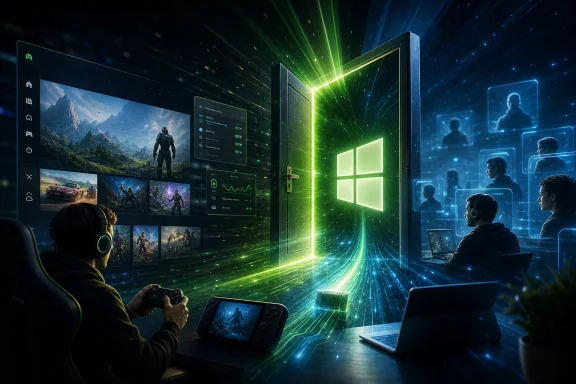 Microsoft Shipped the Feature, Then Hid the Door
The strange thing about Xbox Mode is not that Microsoft is rolling it out gradually. The company does that all the time now. The strange thing is that the feature is exactly the kind of visible, consumer-facing improvement that users expect to arrive when a mandatory update lands, yet Microsoft is treating it like a flighted experiment.KB5089549 is a Patch Tuesday release, which means many users will not experience it as optional software. It will land through Windows Update because security fixes and monthly quality improvements are part of the operating system’s servicing contract. But Xbox Mode is governed by a different logic: the bits may be on disk, while the switch that exposes them sits somewhere in Microsoft’s feature-control machinery.
That distinction matters because the Windows experience is increasingly not defined by the version number alone. Two PCs can be running the same build, same cumulative update, and same Microsoft Store app version, yet expose different settings pages and different affordances. For enthusiasts, that is frustrating. For administrators, it is another variable in an already messy support matrix.
Microsoft’s own language around the April 30 rollout made the caveat clear enough: some players in select markets would get the experience first, with expansion over the following weeks. The May Patch Tuesday update does not erase that caveat. It broadens the delivery channel, but not necessarily the activation.
The result is a familiar Windows 11 moment. A user installs the update, reboots, opens Settings, heads for Gaming, and finds nothing. The feature exists, the marketing exists, the coverage exists, and the user’s PC still behaves as if none of it happened.
Xbox Mode Is Microsoft’s Answer to the Couch Problem
Xbox Mode began life under a more utilitarian name: Full Screen Experience. That earlier label was awkward but revealing. Microsoft was not merely building a launcher; it was trying to solve the old problem of making Windows behave less like Windows when the user is holding a controller.The traditional Windows desktop is powerful precisely because it is generalized. It can run Steam, Epic Games Store, Battle.net, Discord, OBS, a browser full of guides, and a dozen driver utilities at the same time. But that flexibility becomes clumsy when the PC is attached to a TV, mounted in a handheld shell, or sitting across the room from a user who wants the simplicity of a console.
Steam’s Big Picture mode has existed for years because Valve understood this problem early. The desktop is hostile to thumbsticks. Tiny window controls, notification flyouts, taskbar focus quirks, and login prompts all make sense at a desk and become absurd from a sofa.
Xbox Mode is Microsoft’s most serious attempt to make Windows 11 feel intentional in that context. It presents a full-screen, controller-first interface that resembles the Xbox console dashboard, hides the taskbar, mutes distractions, and puts the game library at the center. In theory, it turns the PC from a general-purpose machine into a game appliance without requiring a separate operating system.
That last part is crucial. Microsoft does not want to concede that handheld gaming PCs or living-room PCs need SteamOS, a console OS, or a custom vendor shell to feel usable. It wants Windows itself to be flexible enough to disappear.
The Aggregated Library Is the Feature Microsoft Needed Years Ago
The most immediately useful part of Xbox Mode may not be the visual redesign. It may be the simple act of bringing games from multiple storefronts into one controller-friendly grid. PC gaming’s great strength is openness, but its everyday user experience often feels like a receipt drawer.A modern Windows gaming system might have games installed through Xbox, Steam, Epic, Ubisoft Connect, EA, GOG, itch.io, and standalone launchers that behave like tiny kingdoms. For keyboard-and-mouse users, this is annoying but manageable. For handheld users, it is friction every time they pick up the device.
Microsoft has an obvious platform incentive here. If Xbox Mode becomes the place users start their gaming session, the Xbox app gains gravity even when the game being launched came from somewhere else. That is the same basic strategic move Valve made with Steam: become the layer the user trusts, and the storefront follows.
But Microsoft’s version is harder because Windows is not a vertically integrated console. It has to tolerate third-party launchers, DRM prompts, overlays, anticheat software, graphics-control utilities, and years of assumptions about the desktop being present. Xbox Mode is therefore not just a new interface; it is a negotiation with the chaotic reality of PC gaming.
This is why the gradual rollout is not only a marketing annoyance. It is also a sign that Microsoft knows the surface area is huge. The company can test the Xbox app in a lab, but it cannot fully simulate the combinatorial mess of real gaming PCs.
Performance Is the Promise, but Restraint Is the Product
The most interesting claim around Xbox Mode is not that it looks like an Xbox. It is that it can make Windows less wasteful while a game is running. That is a more serious ambition.Windows 11’s gaming reputation has always been complicated. It is the default PC gaming platform by scale, hardware support, and game compatibility. It is also routinely accused of carrying too much desktop baggage into gaming sessions, especially on handhelds and lower-memory systems where every background process is more visible.
Xbox Mode reportedly reduces background activity, quiets nonessential desktop behavior, and can free system resources that would otherwise be tied up by the standard shell and associated components. Some early testing and community reports have pointed to memory savings of up to around 2GB, though results will vary by device, configuration, and what was running before the mode started.
That variability should be taken seriously. A full-screen shell does not magically turn a budget iGPU into a discrete graphics card. It does not erase shader compilation stutter, fix bad PC ports, or make 8GB of RAM feel luxurious in every modern title. But on handhelds and entry-level gaming laptops, small savings can matter because memory is often shared with integrated graphics.
The more important shift is philosophical. Microsoft is acknowledging that gaming mode cannot merely mean a settings toggle that prioritizes a foreground process. It has to mean an operating environment that deliberately steps back.
That is a meaningful admission from the company that built Windows around multitasking. Xbox Mode says that, at least sometimes, the best thing Windows can do is stop acting like a productivity desktop.
The Handheld PC Forced Microsoft’s Hand
Xbox Mode makes the most sense when viewed through the rise of Windows handhelds. Devices like the ASUS ROG Ally and similar machines exposed a weakness Microsoft could ignore on traditional laptops: Windows was never designed to be the default interface for a seven-inch gaming device.Handheld vendors tried to bridge the gap with their own launchers and control overlays. Some did respectable work, but the experience remained fragmented. Users still encountered Windows update prompts, desktop scaling oddities, driver panels, UAC dialogs, and the occasional need to touch a tiny close button with a finger.
Steam Deck succeeded not only because of hardware or price, but because SteamOS gave the device a coherent purpose. You turned it on and it behaved like a gaming machine. Windows handhelds could run more games, especially those with anticheat systems or launchers that Linux struggled with, but they often felt like small PCs pretending to be consoles.
Microsoft could not let that remain the story indefinitely. If the next phase of Xbox hardware and Windows gaming is more hybrid, more handheld, and more PC-native, the company needs an interface that does not make the operating system look like the weakest part of the product.
Xbox Mode is therefore a defensive move as much as an offensive one. It defends Windows against SteamOS-style alternatives. It defends Xbox’s relevance on PCs that may never resemble a traditional console. And it defends Microsoft’s broader gaming strategy from the charge that its software stack is too heavy for the devices it wants to power.
Controlled Feature Rollout Turns Users Into a Test Population
Microsoft’s Controlled Feature Rollout system is rational from an engineering perspective. When a feature touches the shell, the Xbox app, controller input, background task scheduling, display behavior, and potentially multiple storefronts, the company has every reason to stage the rollout and watch telemetry.The problem is that Windows users experience CFR less as safety and more as opacity. Microsoft rarely explains exactly who gets a feature, when they get it, or why one updated machine differs from another. “Rolling out” becomes a phrase that can mean today, next week, next month, or not until some silent compatibility condition changes.
For consumers, this creates confusion. For support communities, it creates repetitive troubleshooting threads. For IT departments, it complicates communication because the update has arrived but the feature state is not deterministic.
Xbox Mode is a particularly visible example because users can easily check whether it is present. If Settings does not show Xbox Mode, the feature might be unavailable in the user’s market, blocked by Microsoft’s staged rollout, dependent on an Xbox app update, or simply not enabled yet for that hardware configuration. The user sees absence, not nuance.
This is the cost of modern Windows servicing. Microsoft wants the safety of cloud-controlled deployment without the reputational burden of saying that a feature is not fully released. The company prefers the language of expansion. Users prefer the binary honesty of “available” or “not available.”
The ViVeTool Temptation Is a Symptom, Not a Solution
Enthusiasts have already found ways to force-enable Xbox Mode by toggling hidden feature IDs with tools such as ViVeTool. That is not surprising. Windows insiders, power users, and forum regulars have spent years learning that many Windows features are present before Microsoft exposes them.The specific command circulating for Xbox Mode enables hidden IDs associated with the feature, after which users may also need to update the Xbox app from the Microsoft Store before the Settings page appears. For a technically confident user, this can be quick. For everyone else, it is exactly the kind of workaround Microsoft would rather not support.
The risk is not that users are installing random replacement shell code. In many cases, they are enabling Microsoft’s own dormant feature. The risk is that they are opting out of the compatibility checks and staged rollout logic that Microsoft is using to avoid bad experiences.
Reports of flicker, taskbar reload issues, inconsistent transitions, and general rough edges should not be dismissed. They are precisely the kinds of problems that appear when a shell-adjacent experience moves from controlled testing to real machines. A gaming-only handheld can absorb that risk differently from a work laptop used for meetings, school, or production software.
There is also a trust issue. When Microsoft hides features behind server-side switches, it trains advanced users to bypass the switches. When advanced users bypass the switches, Microsoft can point to instability as evidence that the switches were necessary. Both sides are partly right, and the cycle continues.
The practical advice is boring but sound: if the PC is mission-critical, wait. If it is a gaming test box, a handheld, or a machine you already treat as experimental, force-enabling may be worth exploring. But no one should confuse “possible” with “supported.”
Xbox Mode Is a Windows Feature Wearing a Console Jersey
Microsoft’s branding invites users to think of Xbox Mode as a console dashboard arriving on PC. That is only partly true. Underneath, this is still Windows 11, with all the compatibility advantages and architectural baggage that implies.That distinction matters because expectations can get out of hand. A true console environment is constrained. Hardware is known, background behavior is tightly controlled, storefront and entitlement systems are integrated, and the shell is built around one primary use case. Windows cannot simply become that without giving up much of what makes it Windows.
Xbox Mode is more accurately described as a console-style presentation layer with some resource-management behavior. That is not a criticism. It may be the only realistic path. But users expecting a clean-room Xbox OS on their desktop are likely to be disappointed.
The more interesting possibility is that Xbox Mode becomes a bridge between three worlds: the Xbox console interface, the Windows desktop, and the handheld PC market. If Microsoft can make that bridge feel natural, it gains an advantage no single-purpose gaming OS can match: enormous game compatibility with a more coherent front end.
But if Xbox Mode feels like a full-screen Xbox app with occasional resource savings and rough transitions, the market will treat it accordingly. PC gamers are forgiving of rough edges when the benefit is obvious. They are much less forgiving when a feature is sold as transformative and behaves like a skin.
This is why Microsoft’s rollout caution is understandable. The first impression matters. The company is not just releasing a toggle; it is asking users to believe Windows can be a better gaming appliance.
The Patch Tuesday Packaging Creates the Wrong Expectation
There is an awkward tension in delivering Xbox Mode through the same monthly servicing rhythm that carries security fixes. Patch Tuesday has a meaning in the Windows ecosystem. It is when administrators plan deployments, users brace for reboots, and Microsoft ships the cumulative maintenance that keeps the platform patched.Adding a headline gaming feature to that pipeline changes the emotional contract. A security update is supposed to be predictable and broadly applicable. A controlled feature rollout is, by design, uneven. Combining the two makes Windows Update look inconsistent even when the underlying engineering process is working as intended.
Microsoft has increasingly used cumulative updates as vehicles for both fixes and features. That makes sense for an operating system that is now serviced continuously rather than replaced every few years. But it also means release notes can describe capabilities that many users will not see immediately.
For IT pros, this is not merely cosmetic. Documentation, helpdesk scripts, user training, and change management all depend on knowing what a machine will do after an update. CFR complicates that because the answer may depend on region, device class, app version, Microsoft account state, or server-side eligibility.
For consumers, it erodes confidence in update messaging. If the May 2026 update is “out with Xbox Mode,” but Xbox Mode does not appear, users naturally assume something went wrong. Microsoft may know nothing went wrong. The user does not.
The company could reduce this confusion with more explicit availability states inside Windows itself. A Settings page could say Xbox Mode is installed but not yet enabled for this device or region. The Xbox app could show a rollout status. Instead, absence leaves users to search forums and news posts.
Xbox and Windows Are Becoming the Same Bet
The broader strategic context is hard to miss. Microsoft has spent years blurring the boundary between Xbox and PC. Game Pass, Play Anywhere, cloud saves, cross-buy, controller support, and first-party games launching on PC are all part of the same arc. Xbox is no longer just a box under the television; it is a services and platform identity.Xbox Mode pushes that identity deeper into Windows itself. It says the PC can be an Xbox-like environment when the user wants it to be. That may sound cosmetic, but it has consequences for how Microsoft designs future gaming hardware and software.
If future Xbox devices lean more heavily on Windows technology, Microsoft needs Windows to behave more like a console when appropriate. If Windows handhelds are to compete with Steam Deck-style devices, Microsoft needs the Xbox layer to feel native rather than bolted on. If Game Pass is to remain central, Microsoft benefits when the first gaming surface users see is Xbox-branded.
This is why Xbox Mode should not be dismissed as a launcher. Launchers do not usually require OS-level rollout caution, Settings integration, background task policy, and staged market availability. Microsoft is laying groundwork for a Windows gaming experience that can scale from desktop tower to handheld to living-room device.
The danger is that Microsoft’s incentives are not perfectly aligned with user expectations. Users want the best way to launch and play games, regardless of store. Microsoft wants that too, but it also wants Xbox to be the organizing layer. If Xbox Mode respects the openness of PC gaming, it can win trust. If it gradually privileges Microsoft’s ecosystem too aggressively, users will notice.
The PC gaming audience is not hostile to convenience. It is hostile to capture disguised as convenience.
The May Update Shows Microsoft Is Finally Treating Gaming as System Work
Xbox Mode is not arriving in isolation. The May 2026 Windows 11 update is also being discussed for performance improvements, File Explorer fixes, reliability work, and other quality-of-life changes. Microsoft appears to understand that gaming credibility is not earned only through a prettier dashboard.For years, Windows gaming improvements were often framed around APIs, graphics features, and compatibility. Those still matter. But the daily irritants are often more mundane: shell responsiveness, memory pressure, driver friction, background services, notification interruptions, and the feeling that the OS is doing too much at the wrong time.
A controller-first full-screen mode addresses some of that, but only if the rest of Windows behaves. A fast dashboard does not help if the system wakes into update churn. A clean game grid does not help if storefront authentication breaks controller flow. A memory-saving mode does not help if exiting back to the desktop leaves the taskbar confused.
This is where Microsoft’s Xbox and Windows teams need to keep converging. The gaming experience is no longer separable from the operating system experience. If Microsoft wants Windows to power the next generation of PC-like Xbox hardware or Xbox-like PCs, the whole stack has to feel designed, not merely compatible.
That work is unglamorous. It involves shaving seconds, suppressing distractions, prioritizing foreground workloads, cleaning up shell behavior, and making transitions predictable. Xbox Mode gives Microsoft a visible banner for that work. The work itself will determine whether the banner means anything.
The Real Test Comes After the Toggle Appears
The early rollout question is whether Xbox Mode shows up. The more important long-term question is whether people keep using it after the novelty wears off.A mode like this lives or dies by reliability. It has to wake cleanly, detect controllers consistently, launch games across storefronts without dumping users into desktop awkwardness, and exit gracefully. It has to handle overlays, chats, screenshots, suspend-and-resume behavior, display switching, HDR quirks, and the thousand paper cuts that define PC gaming.
It also has to be faster than the user’s existing habits. Desktop gamers already have muscle memory. Steam users already have Big Picture. Handheld vendors already ship launchers. Xbox Mode must not only be good; it must be good enough to replace workflows that users have grudgingly accepted.
Microsoft has one advantage: it controls Windows. That gives it access and integration third-party shells cannot fully replicate. It also gives it responsibility. If Xbox Mode stumbles, users will not blame an OEM utility. They will blame Windows.
The rollout delay, then, is less scandal than warning. Microsoft is trying to avoid a feature that arrives everywhere and immediately becomes a meme for broken transitions and missing settings. That caution is sensible. But Microsoft should be clearer about it, because silence makes caution look like confusion.
For WindowsForum readers, the best posture is skeptical interest. Xbox Mode is worth watching, especially for handhelds and living-room PCs. It is also worth testing with the understanding that Microsoft’s gaming ambitions are colliding with Windows’ legacy complexity in real time.
When the Dashboard Finally Lands, These Are the Stakes
The immediate story is not that Microsoft forgot to include Xbox Mode in the May update. It is that Windows now has features whose arrival depends on more than installing the update that contains them. That is the new normal, and Xbox Mode happens to make it obvious.- Xbox Mode began rolling out on April 30, 2026, but Microsoft limited early access to select markets and is expanding availability over several weeks.
- KB5089549 can place the necessary Windows components on eligible PCs without making the Xbox Mode setting visible immediately.
- The feature is aimed at controller-first gaming, especially on handhelds, gaming laptops, desktops connected to TVs, and users who want a console-like interface.
- The most meaningful performance claims involve reduced background activity and potential memory savings, not a universal frame-rate miracle.
- Force-enabling the feature with hidden IDs may work for enthusiasts, but it bypasses Microsoft’s staged rollout safeguards and can expose rough edges.
- Microsoft’s larger bet is that Windows can become a credible gaming appliance without giving up the compatibility that made it the dominant PC gaming platform.
Source: Windows Latest Microsoft warns Windows 11's Xbox mode won't show up yet, even as the rollout expands to more users today
Last edited:
