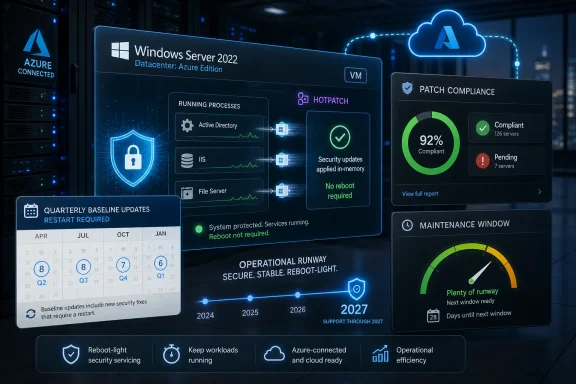
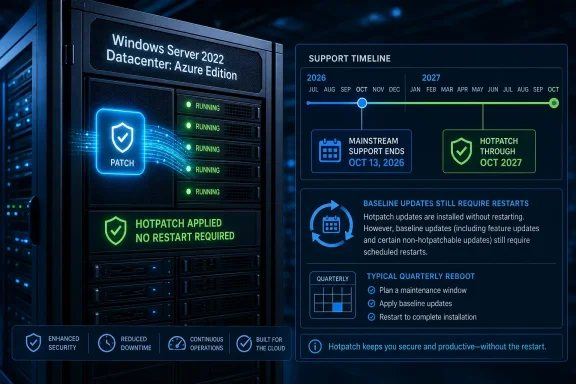
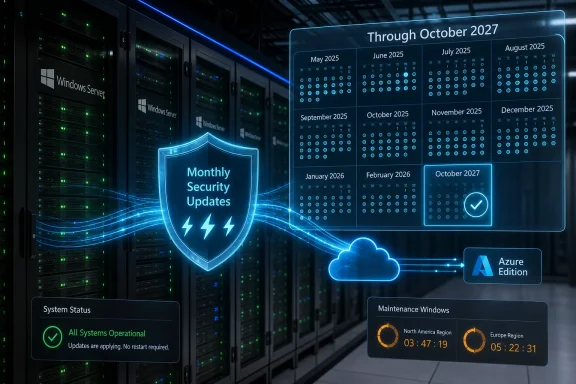
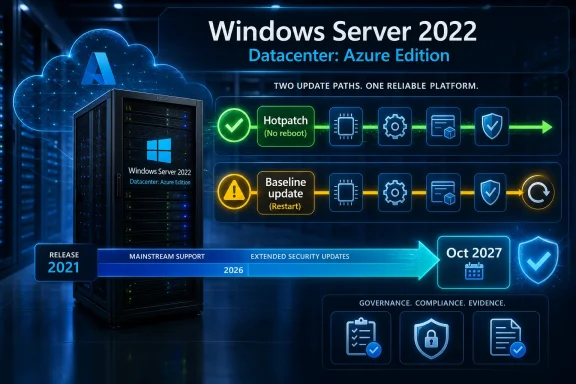
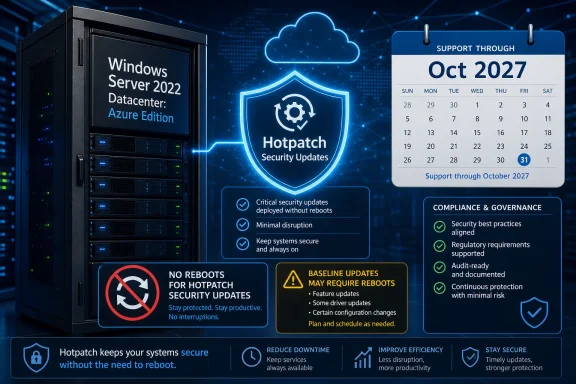
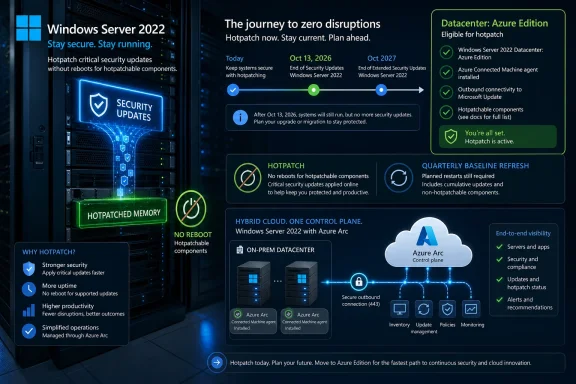
Microsoft has extended hotpatching for Windows Server 2022 Datacenter Azure Edition into 2027, keeping reboot-light security updates available past the operating system’s October 13, 2026 mainstream-support cutoff, while standard on-premises Windows Server 2022 editions remain on the normal lifecycle through extended support until October 14, 2031. The move is narrow, useful, and unmistakably strategic. Microsoft is not changing the lifecycle of Windows Server 2022 so much as preserving one of Azure Edition’s most attractive operational privileges for customers who have built patching rhythms around it. For administrators, the message is simple: fewer emergency reboot windows are still available, but only if your server estate sits inside Microsoft’s preferred cloud-shaped boundary.
Hotpatching is one of those features that sounds mundane until you have owned a production maintenance calendar. A normal Windows Server security update has historically come with an implied negotiation: patch quickly and disrupt something, or wait for a quieter window and accept more exposure. Hotpatching changes that bargain by applying many security fixes without restarting the machine.
That does not mean reboots disappear. Microsoft’s model still relies on periodic baseline cumulative updates that require restarts, typically on a quarterly cadence. But replacing most monthly reboot cycles with in-memory patching is a meaningful reduction in operational drag, particularly for systems that host databases, identity services, line-of-business applications, or anything whose “maintenance window” is really an apology to users.
The important part of this week’s extension is not that Microsoft loves Windows Server 2022. It is that Microsoft knows hotpatching has become a habit for the customers allowed to use it. Pulling that capability at the mainstream-support boundary would have created a surprisingly sharp cliff for Azure Edition deployments, even though the underlying operating system still has years of extended support ahead.
This is the kind of lifecycle carve-out that looks small on paper and large in a change advisory board meeting. A server can be “supported” in the security-fix sense and still become more expensive to operate if the servicing model gets worse. Microsoft has chosen not to impose that operational downgrade immediately on Azure Edition users.
Hotpatching has generally been treated as a mainstream-support feature rather than a guaranteed extended-support entitlement. That is why this extension matters. Microsoft is allowing the Azure Edition flavor of Windows Server 2022 to keep receiving hotpatch updates into 2027 even after mainstream support ends.
The distinction will frustrate some customers because it is both technically subtle and financially obvious. Security support continues broadly. Hotpatch convenience continues selectively. The former is part of the Windows Server lifecycle; the latter is a cloud-era differentiator.
That selectivity is the policy story. Microsoft is not saying every Windows Server 2022 customer deserves the same reboot reduction. It is saying customers running Windows Server 2022 Datacenter Azure Edition deserve a longer runway because they are already inside the Azure-aligned servicing model.
That matters because patch latency is not only a technical problem. It is an organizational problem. The more disruptive a patch is, the more people are tempted to defer it, bundle it, negotiate it, or wait for someone else to go first.
Every security team claims to want fast patching. Every operations team knows fast patching can collide with uptime promises, brittle applications, vendor certification requirements, and executives who discover “critical” systems only when they go offline. Hotpatching reduces one of the biggest excuses for delay.
It also changes the emotional texture of Patch Tuesday. Instead of treating each month’s cumulative update as a mini-outage project, teams can separate the security urgency from the reboot burden more often. That does not eliminate risk, but it makes good behavior easier.
That tradeoff is reasonable. A perpetual chain of in-memory patches without occasional consolidation would be difficult to support, test, and troubleshoot. The quarterly reboot is the price of keeping the model predictable.
For administrators, the practical benefit is not zero downtime; it is fewer forced downtime events. That distinction matters in regulated environments, clustered systems, and multi-tier applications where even a planned restart can require coordination across teams. Reducing twelve monthly reboot events to roughly four baseline events is not glamorous, but it is the kind of change that can make patch compliance targets more realistic.
The quarterly baseline also keeps Microsoft’s support story defensible. When something breaks, both vendor and customer need a known servicing floor. Hotpatching buys flexibility, not an escape from lifecycle hygiene.
That is why the extension being limited to Azure Edition is not an incidental detail. It is the entire strategy. Microsoft can argue that the controlled environment around Azure VMs, Azure Stack HCI, Azure Arc-connected scenarios, and cloud-managed update orchestration makes hotpatching safer and more supportable than trying to offer it across the vast menagerie of traditional on-premises deployments.
There is a technical argument there. The Windows Server ecosystem includes countless hardware platforms, drivers, agents, security tools, backup products, storage stacks, and application dependencies. Hotpatching is easier to validate when Microsoft can constrain more of the environment.
There is also a business argument, and it is harder to miss. The best Windows Server servicing experience is increasingly reserved for customers who adopt Microsoft’s cloud operating model. Azure Edition is not just a SKU; it is a direction of travel.
That divide will irritate organizations that have good reasons to keep servers outside Azure. Some workloads stay on-premises because of latency, data sovereignty, industrial control requirements, licensing history, acquisition sprawl, or simple economics. Not every refusal to move is nostalgia.
Still, Microsoft’s incentives are plain. The company wants the server base managed through Azure services, governed through cloud policy, and measured through recurring revenue. Hotpatching is exactly the kind of operational premium that makes cloud alignment feel less like a billing exercise and more like a quality-of-life upgrade.
The catch is that it leaves a two-tier Windows Server world. One group gets the best servicing mechanics. The other gets the traditional support promise and a reminder that “supported” does not always mean “modern.”
Enterprises rarely move server operating systems at the speed vendors prefer. Application certification, backup compatibility, endpoint protection agents, monitoring hooks, clustering behavior, and internal validation can make a server OS upgrade a year-long project. The bigger the estate, the more the official lifecycle chart becomes an opening bid rather than a plan.
By extending hotpatching into 2027, Microsoft avoids forcing a binary choice in late 2026: upgrade immediately or accept a worse patching experience. That is a pragmatic concession. It recognizes that even cloud-aligned customers need migration runway.
But it is not a reprieve from modernization. It is a countdown with better ergonomics. Microsoft is keeping the runway lit, not changing the destination.
The most secure patch is the one applied quickly and successfully. If hotpatching reduces the number of delayed deployments, failed maintenance windows, and “we’ll do it next month” exceptions, then it improves the practical security posture of real environments. The security industry often talks as if missing patches are caused by ignorance. In mature shops, they are just as often caused by operational risk.
That makes reboot reduction a serious control. Not a silver bullet, not a substitute for defense in depth, but a way to remove friction from the most basic security maintenance task in Windows administration. When patching is less disruptive, organizations have fewer reasons to gamble.
Microsoft’s challenge is trust. Customers will reasonably ask whether the company is distributing security improvements according to technical necessity or cloud business value. The answer, unsatisfying but probably accurate, is both.
The old Windows update model assumed interruption was unavoidable. Save your work, schedule the restart, hope the user complies, and let management tools chase the stragglers. Hotpatching suggests Microsoft wants a future where more updates happen beneath the visible surface, with fewer user-facing interruptions and fewer reboot-driven compliance gaps.
For IT departments, that future is attractive but also more dependent on Microsoft’s management stack. The more invisible the update process becomes, the more important reporting, rollback, change tracking, and fleet visibility become. A quiet patch is only comforting if administrators can prove it happened and understand what changed.
That is the broader pattern. Microsoft is not merely improving Windows updates. It is turning update experience into a managed-service feature.
That shift is already visible across Microsoft’s infrastructure portfolio. Azure Arc, Azure Update Manager, Defender for Cloud, Automanage-style policy, and hybrid management tools all point in the same direction. The server is still Windows, but the experience of operating it increasingly depends on whether it is enrolled, connected, and governed through Microsoft’s cloud fabric.
This is not inherently bad. Centralized policy and telemetry can improve consistency, especially across sprawling estates. Many organizations already want less artisanal server care and more declarative management.
But there is a lock-in dimension that cannot be waved away. If the best patching model, best security visibility, and best compliance reporting all live in the same vendor cloud, the operational center of gravity moves. Windows Server becomes less of a standalone product and more of a node in Microsoft’s management economy.
The signal is larger. Microsoft is demonstrating that lifecycle edges are no longer only about whether security updates arrive. They are about which class of customer gets the better servicing experience, which environments receive operational grace, and which deployment models are treated as first-class.
That will shape planning conversations well before October 2026. Admins responsible for Azure Edition workloads can treat the extension as breathing room. Admins responsible for conventional on-premises Windows Server 2022 estates should not misread it as a general policy change.
The worst mistake would be assuming the word “Windows Server 2022” tells the whole story. In this era, edition, hosting model, management plane, and update channel matter as much as the version number.
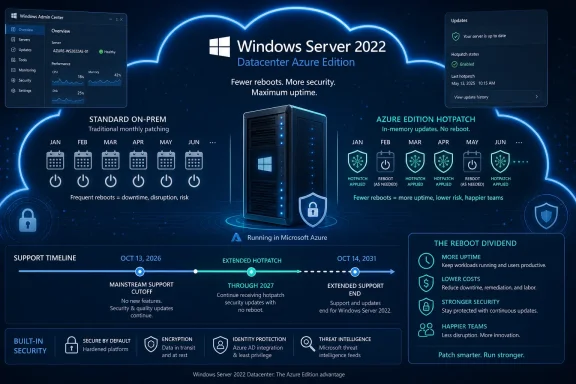 Microsoft Keeps the Reboot Dividend Inside the Azure Fence
Hotpatching is one of those features that sounds mundane until you have owned a production maintenance calendar. A normal Windows Server security update has historically come with an implied negotiation: patch quickly and disrupt something, or wait for a quieter window and accept more exposure. Hotpatching changes that bargain by applying many security fixes without restarting the machine.That does not mean reboots disappear. Microsoft’s model still relies on periodic baseline cumulative updates that require restarts, typically on a quarterly cadence. But replacing most monthly reboot cycles with in-memory patching is a meaningful reduction in operational drag, particularly for systems that host databases, identity services, line-of-business applications, or anything whose “maintenance window” is really an apology to users.
The important part of this week’s extension is not that Microsoft loves Windows Server 2022. It is that Microsoft knows hotpatching has become a habit for the customers allowed to use it. Pulling that capability at the mainstream-support boundary would have created a surprisingly sharp cliff for Azure Edition deployments, even though the underlying operating system still has years of extended support ahead.
This is the kind of lifecycle carve-out that looks small on paper and large in a change advisory board meeting. A server can be “supported” in the security-fix sense and still become more expensive to operate if the servicing model gets worse. Microsoft has chosen not to impose that operational downgrade immediately on Azure Edition users.
The Lifecycle Has Not Moved, but the Operational Deadline Has
Windows Server 2022 remains on the familiar Long-Term Servicing Channel path. Mainstream support ends on October 13, 2026, and extended support continues until October 14, 2031. For most administrators, that means the operating system will continue receiving security updates for years, but feature development and broader support entitlements narrow after the mainstream phase ends.Hotpatching has generally been treated as a mainstream-support feature rather than a guaranteed extended-support entitlement. That is why this extension matters. Microsoft is allowing the Azure Edition flavor of Windows Server 2022 to keep receiving hotpatch updates into 2027 even after mainstream support ends.
The distinction will frustrate some customers because it is both technically subtle and financially obvious. Security support continues broadly. Hotpatch convenience continues selectively. The former is part of the Windows Server lifecycle; the latter is a cloud-era differentiator.
That selectivity is the policy story. Microsoft is not saying every Windows Server 2022 customer deserves the same reboot reduction. It is saying customers running Windows Server 2022 Datacenter Azure Edition deserve a longer runway because they are already inside the Azure-aligned servicing model.
Hotpatching Is Not Magic, but It Attacks a Very Real Weakness
Microsoft describes hotpatching as patching the in-memory code of a running process so that a restart is not required for many updates. In practice, that turns patching from a monthly restart ritual into a more nuanced rhythm: baseline, hotpatch, hotpatch, baseline. Administrators still need planning, monitoring, rollback discipline, and compliance evidence, but they get fewer moments where the fix itself demands a full machine reboot.That matters because patch latency is not only a technical problem. It is an organizational problem. The more disruptive a patch is, the more people are tempted to defer it, bundle it, negotiate it, or wait for someone else to go first.
Every security team claims to want fast patching. Every operations team knows fast patching can collide with uptime promises, brittle applications, vendor certification requirements, and executives who discover “critical” systems only when they go offline. Hotpatching reduces one of the biggest excuses for delay.
It also changes the emotional texture of Patch Tuesday. Instead of treating each month’s cumulative update as a mini-outage project, teams can separate the security urgency from the reboot burden more often. That does not eliminate risk, but it makes good behavior easier.
The Quarterly Reboot Is the Fine Print That Keeps This Honest
The danger in talking about hotpatching is overselling it as no-reboot Windows. It is not. Microsoft’s model still depends on periodic baseline updates that reset the system state and establish a new foundation for subsequent hotpatches.That tradeoff is reasonable. A perpetual chain of in-memory patches without occasional consolidation would be difficult to support, test, and troubleshoot. The quarterly reboot is the price of keeping the model predictable.
For administrators, the practical benefit is not zero downtime; it is fewer forced downtime events. That distinction matters in regulated environments, clustered systems, and multi-tier applications where even a planned restart can require coordination across teams. Reducing twelve monthly reboot events to roughly four baseline events is not glamorous, but it is the kind of change that can make patch compliance targets more realistic.
The quarterly baseline also keeps Microsoft’s support story defensible. When something breaks, both vendor and customer need a known servicing floor. Hotpatching buys flexibility, not an escape from lifecycle hygiene.
Azure Edition Was Always the Tell
Windows Server 2022 Datacenter Azure Edition is not simply another box on a product comparison chart. It is Microsoft’s bridge between classic Windows Server and the cloud-managed future the company would prefer customers to inhabit. Hotpatching has been one of its cleanest selling points because it translates cloud control into something administrators immediately understand: fewer restarts.That is why the extension being limited to Azure Edition is not an incidental detail. It is the entire strategy. Microsoft can argue that the controlled environment around Azure VMs, Azure Stack HCI, Azure Arc-connected scenarios, and cloud-managed update orchestration makes hotpatching safer and more supportable than trying to offer it across the vast menagerie of traditional on-premises deployments.
There is a technical argument there. The Windows Server ecosystem includes countless hardware platforms, drivers, agents, security tools, backup products, storage stacks, and application dependencies. Hotpatching is easier to validate when Microsoft can constrain more of the environment.
There is also a business argument, and it is harder to miss. The best Windows Server servicing experience is increasingly reserved for customers who adopt Microsoft’s cloud operating model. Azure Edition is not just a SKU; it is a direction of travel.
On-Premises Admins Get the Same Security Clock, Not the Same Convenience
For standard Windows Server 2022 deployments, the extension changes little. Those servers remain supported under the published lifecycle, but they do not inherit Azure Edition hotpatching merely because the operating system name says 2022. Traditional on-premises estates still face the familiar monthly dance of testing, staging, rebooting, and explaining.That divide will irritate organizations that have good reasons to keep servers outside Azure. Some workloads stay on-premises because of latency, data sovereignty, industrial control requirements, licensing history, acquisition sprawl, or simple economics. Not every refusal to move is nostalgia.
Still, Microsoft’s incentives are plain. The company wants the server base managed through Azure services, governed through cloud policy, and measured through recurring revenue. Hotpatching is exactly the kind of operational premium that makes cloud alignment feel less like a billing exercise and more like a quality-of-life upgrade.
The catch is that it leaves a two-tier Windows Server world. One group gets the best servicing mechanics. The other gets the traditional support promise and a reminder that “supported” does not always mean “modern.”
Windows Server 2025 Is the Destination Microsoft Would Rather Discuss
The extension also buys Microsoft time to nudge customers toward Windows Server 2025, the current LTSC release. That is the cleaner answer from Redmond’s perspective: if you want the latest servicing investments, migrate to the newer platform. If you cannot, Azure Edition’s hotpatch extension softens the landing.Enterprises rarely move server operating systems at the speed vendors prefer. Application certification, backup compatibility, endpoint protection agents, monitoring hooks, clustering behavior, and internal validation can make a server OS upgrade a year-long project. The bigger the estate, the more the official lifecycle chart becomes an opening bid rather than a plan.
By extending hotpatching into 2027, Microsoft avoids forcing a binary choice in late 2026: upgrade immediately or accept a worse patching experience. That is a pragmatic concession. It recognizes that even cloud-aligned customers need migration runway.
But it is not a reprieve from modernization. It is a countdown with better ergonomics. Microsoft is keeping the runway lit, not changing the destination.
The Security Argument Is Stronger Than the Marketing One
It is easy to mock Microsoft’s cloud nudge, and much of the mockery is earned. The company has a long habit of turning operational pain into an upsell path. But hotpatching also serves a real security interest, and that should not be dismissed just because it aligns with Microsoft’s commercial goals.The most secure patch is the one applied quickly and successfully. If hotpatching reduces the number of delayed deployments, failed maintenance windows, and “we’ll do it next month” exceptions, then it improves the practical security posture of real environments. The security industry often talks as if missing patches are caused by ignorance. In mature shops, they are just as often caused by operational risk.
That makes reboot reduction a serious control. Not a silver bullet, not a substitute for defense in depth, but a way to remove friction from the most basic security maintenance task in Windows administration. When patching is less disruptive, organizations have fewer reasons to gamble.
Microsoft’s challenge is trust. Customers will reasonably ask whether the company is distributing security improvements according to technical necessity or cloud business value. The answer, unsatisfying but probably accurate, is both.
Windows 11 Shows the Same Servicing Philosophy Moving Downstream
Hotpatching is no longer just a server story. Microsoft introduced hotpatch updates for Windows 11 Enterprise, version 24H2, in preview and has been folding the model into managed client update services such as Windows Autopatch. That matters because the same philosophy is spreading from datacenter workloads to enterprise endpoints.The old Windows update model assumed interruption was unavoidable. Save your work, schedule the restart, hope the user complies, and let management tools chase the stragglers. Hotpatching suggests Microsoft wants a future where more updates happen beneath the visible surface, with fewer user-facing interruptions and fewer reboot-driven compliance gaps.
For IT departments, that future is attractive but also more dependent on Microsoft’s management stack. The more invisible the update process becomes, the more important reporting, rollback, change tracking, and fleet visibility become. A quiet patch is only comforting if administrators can prove it happened and understand what changed.
That is the broader pattern. Microsoft is not merely improving Windows updates. It is turning update experience into a managed-service feature.
The Cloud Control Plane Becomes the New Windows Feature
For decades, Windows Server features were things installed on the machine. Roles, services, management consoles, and local configuration defined what the server could do. The hotpatching story points to a different model, where some of the most valuable capabilities depend on the control plane around the server rather than the bits inside it.That shift is already visible across Microsoft’s infrastructure portfolio. Azure Arc, Azure Update Manager, Defender for Cloud, Automanage-style policy, and hybrid management tools all point in the same direction. The server is still Windows, but the experience of operating it increasingly depends on whether it is enrolled, connected, and governed through Microsoft’s cloud fabric.
This is not inherently bad. Centralized policy and telemetry can improve consistency, especially across sprawling estates. Many organizations already want less artisanal server care and more declarative management.
But there is a lock-in dimension that cannot be waved away. If the best patching model, best security visibility, and best compliance reporting all live in the same vendor cloud, the operational center of gravity moves. Windows Server becomes less of a standalone product and more of a node in Microsoft’s management economy.
The Extension Is a Small Favor with a Large Signal
The immediate practical effect is modest. A subset of Windows Server 2022 users gets to keep hotpatching into 2027. They avoid an abrupt return to monthly reboot expectations as mainstream support ends. Everyone else continues with the existing lifecycle and patching model.The signal is larger. Microsoft is demonstrating that lifecycle edges are no longer only about whether security updates arrive. They are about which class of customer gets the better servicing experience, which environments receive operational grace, and which deployment models are treated as first-class.
That will shape planning conversations well before October 2026. Admins responsible for Azure Edition workloads can treat the extension as breathing room. Admins responsible for conventional on-premises Windows Server 2022 estates should not misread it as a general policy change.
The worst mistake would be assuming the word “Windows Server 2022” tells the whole story. In this era, edition, hosting model, management plane, and update channel matter as much as the version number.
The 2027 Reprieve Redraws the Patch Calendar
Microsoft’s extension gives Azure Edition customers a little more time, but it also clarifies the terms of the next server transition. The organizations that benefit most will be the ones that treat the extension as planning room rather than permission to coast.- Windows Server 2022 mainstream support still ends on October 13, 2026, and extended support still runs until October 14, 2031.
- The hotpatching extension applies to Windows Server 2022 Datacenter Azure Edition, not to every Windows Server 2022 deployment.
- Hotpatching reduces many monthly restart requirements, but baseline cumulative updates still require periodic reboots.
- The extension makes life easier for Azure-aligned customers while reinforcing Microsoft’s preference for cloud-managed Windows infrastructure.
- Windows Server 2025 remains the strategic migration target for organizations that want the newer long-term platform rather than a temporary servicing reprieve.
References
- Primary source: The Register
Published: Mon, 29 Jun 2026 13:00:00 GMT
Microsoft keeps Windows Server 2022 hotpatching alive into 2027
In the Azure Edition, of coursewww.theregister.com - Official source: learn.microsoft.com
Windows Server 2022 - Microsoft Lifecycle | Microsoft Learn
Windows Server 2022 follows the Fixed Lifecycle Policy.learn.microsoft.com - Official source: support.microsoft.com
- Official source: techcommunity.microsoft.com
Hotpatching is now available for Windows Server VMs on Azure with Desktop Experience! | Microsoft Community Hub
We’re excited to announce the General Availability of Hotpatching on Windows Server 2022 Datacenter: Azure Edition VMs with Desktop Experience. Now, all... techcommunity.microsoft.com
- Related coverage: windowsforum.com
Windows Server 2022 End of Mainstream Support 2026 2031 Migration Guide | Windows Forum
Windows Server 2022 reaches the end of its mainstream support window on October 13, 2026, and will transition into Extended Support until October 14, 2031...windowsforum.com - Official source: microsoft.com
How Hotpatching on Windows Server is changing the game for Xbox | Microsoft Windows Server Blog
Hotpatch with Windows Server 2022 Azure Edition reduces downtime for SQL Server databases running on Windows Server Azure virtual machines. Learn more.www.microsoft.com

- Related coverage: windowscentral.com
All three editions of Windows Server 2022 are here | Windows Central
It's the moment you've all been waiting for: Windows Server 2022 has arrived.www.windowscentral.com - Related coverage: progressiverobot.com
How to Set Up Windows Server 2022 Hotpatch (Azure Edition) - Progressive Robot
Hotpatch is a patching mechanism introduced in Windows Server 2022 Datacenter: Azure Edition that allows critical security patches to be applied to thewww.progressiverobot.com - Related coverage: redmondmag.com
Hotpatch Released for Windows Server 2022 Datacenter Azure Edition -- Redmondmag.com
Microsoft announced the "general availability" commercial release of its Hotpatch capability for virtual machines, which just works with the Windows Server 2022 Datacenter Azure Edition product.redmondmag.com - Related coverage: techrepublic.com
What's new in Windows Server Azure Edition 2022 | TechRepublic
See what makes Windows Server Azure Edition unique and learn about its latest features. Read on to find out more.www.techrepublic.com
- Related coverage: techradar.com
What is Windows 10 IoT Enterprise LTSC 2021 and why does it expire in 2032 and not in 2025? | TechRadar
Most versions of Windows 10 have passed their support deadline – but why does this one expire in 2032?www.techradar.com - Official source: download.microsoft.com
- Related coverage: vita.virginia.gov