Windows 10 Your web browser is not using a secure enough connection

sedmeades

New Member
Joined
Oct 23, 2019
Messages
9
Hi,
I have suddenly started getting issues with websites (eg a failure to connect to Sage Pay from a shopping site) - Chrome and Edge browsers. I believe I am up to date with Windows 10 updates and Chrome is right up to date version, just reinstalled to be sure.

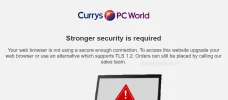
eg -I tried accessing PC World Site just now and I get:

"Your web browser is not using a secure enough connection. To access this website upgrade your web browser or use an alternative which supports TLS 1.2 "

My TLS 1,2 is ticked in settings

I am not a tecky and not fiddled with anything - but recently had a big automatic Window update and a Dell update (Dell Inspiron)

Help!!
 

Solution
Uninstall AVG.....Once done, MS built in AV will automatically kick in. Then download Malwarebytes free version and run it. Then download Link Removed and run it. Then I would reboot.....see if that doesn't fix it for you.

Neemobeer

Windows Forum Team
Staff member
Joined
Jul 4, 2015
Messages
8,998
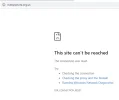
Can you post a screenshot?

A couple of items that come to mind
  • Some type of local proxy service
  • Malware
  • Firewall blocking traffic
 

sedmeades

New Member
Joined
Oct 23, 2019
Messages
9
Hi,
I have suddenly started getting issues with websites (eg a failure to connect to Sage Pay from a shopping site) - Chrome and Edge browsers. I believe I am up to date with Windows 10 updates and Chrome is right up to date version, just reinstalled to be sure.

eg -I tried accessing PC World Site just now and I get:

"Your web browser is not using a secure enough connection. To access this website upgrade your web browser or use an alternative which supports TLS 1.2 "

My TLS 1,2 is ticked in settings

I am not a tecky and not fiddled with anything - but recently had a big automatic Window update and a Dell update (Dell Inspiron)

Help!!
 

Attachments

  • Screenshot1.webp
    Screenshot1.webp
    12.2 KB · Views: 125

sedmeades

New Member
Joined
Oct 23, 2019
Messages
9
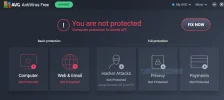
well I am not a tekky just a 62 year old home laptop user - this is the current status of AVG after my attempt at disabling. It has not made any difference to the situation I reported on web site access denial.
 

Attachments

  • AVGStatus.webp
    AVGStatus.webp
    22.1 KB · Views: 139

Jimbo22

Essential Member
Joined
Aug 27, 2008
Messages
5,037
Uninstall AVG.....Once done, MS built in AV will automatically kick in. Then download Malwarebytes free version and run it. Then download Link Removed and run it. Then I would reboot.....see if that doesn't fix it for you.
 

Solution

sedmeades

New Member
Joined
Oct 23, 2019
Messages
9
thanks for that. I have noticed I have AVG secure browser available (not noticed or ignored it previously) - but that seems to work fine so far and it has my chrome bookmarks already there
 

Back
Top