

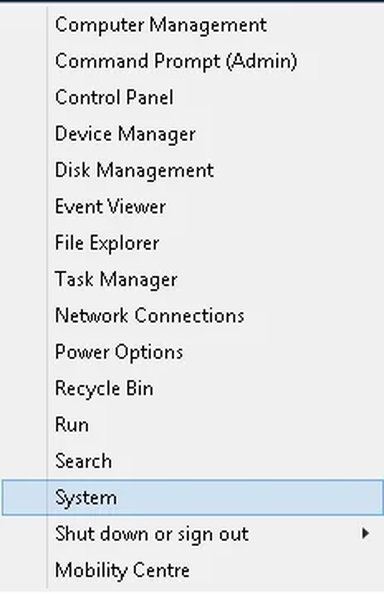
Users may not be aware of it, but you can customise the Start icon right click menu.
This is not a tutorial, as such, but, for information of users who like to play with these thongs. ths Power menu is situated at:
C:\Users\David\AppData\Local\Microsoft\Windows\WinX
You can add or delete things from here, as you would in other folders. I wouldn't personally, care to go there, but you could probably build up a start menu not too different from the legacy ones, if you wished to.
I have attached a small program to make the process easier.
There is a picture attached, also, Of what I have settled for.
Attachments
-
Microsoft Defender: No threats detected Scan detailsPower.zip460.8 KB · Views: 364
-
 Microsoft Defender: No threats detected Scan detailsUntitled.webp8.6 KB · Views: 530
Last edited:


