
📎 AI Summary:
The thread discusses a user’s issues installing the Windows Tech Preview (build 9879) on a mid-2012 MacBook Air, encountering a problem during the final installation step. The original poster seeks help to fix the error without losing existing data or installed applications, and mentions current use of OS X. A respondent asks for more details about the device’s make, current operating system, and installation specifics to better assist with troubleshooting. Overall, the conversation revolves around troubleshooting installation issues with a tentative, helpful tone.

chilisausage

New Member
Joined
Nov 14, 2014
Messages
1
Thread Author #1
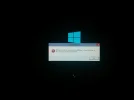
Hi guys. I've installed the windows tech preview since release on my mbair mid 2012. I have fun messing with beta software though not much knowledgable with the technical stuff. While installing the latest build 9879. This happened during the final steps of the installation (pic attached). Can anyone help me with how to fix this. Thanks!

Btw I'm using the OS X partition right now. If there is any way that I can save the installed OS on windows without erasing or refreshing the installed apps, it would really be appreciated
 

Attachments
  • IMG_20141115_020940.webp
    IMG_20141115_020940.webp
    134.9 KB · Views: 401
Last edited:
Solution
What is the make/model of PC/laptop? What is the primary OS installed on it? Is this a clean install? Did you partition the HDD and isntall windows 10 TP on the newly created partition?

Jimbo22

Essential Member
Joined
Aug 27, 2008
Messages
5,035
What is the make/model of PC/laptop? What is the primary OS installed on it? Is this a clean install? Did you partition the HDD and isntall windows 10 TP on the newly created partition?
 

Solution