pschest

New Member
Joined
Feb 6, 2012
Messages
8
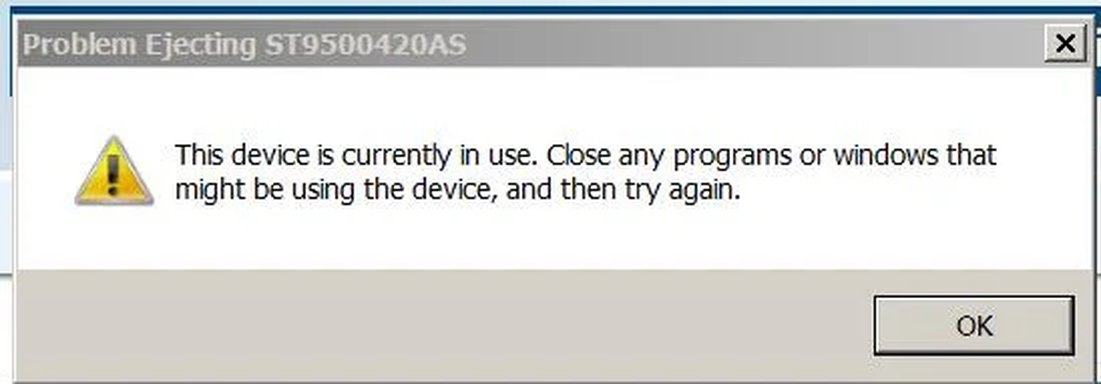
I replaced my original HDD with a 128GB SSD. I installed the original HDD in the slot for my DVD drive. Everything works OK except that when I put the machine in sleep mode (close the lid on the laptop) and then open the system I get the following error message: " Probelm Ejecting ST9500420AS, This Device is currently in use. Close any programs or windows that might be using the device and try again". I click on OK and everything works fine. Does anyone know why I'm getting this error message and what I can do to keep it from popping up?

Thanks,
Pete
 

Attachments

  • Device Error Message.webp
    Device Error Message.webp
    9.8 KB · Views: 313
Solution
The ST9500420AS that is referenced in your error message is a Seagate Momentus 500 Gig hard drive.
Check the properties of the device in device manager under Disk Drives and look under the Policies Tab, Check the Enable write caching on the device box and make sure the Turn off Windows write-cache buffer flushing on the device is un-checked.
Also if there is a ReadyBoost tab turn it off

Saltgrass

Excellent Member
Microsoft Community Contributor
Joined
Oct 16, 2009
Messages
15,152
If you remove the old hard drive does the message go away? Maybe put the DVD drive back in and get an external enclosure for the old drive.
 

Jimbo22

Essential Member
Joined
Aug 27, 2008
Messages
5,034
Depending on brand, make and model of laptop, you might have an extra bay for 2 hdd's. Could you tell when you opened the back of laptop?
 

pschest

New Member
Joined
Feb 6, 2012
Messages
8
There is no bay for a second HDD, I'm using the slot that normally accepts the DVD drive which is also SATA
 

pschest

New Member
Joined
Feb 6, 2012
Messages
8
The error only occurs when the HDD is attached to the DVD slot. Both connections are SATA
 

MikeHawthorne

Essential Member
Microsoft Community Contributor
Joined
May 25, 2009
Messages
6,675
Hi

Sounds like the problem is that the computer thinks that the drive is still a CD-DVD drive, and not a Hard Drive that can't be ejected.

Maybe there is some way in either disk management or the bios to tell it that the drive is a hard drive.

How does the drive appear in Disk Management?

If you could post that here it would help.

Mike
 

Trouble

Noob Whisperer
Joined
Nov 30, 2009
Messages
13,714
The ST9500420AS that is referenced in your error message is a Seagate Momentus 500 Gig hard drive.
Check the properties of the device in device manager under Disk Drives and look under the Policies Tab, Check the Enable write caching on the device box and make sure the Turn off Windows write-cache buffer flushing on the device is un-checked.
Also if there is a ReadyBoost tab turn it off
 

Solution