To encrypt passwords, there are various password management software and tools available that can help you securely store and manage your passwords. Some popular password managers include LastPass, Dashlane, KeePass, and 1Password. These tools offer features like encryption, password generation, and secure storage to keep your passwords safe. Here's how you can remove the Windows Live Messenger password from your system: 1.
Control Panel Method: - Open the Control Panel on your Windows system. - Click on "User Accounts." - Select "Credential Manager." - Under "Web Credentials" or "Windows Credentials," look for the entry related to Windows Live Messenger. - Click on the credential and then select "Remove." 2.
Using Command Line (CMD): - Open Command Prompt with administrative privileges. - Use the following command to list the stored credentials:
- Identify the Windows Live Messenger credential entry. - To remove the credential, use the below command with the specific target:
Replace "Target" with the name of the credential you want to delete. 3.
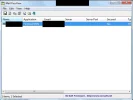
Third-Party Tools: - You can also use third-party tools like NirSoft's WebBrowserPassView to manage and delete stored passwords on your system. By following these steps, you should be able to remove the Windows Live Messenger password that is stored on your system. Additionally, consider using a password manager to securely store and manage your passwords in the future.