Run a System Health Check
Press Windows key+R
Link Removed
Then type perfmon /report and press Enter or Click OK (remember to put a space between perfmon & /)
Link Removed
Now it will generate a report, it will complete in 60 seconds.
Link Removed
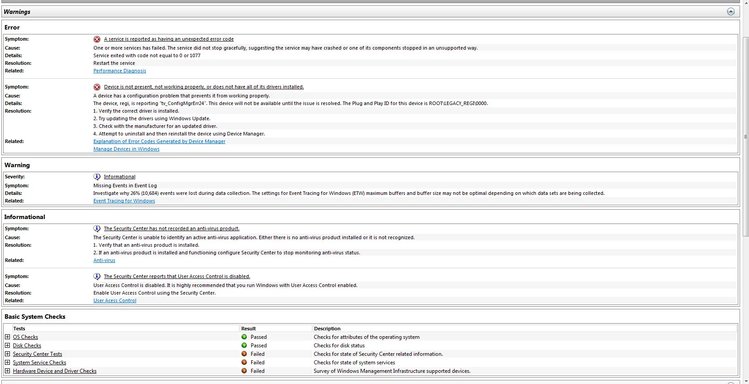
Now you can view your results in great detail.
Link Removed
Link Removed
Link Removed
The report includes a whole load of things here are just a few:
Diagnostic Results Warnings, Performance,
Software Configuration, OS Checks, Security Center Information, System Services, Startup Programs
Disk, Hot files, Disk breakdown, Physical disk, NTFS Performance
CPU, Process, Service, Services, System
Hardware Configuration, Disk Checks, Systems, Desktop Rating, BIOS, Devices
Memory, Processes, Counters
Network.
Hope you found this useful!
(sorry if this has already been posted, checked but didn't see it)
Press Windows key+R
Link Removed
Then type perfmon /report and press Enter or Click OK (remember to put a space between perfmon & /)
Link Removed
Now it will generate a report, it will complete in 60 seconds.
Link Removed
Now you can view your results in great detail.
Link Removed
Link Removed
Link Removed
The report includes a whole load of things here are just a few:
Diagnostic Results Warnings, Performance,
Software Configuration, OS Checks, Security Center Information, System Services, Startup Programs
Disk, Hot files, Disk breakdown, Physical disk, NTFS Performance
CPU, Process, Service, Services, System
Hardware Configuration, Disk Checks, Systems, Desktop Rating, BIOS, Devices
Memory, Processes, Counters
Network.
Hope you found this useful!
(sorry if this has already been posted, checked but didn't see it)