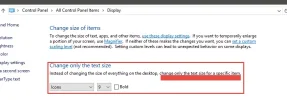
I believe your only option would be to make the icon font smaller. I used procmon to see if there were any "Extra" settings regarding icons, but I did not see any. The desktop settings are stored in the registry. HKCU\Control Panel\Desktop\WindowsMetrics
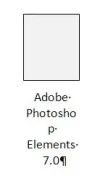
Here is what a typical icon looks like on the deskop when you click on it. I would like the text not to be constrained to such a narrow column. Correcting this was easy in Windows 7
I believe your only option would be to make the icon font smaller. I used procmon to see if there were any "Extra" settings regarding icons, but I did not see any. The desktop settings are stored in the registry. HKCU\Control Panel\Desktop\WindowsMetrics