- Thread Author
- #1
I have upgraded to windows 10 this week - all went fine with the upgrade except that the wifi on my laptop stopped working.
I upgraded the drivers - no luck
as the wifi was a little flaky anyway I upgraded the card to
I have upgraded to windows 10 this week - all went fine with the upgrade except that the wifi on my laptop stopped working.
I upgraded the drivers - no luck
as the wifi was a little flaky anyway I upgraded the card to
I have upgraded to windows 10 this week - all went fine with the upgrade except that the wifi on my laptop stopped working.
I upgraded the drivers - no luck
as the wifi was a little flaky anyway I upgraded the card to
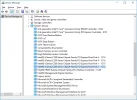
Intel Centrino Advanced-N 6235 2x2 AGN + Bluetooth
Installed - updated the driver in device manager connected to the LAN cable - no joy
I have tried multiple drivers from Intel site.
I have also done a clean re-build and tried again
any ideas?
The network card is seen but won't turn on, its a soft switch on the laptop and it lights up for about 3 seconds and goes off.
Installed - updated the driver in device manager connected to the LAN cable - no joy
I have tried multiple drivers from Intel site.
I have also done a clean re-build and tried again
any ideas?
The network card is seen but won't turn on, its a soft switch on the laptop and it lights up for about 3 seconds and goes off.
Installed - updated the driver in device manager connected to the LAN cable - no joy
I have tried multiple drivers from Intel site.
I have also done a clean re-build and tried again
any ideas?
The network card is seen but won't turn on, its a soft switch on the laptop and it lights up for about 3 seconds and goes off.
I upgraded the drivers - no luck
as the wifi was a little flaky anyway I upgraded the card to
I have upgraded to windows 10 this week - all went fine with the upgrade except that the wifi on my laptop stopped working.
I upgraded the drivers - no luck
as the wifi was a little flaky anyway I upgraded the card to
I have upgraded to windows 10 this week - all went fine with the upgrade except that the wifi on my laptop stopped working.
I upgraded the drivers - no luck
as the wifi was a little flaky anyway I upgraded the card to
Intel Centrino Advanced-N 6235 2x2 AGN + Bluetooth
Installed - updated the driver in device manager connected to the LAN cable - no joy
I have tried multiple drivers from Intel site.
I have also done a clean re-build and tried again
any ideas?
The network card is seen but won't turn on, its a soft switch on the laptop and it lights up for about 3 seconds and goes off.
Installed - updated the driver in device manager connected to the LAN cable - no joy
I have tried multiple drivers from Intel site.
I have also done a clean re-build and tried again
any ideas?
The network card is seen but won't turn on, its a soft switch on the laptop and it lights up for about 3 seconds and goes off.
Installed - updated the driver in device manager connected to the LAN cable - no joy
I have tried multiple drivers from Intel site.
I have also done a clean re-build and tried again
any ideas?
The network card is seen but won't turn on, its a soft switch on the laptop and it lights up for about 3 seconds and goes off.