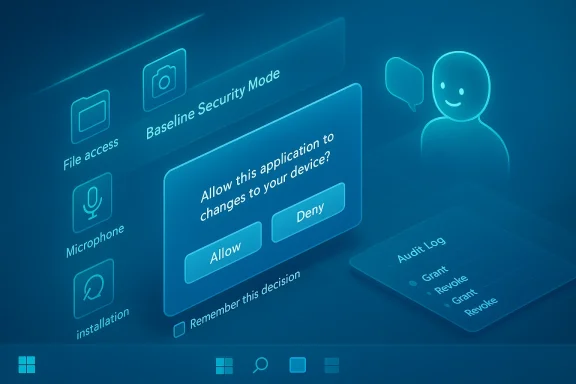
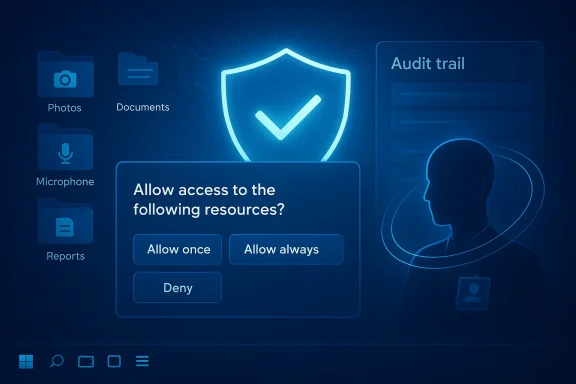
• Thread Author
Microsoft’s latest security push for Windows 11 marks a deliberate turn toward a consent-first, secure‑by‑default desktop: the company has announced Windows Baseline Security Mode (BSM) and User Transparency and Consent, a pair of features that together limit runtime execution to verified binaries and bring smartphone‑style permission prompts for camera, microphone, files and other sensitive resources.

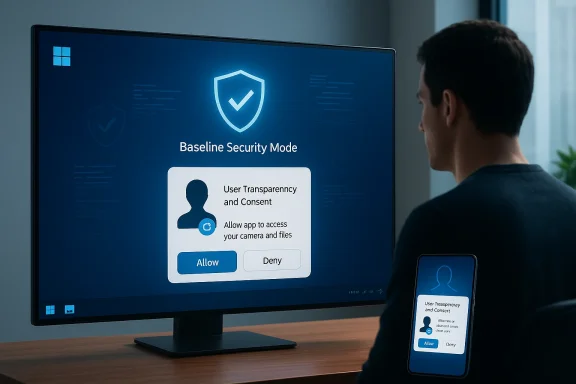
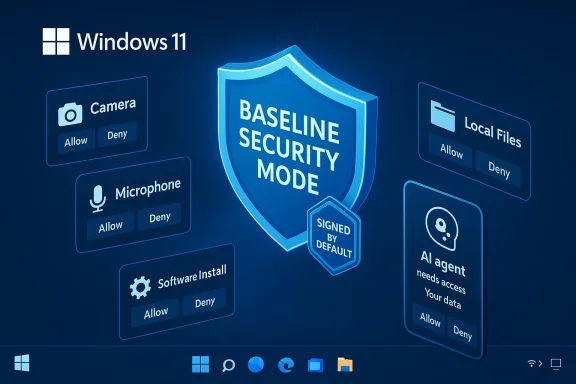
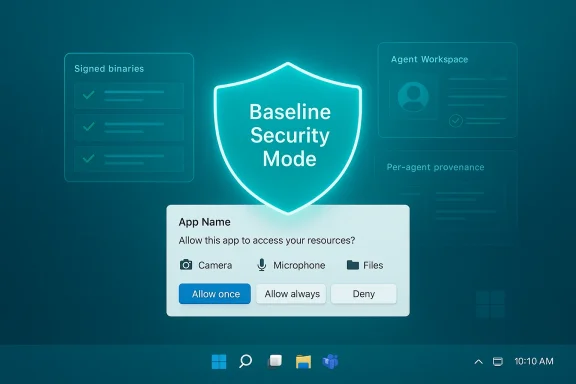
A glowing shield labeled Baseline Security Mode above an app permission prompt.Background / Overview​

For years, Windows has balanced openness with a patchwork of optional hardening features—HVCI, WDAC, Smart App Control and others—that organizations could enable when needed. Microsoft’s new approach consolidates those protections into a baseline that is intended to be enabled by default for most devices, while pairing it with an explicit consent model for resource access so users and IT get greater visibility into what apps and AI agents do on their machines.
This is not a narrow security update; Microsoft frames BSM and User Transparency and Consent as part of broader company programs—the Secure Future Initiative and the Windows Resiliency Initiative—aimed at shoring up defenses against modern threats, including agentic and AI‑driven attacks. Microsoft also notes that Windows 11 runs on over a billion devices, underlining the scale and stakes of these platform changes.

What Microsoft announced — the essentials​

Windows Baseline Security Mode (BSM)​

  • Runtime integrity by default: BSM enforces that only properly signed apps, services and drivers are allowed to run unless a specific, auditable exception has been granted. This moves signature‑based integrity from an optional defense into a default system posture.
  • Granular exceptions and APIs: Administrators and end users can create exceptions for specific apps; Microsoft also exposes APIs so applications can detect whether the baseline protections are active and whether exceptions exist for their components, enabling graceful failure modes and guided remediation.
  • Consolidation of prior tech: The baseline stitches together functionality and lessons from Device Guard, WDAC, HVCI and Smart App Control into a single, auditable baseline that administrators can simulate and apply centrally.

User Transparency and Consent​

  • Permission dialogs at runtime: Windows will surface standardized, human‑readable dialogs whenever apps (and agentic AI components) attempt to access sensitive resources such as files, camera, microphone, or try to install other software. Prompts can be one‑time, temporary (expires when the app closes), or persistent, and users can review and revoke permissions from system settings later.
  • Audit trail and management: Consent decisions are logged for later review, giving users and IT teams an audit trail to detect abuse or unexpected access patterns. Administrators gain centralized visibility and management controls for pre‑authorizing apps at scale.
  • Agent visibility: Because AI agents can act autonomously, Microsoft is requiring higher transparency for agent principals—distinct identities, logged actions, and clearer provenance for operations. This is intended to prevent opaque agent behavior that could otherwise bypass user expectations.

Why this matters now: threat context and platform scale​

Attack vectors have evolved. Legacy unsigned installers, permissive driver loading, and loosely governed background services remain powerful persistence and escalation channels for attackers. At the same time, AI and agentic software amplify the rate and sophistication of attacks by enabling automated, context‑aware exploitation. Locking default runtime behavior to signed artifacts and forcing explicit consent for sensitive actions removes common blind spots exploited in modern compromises.
From a platform perspective, the move is consequential because Windows 11 is now ubiquitous. Changes that affect default runtime policies and permission UX will ripple across consumer PCs, OEM images, and enterprise fleets. The goal is to protect over a billion devices without abandoning Windows’ longstanding openness, but the tradeoffs are nontrivial.

Technical mechanics — what to expect under the hood​

How BSM enforces integrity​

  • Code signing enforcement: At runtime, Windows will block execution of unsigned or improperly signed binaries, drivers, and services unless they are placed on an explicit exception list. The enforcement resembles macOS Gatekeeper and iOS runtime restrictions but is being implemented with the flexibility needed for PC workflows.
  • Lower‑level enforcement than AV whitelists: BSM operates at a deeper level than traditional antivirus whitelisting; it’s intended to be systemic and auditable rather than a best‑effort signature match maintained by third‑party tools.
  • Admin and user exception flows: Exceptions are auditable and revocable; administrators can pre‑approve apps across an organization, while end users on unmanaged devices can grant per‑app exceptions when necessary. The platform exposes APIs so apps can detect enforcement state and guide users.

How User Transparency and Consent works​

  • Standardized prompts: When an app requests a sensitive resource (camera, microphone, the file system, installation of other software), Windows will show a dialog that names the app, the specific resource, and the action requested. Users can choose Allow once, Allow always, or Deny/Ask every time.
  • Time‑boxed access: The platform allows temporary permissions that expire when the app closes, reducing persistent permission creep. Decisions are logged into an audit trail users or administrators can inspect.
  • Agent model and identity: AI agents will be treated as distinct principals with per‑agent permission pages, separate accounts for runtime isolation, and visible progress or intervention controls in an "Agent Workspace" model described in preview materials. This architecture aims to surface where agents operate, what they access, and when they act autonomously.

What this means for developers​

The transition demands practical changes from the developer community:
  • Code signing becomes essential. Apps that previously shipped unsigned will need code signing certificates to avoid being blocked by default baselines. That introduces recurring costs (certificate issuance and lifecycle management) and process changes for independent or hobbyist developers.
  • Capability declarations and API integration. Apps should declare capabilities and use the APIs Microsoft exposes to detect enforcement state and handle consent flows gracefully. Failure to do so will produce poor UX and broken functionality when permissions or BSM blocks apply.
  • Design for least privilege. Developers should minimize elevation requirements, prefer per‑user installs, and avoid unsigned kernel components or drivers unless absolutely necessary. When drivers or low‑level components are required, developers must provide documentation and clear guidance for enterprise exception processes.
Practical developer steps:
  • Obtain and manage code signing certificates with rotation and revocation plans.
  • Use newly documented APIs to detect baseline enforcement and surface clear remediation instructions.
  • Test installs and runtime scenarios in Insider builds and pilot programs before general availability.

Enterprise considerations and operational guidance​

For IT and security teams, BSM and User Transparency and Consent change both enforcement options and operational playbooks.
  • Inventory first: Catalog legacy apps, custom drivers, and third‑party installers that rely on unsigned components or legacy protocols. Prioritize remediation.
  • Pilot and simulation: Use simulation modes and impact reports where available to surface compatibility issues before enforcement. Microsoft’s Baseline Security Mode tooling in the Microsoft 365 admin center already includes simulation and impact analysis capabilities for tenant‑level services, and the Windows rollout is expected to follow a similarly cautious, phased approach.
  • Exception governance: Create formal exception approval workflows with TTLs and audit trails to prevent the proliferation of permanent, unchecked exceptions.
  • Helpdesk preparation: Expect increased tickets during transition windows; prepare KB articles and escalation paths for common breakage scenarios.
Enterprises with hundreds or thousands of devices will benefit from the centralized telemetry and policy surfaces Microsoft is adding, but they must weigh the manpower and vendor management cost of migrating legacy dependencies to signed, modern alternatives.

Benefits: stronger defaults, greater transparency​

These changes deliver several tangible security gains:
  • Reduces stealthy abuse: Default‑deny for sensitive sensors and code execution closes common exploitation vectors where elevated processes or unsigned installers are used for stealthy data access or persistence.
  • Gives users control: Revocable permissions, audit logs and one‑time grants help prevent permission creep and empower users to manage app privileges directly.
  • Improves enterprise governance: Centralized dashboards and impact analysis allow admins to manage rollout carefully and pre‑authorize well‑known enterprise tools, reducing disruption while raising the overall security baseline across fleets.
  • Aligns with privacy frameworks: Consent and audit trails map better to regulatory expectations around informed user consent and accountability.

Risks, friction points, and realistic limits​

No security model is a panacea. Microsoft’s plan strengthens default defenses but also concentrates new risks and operational burdens:
  • Compatibility headaches: The PC ecosystem is heterogeneous. Legacy vertical applications and bespoke drivers are likely to break without careful exception management or rewrites. The risk is highest in industrial, medical and specialized environments where unsigned drivers or legacy installers remain common.
  • Supply chain pressure: When signing becomes a gate, attackers will target signing infrastructure, stolen certificates, or update channels. A stronger signing posture must be paired with provenance attestation, monitoring, and robust certificate lifecycle controls to avoid creating a single, high‑value target.
  • Consent fatigue and social engineering: Frequent prompts, poorly worded dialogs, or dialogs that mimic legitimate workflows can cause users to reflexively allow access. Microsoft’s UX design and prompt timing will determine whether the consent model improves security or merely shifts attack vectors toward social engineering.
  • Operational overhead: Exception governance, pilot programs, and vendor remediation will require time, budget and coordination. Smaller organizations and independent developers face the steepest burden.

How Microsoft plans to roll this out​

Microsoft is taking a phased rollout strategy. The company has already rolled Baseline Security Mode concepts into Microsoft 365 admin tooling and begun previewing Windows‑side features in Insider channels, with simulation and dashboard tools to assess impact before enforcement. Public preview timelines for tenant‑level baselines have been documented, and Microsoft states Windows changes will be rolled out with community and OEM collaboration to avoid abrupt breakage. However, exact consumer rollout timelines for the full BSM enforcement on unmanaged consumer PCs remain subject to further announcements.
That said, some specific platform‑level changes are already arriving in February 2026 cumulative updates—for example, Microsoft has adjusted administrative gating for certain Settings pages and system privileges, illustrating the broader hardening posture that accompanies BSM and consent efforts. Expect more incremental changes rather than one big switch.

Industry reaction and partnership approach​

Microsoft’s partner outreach is deliberate: the company is collaborating with password managers, security vendors and AI companies to refine implementation during rollout. Security vendors publicly welcome a more consistent runtime model that reduces noise and makes telemetry more reliable, while password and identity vendors stress the importance of protecting credential vaults via clearer privilege boundaries. These partnerships aim to surface compatibility problems early and create tooling that eases migration.
The partnership strategy is prudent: platform‑scale changes succeed when third‑party ecosystem players are given time and tools to adapt, rather than being forced into rushed rewrites that disrupt businesses or degrade user choice.

Practical checklist — what users, IT, and developers should do right now​

  • For IT administrators:
  • Audit installed apps, drivers and unsigned components.
  • Run pilot simulations and impact reports before applying baseline policies.
  • Define exception governance with TTLs and approval workflows.
  • For developers:
  • Acquire and correctly implement code‑signing certificates.
  • Integrate APIs to detect enforcement and show clear remediation UX.
  • Reduce reliance on kernel drivers and elevation where possible.
  • For end users:
  • Treat new prompts as protective moments—deny unexpected requests and investigate.
  • Prefer apps from reputable publishers that sign their software and explain why resources are needed.
  • If you manage business devices, coordinate with IT before granting persistent exceptions.

Final analysis: a defensible step with tradeoffs​

Microsoft’s shift toward Windows Baseline Security Mode and User Transparency and Consent acknowledges a clear reality: the cost of openness without defaults has risen as attackers scale their capabilities with automation and supply‑chain techniques. The technical direction makes sense—enforce code integrity by default and require explicit, revocable consent for sensitive resources—because it eliminates a class of silent abuses and gives administrators central tools to manage policy at scale.
However, success depends on three things:
  • Quality of execution: Prompts must be designed to minimize fatigue and resist spoofing; exception flows must be safe and auditable.
  • Ecosystem cooperation: Independent developers and vertical vendors need runway, tooling and clear guidance to migrate without breaking workflows.
  • Layered defenses: Signing enforcement must be paired with provenance checks, monitoring for signing abuse, and robust revocation practices to avoid creating high‑value attack surfaces.
Microsoft’s phased rollout and partnership approach are pragmatic—bringing the industry along while exposing enforcement behind simulation and admin controls. If executed well, Windows will become considerably harder to exploit by default while retaining the flexibility that makes the PC ecosystem valuable. If mishandled, the transition could produce compatibility backlash, increased helpdesk load and new supply‑chain pressure points.
Either way, the message is clear: Windows is moving from “permissive by default” to “secure by default with user control,” and every stakeholder—users, developers and IT—has concrete tasks to complete before the baseline becomes the norm.

In short: expect more dialogs and stricter defaults, plan for migration and testing, and treat this as a strategic shift in how Windows protects users and devices going forward.

Source: WinBuzzer Microsoft Brings iOS-Style Permissions to Windows 11
 

Microsoft is making one of the largest security posture shifts in recent Windows history: Windows 11 will soon include mobile-style app permissions and a new Windows Baseline Security Mode that, by default, only allows properly signed apps, services, and drivers to run — paired with a user-facing transparency-and-consent model that prompts users the moment an app or AI agent requests access to sensitive resources.

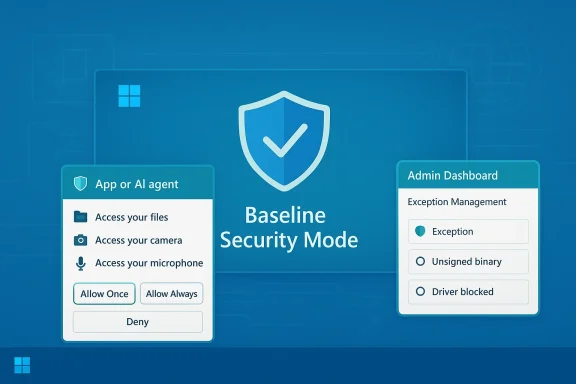
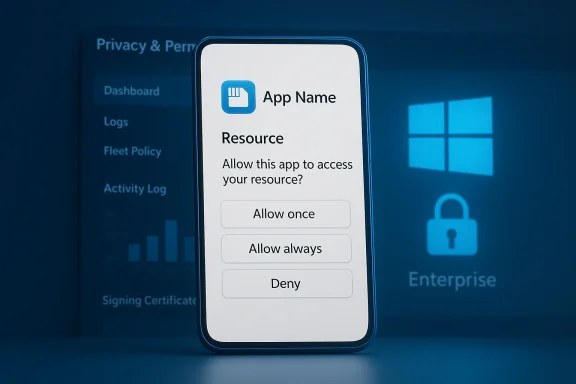
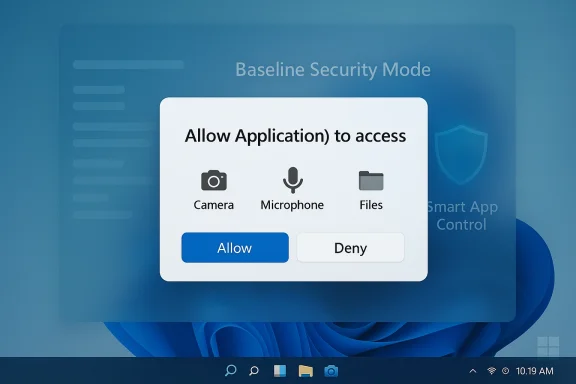
Baseline Security Mode: blue interface showing app permissions and an admin dashboard.Background / Overview​

For decades, Windows has balanced broad compatibility and openness with defensive technologies layered on top — from Smart App Control and Device Guard to kernel protections like Hypervisor‑Protected Code Integrity (HVCI). Microsoft’s new approach is to move many of those protections into a single, auditable baseline that is intended to be enabled by default while adding a runtime consent UX similar to mobile platforms. That change is part of Microsoft’s Secure Future Initiative and Windows Resiliency Initiative and was announced in the Windows Experience blog on February 9, 2026.
The two sibling features are:
  • Windows Baseline Security Mode (BSM): a default-deny runtime integrity posture that requires apps, services, and drivers to be properly signed (or explicitly exempted) before they can run.
  • User Transparency and Consent: system‑level permission prompts and revocable, auditable per‑app (and per‑agent) approvals for resources such as files, camera, microphone, and installation actis the move as necessary to address modern threats — including agentic and AI-driven attacks that can automate complex exploitation — while still allowing users and administrators to create controlled exceptions for legacy or specialized workflows.

What Microsoft announced — the essentials​

Windows Baseline Security Mode (BSM)​

BSM consolidates and normalizes runtime integrity protections so the operating system enforces a strict signature and policy bar by default. Practically, that means:
  • Execution of unsigned or improperly signed binaries, kernel drivers, and services will be blocked unless an explicit, auditable exception exists.
  • Administrators can pre‑authorize apps across fleets; individual users on unmanaged devices can request and grant exceptions where necessary.
  • Microsoft exposes APIs so apps and installers can detect whether BSM is active and whether exceptions exist for their components, enabling apps to fail gracefully and provide remediation guidance.
This is described by Microsoft as the OS analogue to the Baseline Security Mode concept already rolled out for Microsoft 365, and it builds on existing components such as WDAC, Device Guard, HVCI, and Smart App Control but with a single default posture.

User Transparency and Consent​

Windows will begin surfuman‑readable permission dialogs the moment an app (or an AI agent) attempts to access sensitive resources. Key UX features include:
  • Clear consent prompts that name the requesting app/agent, the specific resource, and offer choices such as Allow once, Allow always, or Deny / Ask every time.
  • Time‑boxed permissions (temporary grants that expire when an app closes) to reduce persistent permission creep.
  • Audit trails and centralized admin visibility so consent decisions can be reviewed and governed by IT.
  • Special handling and identity for AI agents (agents are treated as distinct principals with their own permission pages and logged actions).
Microsoft says these prompts will operate “just like on your smartphone,” and that the company will roll the changes in phased previews before broader deployment. Third-party practitioners and vendors have already been quoted praising the direction, but Microsoft emphasizes a gradual rollout and tooling to help developers and IT adapt.

Why this matters: threat context and platform scale​

Windows powers over a **billionorm‑level defaults ripple through consumer PCs, OEM images, and enterprise fleets. That scale makes default runtime policies incredibly consequential: a change to block unsigned code by default reduces many widely exploited attack vectors like unsigned installers, permissive driver loading, and stealthy background services, while also forcing attackers to adapt.
Two threat trends drove this design:
  • Supply‑chain and signing abuse risks have become a dominant avenue for persistence and elevation.
  • Agentic/AI-driven attacks can turn simple permission misconfigurations into large-scale automated compromises if agents are allowed to operate without clear provenance or auditable controls.
By combining default-deny integrity and consent-first resource access, Microsoft aims to close common blind spots exploited in modern compromises whility for enterprises and power users to make exceptions where necessary.

Deep technical dive — how BSM enforces integrity​

BSM is fundamentally a policy and enforcement layer that sits on top of Windows’ existing integrity primitives.
  • Code signing enforcement: At runtime, Windows will consult a signing and attestation policy and deny execution for artifacts that don’t meet the criteria. This moves signature-based integrity from an opt-in hardening feature to a default system posture.
  • Kernel-level application: Unlike an AV whitelist that can be bypassed or out-of-date, BSM operates at a lower level, leveraging kernel enforcement similar to features such as HVCI and WDAC to make policy decisions auditable and robust.
  • Exceptions model: Exceptions are not a simple “turn it on” toggle. They’re auditable, revocable, and intended to be governed by admin workflows in enterprise deployments. The platform exposes APIs so apps can detect the enforcement state and behave accordingly (e.g., surface meaningful remediation text instead of cryptic errors).
These mechanics are intentionally analogous to macOS Gatekeeper and ss, but Microsoft recognizes that the PC ecosystem is far more heterogeneous — with legacy drivers, bespoke enterprise apps, and custom installers — so the emphasis is on simulation, impact reporting, and exception governance during rollout.

The User Transparency and Consent UX — what to expect​

Microsoft intends the permission UX to be:
  • Standardized: Consistent dialogs across different resource types (files, camera, microphone, installation actions).
  • Actionable: Clear phrasing about what’s requested and practical choices (one‑time, temporary, persistent).
  • Auditable: Every decision is logged so administrators and users can review and revoke access.
  • Agent-aware: AI agents are treated as distinct principals with per-agent permission pages and logged actions.
Expected immediate behaviors:
  • Apps that attempt to access local folders, devices, or install other software will trigger a prompt. Users can revoke permissions in Settings later.
  • AI agents (Copilot and third‑party agents) will have stricter provenance and logging: they’ll show up in an “Agent Workspace” where admins canty, actions, and revoke or restrict agent capabilities.

Developer impact — practical implications and steps​

This shift raises concrete work for developers, independents, and vendors:
  • Code signing becomes essential. Unsigned installers and hobbyist builds that previously installed without friction will need certificates or will be placed behind exception flows.
  • Capability declarations and API integration. Apps should declare the capabilities they need and use the provided APIs to detect enforcement state and guide users through consent flows.
  • Graceful failure modes. Developers must provide clear remediation when BSM blocks a component — otherwise users will see confusing failures that look like crashes.
  • Driver and kernel components. Any kernel-mode components or drivers need proper signing and attestation; vendors must plan a lifecycle for certificate rotation and revocation.
Practical checklist for developers:
  • Acquire and manage code‑signing certificates; plan rotation and revocation.
  • Integrate and test against the non APIs as they appear in Insider builds.
  • Minimize privilege needs and prefer user-space designs where possible.
  • Pilot builds in simulated enforcement environments and collect telemetry on blocked components.

Enterprise considerations — rollout, governance, and operational load​

Enterprises will get centralized tooling and dashboards, but they must plan carefully:
  • Inventory first. Identify legacy apps, custom drivers, and third‑party tools that rely on unsigned installers or kernel components.
  • Simulation and impact analysis. Use Microsoft’s simulation modes and impact reports to predict breakage before enforcement — a phased approach is supported in the admin tooling.
  • Exception governance. Create auditable exception approval workflows with time‑to‑live (TTL) to avoid permanent, unchecked exemptions that erode the baseline.
  • Helpdesk readiness. Expect a spike in tickets during transition; prepare knowledgebase articles, remescalation paths.
  • Data loss prevention and monitoring integration. Combine consent logs with DLP, EDR, and SIEM to detect suspicious patterns even if an app was granted permission.
The win for enterprises is stronger defaults and centralized visibility, but the tradeoff is operational cost to remediate compatibility issues and coordinate vendor support. Microsoft emphasizes simulation-first rollouts to minimize surprise outages.

Strengtets right​

  • Smaller attack surface by default. Blocking unsigned executables and drivers removes a long-standing vector attackers use to persist and escalate.
  • Better user control and auditability. Revocable permissions and logged consent decisions are tangible wins for privacy and governance.
  • Aligns with regulatory expectations. Consent-first models and audit trails map well to p demand transparency and accountability.
  • Developer tooling & visibility. APIs that let apps detect enforcement state reduce the “mystery breakage” problem that has frustrated ecosystem partners in the past.

Risks and realistic limits — where the plan could stumble​

No security model is perfect; BSM and consent carry new risk vectors and friction:
  • Compatibility headaches. The PC ecosystem is unusually heterogeneous. Legacy vertical apps and unsigned drivers are widespread in industries like manufacturing, healthcare, and finance. These will require exceptions or rewrites, which is costly and time-consuming.
  • Signing abuse and supply-chain risk. Attackers can pivot to signing abuse (stolen certificates, compromised vendor updates). A heavy reliance on signing shifts the attack surface; defenders must paitry and revocation mechanisms.
  • Consent fatigue. Too many prompts lead users to reflexively accept, negating security benefits. Microsoft’s success depends on careful UX design and context-aware prompting to avoid overwhelming users.
  • Prompt spoofing and social engineering. If prompts are not locked down and clearly distinct from app UI, attackers will try to mimic OS dialogs. The OS must ensure dialogs are secure and not forgeable by normal application windows.
  • Operational cost for IT. Exception management, simulation, and ongoing governance add headcount and process demands for IT teams overseeing large fleets.

How this compares to iOS and Android permission models​

Microsoft’s move brings Windows closer to smartphone permission models, but the platforms differ profoundly:
  • Granularity and defaults: Mobile OSes have long enforced ine-grained permissions and clear lifetime semantics. Windows’ historical openness makes direct parity impossible; instead, Microsoft is aiming for a hybrid — smartphone-like consent with PC flexibility via exceptions and admin governance.
  • Runtime vs. install-time checks: Smartphones typically gate access at runtime using capability declarations. Windows will add runtime prompts for sensitive resources, but also enforce install/run-time integrity through signing policies.
  • Developer economics: On iOS and Android, signing, store distribution, and capability declarations are part of the standard publishing workflow. On Windows, hobbyists and smaller vendors may face new costs and friction due to certificate procurement and attestation.

Timeline, testing, and what to expect next​

Microsoft says the features will be rolled out in a phased approach, with early visibility in Insider channels and administrator‑gated previews before any broad consumer deployment. That means:
  • Expect experimental toggles and simulation tools in Insider builds first so developers and IT can test compatibility.
  • Microsoft will provide APIs and developer guidance during the preview to smooth the transition.
  • The company emphasizes a careful, measured rollout to avoid breaking production workflows and to gather ecosystem feedback.
For readers watching for the earliest sign of these features on their machines: keep an eye on Insider builds and Microsoft’s Windows Experience blog updates; admins should sign up to test simulation tools and generate impact reports in controlled pilot groups.

Practical recommendations​

For users, developers, and IT teams, here’s a pragmatic action plan:
  • For administrators:
  • Run a discovery inventory of apps, drivers, and installers in use.
  • Pilot BSM simulation on representative hardware sets and run automation scripts to surface breakage.
  • Create exception governance processes with TTLs and audit reviews.
  • For developers:
  • Plan for code signing if you don’t already use it; automate certificate lifecycle management.
  • Integrate enforcement-detection APIs and present clear remediation instructions.
  • Test installers and runtime flows in Insider channels and with simulated BSM on test devices.
  • For end users:
  • Learn the new permission settings in Settings > Privacy & Security and how to view per-app consents.
  • When prompted, prefer Allow once or Ask every time for untrusted apps.
  • Keep backups and be ready to revert in case a critical app is blocked until an exception is approved.

Final analysis — balancing safety and openness​

This is a consoft is attempting to reconcile Windows’ openness with modern security expectations by making stronger defaults while still offering managed escape hatches. The design catches many best practices from mobile platforms — explicit consent, revocable permissions, and a default-deny integrity posture — and adapts them to the PC context where legacy software, drivers, and specialized workflows are unavoidable.
The strengths are clear: reduced attack surface, better auditability, and a consent-first model that aligns with privacy norms. The weaknesses are equally real: compatibility friction, new operational burdens for IT, and elevated importance of signing/PKI hygiene across the ecosystem. Much will depend on execution: how well Microsoft tunes the prompt UX to avoid fatigue, how robust the exception governance and revocation mechanisms are, and how effectively the company supports smaller developers with code-signing guidance and affordable tooling.
If Microsoft successfully balances these trade-offs — shipping robust simulation tools, clear developer guidance, and tightly secured, non-spoofable consent dialogs — Windows could become meaningfully harder to compromise without sacrificing its fundamental utility. If not, the transition will be messy, with helpdesk pain and patchwork exceptions threatening the very baseline the company hopes to establish. The preview and Insider phases will be telling; organizations and developers should use that runway to adapt rather than react.
The announcement is a major inflection point for desktop security. Whether it becomes a durable improvement to the Windows threat model depends on careful rollout, strong UX design, and ecosystem cooperation — but the principle is sound: on‑device agents and apps should ask before they act, and code should be provably trusted before it runs.
Conclusion: Microsoft’s move brings Windows closer to a modern, consent-driven security posture. The road ahead will require work from Microsoft, developers, and IT teams alike — but if executed well, this could be among the most meaningful improvements to Windows security in years.

Source: PCWorld Windows 11 is getting mobile-style app permissions
 

Microsoft's latest security play for Windows is a two‑pronged nudge: an operating‑system level Baseline Security Mode that moves runtime integrity safeguards toward “on by default,” and a flatter, more persistent set of User Transparency and Consent prompts that treat desktop apps more like mobile apps when they try to access cameras, microphones, files, or install extra software. These changes are being positioned as the next phase of the company's Secure Future Initiative and a direct reaction to systemic reliability and supply‑chain concerns that have made administrators and vendors rethink what should be allowed deep inside Windows.

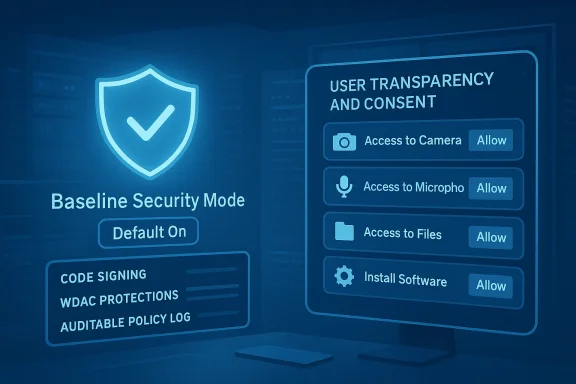
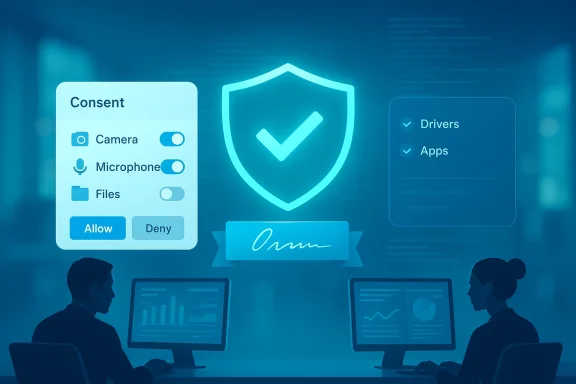
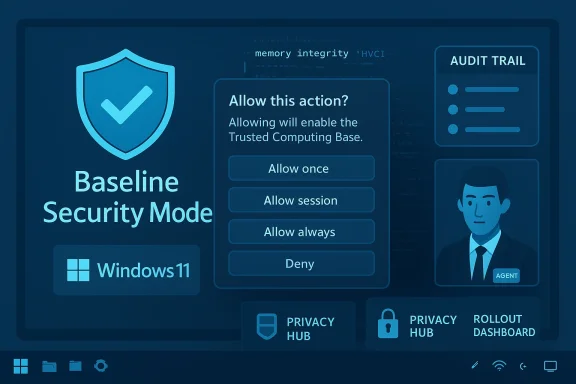
Blue holographic UI displays Baseline Security Mode with consent prompts for Camera, Microphone, Files, and Software.Background​

Over the last two years Microsoft has become explicit about shifting the Windows security model from a permissive, compatibility‑first posture to a secure‑by‑default stance. That trajectory accelerated after a high‑profile security tooling incident in mid‑2024 that knocked millions of Windows machines offline and forced vendors and Microsoft to re‑examine runtime trust boundaries. The crisis illustrated the fragility that comes when deep‑privileged software — particularly third‑party security agents — is allowed to operate without sufficiently robust controls and staged rollouts. Multiple post‑mortems and reporting traced the root cause to flawed content in an agent update that behaved like a kernel component, producing system‑wide failures.
Microsoft's response has been multifaceted: hardening the OS, offering new recovery tools to reduce downtime, and revisiting the default settings that determine which code gets to run with system privileges. The new Windows Baseline Security Mode and User Transparency and Consent initiative are the most visible pieces of that effort, and Microsoft says they will be rolled out in phases and tested with partners and developers before becoming the default experience for broad audiences.

Overview: what Microsoft announced and why it matters​

At a high level, the two changes announced are:
  • Windows Baseline Security Mode (BSM) — A move to enable runtime integrity safeguards by default so that only properly signed apps, services, and drivers are allowed to run unless an explicit exception is granted. Microsoft frames this as consolidating existing protections into a clearer, auditable baseline that devices and administrators can rely on.
  • User Transparency and Consent (UTC) — A more granular permission and prompt model that asks users whether apps should be allowed to access sensitive resources (files, camera, microphone) or to install additional software, with the ability to review and revoke those permissions later. Microsoft explicitly likens this to mobile permission models while promising to preserve the openness developers expect from the Windows platform.
Why this matters now: organizations have grown weary of brittle, high‑privilege agent models and the operational damage that can follow from a single faulty update. Microsoft is aiming to reduce attack surface (by discouraging unsigned/legacy binaries and legacy protocols) and to give users and admins clearer, discoverable controls over what software can do on their devices. The practical upshot is that some behaviors that have long felt “normal” on Windows — silent installers, background agents that alter system behavior, apps that roam into private files — will face increased scrutiny and, in many cases, direct user consent prompts.

Windows Baseline Security Mode: technical breakdown​

What “runtime integrity safeguards enabled by default” means​

Windows Baseline Security Mode seeks to bring together existing integrity technologies — things like Windows Defender Application Control (WDAC), code signing requirements, virtualization‑based protections, and other kernel integrity mechanisms — under a single, auditable baseline that ships as the recommended posture. In practical terms, Microsoft’s messaging says the OS will prefer to run only binaries, drivers and services that meet specified signing and policy criteria, and it will expose an exception mechanism for compatibility.
This is not an entirely new set of primitives; rather, it’s an operational change: the protections are being opinionated by default and presented as a baseline that customers can simulate, review and then apply. That simulation-first workflow is explicitly designed to help administrators understand impact before they forcibly block older components. Microsoft already runs similar baselining for Microsoft 365 services; the Windows approach is essentially the OS analogue of that concept.

Key features and behaviours admins should expect​

  • Default enforcement posture: A strengthened code‑integrity stance applied by default on new installs and new builds, with the goal of reducing unsigned or improperly signed code running at runtime.
  • Exception mechanism: Administrators and end users can create exceptions for specific binaries or drivers that are incompatible with the baseline; those exceptions are intended to be auditable and visible.
  • Developer APIs: Microsoft will provide APIs so developers and installers can query whether baseline protections are active and whether their components were granted exceptions, allowing apps to adapt their behavior or present clearer UX.
  • Compatibility scaffolding: Simulation and impact‑reporting tools so IT can see what would break before flipping an enforcement switch, similar to how Microsoft 365’s Baseline Security Mode offers an impact report and staged rollout options.

What isn’t fully spelled out (and why you should care)​

Microsoft’s announcement is deliberately high‑level. Critical implementation details are still TBD: what precise signing and attestation levels will be required, how kernel driver policies will interact with vendor‑supplied device drivers, and whether there will be a centralized signing trust for agents and libraries. These gaps matter because small differences in policy design determine whether common enterprise tools (remote management agents, backup services, AV sensors) will require rapid reengineering or merely an added exception during deployment. Until Microsoft publishes the developer and administrative guidance in full, those remain prudent areas for caution.

User Transparency and Consent: the new permission model​

From UAC to granular consent​

User Account Control (UAC) historically asked for consent when an app tried to perform an action requiring elevation — a coarse, binary question that many users learned to ignore. The new User Transparency and Consent model aims to be more context‑aware and granular: prompts will appear when apps attempt to access sensitive resources (files, camera, microphone) or when an app tries to install extra software. Microsoft explicitly compares this behavior to smartphone permission models, promising clearer, actionable prompts and the ability to review and revoke permissions later.
Expect prompts that are more descriptive and less binary than classic UAC: rather than “Do you want to allow this app to make changes to your device?”, users may see requests that specify which files or device capabilities are at stake and whether the action is ongoing (agent behavior) or one‑off (installer). Microsoft also says AI agents will be expected to meet transparency standards so users and administrators can see what agents are doing and why.

The operational reality: more prompts, more control​

A few operational points to keep in mind:
  • Prompt frequency will increase in environments that run many legacy or agentic workloads. That means support desks should prepare for new ticket types about denied permissions and revoked agent functionality.
  • Administrators will be able to manage and pre‑approve permissions centrally (via Intune, Group Policy or other MDM tooling), but Microsoft’s rollout intends for users to retain review and revocation rights.
  • Developers will be incentivized to update installers and agents to request permissions transparently and to surface why a permission is required, in order to avoid user friction.

What this means for administrators and enterprise deployments​

Immediate actions IT teams should take​

  • Inventory privileged components. Map third‑party agents, kernel drivers, installers, and legacy components that currently run with elevated privileges or lack modern signing. These are the most likely to require exceptions or rework under BSM.
  • Test in simulation mode. Use the impact‑analysis and simulation tools Microsoft promises to understand breakage before enforcement. Simulate broadly — remote access, backup, endpoint detection tools, and any management agents will be high‑risk categories.
  • Update vendor SLAs and runbooks. Ensure third‑party vendors can deliver signed drivers or compatible installers, and insist on staged rollout procedures for updates that touch kernel or driver code.
  • Train helpdesk staff. Prepare for a wave of new support calls around permissions prompts and application behavior changes; provide scripts and knowledge base articles that explain the new consent model.

Management tooling and policy knobs​

Microsoft is positioning Windows Baseline Security Mode to integrate with existing management planes: Group Policy, Intune and other MDM solutions will likely be the primary mechanism for applying exceptions and organizational overrides. Microsoft’s Microsoft 365 Baseline Security Mode rollout provided precedent: admins could use a dashboard to see “At risk” or “Meets standards” statuses and run impact reports before applying changes — Windows will borrow that playbook.

Ecosystem implications: security vendors, developers and compatibility​

Security vendors face a fork: adapt or ask for exceptions​

Security vendors that historically relied on deep, privileged hooks into the OS — to observe, intercept or block system behavior — will need to adapt. CrowdStrike and other endpoint detection and response vendors have already faced scrutiny after the 2024 update incident; Microsoft’s move accelerates the question of how much agent‑level privilege is truly necessary versus what can be achieved with better OS‑level APIs and clearer consent. Vendors who embrace the new transparency APIs and reduce their reliance on fragile kernel‑level tricks will gain both performance and trust benefits.

Developers get an API runway — but also a deadline​

Microsoft is offering APIs so apps can detect baseline protections and query exception status. That’s good for developers because it enables graceful degradation and helpful user prompts rather than surprise failures. But it also places a practical deadline on older packaging models. Installers that silently drop multiple components or create always‑on background agents will need to be rewritten to request consent and present clear reasons for their resource usage.

Recovery and resilience: Microsoft’s operational countermeasures​

The 2024 outage was a wake‑up call, and Microsoft has been explicit about investing in resilience features that reduce the blast radius of bad updates. One operational response is the Windows Resiliency Initiative, which includes features such as the Quick Machine Recovery capability that helps restore devices that cannot boot by enabling a networked recovery process into WinRE and allowing Microsoft or admins to deploy targeted fixes. Those tools are intended to shorten incident response times and reduce the number of devices that require physical intervention. BSM and UTC are complementary: prevent bad code from running in the first place, and recover faster when something still goes wrong.

Potential benefits — what Microsoft is selling​

  • Higher baseline security. Reducing unsigned and legacy runtime code reduces a large class of supply‑chain and privilege escalation attacks.
  • Cleaner user consent model. Users gain clearer control over who reads sensitive folders or turns on cameras and microphones; that’s a privacy win in principle.
  • Better telemetry for admins. Auditable exceptions and impact reports can help IT make informed decisions rather than chasing silent failures.
  • Ecosystem modernization. Pressure on vendors to adopt robust signing and modern APIs could reduce future catastrophic failures tied to poorly tested, highly privileged updates.

Risks, friction and legitimate concerns​

The “nagging” problem and prompt fatigue​

One of the most immediate and visible downsides is prompt fatigue. Users already ignore many security dialogs; desktop users may react to increased prompts by granting broad consent reflexively, defeating the security wins. Microsoft’s design promise is for clear and actionable prompts, but execution matters enormously. Poorly worded prompts or too‑frequent interruptions will generate support noise and encourage administrators to simply pre‑approve broad policies — an outcome that negates the point of a consent model.

Compatibility and business continuity risks​

Legacy and bespoke enterprise software that was never built for modern signing or granular permission models will be the primary breaking points. While an exception mechanism exists, overuse of exceptions reintroduces risk. Organizations with large fleets of specialized apps (manufacturing control software, point‑of‑sale systems, specialized research tools) must assess the cost of re‑engineering vs. the operational risk of running exceptions indefinitely. Microsoft’s simulation tools reduce surprise, but they don’t eliminate the business decision of whether to refactor or accept exceptions.

Vendor tension and public trust​

Security vendors that previously assumed deep OS access will need to justify their architectural choices publicly. The 2024 incident damaged trust and highlighted the consequences of opaque agent behavior; Microsoft’s transparency push increases pressure on vendors to adopt safer, observable models. Vendors that cannot quickly pivot may push back politically or legally, creating friction in an ecosystem that must remain cooperative to remain secure.

Uncertainties and timing: what Microsoft hasn’t committed to yet​

Microsoft’s blog post and early documentation describe direction and principles, not last‑mile technical enforcement details or a precise calendar for when Windows Baseline Security Mode will be enforced on existing devices. The company says it will roll features out through a phased approach and work with partners to refine the experience, but exact dates and the enforcement posture for older hardware are not fully specified. Administrators and developers should treat many current claims as direction of travel rather than final policy. Where possible, rely on Microsoft’s published admin center messages and technical docs for exact change windows.

Practical guidance: how to prepare (step‑by‑step)​

  • Establish a prioritized inventory. Identify devices that run legacy drivers, unsigned binaries, or deep sensor agents. Start with critical infrastructure and high‑risk endpoints.
  • Use Microsoft’s simulation tooling. Where BSM simulation capabilities exist, run impact reports before applying enforcement. Prioritize pilot groups (IT, developers, critical ops) before broad deployment.
  • Talk to vendors now. Ask for signed drivers, updated installers, and a staged rollout plan for future updates. Include rollback/kill‑switch clauses in SLAs for agents that can affect boot or OS integrity.
  • Update policies and helpdesk scripts. Create clear KBs that explain permission prompts and how to manage exceptions centrally. Train Tier‑1 support to escalate genuine blocking issues quickly.
  • Adopt a least‑privilege posture for agents. Where possible, look for vendors that offer userland‑only sensors, API‑based observation, or other less brittle models that don’t require kernel hooks.

Final analysis: a necessary but fiddly step​

Microsoft’s Windows Baseline Security Mode and User Transparency and Consent announcement is a logical next step for an OS that powers a billion devices and a huge variety of software. The move to a default, auditable runtime baseline and mobile‑style consent for sensitive resources is conceptually correct: reduce the attack surface, make agent behavior visible, and give users and admins meaningful choices.
But the devil is in the details. Successful execution requires clear, developer‑friendly APIs; robust exception and rollout tooling; and careful prompt design to avoid overwhelming users. Administrators — particularly in regulated industries or with legacy estates — are the ones who will feel the friction first. They should use Microsoft’s simulation tooling and vendor discussions now to avoid future outages and support pain. The changes will improve security, but only if the ecosystem treats the transition as a cooperative modernization rather than a sudden clampdown.
If you are an IT decision‑maker, treat this announcement not as a single event but as a multi‑quarter project: inventory, simulate, vendor‑engage, pilot, and then enforce. And if you are a developer or vendor, update packaging and signing practices to avoid being the reason a user sees yet another prompt — or worse, a system that won’t boot without manual intervention. Microsoft is steering Windows toward a healthier security posture, but realizing that promise depends on an ecosystem that is willing and able to modernize.
Conclusion
Microsoft’s dual push — strengthening runtime integrity through Baseline Security Mode and increasing visibility with User Transparency and Consent — is a measured response to both security and reliability lessons learned in recent years. The features promise meaningful gains in privacy and resilience, but their success will rest on implementation specifics, vendor cooperation, and thoughtful UX design to prevent prompt fatigue. Organizations should prepare now: inventory, test, and demand signed, modern tooling from vendors. The future will be more secure if the industry treats this as an opportunity to move away from fragile, privileged models and toward transparent, consent‑centric behavior — but the transition will be anything but painless.

Source: theregister.com Microsoft dials up the nagging in Windows, calls it security
 

Microsoft is moving Windows toward a consent‑first security posture: by default the OS will enforce stronger runtime integrity checks that only allow properly signed apps, services and drivers to run, and it will surface mobile‑style permission prompts, revocable approvals, and auditable agent behavior so users and administrators can see — and undo — what software and AI agents do on their machines.

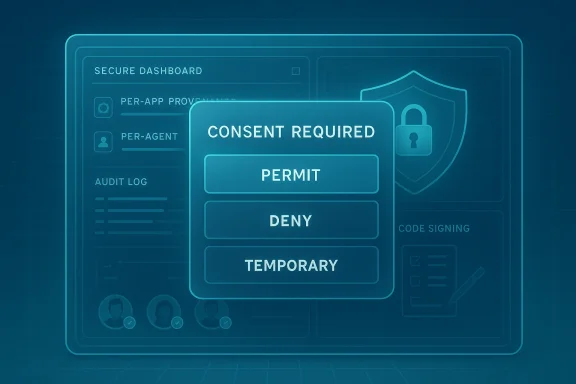
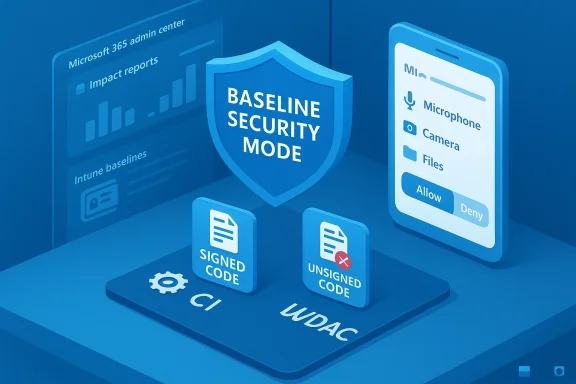
A futuristic secure dashboard featuring a consent dialog with Permit, Deny, or Temporary.Background / Overview​

For decades Windows has balanced openness and compatibility with layered defensive technologies — from Smart App Control and Windows Defender Application Control (WDAC) to Hypervisor‑Protected Code Integrity (HVCI) and Device Guard. Those protections have been optional or configurable features that enterprises enable as part of a hardening program. Now Microsoft is consolidating that defensive posture into an explicit baseline and pairing it with a system‑level transparency and consent model aimed at making app and agent behavior visible, reversible and accountable.
The change is framed as two sibling initiatives: Windows Baseline Security Mode (BSM) and User Transparency and Consent. BSM moves a runtime integrity posture toward a default‑deny stance for unsigned or unapproved code, while User Transparency and Consent brings standardized prompts, per‑app and per‑agent approvals, and audit trails for resource access. Microsoft presents the move as a response to real‑world abuses — misconfigured endpoints, credential theft via user‑level execution, and "living‑off‑the‑land" post‑exploitation techniques that abuse legitimate tools or agents to evade defenses.
This is not a small UI tweak. It changes how the operating system makes policy decisions about execution and device/resource access. It touches developer workflows, enterprise deployment processes, driver and kernel module lifecycles, and the trust model for agentic AI tooling that can operate on behalf of users.

What Microsoft is announcing — the essentials​

Windows Baseline Security Mode (BSM)​

  • Runtime integrity by default. The system will, by default, require apps, services, and drivers to meet signing and attestation requirements before they can run.
  • Consolidation of existing primitives. BSM wraps existing technologies — code integrity, WDAC, HVCI, Smart App Control and related policies — into a single, auditable, OS‑level baseline.
  • Granular exceptions. Users and administrators can create exceptions for specific apps. Exceptions are intended to be visible and reversible.
  • Developer visibility. APIs will let apps detect whether BSM protections are active and whether exceptions exist, enabling better compatibility messaging and guided remediation UX.

User Transparency and Consent​

  • Mobile‑style permission prompts. When an app or an AI agent attempts to access sensitive resources (files, camera, microphone) or tries to install additional components, Windows will prompt the user with a clear, actionable choice: permit, deny, or grant one‑time/temporary access.
  • Agent awareness. AI agents and agentic workloads will be treated as distinct principals with provenance, logged actions and per‑agent controls.
  • Revocation and audit. Permission grants are revocable and logged; administrators and users can review access histories and roll back approvals.
  • Phase‑wise rollout. Microsoft intends a phased rollout with simulation, telemetry for impact analysis, and developer guidance to preserve compatibility.

Why this matters: the practical security case​

Windows runs on over a billion devices and is host to millions of traditional applications, plugins, agents and increasingly, agentic AI tools that can automate complex sequences of interaction on behalf of a user. Those agentic tools, along with installers, updaters and legitimate admin‑level conveniences, can be misused by threat actors. A single permissive execution path, unclear provenance, or an unattended agent can allow credential theft, lateral movement, or silent installation of additional payloads.
A consent‑first model accomplishes several defensive goals:
  • Reduces the silent execution surface. Default‑deny runtime integrity prevents unsigned or unapproved code from running without an explicit exception.
  • Adds observable decision points. Prompts and logging create auditable checkpoints where suspicious installations or agent actions can be detected and investigated.
  • Contains agent autonomy. Treating agents as principals with clearly scoped capabilities prevents agents from silently executing broad or unexpected behaviors.
  • Shift left for developers and admins. The model incentivizes better signing and transparency practices in the software ecosystem.
These are meaningful benefits in an era where automation and AI are both productivity multipliers and new attack surfaces.

Technical anatomy: how BSM maps to existing Windows security primitives​

BSM is not an entirely new kernel construct; it stitches policy and user experience onto a stack of existing integrity and enforcement technologies. Understanding the technical mapping helps clarify both the protections and the limitations.

Key primitives BSM leverages​

  • Code Signing & Attestation. BSM relies heavily on cryptographic signing and attestation to assert provenance. Binaries that lack valid signatures or fail attestation checks will be blocked unless an exception is recorded.
  • Windows Defender Application Control (WDAC) / Device Guard. These existing policies already enable whitelisting at the kernel level. BSM standardizes a recommended baseline derived from that model.
  • Hypervisor‑Protected Code Integrity (HVCI). Kernel memory integrity primitives remain essential to prevent tampering; BSM builds on this to ensure enforcement cannot be trivially bypassed.
  • Smart App Control / SmartScreen. Reputation and runtime analysis inform whether an app should be allowed; BSM intends to make the baseline auditable while keeping compatibility in mind.

What changes, technically​

  • The default policy surface moves from opt‑in (admins enable WDAC/HVCI) to on by default for most devices, with a managed exceptions mechanism.
  • Audit and simulation modes will be part of the rollout so organizations can assess compatibility impact before enforcement.
  • APIs for developer awareness let an app determine whether a policy is in effect and whether an exception exists, enabling in‑app UX to guide users (e.g., “This installer requires an exception — ask your admin or follow this secure workflow”).

Developer and ecosystem impact​

This is a major inflection point for developers, ISVs and driver vendors.

Immediate implications​

  • Code signing becomes mandatory practice. Well‑behaved apps already sign binaries; BSM accelerates the requirement and increases pressure for consistent signing, timestamping, and certificate lifecycle management.
  • Driver and kernel module scrutiny. Drivers historically have stricter signing and test requirements (e.g., WHQL/driver signing). BSM will raise the bar further for driver attestations and may change driver deployment cadence.
  • Agent design changes. Agentic tools must surface provenance and capability declarations; opaque or bundled agents will face friction.
  • Compatibility testing. Legacy installers, in‑house tools, and bespoke enterprise apps must be tested under a simulated BSM policy to catch blocked behaviors before a full enforcement rollout.

Practical developer steps​

  • Ensure all executables, installers and payload components are cryptographically signed and timestamped.
  • Use the new developer APIs to detect policy state and show clear remediation or consent guidance inside the app.
  • Plan update and certificate renewal processes to avoid unexpected blocks from expired or revoked code signing certificates.
  • Re‑architect agentic components to limit privileges and to present explicit capability requests to users and admins.

Enterprise considerations: deployment, governance, logging​

Enterprises face both opportunity and operational cost when adopting BSM and User Transparency and Consent.

Benefits for IT​

  • Default hardening. A platform that ships hardened by default reduces baseline risk across distributed endpoints.
  • Auditability. Centralized logs of permission grants and agent activity improve forensic and compliance posture.
  • Policy‑first management. MDM and Group Policy controls will allow scale management of pre‑authorized apps and exception governance.

Operational challenges​

  • Compatibility friction. Legacy line‑of‑business apps, specialized drivers, and custom tools may require exception procedures or code updates.
  • Exception governance. Organizations must create robust processes to evaluate, approve, and expire exceptions. Poor governance risks elevating attack surface by creating widely used permanent exceptions.
  • User education & helpdesk load. New prompts and revocation workflows will drive questions and helpdesk tickets, at least initially.
  • Certificate and signing cost. Enterprises using third‑party code signing services or hardware attestations may need to budget for certificate purchases and management tools.

Recommended rollout steps for IT​

  • Inventory & prioritize. Build a list of mission‑critical apps and drivers; identify those that might fail under BSM.
  • Pilot in simulation mode. Use the OS simulation and telemetry to find blocked behaviors before switching to enforcement.
  • Exception policy framework. Establish a process with defined owners, time‑bounded exceptions and audit reviews.
  • Integrate with SIEM. Forward permission and exception logs to your SIEM for correlation with other telemetry.
  • Train helpdesk & update knowledge base. Prepare standard scripts and support flows for common consent prompts and exception requests.

Security analysis: strengths, weak points and attacker responses​

Strengths​

  • Raised cost for attackers. Default‑deny execution and per‑agent permissions increase the operational cost for adversaries attempting to run arbitrary code or escalate via agents.
  • Visibility into agent actions. Auditable agent principals close off a class of stealthy, autonomous behaviors that were harder to trace.
  • Proactive developer incentives. Requiring signing and transparency nudges the ecosystem toward safer defaults.

Weak points and risks​

  • Prompt fatigue & social engineering. More prompts can lead to users approving risky operations out of habit or confusion. Attackers will craft social engineering to exploit rushed consent flows.
  • Exception misuse. Poorly governed exceptions (broad, persistent, or undocumented) can create backdoors for threat actors to exploit.
  • Compatibility gaps. Legacy or poorly maintained internal software may be blocked, leading teams to disable protections wholesale.
  • Signing abuse. Malicious actors may obtain signing certificates or abuse stolen keys to produce apparently valid binaries; signing alone is not a panacea.
  • Agent supply chain & marketplace risks. Agent marketplaces and third‑party skills/plugins present a new supply chain vector; vetting and runtime guarding remain essential.

How attackers might adapt​

  • Focus on obtaining trust tokens and signing keys (certificate theft) or compromise build pipelines to produce legitimately signed binaries.
  • Design social engineering that manipulates the user into granting temporary permissions just long enough to execute malicious payloads.
  • Exploit legacy privileged services that are allowed by default or granted wide exceptions.
  • Target administrative workflows that approve exceptions: compromise an admin to authorize persistent exceptions for malware.

Usability and privacy tradeoffs​

Security improvements often come with friction. A consent‑first Windows must avoid making everything a series of obscure or frequent prompts. Microsoft’s stated plan to support one‑time, temporary, and persistent grant options, and to provide clear revocation flows, aims to balance security and usability. Still, the initial months of rollout will be crucial: poorly worded prompts, opaque default choices, or inconsistent UX across apps will amplify user confusion and helpdesk burden.
From a privacy perspective, auditable logs are a double‑edged sword. They enable investigators and administrators to detect misuse, but they also create telemetry that must be protected, retained correctly, and managed under compliance requirements. Organizations should treat consent logs as sensitive telemetry and apply access controls and retention policies accordingly.

What remains unclear — open questions to watch​

  • Exact enforcement timelines and scope. While Microsoft describes a phased rollout, precise dates and which channels (consumer vs enterprise rings) get enforcement first are not enumerated publicly.
  • Exception governance APIs and delegation. The detailed mechanisms for how exceptions are requested, approved, and expired in enterprise settings need clarification — e.g., can exceptions be scoped to a user or device, and what delegation model exists for admins vs application owners?
  • Agent marketplace vetting controls. How will Microsoft or partners vet third‑party agent skills or marketplace items that could be installed on endpoints?
  • Certificate/key compromise mitigations. What additional attestation or hardware‑backed protections will be required to guard against stolen signing keys?
  • Telemetry privacy & retention. Detailed guidance on what is logged, who sees it, retention defaults and compliance implications (GDPR, CCPA, sector rules) must be published.
These are important because the success of a consent‑first model depends on transparent, well‑documented mechanisms for exceptions, delegated approvals, and telemetry protection.

Practical guidance for IT teams and power users​

For IT leaders and security teams​

  • Begin preparations now: inventory, dependency mapping, and compatibility testing.
  • Establish an exception review board with clear SLAs, expiration policies and audit requirements.
  • Build or update incident playbooks that include scenarios where a maliciously consented action must be revoked and remediated.
  • Train tier‑1 to tier‑3 support staff on expected prompts, how to validate legitimate requests, and how to escalate suspected malicious consent grants.

For developers and ISVs​

  • Adopt strong code signing discipline: hardware‑backed keys (HSM/TPM), short‑lived certificates where possible, and secure build pipelines.
  • Implement the developer APIs to detect BSM state and show precise remediation steps to users and admins.
  • Limit agent capabilities to the minimum necessary (principle of least privilege) and provide human‑readable capability manifests.

For end users and admins​

  • Treat consent prompts as security cues — pause and evaluate whether the requested access is necessary.
  • Prefer one‑time or temporary grants if experimenting with unknown apps.
  • Revoke access for apps you don’t recognize and report suspicious prompts to your IT security team.

Final assessment: a cautious welcome, but not a fix‑all​

The consent‑first model is a significant and welcome evolution of Windows security: it brings the clarity of mobile‑style permissions and marries it to existing, robust kernel integrity features. Consolidating those primitives into a default baseline will raise the bar across the Windows ecosystem and provide valuable visibility into agentic and automated behaviors that previously operated under the radar.
That said, it is not a silver bullet. Success depends on thoughtful rollout, clear admin tooling, robust exception governance, and sustained attention to usability to avoid prompt fatigue and consent abuse. The attacker community will adapt — by targeting signing processes, social engineering consent flows, and exception governance — so defensive improvements must be paired with organizational processes: proper certificate management, build pipeline security, SIEM integration, and rigorous exception audits.
Enterprises that start now — by inventorying applications, signing legacy binaries, piloting simulation modes, and preparing clear exception workflows — will find themselves best positioned to benefit from a more transparent and secure Windows. Developers and vendors that invest in signing, manifesting agent capabilities, and integrating with policy APIs will avoid painful last‑minute compatibility work. And users who learn to treat permissions as security‑critical decisions will gain stronger control over the software and agents that act on their behalf.

Conclusion​

Microsoft’s consent‑first pivot reframes Windows as a platform that must protect users not only through passive defenses, but through explicit, auditable user agency. It acknowledges the reality of agentic tooling, sophisticated living‑off‑the‑land techniques, and the supply‑chain pressures that have made silent execution and opaque automation a core risk. If implemented with careful engineering, clear UX, and strong operational guidance, Windows Baseline Security Mode and User Transparency and Consent can materially reduce end‑user exposure and make Windows a more trustworthy host for both traditional apps and the next generation of AI assistants.
But the transition will require work: careful enterprise planning, proactive developer adaptation, robust governance for exceptions, and vigilant protection of signing keys and telemetry. In short, this is a meaningful step forward — one that promises better protection but demands discipline from platform owners, developers and IT teams to realize its potential.

Source: Computerworld Microsoft to roll out a ‘consent first’ model to protect Windows
 

Microsoft is rolling out a major rethink of how Windows handles app access and runtime trust: Windows 11 will soon present mobile-style permission prompts to users and enable a new Windows Baseline Security Mode (BSM) that moves runtime integrity protections from optional to default, while pairing that posture with a system-wide User Transparency and Consent model designed to make app and AI-agent behavior auditable, reversible, and more transparent to both users and IT administrators.

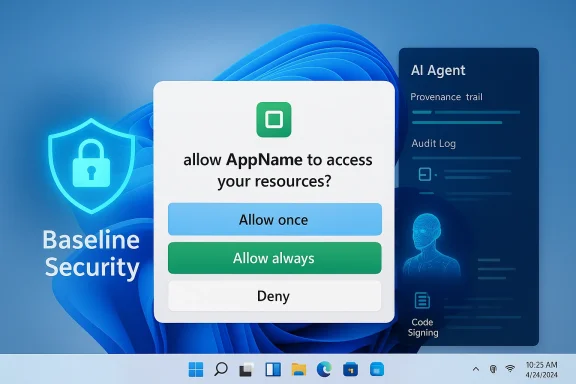
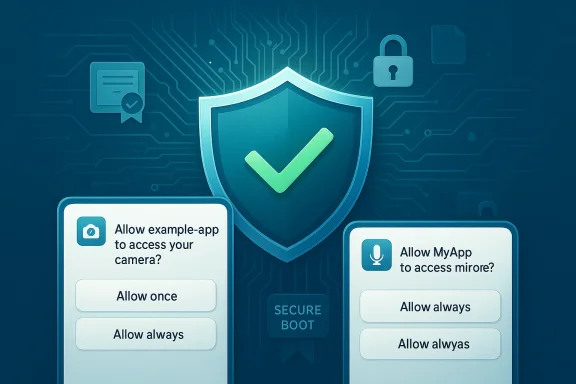
A permission prompt overlay over a blue, futuristic security dashboard with an AI agent panel.Background / Overview​

For decades, Windows has balanced an open, flexible platform with a layered set of optional hardening features — from Windows Defender Application Control (WDAC) and Device Guard to Hypervisor‑Protected Code Integrity (HVCI) and Smart App Control. Those features protected high-value endpoints but were often opt-in or complex to manage, leaving many consumer and enterprise devices running in a permissive-by-default posture.
That changes with the latest set of announcements. On February 9, 2026, Microsoft introduced Windows Baseline Security Mode and User Transparency and Consent as part of a broader company effort to “secure by default” under the umbrella of the Secure Future Initiative (SFI). These changes aim to:
  • Enforce runtime integrity by default, where only properly signed apps, services, and drivers are allowed to run unless a specific, auditable exception is granted.
  • Present mobile-style permission dialogs for sensitive resources (files, camera, microphone, installation behaviors), with options such as Allow once, Allow always, or Deny.
  • Provide audit trails and centralized management so consent decisions are logged and can be reviewed by IT and users.
  • Treat AI agents as distinct principals with their own identity, provenance and logged actions.
Microsoft frames this as a corrective shift driven by modern threats: supply-chain attacks, signing‑abuse, legacy unsigned installers, permissive driver loading, and the increasing presence of agentic AI components that can act autonomously if given broad permissions.

What Microsoft announced — the essentials​

Windows Baseline Security Mode (BSM)​

BSM consolidates existing integrity mechanisms into a single, auditable baseline that Microsoft intends to enable by default on Windows 11. Key mechanics include:
  • Default-deny runtime integrity: Unapproved or improperly signed binaries, kernel drivers, and services will be blocked from executing unless an auditable exception exists.
  • Centralized simulation and rollout: Administrators can simulate the baseline, apply it across fleets, and pre-authorize apps enterprise-wide.
  • Developer-facing APIs: Applications and installers can check whether BSM is active and whether exceptions exist, enabling better compatibility messaging and guided remediation UX.
  • Auditable exceptions: Exceptions are logged and revocable; the platform exposes controls so administrators and end users can see what required an exception and why.
This effectively takes the posture that enterprises have been adopting with WDAC and similar tools and makes it an OS-level baseline rather than a specialized configuration.

User Transparency and Consent​

This sibling feature brings a mobile-like permission model to desktop Windows:
  • Clear, standardized prompts: When an app (or AI agent) attempts to access the file system, camera, microphone, or tries to install additional components, Windows will show a human-readable dialog naming the app and the requested resource.
  • Flexible grants: Users can select Allow once, Allow always, Deny forever, or Ask every time. Temporary, time-boxed access that expires when the app closes will be supported to reduce permission creep.
  • Revocation & auditing: Grants are revocable from system settings and are written to an audit trail that IT admins can query and review.
  • Agent-specific controls: AI agents will be treated as first-class principals with distinct identities, logged actions, and separate permission pages to reduce opaque, autonomous behavior.
Microsoft is positioning the combined BSM + Transparency model as an OS-level way to preserve Windows’ openness while making sure users are not surprised by silent changes or covert behavior from apps and agents.

Why this matters now: threat context and platform scale​

There are three converging trends that make this shift consequential:
  • Signing and supply-chain risks — Attackers increasingly weaponize legitimate signing keys or compromised vendor chains to distribute persistent, elevated code. Policies that accept signed artifacts without provenance checks are no longer sufficient.
  • Agentic and AI-driven automation — Tools that act autonomously on behalf of users or services can scale mistakes or malicious behavior rapidly. Without provenance, an agent can exceed user expectations and perform high-risk actions.
  • Platform ubiquity — Windows 11 runs on over a billion devices. A change to default runtime policy or consent UX ripples across OEM images, consumer PCs, and enterprise fleets, meaning configuration choices affect hundreds of millions of users.
Taken together, the new defaults reduce several commonly exploited attack vectors — silent installers, unsigned driver loading, and background agents — while giving users and IT concrete tools to inspect and reverse permissions.

Deep technical mechanics (what to expect under the hood)​

Enforcement model​

BSM does not invent new kernel mechanisms; it rebinds and centralizes existing integrity primitives into an auditable baseline. Expect:
  • Code signing enforcement at runtime for user-space binaries, services, and kernel drivers.
  • Attestation and provenance checks for critical binaries and drivers, not just a signature blob.
  • Exception APIs where apps can query the enforcement state and guide end users through remediation workflows if they require a grant to run.
  • Auditable logs for permission grants and exception events, exportable for SIEM and endpoint monitoring.
This is similar in spirit to macOS Gatekeeper or the app-permissions model on mobile, but implemented with the flexibility demanded by legacy PC workflows.

Developer and enterprise flows​

Microsoft plans to expose tooling and APIs so developers and ISVs can:
  • Check whether a machine is running in BSM mode and whether exceptions exist for their components.
  • Programmatically request guided remediation flows when a required component is blocked.
  • Integrate permission checks into installers to present preflight guidance rather than surprising end users at runtime.
Administrators will have centralized controls to pre-authorize and manage exceptions, allowing realistic deployment in enterprise environments that depend on many legacy or vertical-market applications.

Immediate additional security steps announced alongside BSM/UTC​

Microsoft is pairing the Windows work with other hardening moves that extend across identity and productivity stacks:
  • Entra ID sign‑in hardening: Controls such as Content Security Policy measures for sign-in pages are being rolled out to reduce script‑injection risks and mitigate threats from injected browser extensions.
  • ActiveX controls disabled by default in Microsoft 365 and Office 2024: Office apps now block ActiveX content by default, lowering a longstanding vector for document-borne exploits.
  • Updated Microsoft 365 security defaults: Microsoft is continuing to push tighter defaults and to block legacy authentication protocols that are frequently abused.
These changes are part of SFI’s broader aim to shift Microsoft products to secure-by-default postures while shrinking opportunities for common exploitation techniques.

Strengths: why this design choice is powerful​

  • Reduces attack surface dramatically by default: Default-deny runtime behavior removes many “easy” persistence and elevation paths attackers rely on, such as unsigned installers and ad-hoc drivers.
  • Improves user and admin visibility: Audit trails and centralized controls mean suspicious app behavior and permission grants are discoverable, not hidden.
  • Brings modern consent UX to desktop: Clear, reversible prompts align user expectations with platform behavior and make accidental privacy invasions less likely.
  • Offsets agentic risk: Treating AI agents as principals with provenance and logged actions helps curb autonomous, opaque behavior that could otherwise be exploited.
  • Ecosystem alignment: Consolidating past defenses into a single baseline simplifies guidance for admins and reduces configuration drift across enterprise fleets.

Risks and tradeoffs: what could go wrong​

  • Compatibility friction and helpdesk load: Many legacy applications rely on behaviors that will now be blocked by default. Exceptions are necessary but will create spiky support demands as organizations and vendors update signing and installer practices.
  • Permission fatigue: Desktop users are not used to answering frequent prompts for every app action. Poor UX design or overly chatty prompts could lead to indiscriminate approvals, eroding the protection model.
  • Signing as a new single point of failure: If signing and key management are not paired with robust provenance checks and revocation semantics, attackers who compromise signing processes (or stealing keys) could produce highly trusted malware. The Storm‑0558 incident — where attackers acquired a consumer signing key and abused it to forge tokens — underlines how critical key management and revocation are.
  • Operational dependence on Microsoft tooling: Enterprises that have built processes around older tools will need to adapt; those that cannot may choose to disable aspects of the baseline, undermining the overall security gains.
  • Supply-chain pressure: Vendors that produce specialized hardware drivers or bespoke apps will face accelerated deadlines to modernize signing and attestation flows, which could strain smaller ISVs.

What enterprises and IT teams should be doing right now​

  • Inventory & compatibility testing
  • Catalog apps, drivers, agents that require elevated privileges or custom installers.
  • Use Microsoft’s simulation tools (when available) to evaluate which components will need exceptions under BSM.
  • Key management and signing hygiene
  • Enforce hardware-backed key storage and automatic rotation where possible.
  • Review vendor signing practices and request attestations or stronger provenance proofs.
  • Update patching and CI/CD pipelines
  • Integrate signing and attestation steps into build pipelines.
  • Ensure installers and drivers are reproducible, signed, and documented.
  • Prepare user guidance and support channels
  • Create clear, non‑technical guidance that explains prompts users will see.
  • Train helpdesk staff on how to triage exception requests and how to perform controlled revocations.
  • Plan telemetry and SIEM integrations
  • Ingest consent logs and exception events to detect anomalous patterns (e.g., frequent temporary grants for unknown apps).
  • Configure alerts for high-risk grants and unusual agent activity.
  • Engage vendors early
  • Communicate timelines to ISVs and hardware vendors; request signed driver updates and published attestations.

Developer guidance: design for the new baseline​

  • Check for BSM state at install time and present a graceful UX: explain why a grant is needed and how to request it properly.
  • Sign builds with strongly managed keys and embed provenance metadata where possible so admins can make trust decisions with confidence.
  • Limit background behaviors and reduce runtime requests for sensitive permissions; design apps to request the least-privilege set and degrade gracefully.
  • Adopt telemetry best practices that surface consent failures and provide actionable remediation guidance to users and admins.

User experience considerations​

Microsoft must strike a delicate balance between security and habit. To succeed, prompts must be:
  • Context-rich: name the requesting app, explain why the permission is needed, and offer a clear outcome for the user’s choice.
  • Non-intrusive: use intelligent grouping and heuristics so users are not overwhelmed by repeated dialogs.
  • Reversible and discoverable: a single settings page where users can see and revoke permissions should be easy to find and use.
If Microsoft gets this wrong, users will either drown in prompts or habitually accept them — both outcomes erode the intended protection.

Threat modeling: opportunities for adversaries​

Attackers will respond to a policy hardening by adapting techniques:
  • Signing abuse and stolen keys: Targeted compromises of key infrastructure will become even more lucrative.
  • Social engineering to alter exceptions: Attackers may attempt to trick users into granting exceptions for malicious apps, so UX must emphasize provenance and identity.
  • Extension and agent hijacking: Browser extensions or helper agents that can be granted elevated rights will become high-value targets; Entra ID CSP and similar protections aim to reduce script-injection exposure at sign-in surfaces, but the browser and extension vector remains significant.
Defense must therefore focus on detection of anomalous grants, real-time revocation capabilities, and robust key management.

The roadmap and rollout expectations​

Microsoft has signaled a phased rollout: Insider previews for early feedback, partner/enterprise testing, and then broader deployment. That approach is pragmatic — it gives Microsoft room to address compatibility issues and tune prompts — but it also creates a transition period where some devices are protected and others are not. Organizations should use this window to test and integrate.

Final assessment: a necessary shift, but execution matters​

Microsoft’s move to adopt mobile-style permission prompts and to make runtime integrity a default posture on Windows 11 is both bold and overdue. The platform’s ubiquity means a secure-by-default stance will have outsized defensive benefits if implemented wisely. The strengths are clear: fewer silent persistence channels, auditable behavior, and a path toward taming agentic risk.
However, the transition presents operational friction and new concentration-of-trust risks that must be mitigated with excellent developer tooling, robust signing and key management practices, and user-centered UX design to avoid permission fatigue. The history of high-profile incidents involving signing keys — and the systemic changes Microsoft has begun under the Secure Future Initiative — make it plain that technical fixes alone are not sufficient; governance, tooling, and clear incentives for vendors and developers are essential.
For IT teams, developers, and security practitioners, the immediate checklist is clear: inventory and test, modernize signing and CI/CD, prepare support flows, and integrate consent telemetry into detection pipelines. For end users, the promise is straightforward: more transparency, more control, and a Windows that behaves less like an opaque stage and more like a platform that asks permission — and honors it.
The success of this program will depend on two things: Microsoft’s ability to make the consent model usable and to provide the ecosystem with enough runway to modernize, and the industry’s willingness to make signing, provenance, and key management first-class citizens in software delivery. If those conditions are met, Windows could finally bring the desktop into the same consent-first era that has reshaped mobile security — and make the platform meaningfully harder to exploit by default.

Source: FilmoGaz Microsoft Unveils Enhanced Mobile-Style Security Controls for Windows
 

Microsoft’s latest Windows 11 security pivot reframes desktop trust around consent, signatures, and visible agent behavior, moving the platform closer to the permission-first model smartphone users have long experienced. The company’s announcement — led by Distinguished Engineer Logan Iyer — promises a new Baseline Security Mode (BSM) that enables runtime integrity safeguards by default, and a companion User Transparency and Consent (UTC) system that surfaces per-app prompts when software or AI agents request access to sensitive resources. This is a deliberate attempt to balance Windows’ historic openness with a "secure by default" posture, and it will change how users, enterprises, and developers think about app behavior on Windows.

A person views a Baseline Security Mode screen with a privacy consent prompt on a monitor and phone.Background​

Why Microsoft is changing Windows’ default trust model​

Windows remains the world’s dominant PC operating system and, according to Microsoft, powers over one billion devices — an installed base that spans legacy line-of-business applications, modern cloud-native clients, and a rapidly growing ecosystem of AI-assisted agents. That scale gives attackers an enormous attack surface, and Microsoft argues the platform needs stronger, consistent guardrails so users and administrators can trust what runs and what can access sensitive resources. The stated aim is to keep Windows open and compatible while making the default posture far more restrictive than it has been historically.

The two pillars: Baseline Security Mode and User Transparency and Consent​

  • Baseline Security Mode (BSM): A runtime integrity baseline intended to ensure only properly signed apps, services, and drivers run by default, while still allowing explicit overrides. This consolidates prior protections into a simpler, auditable baseline that administrators and developers can inspect and interact with programmatically.
  • User Transparency and Consent (UTC): A smartphone-style permissions model that displays clear, actionable prompts when an app (or an AI agent) attempts to access files, camera, microphone, or tries to alter core behaviours or install additional software. Users can grant, deny, and later revoke these permissions from a centralized setting; actions are logged to create an audit trail.

What exactly did Microsoft announce?​

Baseline Security Mode: integrity by default​

BSM is described as a system-enforced runtime integrity posture. On systems where BSM is active, Windows will enforce a policy that allows only properly signed code — applications, services, and drivers — to execute unless a specific, documented exception is granted. The model gives IT administrators and power users the ability to create and manage exceptions, and Microsoft plans to publish APIs so applications can detect when BSM protections are active and whether they’re running under any exceptions. This lets developers offer guided remediation or fallback behaviors when required protections are present.
Key points about BSM:
  • Enforcement focuses on code integrity at runtime rather than static whitelists alone.
  • Exceptions are intentionally supported to preserve compatibility with legacy or specialized software.
  • Developers will have visibility through APIs to respond gracefully when protections interfere with normal execution.

User Transparency and Consent: permission dialogs for desktop apps and agents​

UTC brings a standardized permission model to Windows: whenever an app or an AI agent attempts to access a protected resource — local files, device cameras, microphones, or attempts to install additional components — Windows will surface a clear, actionable dialog asking the user to allow or deny the request. Permissions can be one-time, session-limited, or persistent, and they are reversible from system settings. The OS will also provide increased telemetry so administrators can see what agents and apps are doing, and maintain an audit trail for later review.

How this maps to existing Windows security features​

Not a wholesale departure — an evolution​

BSM and UTC are best read as integration and evolution rather than brand-new inventions. Microsoft’s platform has long offered elements of app control and runtime integrity — Device Guard, Windows Defender Application Control (WDAC), Hypervisor-protected Code Integrity (HVCI), and more recently Smart App Control — all address aspects of code trust, execution policy, and reputation-based blocking. BSM appears to consolidate lessons from those technologies into a single baseline intended for wider, simpler adoption. Similarly, UTC formalizes what some sandboxed and UWP-style applications have done for years by surfacing resource permissions in a consistent UI.

Historical baggage: UAC’s lessons​

User Account Control (UAC), introduced in Windows Vista, showed the double-edged nature of runtime prompts: while UAC greatly reduced many privilege escalation paths, excessive or poorly timed prompts led to user annoyance and prompt fatigue, causing users to disable protections entirely. Microsoft says it has learned from those mistakes and intends UTC prompts to be clear, actionable, and reversible — but the core challenge remains: good prompts improve security; noisy ones erode it. Expect Microsoft to invest in UX testing and selective prompt suppression to avoid the old UAC traps.

What this means for users​

Desktop users and consumers​

  • Most home users will see fewer silent changes to their machines: installers attempting to add background agents or utilities that persist without consent should now trigger visible prompts.
  • Expect tighter defaults on new systems (Microsoft indicates BSM will be enabled on new installs by default), but with easy, documented ways to create exceptions when a legitimate app is blocked.

Power users, gamers, and creators​

Power users who have historically disabled protective features to preserve compatibility — especially users running signed-but-nonstandard tools, older drivers, or low-level tuning utilities — will need to plan for exceptions or signing steps. Microsoft’s promise of exceptions and developer APIs is important here: the company explicitly notes it wants to avoid breaking well-behaved apps during rollout. But the devil will be in the details: number and type of exceptions, how revocation works, and whether per-app policies can be centrally managed in enterprise environments.

What this means for enterprises and IT​

Centralized management and auditability​

BSM’s value to IT is straightforward: a consistent, auditable security baseline that can be centrally enforced and monitored reduces the need for ad hoc desktop management techniques. UTC’s audit trails and per-agent visibility answer long-standing enterprise needs for provenance and control over autonomous agents and user-installed software. For SOC teams, the combination promises clearer telemetry on what processes accessed which resources and when — invaluable for post-incident forensics and compliance.

Deployment considerations​

Administrators should prepare for:
  • Inventorying legacy and line-of-business applications to determine which ones require exceptions.
  • Establishing a test plan and pilot group to validate exceptions before broad rollout.
  • Integrating code signing and CI/CD pipeline checks where possible to reduce friction over the medium term.
  • Updating endpoint management tools to surface BSM/UTC policies and logs for analysts.

Developer impact and what app makers must do​

Signing will be table stakes​

If Microsoft enforces signing at runtime by default, developers who distribute unsigned binaries or rely on ad-hoc installers will feel pressure to adopt proper code signing workflows. That includes:
  • Building signing into CI/CD pipelines.
  • Maintaining signing certificates and private keys securely.
  • Considering Extended Validation (EV) certificates where appropriate for driver or installer scenarios.
Microsoft’s stated goal — preserving an open ecosystem while nudging developers to meet a higher bar — suggests the company will provide tooling, APIs, and documentation to ease the transition. But small developers and open-source projects may face friction if signing costs, bureaucracy, or key management complexity are not addressed.

APIs and graceful degradation​

Microsoft says apps will be able to detect whether BSM protections are active and whether exceptions exist. That enables developers to implement graceful degradation:
  • Detect protected runtime state early.
  • Display a clear, actionable message guiding the user to request an exception or follow remediation steps.
  • Fall back to limited functionality rather than crash or block entirely.
These APIs are critical: an app that quietly fails because the OS prevented its service from launching will frustrate users and IT alike. Developers should plan to adopt detection and remediation hooks as soon as SDKs and guidelines become available.

Security benefits — and important caveats​

Clear benefits​

  • Stronger default integrity: Preventing unsigned or improperly signed code from running reduces common human‑exploited attack vectors.
  • Reduced silent persistence: Agents that try to stealthily add boot‑time components, background services, or shell integrations must now surface their actions.
  • Improved visibility for defenders: UTC’s audit trails and BSM’s policy tooling give SOC teams new signals to investigate anomalies.

Limitations and risks​

  • Signed-but-malicious binaries: Code signing is a strong signal of provenance but not an absolute guarantee of safety. Attackers have historically abused stolen or compromised signing keys and abused legitimate software to deliver malicious payloads. BSM reduces a class of attacks but does not eliminate supply‑chain risk.
  • Prompt fatigue and usability trade-offs: Poorly designed or too-frequent UTC prompts risk creating the same reflexive acceptance behavior that weakened UAC. Microsoft’s UX decisions and telemetry-driven prompt algorithms will determine whether UTC helps or hurts real-world security.
  • Legacy compatibility and the “escape hatch” problem: Allowing exceptions is necessary, but exceptions themselves become an attack surface. Poorly managed or weakly audited exceptions can be used to bypass protections at scale.
  • Agent complexity: AI agents acting on behalf of users raise tough provenance questions: who authorized the action, what data did the agent access, and can an agent be sandboxed effectively? UTC focuses on making these behaviors visible, but the complexity of supervising autonomous agent activity should not be underestimated.

Practical rollout timeline and what to watch for​

Microsoft states BSM and UTC will be delivered via a phased rollout, developed in partnership with ecosystem players. Expect the following signals if you track adoption:
  • Insider builds exposing the initial UTC UI and BSM enforcement modes for testing.
  • Documentation and SDK updates that reveal the exact APIs for detecting protections and registering exceptions.
  • Enterprise tooling integrations — for MDM, Group Policy, and SIEM — to consume BSM/UTC telemetry.
  • Case studies from early partners (Microsoft named several ecosystem companies in early coverage) showing how exceptions and consent models were managed in real deployments.
Microsoft’s history with staged rollouts suggests careful iteration: the company has decades of experience changing sensitive OS behaviors, and it will likely use telemetry and partner feedback to refine prompts and policy defaults before wide deployment.

Recommended steps for IT teams and developers (practical checklist)​

  • Inventory: Identify apps, drivers, and services that require elevated execution or low-level device access.
  • Test lab: Build a pilot environment and apply simulated BSM policies to see what breaks.
  • Signing pipeline: Add code signing to CI/CD, centralize key management, and automate signing where possible.
  • Exception governance: Define a documented exception process with approval, time-limits, and audit logging.
  • User training: Prepare short, contextual guidance for end users so UTC prompts are understood and not reflexively dismissed.
  • Monitoring: Update SIEM rules to ingest BSM/UTC audit logs and create alerts for anomalous exception requests or repeated permission denials.
These are practical steps that reduce friction during rollout and help preserve both security and productivity.

UX and the human factor: getting prompts right​

Prompts are only as good as their design. Microsoft’s stated ambition is to make UTC dialogs “clear and actionable,” but success depends on three things:
  • Context: Prompts must explain why access is being requested and what functionality will be gained or impacted.
  • Remediation: If a user denies access, the app should degrade gracefully and explain how to re‑enable the feature later.
  • Avoiding noise: Smart heuristics should suppress redundant prompts for routine behavior while still stopping novel or risky access attempts.
If Microsoft can execute on these UX rules, UTC can become a strong defensive mechanism; if not, it risks repeating UAC’s missteps.

Final analysis — strengths, trade-offs, and where this could go wrong​

Microsoft’s push is notable for its ambition to standardize what has historically been a collection of disparate protections. By combining default runtime integrity with visible, reversible consent for agents and apps, the company addresses two chronic gaps in desktop security: silent persistence and invisible agent activity.
Strengths:
  • A clearer, auditable baseline for enterprise defenders.
  • A user-centric model that aligns desktop behavior with smartphone expectations.
  • Developer-facing APIs that allow graceful transitions and clear remediation paths.
Potential risks:
  • Poorly calibrated prompts or brittle exception mechanisms could produce widespread user frustration and increase administrative overhead.
  • Attackers will adapt: signed‑software abuse and supply‑chain compromises remain viable threats, so BSM is a major mitigation but not a panacea.
  • Smaller developers and open-source authors could be disadvantaged if signing costs or process complexity are not mitigated by Microsoft or ecosystem tooling.

Bottom line​

This announcement is a major inflection point for Windows security. Microsoft has framed BSM and UTC as a way to preserve the platform’s openness while enforcing stronger defaults and clearer user consent — a pragmatic attempt to bridge desktop flexibility with modern expectations around visibility and control. The success of this effort will depend on careful UX design, practical exceptions and APIs, and robust tooling for developers and administrators. If Microsoft executes well, Windows 11 will become significantly harder to injure silently and easier for defenders to reason about; if it stumbles, the change risks reigniting the familiar tug-of-war between safety and convenience that defined earlier transitions like UAC.
For now, the announcement sets a clear direction: Windows’ next security push borrows the smartphone model where it helps — consent, per-app visibility, and default integrity — while attempting to keep the platform’s historic openness intact. The journey from concept to widespread, non-disruptive adoption will be a story to watch closely over the coming Windows Insider cycles and enterprise pilot programs.


Source: TechSpot Windows 11's next security push borrows heavily from smartphones
 

Microsoft’s proposal to make Windows “secure by default” is not a small tweak — it’s a philosophical and technical reset of how the operating system trusts software and asks for user consent. In a Windows Experience Blog post dated February 9, 2026, Microsoft introduced two linked initiatives — Windows Baseline Security Mode and User Transparency and Consent — that together move Windows 11 closer to the permission and integrity models long used on mobile devices. The headline change: Windows will begin to operate with runtime integrity safeguards enabled by default so that, unless explicitly allowed, only properly signed apps, services, and drivers will be permitted to run. At the same time, the OS will show clearer, reversible permission prompts for apps and agentic AI tools, aiming to place users at the center of decisions that affect privacy and system integrity.

Futuristic security dashboard with consent toggles, a shield, and analysts at desks.Background / Overview​

For nearly four decades Windows has balanced openness and compatibility with layered defensive technologies. The platform’s success has always rested on its flexibility: developers and users can install almost anything, developers can ship code outside the store, and organizations can use bespoke legacy tools. That same openness, however, has been a chronic vector for malware, supply-chain abuse, and unwanted system modifications.
On February 9, 2026, Microsoft acknowledged that the balance has shifted and that stronger defaults are required. The company framed the change as part of broader efforts — named initiatives like the Secure Future Initiative and the Windows Resiliency Initiative — designed to make running Windows safer by default while preserving developer choice and enterprise flexibility. The two central ideas Microsoft announced are:
  • Windows Baseline Security Mode (BSM): a runtime integrity posture that enforces signature and integrity checks by default, limiting execution to code that meets established trust standards unless a user or admin explicitly allows an exception.
  • User Transparency and Consent: a system-wide, smartphone-style permissions model that surfaces clear, reversible prompts when apps or AI agents attempt to access sensitive resources or to make system-level changes.
Microsoft describes this as a “consent‑first” model: users will be asked before apps or AI agents access files, devices, or take actions, and the system will keep a visible, auditable record of those permissions and behaviors.

What Windows Baseline Security Mode actually does​

Core idea: default runtime integrity safeguards​

At its heart, Windows Baseline Security Mode changes the default trust posture of the OS. Instead of many runtime protections being optional, limited to particular installations, or only active after a clean install, Baseline Security Mode intends to consolidate multiple controls into a consistent, system-enforced baseline that is enabled out of the box.
Practically this means:
  • The OS will actively verify the integrity and digital signatures of applications, background services, and drivers at runtime.
  • If code fails signature or integrity checks, the system will block execution unless the user or an administrator explicitly allows an exception.
  • Existing protections such as Smart App Control, Windows Defender Application Control (WDAC), and Hypervisor‑Protected Code Integrity (HVCI) are conceptually consolidated under a single runtime posture, simplifying expectations about what Windows will protect by default.

How it differs from today’s defaults​

Today, protection is uneven: many controls are off by default or only applied after certain conditions. For example, WDAC and HVCI are powerful but not universally enabled for every Windows 11 installation. Reputation-based blocking and Smart App Control are helpful but can be bypassed or not present on older machines.
Baseline Security Mode intends to be the “single source of truth” about runtime integrity. If Microsoft executes this design as described, users will see a measurable reduction in the number of unsigned or tampered binaries that can run without deliberate approval.

Exceptions and escape hatches​

Microsoft is explicit about preserving flexibility:
  • Power users, developers, and enterprises that rely on legacy or custom-built tools can create exceptions to allow unsigned or specially signed components to run.
  • Administrators will have management controls to define whitelists, exemptions, or policies via enterprise management tools.
  • Apps will be able to detect whether Baseline Security Mode is active and whether exceptions have been granted, allowing developers to adapt behavior or present guidance rather than failing silently.
That design preserves the core Windows promise: you can still install almost any app, but the act of running or granting system-level access becomes deliberate and auditable.

User Transparency and Consent: mobile-style permissions for the desktop​

Moving to a system-wide consent model​

The second pillar — User Transparency and Consent — brings a recognizable smartphone UX to Windows. Historically, Windows’ permission model has been fragmented across Control Panel, Settings, registry entries, and app-specific options. The new model aims to centralize and simplify:
  • Apps will trigger clear, actionable prompts when they attempt to access sensitive resources such as files, the camera, microphone, or when they try to install additional software.
  • These prompts are designed to be reversible: users can later review, modify, or revoke permissions from a central privacy/security dashboard.
  • AI agents that act autonomously or on behalf of users will be treated with the same scrutiny: granting agentic access will be explicit, auditable, and reversible.

Why this matters now​

AI agents and automation frameworks were specifically called out in Microsoft’s messaging. As third-party and built-in agents gain the ability to run tasks, scrape files, or install components, the potential for silent overreach grows. A consent-first UX is intended to ensure users know when an autonomous process is acting and to give them simple controls to limit that behavior.
This change addresses three familiar problems:
  • Hidden background components that install without clear consent.
  • Apps that alter system behavior (or install helper utilities) without transparent disclosure.
  • Agentic tools that might perform data-exfiltration or system changes as part of automation.

What this means for developers​

Workload impact and developer guidance​

Developers will not be left to guess how to comply. Microsoft has signaled that it will provide APIs, tooling, and documentation so apps can:
  • Detect whether Baseline Security Mode is active.
  • Check whether specific permissions or exceptions have been granted.
  • Adjust behavior or present guidance to users (for example, guiding them to grant a signed driver or request an admin exception).
Well-behaved applications that already follow modern signing and transparency practices should mostly be unaffected. But some classes of software will see real work:
  • Device and kernel-mode driver vendors who rely on legacy signing practices will need to ensure their drivers meet the required signature standards or provide clear instructions for enterprise exception workflows.
  • Internal enterprise applications (line-of-business apps not signed with a widely trusted certificate) may need updated signing practices or pre-approved exception policies deployed via management tooling.
  • Small indie developers distributing unsigned or self-signed binaries will face a higher friction path for users, who must explicitly allow their code to run.

Risk of increased friction — and how to reduce it​

Developers should treat this as a call to modernize distribution practices:
  • Obtain code-signing certificates from trusted authorities.
  • Where drivers are involved, adhere to kernel-mode signing practices and test across the new baseline.
  • Support graceful failure: if a permission is not granted, apps should fail with helpful guidance rather than crashing or attempting workarounds.
Microsoft’s commitment to providing APIs and a runway for developers is important. But the timeline and operational details will determine whether the transition is seamless or painful for some ecosystems.

What enterprises need to know​

Visibility, telemetry, and reduced incident response load​

Enterprises stand to gain meaningful security benefits. Baseline Security Mode and centralized consent produce:
  • Stronger endpoint integrity guarantees by default.
  • Better visibility into what apps and agents are doing on managed devices.
  • Easier policy enforcement and fewer emergency mitigations when unsigned malware attempts to run.
Security teams can use the new baseline to reduce false-negatives in detection and shift resources from recovery to prevention.

Migration and compatibility planning​

However, enterprises must plan carefully. Recommended steps include:
  • Inventory: Audit legacy LOB apps, unsigned utilities, and custom drivers in use today.
  • Pilot: Deploy the Baseline Security posture to pilot groups, measuring compatibility issues and establishing a baseline of exceptions.
  • Signing roadmap: Where practical, move critical apps and drivers to proper signing practices.
  • Management policies: Define exception workflows through existing management tooling and document rollback procedures.
  • User education: Prepare users for new permission prompts and explain the reversible control model.
Large organizations with deep legacy stacks will likely need time to adapt; Microsoft’s promised phased rollout reflects that reality.

AI agents and the security calculus​

The Microsoft narrative ties these changes explicitly to the rise of agentic AI: agents that can act autonomously on the user’s behalf increase the need for consent, auditability, and bounded permissions.
  • Agent transparency: The system will require agents to identify themselves and request scoped permissions rather than running invisibly.
  • Scoped agent permissions: Agents should be limited to the smallest set of capabilities necessary to perform tasks.
  • Revocation and audit: Users will be able to revoke agent permissions and inspect agent activity histories.
This is sensible from a threat model perspective. Agentic tools that can read files, access accounts, or install helper components are powerful levers for both productivity and abuse. Introducing systemic controls and explicit consent reduces the likelihood that a malicious or compromised agent silently exfiltrates data or installs persistent components.

Compatibility, exceptions, and the danger of false positives​

The compatibility challenge​

One of the biggest practical obstacles is compatibility. Historically, device drivers, legacy installers, and certain utilities have used signing practices or installation behaviors that would not meet a strict, default-enforced runtime integrity posture.
Potential friction points include:
  • Older hardware that requires unsigned or vendor-signed drivers.
  • Enterprise tools that rely on installers that trigger background services or add-on components.
  • Game anti-cheat and performance hooks that attach to kernel or system components but may not be signed under new policies.
Microsoft’s promise of override and exceptions will blunt many of these issues. But a poorly executed rollout risks user confusion when legitimate software fails to run and the user must decide whether to add exceptions.

Risk of blocking legitimate apps and drivers​

No default-deny model can avoid some degree of false positives. Blocking signed-but-tampered binaries or unsigned but benign utilities will generate support tickets. Microsoft and enterprise IT teams must be prepared to provide clear, actionable remediation guidance.
Key mitigations:
  • Smooth, discoverable override flows with clear security explanations.
  • Tools that allow IT admins to pre-approve and distribute exceptions.
  • Developer-facing diagnostics and test utilities to help build compatibility.

Potential adversary responses and supply chain implications​

Security is always an arms race. If Windows moves to a stricter default posture, adversaries will adapt. Anticipated attacker responses include:
  • Attempts to steal valid code‑signing keys or to obtain certificates through fraud.
  • More sophisticated supply-chain attacks that compromise build pipelines.
  • Increased focus on social engineering to get users to approve malicious exceptions.
Microsoft’s move increases the value of protecting signing keys and validation systems. It should also raise the cost and complexity of carrying out successful attacks — but it will not eliminate them. Enterprises and developers will need to harden build pipelines, protect signing keys, and monitor certificate misuse.

How to prepare — practical steps for admins, developers, and power users​

For IT administrators​

  • Start an immediate inventory of apps, drivers, and background agents in your estate.
  • Create pilot groups for early testing; use telemetry to identify compatibility failures.
  • Define group policies and management procedures for exception approval and distribution.
  • Train helpdesk staff on new prompts and common compatibility fixes.
  • Harden your software supply chain and protect signing keys.

For developers and ISVs​

  • Move to trusted code signing for both user-mode apps and drivers.
  • Adopt modern installation patterns that avoid surprise background agents.
  • Implement graceful handling when expected permissions are missing and provide clear guidance for users to remediate.
  • Test on preview builds where Microsoft opens developer-facing tools for compatibility checks.

For power users​

  • Expect clearer permission prompts; treat them as a first line of defense.
  • If you rely on niche utilities, learn how to create exceptions safely and to audit what you’ve allowed.
  • Prefer signed, well-known software when possible and validate installers’ origin when granting exceptions.

Strengths of Microsoft’s approach​

  • Higher default security posture: Moving to runtime integrity safeguards by default will reduce the attack surface significantly for most users.
  • Unified model: Consolidating protections and presenting a single baseline simplifies security expectations across the ecosystem.
  • Consent-first UX: Clear, reversible prompts mirror smartphone models that users already understand, reducing accidental permission creep.
  • Developer visibility: APIs that let apps detect the baseline state reduce the risk of silent failures and create smoother upgrade paths.
  • Enterprise benefits: Greater visibility and centralized control reduce incident response workload and improve compliance posture.

Risks, unknowns, and implementation pitfalls​

  • Compatibility friction: Legacy drivers, internal tooling, and certain game systems could break or require non-trivial work to comply.
  • User confusion: If prompts are poorly worded, users may grant exceptions without understanding the risk or may be flooded with prompts.
  • Signing ecosystem attack surface: Code-signing keys and certificate authorities become even more critical, increasing the impact of a compromise.
  • Rollout complexity: The success of this change hinges on rollout timing, tooling quality, and Microsoft’s responsiveness to developer and enterprise feedback.
  • Potential for abuse: Social engineering remains a risk — attackers can trick users into granting exceptions that bypass protections.
Where Microsoft’s plan is promising, its success depends on execution: high-quality developer tooling, clear admin controls, and a measured rollout that preserves compatibility while raising the bar.

Roadmap expectations and practical timeline notes​

Microsoft has stated these features will be introduced via a phased rollout, beginning with visibility for users and IT admins and then incrementally increasing enforcement. That cautious approach is sensible: it provides time for developers and enterprises to adapt, and it reduces the risk of abrupt breakage.
Key roadmap expectations:
  • Visibility phase: Telemetry and visibility tooling reveal how apps and agents behave without blocking operations.
  • Developer adoption phase: Microsoft publishes APIs, diagnostic tools, and guidance; partners test and provide feedback.
  • Selective enforcement: Baseline rules are enforced more broadly for consumer systems first, while enterprise admins continue to manage exceptions.
  • Wider default enforcement: Over time, as the ecosystem matures, enforcement becomes more aggressive for new installs and new hardware.
Administrators and developers should plan for several months of transition, with pilot testing immediately advisable.

Final analysis — balancing openness with trust​

Microsoft’s announcement marks the most significant reorientation of Windows’ default trust model in years. The plan is both bold and necessary: users want platforms that protect them by default, and the rise of autonomous agents and supply-chain threats makes a consented, auditable execution model essential.
If Microsoft successfully executes the proposed model — with clear developer tooling, frictionless enterprise exception mechanisms, and a measured rollout — Windows could deliver a meaningful reduction in everyday risk without sacrificing the openness that made it valuable to enterprises and hobbyists alike.
But success is not guaranteed. The biggest failure modes are in rollout and communication. A rushed enforcement phase that breaks widely used enterprise workflows or confuses consumers will create backlash that undermines the security gains. Conversely, a transparent, collaborative path that gives developers and administrators the tools and time to adapt could set a new standard for desktop security.
This is a watershed moment. Windows is moving away from implicit trust by default and toward a model where transparency, consent, and runtime integrity are central. That change will require effort across the ecosystem — from kernel-mode driver vendors to indie developers — but the payoff is a platform that better matches modern threat realities while preserving the flexibility that has defined Windows for decades.

Closing thoughts​

The quality of the implementation will determine whether this is a historic improvement or a painful transition. For users, the immediate advantages are straightforward: clearer prompts, revocable permissions, and fewer unsigned components running in the background. For enterprises and developers, the road ahead requires planning, signing, and modernization.
Microsoft’s message is unambiguous: Windows will strive to be secure by default, but not at the cost of becoming a closed platform. The next year will tell whether that promise can be kept — and whether the broader Windows ecosystem can adapt quickly enough to make a safer default the new normal.

Source: Windows Latest Microsoft wants Windows 11 “secure by default," could allow only properly signed apps and drivers by default
 

Microsoft is moving Windows 11 toward a permission-first model: the operating system will begin surfacing smartphone-style permission prompts and enforce a stricter runtime integrity posture—called Windows Baseline Security Mode (BSM)—so that, by default, only properly signed apps, services, and drivers are allowed to run unless an explicit exception is granted.

Phone screen displaying a resource permission prompt with blurred privacy settings in the background.Background​

For decades, Windows’ security model has prioritized compatibility and openness, layering defensive technologies (Smart App Control, Windows Defender Application Control, HVCI, Device Guard) on top of a permissive default. That model gave the platform extraordinary flexibility but also a persistent attack surface that adversaries exploited through unsigned code, living-off-the-land techniques, and supply-chain abuse.
In a Windows Experience Blog entry published on February 9, 2026, Microsoft framed a strategic pivot: the company will introduce two linked efforts—Windows Baseline Security Mode and User Transparency and Consent (UTC)—as part of broader initiatives (Secure Future Initiative and Windows Resiliency Initiative) to make Windows “secure by default” while keeping escape hatches for compatibility.
Multiple news outlets quickly echoed and analyzed the announcement, describing it as a deliberate attempt to bring the desktop permission UX closer to what smartphone users expect: clear, per-app prompts for sensitive resources (files, camera, microphone) and a centralized permissions dashboard that lets users review and revoke access.

What Microsoft announced — the essentials​

Windows Baseline Security Mode (BSM)​

  • Core idea: enforce runtime integrity by default so only properly signed and trusted code runs unless an auditable exception is created.
  • What runs: applications, background services, kernel drivers, and installers will be checked at runtime for signatures and integrity; code that fails those checks will be blocked from executing unless explicitly allowed by an administrator or user exception.
  • Management: IT administrators will be able to pre-authorize apps across managed fleets; unmanaged devices will present exception flows for users that are auditable and (where appropriate) time‑boxed. Microsoft will expose APIs so apps and installers can detect BSM and adapt their behavior or provide remediation guidance.
BSM is not a single new kernel module so much as a consolidation and normalization of existing protections (WDAC, Smart App Control, HVCI) into a single, auditable baseline that ships on by default rather than as a specialized hardening configuration. That shift changes the default trust posture of the OS and raises the bar for attackers who rely on unsigned or tampered binaries to persist and escalate on endpoints.

User Transparency and Consent (UTC)​

  • Core idea: introduce system‑level, smartphone-style permission prompts that require explicit consent before an app (or an AI agent) accesses sensitive resources.
  • Protected resources called out: file system access, camera, microphone, device sensors, and installation of additional components or software.
  • UX: prompts will offer options such as Allow once, Allow always, or Deny, and permissions will be revocable from a centralized settings page; actions will be logged to create an auditable trail for admins and users. AI agents that act on behalf of users will be assigned distinct identities and subject to the same consent model.
Microsoft describes UTC as bringing clarity and control similar to iOS/Android: users will see who requested access, what resource is requested, and have the ability to revoke granted permissions later. The company intends to roll these changes out in stages and provide tooling so developers and enterprises can adapt.

Why this matters: threat landscape and rationale​

Windows’ scale—more than a billion devices across consumer and enterprise environments—makes it a high-value target. Several trends pushed Microsoft toward this change:
  • Adversaries increasingly automate post-exploitation steps, abuse signed binaries and living-off-the-land tools, and weaponize supply chains to run privileged actions without user consent.
  • Agentic software and AI-driven automation introduce new attack vectors where autonomous agents could access data or install components without explicit user understanding.
  • Existing defenses are effective but inconsistent: WDAC, HVCI, and Smart App Control are powerful but not enabled uniformly across devices and are complex for many organizations to manage.
Microsoft’s thesis: reduce silent abuses by shifting to “secure by default” runtime integrity while giving explicit, auditable control when an exception is required. That reduces “surprise” behavior and provides administrators better telemetry and control over what runs across their estate.

Technical mechanics: how BSM and UTC will operate​

Runtime integrity and signing​

BSM performs runtime checks against code signatures and integrity metadata. Practically:
  • The OS validates digital signatures on executables, services, and drivers at load time.
  • Kernel-mode and user-mode integrity checks are synchronized to ensure tampered code is denied execution.
  • Management APIs and policy endpoints enable enterprises to configure whitelists, pre-authorize vendor packages, or create exception rules that are centrally auditable.
This is an evolution of the WDAC/Device Guard model but intended to be the baseline rather than an optional hardening profile. Developers will be able to query whether BSM is active so installers can detect restrictions and prompt for remediation or request appropriate pre-authorization.

Consent prompts, revocable grants, and audit trails​

UTC will introduce a system UI for runtime resource access similar to the smartphone model:
  • Prompts will be detailed and actionable, naming the requesting app/agent and the exact resource.
  • Permission grants can be one-time or persistent; time-boxed grants will expire when an app session ends if the user selects that option.
  • A centralized Privacy & Permissions dashboard will list active grants and recent access events; admins will be able to review logs and revoke permissions across fleets.
  • Special provisions will treat AI agents as distinct principals—if an assistant or automation framework attempts wide access, the system will surface that as a separate entity with its own permission controls and logs.

Developer and installer APIs​

Microsoft plans to publish APIs so developers and installers can:
  • Detect whether BSM is operating on the current device and whether specific components are whitelisted or blocked.
  • Query and surface meaningful guidance when a required capability is blocked.
  • Integrate permission rationale screens into app UX (to reduce surprise and improve grant rates).
  • Register signing and provenance information so that installers can request pre-approval where appropriate.
These APIs are critical: without clear developer support, legitimate apps risk breaking, and IT will face elevated helpdesk volumes. Microsoft’s announcement emphasizes staged previews and tooling to allow partners runway.

What this means for end users​

  • Expect more permission dialogs in scenarios where apps request camera, microphone, or file access—designed to be protective moments that highlight why access is requested.
  • Users will gain a unified place to review and revoke app permissions, replacing fragmented controls spread across legacy settings.
  • For most well-behaved apps from reputable publishers, the experience should be straightforward. For older, unsigned tools or certain utilities, users may see blocked behavior or prompts asking for explicit exceptions.
  • When managing workplace devices, coordinate with IT before granting persistent exceptions—one-off grants may be safer until admins define policy.

Enterprise impact: management, compatibility, and supply chain​

This change is a strategic one for IT teams. The trade-offs are clear: fewer silent abuses versus new operational friction.

Management and policy​

  • Enterprises will need to evaluate and declare allowed software through centralized policy tooling. Microsoft intends to expose controls for fleet-wide whitelisting and exception management.
  • Rolling BSM across diverse estates requires robust testing: line-of-business apps, legacy drivers, bespoke installers, and vertical solutions must be validated against the new baseline.

Compatibility and interoperability​

  • Legacy apps that rely on unsigned kernels, drivers, or unusual install-time behaviors will need work: vendors must sign binaries correctly, or IT must provide curated exceptions.
  • The model preserves escape hatches—admins can create exemptions—but those exceptions must themselves be auditable and tightly controlled to avoid creating high-value risk points.

Supply-chain and signing risk​

  • Enforcing signatures by default improves security overall, but it also concentrates risk: signed malware or compromised signing keys can become powerful mechanisms for attack if provenance and revocation controls are not robust.
  • Microsoft and partners must add provenance checks, monitoring for anomalous signing behavior, and fast revocation/rotation capabilities to minimize damage from abused keys. Several analysts and outlets flagged this as a central implementation risk.

UX risks: permission fatigue, spoofing, and AI agent complexity​

A permission model is only effective if users understand and act reliably on prompts.
  • Permission fatigue: Too many prompts lead to reflexive “Allow” clicks. Good UX design (clear rationale, contextual timing, and one-time options) is crucial to avoid undermining the security gains.
  • Prompt spoofing: If attackers can spoof system prompts or trick users into authorizing malicious requests, the model fails. Microsoft must ensure the OS-level dialog is indistinguishable from in-app imitations and resistant to tampering.
  • AI agent consent: AI agents acting autonomously raise new questions—should a personal assistant have the same long-term file access as an installed app? UTC’s plan to treat agents as principals is sensible, but granular policies and audit visibility are essential to prevent silent overreach.

Practical guidance: how developers and IT should prepare​

Below is a prioritized, practical checklist to triage readiness and reduce disruption when BSM and UTC reach preview channels.
  • Inventory: compile a complete inventory of apps, background services, drivers, and installers across endpoints; flag unsigned or self‑signed binaries.
  • Prioritize: rank apps by business criticality and exposure (internet-facing, runs with elevated rights, accesses sensitive data).
  • Signage plan: coordinate with vendors to ensure proper code signing; consider enterprise signing processes for internally developed software.
  • Test ring: create pilot rings that mirror production to validate exceptions, driver behavior, installer flows, and telemetry.
  • Create exception policy templates: design narrowly scoped, auditable exception policies that expire or require periodic review.
  • Update onboarding materials: prepare user-facing messaging to explain new prompts and safe behaviors to avoid helpdesk spikes.
  • Integrate APIs: plan for app updates to detect BSM and surface user-friendly remediation or pre-checks during installation.
  • Monitoring & revocation: implement monitoring for signing anomalies and plan key/credential rotation and revocation workflows.
This sequence reduces the risk of business disruption while making the organization safer by default.

Strengths: why this is a defensible shift​

  • Reduces classes of silent exploitation. Default-deny for unsigned or tampered code eliminates a big chunk of opportunistic malware and living-off-the-land techniques.
  • Improves transparency. Users and admins will have visible, auditable records of what software and agents accessed sensitive resources.
  • Aligns desktop with modern permission best practices. Bringing the smartphone consent model to the desktop yields clearer expectations for app behavior and reduces surprise changes.
  • Gives developers a clear target. With published APIs and a consistent baseline, developers can design apps to fail gracefully and provide remediation guidance if they require elevated access.

Risks and unanswered questions​

No large platform change is risk-free. Key concerns include:
  • Signed malware and compromised keys. If attackers obtain signing keys or persuade trusted vendors to sign malicious code, BSM’s protections can be bypassed. Robust signing provenance and fast revocation mechanisms are mandatory.
  • Helpdesk and operational load. Initial rollout may cause increased support tickets for blocked legacy tools or drivers—enterprises must plan pilot programs to manage this.
  • Permission fatigue and poor UX. If prompts are frequent or unclear, users will habituate and accept risky requests.
  • Edge cases for specialized hardware and vertical apps. Industrial control software, medical devices, and other regulated verticals often use bespoke code signing practices; Microsoft’s exception flows must be flexible but safe.
  • Implementation complexity. Consolidating existing features (WDAC, HVCI, Smart App Control) into a single baseline without regressions across diverse hardware/driver ecosystems is hard and requires rigorous testing.
Microsoft acknowledges many of these trade-offs and commits to a phased rollout with partner collaboration, tooling, and developer guidance—but execution will determine whether the benefits outweigh the friction.

How the rollout will likely proceed (expected phases)​

  • Visibility & telemetry phase: Microsoft will first give visibility into app and agent behaviors so admins can assess impact before enforcement.
  • Preview builds / Insider testing: Early enforcement and permission UX will appear in Windows Insider channels where Microsoft and partners will gather feedback.
  • Enterprise pilot programs: Larger customers and ISVs will test BSM on controlled fleets, providing operational data and compatibility reports.
  • Staged enforcement: Microsoft intends a gradual increase in enforcement, accompanied by management tooling and APIs to scale exception handling.
  • Broad availability: After feedback iterations, the default baseline may be enabled more broadly on new installs and future Windows feature updates.
These staged steps mirror prior Microsoft transitions (e.g., Smart App Control, WDAC rollouts) designed to limit sudden enterprise disruption while scaling security improvements.

What to watch for in the coming months​

  • The Windows Insider channels for preview behavior, prompt designs, and developer API documentation.
  • Microsoft guidance on signing, provenance, and revocation—the depth and speed of those controls will materially affect security outcomes.
  • Vendor responses from ISVs and hardware partners—how quickly major third-party apps and drivers are signed and certified.
  • Early helpdesk metrics and enterprise pilot results; these will reveal the real-world compatibility cost of enforcement.
  • Any regulatory or policy response tied to agentic AI behavior and data access controls—UTC’s handling of AI agents is novel and may attract scrutiny.

Final analysis — a defensible direction with real trade-offs​

Microsoft’s move to smartphone-style permissions and a baseline runtime integrity posture is a clear strategic shift: it trades some of thepermissiveness for a default that is safer and more auditable. If executed carefully—with strong signing provenance, robust revocation, clear UX, and practical exception workflows—this can materially raise the cost for attackers and reduce silent data access and unauthorized installs.
However, the change will not be frictionless. Enterprises must prepare for compatibility work, developers must adopt the new APIs and signing practices, and Microsoft must design prompts and exception flows that reduce habituation and spoofing risk. Signed malware, supply-chain compromises, and poor UX are the primary failure modes that could blunt the security gains.
For end users and IT teams, the near-term imperative is straightforward: inventory, test, and communicate. Treat new prompts as protective moments, prefer signed and reputable software, and coordinate with IT before granting persistent exceptions on managed devices. For the ecosystem, this is a collective engineering effort: stronger defaults plus thoughtful tooling and governance could make Windows markedly harder to exploit—if everyone plays their part.

Action checklist (one‑page summary)​

  • For IT: Inventory apps/drivers; pilot BSM in test rings; create narrow, auditable exception policies; update support docs.
  • For developers: Ensure binaries are signed with verifiable certificates; integrate BSM/UTC detection and remediation flows; update installers to present clear consent rationales.
  • For users: Expect prompts for camera/mic/files; grant one-time permissions for untrusted apps; revoke permissions you don’t recognize via Settings.
  • For security teams: Monitor signing behavior and build rapid revocation capability; evaluate supply-chain risk for signed components.
This announcement marks a pivotal moment for Windows security, aligning desktop consent models with mobile best practices while insisting on stronger integrity guarantees. The next several Insider cycles and enterprise pilots will determine whether the balance of security, usability, and compatibility is met in practice.
Conclusion: Microsoft’s smartphone-style permission model and Baseline Security Mode represent a significant, necessary evolution of Windows security. The promise—clearer control, auditable consent, and a safer-by-default operating system—is compelling. The outcome will hinge on execution: prompt clarity, signing governance, and ecosystem cooperation. Prepare now; the desktop consent revolution is coming to Windows 11.

Source: SC Media Windows 11 to implement smartphone-style app permissions
 

Microsoft has begun steering Windows 11 toward a secure‑by‑default posture by proposing a new Windows Baseline Security Mode that, when enabled, will restrict runtime execution to properly signed and verified applications, services and drivers — pairing that enforcement with a mobile‑style User Transparency and Consent experience for sensitive resource access.

Digital security illustration featuring a shield with a checkmark and app permission prompts.Background / Overview​

For years, Windows has relied on a layered security model: powerful protections exist — from Secure Boot, HVCI and Windows Defender Application Control (WDAC) to Smart App Control — but many of those defenses have been optional, complex to configure, or available only for managed enterprise fleets. Microsoft’s new announcements fold these pieces into a consolidated, auditable baseline meant to be the recommended runtime posture for most Windows 11 devices. The company frames the move as part of its Secure Future Initiative and Windows Resiliency Initiativeto reduce attack surface without abandoning the openness that defines the Windows ecosystem.
This is a consequential shift: rather than leaving code execution policies permissive by default, Microsoft aims to ship a default‑deny runtime integrity posture (Windows Baseline Security Mode, or BSM) alongside a **User Transparency anurfaces clear prompts whenever apps or AI agents request access to sensitive resources such as files, camera or microphone. Microsoft says exceptions and overrides will remain possible, but they will be auditable and revocable.

What Microsoft announced: the essentials​

  • Windows Baseline Security Mode (BSM): a configuration that moves runtime integrity safeguards toward being enabled by default, requiring apps, services and drivers to carry valid digital signatures or be explicitly exempted before execution. Microsoft intends to expose APIs so developers can detect whether BSM is active and whether exceptions exist.
  • User Transparency and Consent (UTC): a standardized permission and consent model bringing smartphone‑style prompts and revocable grants to the desktop. Prompts will be human‑readable, offer choices such as Allow once or Allow always, and create an audit trail administrators can review. Microsoft plans temporary (time‑boxed) grants to reduce permission creep.
  • Phased rollout and ecosystem engagement: Microsoft has stated the changes will arrive gradually — early exposure will appear in Windows Insider builds, with broader deployment over time — and that compatibility and developer tooling are priorities during the phaany has not given a precise universal rollout date.

Why this ms and the platform scale​

Windows remains a primary target for modern attackers because of its ubiquity and the flexibility the platform offers. Three converging trends make Microsoft’s default‑deny push especially relevant:
  • Supply‑e: attackers increasingly weaponize legitimate signing keys, or compromise vendor build systems, to deliver signed but malicious binaries that evade simple signature checks. Enforcing stricter runtime provenance reduces this risk when combined with attestation and revocation capabilities.
  • Legac and permissive drivers: unsigned installers and permissive kernel driver loading are persistent escalation and persistence vectors. Tightening driver and code signature checks narrows easy attack paths.
  • Agentic and AI‑driven actions: as applications and AI agents perform more autonomous tasks, opaque behavior magnifies harm when agents have broad access. A consent and provenance model makes those actions auditable and reversible.
At the scale of Windows 11 — which Microsoft reports runs across well over a billion devices — changing default runtime policy will ripple across consumers, OEM fleets. That scale increases both the security upside and the compatibility risk if the transition is mishandled.

How Windows Baseline Security Mode works (technical breakdown)​

BSM is not a single novel kernel hook. Instead, it consolidates and formalizes existing integrity primitives into a single baseline that Wrecommend by default. The key technical pillars are:
  • Signature and provenance enforcement at runtime: binaries, services and kernel drivers are checked for valid signatures and attestation metadata. Code that fails checks will be blocked unless placed on an exception list. This is siOS Gatekeeper but adapted for the breadth of PC workflows.
  • Centralized, auditable exceptions: administrators can pre‑authorize applications across fleets. On unmanaged devices, the UX will present an exception flow that — if the user permits — records the event and associates TTLs (time‑to‑live) or revocation metadata. Exceptional cases are intended to be visible and reversible.
  • Developer and installer APIs: Microsoft will provide APIs so software can detect whether BSM is enabled and whether their components are allowed. This enables graceful failure handling and in‑app guidancy approvals or to surface remediation steps for end users.
  • Integration with existing app control primitives: BSM stitches together capabilities from WDAC, Smart App Control and kernel integrity protections (HVCI) into a single, auditable baseline that administrators can simulate and deploy. It also leverages platform components like Secure Boot for early‑boot trust.
These mechanics are intentionally deeper than antivirus allow/deny lists: BSM operates at the OS execution and driver load surface, providing a systemic enforcement model intended to be both deterministic and auditable for enterprise User Transparency and Consent: desktop permission UX reimagined
Microsoft’s UTC initiative borrows from the smartphone permission model while adapting it for desktop realities:
  • Clear, contextual prompts: when an app or AI agent reque system, camera, microphone or tries to install additional components, Windows will present a human‑readable prompt naming the calling app and the requested resource, and offer choices like Allow once, Allow always, Deny or Ask every time.
  • Time‑boxed and revocable grants: temporary grants that expire when the app closes will be supported. Granted permissions and exception events will be logged in an audit trail administrators and users can inspect later.
  • Agent‑specific controls: Microsoft intends to treat AI agents as first‑class principals ws and logged actions, preventing autonomous agents from exercising broad privileges without explicit, auditable approval.
This UX change aims to reduce silent privilege creep, where background agents and installers perform system‑level changes without an explicit, discoverable consent flow.

Immediate implications for consumers​

  • Fewer silent installers and hidden changes: end users will see more prompts but will get clearer control over what software can access and change. This can lower risk from drive‑by installers and unwanted bundles.
  • Better visibility into driver provenance: unsigned or improperly signed kernel drivers will be harder to load without an exception, which should reduce driver‑based persistence attacks — but it may also surface compatibility issues for older hardware or specialized peripherals.
  • Temptation for prompt fatigue: designers must avoid dialogs; if prompts are poorly implemented, users may develop a habit of approving everything, defeating the security benefits. Microsoft acknowledges the UX risk and emphasizes clarity in its design principles.

What developers, ISVs and driver vendors must do now​

Mic practical burden on the ecosystem. The essential actions are clear:
  • Adopt proper code signing: obtain code‑signing certificates from trusted CAs (or use Microsoft Trusted Signing workflows) and sign all distribution artifacts, including installer payloads, EXEs, DLLs and driver packages. Unsigned or incorrectly signed packages are likely to be blocked or forced through exception workflows under BSM.
  • Reassess kernel-mode drivers: minimize reliance on kernel drivers where possible; if kernel drsure they meet modern signing and attestation requirements and work with OEMs for firmware updates when necessary.
  • Integrate BSM APIs and present remediation UX: use the forthcoming APIs to detect enforcementapp guidance for users who must grant exceptions. Clear messaging will reduce support incidents.
  • Test against simulated baseline: Microsoft has said administ simulate BSM before enforcement. Vendors should use these simulation tools to surface compatibility gaps and prepare mitigations.
Failure to do this work will notility, it will amplify helpdesk load and fragment smaller vendors that cannot rapidly adapt.

Enterprise deployment: planning, pilots and governance​

Enterprias a platform‑level change requiring project‑grade planning:
  • Inventory and baseline: audit installed applications, services and kernel drivers to identify unsigned or rarely used componeexceptions.
  • Simulate and stage: run simulation modes across representative pilot groups to gather exception reports and edge cases. Use telemetry to priori. Create exception governance: define approval workflows, TTLs for temporary exceptions and rollback procedures. Exceptions should be auditable and integrated with existing change management and SIEM tooling.
  • Engage vendors: work with ISVs and hardware vendors to obtain signed drivers and updated installers. Consider vendor scorecards for signing and provenance.
  • Train helpdesk and uation and scripts to handle legitimate exception flows and avoid risky workarounds that would undermine the baseline.
This staged approach mirrors how enterprises adopt WDAC and other app control mechanisms, but the expectation that BSM be default makes early planning more urgent.

Benefits: what BSM and UTC deliver if executed well​

  • Reduced attack surface: dlicy eliminates a large class of unsigned installer and driver‑based attacks.
  • Better auditability and compliance: consent and exception logs create forensicrity teams detect suspicious grants and agent behavior.
  • Improved user control and transparency: clear, revocable permissions make desktop behavior more predictable and align Windows with modern consent expectations from mobile platforms.
  • Stronger ecosystem hygiene: forcing code signing and provenance practices will nudge smaller vendors toward standardized release practices, raising the baseline for the entire platform.

Risks and tradeoffs: where this could go wrong​

Microsoft’s plan is technically sound, but several practical risk Compatibility backlash: legacy applications, niche drivers and certain vertical workloads may break unless given exceptions. That could cause user frustration, OEM support overhead and potential lawsuits in regulated industries.
  • Helpdesk surge: a default‑deny posture oal spike in support tickets. Without clear exception governance, IT teams
  • Signing provenance abuse: attackers may adapt by stealing signing certificates or compromising vendor build systems. Signature checks must be paired with provenance, attestation and revocation practices to avoid turning signed artifacts into a single‑point-of-failure.
  • Privacy and UX pitfalls: poorly worded or spoofable prompts could reduce security gains. Windows must design dialogs that are hard to band and resilient to click‑bait tactics.
Microsoft acknowledges many of these risks and proposes phased rollout, simulation tooling and developer guidance — but the success of this initiative will hinge on execution and continued ecosystem cooperation.

Practical checklist: what to do in the nextlopers, and power users, here’s a pragmatic roadmap to prepare for BSM and UTC.​

For IT administrators:
  • Run a complete inventory of installed applications, background services and kernel drivers.
  • Identify high‑risk unsigned components and prioritize remediation.
  • Enroll representative pilot devices in Insider channels to evaluate simulation tools and capture exception telemetry.
For developers and ISVs:
  • Acquire and apply code‑signing certificates correctly; sign installers, binaries and scripts where possible.
  • Implement BSM detection in installers and provide clear remediation messages for users.
  • Reduce kernel dependencies; when kernel drivers are required, align with OEM and Microsoft signing/auditing guidance.
For consumers and power users:
  • Expect clearer prompts; read them carefully and avoid blanket approvals.
  • Prefer apps and drivers from reputable, signed publishers.
  • If you manage a family or small fleet, centralize exception rules where possible to avoid inconsistent allowances.

Design, governance and future directions​

Microsoft’s design principles emphasize informed consent, revocability, and developer tooling. The company also suggests that these changes will be iterated in partnership with the ecosystem — Insider feedback, OEM firmware updates for Secure Boot certificate refreshes, and developer guidance for signing are all part of the continuum. The longer horizon includes deeper attestation of provenance, improved revocation reputation models and stronger detection of signing abuse.

Final analysis: a defensible pivot with major execution demands​

Windows Baseline Security Mode and User Transparency and Consent represent one of the more ambitious platform posture shifts Microsoft has announced in years. At its best, the plan makes Windows significantly harder to exploit by default, reduces silent system changes, and brings desktop expectations into closer alignment with smartphone consent models. At its worst — if executed without rigorous simulation, developer support, and careful UX design — the change could generate compatibility headaches, helpdesk overload and ill‑timed breakages for specialized workflows.
Microsoft has signaled a phased rollout, developer APIs and simulation tooling; those are the right tactical levers. The remaining test will be how well Microsoft coordinates with OEMs, ISVs and enterprise IT to provide the runway needed to sign, test and remediate at scale. If the ecosystem responds quickly, BSM could be one of the most consequential improvements to Windows security in a generation. If not, the company will need to be nimble in softening enforcement and improving exception flows while maintaining security gains.

Conclusion​

Microsoft’s proposal to make Windows 11 secure by default through Windows Baseline Security Mode and a renewed focus on User Transparency and Consent is a strategic course correction that recognizes modern threats, supply‑chain realities and the rise of agentic software. The technical approach — consolidating existing integrity primitives, enforcing signature and provenance checks, and providing auditable, revocable exception workflows — is sound. The program’s success will depend on developer adoption of signing practices, thoughtful UX that avoids prompt fatigue, and enterprise readiness to simulate and govern exceptions. For users, the near future means clearer prompts and fewer silent system changes; for developers and enterprises, it means signing, testing and preparing for a platform that expects stronger provenance from day one.

Source: Gadgets 360 https://www.gadgets360.com/laptops/...unsigned-apps-and-drivers-microsoft-10993203/
 

Microsoft has announced a major shift in Windows 11’s default trust model: a new Windows Baseline Security Mode that will enable runtime integrity safeguards by default and a companion User Transparency and Consent system that brings smartphone‑style app permissions and clearer prompts to the desktop.

Windows 11 security concept featuring Baseline Security Mode and permission prompts.Overview​

Microsoft frames this change as part of a broader Secure Future Initiative and Windows Resiliency work to make Windows “secure by default,” while preserving the platform’s historic openness. The two headline advances—signed‑only execution by default and per‑app consent for sensitive resources—are designed to reduce stealthy app behavior (settings changes, unwanted installations, and unseen data access) that Microsoft says has become a growing problem on Windows endpoints.
This is not a single patch or a single Windows Update. Microsoft plans a phased rollout, working with developers, enterprise partners and IT admins to refine the model and provide APIs and tooling to help apps adapt. Independent outlets and security press have already summarized the core technical changes and raised early questions about compatibility for legacy and line‑of‑business applications.

Background: why Microsoft is changing the default trust model​

The problem Microsoft says it’s solving​

For decades, Windows has balanced openness and compatibility with security. That balance has tilted toward compatibility: users could install virtually any software, drivers and services, and the OS generally enabled them to run. Microsoft now argues that, in practice, this has allowed more apps to modify settings, install additional components, or alter Windows behaviors without clear user consent—behaviors that attackers and unwanted software often exploit. The new measures aim to make those changes visible and consented to by default.

The context: Secure Future Initiative and the resiliency push​

The Baseline Security Mode and transparency changes are stated parts of Microsoft’s company‑wide Secure Future Initiative and Windows Resiliency Initiative. These programs move beyond point solutions to change the default operating environment: defaults that, Microsoft believes, should protect users and enterprises rather than expose them. That strategic framing signals this is long‑term work, not a cosmetic change.

What Microsoft is actually proposing​

Windows Baseline Security Mode — the signed‑only baseline​

At its core, Windows Baseline Security Mode enables runtime integrity safeguards by default. In practice this means Windows will, by default, only allow properly signed apps, services and drivers to run. Microsoft emphasizes that there will be escape hatches—exceptions and overrides for known legacy or line‑of‑business apps—but the baseline will be consent‑first: only explicitly trusted code runs without special action.
Key points about Baseline Security Mode:
  • It enforces runtime integrity safeguards by default.
  • It requires apps, services and drivers to be properly signed to run under the baseline.
  • IT admins and advanced users can create exceptions, and developers will have APIs to detect whether safeguards are active for their apps.

User Transparency and Consent — smartphone permissions on the desktop​

The second pillar, User Transparency and Consent, brings smartphone‑style permission prompts to Windows 11. When an app attempts to access sensitive resources—local files, the camera, the microphone—or tries to install additional software, Windows will prompt the user for explicit consent and record that decision in a centralized, user‑reviewable permissions UI. Microsoft says AI agents will be treated the same as apps and will be required to meet transparency standards.
Practical expectations:
  • Per‑app prompts will ask to “Allow” or “Deny” access to files, camera, microphone, etc.
  • Users can view and revoke permissions later, similar to mobile OS permission settings.
  • System and enterprise tooling will provide visibility for admins into app and agent behavior.

How this changes the Windows security model — technical implications​

From permissive to consent‑first by default​

This is a conceptual shift: Windows historically favored a permissive default to maximize application compatibility. The Baseline Security Mode moves the default to deny‑unless‑trusted, a security posture that reduces attack surface by default but raises compatibility and operational questions for organizations and users who rely on unsigned legacy software.

Signing requirements and the app ecosystem​

Code signing will become a gatekeeper. That raises several practical technical implications:
  • Vendors and independent developers will need to adopt code signing certificates (and maintain them).
  • Enterprises will have to inventory unsigned LOB (line‑of‑business) apps and either sign them, repackage them, or plan exceptions.
  • Driver and kernel‑mode code that isn’t signed will be blocked by the runtime safeguards unless explicitly exempted.
Those are manageable steps for many modern vendors, but they are nontrivial for small developers, old internal tools, and rare workloads that rely on unsigned artifacts.

Permission surface: more prompts, more telemetry, more control​

The desktop will start to look more like mobile: direct prompts when apps touch protected resources, centralized permission settings, and system‑level visibility. That change improves transparency and auditability, but also creates new UX and telemetry considerations for Microsoft and IT shops:
  • How many prompts will users see, and will prompt fatigue reduce the effectiveness of the controls?
  • How will permissions be surfaced to admins and SIEM solutions for detection and policy enforcement?
  • What lies in the overlap between app permissions and enterprise device controls (MDM, group policy, Endpoint Manager)?

Strengths: what this gets right​

1. Real reductions in attack surface by default​

Shifting Windows from a permissive default to a signed‑by‑default baseline directly reduces common vectors attackers exploit: unsigned, tampered binaries and stealthy post‑install components. By blocking unsigned drivers and services by default, Microsoft lowers the probability of persistence techniques that rely on drivers or unsigned services. This is a measurable, platform‑level improvement.

2. End‑user clarity and revocable consent​

The per‑app permission model gives users the ability to see what apps are doing and to revoke access. That’s a major win for privacy and for stopping apps that sneak into camera or microphone access. For consumers, this is a usability win; for enterprises, it creates an additional signal for suspicious app behavior.

3. A foundation for responsible AI agents​

Microsoft explicitly ties these controls to AI agents, saying apps and agents will be expected to meet higher transparency standards. If implemented properly, this creates a baseline of trust required before AI agents can access files or run background operations on behalf of users, addressing a key trust question as intelligent assistants are more tightly integrated into the OS.

4. Encourages modern software practices​

Requiring signatures and providing APIs for checking integrity encourages software vendors to adopt secure release practices (code signing, secure CI/CD, artifact provenance). Over time, this should raise the overall hygiene level across the Windows ecosystem.

Risks and tradeoffs: what could go wrong​

1. Compatibility pain for legacy, LOB and internal tools​

The operational cost of this shift will fall heavily on IT teams that depend on older or bespoke software. If overrides and exception flows are poorly designed or require heavy admin work, organizations may either:
  • Disable the protections globally (negating benefit), or
  • Create ad‑hoc exceptions that accumulate unmanaged technical debt and audit risk.
That is the central operational hazard: weak exception processes will erode security gains. Security outlets have already highlighted this as the core challenge for MSPs and enterprise IT.

2. Prompt fatigue and user behavior​

On consumer devices, prompting users for many decisions can lead to automatic “Allow” clicks and habituation. If permission UI design doesn’t guide users well, attackers and poorly designed apps will exploit human tendencies to accept prompts. The effectiveness of the model depends on good UX and clear guidance, not just on technical enforcement.

3. Code signing as a new attack or vendor cost vector​

Code signing shifts incentives: attackers may attempt to steal signing keys or get their malware signed through compromised vendor processes. Additionally, smaller developers face the friction and cost of obtaining and managing signing certificates, potentially creating an economic barrier to entry or encouraging dangerous shortcuts. Microsoft and the industry must pair signing requirements with guidance and tooling for key security and certificate lifecycle management.

4. Management complexity and documentation burden​

Enterprises will need:
  • Accurate inventories of installed applications,
  • Processes to sign or vet apps,
  • Exception workflows with change control and expiry,
  • Updated compliance documentation for audits.
If Microsoft does not provide robust tools and clear migration guidance, IT teams will face a lengthy and ticket‑heavy transition. Analysts warn that without a formal “app readiness” program, organizations will struggle operationally.

Real‑world scenarios: how this will play out​

Home users​

A typical home user who installs mainstream apps from the Microsoft Store or well‑known vendors will likely see almost no disruption. Those apps are already signed and behave within expected boundaries, and the new permission prompts will mainly increase visibility into microphone, camera and file access.
However, users who install tools from obscure sources, portable apps, or drivers from smaller vendors may have to grant explicit exceptions or see their apps blocked. Microsoft’s UX design here will determine whether the experience is helpful (clear warnings, guidance) or simply frustrating (opaque errors, broken workflows).

Small business and education​

SMBs and educational institutions often run a mix of off‑the‑shelf software and simple custom tools. For these organizations, baseline enforcement will force an inventory and signing exercise. IT administrators will need to:
  • Prioritize critical LOB apps,
  • Use tools to sign or package apps,
  • Configure centralized exceptions in a controlled, auditable way.
This is doable but will require time, staffing and potentially vendor engagement.

Large enterprises and regulated industries​

Enterprises already use app allow‑listing, MDM and application control solutions—those capabilities will help with adoption. However, the scale of exceptions, third‑party applications, and embedded systems may still create heavy workload. The crucial metric here will be the quality of Microsoft’s developer and admin tooling: APIs to detect Baseline Mode, command‑line tooling to grant temporary exceptions, and MDM/GPO integrations that enable exception lifecycles. Analysts and MSP commentators have underscored that the override mechanism will determine whether the security posture actually improves or degrades.

Implementation details Microsoft needs to get right​

1. Clear, auditable exception workflows​

Exceptions must be time‑boxed, auditable, and discoverable. A robust workflow includes:
  • Temporary exceptions with expiration,
  • Admin approval workflows and change‑control integration,
  • Reporting hooks for SIEM and compliance audits.
Without these, the exception mechanism becomes a permanent bypass. Microsoft’s blog promises developer and admin tools; the details will matter.

2. Developer guidance and signing tooling​

Microsoft should provide:
  • Step‑by‑step signing guidance for open‑source and small vendors,
  • Low‑cost/no‑cost options or partnership programs for signing,
  • Continuous integration examples and verification APIs that let developers test app behavior under Baseline Mode.
Providing sample code, test harnesses and an “app readiness” playbook will accelerate adoption and reduce friction.

3. UX that reduces accidental consent​

The prompts must be context‑aware and informative:
  • Make it clear why an app needs a resource,
  • Provide recommendations (e.g., “Allow only while the app is in use”),
  • Offer educational, lightweight links (not full KB pages) to help users decide.
Thoughtful UX reduces the risk of prompt fatigue and impulsive permissions.

4. Integration with enterprise controls​

Allow enterprises to integrate the new model with existing MDM, Group Policy and app control frameworks:
  • Provide APIs and MDM policies to pre‑approve signed apps,
  • Surface permission states centrally to admins,
  • Ensure compatibility with third‑party EDR and app management tools.

Practical checklist: how IT teams should prepare now​

  • Inventory every application, printer driver, kernel driver and service across endpoints. Classify them by publisher, signing status and business criticality.
  • Identify unsigned or self‑signed LOB apps and prioritize them for remediation: signing, repackaging, or migration.
  • Build an exception policy: who can approve exceptions, how long they last, and how they’re documented.
  • Test Baseline Security Mode on nonproduction fleets (Insider builds where available) and log all blocked items to create a remediation backlog.
  • Update procurement and development workflows to require code signing and secure key management for any new in‑house software.

What to watch for in the rollout​

  • How Microsoft exposes administrative controls for creating and auditing exceptions.
  • Whether signing guidance is affordable and accessible for smaller developers.
  • The initial scope of the phased rollout—Insider channels first, or a wider Canaries program—and the timelines Microsoft publishes.
  • How permission prompts are presented and whether Microsoft offers “smart defaults” (e.g., allow once, allow while using, deny) similar to mobile OSes.
  • SIEM and EDR integrations for telemetry on permission changes and blocked runtimes.

Why this matters for the future of Windows and AI agents​

Microsoft explicitly links these controls to AI agents, arguing that apps and agents should meet “higher transparency standards” before they can access system data or operate autonomously. As Windows integrates assistant‑style agents that can read and write files, run tasks and interact with user data, having a consented and auditable permission model becomes foundational to trust. Without it, enterprises and privacy‑conscious users will be reluctant to allow autonomous agents broad capabilities.
This is also a reputational play: Microsoft needs to restore and reinforce trust in Windows as it deploys more advanced, autonomous features. A security model that prevents stealthy changes and requires explicit consent gives Microsoft a stronger ethical and technical basis to enable AI functionality in the OS.

Final assessment: a pragmatic but delicate improvement​

Microsoft’s proposal is a substantial and positive change: raising the default security bar while preserving override paths is the right direction in principle. The technical approach—default runtime integrity enforcement plus per‑app permissions—aligns with modern expectations for platform security and privacy. It also positions Windows to be a safer host for AI agents and modern workloads.
However, the success of this program depends entirely on execution. The major risks are operational friction, the cost and complexity of signing for the long tail of developers, and the design of exception and prompt UX that avoids undermining the security model. If Microsoft delivers robust tooling for app readiness, low‑friction signing paths, time‑boxed and auditable exceptions, and enterprise integrations, the security gains will be real and lasting. If it does not, organizations will either disable protections wholesale or create unmanaged exceptions that reintroduce attack surface. Industry reporting and analyst commentary already emphasize that the override mechanism and migration tooling will determine whether this is a security win or a source of friction.

Recommendations for users, developers and admins​

  • Home users: expect clearer prompts and greater default protection. Prefer apps from reputable vendors or the Microsoft Store while the rollout stabilizes.
  • Developers: adopt code signing, test your apps under the Baseline Security Mode assumptions, and follow Microsoft’s forthcoming guidance and APIs to make your apps compatible.
  • IT administrators: start an “app readiness” program now—inventory, classify, sign or repackage apps, and design exception lifecycles with expiration and audit trails.
  • Security teams: prepare SIEM and EDR rules to ingest permission events and blocked runtime incidents to spot suspicious activity early.

Microsoft’s move to a consent‑first, signed‑by‑default Windows is one of the most consequential platform security shifts in years: it modernizes desktop security in line with mobile models and makes the OS a safer host for AI agents and future functionality. The promise is substantial, but the payoff will be determined by Microsoft’s tooling, the quality of the UX, and the diligence of enterprises and developers in adapting to a stricter trust model. If implemented thoughtfully, this could be the change that measurably improves Windows security and privacy for billions of devices; if executed poorly, it risks creating operational headaches that dilute the intended protections.

Source: TechRadar https://www.techradar.com/computing...as-a-plan-to-toughen-up-windows-11s-defenses/
 

Permission dialog asking to allow app access to Camera, Microphone, and Files.
Microsoft’s latest security pivot for Windows 11 signals a major change in how the operating system will ask for — and enforce — user consent, bringing smartphone-style permission prompts and a stricter runtime integrity posture to the desktop in ways that could reshape end‑user experience, developer workflows, and enterprise policy settings.

Background​

Microsoft’s Windows Experience blog this week introduced two headline initiatives: Windows Baseline Security Mode (BSM) and User Transparency and Consent (UTC). The company frames these efforts as an evolution toward a consent‑first model where app and agent behavior is made more visible and permissions are reversible, while preserving the openness and app compatibility that have long defined Windows.
These announcements arrive against a company‑wide push that places security “above all else.” Microsoft leadership has repeatedly emphasized security as a top priority in recent months, calling for systemic improvements across the product stack. That strategic emphasis — and its public restatement by CEO Satya Nadella — is the context driving the UTC and BSM work.
At a high level:
  • User Transparency and Consent introduces per‑app permission dialogs and a centralized way to review and revoke those permissions — much like iOS and Android do today.
  • Windows Baseline Security Mode aims to enable runtime integrity safeguards by default so that only properly signed apps, services, and drivers run unless a user or administrator explicitly permits exceptions.
These are not purely theoretical changes: Microsoft says the rollout will be phased, developer‑friendly, and guided by a set of principles that emphasize system‑enforced transparency, user‑centric consent flows, and a thoughtful transition for existing apps.

What Microsoft actually announced​

User Transparency and Consent: smartphone‑style prompts for the desktop​

Microsoft’s UTC proposal is straightforward in concept: when an app or AI agent attempts to access a sensitive resource — local files, camera, microphone, or when it wants to initiate an installation of additional software — Windows will show a clear, actionable prompt asking the user to allow or deny that access. Those choices will be visible in a centralized UI where users can review and revoke access later. Logan Iyer, a distinguished engineer on the Windows platform team, framed this as bringing mobile‑style clarity to the PC.
Key design goals Microsoft called out:
  • Make permissions visible and persistent in the OS UI.
  • Let users reverse prior choices with minimal friction.
  • Apply the same transparency requirements to apps and AI agents (i.e., service‑type processes that act on behalf of users).

Windows Baseline Security Mode: runtime integrity by default​

BSM is the companion to UTC: while UTC governs consent and visibility, BSM strengthens what can execute on the system by default. Microsoft describes BSM as enabling runtime integrity safeguards that “ensure only properly signed apps, services and drivers are allowed to run,” while still permitting admins and users to create targeted exceptions where necessary. That phrasing implies a default‑deny posture for unsigned or untrusted code unless an exception is applied.
To understand BSM in practice, look at Smart App Control (SAC) — a feature Microsoft introduced in Windows 11 that already uses cloud app intelligence and signature checks to permit or block binaries. SAC operates in evaluation and enforcement modes and blocks unrecognized or unsigned code by default when enforced; BSM appears to be a broader, more systemic application of the same integrity philosophy at the OS level.

Why Microsoft is making this move​

Microsoft’s stated rationale is a reaction to real‑world problems: apps that change user settings, install unwanted software, or otherwise modify the Windows experience without clear consent. UTC and BSM are intended to tilt Windows from “open by default” toward “open with informed permission,” reducing stealthy behaviors commonly associated with potentially unwanted programs and certain kinds of supply‑chain or bundling abuses.
At the corporate level, this work ties back to Microsoft’s Secure Future Initiative and other security programs launched after high‑profile incidents pushed the company to reexamine how it defends its software and services. Public pronouncements from leadership have underscored a renewed focus on hardening Windows and the broader Microsoft ecosystem.

How this maps to existing Windows security tooling​

Smart App Control and application control precedents​

Microsoft already ships features that approximate BSM’s goals. Smart App Control uses AI and cloud metadata to allow applications to run only if they are known‑good or possess a valid signature; it blocks malicious or unknown files in enforcement mode. Historically, SAC had limitations — notably requiring a clean install to enable — but it has served as an experimental foundation for stricter, signature‑based protections. BSM looks like a conceptual generalization of that approach, baked into the OS baseline rather than an optional add‑on.

Security baselines and enterprise policy​

Windows has long supported security baselines — recommended configurations that administrators can deploy through Group Policy, Intune, or other management tools. Microsoft Learn’s baseline guidance shows the company’s ongoing investment in making conservative defaults and recommended settings available to admins. BSM will likely slot into that ecosystem: a baseline runtime integrity posture that enterprises can adopt, tune, or relax depending on operational needs.

Independent coverage and adoption context​

The Windows Experience Blog post was quickly picked up by mainstream outlets — PCWorld, TechSpot and others — which reported the core details and noted developer and enterprise implications. These secondary reports largely corroborate Microsoft’s messaging about per‑app prompts and signed‑only default behavior, while raising questions about exactly how and when the changes will land for Insiders and stable channel users.
Microsoft’s blog also referenced the scale of Windows usage as context, stating that “Windows 11 powers over a billion devices.” That device figure is notable, but there’s background nuance: Microsoft’s public device counts have varied in wording (some corporate posts have used “over a billion” and earlier filings referenced higher combined Windows figures). Readers should treat any single phrasing as a communication snapshot rather than a precise telemetry release. Microsoft’s own blog wording and later clarifications illustrate how easily language about device counts can be misread.

What this means for everyday users​

Usability: big prompts vs. tiny prompts​

The most visible change for consumers will be the permission dialog: a modal that explains, in plain language, what an app is asking to access and why. Microsoft’s stated goal is clear, actionable prompts — akin to mobile OS prompts that tie requests to immediate user tasks. For novice users, a well‑designed, giant‑sized permission dialog with contextual cues (what resource is being requested, why, and what functionality will break if denied) can reduce confusion and foster better decisions.
However, there is a fine balance between clarity and overload. Human‑factors and privacy‑researchers have documented consent fatigue: when users face frequent, repetitive prompts, they tend to click “allow” reflexively or ignore dialog details entirely. Long‑term success will depend on how Microsoft designs the timing, frequency, and contextual framing of prompts. Automatic, task‑triggered prompts are more likely to be accepted and understood than unsolicited, background requests.

The risk of habituation and dark patterns​

If prompts are too frequent, misleading, or presented with asymmetrical affordances (e.g., a big “Allow” button and a small “Deny” link), users can be nudged toward unsafe choices. Windows must avoid creating a consent economy where permission becomes the path of least resistance. Instead, the OS should favor just‑in‑time explanations, clear consequences for denial, and a consistent settings hub where users can manage permissions later. Microsoft’s promise of a centralized revocation UI addresses this, but execution will determine whether prompts empower users or numb them.

What this means for developers​

Certification, signing, and developer workflows​

BSM’s emphasis on “properly signed” binaries raises immediate operational questions for developers and software distributors:
  • Will code‑signing become effectively mandatory for mainstream distribution?
  • How will small open‑source projects, hobbyists, or legacy tools without commercial certificates be treated?
  • What process exists for developers to request exceptions or attestations?
Microsoft says developers will be given tools and APIs to adapt to the new security posture, and that exceptions will be possible. But the underlying cost — procuring certificates, updating build pipelines, and adjusting distribution methods — will be real for many teams, particularly those outside large ISVs. Smart App Control’s approach (trusted signature OR cloud app intelligence) suggests Microsoft may preserve multiple trust paths, but firms with brittle signing practices will need to modernize.

App stores, distribution, and the “open platform” promise​

Microsoft has explicitly promised to preserve Windows’ openness: users will still be able to install software from anywhere, and admins can override safeguards. But default system protection plus an easier consent model will inevitably change the default path for most users. If the combination of BSM and UTC makes sideloading or unsigned installs deliberately cumbersome, the ecosystem may see behavioral shifts toward Microsoft‑endorsed distribution channels or ISV‑friendly signing practices. The company’s phased rollout and developer tooling will be critical to avoid breaking widely used workflows.

What this means for enterprises and IT admins​

Policy flexibility and exception management​

Enterprises will welcome stronger runtime integrity as a baseline, but will demand flexible policy controls: allow‑lists, per‑OU exceptions, and reporting that integrates with existing SIEM and endpoint management tools. Microsoft’s security baselines and Intune hooks point to an expected management surface for BSM decisions, but real adoption will depend on admin ergonomics: how easily can teams audit exceptions, automate approvals for known‑good internal tools, and roll changes across thousands of devices? Microsoft’s history with baselines suggests it will provide these levers — but the devil, as always, is in default settings and delegation semantics.

AI agents, automation, and least privilege​

A particularly thorny area is AI agents: background processes or assistant‑style agents that act on a user’s behalf may require fine‑grained, time‑bound permissions. Enterprises will need auditable tokens, short‑lived grants, and escalation paths for high‑risk operations. Microsoft’s UTC work mentions AI agents explicitly; enterprise identity teams should expect to test agent behavior under least‑privilege constraints and insist on telemetry and audit trails before wide deployment.

Strengths of Microsoft’s approach​

  • User empowerment: Centralized, reversible permissions can give users clearer control over privacy and device features. If implemented well, revocation and visibility will reduce stealthy behaviors from poorly behaved apps.
  • Defense‑in‑depth: BSM aligns with modern endpoint security thinking by raising the default bar for what code can execute, reducing attack surface from unsigned or unknown binaries. Precedents like Smart App Control give Microsoft a working model to extend.
  • Enterprise alignment: Integrating BSM with existing baseline and Intune management frameworks can let organizations adopt stricter posture without sacrificing manageability. Microsoft’s security baseline work already demonstrates the company’s approach to providing recommended settings for admins.

Risks, trade‑offs, and unanswered questions​

  • Consent fatigue: Frequent prompts can condition users to accept defaults without reading them. Microsoft must design prompts to be contextual and rare enough that users treat each as meaningful. Research on consent overload and privacy negotiation highlights this as a systemic UX challenge.
  • Developer friction: Smaller teams and open‑source maintainers may lack code‑signing infrastructure. Unless Microsoft provides low‑cost signing options or a robust alternative trust model, BSM could impede legitimate software distribution.
  • Compatibility debt: Legacy enterprise tooling, device drivers, and internal utilities that rely on older signing models may require exception workflows. Administrators will need tooling to audit, approve, and safely manage exceptions at scale.
  • Ambiguity in rollout timing and channels: Microsoft’s commitment to a phased rollout is sensible, but the timeline, Insider channel testing cadence, and definitive milestones are not yet public. Observability in early builds and clear migration guides will be essential.
  • Potential for dark patterns: Skewing permission dialog design to encourage acceptance would undermine the stated transparency goals. Microsoft will be evaluated on the design decisions as much as the policy choices.

Practical recommendations for different stakeholders​

For everyday users​

  1. Expect clear prompts when apps request access; take time to understand why a permission is needed.
  2. Use the new centralized permissions UI to periodically review granted access and revoke anything that looks unfamiliar.
  3. If a prompt seems suspicious, deny and research the app before enabling access.

For developers​

  1. Start integrating code‑signing into your CI/CD pipelines if you haven’t already; test app behavior under Smart App Control and other enforcement modes.
  2. Monitor the Windows Insider channel for early BSM/UTC behaviors and update your installers to explain why requests appear to users.
  3. Engage with Microsoft’s developer guidance and APIs for declaring intent and justifying permission prompts.

For IT admins and security teams​

  1. Pilot BSM/UTC in a controlled segment to discover compatibility gaps and carve out exception workflows.
  2. Prepare allow‑lists, attestation processes, and automated approval pipelines for trusted internal tools.
  3. Integrate permission telemetry into existing endpoint monitoring so permission grants and denials are visible to SOC teams.

How Microsoft must get design right​

A mobile‑style permission model on the desktop can only live up to its promise if Microsoft addresses three design imperatives:
  • Contextual timing: prompts should be triggered when the user is performing a task that makes the request meaningful.
  • Clear consequences: dialogs must explain the functionality impact of denial and the data impact of allowance in plain language.
  • Low‑friction revocation: changing a permission later should be a quick, discoverable action in Settings, not a buried checkbox.

Conclusion​

Microsoft’s UTC and BSM initiatives represent a major step toward a desktop that borrows the clarity and control of mobile platforms while attempting to preserve Windows’ defining openness. The technical direction — a default runtime integrity posture plus user‑facing consent controls — is a defensive play that could materially reduce stealthy, unwanted behavior from applications and agents. But execution will determine whether this shift empowers users or simply moves friction from malware to legitimate software distribution.
The good news is Microsoft has working precedents (Smart App Control, security baselines) and a stated commitment to a phased, developer‑friendly rollout. The hard work remains designing prompts that combat consent fatigue, offering practical signing and exception paths for developers, and ensuring enterprise manageability at scale.
If Microsoft succeeds, users will gain clearer control over what runs and accesses their data. If the company missteps, the feature could produce widespread friction, orphan legacy tools, and prompt developers to seek workarounds. Either way, the move marks a turning point for Windows security: the desktop will no longer rely solely on passive defenses and user ignorance, but on explicit, auditable choices — and that is a long‑overdue change.

Source: Windows Central Windows 11 is moving towards a mobile-style UI for security controls
 

Microsoft’s latest security pivot for Windows 11 is both philosophical and practical: the platform will soon enable a new Windows Baseline Security Mode (BSM) that moves runtime integrity protections toward a default, system‑enforced posture, and a companion User Transparency and Consent model that brings smartphone‑style permission dialogs and auditable consent trails to desktop apps and agentic AI workflows. These paired changes are designed to make stealthy modifications and unattended resource access far harder, while giving users and administrators clearer control and visibility over what software — including autonomous assistants — may do on their machines. ([blogs.windows.com]s.com/windowsexperience/2026/02/09/strengthening-windows-trust-and-security-through-user-transparency-and-consent/)

A Windows 11 security dashboard showing Baseline Security Mode with action prompts.Background / Overview​

Windows has historically traded a permissive default for wide compatibility: nearly any signed or unsigned application, driver, or background component could run with user consent or via legacy privileges. Over the last several years Microsoft has layered hardening technologies — Secure Boot, Windows Defender Application Control (WDAC), Hypervisor‑Protected Code Integrity (HVCI), Smart App Control, and runtime attestation primitives — but many of those protections remained optional, inconsistent across OEM images, or limited to managed enterprise deployments. The new Baseline Security Mode consolidates those protections into a single, auditable baseline that Microsoft intends to make the recommended runtime posture on Windows 11 systems, while the User Transparency and Consent model remaps desktop UX toward explicit, reversible decisions for sensitive resources.
These announcements build on two broader company programs: the Secure Future Initlessons from cloud and incident response to set stronger defaults, and the Windows Resiliency Initiative, which focuses on making Windows recoverable and resistant to large‑scale, real‑world failures. The initiatives are tightly linked: making runtime integrity stronger and making user consent explicit are two sides of the same trust‑by‑default strategy for a platform that now runs on over a billion devices.

What Windows Baseline Security Mode actually changes​

Core idea: runtime integrity by default​

At its core, Baseline Security Mode (BSM) shifts the OS posture from permissive to deny‑unless‑trusted. When BSM is active, Windows will enforce runtime integrity safeguards so that only code and drivers that meet specified signing, attestation, and compatibility checks are allowed to execute without explicit exceptions. That includes tighter enforcement of kernel‑mode signing and runtime checks that watch for unexpected low‑level changes. Microsoft frames this as an operational consolidation of WDAC, HVCI, Smart App Control and related protections into a single baseline that administrators and users can audit and simulate.
  • Enforced signing and attestation: Kernel drivers, system services, and critical binaries will be validated against signing and attestation policies (KMCI/HVCI) before execution is allowed.
  • Runtime integrity safeguards: The OS will observe code behavior at runtime and block tampering or unexpected low‑level changes, instead of relying only on static checks at load time.
  • Consolidated baseline: Rather than several disjoint controls, BSM acts as a single, auditable posture administrators can simulate and apply across fleets.

Driver model and kernel protections​

A major practical effect of BSM is tighter kernel controls. HVCI (also called Memory Integrity) and Hypervisor‑based protections will be fundamental building blocks: they isolate kernel integrity checks inside a VBS (Virtualization‑Based Security) environment and prevent kernel memory from being made writable and executable at the same time. That reduces the effectiveness of attacks that rely on vulnerable or malicious kernel drivers. In practice, driver compatibility and signing become central: vendors must ensure drivers pass HVCI/HLK testing and use appropriate signing practices to avoid being blocked on protected systems.
Developers and OEMs should note:
  • Drivers must be tested with memory integrity enabled and submitted through the proper Microsoft signing channels where applicable.
  • Legacy or unsigned kernel components will be blocked by default unless explicitly exempted through auditable exceptions.
    This will directly affect legacy peripherals, specialized performance utilities, and some endpoint security agents that use kernel‑level components.

Exceptions, developer visibility, and APIs​

Microsoft recognizes that enterprises and some line‑of‑business (LOB) applications rely on legacy behavior. BSM therefore includes:
  • Auditable exceptions that allow specific binaries/drivers to run when necessary, with logs and administrative controls so exceptions are visible and reversible.
  • APIs for developer detection, enabling applications and installers to query whether BSM protections are active and whether exceptions exist. This lets vendors provide guided remediation or pre‑flight compatibility checks instead of failing silently.

How User Transparency and Consent reshapes resource access​

A mobile‑style permissions model for the desktop​

The companion initiative, User Transparency and Consent (UTC), brings clearer, task‑based permission dialogs to Windows 11. Instead of permissive background access, apps and agentic assistants will surface contextual prompts before touching sensitive resources — file system locations, camera, microphone, clipboard, sensors, and actions that install or modify other software components. Prompts will be human readable, include the requesting principal (app or agent), and offer options like Allow once, Allow for session, Allow always, or Deny. All grants are revocable through a central privacy hub and recorded to an audit trail.
Key UX elements:
  • Time‑boxed grants (expire when the app closes) to reduce permission creep.
  • Persistent grants for trusted apps, manageable via a centralized settings page.
  • Clear rationales: apps are pushed to provide task‑based explanations for requests rather than generic prompts.
  • Audit logs that administrators and users can review to detect suspicious or unexpected access patterns.

Agentic AI and assistant visibility​

UTC explicitly addresses AI agents and assistant frameworks that can act autonomously. Microsoft plans to require agents to declare permissions and provenance — a per‑agent identity with logged actions — so administrators and users can see which documents, sensors, or system actions an agent will touch during an automation flow. This agent model aims to halt the silent, autonomous exfiltration or configuration changes that could arise when agents operate with broad, unchecked privileges.
This is particularly relevant as intelligent assistants become more capable: giving them file‑read/write access, camera control, or the ability to install components without explicit, auditable consent would otherwise create high‑risk failure modes.

Rollout plan​

Preview, simulation, and phased deployment​

Microsoft has signaled a phased deployment strategy: features will appear in insider and preview channels first, with simulation and impact reporting tools to help organizations understand the effect of BSM before full enforcement. For Microsoft 365, a Baseline Security Mode dashboard already allows admins to run impact reports and apply policies in phases; Windows’ BSM follows the same playbook of simulation, telemetry, and staged enforcement. This lets IT teams test compatibility in rings before turning on strict enforcement in production.

Enterprise policy controls and auditing​

Enterprises will retain the ability to control prompts and exceptions centrally:
  • Managed pre‑authorization: Admins can pre‑authorize known‑good apps and drivers to avoid disruptive prompts on managed endpoints.
  • Fine‑grained policy: Group Policy, Intune, and Endpoint Manager will be extended with controls to decide which prompts appear and how strict enforcement should be.
  • Audit logging: All exceptions and consent decisions will be logged to support compliance, forensic auditing, and detection workflows.

Operational impact: testing, inventory, and change management​

For many organizations, BSM is an operational program, not a simple update. Practical steps IT teams must take:
  • Inventory all LOB applications, drivers, and background services that touch system resources.
  • Pilot BSM in controlled rings and use the simulation tools to identify blockages and behavioral changes.
  • Engage vendors: ask third‑party security and hardware vendors to certify HVCI/BSM compatibility and sign drivers appropriately.
  • Update incident response and escalation playbooks to include exception governance and fast revocation processes.

What developers, hardware vendors, and ISVs need to prepare for​

Signing, CI/CD, and release practices​

BSM makes code signing and artifact provenance nonoptional for compatibility:
  • Adopt reputable code‑signing certificates and maintain secure key management practices.
  • Ensure CI/CD pipelines produce artifacts with verifiable provenance and include attestation metadata when possible.
  • Test installers and background services with memory integrity enabled and run HLK tests for drivers.

Adapt installers and UX​

Installers and applications will need to:
  • Check BSM/UTC state via provided APIs and present clear remediation or permission guidance when blocked.
  • Replace silent background access with task‑based prompts and in‑context explanations to reduce user confusion and prompt fatigue.

Security product implications​

Endpoint security vendors that rely on kernel components must:
  • Minimize kernel footprint where possible and adopt less privileged architectures.
  • Validatenst HLK/HVCI compatibility tests and support staged rollout/rollback strategies to avoid large‑scale outages. The importance of resilient rollout pipelines was a driver behind the Windows Resiliency Initiative and remains a top operational priority.

Strengths: what this change does well​

  • Reduces silent compromise vectors: Default runtime integrity closes a major class of attacks that rely on unsigned or tampered components and legacy driver behaviors. Consolidating WDAC/HVCI into a single baseline simplifies security posture management.
  • **Improves utphone‑style permission model gives users clear, reversible control over sensitive resources while making grants auditable for enterprise oversight.
  • Prepares the platform for safe agentic AI: Treating AI agents as principals with declared permissions and logged actions addresses an emerging trust requirement for autonomous assistants.
  • Enterprise readiness via simulation: The simulation and impact reporting model reduces the risk of sudden breakage by letting organizations observe and adapt before enforcement.

Risks, tradeoffs, and practical concerns​

No platform pivot of this scale is without tradeoffs. Key risks to monitor:
  • Compatibility friction: Legacy LOB apps, specialized hardware, and niche drivers may require significant rework or exception governance, creating a real operational burden for some organizations. Exceptions reduce safety if misused or over‑broad.
  • Prompt fatigue and user behavior: If prompts are too frequent or unclear, users may habitually approve requests, weakening protections. UX design must prioritize actionable clarity and task‑based rationales to avoid habituation.
  • Signed malware and supply‑chain risk: Attackers can still leverage stolen or compromised signing keys, or abuse overly broad vendor certificates; stronger defaults must be paired with revocation and rapid forensic response.
  • Operational complexity: Managing exceptions at scale, auditing consent logs, and integrating new signals into SIEM/XDR workflows will add complexity that must be budgeted and staffed.
  • Test and rollout discipline: The Windows Resiliency Initiative and public post‑mortems after major rollout incidents emphasize that poorly staged updates can cause large outages. Vendors must adopt resilient, staged release processes to avoid repeating past failures.

Practical recommendations: a checklist for organizations and developers​

For IT and security teams​

  • Inventory applications, drivers, and automation agents with special emphasis on kernel components.
  • Deploy BSM in a test ring and run simulation/impact reports before enabling enforcement.
  • Define narrow, auditable exception policies and a fast revocation workflow.
  • Update onboarding and support documentation to include guidance on prompts and expected behaviors.
  • Integrate consent logs into SIEM for anomaly detection and compliance reporting.

For developers and ISVs​

  • Ensure binaries and drivers are signed with appropriate certificates and use secure key management.
  • Test compatibiliry integrity enabled; pass HLK tests for drivers where required.
  • Add pre‑flight checks to installers and provide user‑facing remediation UX that explains required permissions.
  • Adopt staged rollout and robust rollback procedures for updates that include kernel or agent changes.

For end users and power users​

  • Prefer signed, reputable software and avoid granting persistent exceptions to unfamiliar apps.
  • Use one‑time permissions for untrusted applications and review permissions regularly via the Privacy/Settings hub.
  • When prompted, read the prompt rationale; when in doubt, deny and consult IT or vendor support.

Critical analysis — how meaningful is this change?​

Microsoft’s move is more than incremental hardening: it’s a platform philosophy shift. By raising the default trust bar, Windows will make a class of silent persistence and escalation attacks harder to perform at scale. Consolidating code integrity primitives into BSM removes ambiguity about which protections a device must have enabled by default. Simultaneously, User Transparency and Consent restores user agency in an era where agentic tools can automate risky behaviors.
However, the security benefits will only be realized if three conditions are met:
  • Thoughtful UX that minimizes habituation and makes prompts genuinely informative.
  • Robust operational tooling so enterprises can manage exceptions, audit decisions, and integrate signals into detection pipelines.
  • Ecosystem cooperation: ISVs, hardware vendors, and security product makers must adopt modern signing and release practices to avoid being silenced by the baseline.
If Microsoft, its partners, and the broader Windows ecosystem meet those criteria, BSM and UTC can materially reduce common exploitation patterns while enabling safer agentic features. If not, the change risks either breaking critical workflows or becoming a superficial box‑ticking exercise that fails to stop sophisticated attacks.

Conclusion​

Windows Baseline Security Mode and the User Transparency and Consent model represent a clear, cohesive strategy: protect by default, and ask before you act. By converting powerful but optional protections into a consolidated, auditable baseline and by bringing mobile‑grade consent mechanics to the desktop — including explicit controls for AI agents — Microsoft is reshaping the trust contract between the OS, applications, administrators, and end users. The technical levers (HVCI, WDAC, runtime attestation) are proven; the challenge now is execution: the UX of prompts, the governance of exceptions, and the discipline of staged rollouts will determine whether this pivot reduces attacks at scale or simply adds another administrative workload.
For IT leaders, developers, and security teams the practical imperative is immediate: inventory, simulate, test, and update processes. For users, expect clearer prompts and more visible control over apps and assistants. The desktop is becoming a platform that privileges consent and verified provenance — and the next year of Insider builds and enterprise pilots will show whether the industry can deliver on that promise without sacrificing the flexibility that made Windows ubiquitous.

Source: perfscience.com Windows 11 security steps up with Microsoft rolling out Baseline Security Mode and tighter consent controls
 

Microsoft is turning up the default security posture in Windows 11 with a pair of features designed to make low-level tampering harder and make application behavior more visible to users and administrators: Windows Baseline Security Mode (BSM), which enables runtime integrity safeguards that prefer signed code by default, and User Transparency and Consent, a mobile-style permission and installer prompt system that surfaces when apps and agents request sensitive access. These changes are being rolled out in phases, with Microsoft emphasizing developer guidance, admin controls, and reversible exceptions so organizations and users can balance compatibility with a safer-by-default OS.

Blue 3D illustration of Baseline Security Mode with signed vs unsigned code and app permissions.Background​

Why this matters now​

Windows has long supported multiple integrity and control primitives—driver signing, Code Integrity (CI), Windows Defender Application Control (WDAC), Hypervisor-Protected Code Integrity (HVCI), Secure Boot—but they have mostly been optional, piecemeal, or targeted at enterprise-managed fleets. Microsoft’s new Baseline Security Mode is an attempt to consolidate those protections into a clear, auditable baseline and flip the default so that runtime integrity checks are on by default for most consumer and managed devices. That shift makes the OS behave more like modern mobile platforms, where unsigned or untrusted code is blocked unless explicitly allowed.

The phased approach and admin tooling​

Microsoft is positioning this as a staged rollout: first visibility and developer tooling, then enforcement. Admins will get controls and impact reports through management surfaces such as the Microsoft 365 admin center and Intune, and Microsoft recommends validating impact by running simulations or impact reports before turning on enforcement permanently. Those management and baseline configuration experiences are already being incorporated into Microsoft’s documentation and admin portals.

What Baseline Security Mode actually does​

Runtime integrity by default​

At its core, Windows Baseline Security Mode makes runtime integrity safeguards the default behavior. When enabled, Windows will prefer to run properly signed apps, services, and drivers—and block or stop unsigned code from gaining persistent, low-level footholds such as kernel drivers or system services. This is intended to reduce “silent installs” of powerful software that can survive reboots and resist removal. Microsoft states admins and users can create exceptions for specific apps when needed.

How BSM maps to existing technologies​

BSM does not invent an entirely new enforcement mechanism; instead, it consolidates and raises the visibility of existing primitives:
  • Code Integrity (CI) and driver signing requirements are emphasized as the baseline gate.
  • WDAC and other application control policies are folded into a single, auditable baseline.
  • Features like HVCI and virtualization-based protections form part of the integrity stack that BSM encourages by default.
This consolidation matters because many compatibility questions in the past arose from admins and developers having to reconcile multiple overlapping features. BSM’s promise is clearer expectations and a single “secure-by-default” notion that can be inspected and managed.

Exceptions and developer visibility​

Importantly, BSM is not “all or nothing.” Microsoft plans to offer granular exceptions that let admins and users allow a specific app or driver to run even when it would normally be blocked. Developers will also receive APIs and signals so their software can detect whether BSM protections are active and whether an exception has been granted—making real-world troubleshooting and guided compatibility flows possible. That visibility is intended to reduce the typical “it worked before, why is it blocked now?” support loop.

User Transparency and Consent: a modern permission model for Windows​

Mobile-style prompts and installer awareness​

Alongside BSM, Microsoft is introducing User Transparency and Consent, which brings a more consistent, smartphone-like consent model to Windows. Apps and agentic workloads will now show explicit prompts when they attempt to access sensitive resources—like the microphone, camera, or user files—or when an installer tries to add third-party components that the user did not request. Grants are designed to be actionable and revocable, allowing users or admins to revisit choices later.

Agentic workloads and AI agents​

Microsoft is making a point of treating apps and autonomous agents (including AI agents that operate on behalf of users) as principals with provenance. That means prompts and logs will differentiate between a user-driven action and an agent-driven one, and administrators will be able to audit what an agent requested and who granted access. This helps with both user-facing privacy expectations and enterprise governance for agentic tooling.

Why consent prompts matter beyond malware​

A large proportion of unwanted behavior on Windows isn’t classic malware but rather bundling, aggressive installers, and apps requesting permissions they don’t need. By surfacing those actions at the moment they occur—and keeping a historical record that can be reviewed—Microsoft aims to reduce stealthy behavior, inform users, and give admins tools to manage policy centrally.

Enterprise and management implications​

Admin controls in Microsoft 365 and Intune​

Microsoft is exposing Baseline Security Mode settings through the Microsoft 365 admin center and Intune security baselines, enabling administrators to evaluate and gradually deploy the settings across fleets. The guidance encourages running impact reports, testing in stages, and using role-based access control (RBAC) to limit who can change baseline enforcement. This is a deliberate attempt to make the rollout manageable for large organizations that still rely on older drivers or niche tools.

Security baselines and change management​

The Windows security baselines ecosystem—already used by Intune, Group Policy, and the Security Compliance Toolkit—will be part of how organizations adopt BSM. Microsoft’s security baselines are prescriptive, and they now include guidance for newer settings; admins should treat BSM adoption as a standard change-management project: inventory, simulate, pilot, remediate, and roll out. These baselines also provide the expected configuration routes for both modern and legacy environments.

Expected benefits for managed fleets​

Enterprises should see:
  • Fewer persistent, unsigned agents and drivers being installed without oversight.
  • Reduced attack surface for kernel-level or service-based persistence.
  • Better visibility into application and agent behaviors across endpoints.
    However, those benefits depend on a disciplined rollout and vendor coordination, especially for hardware requiring specialized drivers.

Compatibility and friction — where the pain might show up​

Legacy drivers and niche peripherals​

The most immediate source of friction will be legacy kernel drivers and niche hardware with driver ecosystems that haven’t kept up with modern signing and attestation practices. Devices used in specialized industries—laboratory instruments, industrial controllers, some USB peripherals—may require driver updates or admin exceptions to continue functioning. Expect help-desk tickets from users with older printers, scanners, or custom hardware when enforcement turns on.

Security software and third-party agents​

Security vendors, endpoint agents, and performance-monitoring tools that operate at a deep system level must adapt to the new baseline. Some vendors already rely on robust signing and attestation; others may need to update packaging and driver signing processes to avoid being blocked by BSM. Microsoft’s promise of developer signals and exception APIs helps, but vendors will need to move quickly.

Virtualization and cloud-hosted endpoints​

Certain virtualization or VDI scenarios can be impacted by aggressive integrity controls. Microsoft’s own guidance for security baselines and Defender for Endpoint warns that some baseline settings may not be recommended in virtualized environments because they can break remote sessions or specialized virtualization tooling. Admins managing VDI or cloud-hosted desktop pools should test BSM in those contexts before broad enforcement.

Developer guidance and what software makers must do​

Detecting protections and offering guidance​

Microsoft plans to provide APIs that let applications detect whether BSM protections are active and whether a specific exception exists. That capability should let developers avoid cryptic error states and present clear remediation instructions when their legitimate software is blocked—reducing support overhead and improving user experience during the transition.

Code signing, attestation, and driver lifecycle​

Software and hardware vendors should prioritize:
  • Proper code signing for executables and installers.
  • Certified driver signing and attestation for kernel components.
  • Testing under simulated BSM conditions and documenting expected remediation steps.
    These are not brand-new requirements so much as tighter enforcement of long-standing best practices; nonetheless, vendors that have not prioritized signing will face the most work.

Iterative compatibility tactics​

Developers can:
  • Detect BSM and provide verbose, actionable error messages.
  • Offer an in-app request flow that explains what the app needs and why, easing admin approval.
  • Use Microsoft-provided guidance and tools to validate code-signing and attestation before shipping updates.
    These steps will reduce friction and support load when BSM enforcement expands.

Practical advice — what users and admins should do now​

For individual users​

  • Keep Windows and device drivers up to date. Modern driver packages are more likely to be signed and attested.
  • When you see a prompt from User Transparency and Consent, treat it like a permission dialog on a phone: deny access if the request doesn’t make sense and review grant history later.
  • If a legitimate app is blocked, use the provided exception mechanism only after verifying the publisher and intent.

For IT administrators​

  • Start with discovery and impact reporting. Use Microsoft’s admin center and Intune baselines to identify potential blockers.
  • Pilot BSM in a non-production ring using a subset of devices and gather telemetry on blocked items.
  • Coordinate with hardware and security vendors for signed driver updates and updated agent builds.
  • Plan communication and rollback procedures for users who depend on legacy peripherals. Microsoft explicitly recommends running impact reports and testing settings before enforcing them broadly.

For security and endpoint teams​

  • Integrate BSM testing into your patch and release cycles so that endpoint agent updates are delivered ahead of enforcement.
  • Use the exception and auditing tools to build a whitelist policy that balances security with operational needs.
  • Consider BSM adoption as an opportunity to streamline agent footprints—fewer, better-signed agents reduce both support cost and attack surface.

Critical analysis — strengths, limitations, and risks​

Strengths: raising the baseline where it matters​

BSM’s chief merit is its pragmatic approach: make the default behavior more secure without forcing an immediate hard break for existing environments. By consolidating existing protections into a visible, auditable baseline and providing admin tooling and developer APIs, Microsoft addresses two perennial problems: inconsistent enforcement across devices and the lack of visibility for blocked-but-legitimate software. The addition of a formal consent model also modernizes Windows’ user-facing security, aligning it with user expectations set by mobile platforms.

Limitations: not a silver bullet​

BSM reduces the likelihood of unsigned, persistent threats, but it is not a panacea:
  • Social-engineering and phishing remain unchanged; signed code can still be malicious if the publisher is compromised or negligent.
  • Sophisticated attackers may exploit signed but vulnerable drivers or push signed malware through legitimate-sounding publishers.
  • Exceptions, necessary for compatibility, add policy complexity and potential human error if misused. Administrators must therefore pair BSM with robust identity, telemetry, and incident response practices.

Risks: vendor fragmentation and support burden​

The transition burden falls unevenly: large vendors can update signing workflows quickly, while small ISVs and makers of bespoke hardware might struggle. That could create short-term fragmentation where some endpoints have degraded functionality or require administrative exceptions. Organizations with extensive legacy hardware or specialized tooling will see the most operational cost. Microsoft’s guidance to perform impact assessments and run phased rollouts mitigates this risk but doesn’t eliminate the real-world support load.

What to monitor next​

  • Watch Microsoft’s rollout schedule for the exact timeline of enforcement versus simulation. Microsoft has described a phased deployment, which means admins will have lead time to test and adjust.
  • Track driver vendors and security vendors for updated guidance and builds that explicitly state compatibility with Baseline Security Mode.
  • Monitor the admin portals—Microsoft 365 admin center and Intune—where impact reporting and controls will appear first, enabling data-driven rollouts.
  • Follow developer documentation and API samples so apps can detect BSM states and provide clear remediation instructions when blocked.

Conclusion​

Windows Baseline Security Mode and User Transparency and Consent mark a notable pivot for Windows security: a move toward enforcing integrity by default while giving developers and administrators the visibility and tools to manage compatibility. The approach blends the device-hardening strengths of WDAC, HVCI, and CI with a modern consent model for user-facing actions. For everyday users and well-managed fleets, that should mean fewer stealthy installers, fewer unsigned drivers running at kernel level, and clearer prompts when software seeks access to sensitive resources. For organizations that depend on legacy hardware or bespoke software, however, the transition will require careful planning, vendor coordination, and a phased rollout strategy.
Microsoft’s guidance—to run impact reports, pilot changes, and use the new admin and API tooling—should be followed closely. In practical terms, adopt a conservative, measured rollout: inventory devices, validate drivers, coordinate with vendors, test BSM in controlled rings, and use exceptions sparingly and auditablely. When applied thoughtfully, Baseline Security Mode can raise the security floor for the whole Windows ecosystem without surprising users with abrupt breakage—but success depends on careful change management, vendor responsiveness, and disciplined administration.

Source: Digital Trends Windows 11 adds a new secure mode that blocks sketchy apps and drivers
 

Microsoft is rolling app-permission controls into Windows 11 that look and behave much more like the permission dialogs mobile users already know: before an application or an AI agent can touch your files, camera, microphone or attempt to install additional software, Windows will ask for explicit consent — and give you the power to revoke that consent later.

A futuristic security UI showing a permission dialog to allow an app to change your device.Background​

On February 9, 2026, Microsoft published a Windows Experience blog post introducing two linked initiatives: Windows Baseline Security Mode and User Transparency and Consent. These initiatives are described as part of the company’s broader Secure Future Initiative (announced in November 2023) and aim to make Windows “consent‑first” by default across more than a billion devices running Windows 11. The company frames the changes as a response to long‑standing platform tradeoffs: Windows has historically prioritized openness and compatibility, but that model has made it easier for apps — and increasingly AI agents — to change system settings or access sensitive resources without clear user awareness.
The announcements are substantial in scope. They promise:
  • Runtime integrity protections turned on by default that will only allow properly signed apps, services and drivers to run unless an explicit exception is granted.
  • A standardized, mobile‑style permission prompt system that asks users for consent before apps access sensitive resources such as the file system, camera, microphone, or before they attempt to install additional software.
  • New transparency requirements for applications and AI agents so administrators and users can see what agents and apps are doing on the machine.
These changes will be rolled out in a phased way, with Microsoft saying it will work closely with developers, enterprise customers and ecosystem partners to tune the mechanics and timelines.

What Windows Baseline Security Mode actually does​

Runtime integrity by default​

At the heart of the announcement is Windows Baseline Security Mode, which brings a stricter runtime integrity model to the desktop. Under this model, runtime integrity safeguards will be enabled by default; the system will, by policy, prefer to run only binaries and drivers that have been properly signed and that meet integrity checks.
  • The default enforcement is intended to reduce the likelihood that unsigned or tampered binaries — including those used by supply‑chain or post‑exploitation activity — can run unchallenged.
  • Microsoft has explicitly stated that users and IT administrators will retain the ability to override protections for specific applications where necessary. That override model is crucial for backward compatibility in enterprise environments that rely on legacy software.
This is effectively a move toward a "whitelisting‑friendly" posture for runtime artifacts, though Microsoft’s public messaging emphasizes flexibility rather than a hard lock that blocks everything not signed by Microsoft.

How this differs from current mechanisms​

Windows has long supported signature checks for kernel drivers, code signing, and features such as Smart App Control and Microsoft Defender Application Control (MDAC). The new Baseline Security Mode packages these controls into a default operating posture for the OS — shifting them from optional hardening knobs to default behavior for end users. That subtle shift changes the expectations for developers and admins: code signing and compatibility testing move from a recommended best practice to a practical necessity for frictionless deployment.

What User Transparency and Consent is — and how it will feel​

Permissions like on your phone​

The User Transparency and Consent initiative introduces a standardized permission prompt flow on desktop. When applications or AI agents attempt to:
  • access user files outside their sandbox,
  • access hardware such as the camera or microphone,
  • or install additional software or background agents,
Windows will present a clear, actionable dialog asking the user to allow or deny the request — before the resource is accessed. The user can later review and change their decisions.
This mirrors long‑established mobile paradigms (iOS/Android) and aligns with desktop developments such as macOS’s Transparency, Consent, and Control (TCC) system, but it’s adapted for the Windows ecosystem where unpackaged and legacy desktop apps remain common.

Transparency for AI agents​

A noteworthy point is that Microsoft explicitly named AI agents as part of the scope. As agentic and background automation tools grow more capable — and potentially act autonomously on behalf of users — Microsoft is requiring that such tools adhere to transparency expectations. That should make it easier to audit what an agent did, when, and what it accessed.

Notification, reversal and auditability​

The proposed flow is designed to be reversible. Users will not only receive prompts, but will also have centralized controls to view past grants and revoke them. For enterprises, Microsoft says admins will have visibility and tooling to monitor behavior at scale.

Why Microsoft is doing this now: the security context​

This work is positioned as part of Microsoft’s Secure Future Initiative, a company‑level program launched in November 2023 in the wake of high‑profile incidents and an external review of Microsoft security culture. The U.S. Cyber Safety Review Board’s comments about the Storm‑0558 breach and related investigations placed pressure on Microsoft to harden its engineering processes, protect signing keys, and improve telemetry and incident detection. In response, Microsoft has taken multiple actions — from moving key signing services to hardware‑backed enclaves and confidential VMs, to tightening default configurations across Microsoft 365 — and Windows Baseline Security Mode and User Transparency and Consent are the platform-side continuation of that work.
Put simply: Microsoft is tightening controls at the OS level to raise the cost of attack and reduce surprise behaviors for users.

Immediate implications for end users​

Benefits for everyday users​

  • Clearer visibility: Users will be able to see which apps have access to sensitive hardware and data, reducing stealthy or unwanted access.
  • Control and reversibility: Permission dialogs and a centralized review UI will make it straightforward to revoke access after the fact.
  • Better default posture: Runtime integrity checks reduce the likelihood of malware or corrupted software running without detection.

Usability tradeoffs​

  • Expect more dialogs. The initial phase will likely generate permission prompts for previously silent desktop apps, which may annoy heavy users until exception lists are formed.
  • Some legacy desktop applications could require an admin to grant exceptions or operate under reduced functionality until the developer updates them to meet new expectations.
  • Desktop apps that currently have implicit access to many system resources (and are not individual togglable in today’s Settings UI) may surface unexpected barriers; Microsoft will need to provide granular exception workflows to avoid blocking legitimate workflows.

What developers should prepare for​

Developers of both packaged store apps and traditional desktop applications will need to take several practical steps.
  • Ensure code signing is in place and that signing certificates meet platform expectations.
  • Test apps under the new runtime integrity mode so that any required exceptions are understood and documented.
  • Adopt transparency-friendly behaviors: expose what the app will access, provide user-facing rationale at time of permission prompt, and respond gracefully if a permission is denied.
  • If your product includes agentic AI features, plan clear telemetry and audit hooks so that administrators can see what the agent did and why.
Developers will also be expected to consume Microsoft’s new APIs and guidance for checking whether Baseline Security Mode is active and whether exceptions have been granted, to avoid surprises and make compatible decisions at runtime.

Enterprise and IT administration: opportunities and headaches​

Enterprises gain stronger default protection and a clearer audit surface — both desirable for security postures and compliance. But enterprise IT will also face operational questions:
  • How to manage and pre‑approve exceptions for large fleets?
  • How to handle legacy in‑house apps that were never code‑signed or that interact with the filesystem in nonstandard ways?
  • How will configuration management, imaging, and automated deployment pipelines adapt to the new default runtime integrity posture?
Practical recommendations for IT teams:
  • Inventory current application estate to identify unsigned or legacy binaries that could be affected.
  • Pilot Baseline Security Mode in test rings (Windows Insider channels or lab fleets) before broad deployment.
  • Prepare exception workflows: group policy, MDM policies, or privileged installer processes will need explicit paths to allow needed apps.
  • Communicate changes to end users and provide a help path when a productivity app is blocked or prompts unexpectedly.
These steps will reduce service desk friction and keep productivity steady while security posture improves.

Compatibility and risk analysis​

Strengths​

  • Reduces attack surface: Forcing runtime integrity checks by default makes it harder for unsigned malware or tampered binaries to run unnoticed.
  • User empowerment: Permission controls and transparency for AI agents help users understand and manage data access in a way those who use mobile systems already find intuitive.
  • Enterprise alignment: Built‑in safeguards support compliance and centralized monitoring for organizations.

Weaknesses and risks​

  • Legacy desktop model mismatch: Windows is home to a vast base of legacy desktop applications and in‑house tooling that were built under an open‑by-default assumption. Any default change that increases friction risks breaking business workflows unless exception management is first-class.
  • User prompt fatigue: If Microsoft overzealously prompts for every low‑risk access, users may start granting permissions reflexively — defeating the consent model’s security purpose.
  • Implementation complexity for developers: There is a nontrivial engineering cost to update installers, background agents, and service installers to be signed, to follow new APIs, and to handle denied permissions gracefully.
  • Ambiguity around “AI agents”: The term covers a broad spectrum — from simple scheduled tasks to complex third‑party agents acting autonomously. Enforcement and telemetry will need careful definition to avoid either overblocking legitimate automation or under‑monitoring harmful agents.

Unverifiable or still‑unknown elements​

  • Microsoft has committed to phased rollout and developer collaboration, but explicit timelines and the exact nature of enforcement thresholds are not yet public. Organizations should assume a multi‑quarter adoption curve and pilot cycles before broad enforcement.
  • The detailed exception and override mechanisms — including administrative APIs, group policy keys, or MDM controls — are being promised but final shapes are not published at scale. Plan for administration tooling to iterate.

How this compares to existing desktop and mobile models​

  • Mobile platforms (iOS and Android) have long used per‑app permission prompts and sandboxing as a core model; Windows is moving toward that consent experience while retaining its historic openness.
  • macOS has TCC (Transparency, Consent, and Control), which already prompts for camera/microphone, full disk access, automation and accessibility features. Microsoft appears to be building a Windows analogue — but with a critical difference: Windows must accommodate a far broader mix of Win32, .NET, UWP, packaged store apps and third‑party drivers. That heterogeneity complicates a mobile‑style model and explains Microsoft’s emphasis on exceptions and developer tools.

Practical guidance: what users and admins should do now​

For home users:
  • Familiarize yourself with your current Privacy & Security settings in Windows Settings and note which desktop apps are listed under "Let desktop apps access your camera/microphone" today.
  • When prompts begin appearing, take a moment to read them; if a prompt looks unexpected, deny it and investigate the calling app before granting again.
  • Keep software updated and prefer apps from reputable vendors who sign their installers.
For developers:
  • Begin signing your binaries consistently and adopt an automated code signing pipeline.
  • Test your app in an environment where runtime integrity checks are enabled; surface descriptive error messages that explain how a user or admin can grant exceptions if required.
  • Prepare user‑facing language that explains why the app needs a permission (this improves consent clarity and reduces prompt acceptance fatigue).
For IT administrators:
  • Create an application compatibility inventory now.
  • Pilot enforcement in controlled rings and collect feedback from users and helpdesk teams.
  • Develop exception workflows and automation for provisioning approved apps.
  • Train service desk staff on the new permission flows so they can quickly resolve productivity interruptions.

What to watch for during rollout​

  • How Microsoft surfaces centralized controls for revoking permissions and auditing agent behavior.
  • Admin APIs and MDM/GPO support for declaring preapproved applications or for centrally granting exceptions.
  • The behavior of popular legacy apps (e.g., complex instrumentation tools, EHR software, development environments) under Baseline Security Mode.
  • Whether Microsoft will provide bypass tools for developers and test signing certificates for lab validation.
  • Updates to the Microsoft Store and developer documentation explaining best practices for permission requests and agent transparency.

The larger strategic picture​

Microsoft’s move is both defensive and reputational. The company has been under heavy scrutiny since high‑profile incidents and external reviews that pointed to gaps in key signing hygiene, telemetry and incident detection. By hardening Windows by default and building a consent layer for app and AI behavior, Microsoft is attempting to:
  • Rebuild trust in the Windows platform for customers and regulators.
  • Raise the bar for attackers who rely on unsigned or tampered processes to persist.
  • Push the ecosystem — developers, ISVs, and vendors — to adopt stronger signing and transparency practices.
If executed well, this will be the most consequential security posture shift on Windows in years because it changes the default assumptions most users and enterprises have used for decades.

Final assessment: balance of opportunity and cost​

Windows Baseline Security Mode and User Transparency and Consent are promising moves that align Windows with modern security and privacy expectations. They address real problems: stealthy agents, undesired installers, and the increasing presence of autonomous agentic software. The strengths are clear — improved visibility, stronger defaults, and better protection of signing and runtime integrity.
But the risks are real too. The Windows ecosystem’s diversity means compatibility and usability headaches are likely unless Microsoft delivers robust exception management, developer tooling and a carefully tuned prompt cadence. Success will depend on the quality of the rollout: clear admin APIs, easy developer migration paths, and a measured prompting model that minimizes user fatigue.
For organizations and power users, the prudent path is to prepare now: inventory applications, test in pilot rings, and engage with vendor partners to validate compatibility. For developers, the imperative is equally clear: sign, test and adopt transparency‑first practices. For the general Windows user, the net is likely positive — more control and less surprise — but expect some short‑term friction as the ecosystem adapts.
Microsoft has set an ambitious objective: keep Windows open while making it consent‑first and secure by default. The next year will show whether the company can reconcile those competing priorities without breaking the workflows that made Windows ubiquitous.

Source: hi-Tech.ua Permissions for apps in Windows 11 will be requested like on smartphones
 

Microsoft’s shift toward a mobile-style, consent-first security model for Windows 11 marks one of the most fundamental changes to the platform’s security posture in years, blending default runtime integrity with smartphone-like permission dialogs and a stronger emphasis on transparency for apps and AI agents. This move—announced by Microsoft on February 9, 2026—introduces two named initiatives: Windows Baseline Security Mode (BSM) and User Transparency and Consent. Together they aim to make Windows more secure by default while giving users and administrators clearer, auditable control over what runs on their machines and what apps may access. ([blogs.windows.com]s.com/windowsexperience/2026/02/09/strengthening-windows-trust-and-security-through-user-transparency-and-consent/)

A security UI with a consent dialog asking to allow resource access (Allow once / Always / Deny).Background​

For decades, Windows has balanced openness and backward compatibility with a patchwork of optional hardening features: Windows Defender Application Control (WDAC), Smart App Control, Hypervisor-Protected Code Integrity (HVCI), and other mitigations. Those features protected high-value endpoints but were often complex to configure or left off by default on consumer devices. Microsoft’s new approach reframes the platform around a consent-first model seen on mobile operating systems—locking down runtime integrity by default while providing users straightforward, contextual permission controls.

Why now?​

Threats have evolved: supply-chain compromises, driver-level persistence, and increasingly autonomous AI agents raise the stakes for both consumer and enterprise devices. Microsoft frames these changes as part of company-wide Secure Future Initiative work to “secure by default,” reduce the attack surface, and make app behavior auditable and reversible. Independent outlets and security analysts have echoed the assessment that moving stronger integrity controls toward a default posture is a sensible response to modern threat vectors.

What Microsoft announced​

Microsoft’s Windows Experience Blog sets out the two core pieces:
  • Windows Baseline Security Mode (BSM) — a runtime integrity posture that moves safeguards toward being enabled by default, allowing only properly signed apps, services, and drivers to run unless an auditable exception is granted. BSM is described as enforceable by the OS, while still allowing overrides for compatibility.
  • User Transparency and Consent — a system-level permission model that presents clear, contextual prompts when apps or AI agents request access to sensitive resources (file system, camera, microphone, etc.), when installers attempt to add software, or when agents act autonomously. Prompts will be human-readable, offer granular choices such as allow-once or allow-always, and log decisions to an audit trail for later review.
The announcements stress a phased rollout: Microsoft will first surface visibility and telemetry so users and IT can see how apps behave, then iteratively introduce prompts and enforcement while providing developer APIs and compatibility guidance. Public testing through the Windows Insider channels is expected before broad enforcement.

How the technical pieces fit together​

Runtime integrity by default (BSM)​

BSM consolidates existing integrity mechanisms into a single baseline that Microsoft intends to move toward enabling by default. Key technical concepts include:
  • Signing-first execution policy: Only code with valid signatures (or whitelisted exceptions) will be allowed to run by default at runtime. This is an extension of concepts already used in WDAC and Smart App Control but applied as a system baseline rather than an opt-in policy.
  • Auditable exceptions: If an unsigned or non-conforming component must run (for example, legacy drivers or third‑party utilities), administrators or users can grant an exception that is logged and reversible. The idea is to avoid breaking workflows while ensuring traceability.
  • Developer-facing APIs and simulation tools: Microsoft plans to provide APIs so apps can detect whether BSM is active and report if an exception was required. Simulation and impact analysis tools will let IT teams preview enforcement effects before broad deployment.
These mechanisms aim to raise the cost for attacks that rely on unsigned, tampered, or shadow components by making it harder for them to execute unnoticed.

User Transparency and Consent: permissioning, prompts and audit trails​

The User Transparency and Consent surface brings a mobile-style interaction model to desktop Windows:
  • Contextual prompts: When an app or an AI agent requests access to a protected resource (files, camera, microphone) or attempts operations like installing additional software, Windows will present a clear prompt naming the requester and the requested resource. The prompt will include a concise explanation of why the access matters.
  • Granular choices: Users should be able to choose options such as Allow once, Allow always, Deny, or Ask every time. Temporary grants that expire when the app closes are planned to reduce permission creep.
  • Revocation and auditing: All grants are revocable from a central settings panel, and decisions will be logged in auditable trails that both users and IT administrators can query. This is designed to help investigations, compliance checks, and to support rollback when necessary.
  • AI agents as first-class principals: Microsoft explicitly calls out AI agents—tasks that act autonomously on behalf of users or apps—as distinct principals that must declare identity, provenance, and intent. The platform will expect higher transparency from agentic workloads.

What this means for everyday users​

For non-technical users, the changes aim to simplify security without losing control.
  • Clearer controls: Instead of hunting through layered settings panels, users will see centralized, mobile-like permission dialogs and a simplified Windows Security experience that highlights what matters.
  • Visibility into app behavior: Users can quickly review which apps hold which permissions and revoke them in a few clicks. This reduces the “set-and-forget” problem that lets apps creep beyond their original privileges.
  • Fewer silent system changes: The system will warn users when an installer or an app tries to modify other software or install additional components—behavior that historically enabled malware persistence.
  • Potential friction: Expect a short-term increase in prompts and possibly more intervention for legacy applications that expect unfettered access. Microsoft’s plan to allow temporary visibility-first rollouts and auditable exceptions intends to mitigate major disruptions.

Enterprise and IT implications​

Enterprises face a nuanced tradeoff between stronger platform defaults and the need to preserve critical productivity workflows.
  • Fleet rollouts will need careful planning: Administrators should use Microsoft’s simulation tools and impact analysis reports (Microsoft has already begun similar baseline dashboards for Microsoft 365 workloads) to understand where exceptions are needed. This mirrors earlier Baseline Security Mode work in Microsoft 365 admin tooling and Intune security baselines—principles that enterprises are already familiar with.
  • Auditability helps compliance: Centralized logging of consent decisions and exception grants can be integrated into SIEMs and compliance audits, giving organizations better evidence for regulatory reviews.
  • Developer and ISV readiness: Independent software vendors will need to test and sign their software, and may need to update installers to behave in a consent-friendly way. Microsoft says it will provide developer APIs and documentation to help with this, but some ISVs—particularly those who ship unsigned drivers or installers that make post-install changes—will need code or process changes.
  • Exceptions and managed policies: Enterprises can set policies to pre-authorize approved applications, reducing end-user prompts while enforcing default-deny behavior elsewhere. Careful whitelisting strategies will be essential to avoid operational surprises.

Developer and legacy-application challenges​

This initiative is good for long-term platform health, but it will require work.
  • Signing and distribution: Developers who historically shipped unsigned binaries or used custom installer behavior will need to adopt code signing and rework installers that implicitly alter the system. Microsoft’s tools will help, but the migration timeline could stretch months for some vendors.
  • Legacy drivers and kernel components: Drivers that are unsigned or rely on legacy signing models will be blocked unless exceptions are granted. Game developers and hardware vendors that ship custom drivers—particularly in the gaming and pro-audio spaces—must test BSM to avoid disrupting user experiences.
  • Telemetry-driven compatibility: The simulation tools and developer APIs will provide telemetry to show where exceptions are necessary. Developers should instrument their apps to report BSM compatibility and to avoid unexpected crashes or degraded behavior.

Strengths: what’s promising about the redesign​

  • Security by default reduces the attack surface
    Shifting runtime integrity toward an enabled-by-default model raises costs for attackers relying on unsigned or tampered binaries. This should blunt supply-chain and post-exploit persistence techniques.
  • User-facing clarity reduces risky behavior
    When permission dialogs are clear and contextual—showing the requester, the resource, and the reason—users can make safer choices, and casual overpermissioning becomes less likely. Mobile platforms have shown this reduces some classes of abuse.
  • Audit trails aid incident response and compliance
    Logged decisions and reversible exceptions help security teams trace how a breach happened and remediate more confidently. Enterprises will welcome centralized reporting surfaces for governance.
  • Agent awareness is future-ready
    Treating AI agents as first-class principals anticipates agentic behaviors and autonomous workflows, which need distinct controls and provenance to avoid misuse.

Risks and potential downsides​

  • Compatibility and user disruption
    Any move toward default-deny will surface legacy compatibility gaps. While exceptions are reversible, the initial phase could cause user confusion or break workflows if not managed carefully. The risk is higher for specialized hardware, enterprise line-of-business apps, and niche utilities.
  • Prompt fatigue and habituation
    If prompts are too frequent or poorly contextualized, users may adopt a reflexive “allow” behavior—defeating the purpose. Microsoft must balance visibility with smart defaults (for known-good vendors) and enterprise-managed approvals to limit unnecessary prompts.
  • Developer burden and ecosystem friction
    Smaller ISVs without established code-signing processes or continuous integration pipelines will face costs and delays to comply. This could temporarily fragment the ecosystem or create an uneven user experience.
  • False sense of security
    Stronger defaults are valuable, but they do not eliminate all risk. Users granting broad permissions, or attackers tricking users into approving malicious agents, remain vectors. Audit logs help after the fact but cannot always prevent harm in real time.

Rollout, timeline, and what’s still unclear​

Microsoft’s blog is explicit about a phased rollout: visibility and telemetry first; developer tooling next; then staged enforcement with Windows Insider tests ahead of broad deployment. The Windows Experience post is dated February 9, 2026, and outside reporting indicates broad coverage and commentary in the press cycle soon after. However, Microsoft has not published a specific date for general availability of full enforcement across consumer Windows 11 machines—only that it will be gradual and developer‑friendly. This means organizations should begin planning now but expect months of testing and staged adoption.
A related point: Microsoft already uses the phrase “Baseline Security Mode” in other contexts (for Microsoft 365 tenant baselines and Intune security baselines). Admins must take care to distinguish the Windows BSM being introduced for runtime integrity from Microsoft 365 baseline dashboards and policies that manage cloud services. Microsoft has been rolling baseline dashboards and tools into the 365 Admin Center already, which can cause naming confusion.

Practical guidance: what to do now​

  • For end users
  • Update your device to the latest Windows Insider builds if you want early visibility; otherwise, watch for staged rollout notices in Windows Update.
  • Review installed apps and rationalize permissions for apps you no longer use.
  • Keep backups and restore points before you apply major system updates that change baseline behavior.
  • For IT teams
  • Use Microsoft’s simulation and impact-analysis tools to discover which signed/unsigned binaries and drivers will be affected.
  • Prepare exception policies and pre-authorize known-good vendor packages to minimize user disruption.
  • Integrate permission audit logs into your SIEM to track consent grants across endpoints.
  • For developers and ISVs
  • Ensure your software is properly code-signed and that installers do not perform hidden post‑install tasks that could trigger new prompts.
  • Implement the developer APIs Microsoft provides to detect BSM and adjust runtime behavior accordingly.
  • Test driver and privileged components on simulated BSM-enforced environments.

Conclusion​

Microsoft’s redesign of Windows 11 security settings—pairing Windows Baseline Security Mode with User Transparency and Consent—is a major platform-level attempt to reconcile decades of openness with modern security realities. By making runtime integrity stronger by default and bringing mobile-style permissioning and auditability to desktop Windows, Microsoft is pushing the ecosystem toward safer defaults while acknowledging the heavy engineering and coordination cost required to avoid breaking the vast heterogeneous Windows ecosystem.
The benefits are clear: fewer silent persistence channels, better visibility for users and admins, and improved controls for emerging AI agents. The risks are also real: compatibility friction, prompt fatigue, and a transition burden for developers and enterprises. The success of this initiative will hinge on Microsoft’s execution—how well they communicate, how robust and flexible the exception and management tooling are, and whether the prompts and defaults are designed to nudge safer user behavior instead of overwhelming it. As the rollout unfolds through Insider previews and staged updates, administrators and developers should take the announcement seriously and begin preparing now—because when enforcement arrives, the default behavior of Windows itself will have changed.

Source: thewincentral.com Microsoft Redesigns Windows 11 Security With Mobile-Style Controls
 

Back
Top