

📎 AI Summary:
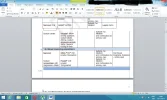
DisCode reports a problem with table formatting in a Word document, specifically overlapping content onto the next page and issues with table borders not closing properly. Trouble requests clarification on the specific problem, as the attached image doesn't clearly show the issue. The overall tone indicates a troubleshooting effort with a need for more detailed information to assist effectively.
DisCode reports a problem with table formatting in a Word document, specifically overlapping content onto the next page and issues with table borders not closing properly. Trouble requests clarification on the specific problem, as the attached image doesn't clearly show the issue. The overall tone indicates a troubleshooting effort with a need for more detailed information to assist effectively.

Solution

It's over lapping onto the next page blocking the header at the bottom, and the other that it doesn't seem to have a closing at the top of the new box

