Windows 7 Asus Ai suite - Fail to install ACPI driver

warriorholic

New Member
Joined
Mar 6, 2009
Messages
2
Hey , ever since I upgraded from windows 7 32bit to 64bit I've been having this issue with the ACPI drivers , I just can't seem to find the right updated driver for it , I've tried many 32bit and 64bit vista drivers and they all keep giving me errors, I tried installing the latest bios for my motherboard and everything's up to date except for the Asus ACPI drivers.

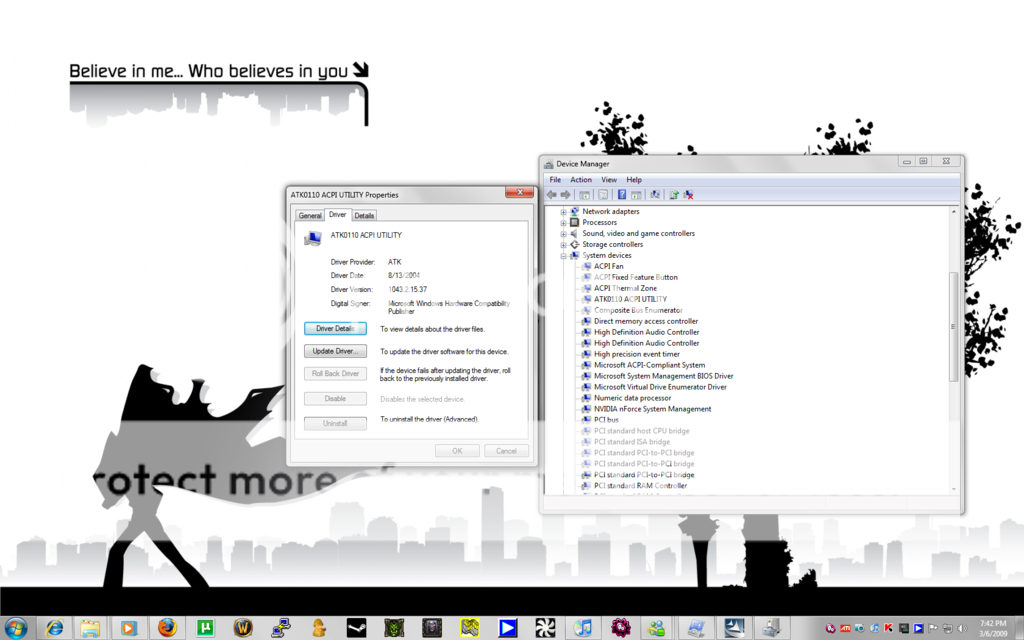
here's a screen shot of the driver , I think it's because the driver is outdated.

Installation Error:
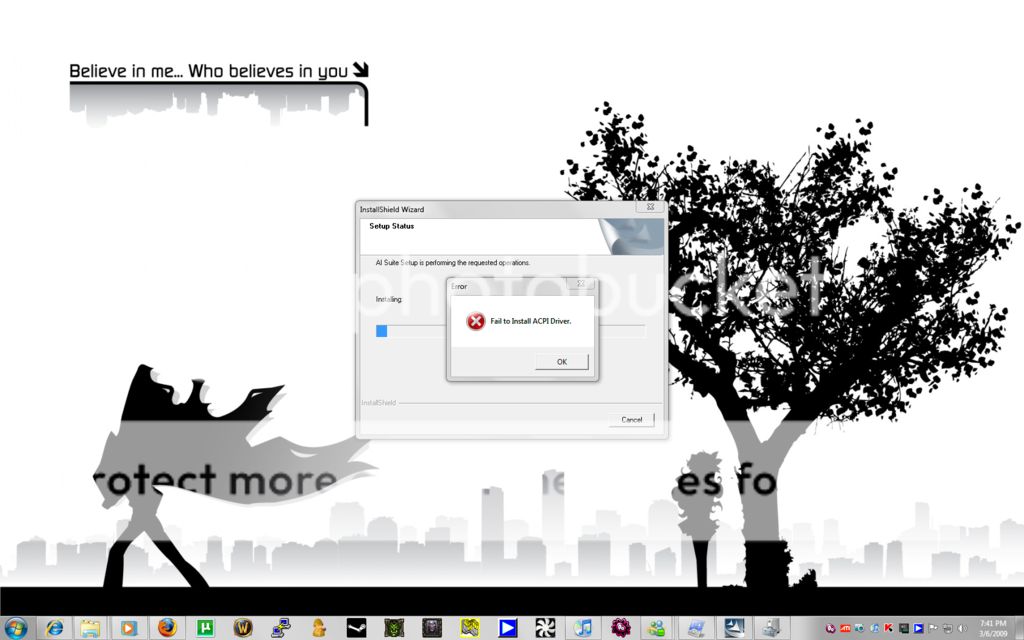
Installation.png


Driver :
Driver.png
 

Solution
There is a way to install Asus programs with windows 7 such probe II , AI Suite , Six Engine ...
First let windows install ACPI driver update from windows update ...

Run setup.exe from asus install dir with troubleshoot compatibility and use vista compatibility mode , click run the program ..
if security windows appear always uncheck the case "ask before to run this program"
this will pass the acpi older driver installation and finalize the install
I 'm running all of the asus programs on 2 pc ( P5E and P5Q ) with win 7 X64 build 7100 , Six engine working too on P5Q ...
Note : if install fails the first time with acpi driver failure , just run it again ...
see image ...Link Removed
I can install it...
But then AI-Suite dont works.
All displayindications have the value "Zero"
Any suggestions?

:( Max
 

My P5Q Pro Turbo went to sleep in mode S1 without having installed Asus s/w. Waking and sleeping is excellent compared to Win XP. LAN and audio drivers that came with Win 7 worked well. If you have the time you may want to uninstall Asus drivers and see if WIn 7 drivers work.
 

Download the latest AIsuite, extract , go to folder open Setup.exe with right click and chose Properties. Then go to Compatibilitiy and chose × Run this program in compatibility mode for : Windows Vista ( Service Pack 2 ) and under Privilege Level apply × Run this program as an administrator.

When still not going try with × Run this program in compatibility mode for : Windows Vista or Windows Vista ( Service Pack 1)

Thats works for me fine .
 

I just wanted to point out that you may have trouble installing AI Suite under Windows 7 if Stickies (Stickies) is running.

I tried following all the instructions regarding compatibility mode, administrator privileges, installing the ACPI driver, etc. Yet when I tried installing AI Suite, the installer would stall at 0%.

Strangely, this was solved by closing Stickies during the installation.
 

Ok, I finaly managed to install it on Win 7 64bit myself all methods mentioned above were not working, Ive tryed this one, and now it works!

Link Removed - Invalid URL

I hope it will help you save the time searching for the solution!
 

You need to install a different version of ai suite. here's the link Link Removed
Scroll down,choose the newest version , install and enjoy.
 

Back
Top