Windows 8 Box Appears on Start-up

Summers

New Member
Joined
Jun 20, 2015
Messages
5
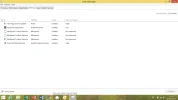
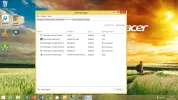
Just the last couple of days I get this box appear on start-up - any idea what it is and how I can get rid of it? Doesn't seem to affect my laptop functioning normally:

An image from 'Box Appears on Start-up'. A Windows desktop with an Acer nature-themed wallpaper and an open command prompt window.
 

Last edited by a moderator:

helpifIcan

Fantastic Member
Joined
Jun 20, 2009
Messages
932
Probably some program either running in the background or a program in the background that failed to complete.
If you have not installed anything recently hard to pin down. If something was installed recently or updated remove or try a restore to a date before this started.
Obviously if everything is running fine more a PITA than a problem
 

Summers

New Member
Joined
Jun 20, 2015
Messages
5
Thanks. I've stalled quite a lot recently as it's a new laptop. I've also done a lot of uninstalling too (after discovering loads of software advertised as FREE when they're not!). I can't pinpoint the date this started so restoring back to before then won't be possible. I guess if there's no solution, then, (hard to believe) I will have to put up with it! Cheers.
 

helpifIcan

Fantastic Member
Joined
Jun 20, 2009
Messages
932
You could check and see if there is anything in the error logs that helps you pin done the problem.
 

helpifIcan

Fantastic Member
Joined
Jun 20, 2009
Messages
932
If you do not know how to do this I'm afraid the information there would not be helpful to you.
 

MikeHawthorne

Essential Member
Microsoft Community Contributor
Joined
May 25, 2009
Messages
6,671
Hi

You could try running CCleaner and see it some of the software you uninstalled left something behind.
My guess is that's what is happening.

Something that your computer thinks should start isn't there anymore so the window pops up.

Run both the normal and the registry scans.

If you don't have CCleaner (and you should) you can get it here...
http://filehippo.com/download_ccleaner/59127/

CCleaner also has an interface that lets you decide what starts at boot.
You can disable things easily and re-enable them quickly as well.
If you can find what is trying to start you can just stop it from trying to load.

You can avoid issues like this in the future by running another free program called Revo Uninstaller.
It looks for all the leftover stuff when it does the uninstall.

Mike
 

ussnorway

Windows Forum Team
Staff member
Joined
May 22, 2012
Messages
4,595
Another option is to post your startup list as a screenshot... its a safe bet the cause is one of them as it always happens at boot time.

press [windows key] + [x] then press [t] and select "start up" tab.
An image from 'Box Appears on Start-up'. Windows Task Manager Startup tab showing all startup programs disabled with a 5.8-second last BIOS time.
 

Last edited by a moderator:

Summers

New Member
Joined
Jun 20, 2015
Messages
5
Here it is! Any ideas?


An image from 'Box Appears on Start-up'. Windows Task Manager shows startup programs and their impact on system boot.
 

Attachments

  • upload_2015-7-1_11-17-48.webp
    upload_2015-7-1_11-17-48.webp
    77.4 KB · Views: 305
  • upload_2015-7-2_10-43-31.webp
    upload_2015-7-2_10-43-31.webp
    231.8 KB · Views: 302
Last edited by a moderator:

Summers

New Member
Joined
Jun 20, 2015
Messages
5
I'm also getting the following message now both at start-up and intermittently while my laptop is on - any thoughts?:

An image from 'Box Appears on Start-up'. Windows error message for gb-installer-core crash appears on a scenic desktop background.
 

Last edited by a moderator:

Josephur

Windows Forum Admin
Staff member
Premium Supporter
Microsoft Certified Professional
Joined
Aug 3, 2010
Messages
1,289
I would urge you to run Malwarebytes, AdwCleaner, and Junkware Removal Tool. Remove anything they find. Your system most likely has malware and unwanted programs on it.
 

Solution

OTT

Active Member
Joined
Apr 2, 2015
Messages
94
"Mindspark Toolbar Platform" + "gb-installer-core" + "Pokki" are all Adware/PUP

First make a restore point !
Try to locate and un-install anything related to the above "programs" via Control Panel-Programs (and Features).
After that do a full scan with Malwarebytes Anti-Malware and let it remove/quarantine everything it finds.

Report back if you have any problems and if these boxes/windows still appear.

OTT
 

MikeHawthorne

Essential Member
Microsoft Community Contributor
Joined
May 25, 2009
Messages
6,671
Hi

Yes, run Malwarebytes.
If you still have issues after that we can go from there.

Mike
 

Josephur

Windows Forum Admin
Staff member
Premium Supporter
Microsoft Certified Professional
Joined
Aug 3, 2010
Messages
1,289
Not sure Malwarebytes would be enough, I will still urge ADW and JRT as well.
 

Back
Top