

Navigation section
You are using an out of date browser. It may not display this or other websites correctly.
You should upgrade or use an alternative browser.
You should upgrade or use an alternative browser.
Windows 10 EMERGENCY - Boot Loop After Win Update
- Thread starter xlook
- Start date
- 1 min read
Solution

wusa /uninstall /kb:2744842 /quiet /forcestart substitute the number of the update you want to remove. You can do this from the command prompt available in the recovery console.
- Thread Author
- #3
No.. I got samsung ssd.Does your OS sit on an Intel SSD?
- Thread Author
- #5
I'm at the recovery environment. How do I roll back the update?You may want to try booting to the recovery environment and rollback the update. Pressing F8 during boot or just power the computer on and off a few times should force it to the recovery screen.

- Thread Author
- #7
wusa /uninstall /kb:2744842 /quiet /forcestart substitute the number of the update you want to remove. You can do this from the command prompt available in the recovery console.
Hey man.. I don't fully understand what you meant by that. Could you articulate what you meant by:
"wusa /uninstall /kb:2744842 /quiet /forcestart"?
- Thread Author
- #9
Hey dude. How do I find out which update caused this bootloop? I know when it happened.. but I don't know the exact update. Hope you can help with that.In installed updates look for the kb number, in that command you put that number where the 2744842 is in the example and it'll uninstall said update
- Thread Author
- #11
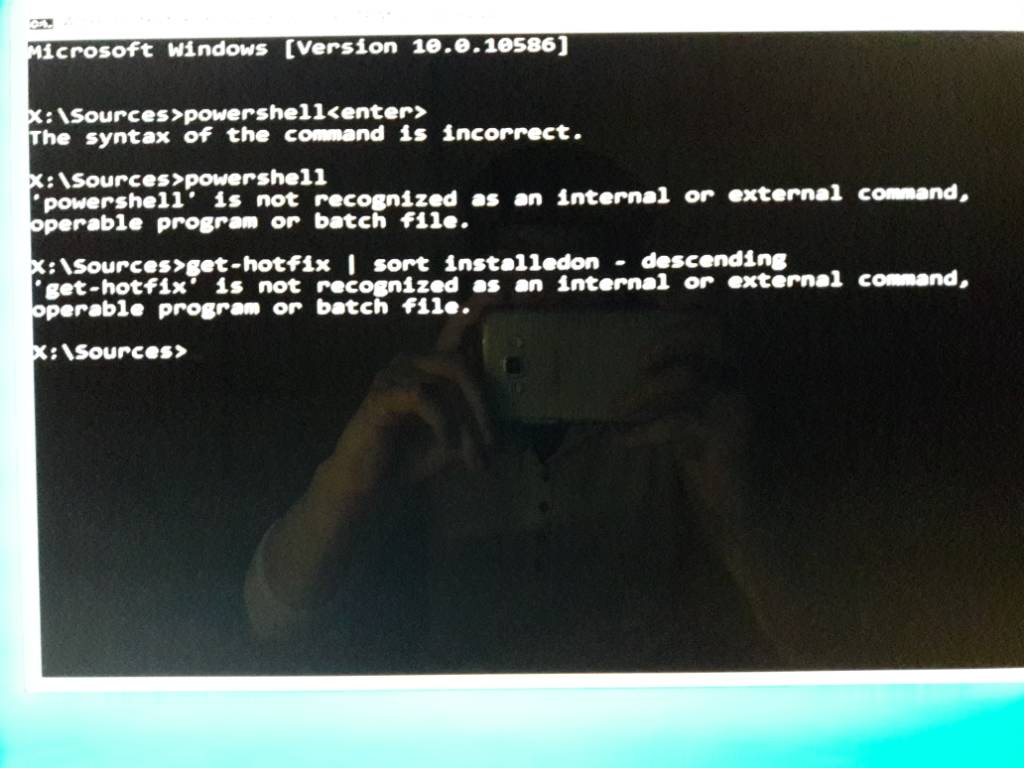
No offense.. but are you sure you know what youre doing? I entered the commands as you asked and it says the syntax is wrong. Look at the attached image for the errorsFrom the command prompt type powershell to drop into a powershell prompt then type
Get-HotFix | Sort InstalledOn -Decending
You won't be able to tell, but it's likely the last one(s)
- Thread Author
- #14
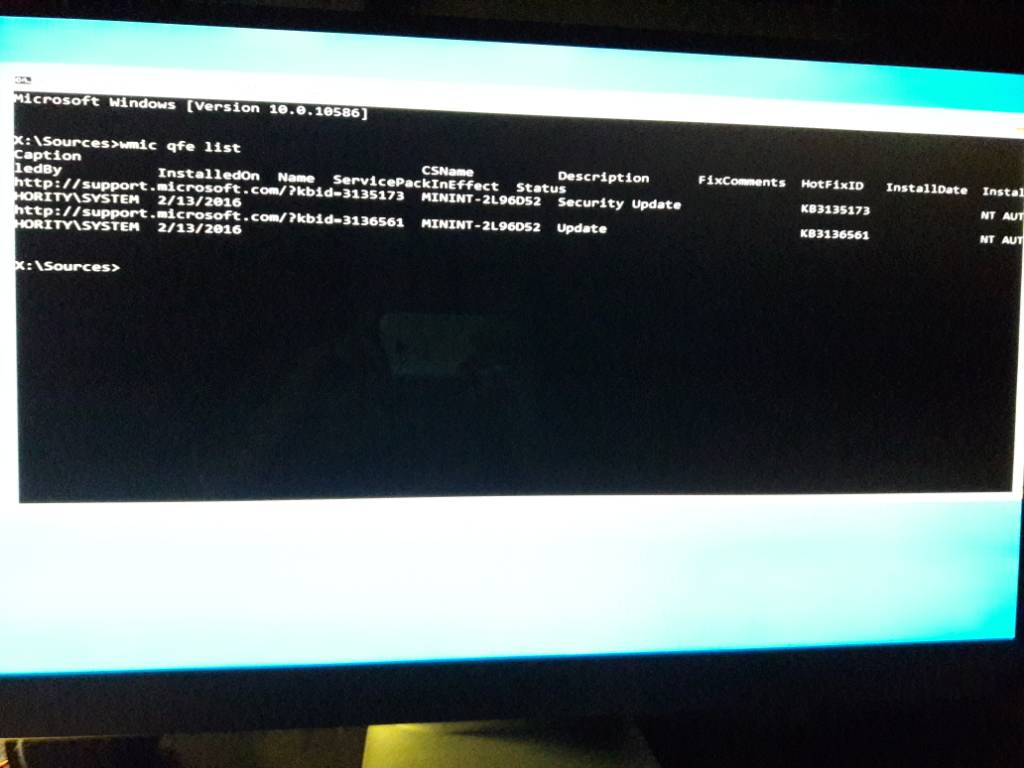
Hey man,You can try running the following from command prompt. wmic qfe list
I entered your command and I took a pic. Check it out. If this lists the latest updates it's strange cuz according to the results it says 2/13/2018. That makes no sense since the latest update attenpted was 3 - 4 days ago.
Didn't mean any offense in my last reply. Just extremely frustrated about my PC. Hope you understand. I really do appreciate your help.
Let me know the next steps. Thanks man.

- Joined
- Jul 4, 2015
- Messages
- 8,998
When you do a build upgrade you will only see updates that install after the upgrade since the previous updates are bundled into the build. Based on your current version 10586 you're no longer on a support build. On another computer I would download a newer build such as 1709 or 1803 and install that. There is an option to keep data and programs.
- Thread Author
- #16
On another computer I would download a newer build such as 1709 or 1803 and install that. There is an option to keep data and programs.
I tried the option in win PE to reset but keep my files. But it doesn't work.
Not exactly sure what you want me to do regarding downloading a build to another computer. How would I transfer a newer build from one PC to my PC?

kemical
Essential Member
- Joined
- Aug 28, 2007
- Messages
- 36,176
Just so others know how you fixed it would you mind sharing?Hey guys,
I fixed it! Thanks for your help!!
Similar threads

- Article
- Replies
- 1
- Views
- 4K
- Article
- Replies
- 0
- Views
- 1K
- Article
- Replies
- 0
- Views
- 522
- Article
- Replies
- 3
- Views
- 11K
- Article
- Replies
- 0
- Views
- 589