

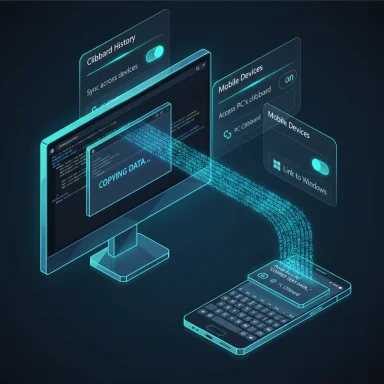
Microsoft quietly added a native option in Windows 11 to push your PC clipboard to Android — and in early hands‑on testing it appears to land inside any Android keyboard that reads the system clipboard, including Gboard.
Windows 11’s clipboard has long been more than a lone Ctrl+C buffer: clipboard history (Win + V), cloud sync for Microsoft accounts, and keyboard integrations (SwiftKey) have been part of Microsoft’s cross‑device play for years. Microsoft is now testing a new toggle that promises direct clipboard access from PC → phone via the Link to Windows / Phone Link stack, surfaced in a recent Insider Dev flight as an “Access PC’s clipboard” option in the Mobile Devices section. Early testers report near‑instant delivery of copied text to an Android keyboard’s clipboard/prediction bar. (windowslatest.com)
This piece walks through what was found, how the capability differs from existing SwiftKey cloud clipboard sync, why it matters (and where it doesn’t yet), practical setup and troubleshooting steps, security implications, and what to watch for as Microsoft continues the staged rollout.
 Overview
Windows 11’s clipboard has long been more than a lone Ctrl+C buffer: clipboard history (Win + V), cloud sync for Microsoft accounts, and keyboard integrations (SwiftKey) have been part of Microsoft’s cross‑device play for years. Microsoft is now testing a new toggle that promises direct clipboard access from PC → phone via the Link to Windows / Phone Link stack, surfaced in a recent Insider Dev flight as an “Access PC’s clipboard” option in the Mobile Devices section. Early testers report near‑instant delivery of copied text to an Android keyboard’s clipboard/prediction bar. (windowslatest.com)This piece walks through what was found, how the capability differs from existing SwiftKey cloud clipboard sync, why it matters (and where it doesn’t yet), practical setup and troubleshooting steps, security implications, and what to watch for as Microsoft continues the staged rollout.
Background: how Windows got here
The clipboard story so far
Windows introduced clipboard history in recent releases so users could recall multiple copied items (open it with Windows + V). That history can be synced across devices using your Microsoft account; Windows documents the flow — enable Clipboard history, then turn on Sync across devices and choose automatic or manual upload. The platform limits and behaviors are spelled out in Microsoft’s support pages. Separately, Microsoft has offered cross‑device clipboard syncing to Android via the Microsoft SwiftKey keyboard for several years: SwiftKey’s Cloud Clipboard gives Android keyboards connected to a Microsoft account access to PC clipboard items, with implementation specifics (for example, the last copied cloud clip is retained for about an hour and pinned items persist). Microsoft’s SwiftKey support article is the canonical how‑to for that route.Phone Link / Link to Windows and the continuity push
Phone Link (recently rebranded and expanded in places as Link to Windows) is Microsoft’s ongoing continuity layer for Windows ↔ Android. In 2024–2025 Microsoft moved toward identity/context‑driven handoffs (Cross Device Resume) rather than heavier Android emulation on PC; Phone Link has been the surface for messaging, photos, and clipboard features. Phone Link settings already include a Cross‑device copy and paste toggle and troubleshooting guidance — the platform is explicitly built to transfer copied content between devices. (support.microsoft.com)What the WindowsLatest hands‑on actually found
- Testers found a toggle named “Access PC’s clipboard” inside Windows 11’s Mobile Devices settings in a Dev preview build. The toggle previously appeared in an earlier flight, vanished for a while (indicating testing), and returned in a fresh Dev channel flight.
- After enabling Access PC’s clipboard on the PC, turning on Clipboard history, and enabling the existing Sync across devices option, copied text on the PC promptly surfaced inside the Android phone’s keyboard UI — Gboard in the reporter’s test. The sync was reported as instantaneous in multiple trials.
- Importantly, the WindowsLatest tester observed the behavior with more than one keyboard: the Samsung keyboard also showed the PC clip, suggesting this is not a keyboard‑specific integration but likely a system‑level clipboard delivery. That observation implies any keyboard that reads the Android system clipboard can surface the PC copy.
- The reporter contrasted the new native route with the SwiftKey approach. When trying SwiftKey’s built‑in clipboard sync the results were mixed: SwiftKey’s sync did not work reliably in that test, and community reports show users experiencing one‑way syncs or outages. (reddit.com)
Short takeaway from the hands‑on: a native Link to Windows route appears to push PC copies into Android’s clipboard environment in real time, which makes content available in any Android keyboard that reads the system clipboard — if you’re on the right preview build and signed into the same Microsoft account.
How this likely works (technical read)
Two competing models: cloud keyboard sync vs. system clipboard push
There are two plausible technical patterns for getting PC clipboard content onto a phone:- Cloud keyboard sync (SwiftKey model): The keyboard app (SwiftKey) uploads your copied content to Microsoft’s cloud tied to your Microsoft account; your phone keyboard then surfaces the clip locally in its clipboard UI or prediction bar. SwiftKey’s docs and Microsoft support describe this approach, including short retention windows and pin mechanics.
- System clipboard push (Link to Windows model, inferred): The Link to Windows / Phone Link service on the phone receives clipboard data from the PC and writes it into Android’s system clipboard. Any keyboard that reads the system clipboard (Gboard, Samsung Keyboard, SwiftKey when acting as a client) could then present the copied item. Microsoft’s Phone Link settings explicitly include an allowance for the app to access and transfer copied content, which supports the inference that Link to Windows can write to the phone’s clipboard. Gboard and other keyboards already read the system clipboard to show recent clipboard snippets. Putting those two facts together, the observed behavior is consistent with a system clipboard push. (This is an inference based on available documentation and hands‑on reporting, not a line‑by‑line Microsoft engineering disclosure. (techsmartest.com, windowslatest.com, techsmartest.com, windowslatest.com, support.microsoft.com, windowslatest.com, windowslatest.com, windowslatest.com, support.microsoft.com, windowslatest.com, reddit.com, windowslatest.com, Hands on: Windows 11 has a hidden native clipboard sync for Android, also works with Gboard


