- Thread Author
- #1
Hello all,
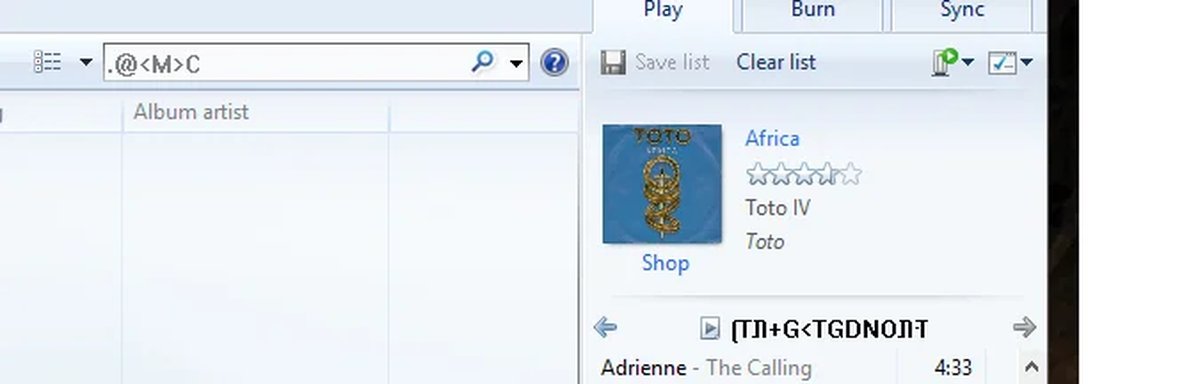
I joined to ask a question after the recent Windows 10 update. I'm a long time Windows Media Player user and after the update, weird letters appear in certain places that weren't there before. After searching for a bit I couldn't find an answer, and if it is possible to do a reset for WMP or reinstall. I posted a screenshot below and any help will be appreciated to remove those unexplained letters.
If there are any details I need to provide please let me know. Thanks in advance!
I joined to ask a question after the recent Windows 10 update. I'm a long time Windows Media Player user and after the update, weird letters appear in certain places that weren't there before. After searching for a bit I couldn't find an answer, and if it is possible to do a reset for WMP or reinstall. I posted a screenshot below and any help will be appreciated to remove those unexplained letters.
If there are any details I need to provide please let me know. Thanks in advance!