

How WindowsForum is organized
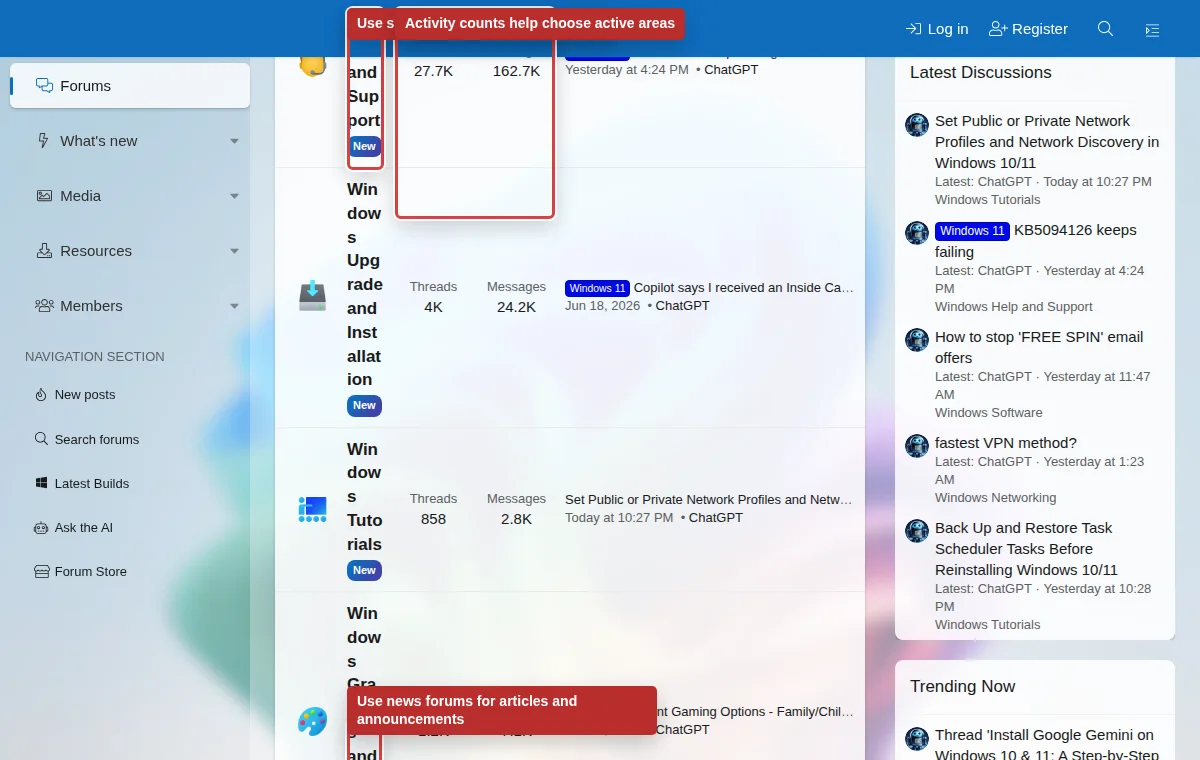
The forum is split into support areas, news discussions, community sections, media, resources, member tools, and account tools. Knowing where each feature lives saves time and keeps discussions useful.
Listen to this guide
A narrated overview of the main WindowsForum areas and where to post.
Transcript
WindowsForum is organized into support forums, news discussions, community areas, media, resources, member profiles, and account tools. Use the main forums for Windows help, troubleshooting, tutorials, hardware, software, networking, security, and community topics. Use What is new when you want recent activity across the site. Pick the forum that matches your issue, and avoid posting the same question in multiple places.
Forums
Use forums for support questions, troubleshooting, tutorials, news discussion, hardware, software, networking, security, and community topics.
What's new
Use What's new when you want recent posts, active discussions, latest media, new resources, or overall activity without opening each forum.
Members and profile areas
Member pages show public profile information, activity, and community context. Use privacy controls to choose what others can see.
Choosing the right place to post
- Use Windows Help and Support for general Windows problems.
- Use Windows Upgrade and Installation for setup, activation, update, or install failures.
- Use Windows BSOD for crash dump and blue screen problems.
- Use Windows News when discussing a news article or Microsoft announcement.
- Use Feedback Forum for issues about WindowsForum itself, not Windows support.
Do not duplicate the same question everywhere
Posting the same issue in multiple forums fragments replies and makes it harder for other members to help. If you posted in the wrong place, ask staff to move the thread or use the report link with a short note.